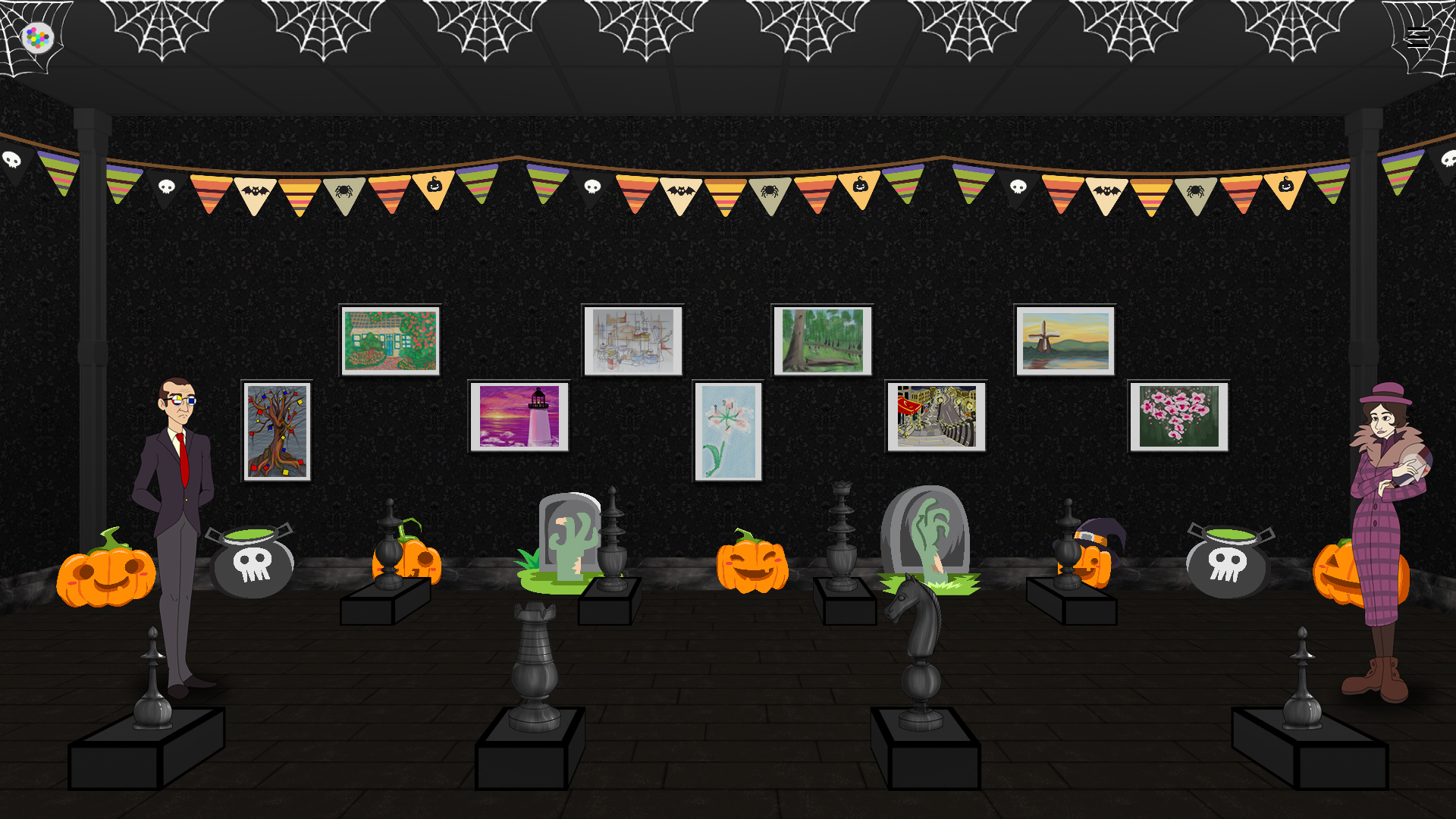
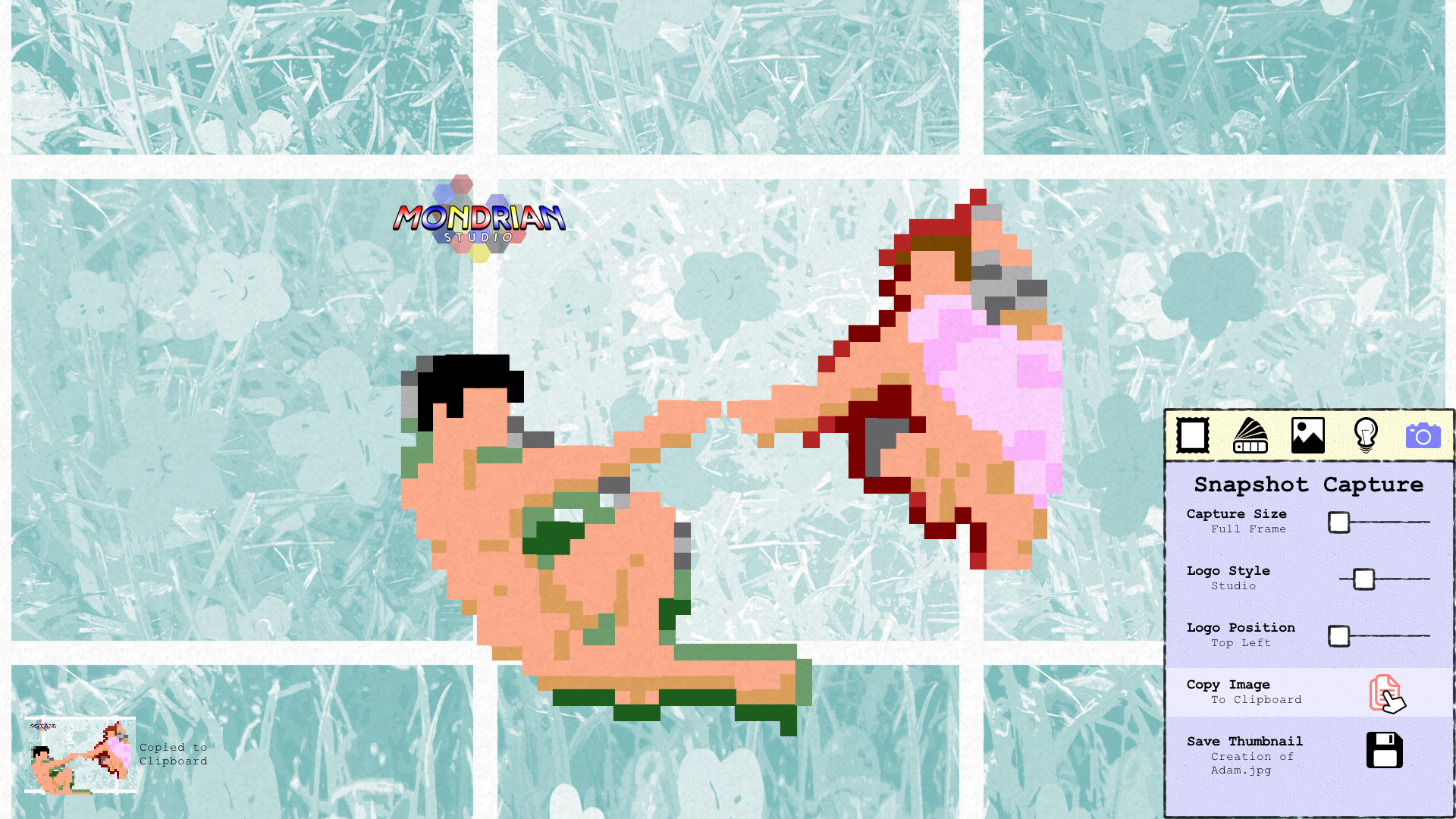
Happy Art Hallow's Eve everybody! In case you missed our previous post, we are in the midst of a big Mondrian Maker contest to celebrate the Spooky Month. All you need to do is download the Pumpkin Template off of Steam Workshop, and use that to make your very own Jack O'Lantern designs in Mondrian Maker and Mondrian Studio. Then in just over a week, we'll be judging the designs, picking our favorites, and handing out prizes like custom thumbnail frames, sticker packs, and more. See the previous post for more details.
We're also currently working on some October & Halloween-related cosmetics for the Museum, so stay tuned!
1.0.10f4 Patch Notes
We just released a small update for the game that should help you in your journey to create the best Jack O'Lanterns the world has ever seen. In particular, we've updated Mondrian Maker with increased precision on the brush tool, and made some minor design changes to it and some other tools to help with visibility. Here's the full notes:
Changes
Game: Altered the method by which Gems are destroyed when they leave the level
Maker: Reduced the size of the Block Detector, used on various painting tools, to a single pixel
Maker: Increased the precision of the Brush tool
Maker: Increased the precision of the Paintscraper tool
Maker: Added white outlines to the Brush, Eyedropper, Paintscraper, Stamp, and Eraser tools to make them more visible against any color block
So far we've felt some noticeable results on our end from the above changes to the Mondrian Maker tools, but please send us your feedback so we can continue to perfect the feel over time.
Join us on Sunday at Balance Patch!
Last but certainly not least, we will be at Balance Patch in Boston on Sunday. They are hosting an event in collaboration with our old friends at BostonFIG. We'll have Mondrian on display and ready to go at their most excellent gaming cafe, likely somewhere in the back. The event runs from 2-10pm, with all manner of local indies displaying their games, plus a stream of the IndieCade awards. Guaranteed to be a great time! Stop on by, play the game, and grab a panini.
There's always something happening so swing by our Linktree to find all the places to follow us!
As always, thank you for playing. - Danny
1.0.10f3 Patch Notes
Changes
Maker: Blocks will stay now at the Z-level at which they were initially placed
Bug Fixes
Splash Screen: Fixed the Splash Screen being silent after the game restarts in the Main Menu
Museum: Fixed the Museum construction fade being White in Night Mode
Game: Fixed the Scoop Paddle being unable to grab the ball after it had teleported
Studio: Fixed Night Mode slider not changing modes
Maker: Fixed a bug where blocks that were placed on top of others would end up underneath them upon saving
Maker: Fixed the “Save & Play” button saving an extra copy of the current level as an unnamed file in the Levels folder
Art Hallow's Eve has Begun!
The spirit of Arthur Hallow has awoken! He haunts the Museum and demands PUMPKINS! Will you heed his call?
What is Art Hallow's Eve?
Art Hallow's Eve is our celebration of the spooky, and like all our events, it's very creativity-focused. As of this moment, you can begin submitting your pumpkin-themed levels to the Mondrian Makers workshop, for a chance at some great prizes, including:
Gold, Silver, and Bronze framed thumbnails respectively
Subscriptions to the Lantana Games Twitch account
Dedicated roles on the Lantana Games Discord
High quality prints or print-quality images of your creation, plus optional Lantana Games sticker packs
More good news: no matter what, everyone's a winner! ALL entries in the Mondrian Pumpkin Carving Contest will receive custom, “Wooden” framed thumbnail of their works, as well as "Wood Frame" tags, and a POAP token verifying their submission. POAPs, or "Proof of Attendance Protocols," are a new, blockchain-based kind of attendance badge for events. We'll be minting these for all our events, and our creation events especially, so make sure to grab yours if you can! They may have even more uses in the future, so keep joining and keep collecting!
Note: POAP tokens require an Ethereum wallet, however they are completely free to claim! After you submit, we'll leave a comment in the "Private Developers Comments" section of your creation, which will include a link to your POAP token, as well as your framed thumbnail. Please add your framed thumbnail as an image to your already-existing Workshop item! That way you won't lose your hard-earned download stats and upvotes by uploading a new version of your level.
Making a Pumpkin
[previewyoutube="qstKMTuGerc;full"] Haven't used Mondrian Maker before? No worries! Jump on over to the game's Workshop page and Subscribe to our Pumpkin template. Then, open this template in Mondrian Maker, select the Paintbrush tool, and quickly paint over the blocks in the template to make your own Jack O'Lantern. It's that easy!
When you have a level you like, click the "Play Your Level" button and select "Open in Studio." This will let you quickly create a Steam Workshop thumbnail. Watch this video to learn how to make a Thumbnail: [previewyoutube="Ya6YuOH5-mU;full"] Then go back into Mondrian Maker, click the "Share" button, and set the checkboxes to "Public," "Level," and "Gala Entry" to officially submit your level to the contest!
Contest Rules
Submissions must be made between 10/1/2021 and 11:59pm Eastern Time on 10/31/2021. Contestants may submit as many levels as they like, however they will only be eligible for one reward pack if chosen. Levels will be judged on the following criteria:
Creativity: Is this an entirely new pumpkin design? If so, is it visually appealing? If not, what was done with the template to make it unique?
Playability: How were modifiers and obstacles used to make the piece stand out at each difficulty? Is it fun to play with just the right balance of challenge and speed?
Visibility: How is the level’s thumbnail? Does it accurately portray a spooky or fun Halloween feeling? Does it properly show off the level’s “carving” aspect?
Winners will be selected within two weeks of the contest ending (on or before 11/14/2021) and, again, contacted with customized Workshop thumbnails and a secure form for shipping, Twitch, and Discord info.
About the Contest
The Mondrian pumpkin carving contest is hosted in collaboration with ArtChops’ annual pumpkin carving contest, which includes other categories such as Digital Art, Game Jams, Traditional Art, and real Jack O’Lanterns. Learn more about the ArtChops Pumpkin Carving Contest here.
Only submissions including the "Art Hallow's Eve" Gala Entry tag, created in and uploaded from Mondrian Maker, will be considered eligible for the prize packs. Winners will be selected within 14 days of the end of the contest and contacted with their prizes via the "Private Developer Comments" section on their submission. We will make all best efforts to keep you up-to-date on judging progress and any issues that may cause delays.
Lantana Games may use any level or thumbnail submitted to the contest for promotional purposes but will include credit. We will not distribute your creations outside of Steam Workshop without prior consent.
The Canvas is Waiting
We can't wait to see what kinds of Jack O'Lanterns you create! But most importantly, we hope you have fun with this little contest. It's going to be a wicked month!
As always, thank you for playing. - Danny
MPR 1.0.10f1 Patch Notes - Art Hallow's Eve
Features
Main Menu: Background colors will now harmonize to match Galas Main Menu: Leaf particles will be blowing around for the month of October Maker: The Share window now has 3 new buttons: Visibility, Type, and Entry
Visibility: Lets you set your Workshop level to be Public, Friends Only, or Private.
Type: Lets you currently select between 2 tags: Level and Template.
Entry: When a Gala is live, you can click this button to submit your level as a Gala competition entry. Otherwise you can set it to “Freeform” for everyone to enjoy without the pressure of curator judgment.
Bug Fixes
Menu: Fixed the Adventure mode sub-menu not being able to return to the Main Menu when New Adventure was highlighted Studio: Fixed the Copy/Saved text not appearing when in the game is in Night Mode but the Visual Effects slider is set to Day Mode
One Year In! Happy Anniversary!
It's our Biggest Update since Launch!
Happy anniversary, beautiful artists! One year ago today, Mondrian - Plastic Reality launched on Steam. It's been a slow buildup, but in that time we've introduced a lot of amazing features, like turning the Museum into a live events space and adding in the Mondrian Studio design suite. There's been no shortage of big updates over the last year, but this one takes the birthday cake! So let's explore just a little bit of what this update has to offer.
Massive Museum Additions
We had previously calculated a total of two million or so possible gallery spaces you could build in your Museum. However, that number has now skyrocketed to an ASTRONOMICAL SIX BILLION possible spaces. How? Ceilings, columns, and baseboards. Thanks to these brand new cosmetic additions, you'll be able to vary up the look of your space like never before. Personalize your gallery the way YOU want with 12 column styles, 10 ceilings, and 17 baseboards. As always, more cosmetics will be on the way in the future, especially with the holidays coming up.
Support for Full HD Background Images
Want to really show off your skills in your Steam Workshop thumbnails? Now you may use Full HD background images (1920x1080) instead of the traditional chunked backgrounds the game has always used! All you need is a subfolder in the game's Backgrounds folder, and two images. Here's what to do:
In the Main Menu, select Options and then "Open Local Content"
Browse to the game's Backgrounds folder
Create a new folder here named after your background image (for example, My Photo)
Paste in two 1920x1080 JPG images. They must share a name with the folder. One should be full color (ie My Photo.jpg) and one should be an Inverted Black & White image with the word Gray attached as a suffix (My PhotoGray.jpg).
Backgrounds you import can display in the Main Menu, the Local Leaderboard, and in the Game itself. You can also select your background in the "Background Canvas" tab of Mondrian Studio to be used in Full Color, One-Color, or Black & White mode.
A Massive Number of Fixes
There are too many changes and fixes to list them all here, but needless to say, it's been a busy few months! Everything from experience-killers to the most obscure, once-in-a-lifetime occurrences has been squashed, with the intention of giving you one of the smoothest arcade experiences you could ever imagine. No matter the level, game speed, or difficulty, we think you'll be very happy with what's been brought to the table. Read the nearly 2 pages (!!!) of Patch Notes below for the full details.
All the other Happenings
Things don't stop with the Anniversary Update! In just over a week, we'll be running our first ever Pumpkin Carving Competition as part of ArtChops' Halloween Event. The pumpkin you see above will be uploaded to Steam Workshop late next week as a template, and you'll be free to modify it as you see fit to make your own Jack O'Lantern level! However, you're free to get a head-start if you wish, but levels without the incoming Halloween Steam Workshop tag won't be accepted, so hold off on submitting until that's live!
And yes, this contest will include prizes. We're still budgeting this out so expect some updates on this on or before October 1.
What else is new? Oh yeah, we made Twitch Affiliate! Streams go up basically every weekday at 3:30pm Eastern time, mostly Mondrian and development streams, but also other indie games, replays of old talks/panels, and Sea of Thieves. Follow and subscribe, and make sure to say hi in chat!
Oh yeah, all 200 Punka Lisas are now available for you NFT collectors out there, so check out our profile on OpenSea to grab yours!
We've also started a Mondrian Makers Clubhouse if you're into that kind of thing. If you feel like chatting about making Mondrian levels or want to give us some feedback on what you'd like to see in the game, join the Club and come chat!
Full Patch Notes
Features
All: Added support for full background art images (1920x1080). Use of background chunks is also still supported. To add your own backgrounds, go to Options > Browse Local Content. Go to the game’s Backgrounds folder and create a folder named for your background (ex: photograph). Paste two versions of your background image in this folder: a full color one (photograph.jpg) and an inverted grayscale one (photographGray.jpg). We recommended inverting the image so it remains properly shaded in-game.
Game: Added different prompts to the Pause menu depending on game mode
Game: Added some functionality to veer the ball in toward blocks when there are fewer than 10 Regular blocks left in a level. The maximum distance at which the ball can veer toward a block is determined by difficulty. This also only applies to Regular blocks. Splitters, Teleporters, and Grays are not affected by this system.
Museum: Added Column, Baseboard, and Ceiling decorations. With nearly 40 new decorations in total, there are now over 6 billion (with a B!!!) possible Museum spaces you can build. Mix and match to build your space!
Maker: Added the music tracks from the Museum, which all play on Shuffle
Changes
Main Menu: The “Exit Game” button now starts highlighted when quitting
Main Menu: Added an in-game adjustment for changing Game Speed, rather than just saving the value to the settings file
Game: Added overrides to keep Adventure Mode levels in Analogous Color Schemes (meaning anything but De Stijl and Grayscale, at least for Episode 1)
Game: Tied Wildcard swirl and fade to Gamespeed value
Game: Doubled the number of animation frames and added a slight fade-out to block pops
Game: If Block Groove is on, levels will still switch off Block Groove automatically if there are more than 200 blocks present (previously 150). However, when there are fewer than 200 blocks, Block Groove will switch back on. Control over this will be even more granular in an upcoming update.
Museum: Increased inventory size from 3x6 to 4x6
Museum: Updated rendering for Heavy Boards and Diamond Metal floor
Gem Chest: Reworked interstitial messages
Maker: The “Import” button no longer appears in the Inactive Levels tab of the Open menu
Maker: Increased the time it takes for the next drop to block when holding down left click in Stamp Mode
Maker: The time between stamping blocks also now resets when left click is released
Bug Fixes
All: Fixed the cursor in the Pause Menu ending up behind Studio objects, particularly the Gallery Frame & negative space
All: Fixed and eliminated all the quick flashes of white in Night Mode when changing scenes
Splash Screen: Fixed Splash Screen not appearing in Night Mode
Main Menu: Fixed rough-ish fade in
Main Menu: Fixed Splash Idling not counting time when Controllers are not attached
Game: Fixed the ball, wall, and paddle being low-contrast grays in Grayscale color harmonies
Game: Fixed being able to Pause the game before the “Ready” animation has finished
Game: Fixed Bomb sound effects sometimes not playing
Game: Reset Ball Speed to Default when a Wildcard is hit when the Ball is caught in the Scoop Paddle
Game: Fixed balls other than the Speedball gaining speed when Bombs were hit
Game: Fixed Speedballs gaining speed from too few block hits
Game: Attempted a fix for the paddle getting stuck on the ball when the ball was paused and hitting the paddle side detectors at the same time
Game: Fixed a bug where the blocks created from Splitters would move at a constant speed, rather than being tied to Gamespeed. This caused blocks to split too far away on Slow, and not far enough away on Fast.
Game: Fixed ball trails not being destroyed when faded out
Game: Fixed the Scoop Paddle being able to catch the ball when teleporting
Studio: Fixed Save/Copy prompts being black when starting Mondrian Studio in Night Mode
Gem Chest: Fixed characters sliding in-front of options prompts
Museum: Fixed background colors in Inventory window getting stuck between pages. We have instead opted for all Gray backgrounds in the cells instead. The header and footer still randomize between red, yellow, and blue!
Museum: Fixed Inventory Window sound effects
Museum: Fixed a bug where the “character” value would not reset when entering the Museum after playing as a character other than Piet in any Quick Play mode
Maker: Fixed Thumbnails not displaying in the proper location in the Save/Play menu
Maker: Fixed the wrong Thumbnail appearing when opening the Save/Play menu
Maker: Fixed levels saving as backups instead of to the active Levels folder
Closing out the Year
Time for the bit of bad news. The Anniversary Update will be the last major update to Mondrian - Plastic Reality in 2021. That being said, we have the Pumpkin Carving Contest next month, and of course Makersmas in December! There are huge plans for updates in 2022, particularly in regards to Mondrian Maker, DLC, new Quick Play modes, and... Episode 2??? It could happen.
We're also working on some new videos, planning out new workshops and learning opportunities, growing our Discord, Twitch, Clubhouse, and NFT collections. Things never stop over here and we'd love to have you come along for the adventures!
As always, thank you for playing. Here's to the next Anniversary Update in 2022! - Danny
Visit the Mondrian booth at the GJ Art Lounge
Well hi there! Hope everyone is doing great! Ready to hear about an upcoming event? Yes? Cool.
Last month, we brought Mondrian to the GJ Art Lounge, an art expo hosted on GamerJibe, a new digital events platform. During the event, Danny recorded a tutorial with Sarah from GJ on how to use Mondrian Maker and Mondrian Studio to share your creations to Steam Workshop. You can watch that video right here:
[previewyoutube="2cUJvZAWHoI;full"] Next week, we'll be returning to the Art Lounge to once again show off the power of Mondrian Maker and Mondrian Studio, and we'll be running another demo! On August 26 at 2pm EST, we'll be demonstrating how to harness the power of the game's creative tools and dynamic generation to create collections of NFT's on the site and Blockchain of your choice.
We've already done this with our own collections of NFT's, notably the Punka Lisa collections on OpenSea. In these collections, we paintscraped the Mona Lisa's hair to make it randomize on every fill bucket click, and created 200 individual images, with each primary color collection getting minted into bundles bit by bit. You can check them out on our OpenSea page here: https://opensea.io/lantanagames
If this is a topic that interests you, please make sure to register for the GJ Art Lounge here: https://app.gamerjibe.com/events/61118af8cb30873519251241
We will have a development update for you soon! For now, just know things are going well, and 1.0.10 is shaping up to be a very nice update right in time for the game's first anniversary. Cool things are in store.
See you next week and hope you tune in for the talk! - Danny
1.0.9 Hotfix #2
Bug Fixes
Fixed blocks not dropping if Snap to Grid was deselected
Fixed settings not saving properly when leaving Mondrian Maker
1.0.9 Hotfix #1
Bug Fixes
Fixed controllers not being able to reach Copy & Save buttons in Mondrian Studio
Introducing Mondrian Studio
The long-awaited Creators Update is here, and with it, we're introducing Mondrian Studio! This design suite is a major upgrade over the original Gallery Mode, and allows you to take control over the look of your Steam Workshop thumbnails, not to mention desktop backgrounds, postcards, or whatever else you want to turn your Mondrian Maker creations into!
Mondrian Studio is a toolchest you can access from the "Play Your Level" window in Mondrian Maker (select "Open in Studio," previously "Save & Exhibit"). By simply adjusting some sliders (and clicking a couple buttons), you can create beautiful artworks out of your level in no time! You can quickly adjust the frame size/rotation, color harmony, background artwork, visual effects, and logo visibility. When you're ready, you can save your image as a JPG file in the game's Thumbnails folder, or instantly copy it to your clipboard to paste onto social media, send to your friends in chat, or bring into other graphics editing software.
The original Gallery Mode was very barebones, and we felt it was important to lower the barrier to getting levels up on Steam Workshop, while also offering a variety of controls to exhibit your creations in ways the game never could, such as neon colors. There's a wide variety of possibilities for how you can show your level off, and we can't wait to see what you post both on Workshop and in the Community Artwork tab!
If you'd like to know more about how to use Mondrian Studio, we've put together an instructional video which you can watch right here:
[previewyoutube="Ya6YuOH5-mU;full"] We've also added a few bonus goodies, including a new Porcelain Collection in the Museum, some Mondrian Maker adjustments, and Pause Menu optimizations. Check out the 1.0.9 Patch Notes announcement for the full list of what's new, changed, and fixed in the game.
Now that Mondrian Studio is in place, we're aiming to get back to more regular updates. In the meantime, we're super excited to see what you can cook up using the new toolset!
As always, thank you for playing. - Danny
1.0.9 Patch Notes
Mondrian - Plastic Reality
Features
Game: Introducing Mondrian Studio, accessible by hitting Save & Exhibit in Mondrian Maker. This toolset replaces Gallery Mode and gives you some sliders to adjust the frame size, crop, background, level colors, and more. It can also be used to quickly save JPG thumbnails with the right name and in the right directory to upload your creations to Steam Workshop!
Custom Framing: This tab gives you Sliders to access Crop Marks, Negative Space, Frame Ratio, and Frame Rotation
Color Palette: This tab lets you choose between the 12 primary colors, 10 analogous color scheme styles, scheme widths in 30° increments, and min and max brightness between 0% and 100%. Note that these changes do not happen in real time and you’ll need to click the Fill Button to change your creation’s color scheme.
Background Canvas: This tab lets you choose a background image, switch between Full Color, One Color, and Black & White variants, or switch the background off and on entirely. Note that One Color variants will take the Primary Color from the Color Palette tab.
Visual Effects: This tab lets you toggle the game’s various visual effects, including CRT Monitor, Film Grain, and Night Mode.
Snapshot Capture: Finally, the piece de resistance. The Snapshot Capture tab lets you save images of your creation based on the setup you’ve created in Gallery Mode. Capture Size lets you choose the size of the image, including the full Frame, Interior only, Frame + Crops, or the Full Window. You can also add various Mondrian and Lantana Games logos to the corners if you like. Use the Save function to save a properly named Thumbnail where the game needs it to upload your creation to Steam Workshop, or the Copy function to paste it directly into a chat, onto a social media post, or into external graphics editing software.
Game: Added 3 new Achievements
Museum: Added Porcelain Collection. This adds six new artpieces that can be placed on pedestals.
Museum: Filled in some missing sound effects
Museum: Added Over and Down states to inventory arrows
Changes
Main Menu: Added version number to lower-left hand corner
Game: Added a Scheme Width value to level color generation to help make adjacent color scheme values more accessible via the GUI
Game: Reworked color generation to be more compatible with new Mondrian Studio controls
Game: Tied Grayscale to Min and Max brightness values
Game: Optimized and cleaned up code of Pause menu
Game: Reordered Tetrad scheme widths to match Mondrian Studio’s color harmony slider. This has no effect in-game.
Game: Remade control maps in Pause Menu to match the game’s UI more and include Mondrian Studio controls
Bug Fixes
Game: Fixed a bug that prevented Grayscale, De Stijl, and Random color schemes from generating in-game
Game: Fixed the possibility of a background image not loading when Backgrounds were still turned on
Game: Fixed Triad 2 color 3 not generating on paddle, ball, or wall objects
Museum: Fixed Y-Positioning on Tall Tapered Mahogany pedestals
Museum: Fixed rendering on Chevron Wood floor
Mondrian Maker
Features
Added Thumbnails to the Save/Load window
Changes
The “Save & Exhibit” button now reads “Open in Studio”
Adjusted the wording on the “Play Your Level” tooltip to no longer make reference to a requirement to beat your level at all difficulties before sharing. This never got developed and has never been a requirement. Sorry for the confusion! The Tooltip now says what the individual buttons do in the Play Your Level window instead.