

Monster Hunter: World
Stygian Zinogre opens the gates to the Tundra Region, Safi’jiiva approaches!
[Stygian Zinogre]
Fan-favorite Zinogre originally charged into Iceborne with its electrifying attacks, and now a more vicious subspecies awaits. Stygian Zinogre harnesses dragon elemental energy instead of lightning this time around, so you will need to hone your Master Rank skills and strategize your approach in order to defeat this amped up beast. Those who are victorious will be rewarded with valuable materials used to craft new and powerful equipment featuring an intimidating black and red palette.
[Guiding Lands Tundra Region]
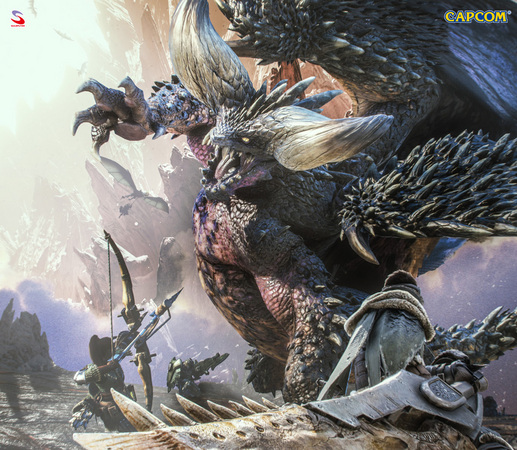
The new Tundra Region expands the Guiding Lands end-game locale with a snowy landscape home to bone-chilling monsters such as Barioth and Viper Tobi-Kadachi. As an added incentive, special materials exclusive to the Tundra Region can be used to increase the maximum level for weapon augmentation. On top of Stygian Zinogre and the Tundra Region, sightings of a tempered Elder Dragon have also been reported – Tempered Ruiner Nergigante.
[Safi’jiiva Siege]
After completing your investigation of the new Tundra Region and besting the fearsome Stygian Zinogre, find the Seeker in Seliana for you next assignment: Safi’jiiva, the mature form of Xeno’jiiva.
The first step will be to set out on a Recon Assignment from the Seliana Gathering Hub, and learn as much as you can about this mysterious beast. Next, gear up and prepare as best as you can for a full-on Siege, starting on March 20th 00:00 UTC (March 19th 17:00pm PDT).
The Siege of Safi’jiiva, titled “The Red Dragon,” will have you hunt this cataclysmic creature in a special locale with unique gameplay mechanics and Siege Objectives. Work together as a team to complete as many of those as possible, and slay the beast to earn rewards with phenomenal potential: the “awakened” Safi’jiiva weapons!
Each weapon comes with a preset distribution of stats (Attack, Elemental, Affinity, etc.), but once you take it to the Smithy, along with some Dracolite, you’ll be able to awaken its true potential. This system allows you to tinker with various stats as well as add Set Bonus skills (previously only seen in certain Armor pieces), allowing for broader possibilities of weapon and armor load-outs than ever before in Monster Hunter World: Iceborne.
This second free title update for Monster Hunter World: Iceborne is available now and the Safi’jiiva Siege will run from March 20th 00:00 UTC (March 19th 17:00 PDT) until April 12th 23:59 UTC (April 12th 16:59 PDT).
Good luck, hunters!
Important:
Matchmaking in Monster Hunter World: Iceborne requires players to have updated to the same version. Keep in mind that you can only match with other players who have the same update. You can verify the version number in the bottom-right corner of the title screen.
For other questions, please visit the official Monster Hunter World: Iceborne support portal below.
http://www.capcom.com/mhwsupport/
*Updated* Title Update 2
Please note that the previous version of this announcement mistakenly said that you could craft new Palico equipment from Stygian Zinogre materials, but only hunter equipment is actually available. We're sorry for the confusion.
*****************************************************************************************
Title Update 2 releases on Thursday, March 12, 0:00 UTC, and will include new features and bug fixes!
[Major Features]
■ "Stygian Zinogre" added to the game.
Quests that feature Stygian Zinogre can be unlocked by talking to the Seeker in Seliana after (1) having beaten the game and (2) having unlocked the volcanic region of the Guiding Lands.
- New Stygian Zinogre hunter equipment has also been added!
- You can also obtain a new weapon pendant, Stygian Zinogre Claws, by completing all of the quests given to you by the Seeker.
■ "Safi'jiiva" added to the game.
Take on the "??? Recon" assignment from the Pub Lass in the Gathering Hub to begin the investigation. The ??? Recon is a special assignment that can only be posted or joined from the Gathering Hub. This quest can also be done multiple times even after it has been completed.
- At 0:00 UTC on Friday, March 20, the Safi'jiiva Siege will become available. This special quest challenges you to slay Safi'jiiva by working together with the other hunters in your Online Session.
- New Safi'jiiva hunter and Palico equipment have also been added!
- "Awakened weapons" can also be obtained as rewards from the Safi'jiiva Siege.
■ "Tundra Region" unlocked in the Guiding Lands.
[Major Additions]
■ Numerous changes have been applied from console Ver. 12.11/12.11.00.
- Improvements to sword & shield and dual blades mechanics.
- A tempered version of Ruiner Nergigante will now appear in the game.
- New layered armor.
- New items available to meld at the Elder Melder.
- New "Weapon Pose" added.
- New Seliana room decor and BGM added.
■ In order to prevent the Steam overlay from unintentionally impairing gameplay, the Steam overlay no longer appears automatically when you receive friend requests during gameplay.
■ The VRAM Usage window in the options now has a more obvious display to warn you when you are trying to use DirectX 12 with 3.50 GB of available VRAM or less (at least 4 GB of VRAM are required to enable DirectX 12). This is an interface-based change that does not affect VRAM usage.
■ A new "Swap Keys while Grappling" option was added for mouse & keyboard controls. This allows you to unify the controls for "Weapon Attack" and "Flinch Shot" when grappled to a monster with the Clutch Claw, which otherwise may not match the controls for your current weapon after switching between melee and ranged (since the controls for "Weapon Attack" and "Flinch Shot" are based on gamepad controls).
■ A new keybind option was added for "Quest Return Selection" for melee and ranged weapon controls. The default setting is [Tab]. Changing this keybind allows you to set other controls, such as opening the start menu, to the [Tab] key instead.
[Featured Event Quests]
■ Safi'jiiva Siege — March 20 to April 22 (UTC)
Note: You must complete the "??? Recon" before you can post or join the Safi'jiiva Siege.
[Bug Fixes]
- Fixes from up to console Ver. 12.11 have been applied.
- Fixed an issue where guild card info would no longer update after failing to retrieve the guild card data of a player on your guild card list who has not updated to Ver. 10.12.00 or later.
- Fixed several camera-related bugs, including one where the camera would stutter if you moved your mouse very slowly.
- Fixed several key-binding-related bugs, including one where the subkey assigned to a mouse button would not work when both the main key and subkey for a specific control are both assigned to mouse buttons.
- Fixed other minor bugs.
Important:
Matchmaking in Monster Hunter World: Iceborne requires players to have updated to the same version. Keep in mind that you can only match with other players who have the same update. You can verify the version number in the bottom-right corner of the title screen.
For other questions, please visit the official Monster Hunter World: Iceborne support portal below.
http://www.capcom.com/mhwsupport/
Incorrect GPU Usage Display Issue
When using certain NVIDIA® GeForce® GPUs, some users may see the GPU usage value in the Windows 10 Task Manager display at 0% or other incorrect values.
We have investigated this issue on the application side and have confirmed that there are no issues with the actual GPU usage for MONSTER HUNTER: WORLD.
For more information, please see the NVIDIA's official feedback at the link below. There is a note about GPU usage readings under the "Top Issues and Updates" topic of the top post.
https://www.nvidia.com/en-us/geforce/forums/game-ready-drivers/13/326458/official-geforce-44112-game-ready-driver-feedback-/
NOTE: This site is only available in English.
Important:
Matchmaking in Monster Hunter World: Iceborne requires players to have updated to the same version. Keep in mind that you can only match with other players who have the same update. You can verify the version number in the bottom-right corner of the title screen.
For other questions, please visit the official Monster Hunter World: Iceborne support portal below.
http://www.capcom.com/mhwsupport/
Holiday Joy Fest lights up the Gathering Hub in Monster Hunter World: Iceborne!
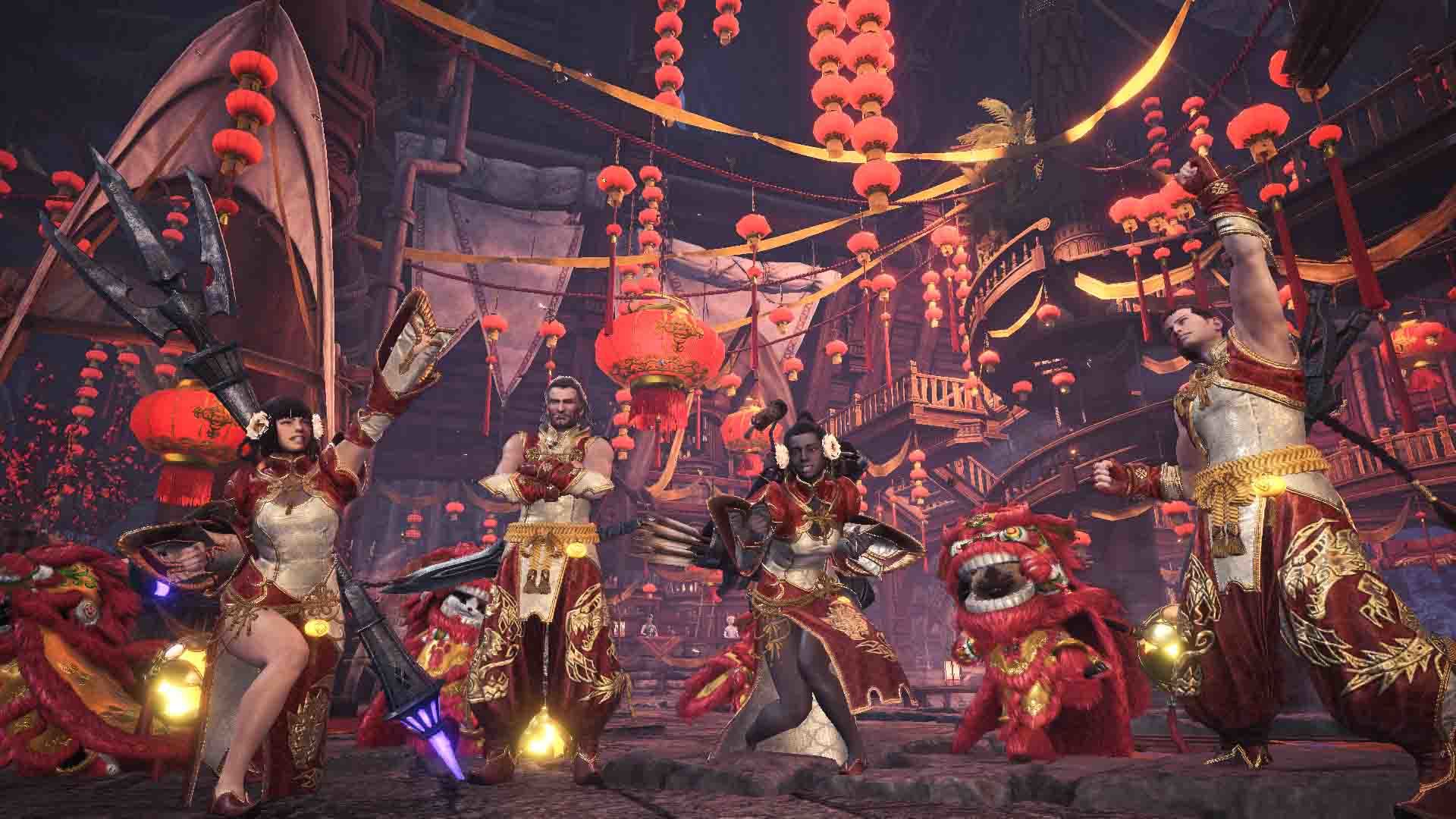
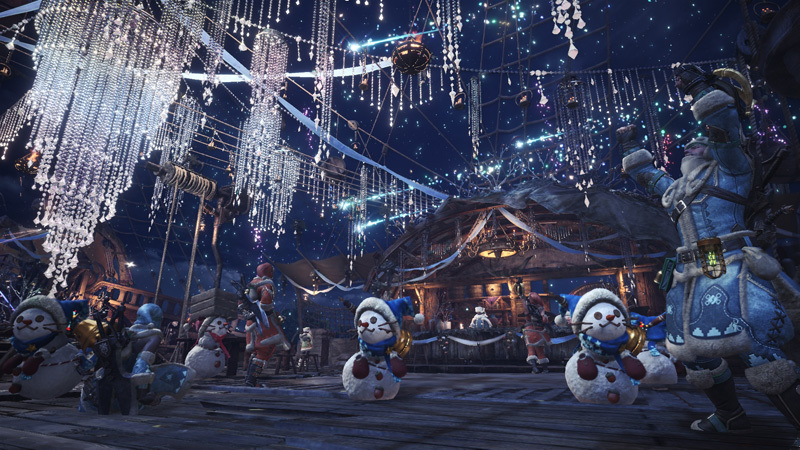
Hunters, gather together for a warm celebration of the all-new Holiday Joy Fest in the Seliana Gathering Hub! Log in starting on February 28 at 00:00am UTC (Feb 27 at 4:00pm PST) to enjoy the new Gathering Hub decorations, Armor Sets, Weapon Pendants, Event Quests, and a brand-new food platter filled with delicious-looking dumplings!
[Joyful Tickets]
Just like previous seasonal events, each day you log in, you’ll get an exclusive event ticket; this time, it’s the Joyful Ticket. These useful tickets can be used to craft or be exchanged for a variety of items.
Take some Joyful Tickets to the Smithy (along with a few other materials), and you’ll be able to craft the Oolong Armor and the Lucky Crimson Tiger Pendant for yourself and the Shishi-mai Set for your Palico.
And if you’re feeling particularly lucky, you can take your Joyful Tickets to the Elder Melder to try your odds at getting some Armor Skill Decorations by first exchanging the ticket for a Melding Ticket (by the way... you can also get Melding Tickets by helping the Steamworks during this Seasonal Event).
Or you could even exchange them for the super fun Snowman item!
[VIP Joyful Tickets]
Keep on hunting during the Holiday Joy Fest and you’ll come across a rarer ticket type… the VIP Joyful Tickets! These will net you some of the more premium event exclusive items, such as the Oolong Layered Armor and different color variations of the Lucky Tiger Pendant.
If you want to increase your odds of getting VIP Joyful Tickets, make sure to craft the standard Oolong Armor and wear it during your time helping Low Rank & High Rank hunters (via the Hunter Helper system), or while you clear special Event Quests.
By the way, we’ve added some new Event Quests with new unique gear for you to craft!
- A Chilling Entrance (Sealed Dragon Cloth)
- Muscle Monkey Madness (Buff Body)
- Scores of Ores (Mad Scavenger Pickaxe)
- Duffel Duty (Duffel Penguin Mask)
[Winter Star Fest]
And for those playing Monster Hunter: World or just wanting to spend some time in Astera, be sure to make a trip up to that Gathering Hub to enjoy the return of the Winter Star Fest. More details here
Enjoy, hunters!
Important:
Matchmaking in Monster Hunter World: Iceborne requires players to have updated to the same version. Keep in mind that you can only match with other players who have the same update. You can verify the version number in the bottom-right corner of the title screen.
For other questions, please visit the official Monster Hunter World: Iceborne support portal below.
http://www.capcom.com/mhwsupport/
Fix Patch Released
We have released fix patch Ver. 11.50.01, addressing the following issues:
● Fixed an issue where Observation Logs photos would not be recognized correctly under certain PC setups.
● Fixed an issue where crashes would happen while using AMD graphics cards.
● Fixed an issue where DX12 users would experience rare crashes, regardless of the type of graphics cards.
Note: Some users may not notice an improvement, depending on their specific hardware or system. We apologize for the inconvenience, but we appreciate your patience as we continue looking into these issues further.
● Fixed an issue where players could not enter their Room under certain PC setups.
● Adjusted the frequency of your Palico's voice dialogue while they're on standby.
● Fixed an issue where Steamworks reward item numbers didn't match the actual number of items you received.
We apologize for any inconvenience this may have caused.
Important:
Matchmaking in Monster Hunter World: Iceborne requires players to have updated to the same version. Keep in mind that you can only match with other players who have the same update. You can verify the version number in the bottom-right corner of the title screen.
For other questions, please visit the official Monster Hunter World: Iceborne support portal below.
http://www.capcom.com/mhwsupport/
Notice: Daily Bonus Compensation
- Login bonuses could not be obtained (login information notices were not displayed)
- Limited bounties would not update
- Event quests and challenge quests were unavailable
- Grand Appreciation Fest and Appreciation Fest decorations and character costumes had returned to normal
- Sales at facilities, as well as the special platter at each Canteen, were unavailable
We apologize for these issues, and would like to compensate everyone for the inconvenience with some free item packs that include the following:
- Login bonuses originally intended for February 12
- All the rewards that were possible to obtain from limited bounties from February 12
- Compensation for seasonal event facility services
Note:
- In place of the usual research point rewards from completing limited bounties, we have instead included a Golden Egg. Also, as compensation for the seasonal event facility services, we have included Gold Wyverian Prints, Silver Melding Tickets, and a Gold Melding Ticket.
- When you claim the compensation sets, there will be no extra entry on login bonus screen messages (the "Information" section) for the Daily Bonus Compensation Sets and MHW:I Daily Bonus Compensation Sets.
[All Players]
Note: All three item packs have the same name, but different contents.
■Daily Bonus Compensation Set
Appreciation Fireworks x 5
Appreciation Ticket x 2
■Daily Bonus Compensation Set
Appreciation Fireworks x 25
Appreciation Ticket x 6
Gold Wyverian Print x 3
■Daily Bonus Compensation Set
Advanced Armor Sphere x 1
Hard Armor Sphere x 1
Golden Egg x 1
[Monster Hunter World: Iceborne Players Only]
Note: All three item packs have the same name, but different contents.
■MHW:I Daily Bonus Compensation Set
Snowman x 3
Gratitude Ticket x 1
■MHW:I Daily Bonus Compensation Set
Snowman x 20
Gratitude Ticket x 4
Silver Melding Ticket x 5
Gold Melding Ticket x 1
■MHW:I Daily Bonus Compensation Set
Celestial Wyverian Print x 1
Heavy Armor Sphere x 1
King Armor Sphere x 1
Monster Hunter World: Iceborne players can claim all six item packs.
■Availability
Friday, February 21 at 0:00 UTC to Thursday, February 27 at 23:59 UTC
(Thursday, February 20 at 4 p.m. PST to Thursday, February 27 at 3:59 p.m. PST)
These item packs can be claimed one time only at the login bonus screen during the availability period.
Note: If you do not see the item pack in your login bonuses, try closing the game, updating to the latest version, and checking your login bonuses again the next day.
Important:
Matchmaking in Monster Hunter World: Iceborne requires players to have updated to the same version. Keep in mind that you can only match with other players who have the same update. You can verify the version number in the bottom-right corner of the title screen.
For other questions, please visit the official Monster Hunter World: Iceborne support portal below.
http://www.capcom.com/mhwsupport/
Pre-release Notification of a Fix Patch
We are releasing a fix patch Ver. 11.50.01 to fix the below issues.
Note: The patch is estimated at around 2.5GB. The overall data size will not fluctuate from this.
● A patch is scheduled for release on to address an issue that affects Observation Log photos for certain players.
Note:
- This issue will not have any effect on your story progress, nor on the status of your observations.
- The issue occurs when deleting or submitting photos, so we highly recommend avoiding these actions while playing.
- If you have already encountered this issue, it's recommended to not delete or add more photo data, and to keep your current data.
- We expect photo data that can't be read will become readable again after the patch is released, however if you take more photos, you won't be able to restore your old data.
● Fixing an issue where crashes happen while using AMD graphics cards.
https://steamcommunity.com/games/582010/announcements/detail/1698356489964259499
● Fixing an issue where DX12 users experience rare crashes, regardless of the type of graphics cards.
● Fixing an issue where players cannot enter their Room under certain PC setups.
● Adjusting the frequency of your Palico's voice dialogue while they're on standby.
● Fixing an issue where Steamworks reward item numbers don't match the actual number of items you received.
We apologize for any inconvenience this may cause players.
Important:
Matchmaking in Monster Hunter World: Iceborne requires players to have updated to the same version. Keep in mind that you can only match with other players who have the same update. You can verify the version number in the bottom-right corner of the title screen.
For other questions, please visit the official Monster Hunter World: Iceborne support portal below.
http://www.capcom.com/mhwsupport/
Monster Hunter World: Iceborne Original Soundtrack now on Steam Music Player
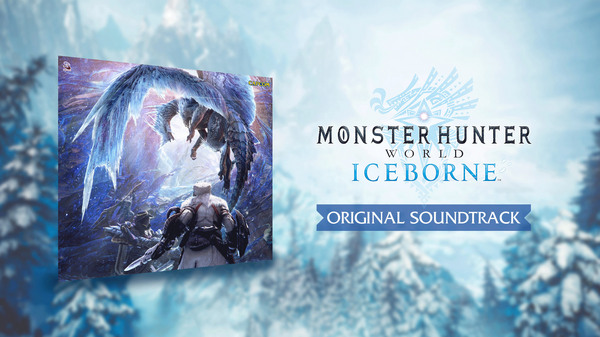
Music aficionados, rejoice! A variety of soundtracks from our recent releases are now available to purchase as stand-alone albums via the new Steam Music Player, including the brand-new Monster Hunter World: Iceborne Original Soundtrack!
Previously available only as DLC that required their respective game purchases, these soundtracks are now part of our first wave of music being converted to Steam’s new Music Player. This means you can actually enjoy the game’s rockin’ tunes without necessarily owning the full game. And to get the party started, we have even discounted some of the soundtracks for a limited time!
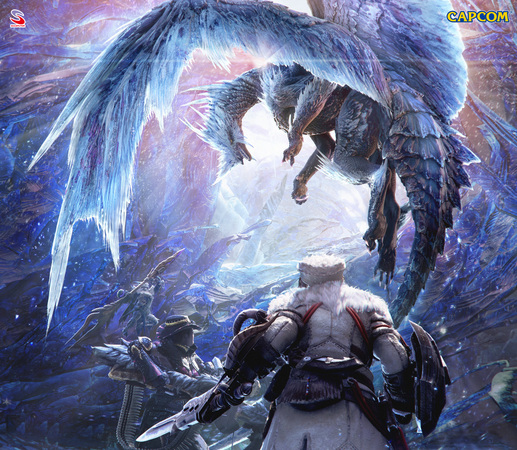
Monster Hunter World: Iceborne Original Soundtrack – 10% off
Monster Hunter: World Original Soundtrack – 20% off
All soundtracks are available in a variety of formats including MP3, AAC and FLAC, offering plenty of flexibility between small file sizes and superb audio quality. Also note that if you already owned these soundtracks as part of previous DLC purchases, you get to keep them in your Steam Music Player and have access to the newly available file formats for certain soundtracks.
So head on over to our curated list of Capcom Original Soundtracks on Steam and enjoy your favorite Capcom tunes!
【Update】Online Event Issues from 23:10 UTC 2/11
The issues that we reported previously have been resolved as of February 13, 2020 3:00 UTC.
We apologize for any inconvenience this may have caused anyone. We will update again regarding in-game compensation at a later date.
[Bug Report]
We have confirmed that the following issues have been occurring in the game since 23:10 UTC on February 11, 2020.
- Login bonuses cannot be obtained (login information notices are not displayed)
- Limited bounties will not update
- Event quests and challenge quests are unavailable
- Grand Appreciation Fest and Appreciation Fest decorations and character costumes have returned to normal
- Sales at facilities, as well as special platters at the Canteen, are unavailable
We are working with Valve to investigate these issues and resolve them as soon as we can and will keep you posted of any developments.
We are also planning in-game compensation for the inconvenience caused by these issues. Please stay tuned for more information.
Important:
Matchmaking in Monster Hunter World: Iceborne requires players to have updated to the same version. Keep in mind that you can only match with other players who have the same update. You can verify the version number in the bottom-right corner of the title screen.
For other questions, please visit the official Monster Hunter World: Iceborne support portal below.
http://www.capcom.com/mhwsupport/
Issues with Player Rooms
We have confirmed reports of some users, depending on their PC specifications, being unable to enter their Seliana rooms or other players' public rooms after updating to Ver. 11.50.00.
This issue only occurs in the first online session you create or join after booting the game.
If you are having this issue, please try the temporary solution below while we continue to look into a more permanent fix.
■Temporary Solution
If you encounter this issue, go to any quest counter, select "Online Session", and either create or join a new online session.
Important:
Matchmaking in Monster Hunter World: Iceborne requires players to have updated to the same version. Keep in mind that you can only match with other players who have the same update. You can verify the version number in the bottom-right corner of the title screen.
For other questions, please visit the official Monster Hunter World: Iceborne support portal below.
http://www.capcom.com/mhwsupport/