Moonglow Bay 1.06 now shipping out with additional tweaks and fixes
⛵ Hey friends, hope you’ve been enjoying Moonglow Bay 1.05. ⛵
Following on from this, we’ve made some further tweaks to the game to improve the overall experience as well as address some of your individual concerns.
Update 1.06 includes the following updates:
A collision has been adjusted on North Beach so your net will no longer get stuck in the sand when catching sand fleas
You were previously able to activate a questline too early in Chapter 4 which caused your playthrough to lock up. This has been fixed and should no longer occur.
Thank you for continuing to share your gameplay experiences with us. If you’re still experiencing any issues with the game, please let us know below, via the Moonglow Bay Social Media Channels or on the Steam Forums.🎣
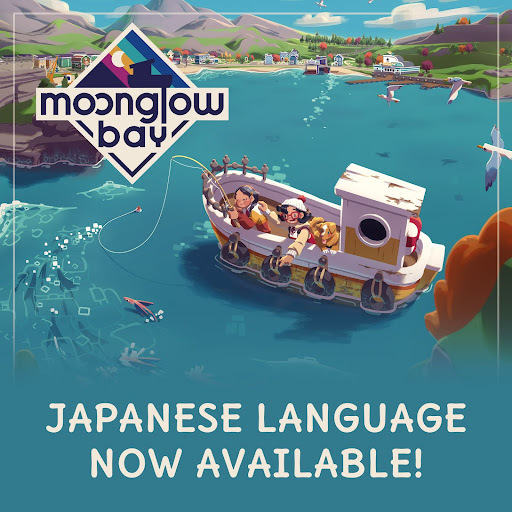
Moonglow Bay is now playable in Japanese!
⛵🎌Moonglow Bay is now playable in Japanese🎌⛵
Hi, hello friends! It’s been a while since you’ve heard from us but we’ve got some great news to share. You can now play the entirety of Moonglow Bay in Japanese! 🎌
This is something we promised at launch and have wanted to include for a long time. We’re very excited to welcome even more players into the Bay.
This latest Steam update also comes with a few bug fixes and tweaks which will hopefully make your playing experience even more enjoyable. A similar update is also releasing on Xbox platforms today.
Check out the full changelog below…
New Features:
🎌Japanese Language added🎌
Localisation Fixes:
Fixed placeholder text on Bulletin board.
Prompt for tutorial now translated in all languages.
Co-Op Fixes:
Player is now unable to control the scooter when not riding a scooter.
Fixes for overlapping UI when multi-line fishing together.
****Some Storyline Spoilers Ahead****
Storyline:
Able to complete the ‘Purchase the Radio’ task after visiting the Whale Cove in Chapter 1.
Fix added for the ‘invisible wall’ in Chapter 4 preventing progress.
Fix to allow for multiple purchase quests to be completed at the same time.
Boat is now recoverable in Cloud Zone.
Fix that connects ‘Ice Wall’ quest directly to the main quest path.
Missing dialogue added to cutscene after Twin Fish encounter.
Able to complete the ‘Cook a Bajan Seasoned Fried Flying Fish’ quest after the credits have rolled.
Fix for Cloud shadows when acting unusually during rainy weather
Other minor bugs fixed
Update 1.04 now rolling out for Moonglow Bay!
Today, we’re rolling out update 1.04 on Steam which further fixes some of the issues you’ve been experiencing.
You’ve been reporting an issue where save data could break when connecting a controller during the splash screens. This has now been fixed.
We’ve also updated some of the cutscenes in Chapter 5 where text was missing and the Options Menu will no longer default to English after rebooting the game in a different language
We’re sorry if you’ve been affected by any issues during your playthrough of Moonglow Bay, we hope this update will make your experience more seamless and enjoyable as we’ve made further performance improvements.
Update 1.04 is replicated on EGS, also available from today, and we anticipate other platforms will receive planned updates in March, before the end of Q1.
Thank you for your continued patience and support.
Catch This Now on Steam!
Firstly, we wanted to reassure you that we’re continually listening to your feedback and there will be further updates for Moonglow Bay in the near future.
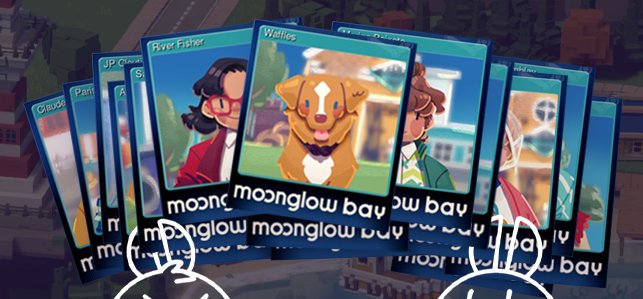
Until then, we’re excited to let you know that we’ve just added unique emoticons, backgrounds, badges, and trading cards through Steam!
Each asset celebrates the game through its characters, settings and items and all are available to unlock from today!
In total there are…
10 Emoticons (Made up of 5 Common, 4 Uncommon and 1 Rare)
3 Backgrounds (1 Common, 1 Uncommon, 1 Rare)
5 Badges
1 Foil Badge
15 Trading Cards
Let us know your favourites and if you manage to unlock them all. We hope you enjoy them!
In case you missed it, Moonglow Bay has now been updated to version 1.0.3 on Steam so the game includes many of the fixes and features you’ve been asking for, such as rebindable controls, mouse and keyboard support, autosaving, and a help I’m stuck button which can often get you out a jam. This update is also reflected on the Epic Games Store.
For those playing on other platforms, there are updates in the works and we hope to share more information on those in the very near future. You can get more information here in the meantime but be sure to stay tuned to the Moonglow Bay social channels for all the latest updates.
Thanks to everyone who has commented, streamed, reviewed, and sent us feedback about your experiences in the Bay. We read everything and are so very grateful for your support.
Sea you out there!
New Major Update 1.0.3 is here!
New Major Update 1.0.3 brings mouse and rebindable keyboard and controller support to Moonglow Bay + much more.
Available from today, we’re really excited to roll out Moonglow Bay 1.0.3 to further address some of the concerns and issues you’ve been reporting.
Ever since we launched back on October 26, we’ve been listening intently to your feedback and working hard behind the scenes to refine, polish, and optimise Moonglow Bay to make the experience as good as it can be.
Two of the biggest concerns we’ve heard from you is the lack of keyboard and mouse functionality and the option to remap your control scheme. With this update, we’re delighted to say that both are now possible!
1.0.3 also includes updates to the game’s UI, an improved cooking bar for the boiling minigame, as well as various character specific and gameplay tweaks and adjustments.
You can see the full changelog here…
Features
Added mouse along with the existing keyboard controls
Controller, and keyboard + mouse controls are now fully rebindable! It can be found under the Options menu
Main Menu / UI
Able to navigate menus using the D-pad
Able to navigate shop UI with controller bumpers
Expanded Options menu; More added to Audio and Graphics
“Show/hide completed” preference in Task journal is saved permanently.
Adjusted the page scrolling to carrousel through items
Able to hold down to navigate sections of the journal and when adding or removing multiple items when selecting quantity
Fixed an issue where hidden tasks remained hidden when there were no active tasks in the journal
Improvements to the Boiling minigame
Other minor updates to the UI
Gameplay
Your boat, the Two Cats, can now be docked at the marina docks, by the Aquarium
You can’t enter the Two Cats anymore if it’s fully damaged
The dinghy now moves even if the Two Cats is fully damaged
Players will no longer fall through the door of the cabin
No more soft blocking if attempting to assist while collecting fish from a net, during co-op
Once the Two Cats is fixed, you can now board it at the Boat Shop
Restaurateur achievement unlocks only when all requirements are reached
Dinghy now won’t ever sink
Spoilers Ahead!
Chapter 1:
If you return to town during the encounter with the Ruin of Ships, its soundtrack will no longer disappear forever
River won’t get stuck when you save and quit during the lobster trap tutorial
Lobster tutorial will now progress when starting it alongside the purchase of a boat upgrade
Chapter 2:
When you open the Ocean Doors and you go to the Twintail Lake straight away, the Ouellette Twins will show at their correct location
The dinghy’s acceleration won’t build up and shoot forward if the map is open or the game was paused while over water currents in the Hot Springs
Chapter 4:
No longer able to enter the Crystal Squid’s den before its encounter
The Crystal Squid will now release the trash piles during co-op as well
Chapter 5:
Fishing line no longer snaps immediately in the Astral Planes while casting to the furthest distance possible
The Two Cats won’t fly in the sky anymore
Help! I'm Stuck
Option of "Help! I'm Stuck" no longer available in the following situations:
Before answering the door to River
Before getting the journal
During the trash clean up task
During fishing tutorial with River
Before the ice fishing tutorial
During the Crystal Squid encounter
We know our Xbox / Game Pass players are still waiting patiently for more updates and those are still being worked on and are forthcoming. Please stay tuned to our social media channels for all the latest news.
We’ve been overwhelmed by the ‘Very Positive’ Steam review sentiment over the past 30 days and are delighted to see many of the issues you’ve cited have been addressed. We hope this patch will go a step further in making the experience even better for everyone.
If you haven’t already, and are having a great time in Moonglow Bay, we’d really appreciate it if you could leave a review on Steam to tell us more about your experiences.
Thank you so much for all your messages and support over the past two months. We sincerely apologise for any issues you may have experienced while playing the game and we truly hope this update provides the level of support you’ve been looking for.
New Patch Incoming!
Hi all,
It’s been a week since we launched Moonglow Bay and we’re grateful for all of your support and feedback. We’ve been listening intently to every word and working hard to fix as many of the issues you’re experiencing as possible.
Today, we’re excited to share there’s a new patch rolling out which, among other things, includes an option for V-Sync, has improved keyboard controls, and auto-save!
Please keep your feedback coming in as we’re continuing to work hard behind the scenes on the game and if you’ve already been spending some time in the Bay, perhaps you’ll consider leaving us a review. We’d really appreciate it.
Thank you!
v 1.0.2 Patch notes
The game will now auto-save when the player sleeps
Improved keyboard controls
‘Help! I’m Stuck’ has been added to the pause menu, which sends the player to a safe area if stuck in the environment.
V-Sync added to the options menu
Save/Load button prompts no longer spillover the borders of the screen
Boat repair items sold in the Boat Shop are now locked until the boat is unlocked
Player's extra vending machine, which becomes available later in the game, is now fully visible
Quick time events during the Ruin of Ships’ encounter no longer fail instantly
All active controllers are now assigned to Player 1 until co-op is activated
Co-op can now be played with one keyboard and one controller
Co-op now only starts by selecting it through the pause menu and pressing the requested key/button. The controller that presses it becomes Player 2
Ramp added to the small beach behind the player's home
Door will now open before River walks through it during her first cutscene
Cozy Cavern recovered its ramps
Chipmunk now plays its animations
Other minor issues addressed
Spoilers:
Chapter 5: Final transmitter can only be placed once its quest is active
Chapter 2: The Storm Fish only visible when its quest is active