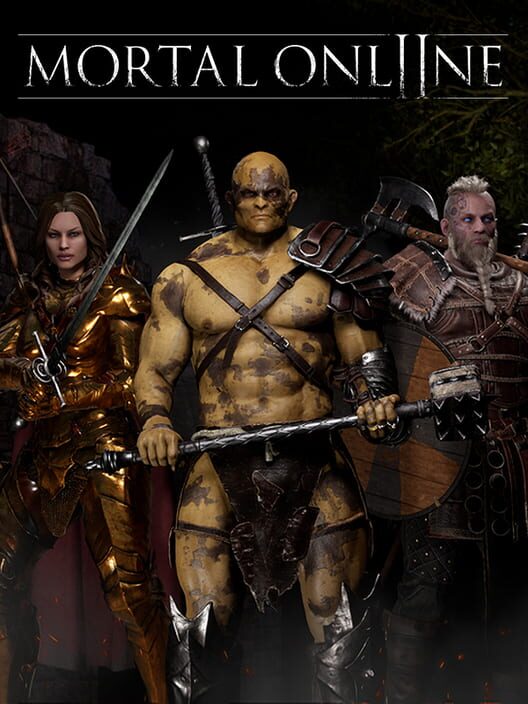
Mortal Online 2 cover
Mortal Online 2 screenshot
Genre: Role-playing (RPG), Adventure, Indie

Mortal Online 2

Into the Vault #154 | PTR Next Week!

PTR Date Next Week

[p][/p][p]The PTR for the upcoming update will begin next week on Wednesday the 25th of February![/p][p]If you missed our last development update, you can view it here on our website to learn more about what we have been working on:[/p][p][/p]

[p]Into the Vault #153 | New Lands Revealed, Next Patch Details[/p]

[p][/p][p]As usual we will be making a post just before the PTR goes up on the day with instructions on how you can get involved with the testing, along with the patch notes of what you can expect to find on the PTR server.[/p][p][/p]
[p]
[/p]

New Patch Information

[p]
As we are now further along in development of the update, there are a few additional things we have been working on which we couldn’t mention in the last update, but that we will now describe below.[/p][p][/p][p][/p]

Voice Chat Improvements

[p]The new VoIP upgrade is coming along very nicely, and we have been able to explore and tackle a few new additions that we are very excited for. One of the new things we are currently working on that wasn’t possible before with the old system, is affecting player voices in different ways based on things like whether or not your head is under water, or if you are wearing a full faced helmet or one that covers your mouth.[/p][p align="start"]Additionally we are looking into detecting whether or not the environment is occluding a direct path to someone you are hearing, such as being on the other side of a wall or around a corner and having that affect the sound. These types of additions can quickly become rather complex however, and there may yet be any number of reasons or limitations that result in us having to make sacrifices here for the sake of for example performance or stability.[/p][p align="start"]These changes should serve to make VoIP interactions much more immersive, and we can’t wait to see them in action![/p][p][/p][p][/p]

Plate Armor Stat Normalization

[p]We are also taking the opportunity in this patch to address a long standing issue related to armor variety and validity of choices.[/p][p align="start"]As many of you in the community will be intimately familiar with, certain heavy armor styles, namely Mercenary Plate, have long been slightly out of balance which results in the other plate armor styles being chosen far less often in favor of it. It is natural that hardly anyone, aside from enthusiastic fashion purists, would choose to use a style of armor that they know is less optimal competitively.[/p][p align="start"]As such, we plan to adjust the stats of the lesser used plate styles to be much closer to each other, making your choice of armor style mostly a cosmetic preference rather than for its stats.[/p][p align="start"]Now, there will still of course be differences in stats between the plate armor styles, we are not simply giving everything the same values. Instead, we have preserved the key differences between the styles while simply shrinking the amount that they vary between one another. For example, the Draconigena Armatus style will still maintain the highest piercing defence, however it will no longer have such abysmal slashing defence by comparison. In general, we have increased the viability of the lesser used styles, rather than simply “nerfed” the best one. [/p][p align="start"]Our goal with this change is to allow all of you to choose the style of armor that you enjoy most aesthetically, without having to make compromises in terms of competitive viability in doing so should your preferences not align with the “meta” option.[/p][p align="start"]We will have our ears wide open for feedback about this during the PTR testing phase, and we will also include some questions about it in the PTR feedback questionnaire so you can let us know what you think before it goes live.[/p][p][/p][p][/p]

Standing Loss for Killing Pets

[p]With the changes to murder count detection which we announced in our previous development update, it opened up the potential for certain issues to become more prevalent, such as for example killing someone’s pet in order to check what is inside its bags (or simply to inconvenience the owner) before riding away without engaging with the pet’s owner in order to avoid a murder count and standing loss.[/p][p align="start"]To mitigate this while also addressing a long time complaint, we have enabled standing loss, based on the region you are currently in, to occur when killing an innocent person’s pet, provided you are not in the wilderness, and the owner has not assaulted you first, or is not a criminal or murderer themselves. This standing loss will occur instantly, and only applies for the single player who actually kills the pet.[/p][p align="start"]We plan to introduce this new mechanic with a standing loss of -2 when killing an innocent pet, with the goal being to lessen the prevalence of both the above mentioned unsatisfying engagements where pets are killed without engaging with the owner, as well as to mitigate pet killing in lawful towns, as doing so can now lead to becoming exiled due to negative standing.[/p][p align="start"]We are very interested in your opinions about this new mechanic, and so we will naturally be including some questions about it in this patch’s PTR feedback questionnaire after that begins and you have had a chance to test it out.[/p][p][/p][p] [/p]

Prominence Upkeep Balance

[p]In this next patch we plan to increase the amount of Prominence drained by certain high value structures substantially. [/p][p]This is coming as a result of the current values being so low that the Prominence drain on most Territory Control structures is an after though, and not generally considered impactful. [/p][p]This is the case for a number of reasons, however a notable one is that the original values have not been rebalanced since the introduction of tasks, in particular the introduction of the Daily tasks, which gives us an extremely reliable metric of how much Prominence an average guild of a certain number of people can earn at a minimum each day. This value now far surpasses the daily drain of Prominence from most structures, hence the planned increases.[/p][p align="start"]The exact adjustments will be announced along with the full patch notes of the PTR, however you can expect them to be quite impactful.[/p][p align="start"]
[/p]

Tindrem Arena Hub Improvements

[p]Whilst the end goal is to eventually expand the Tindrem arena with new features such as organized and automated matches and events of various types, we wanted to take the opportunity in this patch to update the Tindrem Arena with a few changes that will hopefully make it more of a useful hub for both officially hosted and player hosted events in the meantime.[/p][p align="start"]Some of these changes include the addition of banks and red priests inside the “fighters quarters” areas on either side of the arena, as well as immobile but extremely powerful sentry guards to keep everything lawful. Murderers and negative standing players will be allowed to enter the arena, but if you turn grey while inside the arena these sentries will defend the area with deadly efficiency.[/p][p align="start"]The first simple event we plan to host after this patch goes live, will be a simple gathering event inviting everyone to the Tindrem Arena to mingle and have fun duelling and talking to each other.[/p][p align="start"]Although we will be making use of it for official Star Vault hosted events as well, the majority of the time the area will be open to you all in the community for hosting your own player run and facilitated events in a reliable and largely safe-from-interference environment.[p align="start"]We will announce the planned gathering event after the patch is live, and we look forward to seeing you there![p align="start"][p]

Miscellaneous Fixes

[p]As usual, there will also be a long list of smaller fixes and improvements, as well as balance adjustments to some spells in the full patch notes. Look out for them on Wednesday next week![p]

[p][p][p]Naturally a large focus of the team is also working hard on the new upcoming North American server continent Sarducaa, with more teasers to come on that in the future as well.[p][p][p]Note

Please keep in mind that as development progresses, any details described above may change or be adjusted where necessary.[p] [p][p]See you next week on the PTR,[p][p]The Star Vault Team

Into the Vault #153 | New Lands Revealed, Next Patch Details

New Lands Reveal Teaser

[p][/p][p]Last night during our latest development stream, we revealed which new continent we have been working on, check out the reveal teaser video below before reading the rest of this post![/p][p][/p][p][/p]
[p]
[/p]

New Continent Information

[p]
As you will have gathered from the teaser, the next continent being worked on is indeed the strange and enigmatic land of Sarducaa![/p][p][/p][p]We will be releasing more information as we progress along the road to releasing this new continent, teasing various aspects of the new land and its mysteries and inhabitants.[/p][p][/p][p]There are a few key aspects that will come alongside the eventual release of the new continent, which we find rather exciting and will share with you below.[/p][p][/p]

North American Server Location

[p]As we have said in the past, this new continent will be hosted in North America.[/p][p align="start"]We are currently testing locations in the US West region, as this allows for the most accessibility for regions which are outside the USA, such as SEA and Oceanic regions, while still providing a vastly improved latency for players within North America compared to Myrland.[/p][p][/p][p align="start"]The final location is not set in stone however, and we will continue to run tests and evaluate different options with the goal in mind of facilitating the smoothest gameplay experience on the new continent for the highest number of players throughout the world.[/p][p][/p]

Existing Character Access to Sarducaa

[p]One of the most unique and fleeting opportunities is being there at the beginning of something new, struggling alongside everyone else in a desperate scramble to progress basic skills and gather resources. Although this blooming phase has since past for Myrland, we are excited to facilitate it once again for the release of Sarducaa.[/p][p][/p][p align="start"]In order to allow for this, we will be restricting access to Sarducaa upon its release so that only new characters may travel there from Haven. We are still evaluating whether or not characters created now on Haven will be able to access Sarducaa upon its release, or if you will be required to make a new character post-release with the goal being to ensure everyone starts on an equal level. If you have any opinions about this, don’t hesitate to let us know![/p][p][/p][p align="start"]Existing characters on Myrland will not be able to set foot on Sarducaa until the construction of the bridge of Tekton has been finished, which is currently planned to take multiple months.[/p][p][/p][p align="start"]This means everyone beginning on Sarducaa for its release will be starting on equal terms, with no access to accumulated skills, wealth or items such as trinkets.[/p][p][/p]

Additional Character Slot

[p]Naturally this means players with both of their currently available character slots already occupied would not be able to participate in the beginning of Sarducaa without deleting one of them, which we obviously don’t want to unfairly force anyone to do.[/p][p align="start"]As such, we are looking into possibilities for a third character slot, with more details on exactly how that will work to come in the future.[/p][p][/p][p] [/p]
[p]
[/p]

Next Patch Details

[p]
Alongside the new continent, we are also working on a few new updates which are planned to be released before Sarducaa, the first of which is planned to contain the following items:[/p][p][/p]

Proximity Voice Chat Upgrade

[p]VoIP is a core aspect of our game, as it facilitates the kind of immersive and personal feeling interactions that really thrive in a sandbox style game.[/p][p][/p][p align="start"]As such, we want to provide the best VoIP experience we can, and to that end we have committed to upgrading the in-game VoIP system to be even better, by converting player voices to exist inside the 3D space of the world rather than just as separate audio which changes in volume based on distance.[/p][p align="start"][/p][p align="start"]After this upgrade, player VoIP should sound more natural and as though it’s taking place within the environment in which you are hearing it, in addition to improved falloff range so you can also hear people talking from further away rather than the sudden and rather close cutoff point we have now.[/p][p align="start"]
[/p]

New Automated Event System

[p]We have been working on adding support and creating the content for a new dynamic event system, which will serve to make AI encounters throughout the world less predictable and more interesting.[/p][p][/p][p align="start"]These events, at least initially, will come in the form of various types of AI groups that may spawn at and occupy many locations across the map, such as dangerous groups of individuals like deserters from the Tindremic military, profiteers from other continents, crazed lunatics, bandit outfits or even the Greedy Steintroll, equipped with a collection of shiny objects they have amassed. [/p][p][/p][p align="start"]Essentially what we are implementing in this next patch is the foundation of a system that can be easily expanded on in the future to offer new dynamic content. These groups can spawn all over the map, at various POIs or locations in the world where you might run into them.[/p][p][/p][p align="start"]The Greedy Steintroll specifically can spawn inside dungeons as well, so you’ll have to be on the lookout to not miss out on what he might have.[/p][p][/p][p align="start"]These groups of AI will also naturally have quite the appealing loot table, so it will always be a good idea to detour from your travels if you happen upon one of them.[/p][p][/p][p align="start"]Currently we plan to send a server message when one of these events has started, however we will not tell you the exact location of it, simply to convey that “something has happened”. However we are open to feedback about this, as there are not insignificant arguments to be made for alternative approaches here.[/p][p align="start"][/p][p][/p]

Trinket Re-Balance

[p]A longstanding balance concern has been the gap in power available to newer players when compared to veterans who have, through either immense luck or accumulating enough wealth to purchase them, obtained trinkets which offer substantial advantages in offensive and defensive potential.[/p][p][/p][p]This was largely due to the rarity and stat scaling of lower tier and more commonly available trinkets being substantially lower and worse than higher tier and rarer ones, which has been unfortunately inverted when compared to the desired and optimal balance for them.[/p][p][/p][p]As such, in the next patch we have rebalanced T1 and T2 trinkets (Cuprum & Silver) and their gems (Red Coral & Amethyst) to be able to reach notably higher values compared to before, which effectively means a decent trinket will now be much more accessible to all players, while a substantially rarer trinket will still offer an increase in potential power, albeit a much smaller one.[/p][p][/p][p]For example focusing on potential damage gained from Rings, previously T1 and T2 gems could only reach as high as +2% for Red Coral and +5% for Amethyst, whereas the T3 gem (Topaz) and higher were capable of reaching +11% damage. This has been rebalanced to allow for a maximum of +5% on a Red Coral and +9% on an Amethyst, while Topaz and higher remain unchanged at +11%. This rebalance applies not only to damage bonus effects, but all possible trinket and gem effects on T1 and T2 trinkets.[/p][p][/p][p]This buff to lower tier trinkets should also ensure that they are not simply deleted as worthless loot anymore, as each one now has the potential to roll very respectable stats, even if doing so still requires some luck due to the low chances on rolling the highest possible stats.[/p][p][/p][p]The main benefit from increasing in trinket tier now comes from the addition of more effects being rolled.[/p][p][/p][p]Additionally, we want to take this opportunity to clear up a few things about how trinket stats are rolled, and mention a possible renaming of one of the trinket effects to be more clear as to what it actually does.[/p][p]When a trinket is identified, or rerolled using Flux, it rolls a certain budget of “power” that it can spend on the rolled effects, and this power budget can roll to be larger in size as the tier of trinket and gem increases. Trinket effects and Gem effects also have separate power budgets, which is how you can have a lower tier trinket metal with a higher tier trinket gem (such as a Silver Ruber), and roll a high stat value for the gem effects.[/p][p]When a stat is then rolled, the trinket rolls how much of this budget of “power” it will spend on the stat, such as Slashing Damage, which determines how high the stat value will be out of its maximum. It can be helpful to think of this as the stats stealing the available power from the trinket metal or gem in order to increase their value.[/p][p][/p][p]This happens for each stat rolled.[/p][p][/p][p]When you use rings which offer you “Gem Effect Luck %” and “Trinket Effect Luck %”, you are additively increasing this power budget when the trinket is identified or re-rolled using Flux.[/p][p][/p][p]This means that it is always more beneficial to roll a trinket while having high values in these stats, as it is essentially increasing the potential power for the trinket to roll higher stats, or multiple stats higher than you would otherwise be able to.[/p][p][/p][p]Note “potential power”, not guaranteed power, as each stat can still roll a low value on a trinket, and waste the remaining power budget, however rolling high values while having these effects active will almost always be more beneficial.[/p][p][/p][p]As such, we are considering renaming these stats from “Trinket Effect Luck” and “Gem Effect Luck” to “Trinket Effect Potential” and “Gem Effect Potential”, as it represents the higher potential you have for better stats when rolling a trinket, however it must also be noted that these “Effect Potential” stats do not allow you to roll beyond the maximum strength value for any given stat.[/p][p][/p][p]We have also replaced all of the not-yet implemented skills which appear on Amulets with new ones that were not previously available on a trinket.[/p][p][/p][p]These are the skills we changed and which ones they have been swapped to:[/p]
  • [p]Snooping > Scribing[/p]
  • [p]Pilfering > Anatomy[/p]
  • [p]Lockpicking > Mounted Magery[/p]
  • [p]Animism > Elementalism Spells[/p]
  • [p]Brawling > Poleaxes[/p]
  • [p]Unarmed Techniques > Poleswords[/p]
[p] [/p][p]These skills will recalculate to the updated skill once equipped.[/p][p][/p][p]We have also adjusted the maximum amount of Stamina which can be rolled on a Ring, as previously Stamina used the same stat range as Health and Mana, which meant it was comparatively a lot lower in value as a stat due to the player Stamina pool being so much higher numerically on average compared to Health and Mana. Now it will be possible to roll a decent amount of Stamina on a Ring such that it doesn’t feel like a waste or a bad roll.[/p][p][/p][p][/p]

Addressing Griefing Issues

[p][/p][p]It is no secret that along with the benefits, freedom and virtues of a sandbox style game, often come difficult scenarios to deal with and work around. [/p][p align="start"]One such area is the ability for players to “grief” others in various ways, seemingly without consequence at times. This can manifest in various ways, however we have addressed a few common ones in this coming patch which we believe needed the attention.[/p][p][/p][p][/p]

Lootbag Opening Priority

[p]In the next patch there will be a “Lootbag priority” mechanic in place whenever a player kills an AI.[/p][p align="start"]This ensures that only the player who actually contributed the most to killing the AI is able to open its Lootbag once it dies. The way it works is that only the player who earned the most Glory from a kill, typically achieved by contributing the most damage toward the AI, will be able to loot the bag for the first 10 seconds after it spawns.[/p][p][/p][p align="start"]This ensures it is no longer possible for someone to run up and “last hit” an AI in order to quickly steal the loot and then run away, especially as lootbag spawning can at times be slightly affected by large differences in latency to the game server, resulting in a less than optimal situation where it can feel like you aren’t even able to loot the things you are killing if someone persistent is nearby.[/p][p][/p][p align="start"]Lootbags which are “Locked” to you will appear tinged purple (this may change as development progresses), and will swap to their normal color and appearance as soon as they are free to be opened by anyone.[/p][p][/p][p align="start"]Guild members are still able to open each other’s lootbags or lootbags of AI killed by other guild members freely without restriction.[/p][p align="start"][/p][p][/p]

Better Murder Count Identification

[p]We have also made some adjustments to how murder counts are identified after a player dies, with the goal being to lessen the ability for players to hand out murder counts to other players that had relatively nothing to do with them actually dying. The intention here is that only the players who actually played a notable role in your death should appear on the murder reporting list.[/p][p][/p][p align="start"]As many of you in the community will be aware, some common tactics for abusing this would include being hit by another player, even if for zero damage, and then jumping off a cliff or running into aggressive AI in order to get yourself killed and be able to report them for “murder”.[/p][p][/p][p align="start"]These kinds of abuses of the system which subvert how it is intended to function and result in excess and at times superfluous murder reports being handed out are exactly what we are targeting with the following changes:  [/p]
  • [p]You must have been hit by another player within 2 minutes of your death to murder count them.
  • [p]You can’t murder count someone if you die to fall damage.
  • [p]You can’t murder count someone if you die to non-player-controlled AI.[TAG-301]
[p][TAG-305]

Pushing AI

[p]Another issue many people will be familiar with, is one that can often happen by accident and without malice. I am referring of course to pets being used to block doorways, entrances or really any smaller space or opening. Outside towns this can often result in seemingly the only remedy being to attack and kill said pet, which would have allowed the owner to report you for murder using one of the previously mentioned abuses, had they not been resolved in this patch.[p][p align="start"]Still, you should not be required to attack a pet or risk going criminal in order to move through a doorway, and so in this next patch you will now be able to push AI out of the way if someone “parks” their pet in an annoying spot, and it will return to its original position after a few seconds. There is no risk of turning criminal if you push a pet many times at once, as the pet can only be pushed once before returning to its original position, at which point it may be pushed again if necessary.[p][p]

Counter Armor Increase

[p]Ways to combat the inherent disadvantages of fighting outnumbered in order to give the few better odds against the many are always close to the surface of conversation surrounding game balance, and although we have various avenues of affecting this, one existing mechanic that we have not touched in a long time but is highly relevant to the topic is Counter Armor, the mechanic responsible for the \[Counter Reduced] combat message you may be familiar with.[p][p align="start"]This mechanic works by reducing the damage taken while you are performing a riposte after you have parried. Conceptually what is happening here is that your attack is interrupting or intercepting those of your opponents, such that they lose efficiency and lower their resulting damage.[TAG-330][p][p align="start"]Gameplay-wise, this mechanic exists primarily to allow players to perform attacks after parrying while outnumbered and be able to dish out some damage without fear of taking several full damage hits as they do so. It allows for the outnumbered player to still be aggressive and take the initiative, which is often necessary to performing favorably in such scenarios.[p][p align="start"]And so, we have increased the damage reduction for Counter Armor from 60% to 80%, to better allow for it to perform its duties and offset the advantage afforded to larger groups of players.[p]
[TAG-340]
[p][p][p]We will be announcing the PTR date for this next patch as we get closer to its completion, and we are eager to show you more about Sarducaa in the coming weeks as well![p][TAG-350][p][p]Note

Please keep in mind that as development progresses, any details described above may change or be adjusted where necessary.[p] [TAG-360][p][p]See you in Nave,[p][p]The Star Vault Team [TAG-370]

Patch Notes 2.2.3.9

Fixes

  • [p]Fixed a bug that made loot drop very strangely if the player died while carrying relics and being in deep water.[/p]
  • [p]Fixed server side crash related to dropping relics in houses.[/p]
  • [p]Fixed a rare issue that could cause some items to not be dropped when dying.[/p]
  • [p]Fixed issues with several decorations in houses not taking up the correct space when being placed and rotated.[/p]
  • [p]Fixed issue where you could place decorations that ended up halfway outside of the house. (This will not fixed furniture already placed halfway through houses)[/p]
  • [p]Fixed a rare crash when initiating a fatality.[/p]
  • [p]Fixed crash related to refreshing the list of spellbook spells.[/p]
  • [p]Fixed bug that caused the player to fall to the ground when aborting Wayshrine travel.[/p]
  • [p]Fixed bait quantity not updating when catching a fish.[/p]
  • [p]Fixed Issue causing enabling settings "thrust as default attack" and "direction modifiers charges attacks" to make key binds for left and right attacks result in Thrusts.[/p]
  • [p]Fixed crafting messages that turned to garbage when failing to craft using for example Crustacean Carapace.[/p]
  • [p]Updated Oghmir clade gift "Rock Solid" benefits to work while moving to work with speeds up to 300 instead of 200.[/p]
  • [p]Buffs cast by the opponent are now removed at the end of the duel.[/p]
  • [p]Fixed an issue that caused wars that was canceled to return on server reboot[/p]

Patch Notes 2.2.3.8

Fishing

  • [p]Added the ability to see what nearby players are catching while fishing together.[/p]
  • [p]You can now see the fishing rod bending for players if they manage to get something on their hook.[/p]
  • [p]You now only lose a maximum of one unit of Line when failing to catch a fish.[/p]
  • [p]Fixed bug where you could not weapon swap or leave combat mode if you were swimming with a fishing rod in combat mode.[/p]

Changes

  • [p]Krampos has now left Tindrem.[/p]
  • [p]The damage resistance of the Oghmir clade gift 'Rock solid' now remains active when moving slowly (walking) as well as standing still.[/p]
  • [p]Removed an outlaw spawner too close to a Wayshrine.[/p]
  • [p]Improved subsystem ticking structure.[/p]

Fixes

  • [p]Fixed UI issue that showed negative mastery points for the first level of mastery.[/p]
  • [p]Fixed issue with recent trades being sorted the wrong way when being sorted by time.[/p]
  • [p]Fixed an issue where buildings set to demolish while not being in guild territory would demolish much slower than buildings that were inside guild territory.[/p]
  • [p]The debuff Slow no longer affects AI marked as bosses.[/p]
  • [p]Fixed an issue with stunned states causing many different things, such as mercy mode or shock debuff not correctly resetting AI attacks and making them attack out of sync.[/p]
  • [p]Fixed an issue where elementalism spells could cause very strange behavior when they were used to put an AI into mercy mode.[/p]
  • [p]Fixed a lot of AI buffs that increased AI attack speed not working as intended. This impacts both Beast Mastery skills and other AI, including some bosses.[/p]
  • [p]Fixed issue with AI Haste buffs incorrectly decreasing attack speed instead of increasing it. This affects Beast Mastery skills and AI/Boss fights.[/p]
  • [p]Secondary characters can now transfer houses to new owners instead of this having to be done from the first character.[/p]
  • [p]Fixed an issue with the Training Dummy xp cap not working as intended.[/p]
  • [p]Fixed bandage typo in the tutorial for resting.[/p]
  • [p]Using a combat ability now cancels “Use/Interact” actions.[/p]
  • [p]Fixed an issue where vendors would not accept trades even when you had enough space in your inventory[/p]
  • [p]Fixed an issue that sometimes caused combat abilities to play in slow motion.[/p]
  • [p]Fixed a bug where melee weapons dealt damage to structures with 100% defence if you had Aggressive Stance.[/p]
  • [p]Fixed a priest in the Hyllspeia region that was blue instead of red as intended.[/p]
  • [p]Added missing no-build zone to a POI.[/p]
  • [p]Added missing no-build zones to Necromancer Dungeon exits.[/p]
  • [p]Fixed an exploit that allowed fatalities to be used to clip through obstacles.[/p]

Patch Notes 2.2.2.79

[img src="https://clan.akamai.steamstatic.com/images/36342874/facc4faa00cd2cc7802ab009f5ce2a251fcd0e55.png"]
Events

  • [p]Krampos Buccus has returned to Tindrem for the Raffle of Caerus! Seek out the burning house in Tindrem's main district and plunder the belongings of one most unfortunate Tindremic noble.[/p]
  • [p]Added a new rare Krampos house decoration item to this year's raffle bags.[/p]
  • [p]Added support for a new type of random events.
    [/p]

Veterancy / Account Items

  • [p]Added 10 new Legacy versions of the bloodline capes, which have been recreated as they were from their original Mortal Online 1 designs.[/p]
  • [p]Added a new seasonal "Cloak of the Hearth", currently temporarily available for 10 Veterancy instead of 50.[/p]
  • [p]Added 10 new fatalities, one for each weapon group that can be bought with Veterancy.[/p]


Territory Control

  • [p]Supply Goods now award Glory equal to 50% of the Supply gained from the hand-in, instead of 3%.[/p]
  • [p]Taking control of a Siege Machine will now make a player criminal.[/p]
  • [p]Taking ammo from a Siege Tent will now make a player criminal.[/p]


Duels

  • [p]The Ranked Duelling season and score leaderboard has been reset.[/p]
  • [p]Changed the ELO calculation for season 2 so that score increases and decreases much faster, allowing players to enter the higher tier ranks.[/p]


Balance

  • [p]Adamant no longer has a passive component. Instead, while active, it reduces all incoming magic damage by 10%, while increasing physical damage taken by 10%.[/p]
    • [p]Developer note:
      This change was made due to the previous passive component of Adamant being active and thus providing +10% physical damage mitigation for the vast majority of time, which made Thursar characters far more passively "tanky" than intended. Now the Clade Gift will be behaving closer to its intended effects, and be a situational trade-off that allows for increased Magic damage mitigation at the cost of increased physical damage when activated.”[/p]
  • [p]Increased the impact radius of the Starshower spell's meteors by 50%.[/p]
  • [p]Last patch Mental Leech was changed to ignore magic reflect, and this was missed in the patch notes.[/p]


UI

  • [p]Expanded map visibility filtering to include: Points of interest, Wayshrines, Relics and Tasks.[/p]
  • [p]Removed “\\n\\n” from Elementalism spell descriptions.[/p]


Server

  • [p]Improved client session logs extensively to troubleshoot player login issues.[/p]


Bug fixes

  • [p]You can now trade with other players while mounted.[/p]
  • [p]Fixed an issue where dealing enough damage to the doors of damaged houses with melee weapons would not open them.[/p]
  • [p]Fixed an issue where paying upkeep while inventory was full would cause you to lose money but not add to the paid upkeep.[/p]
  • [p]Fix issue where you could deposit a bag with 16 items for example, if you had a single bank space left.[/p]
  • [p]Fixed a bug where claiming stone could not be removed if guild was disbanded.[/p]
  • [p]Fixed an issue where pets would try to follow the owner who was too far away.[/p]
  • [p]Fixed Gaur broker category.[/p]
  • [p]Fixed an issue where the Essence Orb effect 'Etherwold move speed' was not applying the intended speed.[/p]
  • [p]Fixed an issue where the show password button wasn't working.[/p]
  • [p]Fixed bug that caused relics to disappear from player’s hands.[/p]
  • [p]Fixed bug that caused relics to disappear when removed from reliquaries.[/p]
  • [p]Fixed bug where spiritboxes would not drop when teleporting to the nearest wayshrine.[/p]
  • [p]Fixed issue with ambient sounds leaking into the Etherworld after upgrading Unreal. Engine versions.[/p]
  • [p]You can no longer lift decorations from a house while having a full inventory.[/p]
  • [p]Fixed bow crafting presets not correctly saving or loading.[/p]
  • [p]Fixed pet equipment crafting presets not correctly saving or loading.[/p]
  • [p]Fixed not being able to set the preset in the pet equipment crafting window.[/p]
  • [p]Fixed hole in jungle dungeon where only small players could fit.[/p]
  • [p]Fixed issue that left broker items on the server even after a character was deleted.[/p]
  • [p]Fixed issue with scrolls that were added to the broker not correctly ending up in the correct magic school. All scrolls sold after the patch should do so.[/p]
  • [p]Fixed issue with the debuff mana drain that could cause mana to go below 0.[/p]
  • [p]Updated the calculation for how close you have to be to open pet bags. This fixes issues with very large pets not moving close enough when following for you to open the bags.[/p]
  • [p]Fixed issue with broker filter for Spiritism spell damage.[/p]
  • [p]Pet Broker Recent Trades now correctly show the amount you sold a pet for.[/p]
  • [p]All ritual pets now drop Ash when killed. This fixes the issue with ritual pets that died with armor having their loot go away very early due to the loot only containing a single item.[/p]
  • [p]Fixed AI pathing issue around L-shaped player houses that got reintroduced in the previous patch.[/p]
  • [p]Fixed issue where AI could take a shortcut through a house corner if they just left the entrance.[/p]
  • [p]Fixed an issue that could cause the radial menu to stop functioning.[/p]
  • [p]Removed older no longer existing books from brokers buy order list.[/p]
  • [p]Fixed a bug where you couldn't stable pets if your inventory was full[/p]
  • [p]Fixed a bug that sometimes sent pet follow commands to the wrong pet.[/p]
  • [p]Fixed issue that made it so that you could get murder counts on a new character after deleting a character with a pending murder count.[/p]
  • [p]Fixed issue that sometimes caused combat abilities to play in slow motion.[/p]
  • [p]Fixed a lot of EOS statistics and achievements.[/p]
  • [p]EOS journal entries should now save correctly.[/p]
  • [p]Fixed steam achievements for Fatalities.[/p]
[p]

[/p]

Patch Notes 2.2.2.64

Changes

  • [p]You now gain much less Glory when doing a supply run.[/p]
  • [p]Fixed a "player Archery-specific" damage bug, where certain Clade Gift buffs, Mastery buffs, Essence Orb effects & the Combat Ability 'Brace' effect were being calculated twice when affecting archery damage.[/p]
    • [p]This included damage increases and decreases. Effects such as Oghmir 'Stone skin', 'Rock Solid', 'Warcry'. Thursar 'Adamant', Human 'Tactician', Mastery dmg to AI, 'Low Health Damage Bonus' were affected.[/p]

Magic

[p]The Mental Leech spell has been over-performing since its last balance adjustment, where it went from being never used at all to being a little too good.[/p][p][/p][p]There was essentially no downside to casting the spell all the time and extremely quickly draining all the Mana of your target. This is mostly due to the amount of Mana being drained per tick heavily scaling with the casters Intelligence, so this has been lowered, along with the cast time having been adjusted to be a little longer, giving enough time for the target caster to read that the spell is being cast, and prepare a Purify if they're fast enough to counter the Mental Leech and not lose much or any Mana from it.[/p][p][/p][p]This allows a skillful counter to the threat of another caster draining your Mana constantly 100% of the time, while if left unattended, the Mental Leech will severely place advantage on the caster regarding Mana economy, which often is the determining factor for a mage duel.[/p]
  • [p]Mental Leech base "damage" (amount of Mana transferred every second, before Intelligence Spell Power bonus is applied) reduced from 3-5 to 1-1[/p]
  • [p]Mental Leech Mana Cost reduced from 8 to 5[/p]
  • [p]Mental Leech Cast time increased from 1.2s to 1.6s[/p]
[p][/p]

Emotes

  • [p]You can no longer use certain emotes while mounted, due to the potential for clipping inside the mount.[/p]
  • [p]Fixed the Pledge Emote not correctly limiting emote movement to the upper body while auto walking and performing the emote at the same time, causing the player to slide around on the ground.[/p]

Combat Abilities

  • [p]Fixed Strength requirement calculation not applying correctly when using bow combat abilities while mounted. This fixes the issue with players being able to use combat abilities like Snap Shot with bows far above their current Strength.[/p]
  • [p]Using a combat ability now cancels “Use/Interact” actions.[/p]
  • [p]Fixed Energise incorrectly only increasing Mana regeneration by +30% instead of the intended +100%.[/p]

Tasks

  • [p]Fixed one of the Shinarian Labyrinth Caravan tasks not having Sidoian Warriors as it should.[/p]

Pets

  • [p]Fixed issue that made “All pets” commands not always work.[/p]
  • [p]Fixed a rare issue that made it so that you would not logout with your pet.[/p]

UI

  • [p]Fixed bank UI bug, trying to create an itemlist would instead add to a previous itemlist if it had the defaulted name.[/p]
  • [p]You can now search the bank for a specific item list, for example "Swords" or "Fruits", which will show all the items stored in the bank under that list.[/p]
  • [p]When searching in the bank, only the item lists which contain filtered items will be displayed.[/p]
  • [p]Fixed bank issue where player-crafted potions would appear under 'Vials' instead of 'Potions'.[/p]
  • [p]Fixed being able to rename a Favored list to something that already existed, causing conflicts and odd behaviors with existing lists.[/p]
  • [p]Fixed UI broker crash when trying to set the maximum search value to negative.[/p]

Territory Control

  • [p]Fixed issue where the new Keep no-build zones outside keep walls and gates were not activated correctly.[/p]
  • [p]Fixed an issue causing Region buffs from Keeps to sometimes not be applied correctly.[/p]
  • [p]Fixed the “Butchery Yield” Region buff to now work correctly when being enhanced by a connected Keep.[/p]

Relics

  • [p]Trying to pick up Relic equipment with a full inventory no longer removes the equipment from the world.[/p]
  • [p]Fixed issue where relic items would not be pushed out of houses properly when dropped inside. Relic items should now end up on the ground outside or fallback to the front door. This fix does not apply to TC buildings.[/p]
  • [p]Fixed issue where Relics would disappear while players were carrying them or when removing one from a Reliquary.[/p]

Fatalities

  • [p]Fixed an issue that would cause players to sometimes become permanently stuck when executing a fatality on an NPC[/p]
  • [p]Fixed issue with Fatality unlocks not correctly being checked everywhere.[/p]
  • [p]You can no longer perform a Fatality that will make you go criminal unless you have toggled criminal actions on.[/p]

World

  • [p]Fixed Celaeno cave light issues.[/p]
  • [p]Fixed issue where player buildings on the surface could affect AI navigation in dungeons below.[/p]
  • [p]Fixed collision on rocks outside of Meduli that allowed you to hide inside them.[/p]

Patch Notes 2.2.2.58

Greetings Mortals,

[p align="start"]This update comes with a heavy focus on addressing several long-standing quality of life areas.[/p][p align="start"]It introduces the new Ether Wayshrines, which allow you to travel around the map in a much smoother and unique way after being unlocked, the Banking Overhaul which makes using the bank an entirely fresh experience, Caravan Campsites to make dungeon content more accessible, War and Siege changes to improve the sieging experience and remove lots of old issues, balance changes to combat abilities and spells, an increase to everyone’s max Health to raise the average “Time to Kill”, loads of miscellaneous fixes and much more.[/p][p][/p][p][/p]

Ether Wayshrines

[p]Ether Wayshrines are new structures in the world which can be unlocked while alive, and used as a spirit to automate travel between set locations to other Wayshrines, making the experience of moving around the map as a spirit substantially smoother.

Overall, the feature allows more convenient traversal of the world in such a way as to maximize the amount of time spent actually playing the game in the way that you want to, rather than spending lengthy and tedious periods of time manually navigating the Etherworld.[/p]
  • [p]Wayshrines can be used to travel between them as a spirit.[/p]
  • [p]Wayshrine travel occurs in real-time through the air toward your destination, and will move your character at a speed faster than normal spirit travel.[/p]
  • [p]Before you can use a specific wayshrine, you must visit it once while alive to unlock it, by interacting with the Wayshrine Tablet.[/p]
  • [p]After using a Wayshrine you will receive the Strained Spirit debuff, which prevents you from using any Wayshrine again for 15 minutes.[/p]
  • [p]When dead you can now, from the character window, choose to teleport to the nearest unlocked Wayshrine.[/p]

Caravan Campsites

[p]One of the intended and expected uses of Caravan Campsites is to facilitate the gameplay loop of spirit traveling to the campsite, resurrecting, then using whatever means at your disposal to kill and butcher some surrounding creatures to obtain materials. Then to use said materials to craft yourself some basic equipment should you have the profession skills to do so, delve into the nearby dungeon to fight its denizens for Glory and attempt to escape with any loot you may have found to be deposited safely with the Caravan Banker.[/p][p] [/p][p]You will of course need to transport any valuables to a different location such as a town in order to properly benefit from them, which will likely need to be done not infrequently due to the limited size of the Caravan Banker.[/p][p]The primary purpose of this new feature is intended to cater to smaller groups and solo players as a staging point for the nearby dungeon, although naturally larger forces will often be close at hand.[/p]
  • [p]Caravan Campsites have now been placed outside all dungeons apart from spider caves, containing the following:[/p]
    • [p]A red priest[/p]
    • [p]A Caravan Banker with a limited max item count of 40[/p]
    • [p]A Magic Vendor who sells basic ecumenical reagents[/p]
    • [p]A Utility Vendor who sells basic equipment such as bandages and arrows[/p]
    • [p]A taskmaster with new accompanying tasks specific to the dungeon the campsite is next to.[/p]
    • [p]Two Caravan Mercenaries who will only attack Criminals and War Combatants in an effort to keep fighting away from the campsite[/p]
      • [p]Naturally, these Caravan Mercenaries will not be capable of suppressing a large or strong enough force, and so these campsites will always include a strong element of risk and are by no means considered safe locations.[/p]

Banking Overhaul

[p]The bank has been completely overhauled in the following ways for vastly increased quality of life:[/p]
  • [p]Items will now be auto sorted when placed into the bank, and you do not need to choose the exact location an item occupies. Categories are visible on the left-hand side of the Bank UI with a name and icon. When a Category is selected, the right-hand panel will display the associated items within that Category.[/p]
  • [p]These sorting Categories are based around how an item is used in the game, rather than only their “taxonomical” groups such as with many skills. This means related items will usually be grouped together.[/p]
  • [p]Groups of items may be collapsed using the arrow button located on the right side of the UI, to hide their contents until the button is pressed again.[/p]
  • [p]Empty item groups are hidden until a relevant item is added to the bank.[/p]
  • [p]Items may appear under multiple different areas in the bank depending on their usage, for example Calamine may appear under “Magic & Arcana > Ecumenical Reagents” as well as “Mining > Catalysts” and “Alchemy > Ingredients”. It is useful to think of these categories similar fashion to the Broker filters; If an item can be used in a certain way, it will appear under the associated category.This also aids new players in being able to emergently learn about the game by simply depositing an item into their bank, as the Category it ends up in will tell them what it might be used for.[/p]
  • [p]Banks now have a set and visible item limit, rather than an effective limit imposed by how many bags you have in the bank.[/p]
    • [p]The new item limit for town and territory bankers is 1,000 items.[/p]
  • [p]The “Favored” category allows you to create Favored Lists by dragging items from your Inventory onto the space with a plus sign, creating what is essentially a loadout that can be withdrawn with one click to your Inventory. An example would be a list of different reagents of specific quantities, or a list of alchemical ingredients of just the right amounts to make a potion etc. This also works for crafted items of the same name.[/p]
  • [p]Bags containing items can still be deposited into the bank, however items contained in bags will now be displayed alongside other items in the Categories. You will know if an item is inside a bag if it has a little bag icon on the upper left corner of the icon frame.[/p]
  • [p]The bank now has a Search bar which can be used to filter for specific items.[/p]
  • [p]These changes do not affect house chests.[/p]

Items

  • [p]Resources (such as Granum Pile, Metals, Woods, Extraction Materials and Carcass) as well as currency items such as gold and silver coins now stack up to 100,000 instead of 10,000. Many lower value gemstones and loot items also now stack up to 100 instead of 10.[/p]
  • [p]Clothos Worker Carcass now gives Silk when butchered.[/p]
  • [p]Reduced the amount of Pansar Carapace gained from butchering Tagmaton Carcasses.[/p]

Veterancy

  • [p]You can now unlock Emotes, Fatalities and Capes from the Account Item menu using Veterancy, a new account-bound currency earned from your normal subscriptions.[/p]
  • [p]The Account Items UI has been completely remade, with categories for the various types of items which can be redeemed or claimed.[/p]
  • [p]You get Veterancy for every month you subscribe. Veterancy is instantly added to your account when you pay for a subscription package, with multi-month subscription packages offering additional bonus amounts of Veterancy.[/p]
  • [p]Everyone’s starting Veterancy will take into account their currently active subscription:[/p]
    • [p]Players with more than 3 months of subscription left will start with 90 Veterancy.[/p]
    • [p]Players with more than 1 month but less than 3 months of subscription left will start with 40 Veterancy.[/p]
    • [p]All other players will start with 10 Veterancy.[/p]
  • [p]You can now add a recruiter to your Account page on the https://www.mortalonline2.com/account/ site. If you enter a friend’s Recruitment Code to your Account page before you purchase a subscription package, they will be awarded 10% of the Veterancy you receive from the purchase.[/p]
  • [p]The Account page on our website now shows your Recruitment Code and has a “Copy Link” button to make it easier for people to add you as their recruiter. Whenever anyone using your Recruit Code gets Veterancy, you are awarded 10% of the amount they receive. For example, if someone adds your Recruit Code to their Account, and then purchases a 3 month subscription, you will gain 4 Veterancy. This will happen every time the Recruit pays for subscription, including recurring payments.[/p]
  • [p]Added 10 new Bloodline capes to the Veterancy Shop[/p]
    • [p]Tindremic Cape[/p]
    • [p]Kallard Cape[/p]
    • [p]Khurite Cape[/p]
    • [p]Sidoian Cape[/p]
    • [p]Sarducaan Cape[/p]
    • [p]Huergar Cape[/p]
    • [p]Blainn Cape[/p]
    • [p]Veela Cape[/p]
    • [p]Sheevra Cape[/p]
    • [p]Thursar Cape[/p]
  • [p]Added 10 new gesture Emotes to the Veterancy Shop[/p]
    • [p]Look Around[/p]
    • [p]Encourage[/p]
    • [p]Frustrated[/p]
    • [p]Behold[/p]
    • [p]Flaunt[/p]
    • [p]Pledge[/p]
    • [p]Pushup[/p]
    • [p]Flourished Bow[/p]
    • [p]Cheer[/p]
    • [p]Rally[/p]
  • [p]Added 9 new dance Emotes to the Veterancy Shop[/p]
    • [p]Jovial Jig[/p]
    • [p]Gracious[/p]
    • [p]Merry[/p]
    • [p]Snapping[/p]
    • [p]Rocking[/p]
    • [p]Rebel[/p]
    • [p]Groove[/p]
    • [p]Jaunty[/p]
    • [p]Gyrate[/p]
  • [p]Added 9 new Fatalities to the Veterancy Shop[/p]
    • [p]Riddance[/p]
    • [p]Ram[/p]
    • [p]Jawbreaker[/p]
    • [p]Skull Crack[/p]
    • [p]Backfist[/p]
    • [p]Tenderize [/p]
    • [p]Trample[/p]
    • [p]Devastate[/p]
    • [p]Merciless[/p]

Magic

  • [p]Adjusted Akh Bond skill range from 62-70 to 76-87[/p]
  • [p]Adjusted Atrophy skill range from 76-87 to 66-77[/p]
  • [p]Adjusted Benumb Mind skill range from 66-77 to 62-70[/p]
  • [p]Increased Akh bond Mana Cost from 30 to 50[/p]
  • [p]Akh Bond now requires you to remain within 50m of your bonded creature, otherwise the link will be severed[/p]
  • [p]Added sanity checks to ensure only one instance of Akh Bond is affecting a player at a time.[/p]
  • [p]Reduced Death Hand base damage range from 34-36 to 32-34.[/p]

Combat Abilities

  • [p]Reduced Flurry base animation length from 3.0s to 2.9s.[/p]
  • [p]Increased Hack base animation length from 3.1s to 3.5s to make it more readable.[/p]
  • [p]Reduced Split base animation length from 3.1s to 3.0s.[/p]
  • [p]Increased Rupture base animation length from 1.833333s to 2.0s to make it more readable.[/p]
  • [p]Increased Forceful Strike base animation length from 2.2s to 2.3s to make it more readable.[/p]
  • [p]Increased Impale base animation length from 2.2s to 2.3s to make it more readable.[/p]
  • [p]Fixed an issue where Invigorate was only increasing Stamina Regeneration by 50% instead of 100%.[/p]
  • [p]Reduced Brace Physical Defence increase from 25% to 20%.[/p]

UI and Interactions

  • [p]Reworked the vendor UI to be more readable and support longer item names in the vendor’s sell list. You can now also resize the vendor window to your liking.[/p]
  • [p]A new window system has been developed to allow future windows to be more dynamic and to support the vendor UI rework.[/p]
  • [p]Fixed an issue with GM whispers[/p]
  • [p]Trying to claim Account Items while dead will now give a message rather than just not work.[/p]
  • [p]Added new titles for all the new Fatalities.[/p]

Bugs

  • [p]Fixed eye adaption issues that caused the game to go very dark in some situations.[/p]
  • [p]Fixed light leak issues inside structures.[/p]
  • [p]Pickables should no longer spawn in mid air or floating underground.[/p]
  • [p]Fixed bug where a player mount would not stop moving after being teleported by a Game Master. This could cause players to accidentally move over edges and take fall damage while the loading screen was fading out.[/p]
  • [p]Added extra safety measures for player teleports and map transitions to reduce the risk of players falling through the ground when the loading screen closes.[/p]

Wars & Sieging

  • [p]Guilds now need to be at War first to be able to declare a Siege.[/p]
    • [p]This is for many reasons, however one primary purpose is so that at a minimum, both the directly attacking and defending guilds will not be able to report the other side for murder during the siege window due to being at war.[/p]
      • [p]Naturally this does not affect third parties.[/p]
  • [p]You cannot end a war if any of the parties have a siege incoming or ongoing between them.[/p]
  • [p]Wars have a max duration of 14 days before they end on their own.[/p]
  • [p]Declaring war on a guild will now incur an ongoing hourly Upkeep cost as long as the war is active, which scales in cost depending on the average standing of the guild.[/p]
    • [p]This means that guilds with high standing will be more expensive to declare war on, while guilds with severely negative standing may incur no upkeep cost due to being hated by the realm.[/p]
    • [p]For reference this now means that to declare war on a guild with an average standing of 200, it will cost 30g per day, and to declare war on a guild with the maximum average standing of 1,000, will now cost 84g per day.[/p]
  • [p]A member’s average standing is now displayed in the guild member list, similar to how murder count was shown before.[/p]
  • [p]Added no-build zones around Keep Supply Lines to prevent them being unintentionally walled in. Siege Tents and Siege Machines may still be placed and built inside these zones.[/p]
    • [p]Note that any structures inside the new no-build zones will be moved outside of them, and we may offer refunds of the structure plans to the owners depending on a few factors once this is completed.[/p]
  • [p]Added no-build zones which cover the areas directly adjacent to keep walls, removing the ability to build houses or other territory structures close to a wall in order to get inside the keep without needing to siege the outer gate or walls. Siege Tents and Siege Machines may still be placed and built inside these zones.[/p]
  • [p]Supply Lines & Supply Storehouses can no longer be placed during an active Siege against your guild.[/p]
  • [p]The requirement to have 2 murderers in a guild in order to declare war on them has been removed, and replaced by the new Standing based upkeep mechanic.[/p]
  • [p]Wars may now only be ended by the declaring guild, the 14 day duration expiring, or by the declaring guild running out of gold in their Treasury to afford the upkeep cost.[/p]
  • [p]All existing wars have been ended.[/p]

Territory Control

  • [p]Resurrecting at a non-town priest (house priest, TC priest or outpost priest) will now start a 10 minute timer, if the player dies within that time it will incur a cooldown for that player to resurrect from that priest. Resurrecting again at the same priest within this 10 minutes will increase the cooldown.[/p]
    • [p]This means resurrecting at the same non-town priest will incur longer waiting times for each consecutive death within a short time after resurrecting.[/p]
  • [p]Keep owners now have enhanced Region buffs while inside Regions controlled by them, which are connected in an unbroken chain of adjacent Regions back to their Keep Region. This connection has no limit to how far it can reach.[/p]
  • [p]An increased minimum placement distance of 100m has been set for every TC structure, which checks if the structure being placed is too close to another structure of the same type, for example placing a Culinarium too close to another Culinarium.[/p]
    • [p]This was done to prevent them being commonly used as cheap placement blockers.[/p]

General Balance

  • [p]Increased everyone’s Health by +10 to slightly raise the TTK or “Time To Kill”.[/p]

Tasks

  • [p]Re-added Blood Kua fishing tasks to the Fabernum Fishing Taskmaster’s task pool.[/p]

Pets

  • [p]Reduced base Pet Point cost of Chickens from 25 to 5.[/p]
  • [p]Reduced base Pet Point cost of Rabbits from 25 to 5.[/p]

Engine

  • [p]Improved PSO precaching to minimize hitching (Make sure to close the game with the “Quit Game” option after every play session to ensure the PSO file gets saved correctly, as it will build up over time to ensure smoother gameplay.)[/p]
  • [p]Added support for FSR 4[/p]

Network

  • [p]Improved the client session logging in the backend for troubleshooting player connection issues to the server.[/p]
  • [p]Fixed issue where players could get stuck at “Going to Myrland…” after character selection.[/p]
  • [p]Fixed issue where the client would track an incorrect connection state during login and logout requests, which caused sporadic login problems.[/p]

Optimizations

  • [p]Several optimizations to item code have been done on the server.[/p]
  • [p]Several optimizations have been done to the client.[/p]

World

  • [p]Fixed over 200+ World and Art bugs.[/p]
  • [p]Removed an annoying fence from the path between the Fabernum crafting area and bank that required jumping over multiple times.[/p]
  • [p]Added a couple new lore notes to the Fabernum Inn.[/p]
  • [p]Added a new lore note nearby one of the Wayshrines.[/p]
  • [p]Fixed issue in level streaming that sometimes caused meshes like trees to not have collisions.[/p]

Known Issues

  • [p]You can not drag items to and from the bank UI, you must use right click.[/p]
  • [p]Some players have problems with either Login to the character selection screen or not being able to connect to the next server when clicking Enter Myrland. Others get disconnected shortly after entering the game world. This seems to depend on the ISP and region of the user. Please contact support if this happens. The developers have expanded the session logging on the server to help troubleshoot at what step the connection fails.[/p]
  • [p]Some pre-existing items may not be sorted correctly into the new bank categories. If this happens and the item is stackable, try to split the item into multiple stacks and then recombine them, or combine a fresh item of the same type onto the existing stack to update it. If the issue still persists, please send a bug report containing all the information you can so we can look into it!
  • [p]Some players may display an average standing value of zero in the guild member list until their standing is updated again.

Patch Notes 2.2.0.6

Hotfix Notes

  • [p]Fixed login issue where players that logged in successfully would still be denied by the game server and disconnected from the game.[/p]
  • [p]Fixed issue where players sometimes incorrectly lost only 1 nation standing point when reported for murder instead of the intended 30-point penalty.[/p]
  • [p]Added UI setting Show Shortcuts Row that hides the shortcut buttons from the bottom of the screen.[/p]
  • [p]Updated outpost region volumes to be a bit larger to help prevent getting murdercounts when fighting outside the outpost during an outpost siege[/p]
  • [p]Updated Rising Strike ability description[/p]
  • [p]Updated Precise Strikes animation length to be slightly slower[/p]
  • [p]Updated Gouge animation length to be a bit slower[/p]
  • [p]Updated 2H Club abilities to be more affected by higher weapon weights[/p]
  • [p]Updated Forceful Strike animation length to be a bit slower[/p]
  • [p]Updated Flurry animation length to be slightly slower[/p]
  • [p]Updated Hilt Strike animation length to be a bit faster[/p]
  • [p]Updated 2H Sword combat abilities to be very slightly more affected by higher weapon weights[/p]
  • [p]Updated Spread Shot draw time[/p]
  • [p]Updated Snap Shot draw time[/p]
  • [p]Updated animation recovery times on many abilities to improve fluidity, you should now be able to input actions sooner while an ability is ending.[/p]
  • [p]Fixed Unreal Engine bug where Alt+Tab out of the game would cause Press+Hold actions to trigger twice after returning to the game. This caused for example the interaction circle to reset after half a second while holding the Use key (E) to interact with things. This bug affected all input keys in the game. It is unknown how many other bugs this might have caused.[/p]
  • [p]Removed Pet Carry Weight buff from Regions which had it as it did not work and was also unappealing. These Regions now have different buffs instead.[/p]
  • [p]Fixed the new Sarducaan weapon crafting skills being invisible in the skill list[/p]
  • [p]Adjusted spawn timers on all Foraging task pickables to be much faster.[/p]
  • [p]Updated one-way movement blocker volumes on all Outposts to prevent being able to boost over the walls[/p]
  • [p]Fixed a few starting locations in Myrland that could cause players to get stuck after transferring from Haven.[/p]
  • [p]Fixed Outpost contesting Guild Tier requirement being 1 instead of 2[/p]
  • [p]Fixed the Cave Camp priest being blue despite being in the Wilderness[/p]
  • [p]Fixed bug where passengers on mounts could offer rides to other players which caused multiple issues.[/p]
  • [p]Fixed additional ride-sharing issue following the previous hotfix. Players could not offer rides to members from other guilds.[/p]
  • [p]Fixed issue that made buying from vendors that only took specific items not give back the correct amount of items.[/p]
  • [p]Fixed rare issue with skills not correctly being added to the player when using workbenches or reading books.[/p]
  • [p]Fixed Vagrant Rags armor style not being craftable.[/p]
[p][/p]

Known Issues

  • [p]The Central Talus Mountains Region currently can not be contested. This has been addressed internally already and will be fixed next time the server restarts.[/p]

Patch Notes 2.2.0.3

  • [p]Fixed issue with the Raise Walker necromancy spells not working on node lines.[/p]
  • [p]Fixed issue with loot bags not dropping on node lines.[/p]
  • [p]Fixed an issue where guards would attack dominated/tamed tagmatons.[/p]
  • [p]Fixed issue with not being able to invite others to ride as a passenger.[/p]
  • [p]Fixed issue with house decorations disappearing when a node crashes.[/p]
  • [p]Fixed an issue causing the combat ability Riposte's overhead strike to be slower than intended, and for the sword to not be held in the initial guard position for as long as intended.[/p]
  • [p]Fixed an issue causing invading Tagmatons to get stuck on a specific cliff south of Meduli.[/p]
  • [p]Fixed issue causing certain jungle regions to not generate Glimmercaps.[/p]
  • [p]Fixed issue with the Rising Strike combat ability for pole axes playing the wrong animation for the right direction.[/p]
  • [p]Fixed misplaced inner gates in Southern Greatwoods outpost.[/p]
  • [p]Fixed a lot of issues with skill books.[/p]
  • [p]Changed how Heraldry allocates textures to fix crashes when changing texture settings.[/p]
  • [p]Fixed issue with Tagmaton Slayer missing two beast mastery abilities.[/p]
  • [p]Fixed low guild level and low guild member message showing the wrong numbers when contesting.[/p]
  • [p]Fixed combat ability Riposte attack animation speed.[/p]
  • [p]Reduced tagmaton lancer sound volumes.[/p]
  • [p]Fixed map outlines not having consistent widths.[/p]
  • [p]Updated Breaking Blows animation length to be a little slower.[/p]
  • [p]Updated Fracture animation length to be a little slower.[/p]
  • [p]Update broodmother mercy kill.[/p]
  • [p]Updated Carve weapon traces.[/p]
  • [p]Fixed tracing on the combat ability carve.[/p]
  • [p]Fixed server-side node crash.[/p]
  • [p]Fixed an issue where characters would T-pose for one frame after appearing on screen. This was visible when swapping characters during character creation.[/p]
  • [p]Fixed issue causing eyes on some female characters in the character select screen to pop out of the head.[/p]
  • [p]Possible fix for some combat abilities not correctly showing their animation[/p]
  • [p]Fixed Jungle Camp priest being a blue priest despite being in the Wilderness.[/p]
  • [p]Fixed a few starting locations in Myrland that could cause players to get stuck after transferring from Haven.[/p]
  • [p]Disabled the Elementalism spell Shadow from unintentionally blocking object interaction.[/p]

Patch Notes 2.2.0.0


Combat Abilities

[p][/p]

[img src="https://clan.akamai.steamstatic.com/images/36342874/9a895b42ffe8e8e5f930cdb7319029a7bc2f9571.png"]

[p]One of the major new features of the Reckoning Expansion, the Combat Ability and Adrenaline system.[/p][p][/p][p]These new and impactful additions represent the largest and most evolving change to the game’s combat to date. [/p][p][/p][p]You will be able to unlock and use new and unique Combat Abilities for every weapon group (with the exception of Lances) including Bows. Using these Combat Abilities consumes a new resource called Adrenaline, which is generated by engaging in combat actions.[/p][p][/p][p]Each weapon group has three unlockable Combat Abilities, which can be obtained from the Soldier and Hunting Taskmasters in towns.[/p][p][/p]

Unlocking Combat Abilities

[p][/p][p]Every Combat Ability must first be unlocked by reading its associated Combat Treatise Chapter. These are consumable items which teach you how to perform a specific Combat Ability.[/p][p]These combat treatises are named books written by in-world authors, and are obtained primarily from the existing Soldier and Hunter Taskmasters in every town, with abilities for bows, spears and daggers being obtained from the Hunter Taskmaster, while most melee weapon abilities will be obtained from the Soldier Taskmaster. Every town will have at least the first chapter for every weapon group available, while the second and third chapters must be obtained from specific towns. [/p][p]For example, the combat treatise for Two Handed Swords is called “Dancing on the Edge” written by Wentunio Vygos, and consists of three chapters, one for each Two Handed Sword combat ability:[/p]
  • [p]Dancing on the Edge Chapter I: Hilt Strike[/p]
  • [p]Dancing on the Edge, Chapter II: Flurry[/p]
  • [p]Dancing on the Edge, Chapter III: Hanging Thrust[/p]
[p]Every weapon group has their own unique combat treatise book name, author and chapters.[/p][p]Something important to note is that the chapters do not need to be read in order, however each combat ability does have a specific minimum skill requirement for its associated weapon group. For example you might need 50 Sword skill to perform Flurry, and 100 Sword skill for Hanging Thrust. Generally combat abilities which require more Adrenaline will have a higher skill requirement.[/p][p]
The number of task coins required for these ability unlock items are intended to be reasonably low and readily accessible.[/p][p][/p]

Adrenaline

[p]Every Combat Ability costs Adrenaline to use, which is a new resource similar in concept to Stamina or Mana.[/p][p]Adrenaline is displayed in the center of the screen, and consists of 10 separate points.[/p][p]While not fighting, your Adrenaline will passively generate up to 1, allowing you to initiate combat by performing any Combat Ability with an Adrenaline cost of 1, should your chosen weapon group have one.[/p][p]Adrenaline is gained by engaging in combat related actions, such as dealing damage, taking damage, parrying, killing someone or performing a fatality. Damage dealt by Combat Abilities does not generate Adrenaline.[/p][p]When taking damage you gain four times more Adrenaline for each point of damage taken compared to when you deal damage, this was done to allow players who are outnumbered and thereby naturally receiving more damage and opportunities to parry on average, to generate more Adrenaline organically and have more frequent opportunities to use Combat Abilities, which if done skillfully could help them overcome greater odds.  [/p][p]When you have been out of combat for 7 seconds, meaning you have not hit or been hit by anyone, your Adrenaline will begin to decay until it reaches your passively generated threshold of 1. The intention here is to allow players to earn Adrenaline rather quickly when engaging in combat and allow the use of combat abilities reasonably frequently, however once the combat has ended or paused for a while, for any Adrenaline remaining to be drained away. [/p][p]One primary focus of this decay mechanic is to move toward it not being viable to “preload” Adrenaline on your friends before a fight.[/p][p][/p]

Clade Specific Adrenaline Modifiers

[p]Each of the four Clades, (Human, Alvarin, Oghmir and Thursar) has a unique benefit to how they gain Adrenaline. These benefits are tied to specific Clade Gifts which must be unlocked.[/p]
  • [p]Humans decay Adrenaline 3 times slower than other clades.[/p]
  • [p]Alvarin passively generate up to 2 Adrenaline instead of 1.[/p]
  • [p]Oghmir gain more Adrenaline from taking damage than other clades.[/p]
  • [p]Thursar have an additional +1 to their maximum Adrenaline, allowing them to generate and use up to 11 Adrenaline instead o 10. Thursar also gain slightly more Adrenaline from dealing damage than other clades. [/p]
[p][/p]

Selecting your Combat Abilities

[p][img src="https://clan.akamai.steamstatic.com/images/36342874/56d98339113685ac178490afaaaf14206846a36d.jpg"][TAG-120][/p][p]After you have unlocked a Combat Ability, you will need to open the Combat Abilities UI page, which is a new tab appearing in the Skill menu ( \[L] by default ).[/p][p]From there, you can select your weapon type, and view your unlocked Combat Abilities.[/p][p]At the bottom of the page there are 5 slots, which indicate which abilities you have currently selected. These 5 slots also appear when you are in combat mode on your screen, and are separate for each of the shown weapon types, they also update automatically when you swap to a different weapon.[/p][p]Below the Combat Abilities specific to each weapon type, you can view all of the Shared abilities, which as the name implies are shared across all weapon types. This means you can select which weapon specific combat abilities you would like to have in your set, along with which Shared abilities you would also like to include.[/p][p]Currently there are 3 different weapon specific Combat Abilities for each weapon type, except for Bows which have 7, allowing you to for example have 3 Two Handed Sword abilities selected, along with 2 Shared abilities, or even all 5 as Shared abilities if you so desire.[/p][p][/p]

Combat Ability Keybind Update

[p]As we now have 5 separate dedicated slots for Combat Abilities, we needed to reevaluate our default keybind layout to make room for them.[/p][p]Some notable changes include moving the interact key to E, Weapon Swap to Middle Mouse Button, and the default casting keys to Mouse Thumb buttons 1 and 2. If you do not have thumb buttons, you will of course be able to rebind these actions to any key of your choosing in the settings.[/p][p]As such, existing players will likely need to shuffle things around in their keybind settings.[/p][p][/p]

Types of Combat Abilities

[p]There are two different types of Combat Ability when it comes to activating them.[/p]
  1. [p]Instantly activated Combat Abilities[/p]
  2. [p]Directionally activated Combat Abilities[/p]
[p]Instantly activated combat abilities are as simple as they sound, when you press your dedicated keybind for that combat ability, the ability will automatically activate and be performed.[/p][p][/p][p]Directionally activated combat abilities are slightly different, in that they have one additional step.[/p][p]Each Directional combat ability has a set of available directions, which represent all of the valid directions you can choose to initiate that combat ability from. [/p][p]To use a Directional combat ability, simply press your dedicated keybind for the ability, and then initiate an attack from one of the valid directions. You will then perform the combat ability using a unique animation that is specific to that direction, with a good example being the Two Handed Sword Combat Ability called Flurry.[/p][p]Flurry is a Combat Ability which performs two horizontal cuts from opposite directions. It has two available directions, Left and Right, after activating Flurry, if you initiate it from the right, you will perform a right cut followed by a left cut. If you perform it from the left, you will perform a left cut followed by a right cut.[/p][p]This applies to every other Directional combat ability, where the chosen direction is always where the first attack will come from. [/p][p]Combat Abilities can have multiple strikes within the same animation, and so although Flurry only has two, there are several abilities which have three and even four different strikes which each come from different directions. This means the number of different unique attacks which are being added to the game is quite large, as a seasoned player will need to learn and remember the sequences of many different abilities in order to preemptively parry in the right directions consecutively.[/p][p][/p]

Combat Ability Variables

[p]These are some of the variables combat abilities may have:[/p]
  • [p]Whether the ability is parry-able[/p]
    • [p]Note: apart from naturally the bow abilities, currently this is only being used for Crushing Blow and Severance.[/p]
  • [p]Whether the ability allows the player to sprint while using it[/p]
  • [p]The set turn radius in degrees per second while the ability is active[/p]
  • [p]Whether the ability can be used while mounted[/p]
    • [p]This is necessary to restrict the melee abilities to be usable on foot only, however most of the Bow abilities can be used while mounted, in addition to the Shared abilities.[/p]
  • [p]Whether the ability interrupts spellcasting[/p]
  • [p]Whether the ability causes knockback[/p]
[p]In addition to the above, many combat abilities apply various effects to your opponent when hit by them, from Armor Piercing and Bleeding to Mana Drain and higher equipment durability damage, as well as various new Debuffs such as Sapped which reduces stamina regeneration, Dazed which pauses Mana regeneration and Limping which slows the movement of creatures.[/p][p][/p]
[p][/p]

Tagmaton Invasions

[p][/p]

[img src="https://clan.akamai.steamstatic.com/images/36342874/6781c59486577a16af46ef12f822c5b00008080f.png"]

[p]As many of you who have read the lore article “A New Dawn” over on our website may know, the most defining event which occurred between Mortal Online 1 and Mortal Online 2 is known as “The Tagmaton Irruption”, when nearly all life on Myrland was quenched by their unimaginable number.[/p][p][/p][p]Although these new rumored stirrings are nothing compared to the horrors of The Irruption, the Tagmatons appear to be increasing in activity once again.[/p][p][/p][p]Every invasion begins with a single creature, the Drone. These Drones will spawn in semi-random locations on Myrland, and immediately begin scouting for a suitable location to call forth the invasion force.[/p][p][/p][p]Once they have found one, they will attract a variant of Tagmaton known as a Disgorger to the chosen site.[/p][p][/p][p]The Disgorger is large and centipede-like. Its entire purpose in life is to function as a kind of transport tube for other variants of Tagmatons to travel through, it does this by moving through the ground and surfacing at a destination location chosen by scouting Tagmaton Drones.[/p][p][/p][p]The other Tagmatons located in their nests underground then enter it from the rear end and move through the inside of it in a fluid, both by crawling as well as being pushed along by contracting muscles similar to a mammal digestive system’s intestines. They are then expelled through the mouth of this creature, and begin transforming the environment around the Disgorger.[/p][p]
The first to spew forth onto the surface are the winged Scramblers, who immediately take to the skies and begin surveying the area. Then come the evasive Borers, who opposite to the Scramblers will climb out of the Disgorger and begin digging into the surrounding ground, forming tunnels and loosening the soil in preparation for terraforming.[/p][p][/p][p]Bursters, with their bulbous fluid filled abdomens follow closely behind, depositing enzymes and spores which play a critical role in the biological characteristics of these Tagmatons.[/p][p][/p][p]As the Tagmatons solidify their presence and foothold on the new area, over time the Disgorger will expel larger and stronger Tagmatons to aid in its defence, such as the scythe-limbed Slayers, agile Lancers, enormous Bulwarks and fearsome Harbingers. [/p][p][/p][p]Once the location has been deemed ready, a Broodmother will ascend, and after some time, gather a large number of her followers and begin marching across the land.[/p][p][/p][p]In order to quell the invasion, you must locate and destroy all Disgorgers.[/p][p][/p][p]Beware however, as Disgorgers grow stronger the longer they are alive, and so the oldest Disgorgers will likely be surrounded by many of the strongest variants of Tagmatons.[/p][p][/p][p]The specific mechanics for eliminating a Disgorger will not be as simple as hitting it however, due to their extremely hard carapace the only way to damage them is to utilise the explosive nature of the Tagmaton Bursters to your advantage, which are known to be most vulnerable just before they explode.[/p][p][/p]

New Loot Items

[p]To go along with the spectacle of the invasions themselves, we have also introduced a new crafting material known as Huskweave, which may only be obtained from killing and harvesting Tagmatons.[/p][p][/p][p]There will also be many interesting items one might be able to gather from dead Tagmatons, such as strange organic glands that may have intriguing but useful effects when consumed.[/p]


Brood Egg Hatching

[p][img src="https://clan.akamai.steamstatic.com/images/36342874/e87087094b54c6e71200fdd83f42baa8941e5157.png"][/p][p]One of the new mechanics coming with the Invasions feature is the ability to find and hatch Tagmaton Brood Eggs.[/p][p][/p][p]These eggs will be obtained largely from Tagmaton Broodmothers, and each one will hatch into a Tagmaton Wriggler.[/p][p][/p][p]If you manage to keep this Wriggler alive and fed for long enough, it will undergo metamorphosis, turning into one of many new and interesting pets.[/p][p][/p]

The Hivebreakers

[p]The Hivebreakers are an association of people who carry the weight and heritage of survivors of the Tagmaton Irruption, and have dedicated their lives to the hunting, slaying and culling of Tagmatons wherever they can find them. [/p][p][/p][p]This group can be found in small encampments outside some towns, dressed in, ornamented and decorated by pieces of exoskeleton and carapace from the Tagmatons they have slain. [/p][p][/p][p]These are the people who have learned how to harvest and craft with Huskweave, and where you can obtain knowledge of it from, for a price.[/p][p][/p][p]Their self-appointed title evokes a sense of purposeful and driven pursuing of Tagmatons to eradicate them as quickly and brutally as possible. They are focused on vengeance for what the Tagmatons have done to the population of Myrland and the relatives of those within the group. Their goal is to kill, humiliate and insult the Tagmatons however they can, while vigorously opposing any attempt from the Tagmatons to expand into Myrland once again, lest history repeat itself.[/p][p][/p][p]In exchange for bringing them various Tagmaton body parts as proof of honor, the Hivebreaker Appraiser will award you with “Hivebreaker Marks”. They will also sell various items to you in exchange for you collected Hivebreaker Marks, such as wall mounted body parts of slain Tagmatons, as well as the crafting skill lore book for Huskweave, and for the worthy few, a striking garment which identifies a proven and honored member of their rank, the “Hivebreaker Cloak”.[/p][p][/p]


Territory Control Overhaul

[p] [img src="https://clan.akamai.steamstatic.com/images/36342874/7cbed9b5e445970b5a180b74cbde6f2ecdc96cc2.png"][/p]

Regions of Myrland

[p]The continent has now been separated into 35 distinct named Regions.[/p][p][/p][p]Any guild may contest and claim any of these Regions by engaging with the new Outpost Siege mechanics, meaning Territory Control is not restricted to just Keep owning guilds anymore.[/p][p][/p][p]Each Region has its own unique set of benefits, such as guild-wide buffs while you are inside a Region you own, collected taxes from every Player House and Stronghold located inside the Region, hourly generated Supply and local resources which are generated within the Region’s Outpost and must be withdrawn after reaching a certain cap in order to generate more. [/p][p][/p][p]These benefits are tailored to the local environmental aspects of each Region. For example, owning the Region which contains Cave Camp will provide a buff to Mining Yields, while owning a Region containing coastline will provide a buff to Fishing Catch Yields, or owning a Region containing dense forests and many creatures may provide a buff to Pet Experience Gain. We have endeavored to make each of these Regions appealing for different reasons, so they are always desirable, however without causing significant harm to the world’s resource economy. [/p][p][/p][p]Each Region also has a set nation affiliation, such as Tindremic, Khurite or Wilderness, which is used to determine what type of Standing is lost when being reported for murder or committing crimes.[/p][p][/p][p]We have also designed these Regions to be heavily and frequently contested, with a primary goal in mind being to facilitate reliable and engaging fights, centering around the Outpost Siege mechanics.[/p]


Outposts

[p]Each of the 35 Regions on Myrland contains its own Outpost, which is a fortified wooden structure belonging to the guild who currently owns the Region it is in.[/p][p][/p][p]These Outposts are where the owners of the Region can withdraw any generated local resources, as well as store items in their unique but slot-limited Outpost Banker as well as use the Outpost Priest, which is currently set to guild use only, both of which are locked behind a door that only the Region owners can operate freely.[/p][p][/p][p]Outposts are the location where Outpost Sieges happen, which are the events that determine who will be the new owner of a contested Region.[/p][p][/p][p]Initiating a Region Claim and starting an Outpost Siege is done via the in-game map by right-clicking on a Region to Contest it. Contesting a Region will cost a decent amount of Prominence as well as some gold from your Guild Treasury.[/p][p][/p][p]Doing the above will start a countdown timer until the Outpost Siege begins, which is 1 hour long. At this point everyone who looks at the map can see that the Region is being Contested and can view the Outpost Siege countdown timer. A guild can only have one outgoing Region Contest at a time.[/p][p][/p][p]Once the Outpost Siege countdown has ended, the event will begin at the Outpost for that Region.[/p][p][/p][p]Please note that initially as a special case scenario, all Regions will be Neutral and unclaimed, allowing the first guild to click them to own them immediately without going through the Outpost Siege mechanics. Due to their design, this is the only time this will happen. Once all Regions have been claimed by a guild, the only way for them to change hands is through the Outpost Siege mechanics.[/p][p][/p]

Outpost Sieges

[p]After the cooldown timer has ended to initiate the Outpost Siege, the Outpost Siege event timer begins which currently lasts 1 hour, meaning the Attackers have one hour to complete all stages and successfully claim the region as their own.[/p]
  • [p]A guild must be at least Guild Tier 2 to contest a Region [/p]
  • [p]A guild must have a total of at least 20 members to contest a Region[/p]
  • [p]There is a zone around every Outpost which disables murder counts while the Outpost Siege event is ongoing.[/p]
[p][/p][p]Outpost Sieges are designed to allow you to engage with their mechanics without requiring you to bring any resources or specific items such as Siege Tents or Manganons. This means you will not need to build anything or traditionally siege anything once the event starts.[/p][p][/p][p]The layout of the Outposts has also been designed to facilitate a variety of gameplay, with consideration for increased verticality and breaking lines of sight in certain areas. [/p][p][/p][p]Outpost Sieges consist of three main stages. [/p][p]They are:[/p]
  1. [p]Break down the Outer Gate[/p]
  2. [p]Lower the Inner Gate[/p]
  3. [p]Raise your Guild Flag[/p]
[p][/p][p]Stage 1 – Breaking the Outer Gate[/p][p]Once the event starts, three specialized structures will spawn outside the Outpost which produce Oil Pots automatically at a fixed rate of 1 every 30 seconds. These structures do not need to be built, do not require adding any materials and can not be destroyed during the Outpost Siege event.[/p][p] [/p][p]The Attackers then need to pick up and carry these pots of oil to the outer gate of the Outpost.[/p][p]After placing 20 pots outside the gate, they will explode and the outer gate will open.[/p][p][/p][p]Stage 2 – Lowering the Inner Gate[/p][p]Once the outer gate has been opened, the Attackers will then gain access to the area inside the outer gate as well as the first floor platform on the outside walls of the Outpost. The Defenders maintain access to the inner second floor wall platforms, however are able to drop down if they wish to fight the Attackers attempting to open the gates.[/p][p][/p][p]The Attackers must then open one or both of the two Inner Gates by operating a lever mechanism and lowering the gate completely, while the defenders try to stop them.[/p][p][/p][p]Each gate has a lever next to it, which when pushed down will cause the gate to slowly lower, and when pushed up will cause the gate to slowly raise. You do not need to stay next to the gate mechanism after interacting with it to turn it on or off, it will continue to raise or lower on its own unless toggled the other way by a member of the other team. [/p][p][/p][p]It currently takes 10 minutes for a gate to lower from 0% to 100% progress if uninterrupted.[/p][p][/p][p]If either gate is lowered completely, the Attackers then gain access to the Inner Yard of the Outpost where the Outpost Flag Contest mechanic is played.[/p][p][/p][p]Stage 3 – Raising your Guild Flag[/p]
  • [p]A flag in the middle of the inner yard raises and lowers based on who from the attacking and defending guild is standing within its area.[/p]
  • [p]If only the Attackers are standing in the flag area then the attackers will gain points.[/p]
  • [p]If only the Defenders are standing in the flag area then the defenders will gain points.[/p]
  • [p]If the Attackers flag is successfully raised to the top of the flag pole, they win the Outpost Siege event and are the new owners of the Region.[/p]
  • [p]If the Defenders manage to stop the attackers from raising their flag to the top of the flag pole before the Outpost Siege event timer ends, the Defenders win and remain as the owners of the Region.[/p]
  • [p]If one member of both the Attackers and Defenders are present in the flag’s area, the flag will not move. Either group must push out or kill the remaining members of the opposite side in order for the flag to tick up in their favor.[/p]
  • [p]If uncontested, the flag will take 10 minutes to first lower the Defender’s flag and full raise the Attackers flag.[/p]
    • [p]Meaning 5 minutes to lower the Defenders flag to the bottom, then 5 minutes to raise your guild’s flag back up.[/p]
  • [p]Overtime Mechanic:[/p]
    • [p]If the Outpost Siege event timer ends but the flag is still being contested by the Attackers, it will enter an overtime state where the attackers can continue to gain points, however the moment they step out of the area they will lose and the event will end.[/p]


After an Outpost Siege

  • [p]After an Outpost Siege event has ended, that Region can not be contested again by the attacking guild for 150 minutes, while all other guilds have a cooldown timer of 120 minutes before they can contest the region after the outpost siege has ended.[/p]
[p][/p]

Fatalities

[p]Fatalities have been added, which are specific executions that can be used on players and humanoid AI which are in mercy mode.[/p]
  • [p]There are 3 Fatalities to choose from, Iron Hand, Skull Hammer and Mangle.[/p]
  • [p]You can choose which Fatality you will perform in the weapon type selection of the Combat Abilities UI, which may also be set to random.[/p]
  • [p]Performing a Fatality will generate 5 Adrenaline. [/p]
[p][/p]

Nation Standing Rework

[p]Something which is not directly tied to the main features from the Reckoning Expansion, but that will still have a significant impact on the game is the new rebalance to Nation Standing ranges, and the introduction of more nuanced Standing penalties.[/p][p][/p][p]All Standing ranges have been updated to scale from -1000 up to +1000, with varying caps depending on the various in-world inter-clade relationships and lore. Each step of 100 Standing is also equipped with new descriptive labels which better represent how the Nation feels about you.[/p][p][/p][p]The additional granularity of this new range allows us to have different penalties based on what crime has been committed, such as for example a much greater Standing loss penalty when being reported for murder compared to simply being sighted by a town guard.[/p]
  • [p]Increased range from -100 to +100, to -1000 to +1000[/p]
  • [p]Rebalanced standing limits for clades and nations.[/p]
  • [p]Criminal actions now have unique standing costs.[/p]
    • [p]Being reported for murder will now drain 30 Standing.[/p]
    • [p]Being sighted by a guard as a criminal will now drain 5 Standing.[/p]
[p][/p]
[p][/p]

UI and Interactions

  • [p]The Skill window has been made larger.[/p]
  • [p]Fixed a bug in book descriptions that said that you could not read the book if you had exactly the correct level of the required parent skill.[/p]
  • [p]Guilded NPCs can now only be used by members of the same guild by default.[/p]
  • [p]Legacy House NPCs no longer get set to the same guild as the house.[/p]
  • [p]Added support for bankers with less slots. These are used for the Outposts.[/p]
  • [p]Added support for Treatise items that instantly give you a combat ability when read.[/p]
  • [p]Fixed crash when dragging chat tabs.[/p]
  • [p]Added a new icon that appears in the middle of your screen when swapping to a new weapon. This allows you to see which weapon type you have equipped, even when not in combat mode.[/p]
[p][/p]

Keybinds

[p]The default keybinds have been changed to the following:[/p]
  • [p]Interact: E[/p]
  • [p]Mouse Mode: Z[/p]
  • [p]Push to Talk: V[/p]
  • [p]Enter/Exit Combat: X[/p]
  • [p]Inventory: I[/p]
  • [p]Character Menu / Inventory: TAB[/p]
  • [p]Feint: L Ctrl[/p]
  • [p]Push / Bash: G[/p]
  • [p]Swap Weapon Set: Middle Mouse Button[/p]
  • [p]Thrust / Modifier: L Alt[/p]
  • [p]Generic Modifier Key: L Ctrl[/p]
  • [p]Overhead: Unbound[/p]
  • [p]Left Attack: Unbound[/p]
  • [p]Right Attack: Unbound[/p]
  • [p]Social Menu: O[/p]
  • [p]Spellbook: U[/p]
  • [p]Skill Menu: L[/p]
  • [p]Guild Finder: H[/p]
  • [p]Map: M[/p]
  • [p]Mastery Tree: Y[/p]
  • [p]Auto run: Home[/p]
  • [p]Combat Ability Keybinds[/p]
    • [p]Combat Ability 1: Q[/p]
    • [p]Combat Ability 2: R[/p]
    • [p]Combat Ability 3: F[/p]
    • [p]Combat Ability 4: C[/p]
    • [p]Combat Ability 5: T[/p]
  • [p]Cast Spell: Mouse Thumb Button 1[/p]
  • [p]Cast Last Spell Self: Mouse Thumb Button 2[/p]
[p][/p]

Bugs

  • [p]Fixed a bug that could cause relics to become empty once they were opened.[/p]
  • [p]Fixed the water in the Meduli fountain turning yellow.[/p]
  • [p]Fixed an issue with the melee damage reduction calculation for Akh Bond, causing it to reduce damage twice instead of only once.[/p]
[p][/p]

Engine

  • [p]Minor upgrade of Unreal Engine from 5.5.3 to 5.5.4 that fixes a few crashes and translucency rendering artifacts.[/p]
  • [p]Fixed config issue with concurrent tick queue causing sporadic crashes.[/p]
[p][/p]

Optimizations

  • [p]We’ve introduced a brand-new animation budgeting system designed to boost performance during the most intense moments on the battlefield.[/p]
[p]Whether you're clashing with hundreds of players or fighting off waves of AI, this system smartly prioritizes important animations and attempts to ensure a minimum FPS by deprioritizing less important animations to reach a target FPS, especially in large-scale battles.[/p][p]Expect smoother gameplay, fewer slowdowns, and a better overall experience when the action gets chaotic.[/p][p]This is a major step toward ensuring fluid performance no matter how large the fight becomes.[/p]
  • [p]Optimized character LODs to consume up to 25% less CPU power, improving client performance during large scale battles.[/p]

Login and Server Routing Improvements

  • [p]Players no longer need to log out and back in when traveling between continents (currently only between Haven and Myrland). Server routing now happens automatically in the background. This is done in preparation for future cross-continent travel.[/p]
  • [p]Using the Haven statues to travel to Myrland now occurs during a loading screen instead of forcing a logout to the main menu.[/p]
  • [p]The character selection process in the main menu has been streamlined to not require a relog process if a character is selected on a different server.[/p]
[p][/p]

Pets

  • [p]Potential fix for newly Tamed/Dominated pets not attacking properly.[/p]
  • [p]Fixed an issue where AI using equipment were not able to attack large targets in melee, such as bandits fighting Molvas or Campodons.[/p]
[p][/p]

Elementalism Balance

[p]We have made various changes to the balance of certain Elementalism spells in this update, to hopefully address some long standing feedback. A few of the notable changes include adjusting the AoE size of Fireball to closer match the spell’s visuals, decreasing the overall damage of Lightning Bolt given its very large AoE size, as well as adjusting Firewall and Static Charge. Many of the propulsion spells have also been adjusted to be more effective and appealing. [/p]
  • [p]Adjusted Lightning Bolt base damage range from 9-14 to 10-11[/p]
  • [p]Adjusted Fireball base damage range from 25-29 to 26-28[/p]
  • [p]Adjusted Fireball AoE size from 4m to 2m [/p]
  • [p]Adjusted Firewall damage range from 14-17 to 12-13[/p]
  • [p]Increased Firewall Mana cost from 20 to 25[/p]
  • [p]Adjusted Static Charge spell lifetime from 10s to 7s[/p]
  • [p]Increased Static Charge Mana cost from 20 to 25[/p]
  • [p]Adjusted Ice Barrier spell max range from 250 to 1 (This means the sphere will always spawn with the caster in the center)[/p]
  • [p]Decreased Stone cast time from 1s to 0.5s[/p]
  • [p]Decreased Ember cast time from 1s to 0.5s[/p]
  • [p]Decreased Hailstone cast time from 1s to 0.5s[/p]
    • [p]Developer Note: These cast time decreases were done for two reasons, first to account for the animation time delay of raising your hands before casting a spell, making the intended 1s cast time closer to 1.5s instead, and to make these projectile spells more appealing when compared to the AoE Elementalism spells.[/p]
  • [p]Adjusted Boulder damage range from 20-25 to 28-30[/p]
  • [p]Adjusted Comet damage range from 23-33 to 27-29[/p]
  • [p]Decreased Dust Burst cast time from 2s to 0.75s[/p]
[p][/p]

Necromancy Balance

  • [p]Raised walkers are now automatically controlled by the caster.[/p]
[p][/p]

AI

  • [p]Reduced the frequency of Outlaw spawns in the world.[/p]
[p][/p]

Keep Territory Structures

[p][/p][p]As the Keep Territory area has been reduced to the default size due to the Territory Control Overhaul, any TC structures which were built inside Keep Territory areas will not be able to pay upkeep and will begin to decay. If you would like these structures to be removed and their construction plans returned to you, please contact a Game Master before the 30th of July.[/p]