

Mulite Sword Man
Improvements and bug fixes
1. Adjust the boss's damage
2. Improve general attack feel
3. Allow moving in general attacks
4. Add a refresh button on the UI of shop
5. Improve UI when using Gamepad
6. Fix gamepad bugs
7. Improve the quality of BOSS drop
8. Resolve the bug of not attacking individuals in some situations
9. Fix bugs in zombie towers and ghost damage calculations
10. Fix the issue of no scroll bar on the gemstone UI
笔记
Important updates
1. Fix several bugs that caused crash.
2. Add backpack in the level.
3. Skills and equipment system modifications.
4. Reduce difficulty and increase game excitement.
5. Add cloud save record support
6. Add new skills.
7. Extensive detail adjustments and bug fixes.
New game levels and a lot of content updates
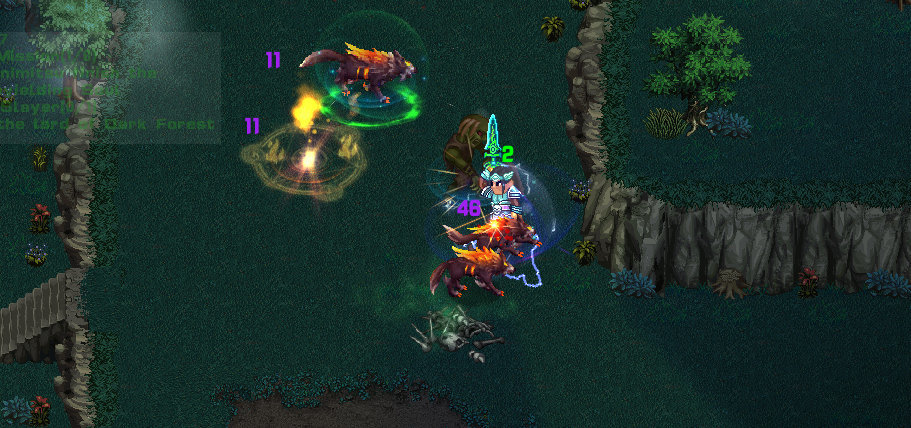
More equipment, gems and skills.

More complete English translation.

Lots of improvements.
EA version features added and updated
Waiting for your experience and feedback.
Fix the xbox controller issues
The gamepad library has been changed to solve the problem that the gamepad cannot be moved by default config in Steam. And the vibration effect is added.
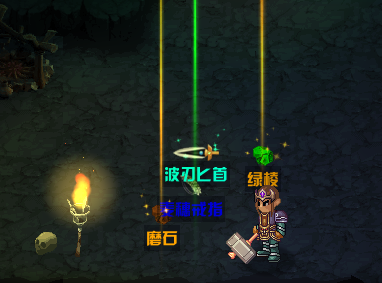
Adjust the drop system
According to players' suggestions, equipment will drop directly into the scene. And high-quality equipment will light up.
Add achievement system
Added 9 steam achievements and will continue to add as the game content increases.
Online PVP System
The real gameplay of Mulite Swordsman is now unlocked!
Note: PVP system are still in testing. You may encounter problems such as unstable connections, unsynchronized characters, and some skills will not work. Feedback is welcome.

How to play in PVP:
1) Talk to the NPC in the bottom right corner of the camp, or press "Ctrl + N" to enter the battle lobby.
2) Please complete the skill points before fighting.
3) Create game and wait for players or search game to join.
How to play against your friends:
1) Create a game
2) Call out the Steam Friends interface (shift + tab), right-click the friend's avatar, and select "Invite to lobby".
3) Wait for your friend to enter the lobby and accept the steam invitation.
What to do next
1) More levels, monsters, tasks, skills and equipment, this will be a huge workload and a continuous goal.
2) Improve the PVP system.
3) Professional English translation, adding more language support.
4) Improve UI system.