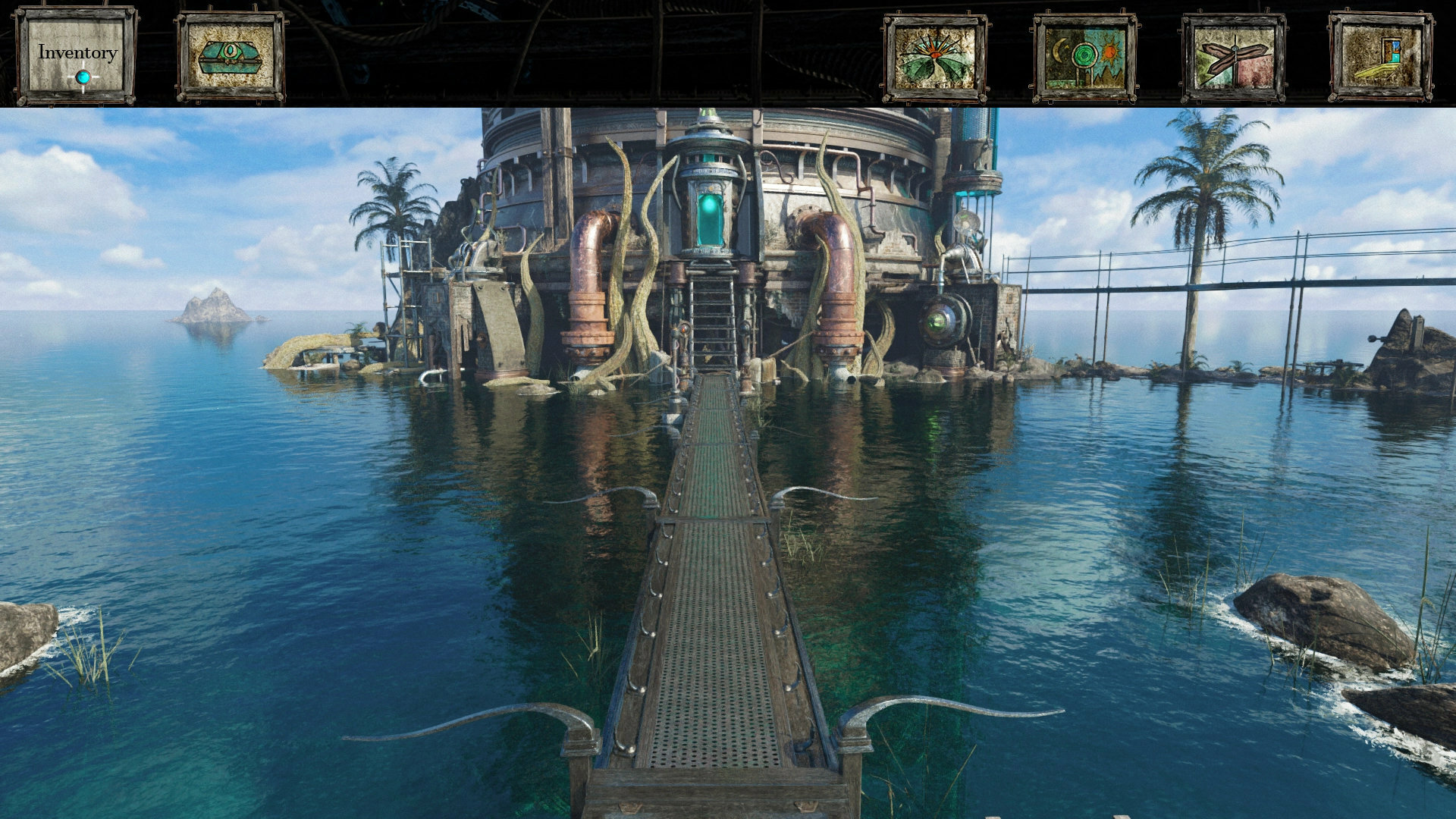
It's been a while since I've stepped foot into the Neyyah Steam dev update realm ... So much has been taking place in the development world of Neyyah. So much. A lot of work, particularly, in the Visionaire Studio 5 engine - which is progressing very nicely, and faster than expected!
As well as retouches taking place in the world of Neyyah, I have also been able to incorporate more interior scenes, which is always fun to see come together within the Neyyah world. And ... linking animations between these locations: doorways, opening and closing, strange levers and buttons being pressed ... and inventory too!
The game menu opened at the top of the screen (with a click of ESC) with the inventory item activated upon cursor entering the stone slab icon
Inventory opened - a transparent background enabling player to see their items (enlarging when cursor goes across the item) while also feeling present and connected to the scene they're currently within, keeping the sense of immersion within the game world
Neyyah brings more inventory fun to its gameplay. While being inspired by Riven, my love for other point n clickers such as Broken Sword, The Longest Journey, and Dragon Lore II definitely shines through a lot in this element of the game. I find being able to pick up items and using them in the game world enriches the immersion factor a lot, as you're actually interacting with the environment. You learn about the world of Neyyah. In the process, you get to use the items from Neyyah, too, and work out why and where they should be used :)
YY
There has been a recent feature added to the game. While skipping animations is nothing new in the world of Neyyah - executed with a right click anywhere on the screen when you see an animation (be it anything from a door opening or a full journey mode animation, such as climbing up a ladder or down some stairs) and now a more refined skip for smaller animations, particularly button presses - you can now skip animations with the notification of a cursor change.
Full size raw render of Skip cursor:
Scaled edited in game Skip cursor:
Early skip animation cursor design - using the default neutral cursor design:
Originally it was just the game's default cursor which would appear while an animation played, but I thought it would be more useful to have some sort of visual key to let the player know you can skip any animation that occurs within the game.
The great thing about the Skip cursor is that while it does indicate to the player that you can skip an animation, the player has control over it as a cursor. The player can drag it away to the side of the screen if they feel it will distract them to much from the animation playing - it isn't a static button which appears on the screen once an animation plays, and is very quick to skip animations upon a right click, too.
In this dev log, I explore the implementation of animations using conditions within Visionaire, from closing to opening a 'mysterious case' within the game, plus introducing the skip animation upon another scene (from 9mins 22seconds onwards ...)
Another great example of the skip cursor being used to skip animations is the following scene: opening and closing a door in another scene. It shows the animation in action, and then upon skipping the animations, shows how instantaneous the skip is. (Meanwhile, journey mode animations have a nice fade effect, which creates the feeling that you have still traversed through the scene).
Here are a couple or so screenshots I've taken from the Visionaire Studio 5 game engine, which demonstrates the process of implementing the skip feature:
1. Upon opening the door, the 'animation playing for door open' condition is made true, and this brings up a hotspot across the entire scene which has the skip cursor set, and a left click action which then hides the animation playing (in this case: door opening). I have also set one up for close door animation too.
The main reason behind this particular hotspot being true, and covering the entire screen is that it also cancels out every other interactive hotspot in the scene, such as turning right or left, etc.
2. The way most animations play within Neyyah through the system I have generated in Visionaire, is there's an ending 'opened' or 'activated' image (for instance, the door being open, which is basically the last frame of the animation) and upon opening the door, while also playing the animation, it sets the open door image condition to true, showing the door being opened. However, upon the skip animation, the animation skips, but if it doesn't run straight to the open door image it skips back to the underlying original door closed state, then flicks to the open state, so I had to get straight to that true condition after the animation skips:
3. Here is the open door image, which has its own condition (made true upon the open door action, becoming true after the animation is played OR upon the skip action, after the animation is hidden). This is the scene which the skip animation ends on, which the skip cursor creates upon that right click when you don't want to watch that door animation again. The reverse happens for the close animation!
YY Hope you enjoyed this update, adventurers! I will be looking at delving more into another Neyyah gameplay mechanic soon called Faster Travel, which is an option the player can enable or disable at any point in the game - a zip mode, to get around faster within the game world! This will also require a new cursor, too, so stay tuned!
Have a great rest of the week, everyone!
- Aaron Gwynaire / Defy Reality Entertainment
Neyyah adventures with Adventure Game Geek!
Hello Neyyah adventurers!
Excited to share a wonderful chat I had with Adventure Game Geek recently, where I was able to discuss the developments of Neyyah - its origin story, and how other amazing adventure titles have helped shape the game! These games include Riven, Myst, Dragon Lore II, Schizm and many more.
One of the topics touched upon during the interview was how I generated such a similar aesthetic to that seen in Riven (which is a big influence). There are a number of considerations involved, although the main effect would be desaturation, and slightly taking away the yellow saturation from sunlit areas. I have a devlog which delves more into my Photoshop work, and highlights certain aspects of bringing life to Neyyah's artwork and nailing the look of the game world ...
Be sure to check out Adventure Game Geek's other awesome work, including reviews on games such as Riven, Myst, Dark Fall, The Lost Crown, Barrow Hill and Schizm, all of which have played big roles in the influence behind Neyyah!
Here's an example - Adventure Game Geek's 'Riven' review:
Til next time! - Aaron Gwynaire / Defy Reality Entertainment
Cornwall Adventures! Fuel for Neyyah!
Hello Neyyah adventurers, far and wide! Today is a cool day! I've been over on Patreon, spewing out the gossip on Neyyah's recent developments, and delving a bit further into the magical world of Cornwall and my adventures there last month! Over on Patreon, I also have a 4th Year Neyyah Dev Special happening, with a draw prize taking place on Tuesday 13th September (more details further down in this post).
You can watch my dev log here, exploring places such as Looe (where I stayed), Tintagel Castle, The Rocky Valley and Polperro! A mix of scenes were documented, alongside texture references, and I also recorded some great sounds too!
I've decided to separate my updates today, so I can focus on Cornwall, plus updates on where the game is heading currently!
I am going to share some shots from my trip, which have inspired me and have pushed certain areas of the game further (mainly at conception stage to the eventual Blender developments - and some of those will be taking place in the next couple of weeks, which is very exciting) plus, these are some of my personal favourites, too! I see this as an extention of personal connection and developer insight, in connection with the dev log.
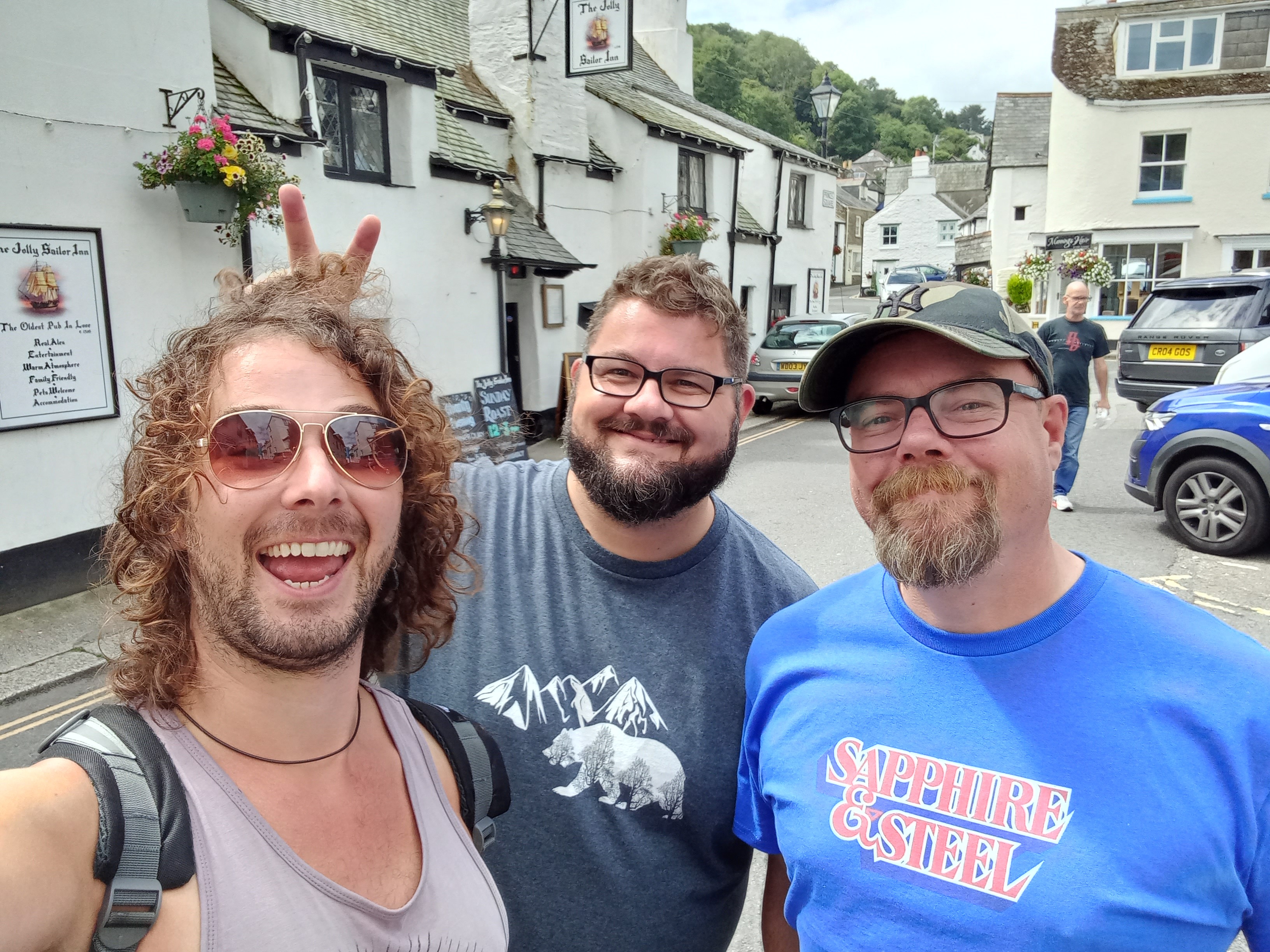
Here I am with Matt Clark and Jonathan Boakes, creators of the Barrow Hill, Dark Fall and The Lost Crown games. These really inspired me as a teenager, when I started out, finding an interest and pursuing game development / 3D modelling further! It was wonderful hanging out with these talented game designers, talking game dev, and I also thank them for their continued support with Neyyah! Find out more about their games down below in this post!
The beautiful Cornish town of Looe where I stayed for my visit! Fantastic area to get a taste of Cornwall! Definitely coming back here next year, too!
The rock formations astounded me ... There are some amazing purple slate and rock areas, which have definitely pushed certain terrains in Neyyah forward in their concept stages, and I really look forward to getting stuck into moulding these said environments in Blender! The 3D canvas beckons ... This is a closer shot of the purple rock, oozing with its metalic alien like presence ... Closer shots like this have been taken of various rock and other materials, as seen in the dev log, in the hope of being able to redesign some great texture maps in Photoshop for other areas of Neyyah! This process will be something I'd like to document and share at a later point, too!
YY
Other areas of Cornwall also provided me with a realm of ancient Cornish rocky terrain. This photo was taken at Rocky Valley, just outside of Boscastle near Tintagel Castle. The metalic wet layered look of the terrain is something I'd love to look at recreating for areas in Neyyah, even if it's used sparsely for greater effect (and making sense with the environment change, too!) As mentioned in the dev log, I also loved how similar it looked to terrain I captured back on a road trip in Western Australia, 2014, at Karijini Gorges ...
Pathways and other areas of my various trips enabled me to help visualise certain areas I have yet to bring to Blender, but have already created concept art for! These shots enable me to focus on the more detailed placement of certain materials with the natural environment, and as mentioned in the dev log, some of the natural flora already reminds of certain areas in Neyyah, where I have incorporated natural elements to the coastal areas, fusing even man made structures with flora too! This helps build a more old ancient world!
I love how the plants grow on the rocks! This is something I've definitely infused into the world of Neyyah!
I was lucky to capture this at low tide - this area can be completely submerged at Looe's harbour, but on my 5 mile trek back from Polperro, I slanted down to the barnacle infested blanket of Cornish rock and managed to take some great shots, including this rocky pathway towards the castle ruin tower ... This reminded me of a scene I have instore for Neyyah, so it was a perfect capture!
YY In terms of what already exists in the game, or the concepts I have for areas yet to be modelled / rendered out, I am always keeping my eye (and ears - for sounds) out for anything which can help inspire or develop the ideas further along.
Cornwall didn't disappoint!
Here is a final art piece I created for Patreon a while back, depicting a scene which has undergone some work due to getting backdrops ready for actors / filming FMV sequences in January next year (and this in itself has helped push the design and environment art further further too!)
The building structure has gone through various designs (on paper and in my head), influenced by local architecture I have seen on my outtings, but also in Cornwall too! This coastal watch building will help influence the tower building, due to the shape and materials used! ... It's also very Myst!
YY
Tintagel Castle was an amazing location to visit in Cornwall, already bound in myth and legend, a place offering plenty of opportunities for inspiring Neyyah's designs further! There was definitely the hustle and bustle of tourists abound, and the weather throughout the day I went began with rain and fog (the drive feeling as though I was riding the dragon's breath to the castle, which did feel very cool, as though I was time travelling) through to being soaked in August sunshine, lost in the magical splendour of Merlin's Cave area, below the forboding bridge leading to the castle ruins beyond.
Tintagel Castle ruins ... Wih Neyyah being in its own state of ruin, it was great drawing influences from the history of this wonderful place, and also the style of architecture which had been used too!
I thought I wouldn't be able to get down to Merlins' Cave ... It had been advertised as being closed, due to reasons specified on their website, but instead, everyone was flocking down to this gorgeous beach, and being the adventurer I am, and in the name of Neyyah, I had to check it out! The steps lead down to the bright shores, basking in the afternoon sun, which the waters poured in through the rugged coastline, the tide being out just enough for explorations of Merlin's Cave to take place ...
A scene from Neyyah (which has also undergone some cool Journey Mode animation renders, too) Neyyah showcases a bunch of glorious sunny open air scenes, but it also has its cavernous, darker, enclosed spaces, and this can definitely shift the atmosphere and feel of a particular location!
The beauty of creating the transition from enclosed to open is infusing various environmental elements together ... This takes place already in various areas of Neyyah. You'll really feel the hit of being out again in open sunlight, after wandering dark cold underground chambers!
A scene from Neyyah - the use of volumetric light really emphasising the derelict feel of the rubbel ahead (dust particles will be added to such scenes too!)
YY
I'm going to have to cap this update off there for now ... I could go on forever about Cornwall. It's definitely provides a huge cauldron of inspiration for Neyyah. I will definitely be returning next year, and I look forward to implementing my finds into Neyyah - in all various forms, which will be duelly noted as I share the progress of the different areas of development! My next update which I'm aiming to have out by the middle of the week will delve into current developments on the game, including updates on backdrops for FMV acting sessions (taking place in January next year in Western Australia) and the engine work coming up!
Thanks for reading! And massive thanks for continuing to support the developments of Neyyah!
- Aaron Gwynaire / Defy Reality Entertainment
Join up on Patreon to be part of the 4th Year Neyyah Dev Anniversary - Patreon Special! Draw prizes being announced on the 13th September! Follow Neyyah's dev on Patreon for a more exclusive behind the scenes experience! All patrons will have their name on credits of the game as a Patreon supporter! Enter the portal at www.patreon.com/defyrealityentertainment
Matt Clark and Jonathan Boakes (Links:) http://www.shadowtor.com/store - all games available here! http://www.darklingroom.co.uk - Jonathan's website http://www.shadowtor.com - Matt's archaeological work / Time Team etc!
Creepy Corridors in Visionaire Studio 5!
Hey everyone! All Neyyah adventurers, far and wide! I bring to you an artefact from the realms of Visionaire Studio 5! Dusting it off, it reveals this week's dev log on how I incorporate some new renders into the Visionaire Studio 5 game engine.
And it's a creepy corridor!
Not saying much more than that, but it's confined, small and I thought it would be great to bring this to a news update! I am still working constantly in Blender right now, building the Neyyah world, but now and again I'll be jumping into the engine to bring new scenes to life, which is always exciting, and as you will see from this dev log, doesn't always take very long, either!
I'm not wanting to reveal too much of a particular scene I might be adding to the engine, but it's fun being able to talk through the process required to make the game interactive in the screen-to-screen point n click style!
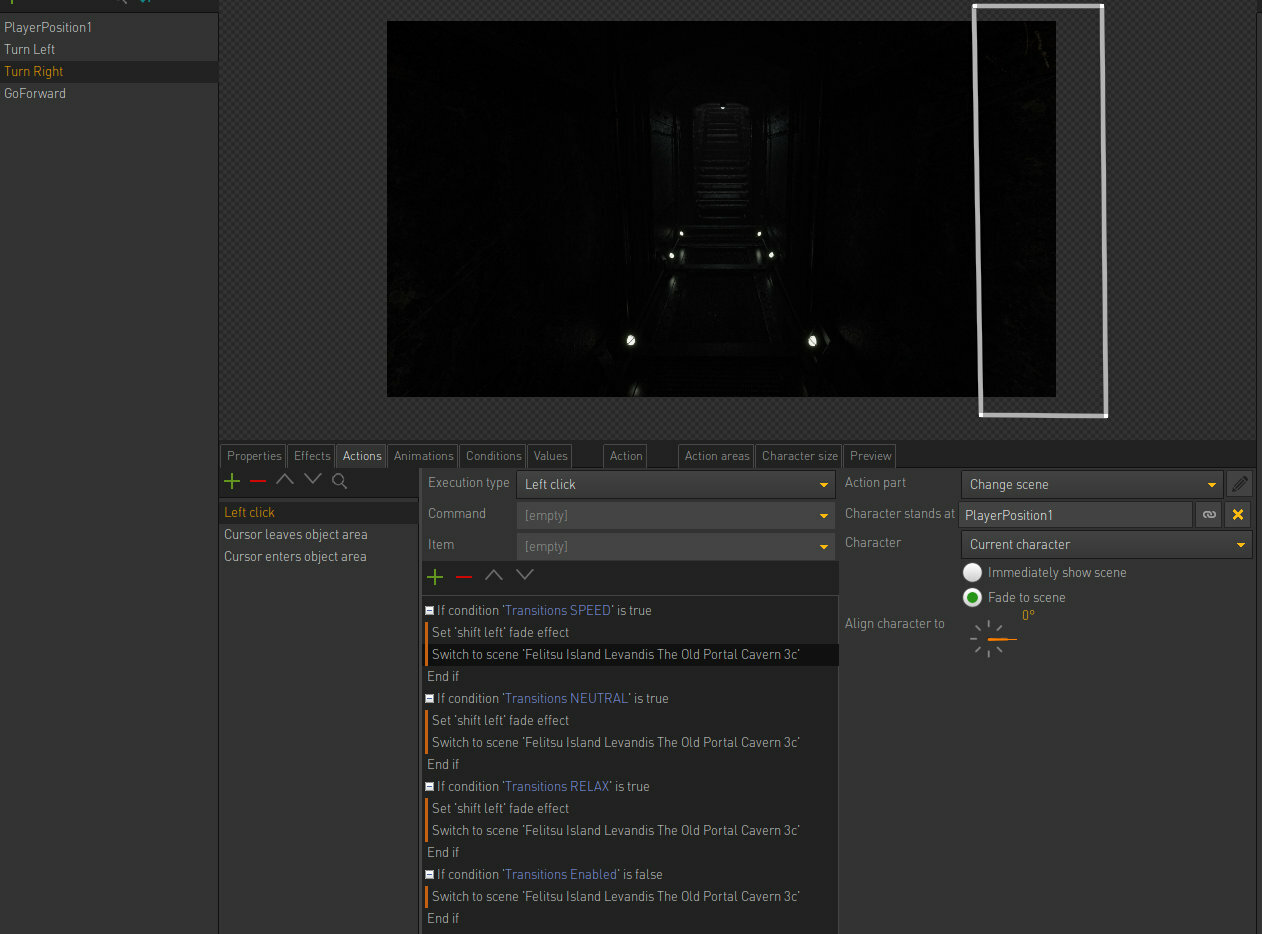
A lot of the time, adding new scenes into the game is a fairly straight forward process: it just requires the duplication of certain nodes, replacing the images in those nodes, and maybe the cursors, too! These need to match the navigation the player may want to interact with. The hotspots on each image contain this data!
The harder, trickier parts are where animations are involved, which react to certain conditions, which might be either true or false. This is when a particular image may be drastically different to say a basic left or right turn! Here's a good example, where various conditions are set for this scene for a variety of different hotspots!
Going back to the cursors used in Neyyah, there are a nice variety, and they built up over time, too. In this old test build gameplay you will see a generic set of cursors which I believe came with a demo game template from the Visionaire Studio 5 website: . They were animated in some cases, which I acted upon from feedback relating to the animations being to distracting. I found this to be true, and preferred the more static, classic Myst / Riven approach! For me, this principle has actually worked in terms of the UI, as well. I feel the best formula for Neyyah is bringing its world, its art, the main screen, to the forefront, and having everything else simple and easy. The menu for Neyyah pops down on ESC. The menu screens are black / partially transparent, and this goes for the inventory UI too!
Pop down menu! The inventory item screen - the transparency enables the player to still feel as though they are in the game world, retaining immersion!
The cursors have changed over time. Here are some and new designs!:
an old design for the default cursor an old forward cursor current turn left-forward cursor Current default cursor - stands out the best against the main game graphics The 90 degree turn right cursor The 180 degree turn right cursor
The different cursors create a nice variety in the actions you can implement within the screen to screen point n click style environment. Unlike with Riven, the cursor changes a lot more, so the player should always be aware on what they can and can't interact with!
Thanks for tuning in, everyone! See you all in the next dev news portal!
- Aaron Gwynaire / Defy Reality Entertainment
In The Beginning, there is THIS ...
Hello Neyyah adventurers! Another scene has begun its development ... Another step forward to powering up that grand portal, which will eventually open up the entire world of Neyyah to you!
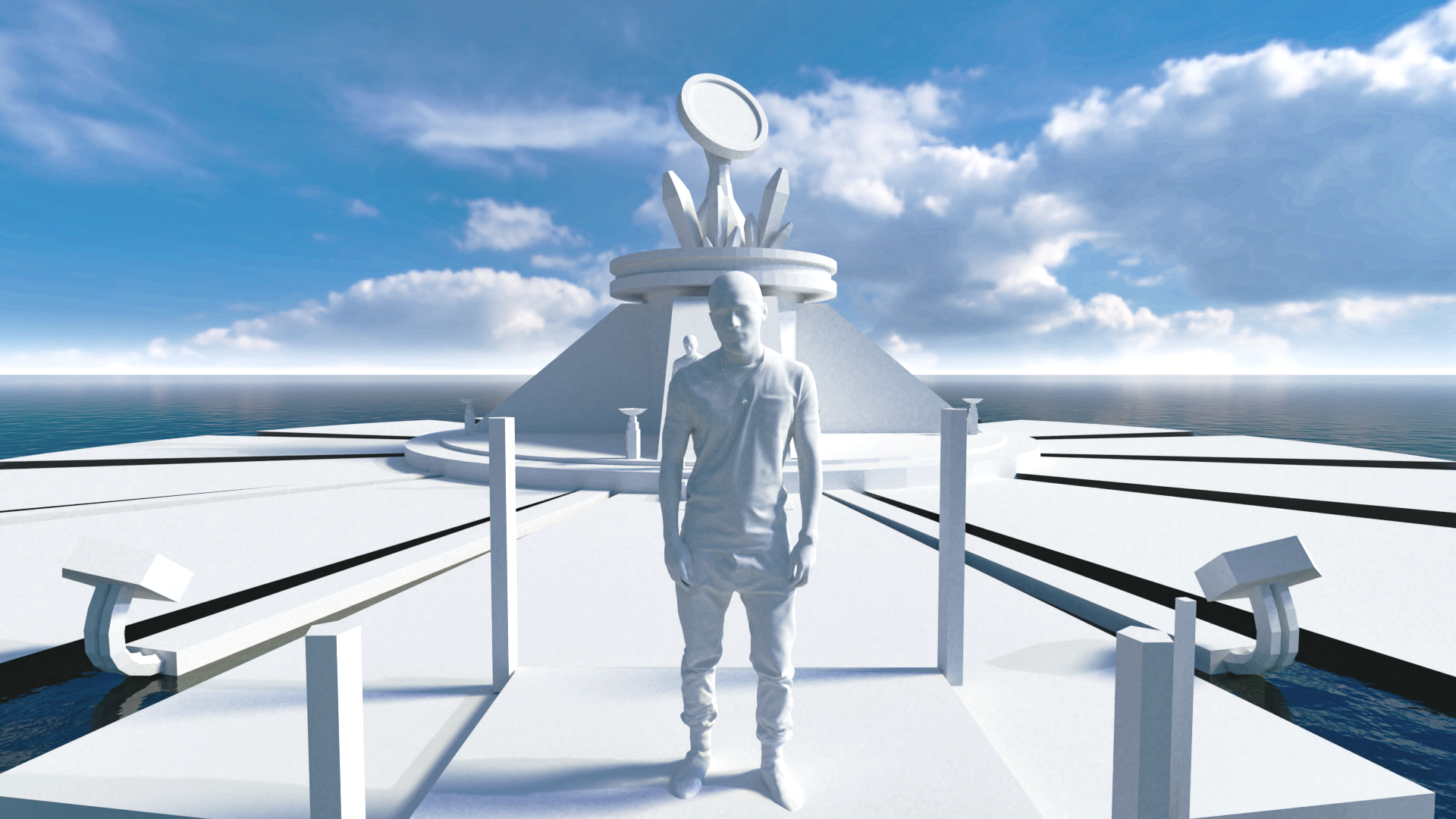
I have previously touched upon the term 'blocking' in this dev log: https://store.steampowered.com/news/app/1289720?emclan=103582791467052962&emgid=3291580955675052130. It's a great opportunity for myself to lay out the basic foundations of the Neyyah world. A lot of sets have started out this way: no textures, just primitive shapes, which will then become layered and clustered with details along the way!
Render test / featuring Neyyah's resident 3D human guide model, Evliya (named by patron, Nazim Kemal Ure)
It was during this phase of modelling - where there aren't any textures added to my models - that gave me the lightbulb moment that THIS was the software I needed to use to create Neyyah. Cycles rendering engine provides a fantastic photorealistic look, using pathtraced rendering. This is one of the many reasons why I decided to create a prerendered game!
The scene taking more shape - textures being added, etc
It was in one of my first ever moments of seeing Blender's render preview come to life on the computer screen that made me think, 'Wow! This really reminds me of the fidelity scene in Riven' - (despite its low resolution graphics now, it still stands up as incredibly compelling, and continues to provide much inspiration for Neyyah!)
I will share some of my earliest Blender works on here soon! Works which would later lead to much more fleshed out worlds for Neyyah!
Thanks for stopping by! As this portal begins to deminish, another is being prepared for the next delivery of Neyyah's dev news, so stay tuned!
- Aaron Gwynaire / Defy Reality Entertainment
Neyyah at Mandjar Arts Awards 2019
Hello Neyyah adventurers, far and wide! I usually post Steam updates on Sundays, but thought I'd through in this extra one - feeling reminiscent of Neyyah's journey thus far after seeing these 2019 photos pop up on my computer ...
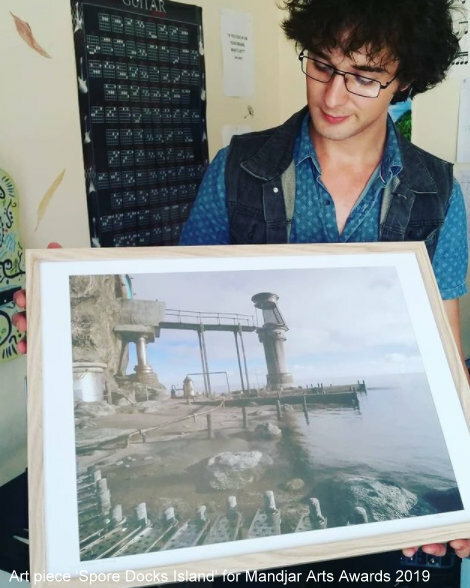
Myself with a printed screen from Neyyah - The Spore Docks / 2019 - in the studio where Neyyah was born
It was a very cool moment seeing some art from my game, printed out and hoisted up at a local art gallery, when I was living in Mandurah, Western Australia. It was a very different time, and Neyyah was still revelling in its infancy, compared to where it stands now and how far along it has come along. But it's very important to appreciate this journey!
Standing beside the printed Spore Docks scene at the Mandjar Arts Awards 2019
You can see this scene in action in my 2019 playthrough of the Spore Docks test build: Part of this scene featured in the recent announcement trailer for Neyyah through Microprose - the cool portal scene at the end, when the portal explodes and shows NEYYAH.
The Spore Docks will be having a make over sometime in the next couple or so months. This is due to how the game evolved and the asethetic changes and evolutions made since the time I created this particular set. However, it still stood up well as a lovely piece to be presented at the Mandjar Arts Awards gallery!
Thanks to my wonderful wife and family in Australia, and the Mandurah community for supporting Neyyah!
- Aaron Gwynaire / Defy Reality Entertainment
Symbols in Neyyah / 2D pen art into Photoshop textures
Hey everyone! Hope you're all keeping well ... Prepping yourselves for entering the portal to Neyyah ...
While the engines warm up, symbols are being created. Special symbols. Symbols galore, in Neyyah. However, I'm not going to say much about them, other than they are very fun to create.
Here's an example of the process!
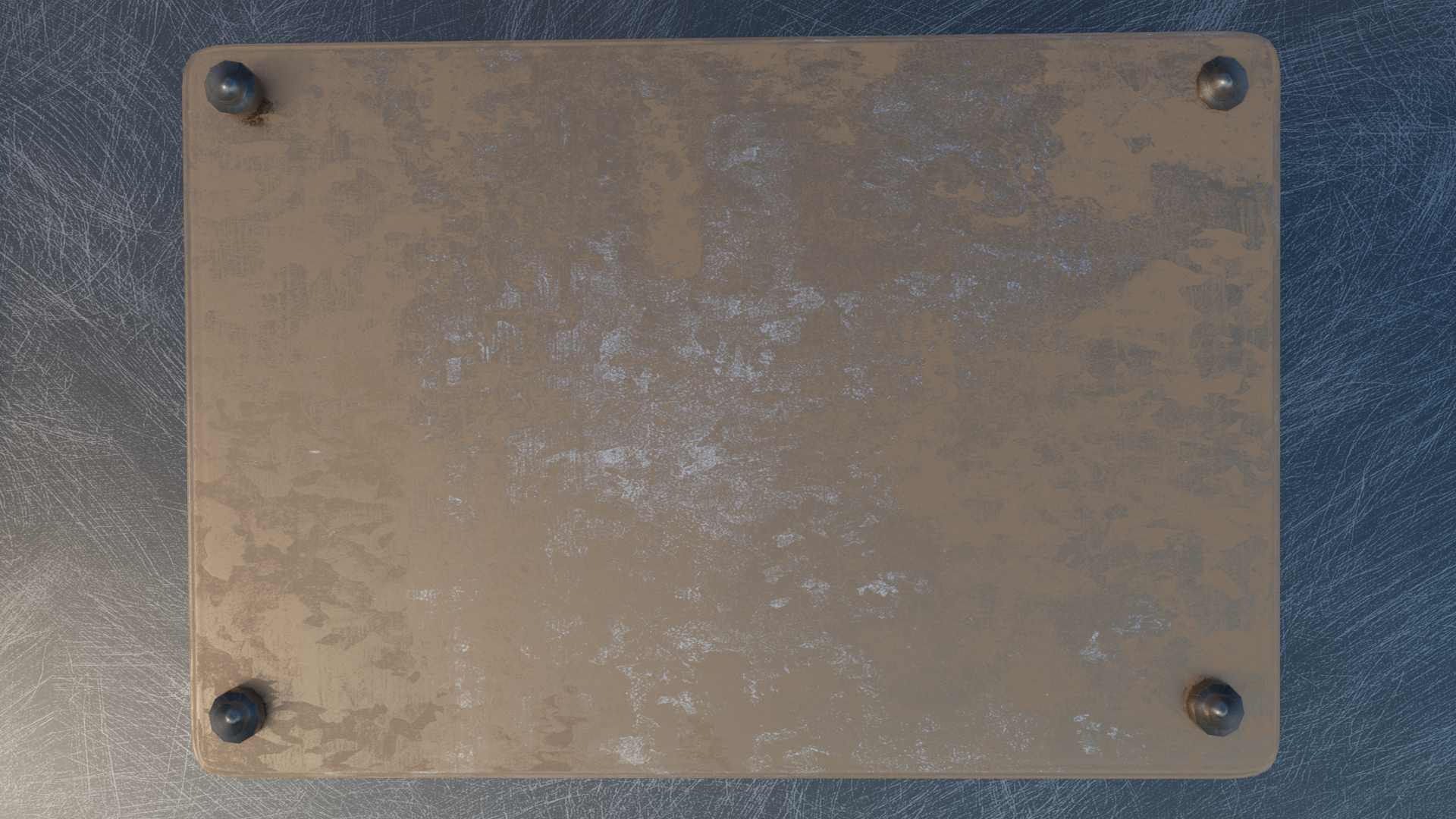
1. I take the texture in which any symbol may appear within the game - the material it needs to be imbedded on! In this instance, it's a metal plate. I focus on the device in which the plate is fixed to (where the symbol / s will apear) and render a close up of this plate.
plate render - raw / unedited
2. I then bring this into Photoshop, ready for symbol art to be imbedded onto!
3. The symbols themselves are created on paper, drawn with pencil, then when I'm happy with the design, I will run over it with a fine liner black pen.
raw drawing edited drawing in Photoshop
4. The metal plate from the render I previously showed is then cropped, as I only need to work with the metal. I can place the symbols on top of this, and merge them into the image using Photoshop:
5. Now I have the symbol set in place, I can edit the entire texture as a whole in Photoshop!
6. Before long, I now have my finished symbol plaque in Blender, ready for renders! Ready for the game :) Console with the new symbol plaque applied
So this is just one example of how certain elements of the game have to be created by hand then digitised to be able to work within the renders, and eventually the game itself!
Hope you enjoyed a different view into the graphical world of Neyyah! Have a great week guys! - Aaron Gwynaire / Defy Reality Entertainment
Evolutions in Neyyah
Hey everyone! Hope you're all having a great weekend!
Today is my 'background' day. Sundays usually run like this for me - where I might be doing some odd engine work, odd modelling work (maybe texture designs, or animation fix ups in the engine - the smaller jobs). This day also includes getting into my Patreon work and, of course, the Steam page updates!
I have also finished stitching together and publishing a new dev log to my Youtube channel, which you can watch here:
SATELLITE FUN IN BLENDER - plus sneak peek into build!
Work continues nicely in Blender. Again, I've been roaming the realms of Blender now for about a month roughly, after having lived in the Visionaire Studio 5 game engine world for a while. Revamps to a set I'd created in 2018 are coming along VERY nicely! Some really awesome updates, design choices and evolutions compared to the previous set from 2018.
Recent satellite design for the environment I'm focussing on currently
Blender is where it all started for Neyyah. I used to use another software called Anim8or (www.anim8or.com) - that's where I picked up 3D modelling in my teens, and much later, picked up Blender in 2018. The rendering results blew me away, so I knew I had to use this for Ne... Well. Not Neyyah. It was another game I was developing beforehand, and Neyyah took charge! Neyyah came about in July 2018, very soon after picking up the basics of Blender.
While my work in 2018 / 2019 was cool, the upgrade in hardware here at Defy Reality Entertainment, and the progress and evolution in my work flow that continued from this point, pushed Neyyah to other levels, raised the bar in the visuals - in various ways!
2018 artwork / rendered in 2021 for the Felitsu Island Walkway test build
While the graphics remained beautiful (using action lists I'd created in Photoshop), the actual model elements, and some of the texture art, lacked the detail in which I'd been working with through 2020 onwards. Neyyah's world evolves during development, and I think it's important to let a game world breathe in this way, and grow.
Recent revamp work on the same scene as above! The models have been redesigned to fit Neyyah's more recent aesthetic style
There'll be many other alterations / variations in Neyyah's environment design along the rest of the development journey ahead. However, it's important to keep a coherent feel throughout, and this established through having core cultural flavours within Neyyah's world. Some of these are minute, while others are very obvious, but it all comes down to one thing: telling story within the world. Reflecting the characters within the game through the world design. This is very important, especially if characters don't appear too much within the gameplay!
Another area of this particular scene that I have revamped recently is a 'forcefield' ring, which also featured prominently in the Felitsu Island Walkway test build playthrough from a year ago - available to watch here: While I was happy with the look of the ring, it still didn't fit with how much Neyyah has grown since, in its environmental style and how the story had evolved since to push this artistic bar higher. So, from this ... the 2018 original forcefield ring - this render created in 2021 for last year's test build (link above for the gameplay video) To this ... The new forcefield ring, created recently
I think one of the biggest evolutions in Neyyah's environmental design is the inclusion of terrain. Aroudn 2020, I started experimenting more with terrain and foliage, which delivered a nice contrast to the otherwise steampunky, mechanical theme I had set for Neyyah's foundations. I think over time this became more balanced, and the new revamp on this set will definitely show this!
Feel free to have a watch of last week's dev log video too, which shows another example of taking what I'd created in 2018 and bringing it to the current Neyyah game screen:
Hope you enjoyed this dev update, fellow Neyyah adventurers! Thanks for having a look, and if you like what you see on the Youtube dev logs, please like, subscribe, comment and stay tuned for more dev logs coming soon!
- Aaron Gwynaire / Defy Reality Entertainment
Designing doorways in Blender
Hey everyone! Happy weekend! Sunday today - a day of getting behind the scenes material done for Neyyah mainly, some odd jobs in the engine, setting up various states in Neyyah's environments ready for rendering, as well as editing a dev log from Tuesday just gone. I do have a dev log which I'll be sharing here in this post, delving into the realm of Blender ...
Finished doorway area - render test
It's been great getting back into 3D modelling over the last couple of weeks, after having been working in Visionaire for pretty much a month straight (getting lots of things into the game) but it's never the same as working in Blender and actually creating the worlds for Neyyah. It's where my deepest passions lie: modelling out the exterior and interior sets; the texturing, the lighting (working in Photoshop, etc).
Feel free to take a look into my work with Photoshop in this dev log on Youtube:
Doorways, gates, etc ... They play a cool role in the world of Neyyah, and definitely symbolise that element of intrigue, of mystery. What lies on the other side? Can you even open the door straight away? Do you even really need to, right now?
Interestingly, doorways are designed in Neyyah to keep a coherent look through the game world. So for instance, in the following dev log which shows my work in designing a new doorway for Neyyah, I do take elements of previous assets I've created, but tweak them to stay unique for the location they're being designed for. This could include weather conditions, or just a general change in scenery and possibly history behind the design of the door (the cultural aspects: why it was designed the way it was).
Here is my most recent devlog on designing a doorway in Blender, the process behind getting it set up within the rest of the scene, and incorporating some previous assets I've created for Neyyah already!
Thanks for teleporting into this portal of dev goodness and catch you in the next portal, coming soon!
- Aaron Gwynaire / Defy Reality Entertainment
Sketches found in Neyyah - using the Neyyah world!
Hello everyone! Great to be writing up another development announcement for Neyyah, this time focussing on a recent task I had of bringing sketches to life within the Neyyah world ... Feel free to watch this devlog below to see the following process being initiated :)
[previewyoutube="PLaQUrDB45w;full"]
I won't be going into great detail regards the purpose of these sketches (backstory, etc), but instead shall focus more on the technique I used to create them, and it definitely involved jumping through a brand new portal of creativity - and I had no clue what lay on the other side ...
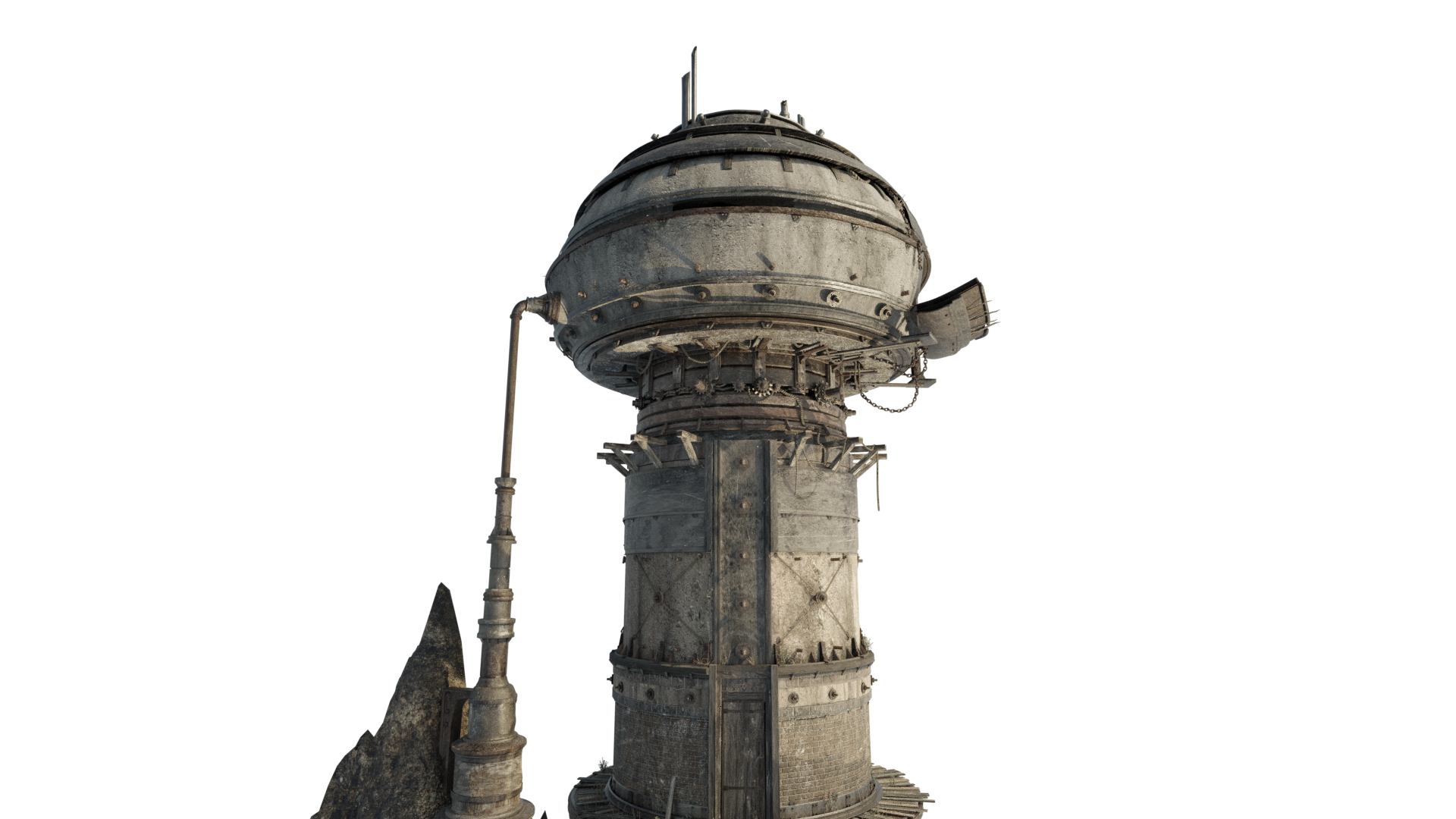
3D render
This is an example of one of the 3D assets I've created for Neyyah which I wanted to use in my sketch artwork. Initially, I thought about perhaps sketching the building myself and simply bringing this into Photoshop where I could then do what I needed to make it feel and look a particular way (in the case of this artwork, very old and aged ...)
Here's an example of a couple more assets used - these are taken out of the Blender set which I've created them for and rendered out by themselves against a transparent background:
Through Photoshop, I can start applying certain effects to really make them look more like sketches. Going back to the first tower render, here is an example of two different art styles created from the render ...
Watercolour: Graphic pen / sketch:
Merging the sketches into the paper
Once the singular assets for a particular art piece were assembled and edited accordingly, I could then look at ways in which to blend them into the paper.
Basic template of having the singular assets upon the paper art within Photoshop
Work view of Photoshop - three duplicated layers of the same asset would be to achieve the aged worn sketch look most of the time.
It's then a case of taking the final satisfactory look of the initial sketch in its entirety ...
... and taking it a little step further ...
Here's an example of how the artwork could then appear within the environment of Neyyah ...
Test render
It's been a fun experience putting more of these together over the last few days. Neyyah is starting to reveal new dimensions in its vast complex world, and I really can't wait to share these treasures with you!
Thanks for tuning in! Til next time :) - Aaron Gwynaire / Defy Reality Entertainment