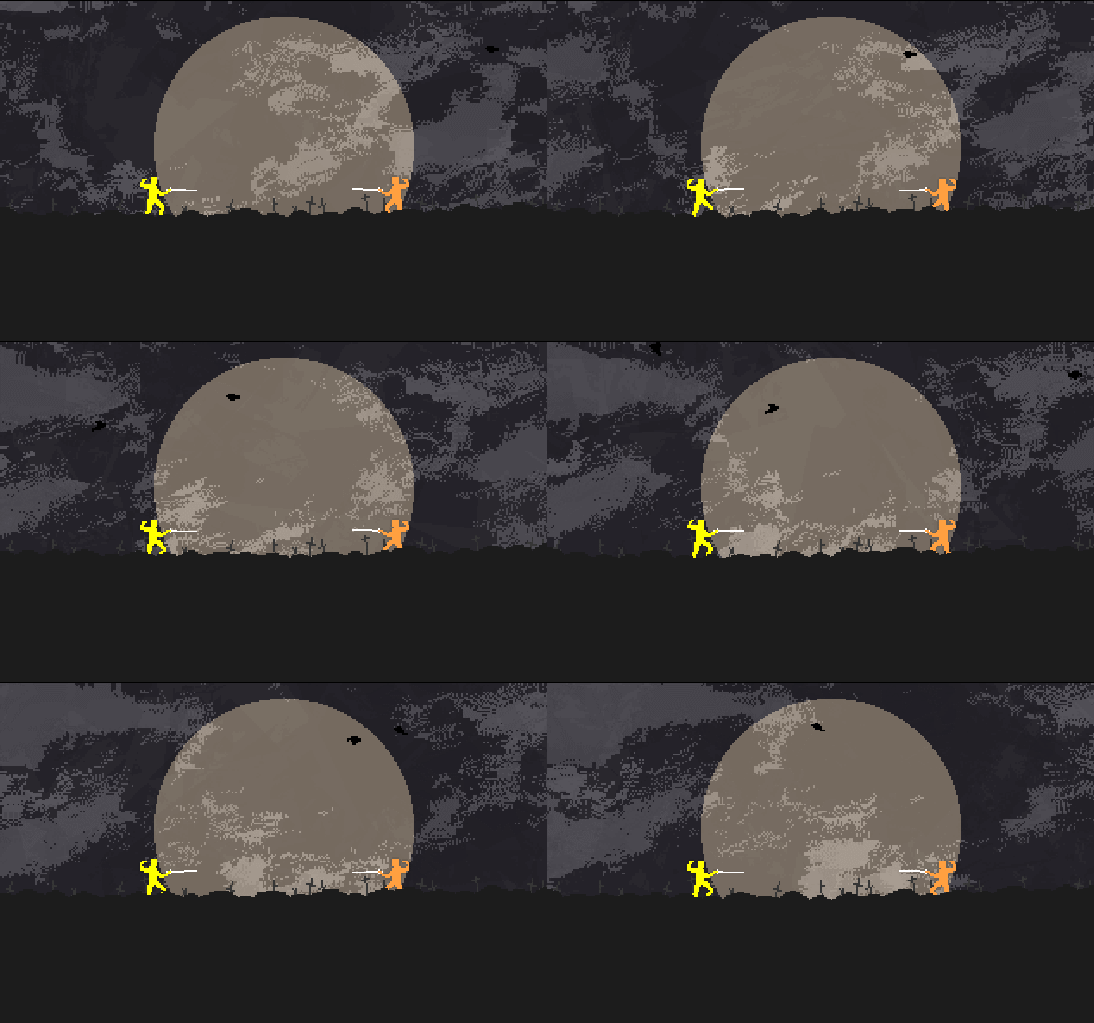
You can find the new battleground dubbed “Fields” a short walk from the castle. It’s a peaceful place to visit on a full moon, though you’ll have to share it with the cats in heat. There’s a new Daedelus remix to go with it, also in mp3 format in the soundtrack folder so that you can take it on the go to any field you might find. Don’t be frightened if the tall grasses rustle, it’s just one furry friend looking for another.
Blood is now permanent on a per-round basis (optional). Permanent Blood mode has been added so the grisly back and forth shall not be forgotten.
windows patch
Patch notes: - Game Maker Studio 2.3.x update which includes fixes like low framerates (there was a bug with putting the app to sleep) - Updated to the latest YellowAfterlife multiplayer dll which helps with lag spikes - Fixed some collision problems (I think) between flying weapons - Fixed some camera stuttering - Various cleanup that you wont notice - Things I already forgot
Menu Screen Crash Hotfix (now for macs too) 9/20/17
The latest update (build 2134911) addresses the menu screen crash for Mac players. Highscores are still not visible, but that is being worked on! More info in the previous update-- http://steamcommunity.com/games/94400/announcements/detail/3121415195625216506
Menu Screen Crash Hotfix (now for macs too) 9/20/17
The latest update (build 2134911) addresses the menu screen crash for Mac players. Highscores are still not visible, but that is being worked on! More info in the previous update-- http://steamcommunity.com/games/94400/announcements/detail/3121415195625216506
Menu Screen Crash Hotfix 9/18/17
Just set build id 2129021 live! This update fixes a crash that started happening suddenly on the Main Menu screen when the game fetched highscores. We're not sure why this code stopped working a few years in, my best guess is that something with Windows/Steam changed! For the moment, I've just set it so that if the highscores don't fetch properly the game can recover. Unfortunately this means the highscores wont show up at all for the time being. We're still looking into this!
Many thanks to those who alerted me to this over email, twitter, and discord. If you would like to join our Discord community, head over here-- https://discord.gg/nidhogg
Welcome to all the new players!
Netplay + Matchmaking update
Hey Everyone
We have been working with Vadim @yellowafterlife on another update to the netcode-- this time addressing matchmaking and some customization features that players wanted. You can now pick a specific opponent out of all the players wanting to play, or just run matchmaker and it will decide for you. The matchmaker should now more accurately show how many players are looking to play (you count as one of them!) You can also toggle variants and chat to your opponent during the match.
Please direct all bug reportsto the our Steam discussion board "bug reports" subforum-- http://steamcommunity.com/app/94400/discussions/1/
Thanks for the continued support! We can't wait to share Nidhogg 2 with you all! http://store.steampowered.com/app/535520/Nidhogg_2/
ːnidhoggyengardeː
Patch Notes 852225
Updates for build 852225 (and some from last week)
- Fixed a graphical issue that caused black screens or glitchy graphics on windows 8 and up
- Removed pause for attract mode when window not in focus
- Fixed surface errors in fire room
- Custom controls revert to default layout
- Added missing custom controls text
- Removed console and refactored some stuff
- Fix some pause mode issues
- Improved arrows
- Added left side windows to wilds
- Fixed door hitboxes on mines end screens
Update
- Game Maker Studio version update
- Steam SDK verison update
- Added better support for gamepads (use type b if yours is not recognized)
- Press f4 to toggle fullscreen
- Added vsync option
- Added option to disable flashing colors in opponents
- Other assorted bugfixes
Multiplayer Update Now Live
:nidhoggyengarde: Hey Everyone :nidhoggoengarde:
We are super excited to unleash a big update for Nidhogg's online multiplayer functionality!!
We have been working with another programmer, Vadim Dyachenko (@yellowafterlife), to improve the latency and desync issues in the online multiplayer mode of Nidhogg.
Rather than having a set frame delay on the inputs, the new system sets the delay based on your connection. Remember that a connection is only as fast as the slowest player!
Matchmaking has also been sped up a bit and various graphical bugs that could crash the game have been fixed.
The current build ID for the update for mac+pc is 710182. If you want to confirm that you have the update, check preferences > local files and make sure you have a number the same or bigger than that.
We really appreciate your patience during this process, and hope to see you on a more equal online playing field.