

Noda
Noda's Official Launch with Multiplayer Coming Soon!
Noda is going Free-to-Play with basic map making and multiplayer features. The full version including speech-to-text, unlimited nodes/maps, custom images, screenshots, and data file import & export options will be available for one-time purchase.
Early Access gets you early access. Everyone who has purchased the Early Access version is welcome to the full version for free, and to check it out before it launches to the general public.
The new multiplayer version is available now on the public beta channel.
New Tutorial
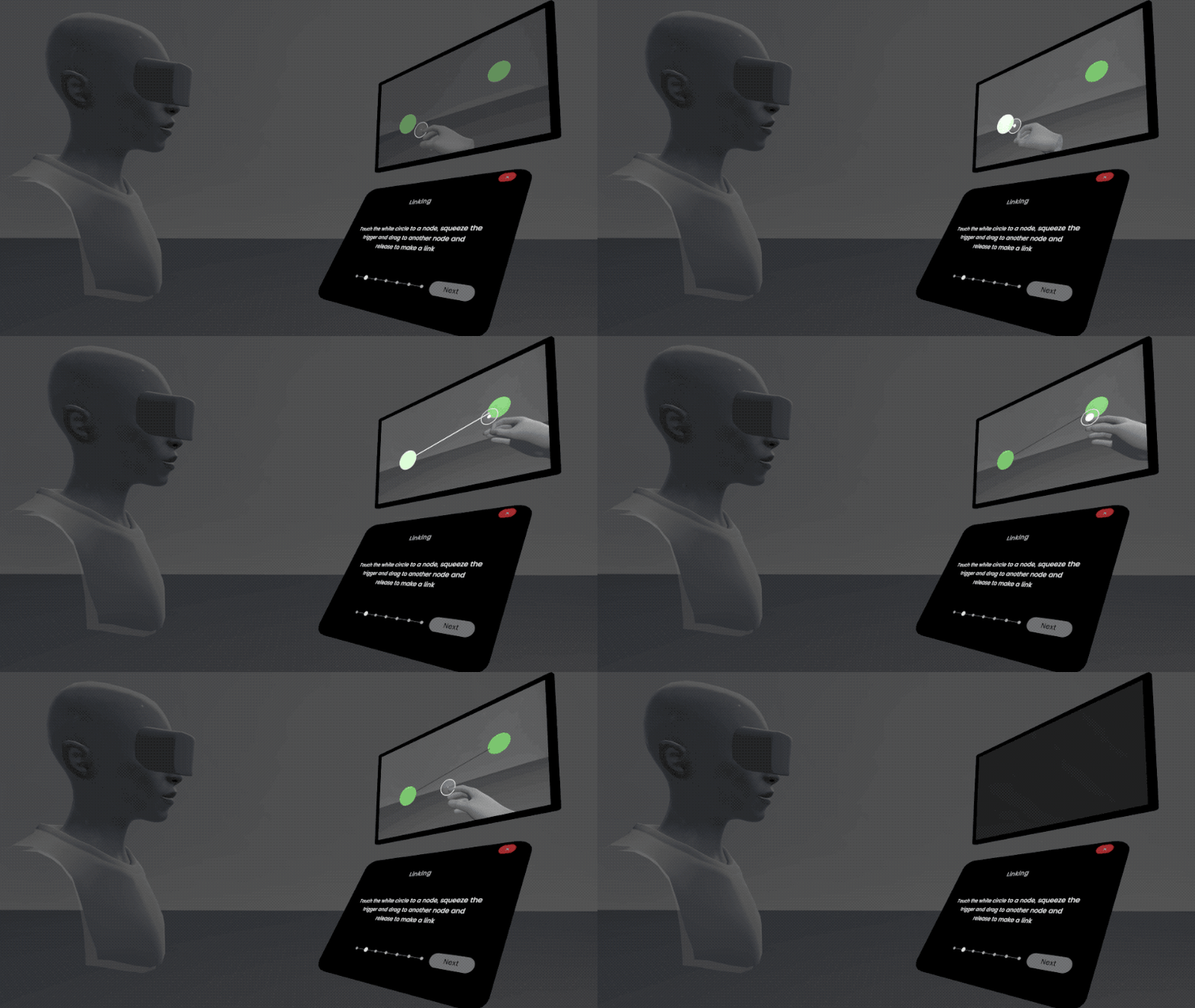
Noda is easy to use but learning how everything works is faster with a guide. Instructions and videos show you how to get the most out of Noda. Examples include open hand and Rift controller but can be mapped to all Steam VR hand controllers.
If you are working on a map when you quit Noda that map will be loaded the next time you start. You should still save your work in Noda from the Maps tab of the Menu, but in case you forget to save the recovery feature can help retain your work across sessions.
When Noda starts with your last map the welcome & tutorial do not show on startup, assuming you already know how things work. The tutorial can be viewed any time from the Menu.
New Navigation and Icons
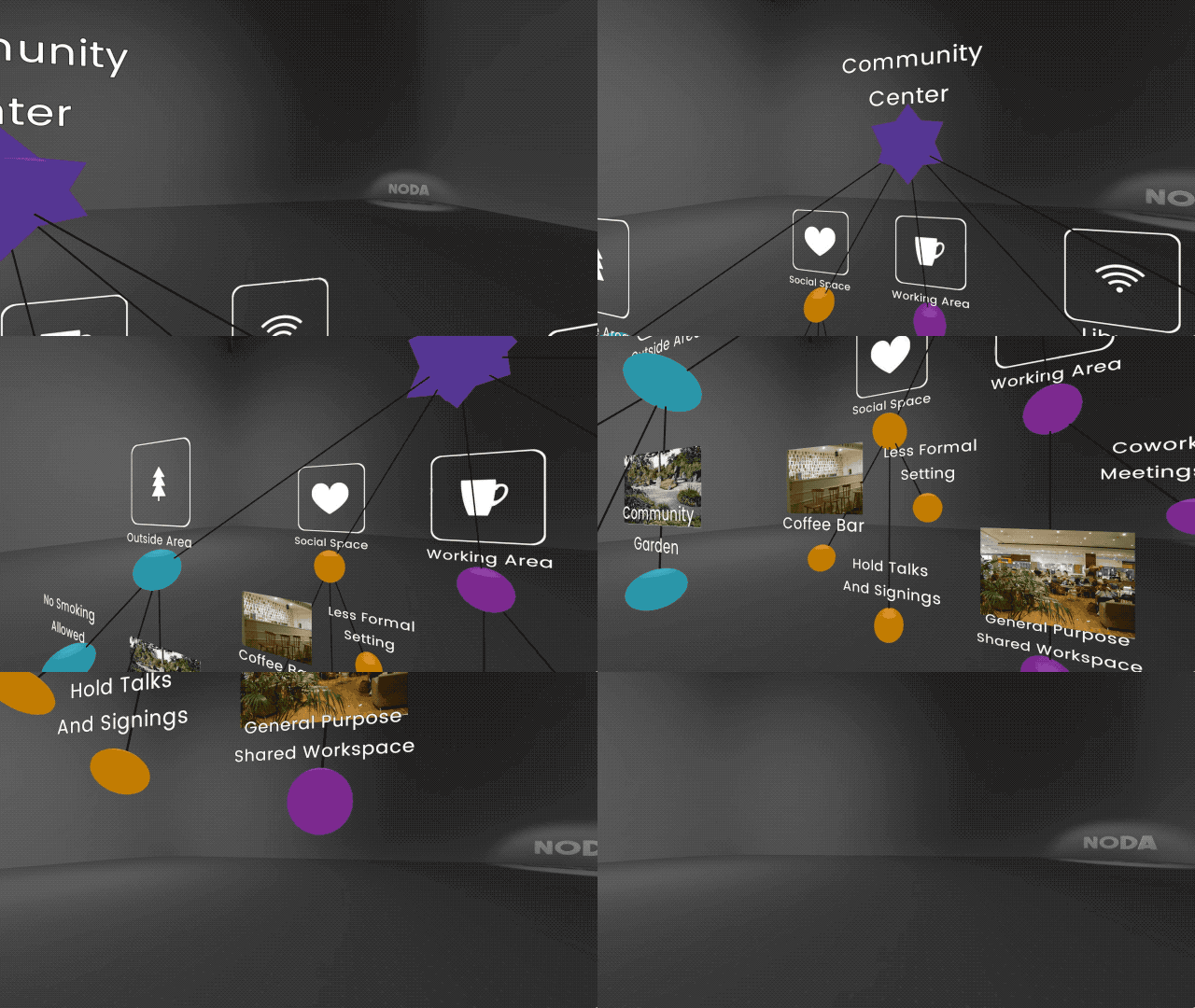
A new icon set is available in the default image library. Icon and custom image placement has been changed to over & under to make icon/image and text more legible.
New Colors, New Shapes, Edit Styles
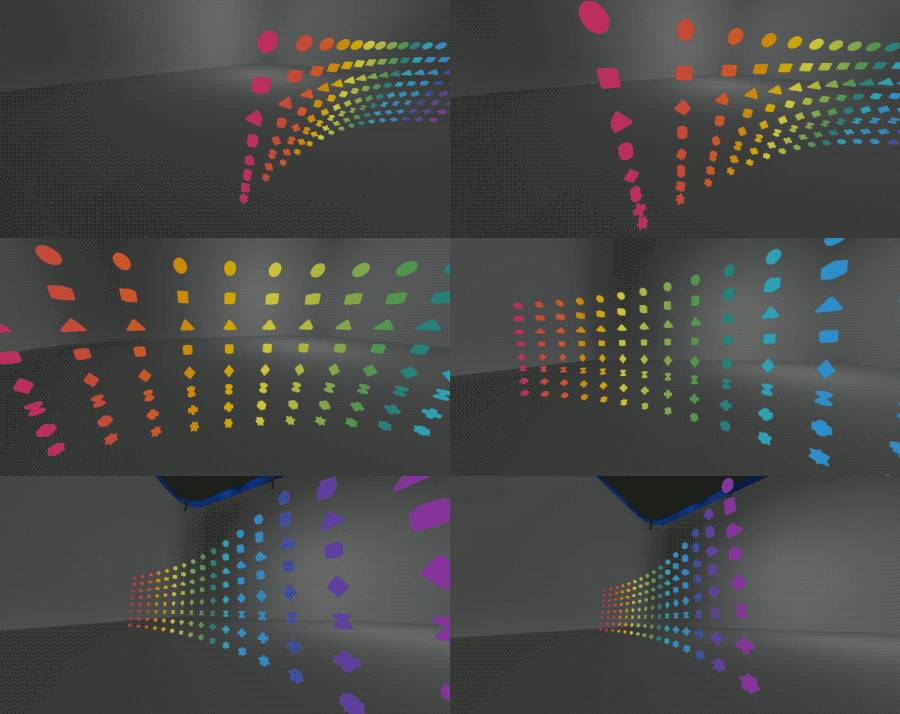
A wider range of colors in a cohesive palette. Shapes now include: Ball, Box, Pyramid, Cylinder, Diamond, Cross, Hourglass, Star.
Set styles for nodes that share the same appearance. You can name and rename those styles to reflect a category or type of idea such as People, Goals, Milestones, Questions, etc.
New Noda is Live
Creative Context Input Orb
Labeled Links
Consolidated UI
Paste from Clipboard
Simpler Controls - Creative Context Input Orb
Clean Canvas Neutral Environment
Binaural Beats Ambient Music
Speech to Text
Default background images
Increased performance and support for larger maps
Old maps should load fine. Please let us know what you think.
Early Access Feature Update 3

Voice input for dictation support has been added. The feature works by holding a node up to your mouth and speaking into the tag above the node.
The new text will replace existing text. While holding the tag close you can say "clear" to erase the text and start again.
Currently using the Windows speech services which relies on Microsoft cloud and must be enabled from the Windows Settings menu.

Hopefully this is a helpful alternative to VR typing or importing text from outside VR.
Major Update: New Dimensions
This version should be more efficient and enjoyable to use. The UI got a complete overhaul to become pointer based, which seems more accurate and scalable as the feature set grows.
The new UI system is called "Floating Tablets" and works by popping in a 3d slate when editing a node or tag (by pinching with the index finger trigger). You can grab and move the tablet with the lower hand grip button on the controller.

Nodes can now have multiple tags, and tags can contain image and text labels, which can both be edited at any time. Images are read from the MyDocuments/Noda/Images folder. The image files are currently imported as is, so using lower resolution (< 800px) will work better. There will be some delay during first load of images, this will hopefully be improved in future versions.
New Import/Export methods are available for working with tabular data. You can import .CSV files which will auto-layout in rows and columns with multiple tags per node. The CSV file should contain one header row to indicate the tag names, similar to this:
id, name, age
0, "Teddy", 23
1, "Pamela", 44
2, "David", 19
Exporting .CSV works similarly, files will be created in the MyDocuments/Noda/Export folder, one .CSV file per kind of node. With one row per node and one comma-separated column per tag.
You can also export screenshots using the System Menu as a kind of floating camera which will show a preview of the output. .PNG files will be created in the MyDocument/Noda/Export folder.
The file format for Save/Load of maps was changed to accommodate these changes. An honest effort was made to enable conversion from maps created in the first Early Access release which should handle most aspects like node placement, text & image tags, color and links, but some information may not survive the conversion (like node size, link style). I'm sorry if any significant work is lost, if it's a serious problem let me know I might be able to manually convert an older map to the new format.
And finally, Oculus Rift users can opt to run the native Oculus version of the app, which might run better on the rift due to the OVR specific runtime optimizations and will give you your Avatar hands instead of the Touch controller models.
Early Access Feature Update 2

A feature release combined with some performance improvements. Features include some often requested additions:
- Link Styles - Change color and pattern of connections
- Haptic Feedback - When you make contact with a node or label
- Multiple Saves- Up to 5 named maps can be saved and loaded
The link styles in particular add some nice contrast options and can help convey something relevant about the meaning of a link, like a loose or dependent connection.
Thanks for your involvement so far. If you have any feedback or suggestions please reach out and let me know at: contact@noda.io
-Brian
Early Access Feature Update 1
- Advanced Keyboard - Numbers, Symbols, Caps On/Off
- Teleportation - Grip = "to" and Trigger = "go"
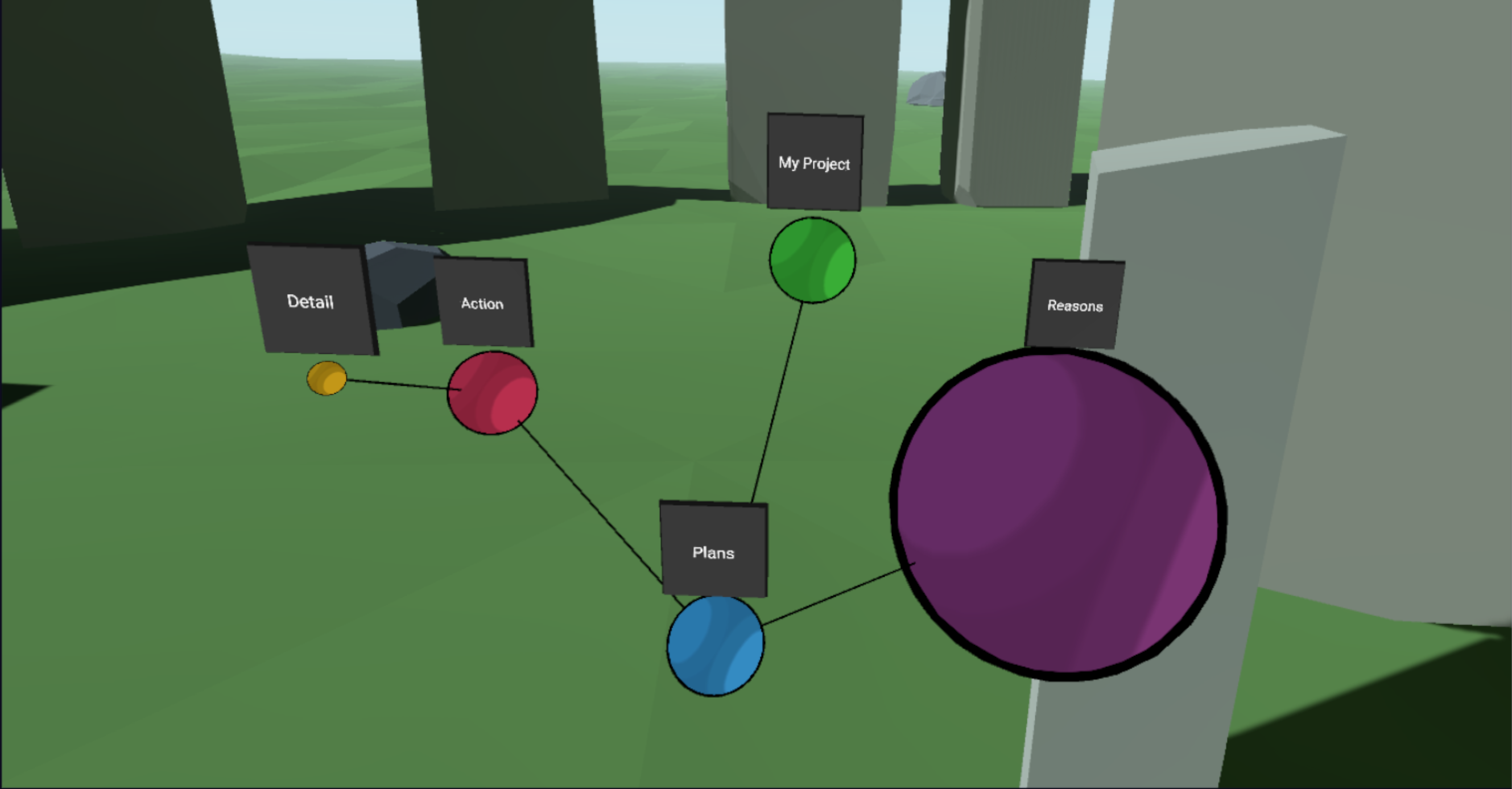
- Resizing of nodes - Trigger Pinch node to edit. Grip gizmo to resize
The resizing of nodes will probably see some refinement, but already allows for some interesting results.
Thanks and please feel free to keep those comments, requests and suggestions coming! contact@noda.io
-Brian
Dev Update
Will be breaking things up into batches, hope to have the next release ready soon. Tentatively including:
* Numbers/Symbols on Keyboard
* Teleportation for moving around the space
* Resizing nodes
With more changes planned for immediately after.
Thanks again for the enthusiasm and support. Looking forward to an active period of progress and learning.