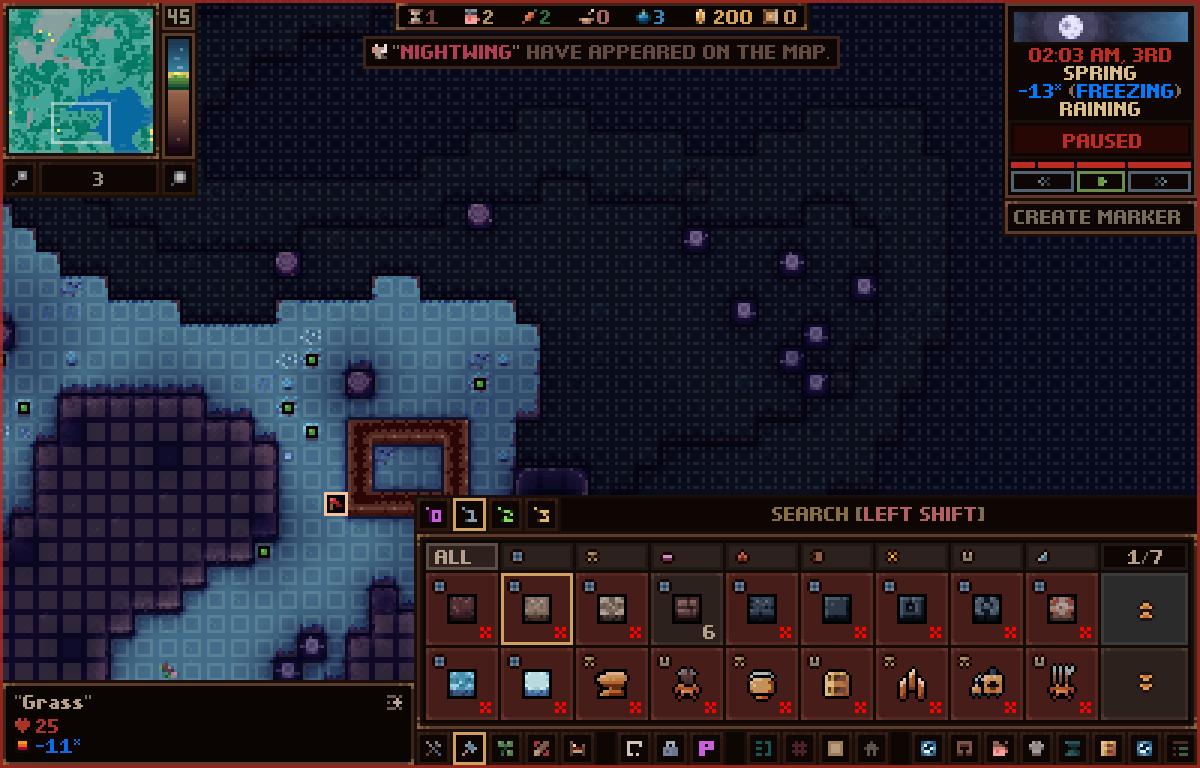
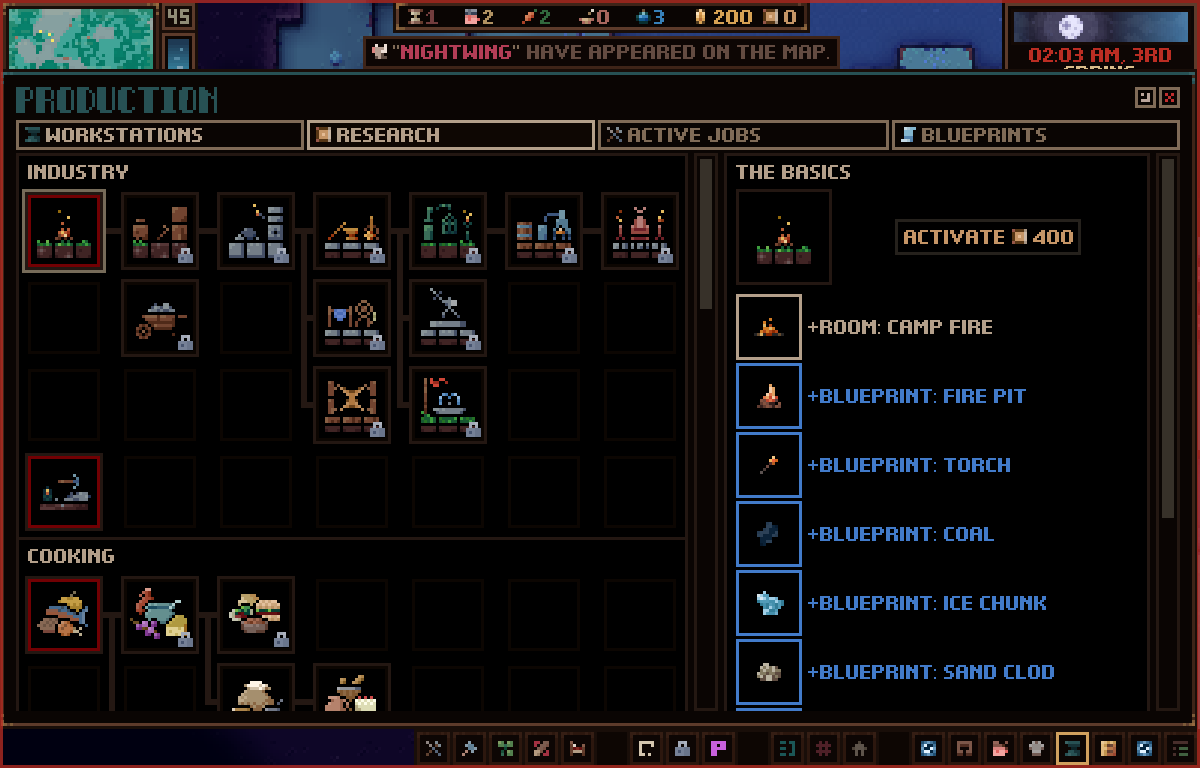
Today's dev log will be rather dull because I don't have a whole lot of new content to show off. I'm at the stage where I'm working on bugs, polish, and finishing implementation for previously shown features. That's good, though, as that means the date for putting this update into beta is drawing near. I hate not being able to tell you guys a specific date for when that will be. I want this to be my last dev log before then, but due to the scope and complexity of the update, there's a lot of hidden tasks that arise as I go. This update is more like a sequel than it is a general update and as a result is an absolute ton of work for me. Thank you for understanding that, and for being patient with me. :)
Now, I've seen a few comments recently about how long this update is taking and some have even expressed that there is nothing in this next update so I wanted to recap some of the things that have been added:
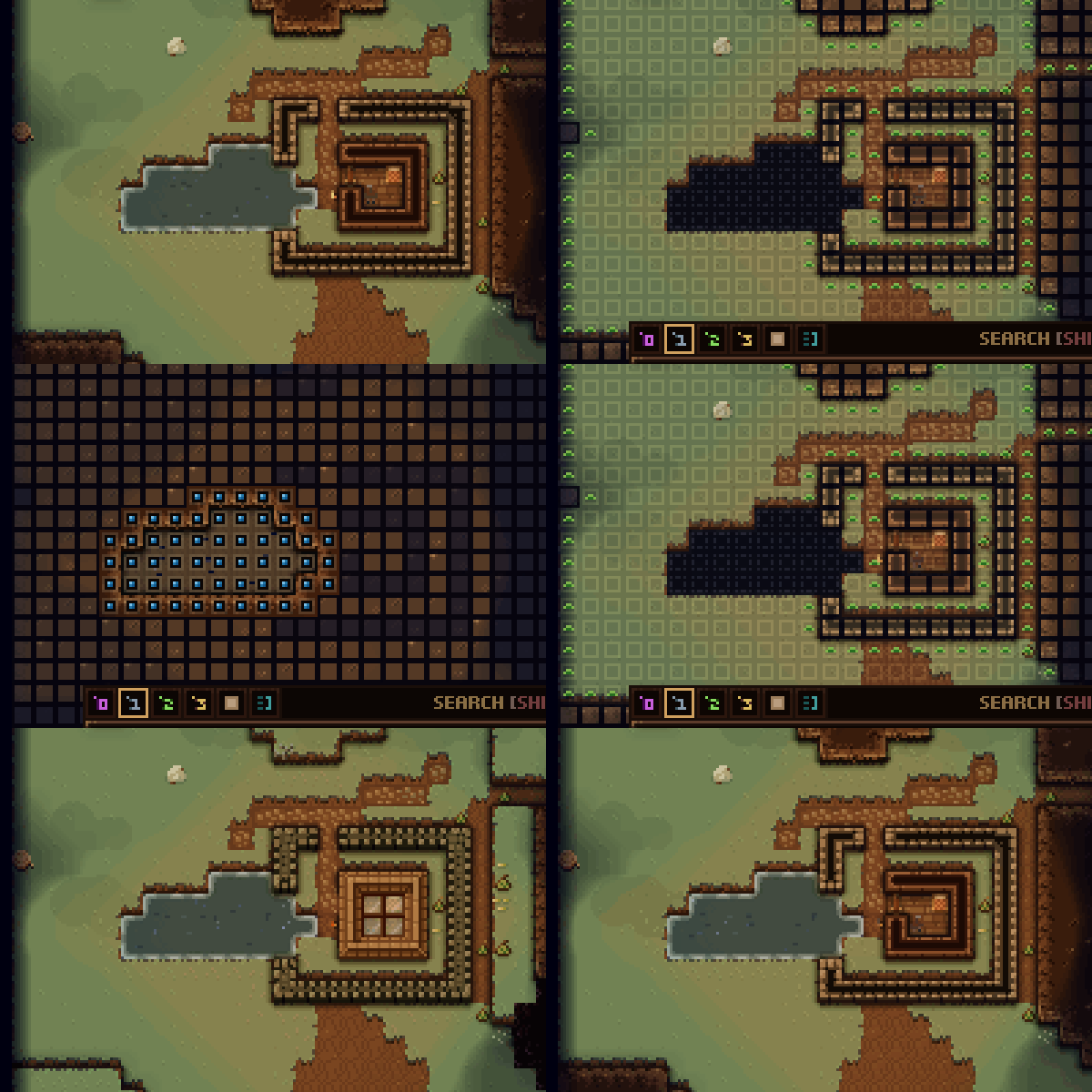
-Tech tree. Allows for Humans to unlock magical props/items. -Capturing mechanic and respective props. -Diets. Allows players to specify the diet by race and indicates what foods are harmful or have negative long-term effects. -Unlimited save slots plus a bunch of extra save info is now displayed. -Variable map sizes. Maps can now range from 16x16x16 up to 256x256x64. -New hills biome variation which allows for previous biomes to be flatter. -Player progression is now saved to realm, rather than tile. Things like diets, uniforms, tech tree unlocks, currencies, etc, will be saved even when the player's settlement is lost. -Players can now settle any tile, even ones they've abandoned or had a game over at. Also, game overs will not force players to start a new settlement. The game will continue to play for as long as they player wishes. They can choose to start a new settlement at that same tile, or start a new game, or load the last save. -Room functionalities. Players can now mix and match room functionality to allow for more specific room clusters. i.e., A room with a bedroom, kitchen, and workshop could be set as a room template that you name 'home'. The game has several default templates, but players can add/remove/edit new templates if they choose. Rooms can also be placed on several z layers. -Combat and move order entity states have been re-written to be less buggy. -62 new tools and weapons. -A billion QoL improvements: draggable windows, lists for active zones/jobs/rooms, modifier keys for hotkey edits, tooltip additions/improvements, better text contrast, item and entity tracking can be added/removed/edited on the top bar and clicking top bar items will take you to the next point, and much, much more! -Entities will no longer be able to scale any height. They can climb a max of one tile up, but will need ladders/stairs to climb higher. -Light permeates the ground layers now. This is to allow for better exploration underground, like you'd see in a game such as Terraria. -Save/load speed improvements and general performance improvements. I re-wrote the entire backend of the game to allow for bigger maps and so the game's performance has been drastically improved. -Transparency for a bunch of textures. Because I re-wrote the renderer, I'm able to properly do transparency for things like glass. You can sort of see in the below gif that the house has some transparent windows as a roof.
And the list goes on... There are a million smaller changes, fixes, and polish tasks I've done over the year and if you'd like to see them, you should check out the Trello where I jot down finished tasks, or checkout my previous dev logs.
One small thing I can show you is that a lot has been added to the game's overlays. Above you can see what's displayed when building, for example. One addition is the path permission up/down arrows to indicate where entities can move up (green arrow) and down (red arrow). With the new restrictions on climbing height, this is an important bit of info, which will help players plan out castle walls and such.
Ok, back to work for me. Thank you so much everyone for your feedback and encouragement. I appreciate this community.
Take care
May 2021 Dev Log
Hello!
Today I'm going to show off some stuff related to migrating and saving. I get quite a few comments regarding these two systems and how they can be improved. Especially the migrating system which is pretty much just a prototype in the game. The save system also needed an upgrade, not only because it didn't have that many features, but because I literally had to upgrade all the tech for it to make it so players are able to go back to settlements they've abandoned or been killed at.
Before I get into that stuff, a quick note on where this sisyphean update is at. I'm getting closer each day to being able to put this out into beta. This save system stuff slowed me down a bit because it's so complicated to save out a player's session based on information that spans the game, and individual tiles you settle. So, I still don't have any hard date to provide as for when the update can go into beta. Thank you for waiting so patiently.
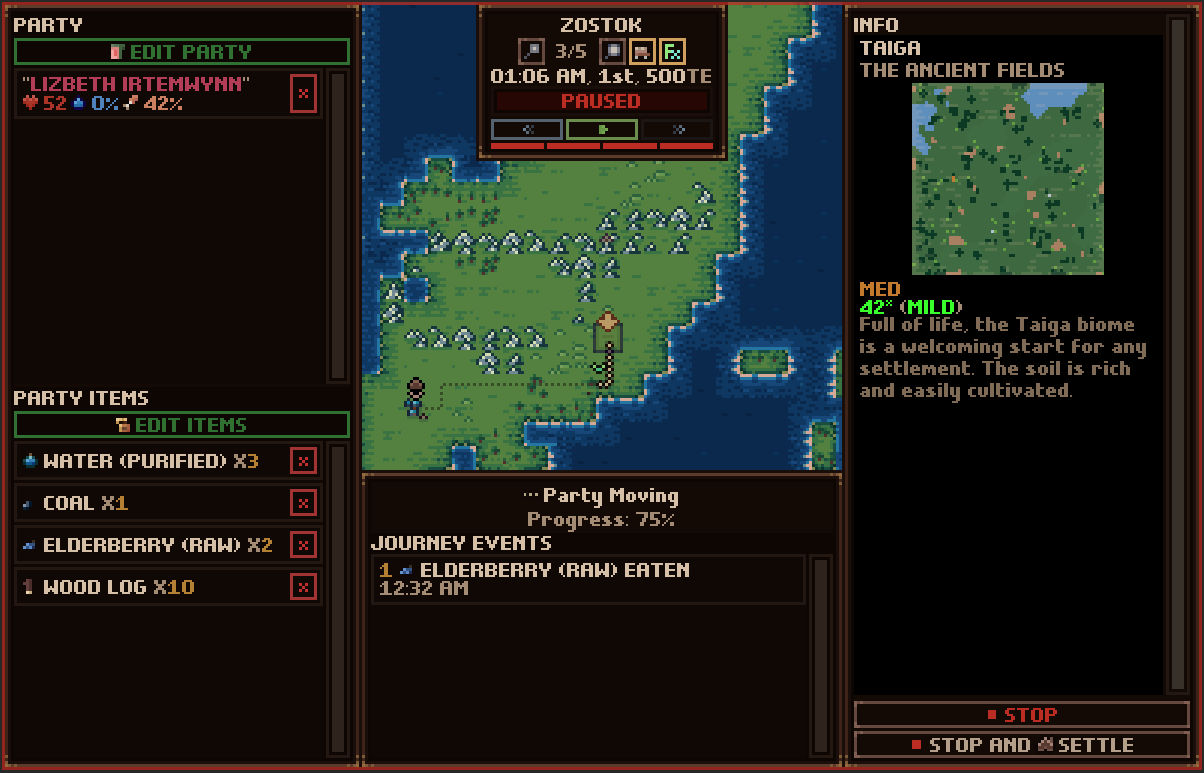
Alright, first up, migrating. I'd say a large majority of Odd Realm's negative reviews/comments relate to migrating and how punishing/wonky it can be. Which sucks because I added it in as a fast solution to let players leave their current settlement, not to be the final product. And, because I had to start working on it to allow for the re-settling of tiles, I figured I'd dedicate some hours to fixing it up.
Here are the main changes:
I've made it so the overworld works with the game's timescale. This means that all the overworld stuff will move along with your current settlement time. Later on in development, there will be hundreds of entities moving around the overworld, and their movement will determined by this moving game time. Need to request a merchant to stop by? It'll take 3 days of game time to send out a messenger, then have a merchant arrive. Or, at least, that's the vision. For now, because time passes while at this map, your migrating entities will also become hungry and thirsty based on this too. Which leads to the next point...
The migrating party no longer uses some bespoke system of food management for survival. They use exactly what they would while walking around your settlement. So, Humans will, say, get hungry and thirsty over time, then try and eat and drink items that you've brought with you. This means that the game is waaaaay more forgiving whereas, before, you'd lose settlers super quick to starvation and such. You now have a lot of warning to tell you someone is starving and about to die, rather than having a random party member die. Which was annoying because it could have been someone super important to you.
I've done a complete overhaul on the UI to let you easily edit your party members and their inventories.
You can now toggle the overlays to hide/show FX and UI which might obfuscate your view of the terrain.
You can now return to a settlement you had previously played. Every tile now saves out its information.
Many of the player settings are saved to the game session rather than to individual tiles as they were previously. This means things like uniforms, room templates, diets, and tech trees are maintained as long as you keep playing the save file.
Added a time menu to the overworld screen to help you control game time.
Players no longer have permadeath and can play previous tiles.
Added overworld indicators to show things like current player settlement, and migration party position.
These additions don't mean that the overworld map is done by any means. As I've mentioned before, I want to add a lot of things like interacting with other kingdoms and travelers through the overworld map. And I'll start adding those things in later updates. For now, this is a huge upgrade to more easily allow the movement on the map.
As for the save system, here's what's new there:
Unlimited saving slots.
More info: Date saved, realm name, nation, population, biome, seed, in-game date, and world dimensions.
Preview window to show what your settlement looks like.
Ability to delete saves.
Some things I'll need to add in the next update because I don't want to spend any more time on this. Things such as:
Copy, duplicate, overwrite, general editing.
More info about the nation. i.e., total settlements and currencies.
Save slots are now auto-created and the game will auto-save at midnight without you needing to select a slot. The save folder now shows slots as the realm name + session ID:
That's all for now. Thanks everyone for the support and patience. Hope you all have a nice weekend!
Waylon
April 2021 Dev Log
Hey gang!
For today's update, I won't have a lot of new stuff to show off as I'm currently focused on cleaning up things from the recent world size changes. However, I do want to show off some things which I'm excited about and I've touched on in the past. Before I do, let me give you an update on where I'm at with the... update.
Hokay. So. The change to the world sizes (making them variable)--as shown in last month's post--was a huge amount of work. The 128x128x64 map size you're used to was ingrained so deeply in all the systems, that it was like trying to remove a pack of wild hyenas from a butcher shop. I don't even know what that means, but it was frightening and difficult and I might have cried. Needless to say, I've spent the month since last month's post working on that and I've still got a lot of work to do. I think by the end of April, I'll be back to where I was before I made that change but with that added world size variability. The not great news is that, when I made this change, I still had a bunch of work to do finishing up all my room management stuff. This means I'm at least two months out from finishing this humungo update. At least. So, thank you all for waiting patiently. I say this every time, but you all are incredible. We're almost there!
With that little update out of the way, let's chat about map sizes.
The above gif is the 256x256x64 map. It's absurdly huge. Now, I was very worried that this map was going to absolutely obliterate my computer. However, it's quite fast! In fact, the load times for all maps has been decreased by a lot. Let's use the 128x128x64 (which you play on now) as our baseline. Before these changes, that map size would take about 15000ms (15sec) to load in editor. (These load times are way less when I finally build the game, so keep that in mind too.) After the new changes, that same map size takes about 8000ms to load. For loading the 256x256x64 map, it's about 40000ms. This is way faster than I expected, and the beauty is, once built out, it'll be even faster. Probably like 25000ms. Additionally, the saving time has been sped up from 5000ms to about 200ms. Again, in editor. With saves that quick, I'll be able to auto save without you really noticing. You won't have to see that loading screen. Instead, I'll show you a quick, 'game saved,' prompt in the corner.
256x256x64 map on my 1920x1080 screen
The nice thing about having variable map sizes, is you can also choose to play on a 256x256x16 map (if you don't care about the world depth so much) which loads suuuuuuper quick. There are lots of options for you. Heck, play on a 16x16x16 map if you like.
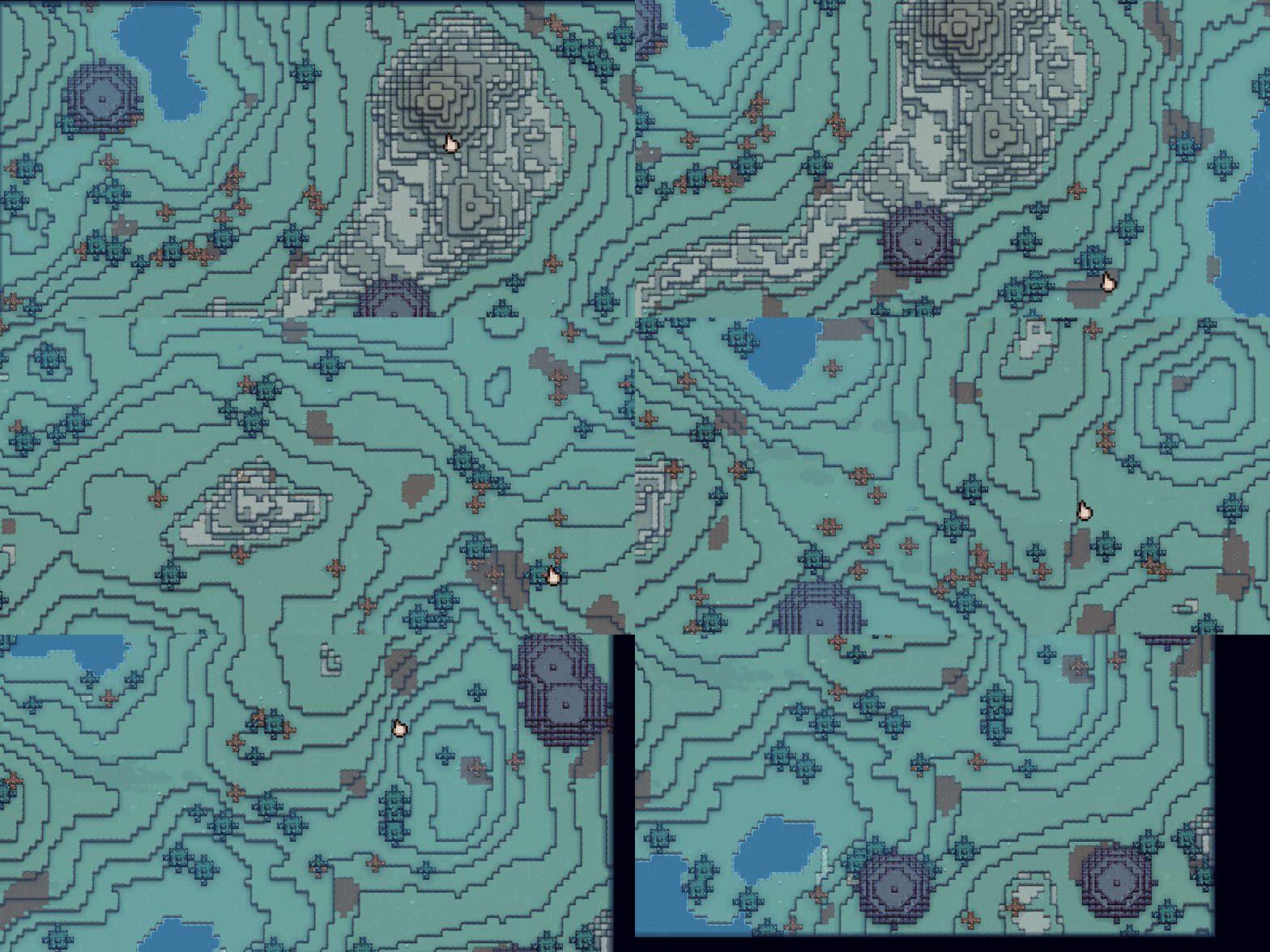
Another thing I wanted to show off is a feature that lets you choose your starting settlement point:
After you start a new settlement, the game lets you select the world position where you want the settlers and items to appear. I've received a lot of complaints about your settlers starting out on rocks in the ocean and such, so this should fix that. Also, because water tiles are now available to settle, choosing a starting location on water will auto-create a raft for your items and settlers. You'll need to figure out yourselves how you're going to survive on the open ocean, but I have faith that those of you brave enough will manage.
I also wanted to talk about the updates to the game's lighting system. Now, it works very similar to what you'd see in games like Terraria where light permeates ground and lets you see a bit:
*This above gif is much darker than what you see in game. The light permeation works with spotlights too and the intention is that players will be able to find hidden underground ore and dungeons easier. Plus, the lighting changes allow for real-time spotlights, meaning I'll be able to make torches/headgear candles to allow for settlers to light up stuff around them. This will be in the next update though.
Lastly, the rendering system for the game has been updated to allow for proper transparent tiles, so I can now have things like tree leaf blocks that don't need to be fully opaque tiles. I'll need to update the textures, but it's nice that the renderer works properly now. This means I can have transparent glass too!
They need an art pass, but the above gif shows you an example where the 'leaves' block isn't one solid tile, and you can see through bits of it.
Alrighty, that's all for now. Thank you for reading and for supporting the game. Hope you are all doing great. :)
Best,
Waylon
March 2021 Dev Log
Hey everyone!
I have some news for today's dev log that I'm so excited to share with you all.
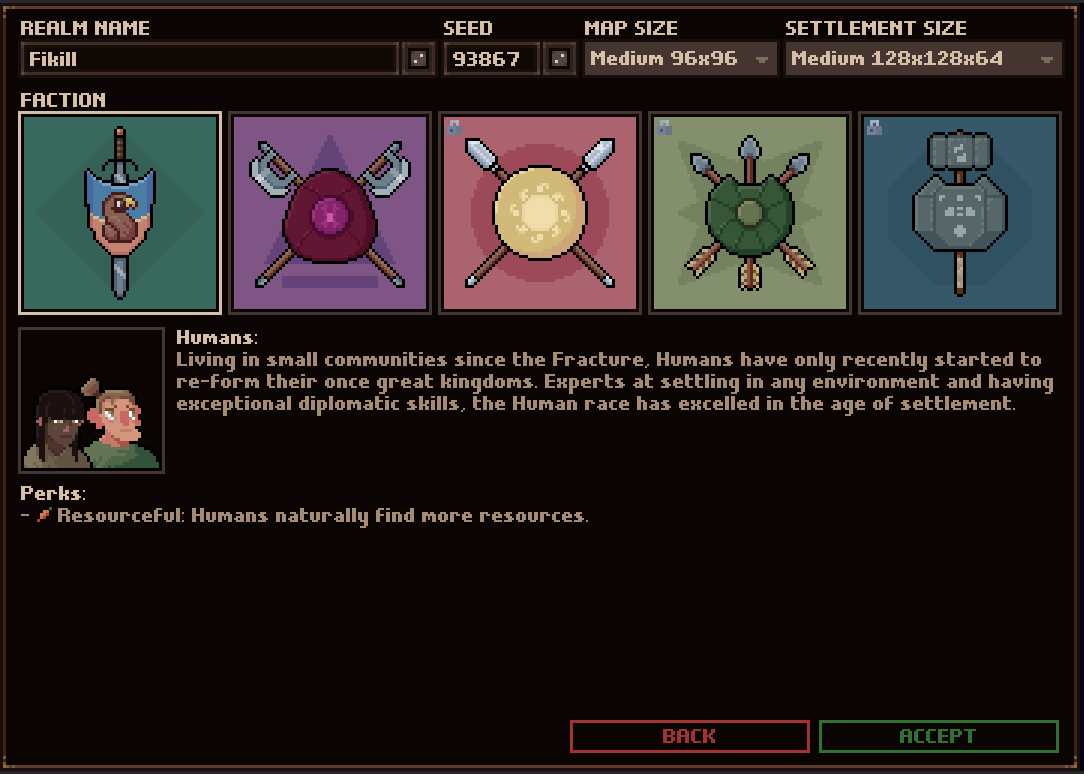
A lot of people have requested that they be able to change two settings for the game: -Overworld map size. -In-game map size. I had held off changing the game to allow this because the defined map size was deeply tied to so many integral systems. This means that changing anything even remotely tied to this would result in adding a lot of work to my plate and further pushing out the update release. As well, increasing the map size introduced problems with the cost of pathfinding which, at the time, I didn't have a solution for. I had planned on tackling this change in the next update because I've made you poor souls wait almost a year for this update and you've all been so patient with me. However, one issue with me changing the map size is that I can't easily maintain backwards compatibility for your save files. Players would have to start a new game. That said, I'd rather players make new saves for this version, a version so different you'd probably do so anyway, instead of the next, where you'll likely be more invested in the file you've put so much work into. I *hate* having to make you start a new game, so I apologize for that. So, long story short, I've spent the last four weeks implementing the variable map sizes and you can now select from the following options when you start a new game:
Overworld map sizes:
Tiny 64x64
Small 80x80
Medium 96x96 (Default)
Large 112x112
Settlement sizes:
Tiny 32x32x64
Small 64x64x64
Medium 128x128x64 (Default)
Large 256x256x64
As well as these new options, I've totally updated how players exist in the 'Realm'. My intention as I go along in development is to have players forming their own faction, and having that as an entity on the overworld map which other factions will engage with. The first factions you'll see are nothing new: Humans, Ancients, Ardyn, Gwdir, and Tomek. Later I will be changing this to fit with the actual lore behind the game where factions can have one race or multiple races, as well as diverse relationships. So, you could have multiple human factions to select from as an example. As well, I want to give players the option of making their own from scratch, but this stuff will come in a later update because factions rely on the other races being implemented. But, the idea is you'll be able to create a faction with Ancients and Humans, for example. Anyway, this stuff is a ways out but I'm excited to share my plans with you all.
I've also updated the overworld map UI to be way more functional. Things like being able to zoom in and out and see which tile you're hovering over on top of a full UI pass for all the windows to clean them up and make them easier to understand.
Plus, you'll now be able to settle tiles which you had a game over at. If you do so, the map will be slightly degraded and overgrown to show that it was abandoned for some time. In the future, there will also be some fun events special for this type of settlement. Oh, and settling on a friendly faction tile will now give you control of the entities and items at that tile. It's a cheeky way of starting the game out with some advantages, but I don't see a reason to keep players from doing this. Settling on a hostile faction will, of course, still have them attack you. The last thing I wanted to talk about is that I've added a new biome variation call, 'hills'. Technically, I'm adding a 'plains' variation but visually you'll see a new hill tile. A lot of players have requested flatter maps, so that's now an option.
Ok, so with all that out on the table, I do want to say thanks for all the kind words you write in response to these. You folks are so patient and awesome and I'm happy to have a community like you. The update has a ways yet to go before it can be released, but I hope these dev logs give you an Idea of where I'm at and that I'm passionately working away. Also, special shout out to one of our community members, Morin, for updating Odd Realm's wiki page. You are doing amazing work and I thank you and anyone else that has been working on it. :)
Thanks and have a great week!
February 2021 Dev Log
Hello friends!
Now that I'm well into the bug fixing, polish, tuning phase and don't have too many new things to show you, I thought I'd showcase the new room editing window and all the changes to the rooms system. I've built a lot of systems from the ground up in this new update, but the rooms system is one which has seen a large amount of re-design and UI work. This is easily one of the most complicated systems in the game, because it gives players so much flexibility and agency. Let's take a look at the differences and walk through the new process of making rooms to fully understand how it works.
Firstly, the name for the system, 'rooms', is no longer that accurate. In the current live version, you're placing down individual rooms, so that makes perfect sense. In the new version, it's more like you're placing down 'buildings' or 'shops', so, I'll likely be changing the room name to something more fitting soon. However, for this post, let's just keep calling the system 'rooms'.
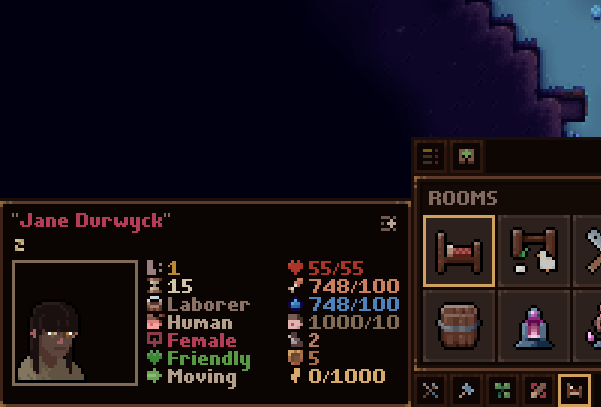
Ok, let's get into placing rooms. The first new term I'll be throwing around is, 'Room Template'. These are what you will see when you open up the room toolbar. Think of a room template as a collection of--here's our second new term--'Room Functions'. The first and, likely, most common template is the, 'House'. Remember the bedroom you would place down? This is that. Sort of. Now you're placing down houses (room template) and, by default, it has one bedroom (room function) and one fireplace (room function) assigned to it. Room template = several room functions.
So, what are these functions? Room functions simply determine what your room is going to do. Let's look at our bedroom function. This is where your settlers that like beds will go to sleep and have children. And the fireplace? Well, it's going to be where you can prepare basic meals and create basic blueprints. Each room you place down can have an unlimited amount of functions if you wish. Hell, you can place down one super-structure room with every function in the game and let 'er rip. I'll leave that up to the player's discretion, but in a later update, when I add more demanding settler behaviors, they'll probably want their own individual rooms. We'll cross that bridge when we get there.
Now, the room toolbar you're used to is pretty different to accommodate the ability to swap functions around. This toolbar's only purpose is to show you templates.
By default, these are the templates you'll see:
Empty [No functions]
Home [Bedroom, and Fireplace]
Farm [Garden, Animal Enclosure, Arboretum]
Work Shop [Wood Mill, and Fireplace]
Forge [Foundry, and Smithy]
Cookhouse [Kitchen, Grain Mill, and Distillery]
Barracks [Melee Training Ground, and Ranged Training Ground]
Immortality Tomb [Void Sickness Damper]
Mage's Sanctum [Chaos Construct, and Transmutation Chamber]
Summoning Chamber [Conjuration Dais]
Wellhouse [Well, and Storage]
Clothier [Tailor, and Tannery]
Academy [Library, and Arcane Study, Apothecary]
Storehouse [Storage]
Prison [Guard Post, and Prison Cell]
Town Hall [Market, and Great Hall]
These all have several functions already assigned and I'm not going to detail each one because it would take ages. But, as an example, I want to point out two templates here: the 'Empty' and 'Forge' templates.
The empty template is simply there to let you quickly place a room which you intend to customize. Let's say you want to create a house-tailor-market combination.
The forge template has two functions--which you may recognize--within it, the foundry, and smithy. Here, you'd work with metals and various blueprints that require smelting, anvils, and forges.
Players will be able to make their own custom templates to display on the toolbar which will be available across all new games they start. They'll be able to change the icons, overlay, name, default functions, default owners, and so on.
The last important term I want to talk about is, 'Room Owner Group'. ROGs are what you will create to assign settlers to functions in your rooms. Now, don't worry, you won't have to micromanage these if you don't want to. Every room template has them already pre-defined. For example, our trusty house template already comes with an 'Occupants' ROG which, by default, assigns settlers to sleep in bedrooms and use the fireplace.
As well, ROGs auto-populate based on their requirements, so players won't have to worry about manually adding settlers to their rooms. For example, the house occupant ROG comes with the default settings of: -Family Only (Only allow the same family to join the group.) -Humans Only (Only humans will join the group.) The forge would have something like: -Blacksmiths only. You can edit the groups to have any of these requirements: -Family Only -Race -Profession -Skill
The above, for example, only lets human warriors with the harvest skill active that are the same family join. This is an unlikely setting but should give you an idea of how specific you can be.
Let's take a quick look at the Room Edit window.
It's comprised of three parts:
Owner groups list (far left) - lets you add, remove, and edit owner groups.
Function list (middle) - lets you add, remove, and edit functions for the room you have selected.
Room list (far right) - details all the rooms you've placed. You select which room you want to edit from here. Also now shows all occupants.
All the important info for a room will be visible here, such as, in the above gif, which entities are assigned, and which props are required.
Speaking of props, each function has a prop requirement whereas, before, each room had them. The function will not be ready to use until these props are built within the room, just as before.
Ok, I know this has been a long winded post but I'm excited to show off this stuff because I think it adds a lot to the game.
As always, thanks for being so patient with me and waiting ages for this update. I know it can seem like the developer has given up on the game when updates become infrequent, but I'm just as passionate about the project as ever. And the wait is only due to the fact that I'm taking things seriously and putting as much love into the game as possible. So, I don't have an ETA, but I'm working away like mad. Thanks again for the patience. :)
You all rock and I appreciate you.
-Waylon
January 2021 Dev Log
Hello, dear friends!
Today's dev log will focus on items and item system changes. I get a lot of requests for more content to play with and most of my updates tend to focus on making features and/or improving previous features based on feedback because I think it's important to do that stuff first. The 0.10.0.0 update I'm working on has SO many new features and improvements but I wanted to ensure there's lots of new content for players to discover as well.
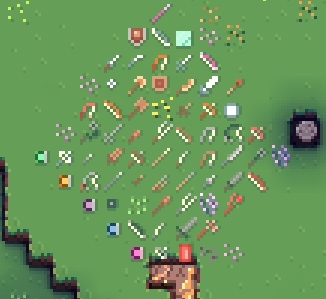
During the month since my last post, I spent a bunch of time making about 60 new tools and weapons for the game. A lot of these new items can be unlocked in the new tech tree and some are only discovered by exploring the world. I've also created two new projectile types--rocks and spears--to support new items such as, bolas, slings, darts, and spears. I've even added some new spellbooks too!
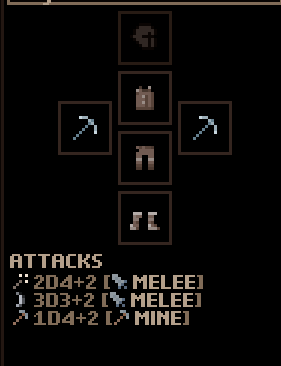
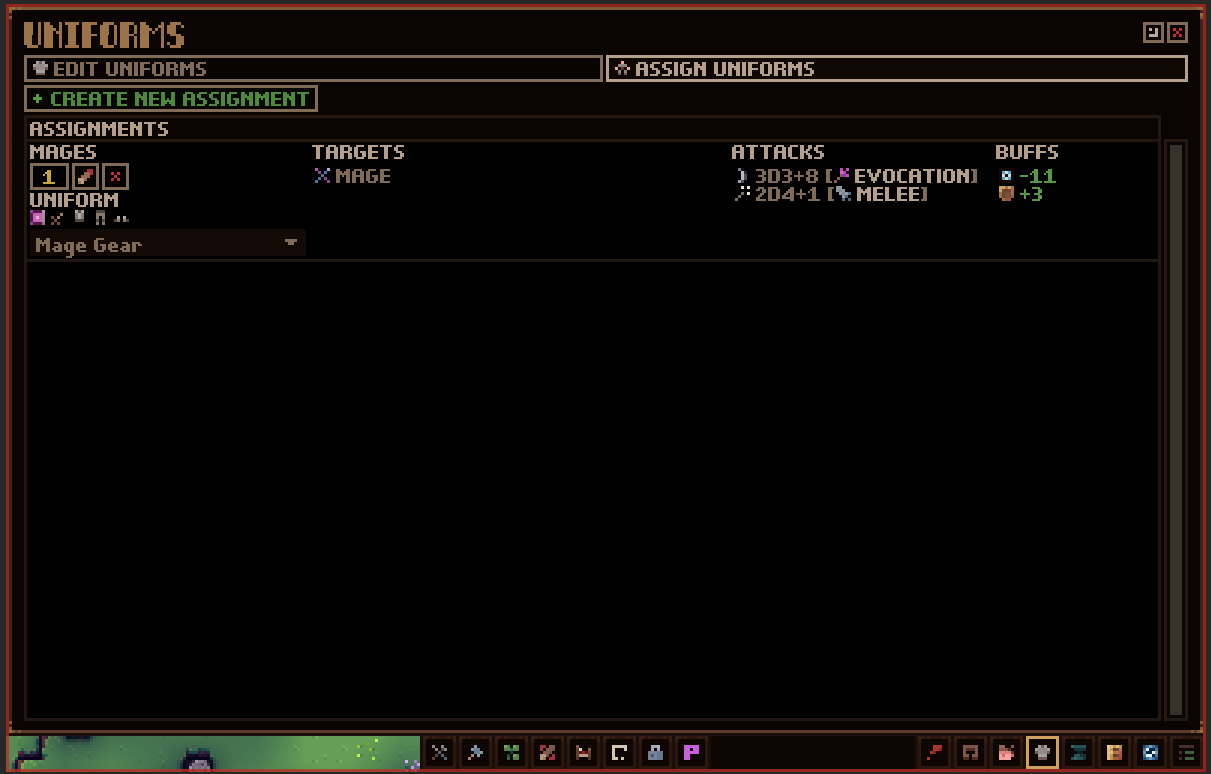
Creating all these new items surfaced some UX issues that I needed to address. Namely, how confusing outgoing damage is. In the live version of the game, it's not too clear how much damage an item will do to a block or entity. For example, you have a pickaxe which says a damage amount but doesn't apply that to a target entity in a fight. This is because the tool isn't intended to be proficient in combat. I've solved this issue by giving ALL tools/weapons their own set of attacks which are now displayed on tooltips and in a 'Attacks' window you can see on entities and uniforms. Each item 'Attack' has a partnered skill with it. So, the attack will only be used for that specific skill.
For the above image, we see that the stone pickaxe has 3 attacks: 2d4+2 Strike [Melee] 3d3+2 Cut [Melee] 1d4+2 Mine [Mining]
The attack displays the damage roll, thematic name, and skill. From this, we can deduce that, in combat, the attacks, 'Strike and Cut,' are used (because they have the melee attack skill), and, when working, the attack, 'Mine,' is used (because it has the mining skill). If the entity uses a skill that doesn't have a respective attack provided by equipped tools/weapons, then their inherent default attacks are used. Every entity has a set of underlying inherent attacks for all the skills in the game.
In a later update (I'm not going to push this update back any further to do this), I'm going to add damage types for each attack to diversify combat even more. i.e., slashing (can cause bleed), piercing (ignores % of toughness), energy (ignores 100% toughness), bludgeon (additional bonus damage), and so on.
Now, all these changes had me working a ton on UI within the various equipment screens. This then led me to all the issues with the uniform screen. (And you can see why it takes me so long to finish this update.) This is one screen which I get a ton of feedback on (aside from the room screen, which has also seen a huge update for this version), and justly so.
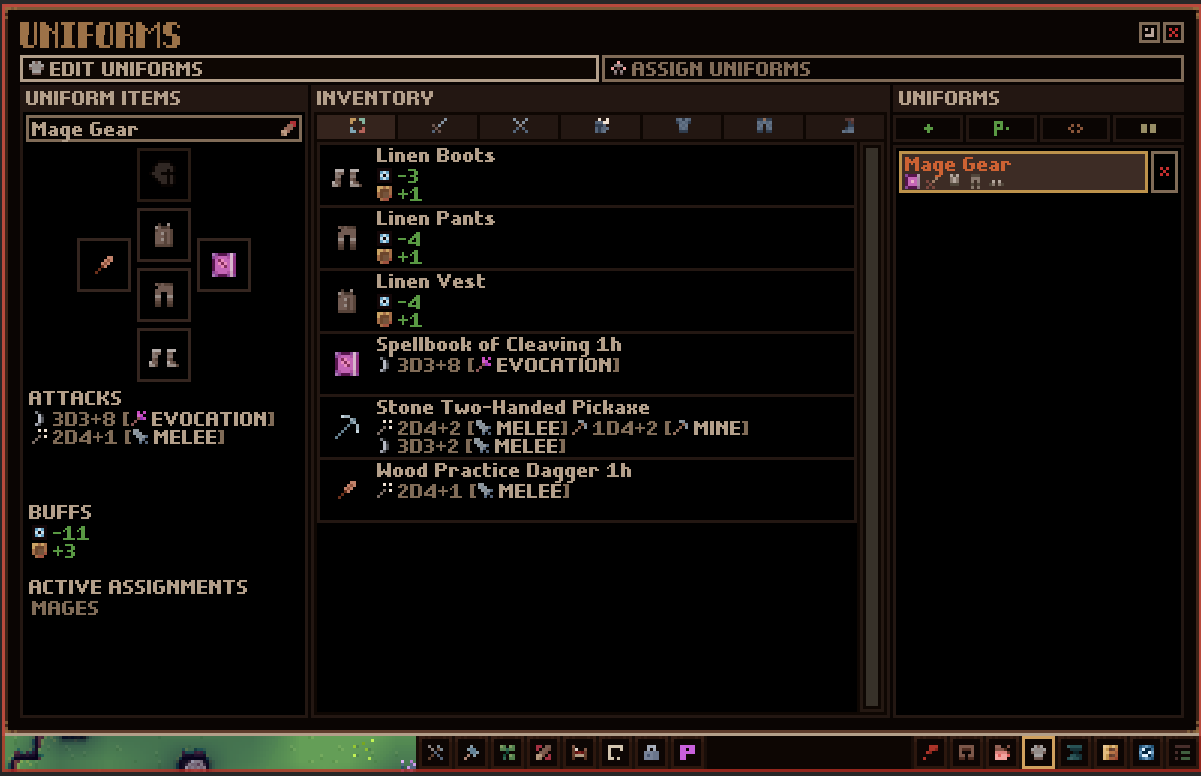
I've gone through and completely upgraded the whole thing. No longer will you see four separate screens. Instead, you'll see two: one for editing a uniform, and one for assigning uniforms.
Editing a uniform is similar to how it was but has some much clearer UI. The left 2/3rd's of the screen are dedicated to assigning items and seeing all the attacks/buffs the uniform will provide with the new addition of also showing what assignments they have. I'll get into 'Assignments' in a sec. On the right 1/3rd you have a list of all the uniforms you've created along with all the utility options (copy, duplicate, create a uniform for all professions, etc) and they will now show a preview of the items they have assigned.
The 'Assign Uniforms' screen shows a list of 'Assignments.' These let you specify how your settlers will go about equipping items from the various uniforms you create. Just as before, you'll be able to select options from professions, control groups, and individual entities. The difference from before is that you can now mix and match these options. As before, these assignments have a priority value which you can change. Like jobs, settlers will try to select highest priorities first. So, each settler will look at all your uniform assignments from highest to lowest and filter them out based on if they match the specified requirements (are they in the control group selected or, say, of the same profession, etc.) As they're going through the list of assigned uniforms, they'll also check to see if the item is available in your inventory. If it's not, or they can't reach it (in which case a notif will be shown), they'll move on to the next highest priority assignment which they can use.
This means you might have a settler with items equipped that come from several different uniforms. Now, to help convey this information as to where a settler is getting their items from, I've added a window to the entity info screen that shows all the uniforms they are assigned to. These are ordered based on priority and will show more info when hovered over. You can also click these to go straight to the uniform to edit it. Hovering over an equipped item on a settler will also show what uniform is influencing that.
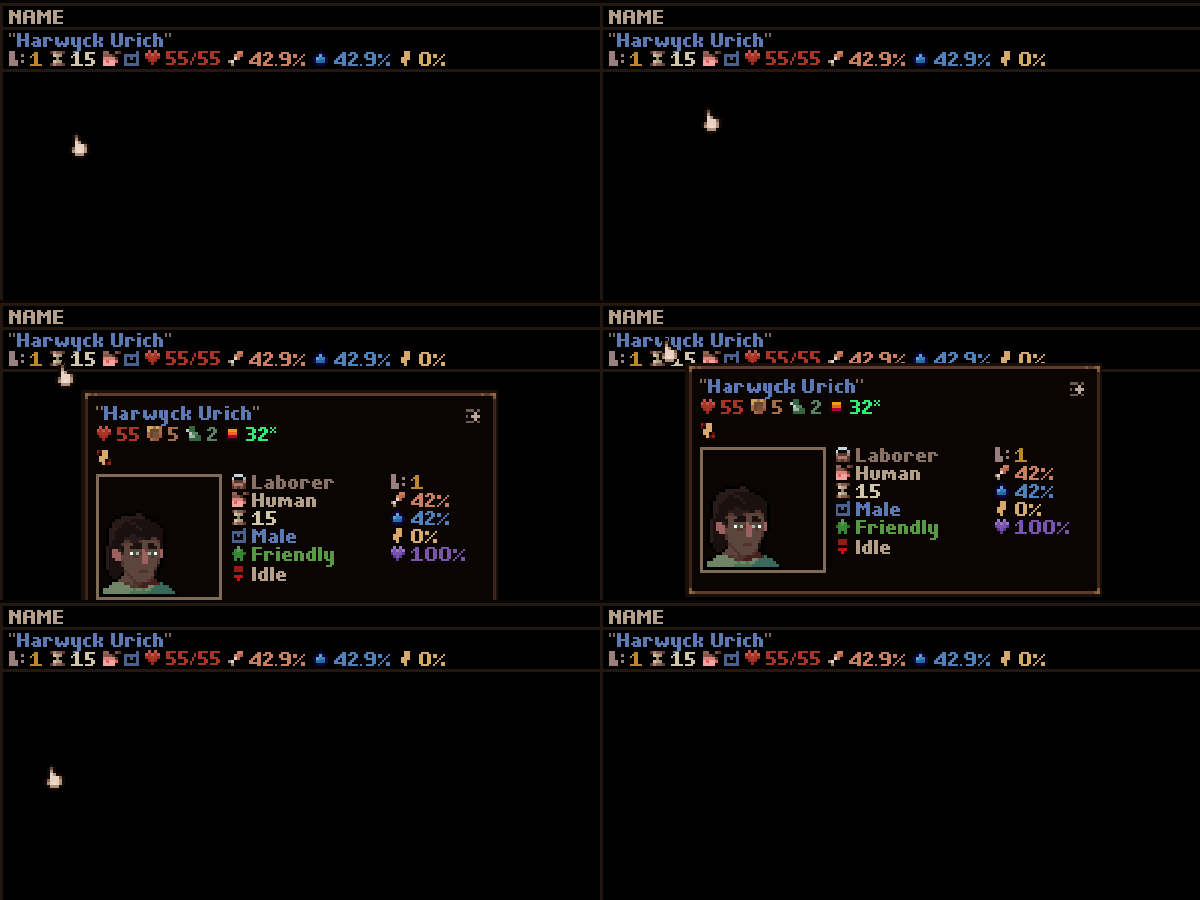
While we're on the topic of tooltips, I've gone ahead and changed it so every time you see a settler in a list, they have a detailed entity tooltip. Sometimes it's tough to tell based on just the name as to which settler you're looking at, so hovering over them will show you the same info that hovering over them in-game would.
Ok, so that covers everything I've been working on this month. However, I want to give a quick rundown of what's left to give you an idea of what I need to do to get this update out. Most of my big tasks are out of the way but I still have a couple things to tackle which will take some time: -Encounters. I promised that I would update the encounter system of the game. Currently, the game can be pretty difficult at first but then quickly tapers off to be very easy. I want to address this for this update. I want players to have a good challenge progression. Unless, of course, they select a peaceful tile. -Tune and test. This will also take a while because there's so much that has been changed and I know there will be lots of small issues to fix up. The good news is that I can do this with the game live in the beta branch which means you can play the version, but at your own risk.
As always, I can't say how long it will take to get this into your hands. You've all been incredibly patient and supportive. I appreciate that so much. I always try and be as transparent with my work as possible because I really respect this community and the faith you have in me. So, thank you!
I hope you are all happy and healthy and staying safe out there. Chat soon!
Waylon
December 2020 Dev Log
Hey everyone!
Now that I'm moved and all that is out of the way, I've been working hard to wrap up the rest of this next update. It's coming along super well. As per usual, I don't want to promise any dates, but I'm feeling great about almost being done.
Currently, I'm rounding out the tech tree which is new in this update. I'm adding in a bunch of new weapons, tools, and gear which you can unlock. Plus some you'd find from events.
You can look forward to some new projectiles like spears, bolas, rocks, and so on. I never had these before because I had no 'throw' animation. Only a bow firing one. The throw animation lets me add in a lot more projectile options for obvious reasons, so that's fun. I'm also adding in more options for the Ancients, such as Summons. I'll keep those under my hat until the update is ready.
I've also been reading a bunch of feedback and suggestions so you'll see some quality of life additions. Namely, I've added the ability to click items in the top stats bar. This will take you to the respective world point. i.e., clicking the idle settlers count will iterate through them. Clicking on raw food will do the same for items. When you're taken to a settler it selects them and follows them, and, for items, I have a highlight effect to indicate the point as it's hard to tell otherwise.
As well, I've made a change so that the stats which you manually track show up on the top stats bar as well. You can right click them here to untrack them or left click to have them go to the next iteration point.
Within each toolbar menu, I've added a toggleable list panel to show: active jobs, auto jobs, active zones, and active rooms. Active jobs let you remove jobs or go to their positions (much like the top stats bar would). Auto jobs let you see jobs which the game will automatically create for you (like harvesting mature plants) and you can toggle these if you prefer to assign them manually. Active zones are pretty much the same as active jobs. Active rooms show you which rooms are placed, their state (empty, needs requirements, full, etc) and also provide an easy way to select that room to add more points to it or just open it's management screen. All these lists don't have to be open but are there if you want to see that stuff.
Lastly, I've added an overlay panel where item tracking used to be. This is where you'd enable/disable visual settings for temperature, block counts, rendering the current layer only, highlighting settlers, and so on.
Alright, time to get back to it. I genuinely hope everyone has a fantastic holidays and stays safe.
Best,
Waylon
0.9.0.13 Hotifx Patch
Hey friends!
Quick post to let you know I've put out a hotfix to the game. I noticed some load issues and wanted to put out a small update to address these. Here are the notes for it:
Enabled additional error printing in the Player.log file.
Fixed a bug where loading the game could sometimes get stuck in winter.
Fixed a bug where the resolutions list wasn't showing options lower than 800 width. 768 should now be the lowest option to support the game's lowest resolution of 1200x768.
Fixed a bug where players weren't able to mine upwards.
Fixed a bug where certain blocks weren't being deconstructed by the clear/remove job and would then cause the block to not be assigned any clear/remove job again.
Added additional text for the initial game boot to indicate loading. Some expressed that they thought the game was stuck here because it shows just a black screen.
Thanks and have a nice remainder of your week!
Waylon
November 2020 Dev Log
Hey folks!
Hope you are all doing spectacularly!
I'm still trucking along on this update and I'm starting to get close to a beta build candidate.
This month I finished up the core system improvements I mentioned in the last post. That was a real slog but hugely improved performance and I'm happy with the state it's in.
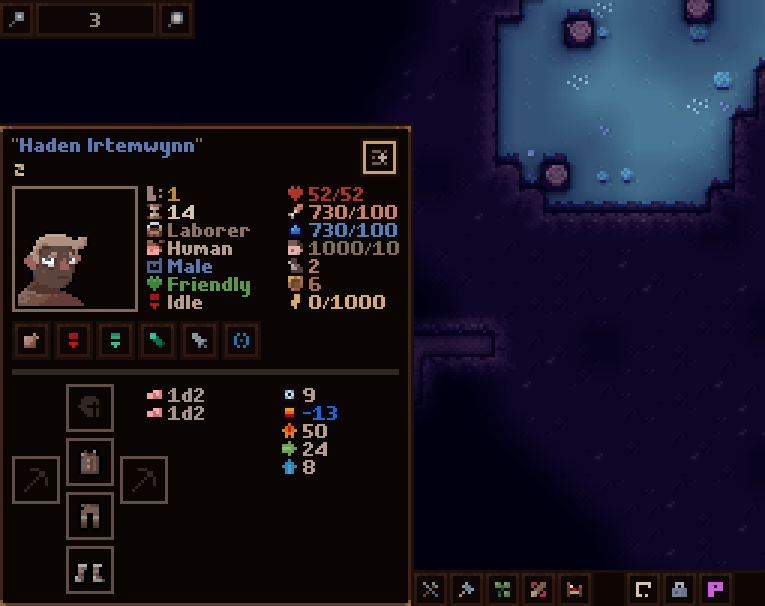
I had to take last week to fix up the tooltips in the game because they were driving me nuts. They had lots of weird positioning bugs and the under-the-hood way they updated was super confusing. I also wanted to do a pass on the entity tooltip as I have always felt it was poorly done. This is the expanded version (holding ctrl) of the entity tooltip:
And collapsed (hovering over a target entity):
As you can see, it's much more organized but there are a few additional elements. Namely, the player can see an entity's equipment now. I've also moved all the command options over to here (you see them when an entity is selected).
Tooltips now support multiple targets, meaning you can have an entity selected but also see the block your cursor is over. Whereas, before, you'd only see the entity.
I spent some time unifying the overlays for jobs, zones, etc. Plus, the overlay is way clearer regarding whether blocks are in the air, an obstruction, covered, etc.
You'll also notice I've re-organized the hud. The toolbar has been moved over to the right and merged with the overlay window button panel. I've gotten rid of the utilities toolbar menu, and all utilities can now be accessed from that bottom right bar. This takes one click step out of accessing them. Plus they now have their own hotkeys.
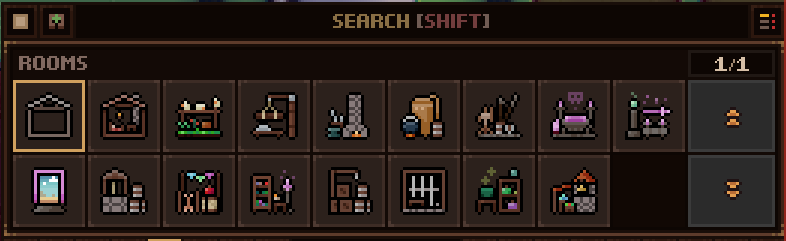
All the toolbar menus (i.e., jobs, blueprints, plants, zones, rooms) have access to the search panel. So you can now use SHIFT+'Char' to narrow down the buttons there. Players can also now click the search panel to enter search text rather than holding shift.
I've updated the hotkey settings to allow for modifier keys to be used (as well as fixed a ton of hotkey related bugs). So, now players can change opening the job menu to SHIFT+J or whatever hotkeys they choose. I still have to make mouse hotkeys editable! One day, I swear! xD
With the vast majority of system and UI fixes/changes/additions out of the way, I can finally finish up adding the new content I was working on. i.e., new capture props (cages and such), weapons, gear, etc.
OH, I also found a new place to live and am moving at the end of the month. With that also out of the way I can get back to my regular work schedule. This last month has been really tough to get a lot of work done due to that and current world events. So, thanks for all the kind words and patience.
Take care and stay safe,
Waylon
October 2020 Dev Log
Hey Odd Realm crew!
This will be a VERY short dev log as I don't have a ton of new things to show off but I wanted to touch base so you know I'm still working away.
Let me take a sec to thank you all for your patience and trust in me. I know this update is taking a long time to put out there. I'm working on things which are complicated and difficult to wrap up and it feels like cutting one's lawn with scissors. However, I am getting closer each day. Also, I'm in the middle of looking for somewhere else to live and that takes up a lot of my attention. But thanks so much for supporting me and the game and being a wonderful community.
As for what I'm working on, I'm still closing out the tasks which I mentioned in the last dev log but I also overhauled a lot of the job systems and world rendering engine. I did this because of some serious behaviour bugs that would appear but also because there was a pretty serious lag when changing layers, panning around the map, and changing the zoom. This lag is gone and the game will now efficiently render the entire world without having to do magic tricks such as hiding offloaded terrain with distance fog. This means players can completely remove the distance fog effect if they wish. I know some people don't like it, so there you go. Otherwise, you can change the distance to your personal taste.
There's lots of other tech changes and improvements I've made which will benefit the game in the long run and I want to stress how important this update will be for reducing implementation time for future updates. Specifically the next Ardyn update. :)
Alright, back to work for me. Thanks again and I hope you are all happy and healthy.