Christmas 2021 - Weekly Game Update (December 16th)
It’s our last update of the year – boo! But it’s also our most festive update of the year – woo!
Keep reading to learn all about this year’s Christmas event, some changes to the Item Sink system, the Annual Survey, and the Golden Gnomes!
Christmas Event 2021
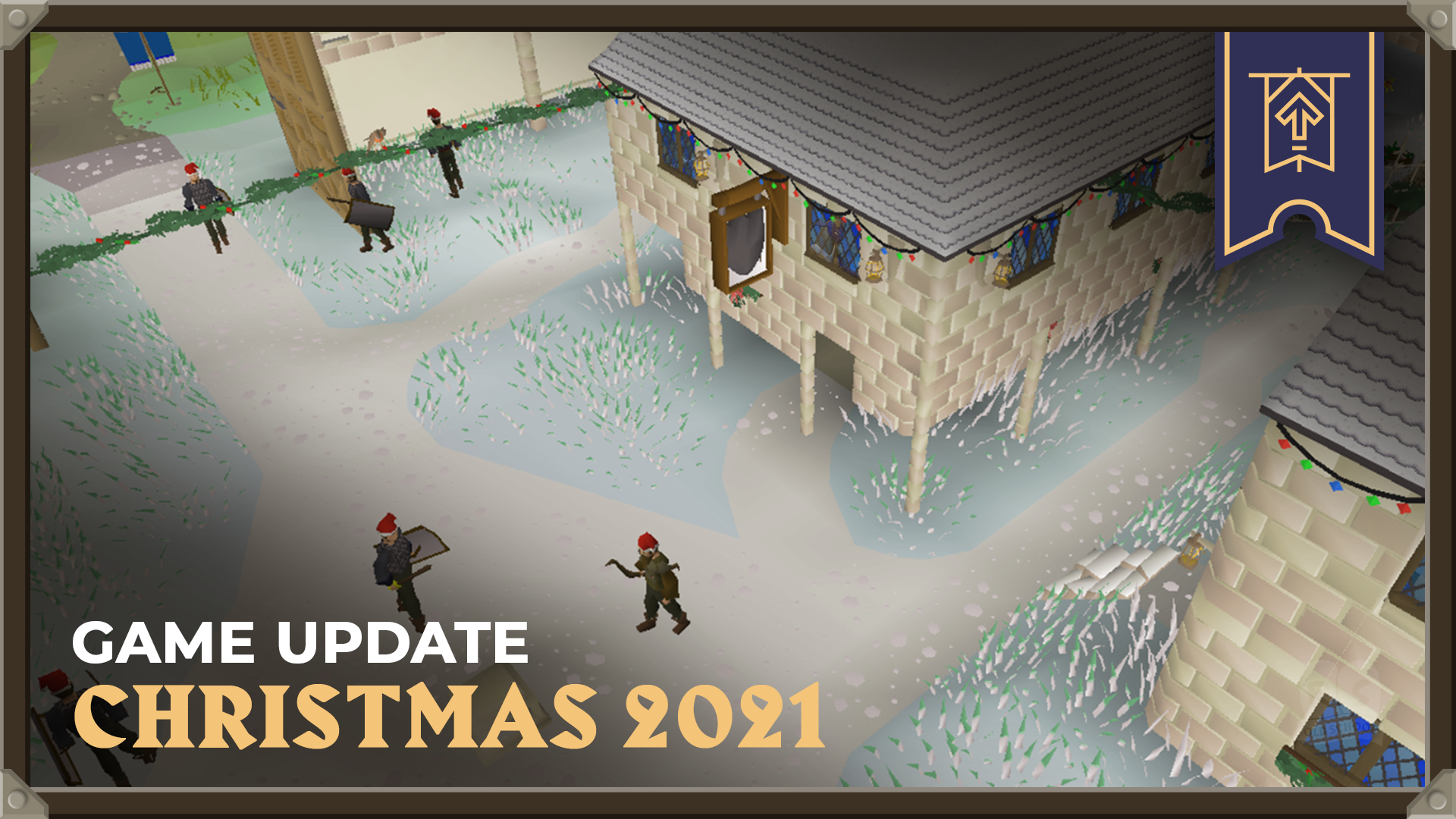
Snow is falling, presents are being wrapped, and gingerbread gnomes are lurking in ovens across Gielinor. Christmas has come to Falador!
Sadly though, not all is merry and bright for one young squire. He’s been rushed off his feet getting ready to play Santa at the festival, and he’s found himself in a real Christmas cracker! He’s only gone and washed the suit alongside Sir Vyvin’s armour – and we all know what happens when you mix red and white!
Now he has to restore the (admittedly rather fetching) pink armour to its former glory, finish setting up the grotto and get all the presents ready - all on top of his regular squire duties! If only there was a seasoned adventurer around to help him out…
Well, if you know any seasoned adventurers, point them in the direction of the White Knights' Castle (the one in Falador) where the unlucky squire is waiting. Who knows, perhaps there’ll be some extra-special gifts for whoever helps out?
Item Sink Changes
Thanks to last week's introduction of the G.E. Tax and Item Sink measures, we've been sinking around 30 billion GP per day, on average. The vast majority of this sum has been removed from the game's economy completely, allowing us to extend the Item Sink feature to cover more requested items.
While we have no immediate plans to change the tax rate, in future we may need to bolster these features so they have more impact, especially as so many of you are keen to see more items covered by the Item Sink system. Bear in mind that changes don't have to be applied across the board - we could keep skilling supplies at the current rate while raising the tax on cosmetic items to 1.5%, for example. There's many possibilities, so please keep sending us your feedback!
Along with adjusting the rates at which some items are sunk, we've added more items to the list of Item Sinks:
Amulet of Torture
Ancestral Hat
Ancestral Robe Bottom
Ancestral Robe Top
Archers’ Ring
Avernic Defender Hilt
Berserker Ring
Seers’ Ring
Warrior Ring
Dragon Pickaxe
Dragon Warhammer
Dragon Hunter Lance
Hydra's Claw
Inquisitor's Hauberk
Inquisitor's Great Helm
Inquisitor's Mace
Inquisitor's Plateskirt
Kodai Wand
Necklace of Anguish
Ring of Suffering
Sanguinesti Staff (Uncharged)
Sarachnis Cudgel
Tormented Bracelet
Twisted Buckler
Cut & Uncut Zenyte
Zenyte Shard
In addition, the Grand Exchange convenience fee text will no longer overflow from the text box when the item being sold has a long description.
Golden Gnomes 2021
You only have until midnight (00:00 GMT) on December 16th to vote in this year’s Golden Gnome Awards! Don’t miss your chance – CLICK HERE TO SUBMIT YOUR VOTE!
Right, enough shouting. All that's left to do now is mark your calendars for 17:00 GMT on December 17th, because that’s when we’ll be announcing 2021’s Golden Gnome Award Winners in a spectacular livestream extravaganza! See you there!
Annual Survey 2021
You might have spotted this year’s Old School RuneScape Annual Survey in your inbox already – but if you haven’t completed it yet, there’s still time! This is your chance to tell us how we can improve the game you love, so it’s well worth filling out.
The survey will only take around 30 to 45 minutes, and your responses really will help shape the world of Old School RuneScape. One of the things that makes Old School special is that you, the players, have control over the game’s future – so don’t miss your chance to tell us what you'd like to see in the year ahead!
As a little extra incentive, everyone who completes the survey will get the opportunity to enter a prize draw to win one of fifty $50 Amazon vouchers.
The survey closes on Friday, January 7th 2022, so don't miss out! If you’ve lost the email, just click this link to have your say, today!
Other Changes
We’ve released some Nex-related content early to make it easier for us to test. Keep your eyes peeled and get ready to face Nex: The Fifth General herself on January 5th!
Cerberus can now perform her attacks from a greater distance, to discourage safe-spotting.
The Giant Easter Egg no longer dances in PvP areas due to the disruption it causes to walking and combat animations.
An obscure corner of the Duel Arena that was unsafe on PvP worlds is now safe.
The amulet of avarice buff will now apply to the Ornate wilderness combat dummy.
The option text for switching Chat Mode to your Group Iron Man group has been corrected.
The popout panel on the Steam Client no longer covers the close button when the World Map is on full screen.
The Steam client login screen has been updated to show the Old School RuneScape logo.
PvP World Rota
The PvP rota has moved to Period A:
539 - (US) - PvP World
548 - (Germany) - High-Risk PvP World
577 - (US) - Free-to-Play PvP World
559 - (UK) - LMS Competitive
390 - (AUS) - LMS Competitive - this world becomes active with this rota.
That's everything for this week's game update. We'd love to hear your feedback so please let us know what you think via our official forums, on the 2007Scape Reddit, the Steam forums or the community-led OSRS Discord in the #gameupdate channel.
We're delighted to wrap up our first ever Android Beta this week!
For the past couple of weeks, a select group of players have been testing our enhanced client features on their Android devices. We wanted to run a Closed Beta to acquire some valuable player feedback before the app enters Open Beta in January 2022.
Today, we'd love to share what we've learned, and look at what's coming next. We've also got an approximate date for our next iOS Beta event, so read on for more!
Bugs and Issues
With the help of 2,185 active testers in the Beta, we have successfully identified and confirmed approximately 47 new bugs that we hadn't caught in our initial testing. We've been closely monitoring the feedback coming through via Discord, and we have to say - we're so impressed with the level of detail and feedback we've received!
We can't express just how useful this information is, so we'd like to say a massive thank you to everyone who was involved.
Issues relating to crashing or freezing (those that might require a player to relog or restart the application) are being prioritised, with a view to having them fixed before our Open Android Beta in January.
Another major bug you pointed out was that font scaling looked pixelated on certain devices. This has also been prioritised. We can't say if we'll be able to perfect the font for every device, but we should at least be able to offer better scaling options. This is likely to be something that is further refined in the Open Beta.
Once the major bugs have been resolved, we'll be starting work on the other issues (as listed below). Some of them already have quick fixes prepared, while others will require more investigation. We of course intend to address them all, but we're not yet able to date every one.
New bugs arising from player reports
The Dense Essence mine in Arceuus is missing a respawn timer.
Sometimes the app does not resize when returning to the game.
Various buffs leave the buff bar before the end of their intended duration.
Clan messages are repeating when hopping worlds.
Bounty Hunter Interfaces appear on target worlds unnecessarily.
Text can look blurry/pixelated on some device resolutions.
Client can freeze when tabbing out to another app and back again
Leaving the app and returning can block further input.
Extra minimap icons are incorrectly displaying.
XP tracker can occasionally be tapped through.
Destination Tile Indicator does not always clear itself properly.
When hopping worlds, chat does not show the most recent messages.
Fishing spots are clickable through the inventory.
Multi combat swords clipping the Wiki button.
When typing messages into the chat/search bar, the backspace input will only start removing text from the previous space added to the chat/search bar.
XP tracker displays the wrong skills when performing certain actions.
XP trackers sometimes stack on top of each other.
Rendering issues on Fold devices (such as no resize when going from folded to unfolded).
Samsung Galaxy Fold is causing UI Issues where the Settings Menu overlaps with Bank Interface.
Logout button does not work on first press.
When chopping Redwood trees in the Woodcutting Guild, the respawn timers are a bit too high.
When mining on Miscellania, the coal veins do not have respawn timers when they have been depleted.
When taking part in the Gauntlet, the Gauntlet timer does not dodge the left side panel interface.
When taking part in Tempoross, the UI should dodge the side panels on mobile.
The membership prompt when interacting with members' objects/things on F2P accounts is sometimes not displaying correctly.
There is a missing agility shortcut highlight in Trollheim.
When mining volcanic ash, there is no timer when the ash pile depletes.
Zooming in is sometimes slower than zooming out.
The game client crashes when attempting to use the X to close the Bank search.
The new volume slider overlaps with the text at the bottom of the screen.
There are large FPS fluctuations in and around the COX raid when you change your draw distance.
The old logo appears on the newer client.
Some desktop tooltips are being shown on mobile e.g. the audio settings buttons.
Players can see the fishing UI behind the inventory bag UI.
There are some transparency issues on the minimap under certain UI settings.
Tile Indicators showing on the wrong areas in the Prif Agility Course.
The Agility parcourse indicators disappear when you log in and out when using the course.
The UI is not making it clear when players have just one of a stackable item.
The app logs a character out much faster when switching apps.
Players in Friends Chat don't show up as purple dot on minimap as expected.
Trees (and other general environment objects) aren't displaying correctly on the minimap.
Ports/Docks are not rendering correctly on the minimap.
Portrait mode is not currently officially supported by the client.
The Beta also does not support splitscreen mode.
A number of tap tool tips are appearing in incorrect places.
UI issues relating to font and scaling, as well as reports about the login screen being off-centre/overlapping with other UI.
The previously hit button for the Bank Pin doesn't show a number.
Bank scrolling is not working as intended.
Known Pre-Beta Issues
Reports of Wilderness level not displaying for some users.
Some users may experience low framerate on certain devices.
The minimap zoom toggle settings are currently not available.
The roof toggle does not match its stated setting (turning it off/on again upon login updates it).
The mobile FPS limiter is not working correctly for some users.
The Fishing helper displays the desktop mouseover menu.
Some players on newer devices (Android 11+) experienced crashing before reaching login.
Reports of feedback text not appearing in the correct place.
Interface scaling options are not offered on mobile.
Feedback Responses
Sensitive logout timer
Many users reported that the app has a very sensitive logout timer when users tabbed out. This is something we're investigating as a priority as we know it impacts player experience. However, there are other tech dependencies with this issue, so we don't know if it will be resolved before the Open Beta in January. Thanks for pointing it out!
Ground Item Markers
By far the most frequent suggestion from our testers was that they would like to see Ground Item Markers. We are planning to add this feature to the client, but it needs more work before we can release it. It will also need it to have price checking functionality so players can filter out low value items that they don't want to see. As soon as it's ready, it will be making its way to mobile!
Draw distance and FPS
A number of our testers noted that while the new client felt extremely smooth, the larger draw distance caused FPS drops on certain devices. The mobile client at default distance should run smoother and with more FPS than the older client, but higher frame rates can have a noticeable impact to performance on weaker devices. The issue is currently being investigated. In the long term, we'll be looking at optimising performance, but sadly there's no silver bullet to fix these problems - keep reporting them to us and we'll ensure it's followed up correctly!
Sidebar, XP Tracker and UI
The Sidebar and XP Tracker received a lot of positive feedback throughout the Beta, although we're aware that there were some issues with the UI overlapping with other interfaces. Players suggested that the new UI should be moveable, or that we should add new buttons to give it a generally cleaner look for mobile.
In the short term we'll be doing our best to fix any errors, and this will be prioritised for the Open Beta in January. In the long term we would like to refine the entire UI, reorganising it to suit mobile specifically. However, since we're still in the process of adding new features to the Sidebar, it doesn't make sense for us to overhaul things just yet. We'd instead like to roll out all of the new features so that we know exactly what we're working with. Once we have a view of the full picture, we can polish the UI specifically for mobile.
Splitscreen Mode
We're aware that splitscreen mode wasn't available in this Beta. Although there's a couple of issues with it that still need resolving, we're aiming for splitscreen to be available during the Open Beta in January.
Highly Requested Features: Tile Markers, Menu Entry Swapper, Boss Timers, Loot Trackers, NPC Highlights and Cannonball Counts
While we're planning to roll out the new client app in a few months' time, we're still making continuous improvements and changes to the existing client post-launch, and hopefully you'll see some of your many wonderful suggestions live in-game!
The team is currently working on Tile Markers, Loot Trackers and NPC Highlights Boss Timers, although we can't yet say exactly when these features will be rolling out. A number of players also wanted a cannonball ammunition count - this seems like something we can fit in for the Open Beta, so we will aim to do just that!
We also agree with those who said that a Menu Entry Swapper would be a great addition - especially on mobile, because it significantly impacts the portable experience. We've added it to our backlog, although we're not yet sure when we'll be able to get to work on it.
Further Suggestions
Our Beta testers were not short on ideas, and we still have hundreds of fantastic suggestions to ponder! We're so excited to make the client the best it can possibly be. Most of the features that have been requested have been added as part of a healthy backlog of things we can do once the priority changes are out of the way - we're talking things like push notifications for Farming, or automatic screenshot features for important milestones. These won't arrive for some time, but are certainly features we'll be working to implement with the help of our players!
What's Next?
As mentioned above, our Android Open Beta is is currently scheduled for the end of January 2022. Please note that this is an estimate, and could be subject to change if further issues arise. Provided all goes well with the Open Beta, we'd like to roll out the app officially around late February 2022.
From that point, the minimum requirement to use the Old School App on Android will be Android 8.0 (Oreo) or above.
Since we can't offer both the current client and enhanced client simultaneously, the moment will arrive when players will have to update from the existing app to a new one. We apologise to any player who cannot meet the new app requirements when the time comes.
Future iOS Beta Events
Many of you want to know when there will be an iOS Beta. We're delighted to confirm there will be, and that we think this will be happening around March 2022. If successful, we imagine a full iOS rollout could happen between late April or early May, depending on how many critical issues and bugs pop up in the testing process.
Behind the scenes, we've been thinking about an improvement we could make to death pile mechanics, which UIM players may benefit from. This would be a small, but helpful change that we hope you'll love!
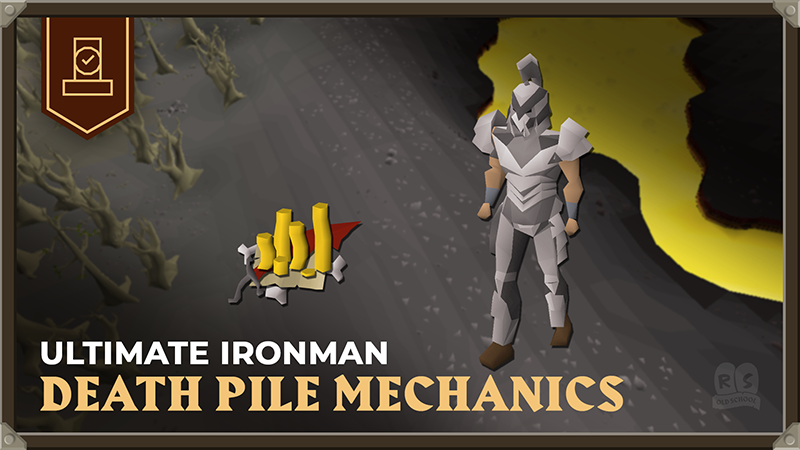
Currently, there is significant risk for Ultimate Iron players when dropping items to the ground. Unless they are able to get back to their items within 60 minutes after their items have dropped to the ground, the contents of the death pile will despawn and be lost forever. This risk factor is generally accepted as 'part and parcel' of the UlM game mode, however, when battling with connection issues, UIMs could suffer devastating losses. We've been looking at an engine change to offer players fairer opportunity to utilise death pile mechanics.
The change we're proposing will slightly affect other accounts, but not in a significant way. Please read on for more information to let us know what you think!
What currently happens? Why does it need changing?
Nothing needs changing at the moment - if you don't want us to change anything, then we don't have to. But, let's take a moment to explain what currently happens when an ultimate ironman dies.
On death, UIM drop their carried items to the ground in the location died in the form of a death pile. The death pile remains for a period of 60 minutes, whereby if the UIM fails to pick up their items within the timer, the items will despawn. This mechanic can make for some incredibly thrilling gameplay, however there are several factors that may increase the risk disproportionately. Consider the effect of:
Internet disruption.
Game world reboot.
Unexpected game world shut down.
In rare situations, where too many items are dropped near a death pile, the world will start to delete items (cheapest first)) because the memory isn't large enough to keep all of them.
With variants largely outside of players' control, we would like to remove the risk factor associated as we don't think players should be punished for factors outside of their control. So, we're proposing a change that would offer players more opportunity to utilise death pile mechanics without fear of losing items due to a disconnection or server outage. This would allow UIM players to utilise death pile mechanics to their highest potential.
Proposed Changes
Currently, when a player drops an item, it is 'attached' to the game world that it was dropped on. Even after you log out, the item will remain there until it despawns. The proposed change is to instead make dropped items 'attached' to your player, so that item is saved when you log out, and will still be there when you log back in, regardless of which world you log into. Its despawn timer would also pause while you are logged out.
This would only apply to items that will only ever be visible to you. Examples include UIM death piles, as well as dropped untradeables such as Clue Scrolls, for all types of account (not just UIM).
The idea is to provide you with more protection from disconnection issues. When the player logs out, the item is removed from the game world, and when the player logs back in, the item is re-added to the game world with its despawn timer in-tact.
For technical reasons, we're unable to support multiple gravestones, making this mechanic unsuitable for Ultimate Ironmen who will require multiple death piles.
To illustrate our proposal further, check out this table:
UIM would be able to utilise death pile mechanics cross-world, due to the fact their items are saved to their player-save rather than on the world they're on. In the case of dropped untradeables, regular accounts will receive a small benefit as it be saved to your player-save allowing them to appear cross-world for a period of 3 minutes. Please note, we don't recommend testing this out with your rare untradeable items just yet - we're just pitching this as theoretically possible pending your feedback.
That's it, really. We'd like to hear what you think about this proposal. Do you have any concerns or feedback? Let us know!
Last week we asked you to nominate your favourite content and content creators, and you answered our call in your thousands! So without further ado, let's take a look at your picks for the 11th Annual Golden Gnome Awards Finalists:
Best New Old School RuneScape Video Creator
This award celebrates the new kids on the block, who started making videos just this year! They might be newcomers, but this category is packed full of talent.
These budding Bob Rosses picked up their paintbrushes and started creating Old School RuneScape art for the first time this year! Which one will get your vote?
Every year, these artists pour blood sweat and tears – and hopefully some paint, too – into their work. So let's celebrate their efforts and cast some votes!
Look, you can see for yourselves that every one of these magnificent creations deserves a spot in the MOMA – but only one can receive the Golden Gnome!
Konar and Nieve vs the Alchemical Hydra by DrTigrexPhD
Best Old School RuneScape Cosplay Creation
Loads of you submitted images of yourselves in your fabulous costumes, wielding mighty props of all stripes, but only the best can make it through to the finals.
Please note: Due to the way voting has worked out this year, we'll instead be announcing the winner of this category during the awards ceremony livestream on December 17th!
Honourable Mentions
Best New OSRS Video Creator: Eliop14 & Limpwurt
Best OSRS Video Creator: Verf
Best OSRS Video: The $10,000 OSRS Battle Royale: Veterans ft. B0aty, Torvesta, Framed, C Engineer, J1mmy and MORE: by EVScape
Best New OSRS Streamer: Limpwurt
Best OSRS Streamer: Mmorpg
Best New OSRS Artist: 9Twin
Best OSRS Artist: lily/babyimpling
Best OSRS Artistic Creation: I drew the Gower brothers creating RS 20 years ago by Jesse Martin
We'd like to say a big thanks to everyone who cast their votes, and an equally large congratulations to all of our brilliant finalists!
What's Next?
All that's left to do now is vote for the winners! You can have your say HERE at any time until midnight on December 16th. The awards ceremony itself will take place on December 17th in a spectacular livestream extravaganza!
Grand Exchange Tax & Item Sink - Weekly Game Update (December 9th)
Issues and Hotfixes (December 9th)
[expand type="details"] [table] [tr][th]Issue Raised[/th][th]Current Progress[/th][/tr] [tr][td]11:45 BST: Reports of making certain items faster than regularly intended.[/td] [td]14:15 BST:[FIXED] The Game Worlds are now back online and this issue has now been resolved.
Thank you for your patience.[/td][/tr] [/table] [/expand]
This week we’re implementing the Grand Exchange Tax and adding some long-awaited PvP changes! In other news, we've got a range of exciting, Christmassy things in the Official Merch Store - so you'll learn all about those, too.
Grand Exchange Tax & Item Sink
With this update we're introducing the Grand Exchange Tax and Item Sink discussed last week.
Grand Exchange Tax
We've added a 1% tax for all sales on the Grand Exchange. Any item sold through the Grand Exchange will be subject to the tax which will be deducted from the initial sale price. This tax is applied on a per item basis, so if selling multiple items, the tax is applied per item sold, rather than the total received.
The Grand Exchange interface has also been updated to clearly show how much tax you will pay when selling an item. This can also be tracked when viewing the offer status for any sale, so as a seller, you will always be able to see your bottom line - so don't worry about hidden costs!
Any item sold for under 100 GP will not have tax applied, therefore any sales under this threshold will show that no tax has been applied in the interface. Along with this, any item sold over 499,999,999 GP has a capped tax of 5,000,000 GP, which will show in the interface.
Here's some examples:
From Top to Bottom:

 Status of an existing offer where tax is charged, below the 5m cap.
 Setting up a new offer where tax is charged, below the 5m cap.
 Setting up a new offer, where tax is charged, above the 5m cap.
We’ve also updated the player-to-player Trade menus, preventing the ‘Accept’ button from being pushed for a few seconds after either player changes the items in the trade. This should give buyers and sellers the chance to spot any scams, but if you need to trade quickly – such as in certain PvM situations – or if you’re confident taking the risk, you can opt out of the delay completely.
In case you missed it in last week’s post, here are some examples of how the tax shakes out in different trades:
Sample Cases
[expand type="details"]
Simple case:
Ram0ceanFan is selling 100 Cooked Shark for 975 GP each and is matched against a buyer offering the same amount. The 1% fee charged for each item is 9.75 coins, which the game rounds down to 9 coins per Shark. Thus, Ram0ceanFan receives 96,600 GP, which is 97,500 minus the 900 GP fee.
Expensive item:
OlmRaider73 is selling a Twisted Bow for 870,000,000 GP and is matched against a buyer offering the same amount.

The 1% fee charged for each item is 8,700,000 GP, capped at 5,000,000 GP.

Thus OlmRaider73 receives 865,000,000 GP, which is 870,000,000 minus the 5,000,000 GP fee.

If OlmRaider73 preferred to spend time finding a buyer for a direct player-to-player trade, rather than spending that 5,000,000 fee, that’s totally fair.
Cheap item:
Newb5caper is selling 100 Guam Leaves for 29 GP each and is matched against a buyer offering the same amount. The 1% fee charged for each item rounds down to zero. Thus, Newb5caper receives the full 2,900 GP.
More complex case:
BigDealerDel is selling 1,000 Tin Ore for 99 GP each.

 500 of them are bought by a player who was offering the same amount. The 1% fee charged on each 99 GP item rounds down to zero, so BigDealerDel receives 49,500 GP for those 500 items.
 The other 500 are bought by a player who was offering 101 GP per item. The 1% fee charged on each 101 GP item is 1.01 GP, which the game rounds down to 1 GP per item. BigDealerDel therefore receives 50,000 GP for those 500 items, which is 50,500 minus the 500 GP fee.

Overall, BigDealerDel has sold their 1,000 Tin Ore for 99,500 GP.
[/expand]
A shark-cessful transaction.
Here's a list of items exempt from the tax. Most of these are tools used by new players, as such we'd prefer not to inhibit trade on such items:
Chisel
Dibber
Gardening Trowel
Glassblowing Pipe
Hammer
Needle
Pestle and Mortar
Rake
Saw
Secateurs
Shears
Spade
Watering Can (0)
Bonds are also exempt from the tax since they already charge a fee when they’re converted from non-tradeable to tradeable. The Grand Exchange menus will clarify which items have fees.
Item Sink
We’ve also implemented the previously-mentioned Item Sink system, which will help with inflation by using the tax collected from sales to purchase various expensive items from sellers, then delete those items once the trade is complete. Here’s how that works in detail!
When a taxed trade takes place through the Grand Exchange, part of the taxes paid will be consigned to a virtual coffer. An automatic system will then use those funds to purchase specific items, chosen by us. The system decides which items to buy based on the estimated quantity of the item entering the game per day and the amount we’d like it reduced by.
Various things can happen when a player creates a Sell offer for one of these items:
If the virtual coffer’s funds are below a specified item’s value, the system doesn’t interfere because it can’t afford the item. The player’s Sell offer is created as normal on the Grand Exchange. If we’ve already hit the daily quota for an item, the system doesn’t interfere because we don’t want to create supply issues. Again, the player’s Sell offer is created as normal on the Grand Exchange. If the virtual coffer has enough funds and we haven’t hit the day’s quota, then the system immediately pays the seller the cost of the item (minus tax) and then removes the item from the game. While we agree that lots of items would benefit from a reduced supply, we want to start small. A shorter list lets us monitor exactly how much money is coming in and out of the game, and how player behaviour changes in response.
For now, here are the eligible items:
Abyssal Bludgeon
Arcane & Spectral Shields
Armadyl Armour
Bandos Armour
Dark Bow
Dinh's Bulwark
Elder Maul
God Swords (Armadyl, Bandos, Saradomin, Zamorak)
Kodai Insignia
Kraken Tentacle
Nightmare Staff and Orbs (Eldritch, Harmonised, Volatile)
Occult Necklace
Prayer Reward Scrolls (Arcane, Dexterous, Torn)
Saradomin Sword
Scythe of Vitur
Smoke Battlestaff
Toxic Blowpipe
Trident of the Seas
Twisted Bow
Zamorakian Spear
The team will actively monitor the markets and your feedback with a view to adding more items to this list in future.
PvP Changes: Skulling & Luring
For those unfamiliar with PvP, when attacking another player you receive a PK Skull marker which lasts for 20 minutes. In this time, it’s possible to get into a fight with someone with 19 minutes and 30 seconds left, causing the marker to disappear during combat. This means that in addition to losing your Skull, there’s a chance your opponent will receive a Skull from hitting you – negating your own risk and adding to theirs. To fix this, we’ve made it so that PvP Skulls no longer time out while in PvP combat.
We’re also addressing the issue of Skulltricking. Skulltricking takes various different forms, but ultimately, the end goal is the same – to trick an unsuspecting victim into attacking another player and gaining a Skull. This week’s update adds a new setting in the Control Settings interface which restricts attacking other players if that action would result in you getting Skulled.
Please note that this setting is always disabled on DMM worlds.
We’ve also added some additional safe areas in PvP worlds to tackle combat luring:
Duel Arena entrance
Fossil Island - North Island Bank
The Kourend Castle building (all floors)
Volcanic Mine Bank area
Blast Mine Bank Chests
Barbarian Outpost
Ape Atoll Bank area
Xeric’s Glade - Grape Vines
Soul Wars Lobby
Lastly, the Looting Bag can now be used in Ferox Enclave.
New Client Features Improvements
We’ve also made a bunch of changes to the New Client Features!
Removed the ‘Reset XP’ function from the XP Tracker and replaced it with an ‘XP Goals’ function. You can now set a target for either level or XP amount. Those chasing 200million XP can also set virtual levels!
Commas have been added to high numbers in the XP Tracker for ease of reading.
Added a new setting to show how many options a clickable object has. This setting can be changed in the Interfaces category and is off by default.
Players can now search for Headers in the Settings menu, with all applicable options displayed under that Header.
Agility Course Highlights will apply as soon as players complete their first obstacle after logging in.
The colour black (#000000) can now be used for Tile Highlights.
The Agility Shortcuts Helper has a new option to display skill requirements as an overlay on Shortcuts.
Increased the text size in the Agility Overlay for ease of reading.
The Desert Heat effect has been added to the Buff Bar.
Added messaging to inform the player that their Venom Resistance is about to expire and, once it has expired, that they no longer have Venom resistance but Poison Resistance.
Fixed a bug which prevented skills from being tracked properly.
Coal Ore in Miscellania will now display respawn timers on the Steam client.
Fixed a bug which made regular messages appear highlighted as though they contained a link.
Made tweaks and subtle improvements to areas that display chat.
Other Changes
All recorded times for the Hallowed Sepulchre have now been reset due to bug abuse. You can learn more from last week’s game update newspost.
Lowered the minimum kill-count to appear on the HiScores for Skotizo, Chambers of Xeric Challenge Mode, Hespori, Obor, Bryophyta, Jad and the Corrupted Gauntlet to 5. We’ve also changed the required kill count for the Mimic to 1. The HiScores will update upon next login.
Additional options have been added to the Settings menu under ‘Ctrl+Click to invert run mode’:
NEVER: Holding Ctrl while clicking will never invert your currently selected run mode.
WALK -> RUN: Holding Ctrl whilst clicking will invert your run mode only if you have run toggled OFF.
RUN -> WALK: Holding Ctrl whilst clicking will invert your run mode only if you have run toggled ON.
ALWAYS: Holding Ctrl whilst clicking will invert your run mode regardless of whether you have run toggled on (as long as you have sufficient Run Energy).
Messages sent to a Chat Channel can now start with the following characters: ! # “ $ % & ‘ ( )
+ , - or .
Bones to Peaches will now appear locked on the Spellbook if you haven’t unlocked it from the Mage Training Arena.
The Bandos Godsword (or) now shows its ornamentation correctly when wielded by female characters.
Ultimate Iron players may now pick up an empty Bolt Pouch from their death piles instead of having to return to the shop to replace it – provided they don’t already have a spare Bolt Pouch stored elsewhere.
Watering Cans will now remain in place in the Backpack when used to water seedlings.
Fixed clipping issues with the Banana Hat.
Official Merch Store
RuneScape: The First 20 Years Digital Release
Rejoice, e-bookworms: RuneScape: the First 20 Years is now available for your e-reader! Grab a copy from Amazon, Apple Books and other digital book platforms.
Keeping it old school? You can still get a physical version of the book on the Merch Store right now - and of course, at all good bookstores and online retailers!
Christmas Gifting
The last of our Elvarg Xmas Jumpers are selling fast. Order now to get yours in time for Christmas!
Other gift ideas include the Fancy Socks or Map of Gielinor Jigsaw – but make sure Santa knows the last shipping dates for international orders from the UK. You can find them on the Royal Mail website!
PvP World Rota
The PvP rota has moved to Period B:
560 - (UK) - PvP World
579 - (US) - High-Risk PvP World
561 - (UK) - Free-to-Play PvP World
580 - (US) - LMS Competitive
World 390 (AUS) for LMS Competitive has been de-activated with this rota.
That's everything for this week's game update. We'd love to hear your feedback so please let us know what you think via our official forums, on the 2007Scape Reddit, the Steam forums or the community-led OSRS Discord in the #gameupdate channel.
Tomorrow, Old School RuneScape (along with RuneScape) will be taken offline from 08:00 GMT for server maintenance.
This will occur with a one hour in-game countdown timer starting at 07:00 GMT and will approximately take around 3 hours.
We expect you'll be able to log in again by 11:30 GMT / 06:30 EST / 22:30 AEST. Keep an eye on socials for the latest updates.
Thank you for your patience.
The Old School Team
11th Annual Golden Gnome Awards - Nominations Now Open!
We're delighted to announce that The 11th Annual Golden Gnome Awards will be happening this year, and will take place later this month!
With COVID-19 still lingering, things will once again be a little different. But we're not letting social distancing stop us - the 11th Annual Golden Gnome Awards will be a digital event, recognising and celebrating some of the many, many amazing RuneScape community members that we're incredibly privileged to have playing our games.
THE CATEGORIES
As our fantastic community continues to grow, this year we've added two new awards, meaning there are a total of 19 Gnomes up for grabs!
The categories are as follows:
VIDEO (Public Vote) - community members and content that have entertained you on YouTube or other video platforms
Best New RuneScape Video Creator
Best New Old School RuneScape Video Creator
Best RuneScape Video Creator
Best Old School RuneScape Video Creator
RuneScape Video of the Year
Old School Video of the Year
STREAMING (Public Vote) - community members and content that have entertained you on Twitch or other streaming platforms
Best New RuneScape Streamer
Best New Old School RuneScape Streamer
Best RuneScape Streamer
Best Old School RuneScape Streamer
ART (Public Vote) - community members whose artistic prowess has wowed you!
Best New RuneScape Artist
Best New Old School RuneScape Artist
Best RuneScape Artist
Best Old School RuneScape Artist
Best RuneScape Artistic Creation
Best Old School RuneScape Artistic Creation
Best Cosplay Creation
COMMUNITY (Chosen By Us) - our brand new category recognising two big achievers within our communities over the last year
Community Achievement Award - RuneScape
Community Achievement Award - Old School
HOW DOES IT WORK?
If you took part in the Golden Gnomes last year, you'll be familiar with the process:
Nominations are NOW OPEN - simply head over to this link. Nominations will remain open until midnight (GMT) on December 9th.
Once the nominations are in, the Golden Gnomes panel will review all the nominees and the final list will be announced within the 11th Annual Golden Gnomes Nominations Shortlist Newspost on December 10th.
Next we'll turn to you, our players (again!), to vote on the nominees. This voting phase will close on December 16th.
After various checks have taken place to ensure everything has happened fairly, our lucky winners will be announced during the 11th Annual Golden Gnomes Livestream on Friday December 17th.
Exciting times!
A massive thank you to all of our wonderful nominees and winners from last year. And a huge thank you to everyone who takes the time to vote this year. Lastly, another colossal thanks to each and every member of the RuneScape and Old School communities! Our games would not be what they are without you.
Hello adventurers! This week we’re releasing the PJ Timer Beta. We’ve also got updates on the Android Mobile Beta, the Hallowed Sepulchre HiScores, Group Chat, and the Economy! Phew.
PJ Timer Beta
Quick note before we start on this one – we refer to in-game timings as ‘cycles’. Each cycle is equal to 0.6 seconds, and is also known as a ‘tick’.
So, on the subject of timing, we’re testing out some changes to the PJ Timer! For those unfamiliar, this mechanic is a grace period of 16 cycles (9.6 seconds) that begins when a player attacks something and prevents them from being hit by a player opponent or aggressive monster until the timer runs out.
With this Beta, the PJ Timer will be active in all single-way and single-plus areas of the Wilderness. So, if Player A has just finished PvP combat with Player B, Player C won’t be able to attack them for 16 cycles.
Another change is that NPCs will now respect the PJ Timer – so if Player A is engaging in PvP combat with Player B, NPCs won’t be able to get in on the action until the PJ Timer runs down.
Some activities will be prevented during combat, including the duration of the PJ Timer:
Setting new Chinchompa or Salamander traps (picking up, checking and dismantling them is still fine!)
Fishing Dark Crabs
Mining
You'll be able to join the Beta from the following worlds, which are highlighted in blue on the World Selection screen:
401 - (US East)
408 - (UK)
409 - (US West)
412 - (Australia)
Choosing any of these worlds will load a separate profile to the one on your main account. Once you log in, you’ll find yourself in Ferox Enclave, with max skills and suitable PvP gear. If you want to try out some other equipment or stats before jumping in, head to the rooms next to the Castle Wars and Free-For-All portals and have a rummage in the Supply Chests on the tables. Please do experiment with lots of different gear and stat combinations!
Alright, you’re free to go – so go on, jump in and let us know what you think!
Android Beta
We want to extend a big thanks to everyone taking part in the Android Beta. Signups have now closed, but due to the fantastic feedback from all those involved we're pleased to say that we’re sending a second round of invites out!
Until December 8th successful applicants can try a range of awesome features like Buff Bars, Fishing Spot Indicators, Increased Draw Distance and more.
Only those with approved access to the Beta client can participate. Even if your app says you're in the Beta, if you've not received an Inbox message from us then unfortunately you do not have access. We will ONLY message players on this subject via their Inbox.
We’ll be using the official OSRS Discord server’s Mobile Beta channels for all communications during the Beta. Accordingly, we’ll be updating the server with all the info you need to get started, including an FAQ and a list of any known issues. You’ll get an invite to the requisite channels, which will be hidden for everyone else. If you don’t see them straight away, be patient – it takes a while for the permissions to kick in. If you still don’t have access after 24 hours, let us know by sending a message to Mod Light#1353 on Discord and we’ll sort it out.
Lastly, please remember that you need an Android device updated to at least 8.0 (Oreo) to participate. If you’re an iOS player, stay tuned for another Beta currently aiming for early 2022.
Hallowed Sepulchre Records
After investigating, we’ve decided to reset all times for the Hallowed Sepulchre – both World and Personal. This is because we’ve become aware of certain players acquiring impossible Personal Best times, as low as 0.6 seconds. While first looking into the issue we determined this was due to a bug, fixed it, and reset any times that were obviously caused by bug abuse.
However, the problem was not resolved, so we went back to the drawing board. Unfortunately, our second fix disabled Fletching in the Sepulchre, which wasn’t optimal – and to make matters worse, new, only marginally less suspicious records were popping up all the time. Although these new records weren’t obviously caused by bug abuse, the timing so soon after the reset and the substantial gap between these times and the former bests made us question their legitimacy. As such, the integrity of these times will always be in question.
So, next week, we’ll be doing a full reset of the Hallowed Sepulchre Records. Since we can’t be 100% sure that the suspicious times were set by bug abuse, we can’t take action against individual accounts, and after speaking with the speedrunning community it was generally agreed that a full reset was the right way to preserve the integrity of their achievements.
We’d like to apologise to any players who have legitimate record times and are affected by this change.
Group Chat & More
We’ve changed the prefixes for Group Chat and Guest Clan Chat, as sentences that began with ‘I’ were erroneously being diverted to the Group Ironman Chat. The new commands are as follows:
/@g or /g will set mode to Group Chat (for Group Iron Players only)
/@gc or /gc will set mode to Guest
We’ve made a few more changes to various chats, too:
You can now clear history from the Group Chat.
If the Chat tab is set to ‘off’, broadcasts will no longer be visible.
Messages are now capitalised by default when typing in Group Chat, in-line with the behaviour of other Chat tabs.
You no longer have to send a message when using the /@x command to change chat mode.
Clicking on the Group Chat tab will now make messages you type show up in the Group Chat, as is the case for all tabs regardless of your current chat mode.
Setting chat mode by right-clicking has now been moved to the ‘All’ button instead, and now includes the ‘Set Chat Mode Public’ option.
Your Clan’s homeworld will display in the Clan Sidepanel rather than the world for the Clan you are guesting in.
The Clan/Guest Clan Sidepanel for Clans with more than 99 players in them no longer overlaps the number of players with the Clans icon.
Economy Update
On November 4th we pitched some changes intended to keep the game’s economy healthy. We’ve already implemented the Bank Space expansion and the literal Golden Sink, and today we’d like to update you on our plans for the small tax on Grand Exchange transactions.
If you missed it, the basic idea is that by charging a small fee for each transaction we’ll reduce the amount of gold circulating in the game. Furthermore, this change can help address the rate at which the quantity of prestigious items in the game increases; at present, many more items come into the game via drops than there are players to use them, so the items rapidly lose value. With the tax update, when an item’s owner puts up a Sell offer, the game itself might buy and delete the item, paying the seller with some of the gold taken in taxes.
Originally, we pitched a flat tax rate of 2%. While that’s considerably lower than the rate other games use in their auction houses, we’ve seen feedback raising concerns about the impact it would have on player behaviour. While we don’t mind players doing more direct player-to-player trading to avoid the tax – some feel that Old School lost precious community engagement when the Grand Exchange entered the game – we’d still prefer not to push players back to the dark days of spamming ‘wave2: buying raw lobs 200 each’ outside every Bank in Gielinor.
We’ve therefore agreed to lower the initial tax rate to 1% and to cap the tax on any given item at 5 million coins.
Let’s see how that works in practice.
Simple case: Ram0ceanFan is selling 100 Cooked Shark for 975 GP each and is matched against a buyer offering the same amount.
The 1% fee charged for each item is 9.75 coins, which the game rounds down to 9 coins per Shark.
Thus Ram0ceanFan receives 96,600 GP, which is 97,500 minus the 900 GP fee.
Expensive item: OlmRaider73 is selling a Twisted Bow for 870,000,000 GP and is matched against a buyer offering the same amount.
The 1% fee charged for each item is 8,700,000 GP, capped at 5,000,000 GP.
Thus OlmRaider73 receives 865,000,000 GP, which is 870,000,000 minus the 5,000,000 GP fee.
If OlmRaider73 preferred to spend time finding a buyer for a direct player-to-player trade, rather than spending that 5,000,000 fee, that’s totally fair.
Cheap item: Newb5caper is selling 100 Guam Leaves for 29 GP each and is matched against a buyer offering the same amount.
The 1% fee charged for each item rounds down to zero.
Thus Newb5caper receives the full 2,900 GP.
More complex case:
BigDealerDel is selling 1,000 Tin Ore for 99 GP each.
500 of them are bought by a player who was offering the same amount. The 1% fee charged on each 99 GP item rounds down to zero, so BigDealerDel receives 49,500 GP for those 500 items.
The other 500 are bought by a player who was offering 101 GP per item. The 1% fee charged on each 101 GP item is 1.01 GP, which the game rounds down to 1 GP per item. BigDealerDel therefore receives 50,000 GP for those 500 items, which is 50,500 minus the 500 GP fee.
Overall, BigDealerDel has sold their 1,000 Tin Ore for 99,500 GP.
The Grand Exchange menus will tell you up front how much money you can expect when you set up your Sell offer – so you don’t have to do all this maths yourself. If your buyer is generous enough to pay more than you asked, you’ll receive more money, and perhaps pay slightly more in fees, but overall you’ll still get at least as much money as the menus told you to expect.
We’ve also agreed to exclude some items from the tax altogether. Most of these are tools used by new players, since we’d prefer not to inhibit trade on essential items. Bonds are also exempt from the tax, since they already charge a fee when they’re converted from non-tradeable to tradeable. The Grand Exchange menus will clarify which items have fees.
Now, let’s go back to that point about the game buying high-value items from players using your taxes. Which items are eligible to be sunk? We’ve seen some great player suggestions, including rewards from the Theatre of Blood, other bosses, skilling, and even Treasure Trails. While we agree that these would all benefit from a reduced supply, we want to start small. A shorter list will let us monitor the amount of money actually being sunk and any player behaviour changes that arise from the tax before committing to a more extensive (and expensive) list of items to buy out from the game.
Aside from feedback on the update itself, we’ve seen players raising concerns that they might be tricked by scammers switching rapidly while setting up a direct player-to-player trade. To address this, we’re offering a change to the Trade menus, preventing the ‘Accept’ button from being pushed for a few seconds after the other player changes the items, giving you a better chance of spotting the change.
You can opt out of this delay though, if you really need to trade faster – which players rely on in some PvM situations, for example – or if you’re confident taking the risk.
This project is making its way through development now, and we hope to launch on December 8th.
Other Changes
Fixed a bug where the Dinh’s Bulwark’s special attack was reducing the stats of its target twice as much as intended. We appreciate that some players liked how powerful it was, but this was caused by a bug, and has now been removed. If we see significant demand for stat-reducing special attacks in future, we’ll consider adding new items to accomplish that.
You’ll now receive a Big Harpoonfish (if you’ve previously received one) rather than 25 Soaked Pages to showcase how many you’ve got in the Collection Log. If you like, the Retired Sailor will still trade you pages for your fish.
You’ll now be notified when the Frozen effect is about to finish, with the message: “The freeze cast upon you is beginning to thaw.”
The ‘X’ amount in the Seed Vault will now be remembered.
Ali Morrisane now has a right-click ‘Trade’ option to quickly access his shops. Just what we’d expect from Gielinor’s greatest salesman!
We’ve lowered the HiScores’ TzKal-Zuk Kill Count Requirement from 2 to 1.
On the Deadman World, Zooknock’s Brazier now autocompletes the ‘Glough Speed-Trialist’ task, as the fight is not available on that world.
Sotetseg’s fade-to-white effect is now a little less glaring.
PvP World Rota
The PvP rota has moved to Period A:
539 - (US) - PvP World
548 - (Germany) - High-Risk PvP World
577 - (US) - Free-to-Play PvP World
559 - (UK) - LMS Competitive
390 - (AUS) - LMS Competitive - world becomes active with this rota.
That's everything for this week's game update. We'd love to hear your feedback so please let us know what you think via our official forums, on the 2007Scape Reddit, the Steam forums or the community-led OSRS Discord in the #gameupdate channel.
We've loved watching you all get stuck into Group Ironman and enjoying the many ways you've all been working together. We've also been listening to your feedback and have a number of proposed changes, some of which will also apply to non-Group Iron accounts.
The proposals cover:
Group Storage Expansion
Emergency Teleport Shards
Enter other Player Owned Houses
Teleporting to the homes of other group members
Let's dig in deeper and see what they're all about!
Group Storage Expansion
The Group Storage is a highly popular feature for both regular and Hardcore Group Iron players. The feedback we've received the most is that you all want more of it. We hear you!
We want to offer increased storage space as a reward for completing tasks that are specifically tailored to groups, ensuring that your path feels different to when playing as a non-Iron character. We would therefore like to offer a group task list consisting of things such as:
Hitting certain individual and group levels
Completing Combat Achievement tiers
Completing Achievement Diaries tiers
Obtaining Quests Points
Various Combat achievements
Achieve enough of these goals and your Group Storage could expand from 80 all the way up to 200 slots!
You'll probably accomplish a lot of this through normal Group Ironman play, but with the new system in place, doing so will feel all the more meaningful. Remember that time your group yelled at you for staying at Wintertodt to get to 99, even though you had all the supply crates you wanted? Well, that 99 may now unlock you some storage slots - so it was definitely worth the grind!
Emergency Teleport Shards
Life in Gielinor is scary - but luckily you can always respawn if something goes horribly wrong. Of course, one particular group has it worse than the rest... we're looking at you, Hardcores!
The following encounters have always been considered 'safe' for regular Hardcore players, but are dangerous deaths for Hardcore Group Iron players:
Chambers of Xeric (including Challenge Mode)
The Inferno
Pest Control
Barbarian Assault
It's become apparent that these encounters can be quite brutal, and it can be hard to escape if you're caught in a bad spot. Perhaps a teammate is not pulling their weight, or someone tripped over a router cable. Regardless of the reason, there's a need for a quick way of teleporting out of such situations.
One solution to this already exists in the Theatre of Blood - namely, Verzik's Crystal Shards. Currently they can be bought for 75k gold and allow you to instantly teleport outside of the theatre. They also let other players use their shard on you to teleport you out, and there will be a setting to toggle whether or not other players are allowed to do this.
We would like to expand the Crystal Shard system so they can be used in other places - specifically, those named above. This means that extremely dangerous places such as the Inferno would have a one-click instant teleport to safety. Additionally, the Crystal will likely be renamed and purchasable from a more accessible location.
Note that these teleports will be usable for all types of accounts, not just Hardcore Group Iron players. However, seeing as there's no punishment for other accounts when they die in these spots, we would like this to be polled only for the affected players.
To those of you who have already conquered these dangers without this safety net - we salute you! No-one will ever be able to take that accomplishment away from you!
Player Owned House Additions
Enter another player's house remotely
Currently, you can only enter another player's Player Owned House if the owner is home. While that's usually how it works in real life as well, we'd like to offer you the ability to visit a friend's house when they're out and about. Consider it the same as having a spare key to your friend's house! This can only be done if the owner is online and in the same world as you (this is entirely down to tech restrictions).
Our hope is that this makes accessing other player's homes a bit smoother. Of course, as a house owner, you're completely free to lock your house so that no one can enter it without your permission!
We know that a lot of Group Iron players would love a shared house that they can build together. Unfortunately, the tech requirements for this are huge, and we can't really justify the resources when we have so many other projects we want to deliver to you. Many of you have said that you'd like to see Construction level for just one of your team, so this change will at least make it more viable for your team to have one dedicated 'builder'!
Should you be allowed to visit your friend's house if they're not at home? Let us know what you think.
Teleport to group member's house
As a Group Iron player, you may have read the above and wondered "What good is my friend's house if I can't get there easily?". Well, we have the answer!
Because there are many different locations where your house can be, it's unlikely that group member's houses are conveniently grouped together. We would like to offer a way for both regular and Hardcore Group Iron players to redirect their house teleport to a group member's house.
The teleport will likely be accessible via a right click on the Home Teleport spell, as the regular spellbook doesn't have space for any more spells.
As always, we would love to hear what you think of our proposed additions to the game. Once your feedback has been addressed, we'll be ready to poll them.
Android Beta and Gold Sink Changes - Weekly Game Update (November 24th)
Exciting news - the Android Beta is ready to go! In other news, we’re introducing extra Bank space and a literal Gold Sink!
Android Beta
Calling all mobile users – it’s time for the Android Beta! A while back we mentioned that we’re bringing some of the awesome features from our Steam Client to mobile, and we needed a few plucky testers to give us their feedback.
Only those with approved access to the Beta client can participate. Even if your app says you're in the Beta, if you've not received an Inbox message from us then unfortunately you do not have access. We will ONLY message players on this subject via their Inbox.
We’re pleased to say that the testers have been selected, and between today (from 14:00 GMT) and December 8th they’ll be trying a range of awesome features:
Buff Bars
Fishing Spot Indicators
HUD Improvements (NPC Information and Combat Styles)
Agility and Slayer Helpers
Chambers of Xeric Helper
Woodcutting and Ore Respawn Timers
Increased Draw Distance
Navigation Tile Indicators
Chat Improvements
And more!
If you missed out on this round, there's still a chance! We may be sending out invites to a second round of applicants at a later date. Again, if you’re successful we will ONLY invite you via the in-game Inbox.
We’ll be using the official OSRS Discord server for all communications throughout the Beta. Accordingly, we’ll be updating the server with all the info you need to get started, including an FAQ and a list of any known issues. Beta invitees will get access to the Mobile Beta channels, which are hidden for everyone else.
If you don’t see these channels right away, be patient – it may take some time for the permissions to kick in. If you still don’t have access after 24 hours, let us know by sending a message to Mod Light#1353 on Discord and we’ll sort it out.
Lastly, please remember that you need an Android device updated to at least 8.0 (Oreo) to participate. If you’re an iOS player, stay tuned for another Beta currently aiming for early 2022.
Group Ironman Improvements
While you lot have been teaming up to take on Gielinor’s toughest challenge, the J-Mods have been hard at work on some quality of life improvements for Group Ironman Mode.
Firstly, it was previously possibly for a (naughty) group leader to prolong the leaving process of group members by re-initialising their kick request, trapping them in endless 7-day grace period loops. As of this update, that can no longer happen.
On a similar note, removing a member from the group would sometimes cause the leaving message to spam the Chat Box. We’ve fixed this, so you can heartlessly kick your former group members to the curb in peace.
Now the fixes are out of the way, let’s talk features!
Group Chat
This week’s update brings a brand-new Group Chat so you can converse with your fellow group members! This new feature will replace the Trade Chat tab for Group Iron Players – although the existing functionality of this tab for trades, challenge requests, etc will remain the same. We've done this because Group Iron Players don’t typically need to arrange trade requests with those outside their group!
To chat in your new and shiny channel, just prefix your message with either //// or /i.
Loot Broadcasts
This was a very popular request, and we’re happy to announce that it’s now available! Group Iron Players will now receive broadcasts to their group for loot, quest completion, Combat Achievement completion and level milestones!
For those of you who don’t want to hear that your group member just nabbed the drop you’ve been running dry on for weeks, this setting can be toggled on and off in the Settings Menu.
You can also adjust the threshold at which loot is considered valuable enough to broadcast. Any loot stack valued below this threshold will not trigger a broadcast. The cap on this setting is a generous 500 million GP.
There’s also an option to customise your Clan and Group Ironman broadcast colours if you wish!
Group Interface
If you liked the Clan Interface, you’re going to love this, because it’s essentially the same thing but for groups. This shiny new interface displays the following information:
Group status
Number of players in the group
Number of lives (HCIM only)
Group Prestige
Leader’s name
Creation date
To be clear, should you downgrade from a Hardcore Group Iron Man to a regular one (deliberately or otherwise), all related information will be removed from the interface.
You can view the Group Interface as a guest – perfect for checking out a group before you join it.
With this new feature, it’s also possible to report a group’s name by clicking on it in the Group Interface. Panic not, group leaders – you can easily change your name in the interface, too!
Is that it for Group Ironman? Not on your Nelly! This week we’ll be releasing another blog regarding the following topics:
Group Storage Expansion
Emergency Teleport Shards
Entering and Teleporting to Group Members’ Houses
A (Literal) Gold Sink, Plus Extra Bank Space!
You suggested it, we implemented it – there’s now an option to build a ludicrously flashy solid gold sink in your Player Owned House!
The Golden Sink requires 47 Construction to build. You’ll need 10 Condensed Gold, 5 Gold Leaf and 5 Mahogany Planks to construct it.
Condensed Gold, you say? That’s a new material available from the Keldagrim Stonemason Shop for the suitably extravagant price of 10 million GP… each.
We can’t wait to see how many of you actually add the Golden Sink to your Player Owned House. But wait, we haven’t mentioned the best part – it also functions as an actual sink, for all your hand-washing needs! Check out this animation:
On the topic of gold sinks, you can now purchase additional Bank spaces in exchange for GP, as polled earlier this week. To do so, have a word with any Banker.
The increased Bank space is available for both free-to-play players and members. Once purchased, you’ll retain access forever, even if your membership lapses.
Bank space is purchased in sets of 20, with a total of 9 sets available – that’s a whopping 360 extra spaces! Each set costs more than the last, and multiple sets can be purchased in one go if you like.
As mentioned in our Economy Blog, the additional Bank spaces you get for having a PIN and Authenticator set up have increased from 8 to 20.
So, the overall new max size of the Bank is 1,200 spaces. Not bad at all! Here’s the rundown of the numbers:
[table][tr][th]Block[/th][th]F2P Bank Space[/th][th]P2P Bank Space[/th][th]Cost (Coins)[/th][/tr][tr][td]1[/td][td]440[/td][td]840[/td][td]1,000,000[/td][/tr][tr][td]2[/td][td]480[/td][td]880[/td][td]2,000,000[/td][/tr][tr][td]3[/td][td]520[/td][td]920[/td][td]5,000,000[/td][/tr][tr][td]4[/td][td]560[/td][td]960[/td][td]10,000,000[/td][/tr][tr][td]5[/td][td]600[/td][td]1000[/td][td]20,000,000[/td][/tr][tr][td]6[/td][td]640[/td][td]1040[/td][td]50,000,000[/td][/tr][tr][td]7[/td][td]680[/td][td]1080[/td][td]100,000,000[/td][/tr][tr][td]8[/td][td]720[/td][td]1120[/td][td]200,000,000[/td][/tr][tr][td]9[/td][td]760[/td][td]1160[/td][td]500,000,000[/td][/tr][tr][td][td][td]Total[/td][td]888,000,000[/td][/tr][/table]
Gielinor Gazette: Postbag and Player Created Content Submissions
The last Gielinor Gazette of the year is in its planning stages, and as always, we're looking for YOUR submissions to the Player Created Content and Postbag From the Hedge sections!
If you're not familiar, the Player Created Content section is where you can show off all the amazing, creative, Old School-related things you've been up to. Art, sculpture, turnip carving, fanfiction - if you've created it, we want to hear about it!
The Postbag From the Hedge, on the other hand, is your opportunity to write to any of Old School RuneScape's colourful cast of characters and ask your most pressing questions. Whether you want to know the deepest lore about the God Wars, or the Duke of Lumbridge's favourite snack (cake, obviously), this is your chance to find out!
You can submit your letters and creations in this Reddit thread. We can't wait to see what you lot come up with!
In Other News
Players with free entry to the Wilderness Resource Area are no longer asked whether they really want to enter after clicking on the door. Corrected grammar in the Big Chompy Bird Hunting Quest Journal. Players can now fletch in the Hallowed Sepulchre without interrupting movement. As players can be teleported into the Lava Maze while they’re unprepared to slash the web barriers around the exit, a couple of Knife spawns have been added to the Maze.
Additional Chat Mode
Speaking of, we know that remembering all those different chat modes is becoming increasingly frustrating, so we’ve added a new feature to make it easier. The Additional Chat Mode lets you talk in a given channel without a prefix, while still seeing game messages in the ‘All’ tab.
Try the following commands to see how it works:
/@f - Set mode to Friends Chat /@c - Set mode to Clan /@g - Set mode to Guest /@i - Set mode to Group Chat (GIM only) /@p - Set mode to Public
You can also change the mode by right clicking the appropriate channel and selecting ‘Set Chat Mode’. If you’re tired of typing commands, there’s also a new setting called ‘Chatbox Mode – Set Automatically’ in the Chat section of the Settings Menu. When enabled, it’ll automatically change your chat mode upon typing a message into that chat.
For example, typing /p, /f, /c, or /g will do the same thing as typing /@p, /@f, /@c, or /@g.
PvP World Rota
The PvP rota has moved to Period B:
560 - (UK) - PvP World
579 - (US) - High-Risk PvP World
561 - (UK) - Free-to-Play PvP World
580 - (US) - LMS Competitive
World 390 (AUS) for LMS Competitive has been de-activated with this rota.
That's everything for this week's game update. We'd love to hear your feedback so please let us know what you think via our official forums, on the 2007Scape Reddit, the Steam forums or the community-led OSRS Discord in the #gameupdate channel.