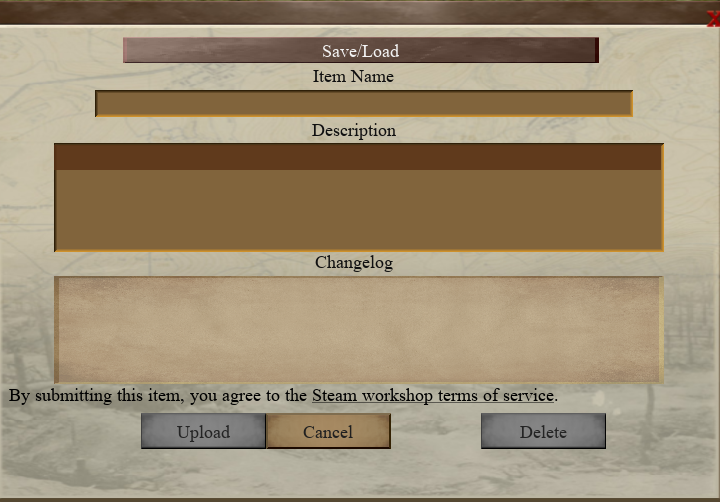
I lied after the last update. I had one more major feature to add, which I've done in this update. There is now the option to upload and download custom maps using the Steam Workshop API. Note that this isn't full workshop support, just the ability to upload and download maps in-game. Uploading happens in the map editor itself, via the pause menu when you go to save the map you're working on. You also have the ability to delete any maps you've uploaded.
Downloading happens in the custom map screen when starting a new game. A local copy of the map will appear in your custom map folder, and from there you can edit it or play it as you would with any map you've created yourself. As of now there is no functionality to update maps in real-time, since this would require full workshop support.
Other than that, I received some detailed feedback in the forums, most of which I've addressed. I also stumbled into some issues while playtesting heavily over the past couple of weeks, so I've addressed those issues too.
Bugfixes/Changes:
User is now able to upload custom maps from the save/load dialog when making custom maps.
User is now able to download custom maps from the custom map screen when setting up a new game.
Autosave choices are now hidden from the save/load popup when using the map editor.
Changed US flag to the 48-star version.
Fixed bug in which marshes were being selected at random when adding them in the map editor, even when a marsh type was explicitly chosen.
Fixed a few typos.
"Charge Positions" in scheduled orders has been changed to "Raid Position"
Lingering gas effects are now longer.
Fixed Trench Mortar appearing twice in unit filter list.
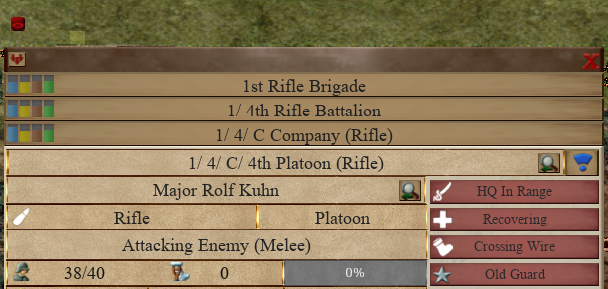
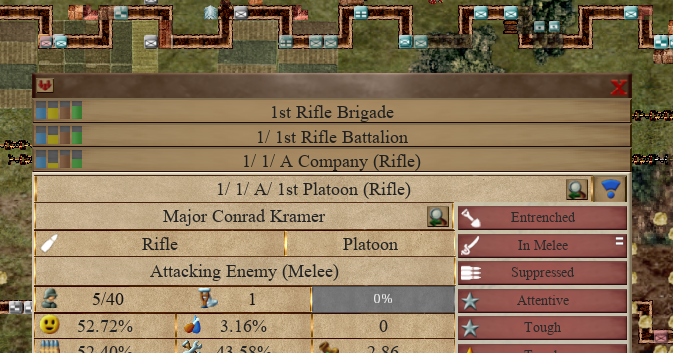
New unit effect - Suppressed. Suppression allows units to attack but not move or do anything else, as opposed to Recovering which disables them entirely. Units placed under attack now have a chance to become Suppressed or Recovering. Likelihood of Suppressed is higher than Recovering, which is now less likely than before. Although the duration of Recovering is longer when caused by artillery, the duration of Suppressed is actually longer when caused by machine guns.
Selecting units currently attacking now highlights their attack areas. This was already in the game, but you'd have to wait until the next game tick for it to happen. Now the areas will appear even when the game is paused.
Added Rifle Grenades as a new upgrade type, which extends the range of grenade attacks.
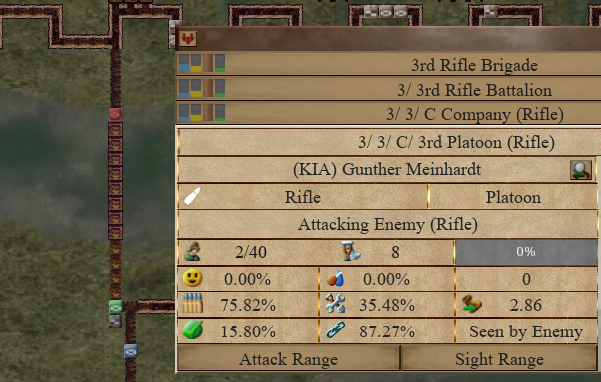
Attacking now displays the attack type on a selected unit's task label.
Fixed potential crash when engaging in melee combat and hovering over a selected unit's task label. The detailed tooltip had a bug with invalid input.
Removed friendly fire in crossfire tiles, but friendly fire remains in actual targeted tiles.
Fixed odd pathfinding when units assigned to scheduled orders relocate to a position closer to the intended order tiles.
Fixed line of sight across rivers and bridges/pontoons. Previously, bridges, pontoons, and rivers would not count as "open sight" tiles and were blocking line of sight for rifles and machine guns.
Fixed bug in which launching raids using the buttons at the top of the screen didn't work while paused.
Buttons at the top of the screen when making custom maps now disable and enable properly. Previously, they would be enabled all the time, making it hard to remember sometimes what kind of terrain you were adding. This was exacerbated by the fact that re-clicking the "active" terrain type didn't cause the terrain select dialog to re-appear.
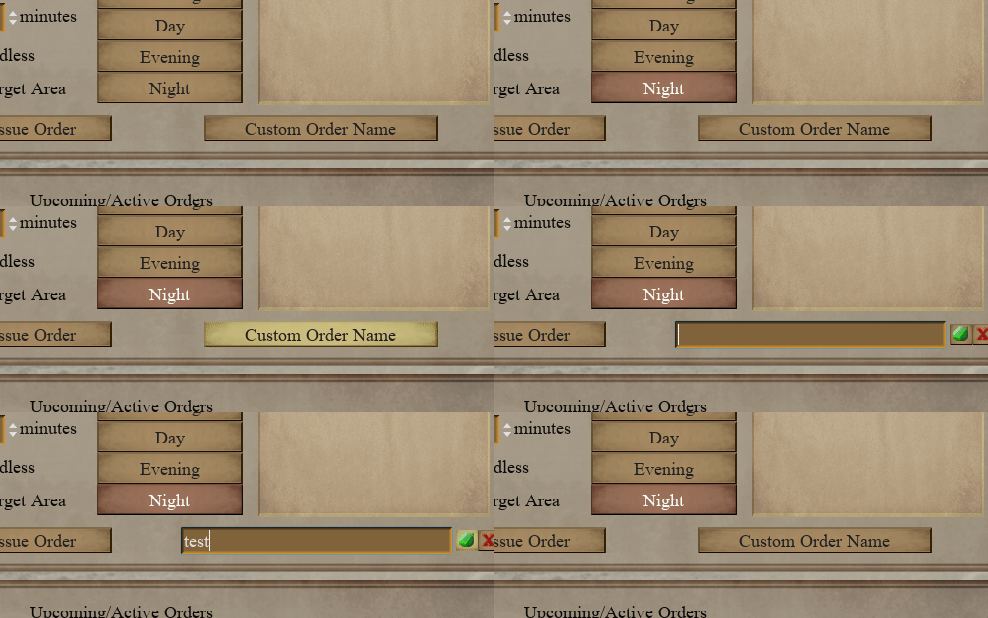
Scheduled orders can now be re-named when creating them.
Effect of being under heavy attack vs. light attack (visible by the notches on the "Under Attack" effect) is now more strongly taken into account when considering losses. Likelihood of losing men is greater when under heavy attack.
Fixed bug in which units locked in melee would cancel each other out and attack in melee endlessly.
General tweaks to AI logic during mass offensives when trench lines aren't complete.
New Localization keys:
SAVELOAD_DIALOG_UPLOAD_BTN
SAVELOAD_DIALOG_HEADER_LBL
SAVELOAD_DIALOG_UPLOAD_HEADER_LBL
SAVELOAD_DIALOG_UPLOAD_TITLE_LBL
SAVELOAD_DIALOG_UPLOAD_DESCRIPTION_LBL
SAVELOAD_DIALOG_UPLOAD_OWN_ITEMS_LBL
SAVELOAD_DIALOG_UPLOAD_LEGAL_LBL
ONLINE_NOT_CONNECTED_TOOLTIP
SAVELOAD_DIALOG_UPLOAD_COMPLETE_LBL
SAVELOAD_DIALOG_UPLOAD_FAIL_LBL
CUSTOM_START_DOWNLOAD
CUSTOM_START_DOWNLOADING
TITLE_NEWGAME_WESTERN_FRONT_SHORT
TITLE_NEWGAME_EASTERN_FRONT_SHORT
UNIT_EFFECT_SUPPRESSED
TOOLTIP_EFFECT_SUPPRESSED
HELPER_UPGRADE_RIFLE_GRENADES_TOOLTIP
HQ_SCREEN_UPGRADE_RIFLE_GRENADES_BTN
UPGRADE_LIST_INFANTRY_RIFLE_GRENADES
SCHEDULE_ORDER_SCREEN_ORDER_NAME_BTN
CONFIRMATION_ORDER_INVALID_UNITS_CHARGE
Updated Localization keys:
HELPER_MOUSE_DRAG_CHARGE_POSITIONS
TOOLTIP_EFFECT_RECOVERING
HELPER_UNIT_ACTION_LIST_ATTACK_UNIT
Thanks for playing!
Update - Nov. 11
Hi all,
Mostly spent this update hunting down some rare crash issues that would rear their ugly heads after long playthroughs with lots of changes and offensives happening. I also noticed a few quality of life issues and minor bugs that I was able to fix. The main quality of life update I've added was the ability to use ESC to cancel pending orders without de-selecting all selected units immediately. I found it rather annoying when this would happen and finally got around to fixing it.
I've basically run out of new features to add to the game at this point, so quality of life issues and bugs are what I'm focusing on. I guess it's a sign that I'm actually nearing a full release out of Early Access, so please do mention any issues you find or anything you'd like me to add. I'll probably be much less inclined to tear apart and make major changes to the code once I'm out of Early Access, so speak now or forever hold your peace :)
Bugfixes/Changes:
Tracked down rare crash bug when attacking specific unit with rifle.
Fixed camera limits not being set properly when loading wide maps from saves.
Fixed experience bar for calibration range upgrade.
Tracked down occasional crash when pathfinding over incomplete bridges.
Fixed crash that would occur when calculating target trench tiles across rivers if trench line was incomplete.
Building things over rivers through direct orders will now convert any constructed tiles into bridges automatically.
Pressing ESC (or whatever you've mapped the cancel button to) while in the midst of issuing an order will no longer de-select all selected units. The order will be cancelled but the units will still be selected. Pressing the cancel/ESC button again will de-select all units as before.
Tracked down occasional crash during enemy mass offensives over bridges/pontoons.
Happy Remembrance/Veteran's Day!
Update - October 14
Hi all,
Based on feedback from the forums, I've tweaked the balance and logic of the mass offensives mechanic. Optimizations in the previous update broke them a bit. During mass offensives, simply running over a contested trench line tile should suffice to flip ownership of it unless an enemy unit is occupying the tile. Prior to this update, only tiles stopped on were being flipped.
I've also tweaked some of the reserve and rotation speed logic to hopefully make mass offensives a bit more frenetic, so hopefully mass offensives feel a bit more impactful.
Bugfixes/Changes:
Fixed bug in which tiles during offensives weren't properly changing owners.
Increased reserve replenishment rate during offensives.
Reduced melee bonus during initial charge of mass offensives. The first day of a mass offensive was wiping out the defending units a little too easily.
Sped up unit recall speed during offensives.
Prevented enemy offensives from permanently claiming too many trench lines at once.
Thanks for playing!
Update - Oct. 1
Hi all,
This update mostly consists of AI tweaks and bugfixes. The main improvement is in the behaviour of the Administration officer. Previously, the automatic unit rotation logic was a bit aggressive, causing units to constantly shuffle in and out of lines. I adjusted the decision-making logic for this aspect of the game a bit, so that this sort of "thrashing" should no longer occur.
I've also done a lot of work under the hood to identify performance bottlenecks and fix potential crashes, so hopefully the game runs a lot more smoothly for you all. Some recent changes, such as expanding the map and causing the AI to build a little more aggressively, were causing problems and occasional crashes. All in all, this update was one in which I tried to improve what is already in the game as opposed to adding anything new.
Bugfixes/Changes:
Fixed bug in which units would begin "building" tiles underground without moving to the proper tile if there was an un-built tile in the way.
Underground tiles under construction are now cancelled properly if there is no path to get to them.
Optimized unit movement and sight check logic in order to reduce lag during large scale offensives.
Tracked down and fixed potential random crash when units engage in melee combat.
Fixed potential crash when playing on maps with rivers. AI would occasionally attempt to build pontoons outside of map bounds.
Fixed potential crash when generating new Isonzo or Meuse-Argonne maps.
Updated text labels in After Action Report.
Units now start with morale, supplies, and readiness at maximum levels.
Tweaked Administration officer logic, so that unit rotation is much more stable.
Updated Localization keys:
RAID_STAT_CASUALTIES
RAID_STAT_PRISONERS_LOST
RAID_STAT_KILLED
RAID_STAT_PRISONERS_TAKEN
Thanks for playing!
Update - August 29
Hi all,
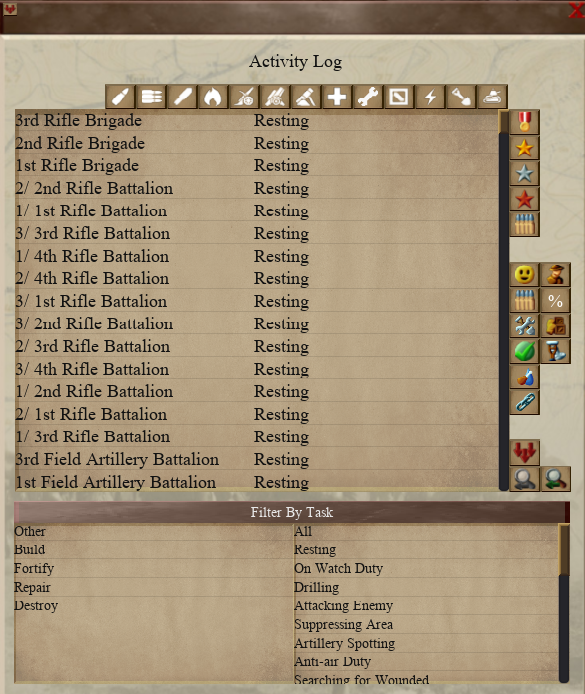
Mostly just AI and quality of life updates this time round. The most notable change is the addition of an Activity Log popup.
It's essentially the same as the sortable list mode of the Order of Battle screen, but this time it lists units by their current task rather than any particular attribute. This way you can see at a glance what your units are doing without having to open up the Order of Battle tree in a separate screen.
Other than that, the most notable changes are AI updates. The biggest change is that the AI will now attempt to plug in gaps in trenches. This is in case a stretch of trenches is destroyed or a custom map is created with non-contiguous trenches. Note that gaps that are too small or too big will be ignored - I've set this range from 12 tiles to 108 for now. The exception is if there are fewer than two trench lines, in which case the AI will add an entire trench line. This applies to both the enemy AI and your own delegated AI.
The Redoubt map is now playable as the Germans. Previously, the map existed solely to allow the player to methodically break down a strongpoint without fear of enemy offensives. Now, as the Germans, it is your job to defend the strongpoint against enemy offensives for a year.
Bugfixes/Changes:
Redoubt map can now be played as the Germans, and the AI will conduct offensives as usual instead of remaining passive.
Fortified trench button is now properly highlighted when creating a custom map.
Units assigned to scheduled constructions orders now begin with the tiles closest to them rather than the first ones assigned in the order.
Custom map factions are now properly highlighted when selecting a map. Previously, selecting a map would not select the correct factions, leaving the player guessing what the default factions on the selected custom map were.
Enemy AI now properly populates its front line when proceeding to a new sector.
Alternate font now works properly on filterable unit list mode in Order of Battle screen.
There is now a new Activity Log which functions similarly to the filterable list in the Order of Battle screen. The difference is that it lists each unit's current task instead of various attributes, so that you can more easily track what each unit is doing.
Fixed potential crash when rotating units without rear supply line tiles present.
New Localization keys:
ACTIVITY_LOG_HEADER_LBL
COMMAND_PLAYER_WIN_SCHWABEN_GERMANY
COMMAND_ENEMY_WIN_SCHWABEN_GERMANY
Thanks for playing!
Update - July 31
Hi all,
Some fairly notable changes in this update, mostly gleaned from the discussion forums. Thank you all so much for continuing to make suggestions to improve the game, it is much appreciated. The most noticeable change is that a new popup appears when issuing Rest, Watch Duty, or Drill orders. This allows you to assign units to prioritized tiles within a selected area via Areas of Interest that have been created in the Schedule screen.
I've also added a couple of major quality of life updates. The first one is the ability to cycle between units under the same commanding HQ. Previously, if you wanted to select a different platoon in the same company, you would have to select the commanding company, then select the platoon from there.
Now a simple button press will get you there. The second major quality of life update allows you to filter selected units properly and switch between filters applied. Previously, selecting a filter would actually de-select units that were not applicable, forcing you to re-select them if you wanted to control them again.
On top of these changes, I've fixed a few bugs that were reported in the forums.
Bugfixes/Changes:
Added Drill into list of scheduled orders.
Kitchens and field supply dugouts will now flash red when running low on supplies.
Units under the same commanding unit can now be cycled.
Fixed issue in which user would not be able to add a single tile when adding target areas. Previously, user would have to drag and move the mouse, which would add two tiles.
You can now prioritize areas of interest when perform orders that require you to drag over an area (Rest, Watch Duty, Drilling). This allows you to mark out specific tiles within larger areas.
Fixed text bug in Air Reconnaissance tutorial when using alternate font.
Fixed bug with pathfinding after finishing scheduled orders that do not repeat.
Filtering on selected units now works differently. Previously, filtering selected units based on type or size would deselect invalid units, forcing the user to reselect and previously selected units that were filtered out. Now users can change filters with previously selected units still selected.
New Localization keys:
TOOLTIP_PREVIOUS
TOOLTIP_NEXT
DRAG_ORDER_PRIORITIZE_AREA
DRAG_ORDER_ONLY_ON_AREA
DRAG_ORDER_PRIORITIZE_AREA_TOOLTIP
DRAG_ORDER_ONLY_ON_AREA_TOOLTIP
Thanks for playing!
Update - July 4
Hi all,
Happy 4th of July!
Some fairly notable bug fixes and features that were brought up in the discussion forums have been addressed and added into the game. Thank you to everyone who made suggestions. I often get used to doing things in-game in a certain way, so fresh eyes and voices are always welcome!
Bugfixes/Changes:
Fixed bug with line of sight coming from machine gun units in casemates.
Fixed issue with rest and watch duty scheduled orders in which units would always go to the first selected tile.
Areas of interest are now highlighted when selecting scheduled orders in the Scheduled Orders screen if the selected order is assigned to one. Additionally, hovering over the area of interest icon will now show a tooltip.
Fixed issue where clicking on an area of interest in the Scheduled Orders popup with an order selected would highlight both the area of interest and the order tiles at the same time.
Fixed bug in which highlighted order tiles using the Scheduled Orders popup would be the wrong colour.
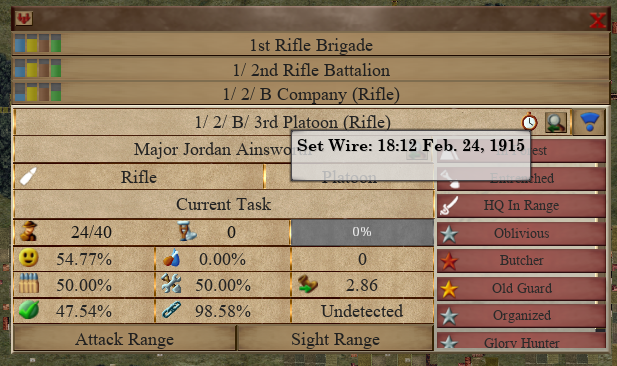
Units assigned to scheduled orders will now display those orders in a tooltip over their unit name when selected.
Concluded orders are now included in the event log.
Newest event logs now appear at the top of the list.
Scheduled orders can now be created as templates. This allows the order to persist even after all units are removed from it, which will allow you to assign more units later.
Autosave notification is now a text notification instead of a popup dialog.
New Localization keys:
LOG_ORDER_CONCLUDED_OUT_OF_SUPPLIES
LOG_ORDER_CONCLUDED_TILES_DONE
LOG_ORDER_CONCLUDED_UNITS_DONE
LOG_ORDER_CONCLUDED_NOT_CONTINUOUS
SCHEDULE_ORDER_SCREEN_TEMPLATE_CHECKBOX
TOOLTIP_SCHEDULED_ORDER_TEMPLATE
TOOLTIP_SCHEDULED_ORDER_TEMPLATE_GREY
Thanks for playing!
Hotfix - June 23
Hi all,
Added a minor but really nice QoL feature that was brought up in the message boards. Quick turnaround on this update, as it was fairly simple to implement, and it's something I wanted available in the game ASAP.
Bugfixes/Changes:
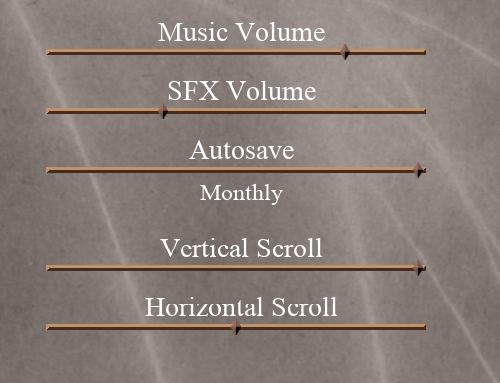
Scroll speed can now be customized.
Grey areas at edge of screen has been widened.
New Localization keys:
SETTINGS_SCREEN_VERTICAL_SCROLL_LBL
SETTINGS_SCREEN_HORIZONTAL_SCROLL_LBL
Thanks for playing!
Hotfix - June 23
Hi all,
Added a minor but really nice QoL feature that was brought up in the message boards. Quick turnaround on this update, as it was fairly simple to implement, and it's something I wanted available in the game ASAP.
Bugfixes/Changes:
Scroll speed can now be customized in both the settings screen and from the pause menu.
New Localization keys:
SETTINGS_SCREEN_VERTICAL_SCROLL_LBL
SETTINGS_SCREEN_HORIZONTAL_SCROLL_LBL
Thanks for playing!
Update - June 17
Hi all,
Quick turnaround on this update, as there were a couple of fairly important fixes to be made. The most important one is the repair of the default localization file. There were some issues with the localization file due to the fact that I had used Excel to create it. This caused a few hidden escape characters and formatting issues that didn't appear until I viewed the file as a plain-text csv file. From now on, I'll be sure to edit and update the file in this manner to avoid this issue.
Bugfixes/Changes:
Fixed default localization file.
Camera scroll speed now scales depending on zoom level.
Camera no longer gets "stuck" on the bottom of the screen at higher zoom levels