

Onigiri
[ADD]Regarding the forced shutdown issue at the "Earth Observation Relay Site"
We have confirmed that the same problem also occurs in the “Oushuu Highway Sesshouseki” field.
Please refrain from visiting the field until the problem is corrected.
Please also use the inquiry form from the Steam version of Onigiri official website below.
https://crossplay.onigiri.cyberstep.com/
Greeting from Onigiri Management Team!
We have identified an issue where the game client may forcefully shut down at the "Earth Observation Relay Site" field following the maintenance on Thursday, May 30 JST.
We are currently investigating the cause of this issue.
If you are unable to log in after experiencing a forced shutdown at the "Earth Observation Relay Site", our management team will assist your character to another stage.
Please report this issue through the inquiry form to let us know about it.
We deeply apologize for any inconvenience caused.
Regarding the issue where the game client does not start
We have confirmed reports of an error message stating "Important files are missing. Please Reinstall" appearing on the Steam client,
which prevents the Steam client from starting after the maintenance on Thursday, May 30th JST.
If you encounter this issue, please try the following methods to potentially resolve the problem.
・Solution1
① Right-click on "Onigiri" in Steam library, select "Properties" and then open "Installed Files".
② Run "Verify intergrity of game files"
After executing the above steps, please try to restart the Onigiri Steam client.
If solution1 does not resolve the issue, pleas try the steps in Solution2.
・Solution2
① Locate the folder where "Onigiri" is installed.
※ You can find the folder location by right-clicking on "Onigiri" in your Steam library, selecting "Properties"→ "Installed files" → " Browse".
※ Please note that performing step 2 will remove the "installed files" option.
② Uninstall "Onigiri" from Steam
※ Right-clicking on "Onigiri" in Steam library, selecting "Manage" → "uninstall"
③ Manually delete the folder where "Onigiri" is installed, as confirmed in step①
※Please perform the manual folder deletion at your own risk.
④ Reinstall "Onigiri" from Steam library.
If the issue persists after executing Solution 1 and 2, please report the problem using our inquiry form.
We deeply apologize for the inconvenience caused.
240530 Patch Note
-Client has been changed to the 64bit version.
-New Nyankoropon Added!
-Assault! Lucifer Purgatorium Dungeon Added!
Please see [5/30/2024 Update Information] for the detail.
5/30/2024 Update Information
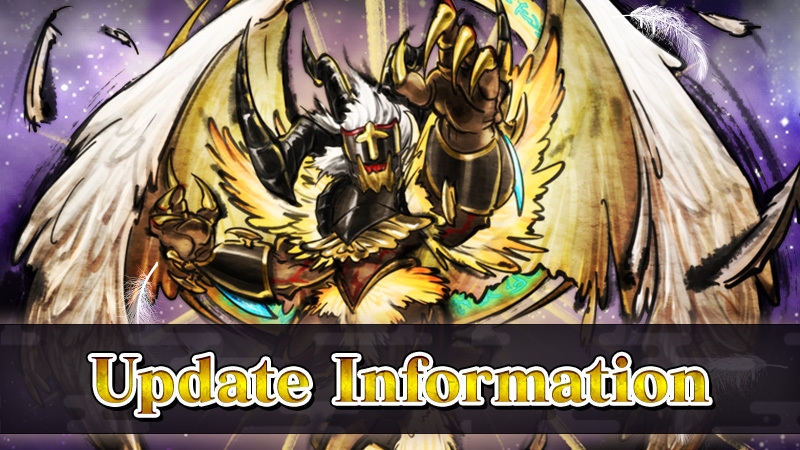
Greetings from the Onigiri Service Team.
The details of the 5/30/2024 JST update are as follows:
Update Information
・New Nyankoropon Added!

Ougi Funerary Feathers - Sublime and Ougi Log Rumble Tornado - Sublime as well as many other skills can be found in the Sublime Ougi Nyankoropon, as well as more goodies in the Magatama Nyankoropon!
Nyankoropon details can be found here.
*Japanese language only
◆Nyankoropon Period
After maintenance 5/30/2024 JST
Until maintenance 6/13/2024 JST
・Purgatorium Dungeon Added!

During the event period, Assault! Lucifer Purgatorium, has been added to the purgatorium dungeons!
Players can obtain not only the regular rewards, but also Purgatorium Treasures from this challenge!
■Concerning Purgatorium Dungeons
・The monsters have high resistances, and attacks other than super effective attacks will be less effective.
Additionally, these monsters will have extra strong attacks.
・Clear the dungeon with a B Rank or higher to be awarded Purgatorium Treasures.
・Occasionally when clearing at the highest difficulty, you can get a rare Magatama!
■About Items from the Lucifer Purgatorium dungeon
・The Lucifer Purgatorium Boss will drop the following items:
Normal Difficulty → Purgatorium Angel Feather
Hard Difficulty → Purgatorium Angel Claws
Hell Difficulty → Purgatorium Angel Halo
■Concerning Purgatorium Treasures
・Purgatorium treasures can be exchanged with the purgatorium treasure NPC in Onigashima.
・Clear each difficulty of the Purgatorium dungeon once in order to open the Exchange.
・The purgatorium treasure NPC is only available when the purgatorium dungeon is available, and the items
available in the exchange vary depending on which purgatorium is available.
・Purgatorium treasures will convert to purgatorium junk when the purgatorium dungeon is no longer available,
but the purgatorium junk can be exchanged for treasures with the NPC.
▼Exchange Item Sample
[table]
[tr][td]Type[/td][td]Item[/td][/tr]
[tr][td]Weapon Recipe[/td][td]End of Days CROSS Recipe[/td][/tr]
[tr][td]Weapon Recipe[/td][td]L. End of Days Recipe[/td][/tr]
[tr][td]Weapon Recipe[/td][td]L. End of Days Sin Recipe[/td][/tr]
[tr][td]Weapon Recipe[/td][td]L. End of Days Revolt Recipe[/td][/tr]
[tr][td]Magatama[/td][td]Fallen Angel Magatama - Rebellion Recipe[/td][/tr]
[tr][td]Manifestation Scroll[/td][td]End of Days STAR Manifestation Scroll[/td][/tr]
[tr][td]Manifestation Scroll[/td][td]End of Days CROSS Manifestation Scroll[/td][/tr]
[tr][td]Manifestation Scroll[/td][td]L. End of Days Manifestation Scroll[/td][/tr]
[/table]

■Unlocking Purgatorium Dungeons
Plater must clear the [To Kishinden] quest and speak to the NPC Chifuri
in the Temporal Rift in order to open these dungeons.
◆Dungeon Availability Period
After maintenance 5/30/2024 JST
Until maintenance 6/13/2024 JST
Bug Fixes
・Fixed an issue where some status effects or skills imparting effects such as [Poison] would cause character models to display incorrectly when hit by enemy attacks.
Other details can be found here.
5/30 Update Contents
*Japanese language only
Thank you for your attention!
※Images are created during development and are subject to change.
※Update details are liable to change without warning and may not reflect in-game.
Thank you for your support for Onigiri!
5/23 Maintenance
We will be conducting maintenance on May 22nd at 10:00 pm PDT.
This maintenance is expected to finish at 3:00 am PDT on May 23rd.
Thank you for your patience and understanding.
64bit Version Client Release Notice
In order to improve the stability of the game, the client will be upgraded from 32bit to 64bit.
On the 5/30 update, the game will automatically be converted to the 64bit version.
Please note that System Settings will be reset as a result of this change.
The updated game client will no longer be supported on 32bit Windows Operating Systems.
Please be certain to verify what bit version of Windows your system uses.
We will update the operating environment information as well.
Thank you for your attention.
We appreciate your support for Onigiri!
Concerning measures against fradulent activity
The Onigiri service team implemented account suspension measures for accounts that engaged in fraudulent activities.
Please refer to the following for the Game Usage Regulations.
https://onigiri.cyberstep.jp/other/penalty.html
*Go to Japanese version of Onigiri portal site
We will continue to monitor for future infractions and respond as necessary to limit such activity.
We appreciate your cooperation and understanding concerning your play in Onigiri.
Thank you for your attention.
Please enjoy Onigiri (as intended!)
240523 Patch Note
-Fixed some bugs.
Please see [5/23/2024 Update Information] for the detail.
5/23/2024 Update Information

Greetings from the Onigiri Service Team.
The details of the 5/23/2024 JST update are as follows:
Update Information
・The download timing of patch files will be adjusted.
Consequently, downloads will no longer begin after login.
Bug Fixes
・The animation for Maeda Toshiie when wearing the Sailor Uniform Outfit Change in MyRoom will be adjusted.
・An issue where the Golden Kijimuna would appear even after the end of the Golden Week Events has been fixed.
Ending Events
・The Rookie Support Campaign will end.
Thank you for your attention!
※Update details are liable to change without warning and may not reflect in-game.
Thank you for your support for Onigiri!
5/23 Maintenance
We will be conducting maintenance on May 22nd at 10:00 pm PDT.
This maintenance is expected to finish at 1:00 am PDT on May 23rd.
Thank you for your patience and understanding.