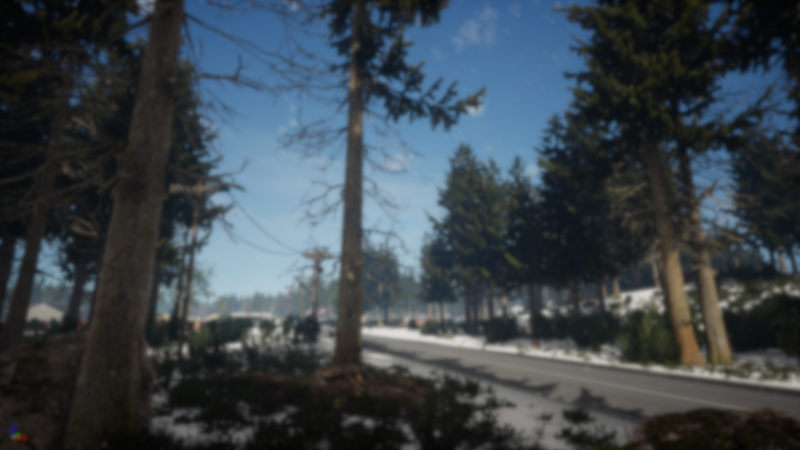
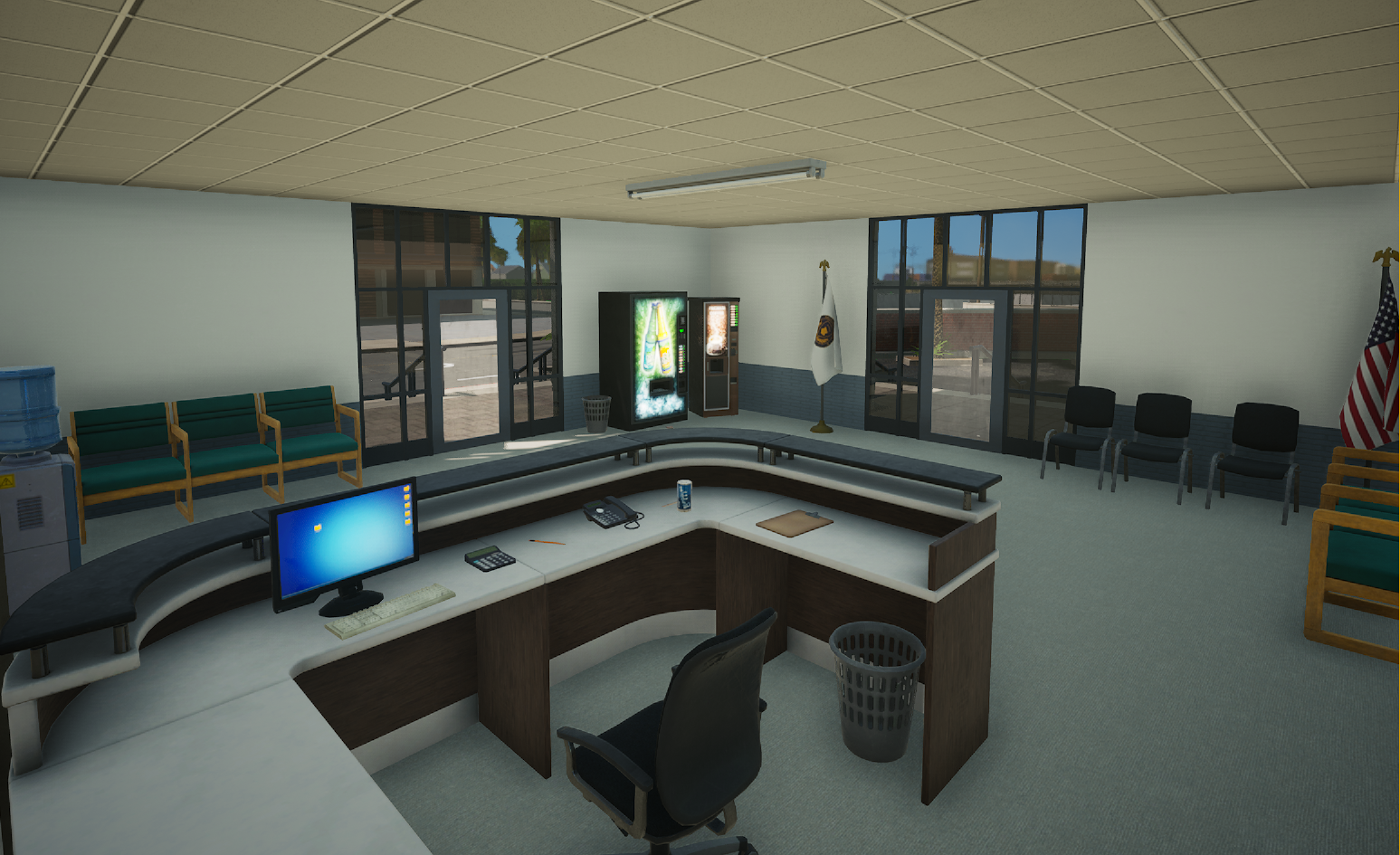
EnableSnowParticles(bEnable) Enable snow particles in player view.
SetLandscapeSnowAlpha(Alpha) Changes how much snow is visible on the landscape. A value of 0 means no snow at all and a value of 1 means fully covered with snow.
Both functions are client side.
This update also includes a maintenance update for the WebUIs. Please report any problems with scripted WebUIs or the main menu of the game.
Onset 1.4.0
The game compatibility has changed in this release. Server owners must update their server via steamcmd in order to allow clients to connect. https://dev.playonset.com/wiki/DedicatedServer
Gas Station
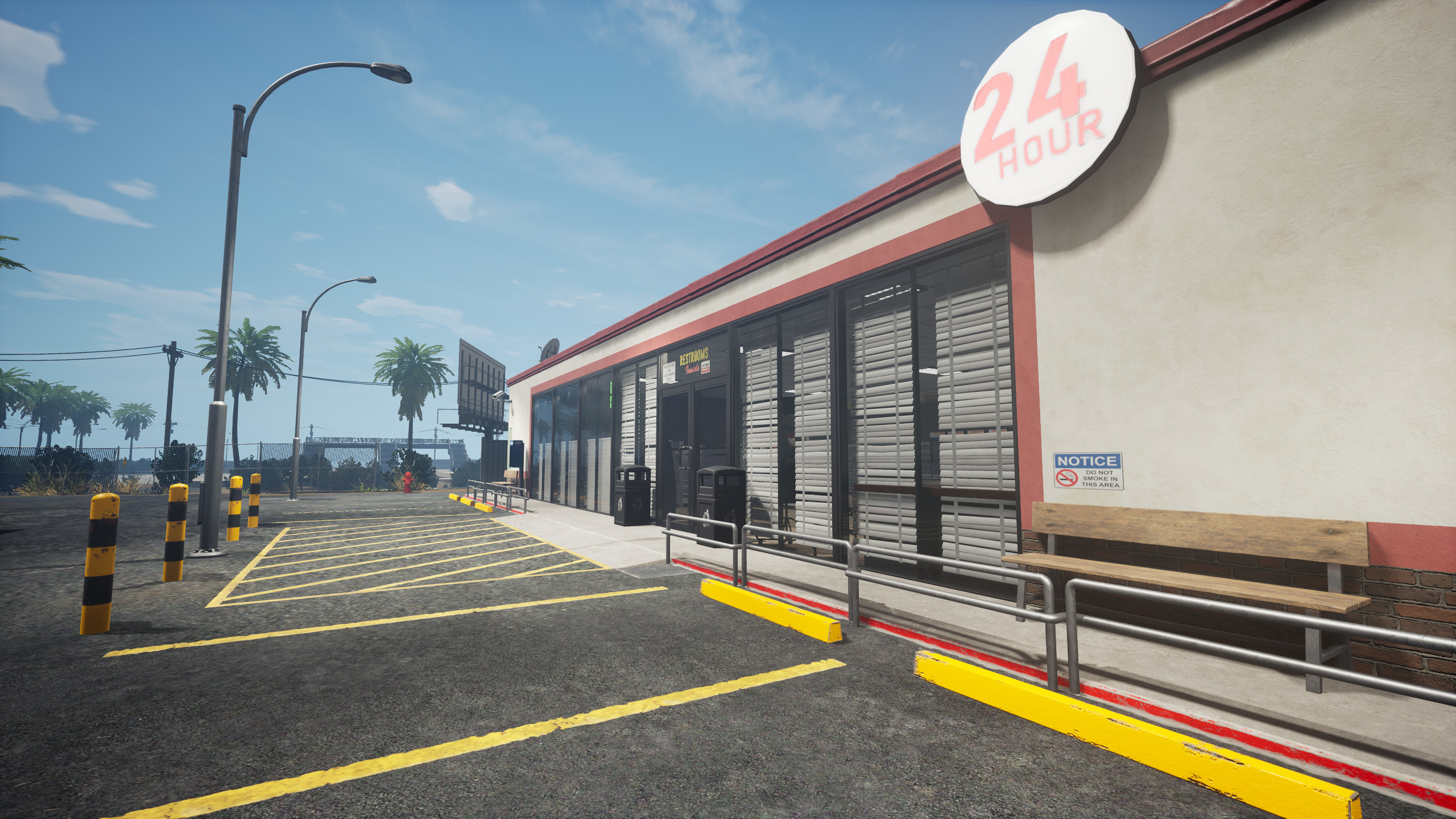
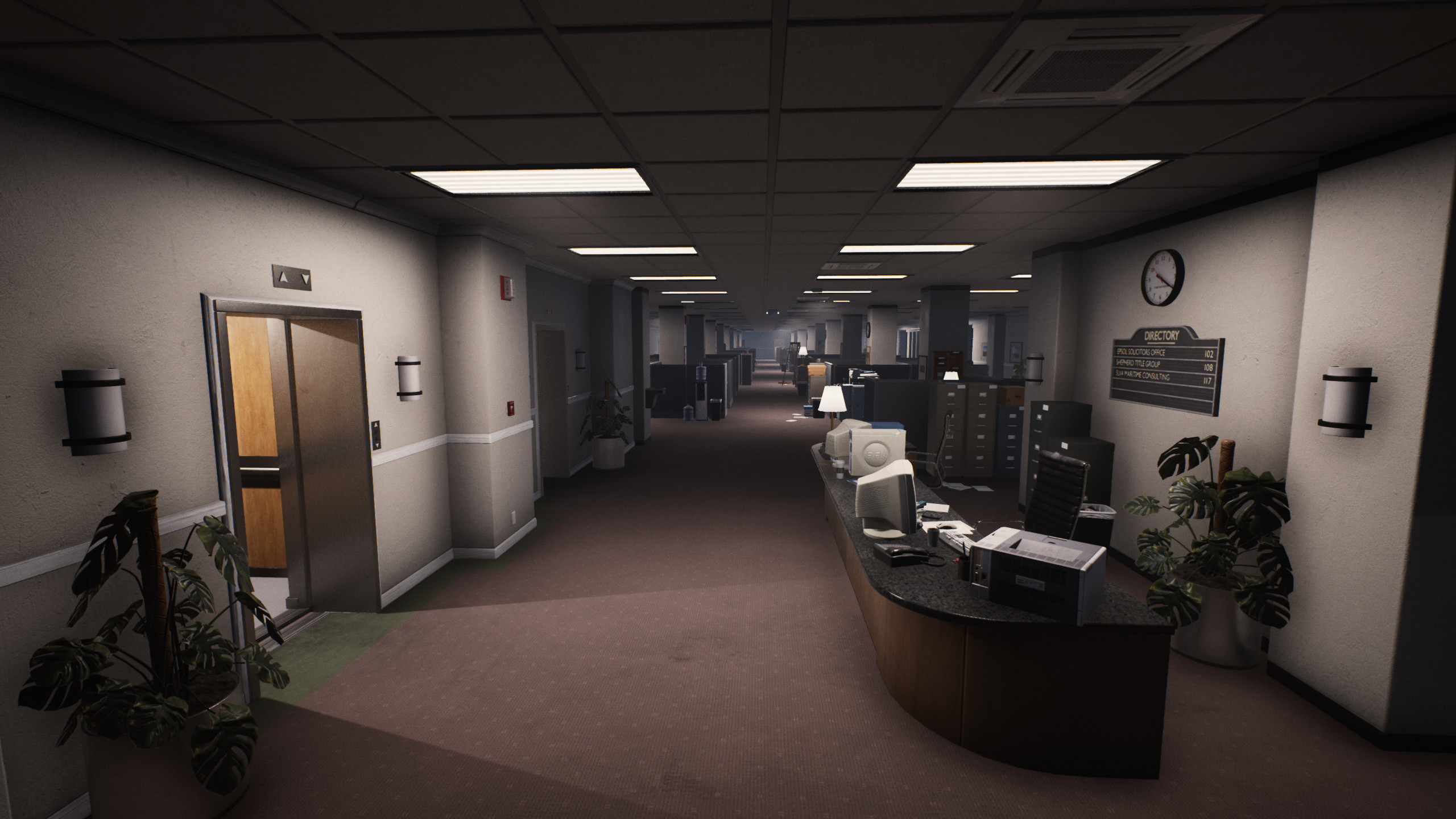
Erwann reworked the gas station in the main city. It looks a lot more attractive now.
A new sign on top the city hills fill some empty space.
The restricted rooms in the townhall are now open for usage.
Bikes
Something that a lot have asked for. They are kind of experimental for now, so expect some bugs. The handling will also be further improved.
Lua scripts can now be marked as "shared". These will run on both the server and client. New functions have been added to check if the current scripts runs on the server or on the client.
IsServer()
IsClient()
Support for custom maps water volumes
You can now place "Physics Volumes" on custom maps and use them as a swimmable volume for players and vehicles.
Make sure to set the following settings on your volume. Under "Brush Settings" you can change the size of the water volume.
New
Support for wildcards in the package.json
Add function GetPackageFiles(PackageName)
Add function GetAllPackages()
Add function GetPlayerVehicleSeat(player)
Add function GetObjectByStaticMeshActor(StaticMesh)
Add function IsClient() and IsServer()
Function CreateSound() can now play sound files from the gameserver /public_html folder.
The default map now has a proper navigation mesh. This can be used for AI Blueprints.
Vehicles can now have more than 4 doors. Vehicle ID 8 now has 5 seats, ID 24 has 4 seats, ID 30 and ID 31 have 5 seats and ID 47 and 48 have 5 seats.
New spawnable objects have been added. See https://dev.playonset.com/wiki/Objects
Fixes
Fix texture size check in function UTexture.LoadFromFile().
Fix multiple params and return values for UObject:ProcessEvent().
Fix FAttachmentTransformRules and FDetachmentTransformRules.
Fix crash in function IsVehicleWheelInAir() and GetVehicleWheelSeerAngle().
Fix rear collision on Truck04 vehicle.
Fix rear seats for Hatchback vehicle.
Fix some sound effects for the Sports Car, Muscle Car and Golf Cart.
Fix a game crash related to texture sampling.
Fix possible crash when destroying doors, npcs and objects.
An invalid or custom gamemode on custom maps no longer crash the game.
Fix collision for the skyscapper buildings from the last update.
Fix bug where you don't die when hitting the ground during skydive.
Improvements
Function LoadPak() no longer requires RootPath and ContentPath parameter. These are now optional.
Increase remote event string length to 65536
Increase remote event max arguments to 14.
Increase chat message length to 255.
Increase remote event table dimensions to 5.
Improve performance when the game loads existing package files/assets from disk.
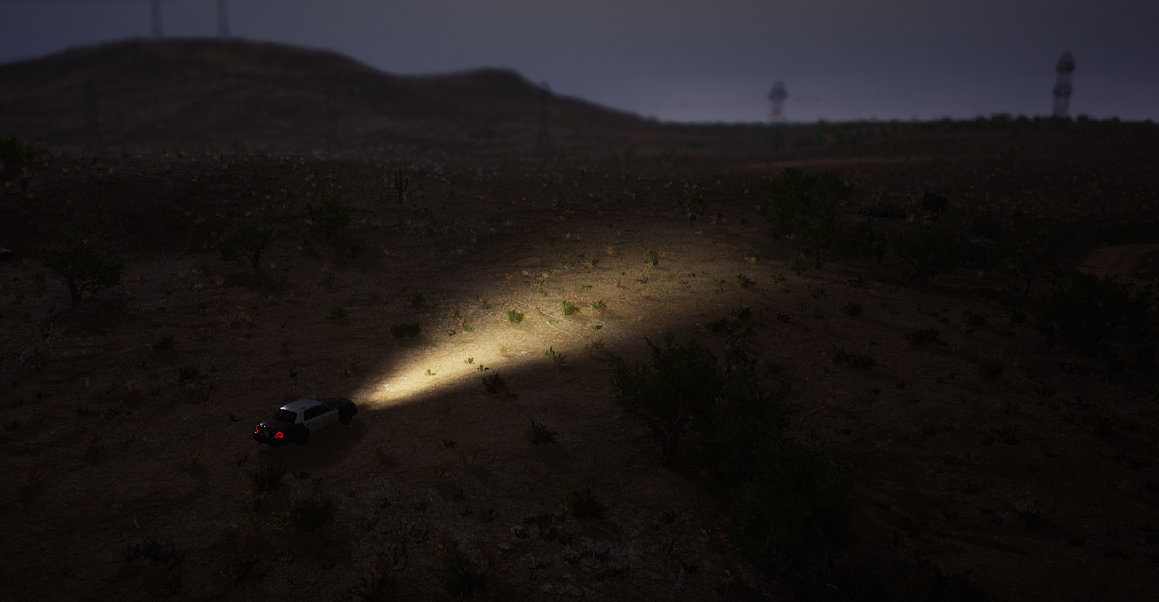
Improve night lighting and increase star intensity.
Print a message in the devlog on network connection error
Reduce game pak size by another 3GB
Performance improvements in Townhall.
Improve file download speed when connecting to a server.
Improve acceleration on steep slopes for some vehicles.
Increase ground clearance for Sports Car and Hatchback vehicle.
Increase vehicle braking force and acceleration on all vehicles.
Function StopPackage now takes an optional "reason" parameter that is being printed to the console.
Add config for the new Truck vehicle.
Prophunt
Many of the new functions are being used in the prophunt script. There will be a fully playable prophunt server hosted by me in the future.
It's open source, feel free to contribute to it.
https://github.com/BlueMountainsIO/prophunt
v1.3.2 Patch 1
Fix UWorld:GetActorsByClass
Improve vehicle suspension. Should fix weird tire behavior sometimes.
Add another collision to Truck4 for the rear wheels.
Increase ground clearance for SportsCar and Hatchback.
Increase vehicle braking force for all vehicles and acceleration for some vehicles.
Increase file download frequency. Should download faster now.
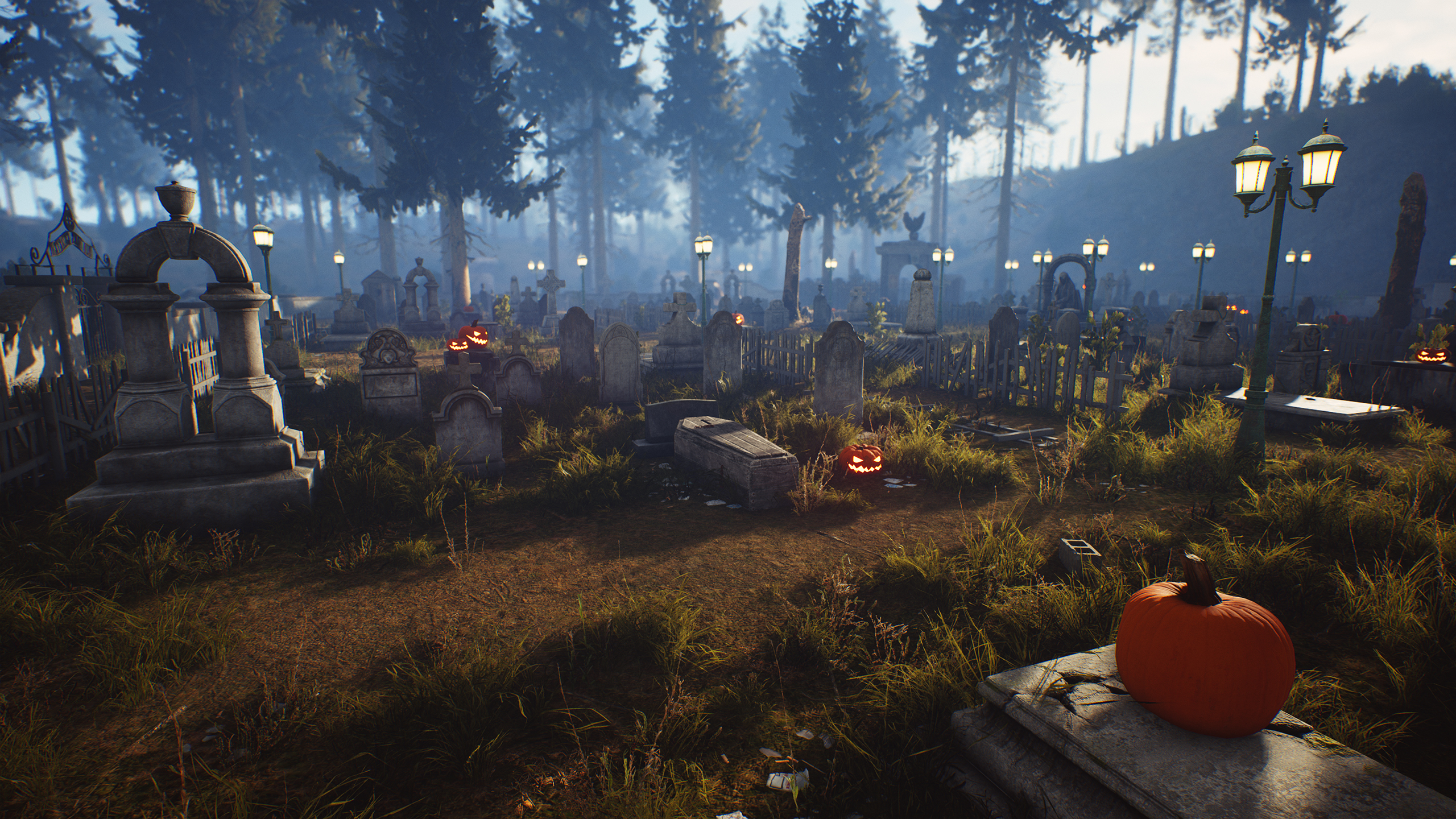
Landscape fixes near the quarry and cemetery.
Client event OnPlayerWeaponShot now has the weaponid as the first parameter like on the server.
New objects: keyboard, mouse, cups, land and sink.
Fix 3d engine sounds for muscle car, sports car and golf cart.
Add AActor:SetActorRelativeLocation and AActor:SetActorRelativeRotation
Onset 1.3.1
Apartment Prefab
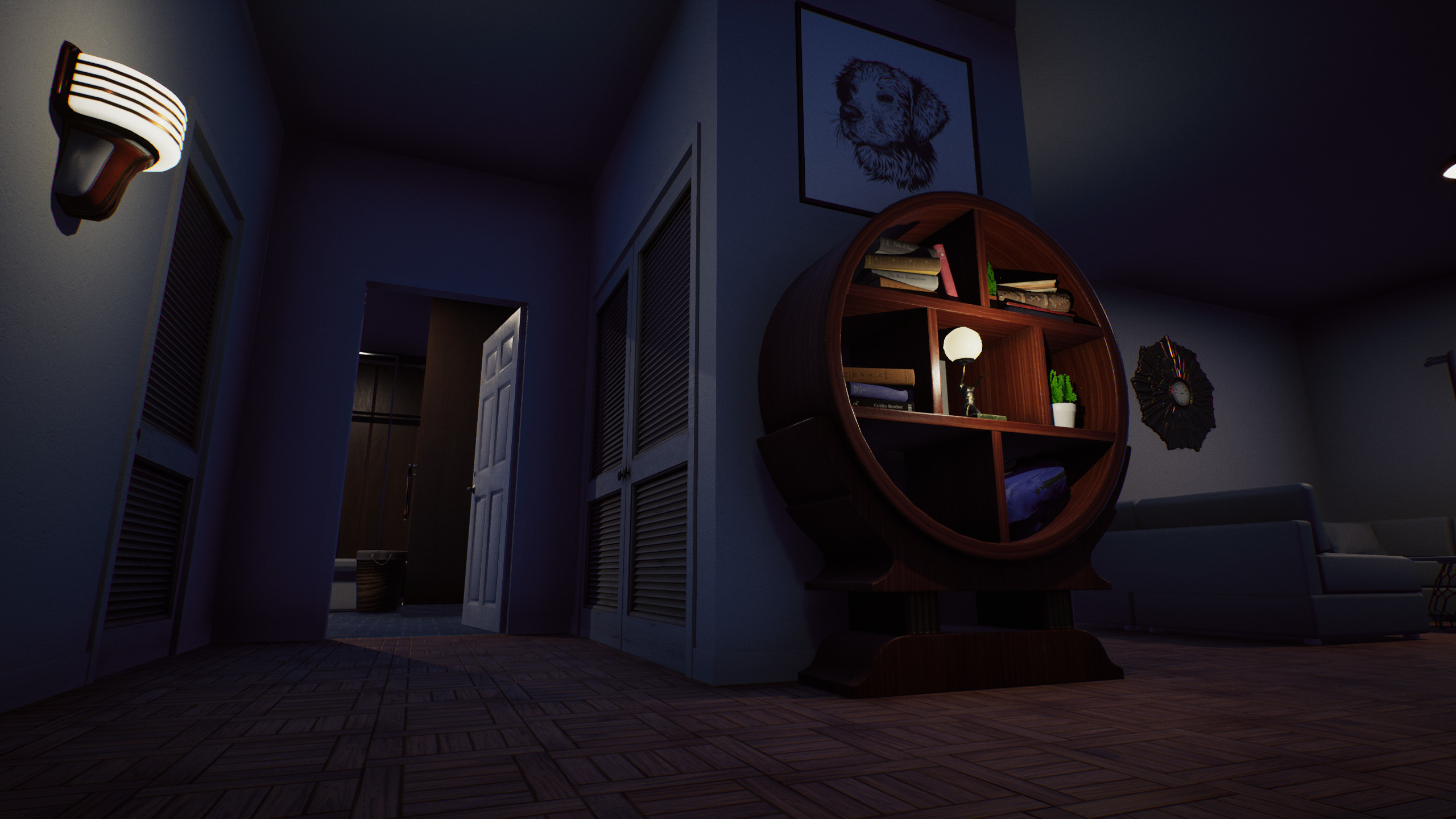
Erwann has been working on an apartment prefab that can be spawned anywhere on the map.
Prefab 01a without furniture. /Game/Geometry/Prefabs/PF_Apartment_01a Prefab 01b with furniture as seen in the pictures. /Game/Geometry/Prefabs/PF_Apartment_01b
Spawning the apartment interior from Lua. local BlueprintClass = "/Game/Geometry/Prefabs/PF_Apartment_01b" local Location = FVector(0.0, 0.0, 0.0) local Rotation = FRotator(0.0, 0.0, 0.0) GetWorld():SpawnActor(UClass.LoadFromAsset(BlueprintClass), Location, Rotation)
- Add missing parameters to OnPlayerLeaveVehicle and make it work for streamed players as well. - ECC_GameTraceChannel3 now overlaps by default - Re-enable AI system on Onset's map. - Turkish translation for the main menu. Thank you to ErmesGames#8782!
The new vehicles have been added to the server. No other changes to the server were made.
Onset 1.3.0
Client changes
Custom maps
The long awaited feature has finally arrived. You can now load maps/level from the Unreal Engine in Onset.
See the Developer Wiki on how to get started with Custom Maps.
For a more convenient development you can open the game console and add your own commands. OnConsoleInput o open the console press one of the default keys: ~, ß, ^
You can add console keys to this ini file: %LocalAppData%\Onset\Saved\Config\WindowsNoEditor\Input.ini
ConsoleKeys=´
Note that developer mode (-dev) must be enabled for the console to work.
Press the console key two times to get the large console from the top of the screen.
Example line trace usage: local Start = GetPlayerActor():GetActorLocation() local End = Start + (GetPlayerActor():GetActorForwardVector() * FVector(200.0, 200.0, 200.0)) local bResult, HitResult = UKismetSystemLibrary.LineTraceSingle(GetPlayerActo r(), Start, End, ETraceTypeQuery.TraceTypeQuery1, true, {}, EDrawDebugTrace.ForDuration, true, FLinearColor(1.0, 0.0, 0.0, 1.0), FLinearColor(0.0, 1.0, 0.0, 1.0), 10.0) if bResult == true then print(bResult, HitResult) end
This example will trace 200 cm in front of the player. It can also be used to get a reference to any existing actor placed on the map. For example to hide existing meshes on the map.
- Set max timer limit to 1024 - Fix IsVehicleSeatOccupied, GetVehicleDoorLocation seat parameter starting at 1 - Fix AddComponent for USkeletalMeshComponent - Expose ASkeletalMeshActor and make it spawnable with SpawnActor using ASkeletalMeshActor.Class() - Add GetInputMode() - Reset draw color on disconnect - Fix OnPlayerEnterVehicle event for vehicles with 2 doors - Add OnConsoleInput event for the client console. - Make GetObjectBoundingBox behave like GetVehicleBoundingBox - LoadPak now returns true if the pak was already loaded. - Make playerid optional (default: -1) in GetPlayerActor - Show number of pending files to download when connecting to a server - Don't put package is failed state if a script is empty - AddEvent, AddRemoteEvent, AddCommand now returns success status
Server changes
- SetObjectMoveTo is now much more accurate. - Add dimension events: OnPlayerChangeDimension, OnVehicleChangeDimension, OnText3DChangeDimension, OnPickupChangeDimension, OnObjectChangeDimension, OnNPCChangeDimension, OnDoorChangeDimension. - Add created events: OnObjectCreated, OnVehicleCreated, OnText3DCreated, OnPickupCreated, OnNPCCreated, OnDoorCreated - Fix timeout for players when downloading files. - Functions AddEvent, AddRemoteEvent, AddCommand now returns success status. - Add OnObjectStopMoving event. - Fix a rare event crash.
Update your WorldDoors.lua from the default package. The elevator package is available in the package folder of the 1.3.0 server. Add it to have elevators in your town hall
Onset 1.2.2
Client changes
Custom connect screen
The client can now display a web UI while connecting and downloading files from a server. The page to show is hosted on the game server directly and can be configured in the server_config.json. This feature is optional.
"connect_screen_url": "loadingscreen.html" Specifies the file/page to load in the web UI. Files are hosted in the public_html directory on your server. See WebUI load server content below to learn more about that.
"connect_screen_show_cursor": true Setting to enable the cursor. This could be useful for interactive loading screens.
[previewyoutube="t-OYr2jkmfE;leftthumb"]
Replace animation sequences
You can replace default animations that are played by SetPlayerAnimation.
With the new animation blueprint support you can also play custom animations directly in your animation blueprint. See the changes below for more information.
Custom animation blueprint support
Thanks to UnrealLua you can now load custom animation blueprints and assign them to a USkeletalMeshComponent. For example you can add a post process anim blueprint to a player. The anim blueprint can contain any common nodes. Some useful ones are documented on the Unreal Engine Documentation page. https://docs.unrealengine.com/en-US/Engine/Animation/NodeReference/SkeletalControls/index.html
To call a Blueprint function from Lua use the function ProccessEvent.
function SetPlayerAnimBlueprint(player)
-- Get the skeletal component for the body.
local SKComp = GetPlayerSkeletalMeshComponent(player, "Body")

-- Get the skeletal mesh of the component (body model).
local SKMesh = SKComp:GetSkeletalMesh()

-- Set a post process animation blueprint for the skeletal mesh.
SKMesh:SetPostProcessAnimBlueprint(UClass.LoadFrom  Asset("/AnimMod/CustomPP"))

-- Init anim again, this will create an instance of the post process animation blueprint.
SKComp:InitAnim(false)

-- Get the new animation instance.
local PPInst = SKComp:GetPostProcessInstance()

-- Call our blueprint function that sets the scale for our "transform modify bone" node.
PPInst:ProcessEvent("SetHeadScale", 2.0)
end
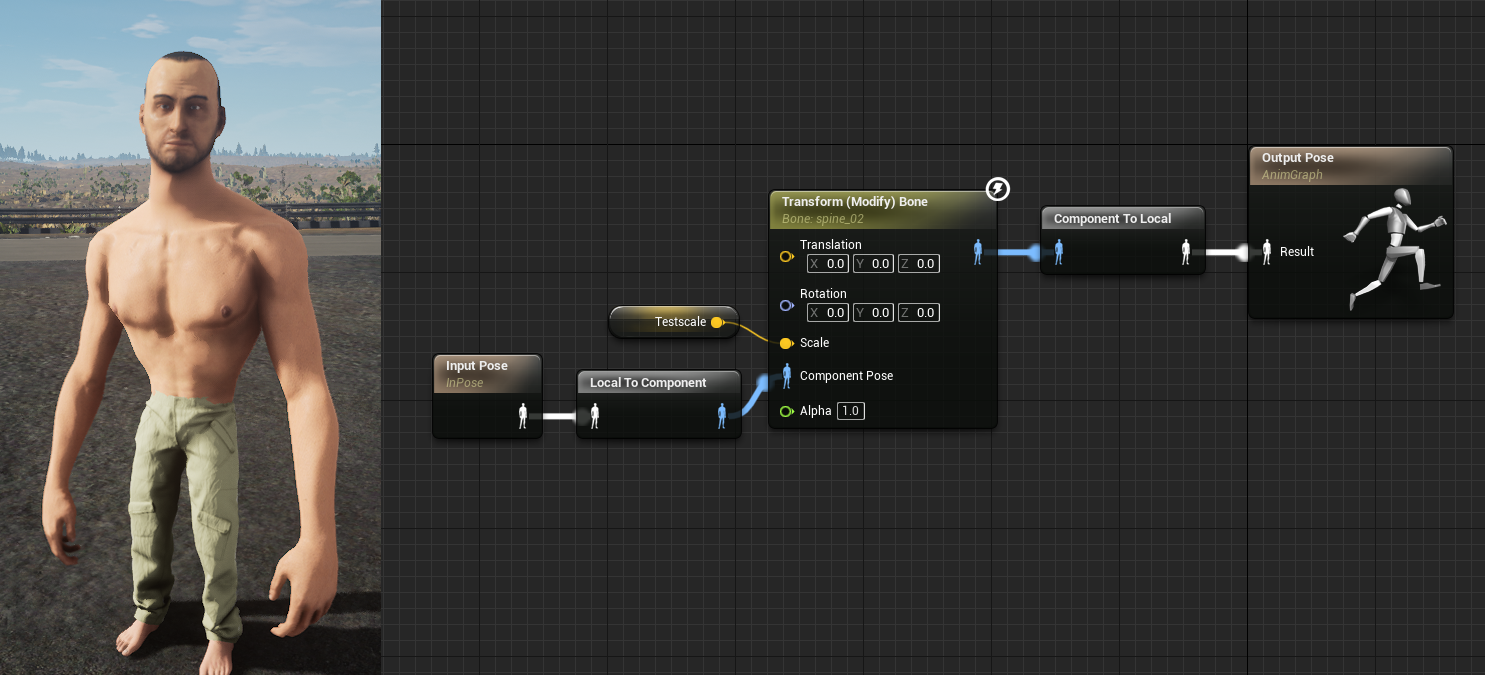
In this example we set a custom post process anim blueprint /AnimMod/CustomPP which runs after Onset's animation blueprint logic. The blueprint has a function named "SetHeadScale" which sets the Testscale variable that you can see in the image above.
Documentation on the wiki will follow soon.
Throughout testing someone already created custom face animations.
[previewyoutube="y4x0ZQ6lqW0;leftthumb"]
Custom Discord Client Id
Servers can now set their own Discord Client Id. This enables the UpdateDiscordActivity to change things like image and text of the current session. This requires to have a custom discord client id set in the server config.
Currently there are two types of WebUIs. A local and a remote WebUI. Remote ones can load whitelisted websites. Local WebUIs can load content from packages. With this release local WebUIs can now also load content directly from the game server.
Files must be inside the public_html folder. This folder is in the same directory as your OnsetServer executable.
From Lua you can now access the files:
SetWebURL(web, "http://server/index.html")
This allows to have dynamic web content without having to restart packages. In the future I'm planning to integrate a CGI gateway to allow running PHP pages.
New vehicles
A new sports car, muscle car, golf cart and a truck with a towing area. The towing area was made by Erwann!
All vehicles: https://dev.playonset.com/wiki/Vehicles
New footstep sounds
Each floor type has received a whole bunch of new sound cues. Depending on your movement speed the sounds files also vary: "crouch", "walk", "run" and "sprint".
Remember you can influence which footstep sounds are played by having one of the following names in your materials.
A new event is called when a player hits the ground with their feet. You can return false to prevent the default footstep from playing.
OnPlayerFootstep(player, floor_type)
The floor_type can be the following: https://dev.playonset.com/wiki/FloorTypes
Lua 5.4 Update
The Lua library has been updated to version 5.4. You can read about the new features, which you can now use in Onset, on the official Lua page. https://www.lua.org/manual/5.4/readme.html#changes
UnrealLua API
New functions have been exposed that give more low level control over the game. One of the usage is shown above with the custom animations. There will be more examples soon on how to use them.
In the meantime you can lookup the UE4 Documentation for their syntax.
Chat commands can now be added the same way as on the server using AddCommand. The OnPlayerChatCommand event is being called before the command handler. If you return false in the even or in the handler the command won't be sent to the server.
Other changes
- Fix vehicle light toggle (switch) sound being too loud. - Fix vehicle id 36/37 bright front light. - Fix some vehicles not having proper damage in LODs. - ATTACH_* types are now exposed to the client like on the server. https://dev.playonset.com/wiki/AttachType - When something blocks the vehicle door the player will get out of the vehicle from another door. - Add Epic setting for Ambient Occlusion and generally slightly improve the appearance. - Add SetSoundRadius and GetSoundRadius for 3D sounds. - Attempt to fix a crash with SetSound3DLocation. - CreateSound now has an optional looping parameter. Has no effect on network streams. - The maximum sounds playing was increased to 32. Useful for the soundstreamer in conjunction with vehicle sires. - IsValidPlayer now returns true for the local player identifier. - Fix CopyToClipboard function. - Fix OnPlayerParachuteLand function. - Voice is now activated by push to talk by default in the settings. - The following vehicle functions have been added to the client. They were server only before. SetVehicleColor, GetVehicleColor, SetVehicleLicensePlate, SetVehicleHoodRatio, SetVehicleTrunkRatio, GetVehicleModelName - Add OnPlayerToggleVehicleHorn which is called when a player presses the horn key. Return false to stop the horn from playing. - Disable look up/down in first person when a non-layered animation plays. (From SetPlayerAnimation) - Fix memory leak when Lua function references are destroyed. This was mostly noticeable when calling the Delay function frequently. - Added pipes to the object list: https://dev.playonset.com/wiki/Objects - Update Unreal Engine to 4.25.3.
Server changes
Update Lua to 5.4
Plugin creators are encouraged to recompile their project with the latest OnsetSDK header files and Lua libraries. https://github.com/BlueMountainsIO/OnsetSDK
You can read about the new features, which you can now use in Onset, on the official Lua page. https://www.lua.org/manual/5.4/readme.html#changes
Console Input
A new event named OnConsoleInput is called when a new input was confirmed with the ENTER key.
if input == "quit" or input == "exit" then ServerExit("Exiting via console command") end end)
Other changes
- GetPlayerEquippedWeapon returned an incorrect weapon id. - Add "discord_client_id" to the server_config.json. - Update OpenSSL, Boost and Lua libraries. - Fix the server from failing to register with the master server if it takes longer than 10 seconds to start scripts. - Fix crash when a timer was registered during initial script load and a script error occurs. - SetPlayer/NPCAnimation now optionally accepts an integer for the animation id. - Add events OnDoorDestroyed OnNPCDestroyed OnObjectDestroyed OnPickupDestroyed OnText3DDestroyed. - Fix memory leak when Lua function references are destroyed. This was mostly noticeable when calling the Delay function frequently.
Onset 1.2.1
Due to the engine upgrade in this release, all modders and servers must update their .pak files. See below fore more information. As this release changes a lot of technical stuff you can switch back to v1.2.0 in the beta tab on Steam for testing purposes. (Onset -> Properties -> Betas -> v1.2.0)
Client changes
Unreal Engine upgrade to 4.25
Onset has been upgraded to use the latest Unreal Engine version 4.25. There are numerous improvements related to performance since 4.23.
One requirement of this is that .pak files must be re-packaged with the new modding tool for 4.25. Otherwise the game crashes when loading a old pak file. Here's a guide for modders and server owners on how to update. If you need help with this please reach out to me.
1. Install Unreal Engine 4.25 from the Epic Games launcher.
2. Download and extract the new modding tool for 4.25 from here: https://dev.playonset.com/wiki/Modding
3. Copy the new Config + Plugins directory and OnsetModding.uproject to your old project. (I recommend doing a backup before.)
4. Launch the project and repackage the .pak file like always.
Load time improvements
Teleporting around the map has been problematic because of the game loading new level tiles from disk everytime. In this version the game loads parts of the level assets in the background an keeps them in memory. Therefore you will see an increased RAM usage. But it definitely pays off: The loading time has been reduced to ~1.5 seconds on HDDs and almost instant for some SSDs. If you system has a quad core CPU and at least 4GB free of RAM the game will load even more assets into RAM. The RAM usage increased from ~1.5GB to ~2.5GB because of this.
Landscape Performance
Thanks for a new rendering system the landscape now requires a lot less GPU performance. On a test system the draw time improved by 2ms per frame.
View Distance
All levels now have an improved automatically generated proxy for ultra far view distances. Therefore the far depth of field effect has been disabled by default.
New sky and lighting
The sky has been completely replaced with a new one. This also comes with an improved lighting setup. It makes use of the "Sky Atmosphere Component" first introduced in Unreal Engine 4.24. This enables a much more realistic scene lighting than before.
The Lua funciton SetTime can be used as usual to set the game time.
Early morning:
Midday:
Evening:
Cloud Density
SetCloudDensity(density) controls the amount of clouds. A density of 0 hides the clouds on the first cloud layer.
A density of 4.0 will cover the entire sky with clouds. This also has an effect on the lighting on the ground.
The following functions have been removed in this release: SetSunShine SetSunAzimuth SetStarsBrightness SetMoonShine SetFogDensity SetSunLightIntensity SetSkyLightIntensity SetMoonLightIntensity SetSkyRotationSpeed SetWeather
Game size reduction
All game texture settings have been revised and are now shared among other assets.
Old game data size: 27.1GB New game data size: 20.9GB
Material/Shader improvements
The games materials have been cleaned up. There's now a 40% less shader overhead.
Onset now also ships with an experimental support for the Vulkan render API thanks to Unreal Engine. You can launch the game with the "-vulkan" commandline parameter to try it out.
New interior
The white building next to the big shopping mall now has a walk-able interior. It is directly connect with the underground parking space.
Other changes
ReplaceObjectModelMesh now works with non-existent model ids. So you can add new ones without replacing another one. You can still use the existing approach with UnrealLua.
Fix vehicle rotation being wrongly set by the new sync from the last update.
The WorldDoors.lua has been updated for the new interior and a small fix in the Weapons.lua was made.
Known issues in this release - The game can crash randomly when changing video settings. - The game startup time can be extremely slow on the first time. - Ocean color has weird coloring at different times. - The game's pak file has not been split into several pieces yet (to improve Steam updating times). I will take look at it for the next update.
YRPF
Also want to give a shout out to Yuki for his RP server framework. A list of features can be found here: https://github.com/OALM-Team/YRPF/wiki/Features It also features support for Tebex: https://github.com/OALM-Team/YRPF/wiki/Cash-Shop-TEBEX
It's open source on GitHub: https://github.com/OALM-Team/YRPF
For more great Onset scripts visit https://github.com/alexandregv/awesome-onset
Onset 1.2.0
The game compatibility has changes in this release. Server owners must update their server via steamcmd in order to allow clients to connect. https://dev.playonset.com/wiki/DedicatedServer
Client changes
New vehicle handling The old handling has been completely replaced. Vehicles now feel much more refined and fun to drive. This consumed a large portion of the development time of this update. Progress has also been made towards vehicle modding which will follow in a future update. I also aim to expose the handling settings of each car then. Vehicles have a lot of settings and dependencies. I aim to make it as easy as possible so that still needs some time.
Fix pushing of vehicles Players can no longer push/move vehicles by running against them in certain angles. This fix required a lot of research in the physics engine and therefore also took some time to implement. This means you can finally move inside of the ambulance without causing havoc.
Improved vehicle front lights and helicopter search lights Vehicle lights usually have a large impact on the geometry in front of it. Using a standard light would be too performance heavy. The new system fakes the light in the world no matter how far the light goes.
New physics/vehicle network synchronization This update actually interpolates between multiple update states by using timestamps resulting in a much smoother movement. It also extrapolates in cases where network updates stall for a short amount of time. [previewyoutube="cib399OtNo8;full"]
Skid effects [previewyoutube="mwrGKEWH8rs;full"]
Backfire effects Can be enabled per vehicle with the function https://dev.playonset.com/wiki/EnableVehicleBackfire
Other vehicle/helicopter changes - The engine sounds have been slightly improved. The sounds files are still the same but are more connected to the RPM and should sound less like toy cars. - You no longer die when getting out of moving vehicles. The system has been changed to only cause damage when the vehicle directly hits you in your direction. - Players standing on top of vehicles no longer appear to lag. - I've tweaked some input logic of the helicopters which could help to fix the helicopter spinning bug. Please give me feedback if you still manage to reproduce it. - Vehicles no longer depend on FPS. Meaning vehicles always accelerate at the same speed no matter of your current FPS. - Ramming of vehicles has been slightly improved. It's still not perfect when you hit a car that is controlled by another player but we could see more improvements in the future here. - Dead engine while holding shift did not disable nitro. - Nitro no longer has an effect when the vehicle/tires have no ground contact. - You now longer freeze when enter and leaving a vehicle with an active animation. - The bullbars on the police sedan now have a working collision. - Better vehicle collision damage.. Mass is taken into account when ramming another vehicle for example. You car also no longer gets destroyed when driving in a loop very fast. - Increased gravity to feel more realistic. - Add over 10 new collision sounds for vehicles.
New vehicles
New walkable stores
New character meshes /Game/CharacterModels/Mutant/Meshes/SK_Mutant
/Game/CharacterModels/Skeleton/Meshes/SK_Skeleton
20 new dance animations Including but not limited to the backpack kid. See https://dev.playonset.com/wiki/AnimationList [previewyoutube="XEGIzvKOoec;full"]
Other changes - Fix GetStreamedObjects when an object was detached. - Add missing damage model and brake lights for Light Cargo and Tactical Heavy vehicle. - Some vehicles had no working trunks or bonnets. - Play door open sound before close sound, also fix sound radius to be smaller. - Fix physics doors not moving when another players runs against them. - Increased control over the vehicle when it moves in mid-air. - Add a vehicle engine cool down sound effect after driving some time. - The helicopter rotor now causes damage to players. - Fix helicopters turn input key for the right direction not working properly. - Fix helicopter moving too fast forward when pressing W + Up key at the same time. - Support for Arabic in the default chat window. - Reduce voice activation threshold and add a delay of 100ms when releasing the push to talk key. - Add "Skin Color" parameter to SK_Humanoid character mesh. - The player mesh now blocks the camera for a better aiming. - CreateSound and CreateSound3D now follows the audio volume setting from the main menu. - New events: OnPlayerToggleVehicleNitro(vehicle, toggle), OnVehicleBackfire(vehicle), OnPlayerToggleAim(toggle) - New function CancelAimImmediately() - Add UnrealLua functions USceneComponent::GetForwardVector(), USceneComponent::GetRightVector(), USceneComponent::GetUpVector()
Server changes
Streaming Distances
Add streaming distance configuration to the server_config.json. You can now adjust distance and update rate of each entity pool. See https://dev.playonset.com/wiki/server_config for more information. This is useful for gamemodes that require a greater visibility range for players or vehicles.
- Remove old "stream_distance", "stream_update_rate" and "voice_distance" from the server_config.json - Add EnableVehicleBackfire(vehicle, enable) and IsBackfireEnabled(vehicle) - Fix damageindex in OnVehicleDamage - OnPlayerWeaponShot event now reports the bone name in the last parameter. - Fix property values not being sent to the player in OnPlayerJoin - Add OnVehicleDestroy(vehicle) that is being called when a vehicle get's destroyed by the DestroyVehicle function.
Make sure to update your WorldDoors.lua and Weapons.lua. Remember the server_config.json will be overridden when you update the server.
What's next?
The recently released Unreal Engine 4.25 has a feature that improves Onset's rendering performance. We will probably update to UE 4.25 which will also require for modders to repackage their .pak files. I will post more information about this on Discord. I've been working on improving the games performance and level loading time while working on this update. So expect the next update (1.2.1) soon.
Onset 1.1.0 (Protocol Compatibility 2)
The game compatibility has changes in this release. Server owners must update their server via steamcmd in order to allow clients to connect. https://dev.playonset.com/wiki/DedicatedServer
Client changes
New Police Department Interior YuriCustoms (@SLB2k11) has been working on a new interior for the police department. New doors have been added to the WorldDoors.lua script in the default package.
Female characters As requested by some users I've been working on introducing female characters to Onset. Thanks to @FlowPX3 for his initial research.
Most clothing items from the male model have been adjusted to fit the female body. You can use the function SetPlayerVoiceTone(player, VoiceTone) to switch between male and female character sounds.
These hair models are compatible among the new male faces. /Game/CharacterModels/SkeletalMesh/SK_Hair01 /Game/CharacterModels/SkeletalMesh/SK_Hair02 /Game/CharacterModels/SkeletalMesh/SK_Hair03 /Game/CharacterModels/SkeletalMesh/SK_Hair04 /Game/CharacterModels/SkeletalMesh/SK_Hair05 /Game/CharacterModels/SkeletalMesh/SK_Hair06 /Game/CharacterModels/SkeletalMesh/SK_Hair07 /Game/CharacterModels/SkeletalMesh/SK_Hair08 /Game/CharacterModels/SkeletalMesh/SK_Hair09 /Game/CharacterModels/SkeletalMesh/SK_Hair10 /Game/CharacterModels/SkeletalMesh/SK_Hair11 /Game/CharacterModels/SkeletalMesh/SK_Hair12 /Game/CharacterModels/SkeletalMesh/SK_Hair13 /Game/CharacterModels/SkeletalMesh/SK_Hair14 /Game/CharacterModels/SkeletalMesh/SK_Hair15 /Game/CharacterModels/SkeletalMesh/SK_Hair16 /Game/CharacterModels/SkeletalMesh/SK_Hair17 /Game/CharacterModels/SkeletalMesh/SK_Hair18
Set r.Tonemapper.Sharpen=2.0 (Replaces TemporalAA sharpening)
Fix license plate on classic sedan hovering in air when opened
The snow functions (SetLandscapeSnowAlpha, EnableSnowParticles) have been disabled in order to keep them for the winter edition of Onset. However calling them won't trigger an error.
Classic sedan (lada) now has proper collisions for the trunk, hood and doors.
New footstep sounds for wood, carpet and gravel material surfaces. You can trigger different footstep sounds by having one of the following words in your material name: "metal", "grass", "gravel", "ground", "wood", "carpet", "sand".
Fix LoadPak loading pak files from different server cache directories.
Add event OnObjectModelChange(object, modelid) which is triggered when SetObjectModel is called on the server.
Increase remote event max string length to 8192
Remove modelid limit for objects and pickups. This is useful as you can now use any model id number in CreateObject and override it to a custom model in the client StreamIn event.
Increase maximum number of packages to 64.
Players weapon meshes can now have simulated physics parts. The strap handle on the SMG02 is now simulated.
Increase remote event name max length to 128 (was 64).
Add Lua TogglePlayerTag(player, tagname, enable) to selectively disable certain tags above a players head. Valid tagnames are "name", "health", "armor" and "voice".
GetDoorLocation now returns the yaw rotation as the 4th parameter.
Fix IsMouseCursorEnabled not returning a boolean.
Text3D entities wrongfully interfered with mouse hits and traces.
Add OnPlayerToggleVehicleLight(player, bEnable), return false in this event to prevent a player from using the vehicles lights.
New UnrealLua functions: UStaticMesh::GetBoundingBoxSize USkeletalMesh::GetBoundingBoxSize USkeletalMeshComponent:GetSkeletalMesh UObject::GetPathName AActor::GetActorForwardVector AActor::GetActorRightVector AActor::GetActorUpVector
Server changes
Voice Channels
You can now realize phones by having different players in the same voice channel. SetPlayerVoiceChannel(player, channel, enable) IsPlayerVoiceChannel(player, channel)
Vehicle engines no longer turn on automatically, use Start/StopVehicleEngine to control the vehicles engine.
GetStreamedPlayersForPlayer will no longer return the own player identifier.
Fix SetObjectMoveTo not moving the objects correctly.
Fix SetObjectDetached when the object was attached to another object.
Fix calling exported package functions in nested events.
Improve occurrence where VoIP packets aren't send when the player is driving fast.
Enabling WebUI logs WebUIs now log errors to the following file. This is helpful to debug JS errors. (Only works if started with the -dev flag) AppData%/../Local/Onset/Saved/Logs/cef3.log
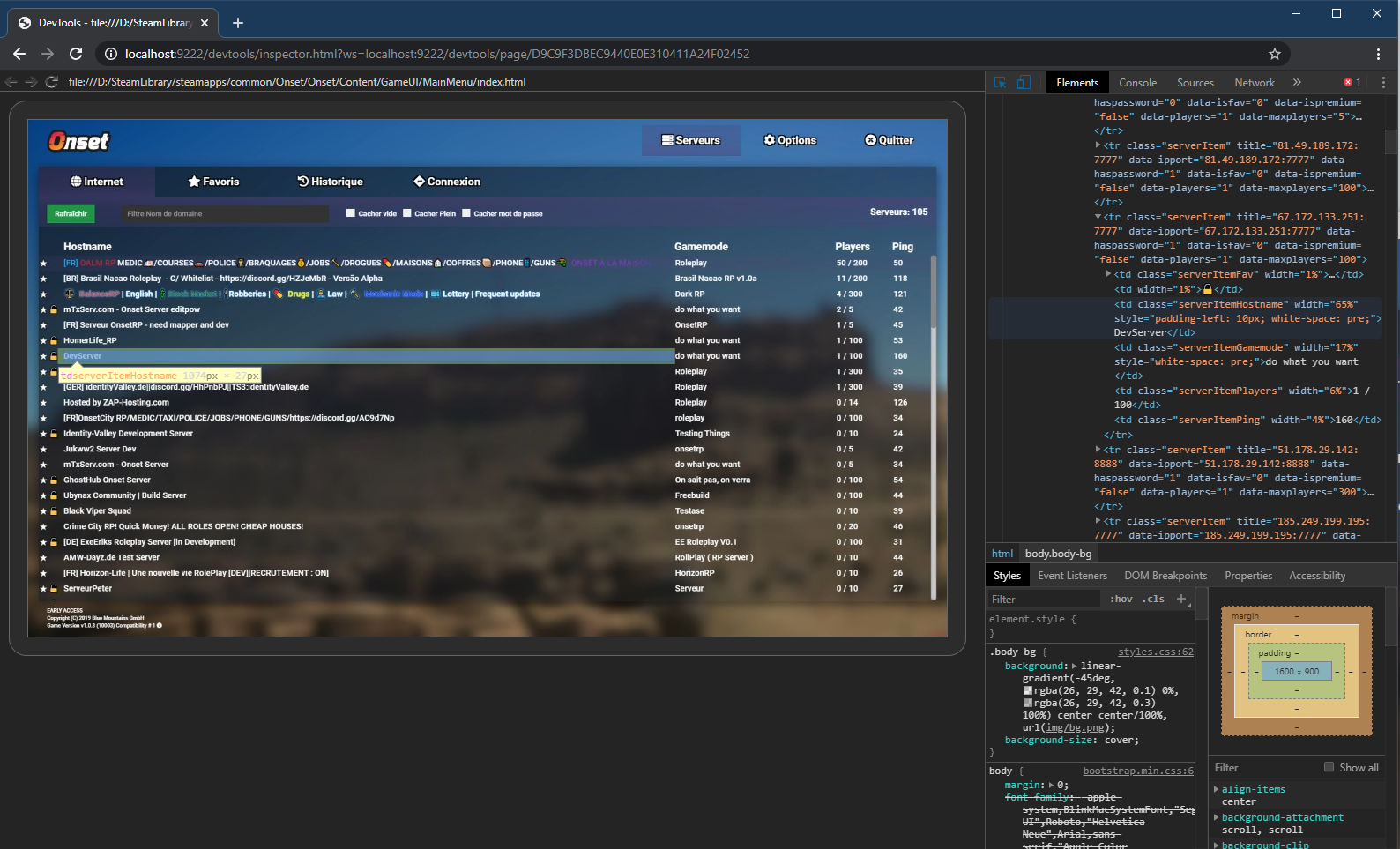
WebUI Remote Debugging (Dev Tools) Inspect your Onset UI in Google Chrome. Start Onset with the -dev flag and connect to localhost:9222 in Chrome. You can specify a different port to Onset like this: -cefdebug=1337 The image below shows the dev mode being used on the main menu.
New street lamp objects
New worker clothing asset
/Game/CharacterModels/Clothing/Meshes/SK_Worker It's advised that you set a body mask to prevent mesh clipping.
Moving lips while VoIP talking You have to add the piece of code below to your client script.
Each player model now has 3 morph targets: "A", "E" and "O". You can change them individually using the new UnrealLua functions (see SetMorphTarget below). If you have a custom player model modded, then you will have to add these morph targets to the mesh in order to make the SetPlayerLipMovement work.
Other changes
Increase pak mount limit to 32.
Fix rare VoIP crash when a player streams out.
Fix helicopter crash sound being not 3D.
Add missing gamepad controls for helicopters.
Fix helicopter spinning sideways when being the only passenger without a pilot.
Fix falling through map when jumping in ragdoll
Cancel aim when going into ragdoll.
Fix main menu bug with languages not able to select different languages.
Fix clipping on the cargo pants.
Enable Async loading thread which shouild improve loading times on some systems.
Fix SetWebLocation for 3D WebUIs
Fix SetSound3DLocation
Fix OnSoundFinished
Add GetNPCBoneNames, GetNPCBoneLocation
Add SetPlayerLipMovement
Add OnPlayerTalking
Add IsPlayerPlayingAnimation
Add UpdateStreamingLevels
Add Lerp, LerpVector
Fix Lua instruction limit bug.
SetIgnoreMoveInput(true) now also disables player jumping as this was requested by a lot of users.
New UnrealLua API functions. Light functions are now exposed. I know there isn't any good documentation for the UnrealLua API functions yet. If you need help with them please tag me in #scripting. I also also create some example package for the UnrealLua API soon.
Zeus Admin package now ships with the server by default. Source https://github.com/DasDarki/onset-zeus Thank you to DasDarki
Zeus is an Administration Tool for Onset created for all Players free to use. Zeus is module-based, which means that it can be expanded easily and without much effort. All you have to do is write modules for Zeus in LUA and enter them into the system. See below under "Module API". Zeus also provides a complete ban and permission system, which even has a simple command interface for commands with permissions.