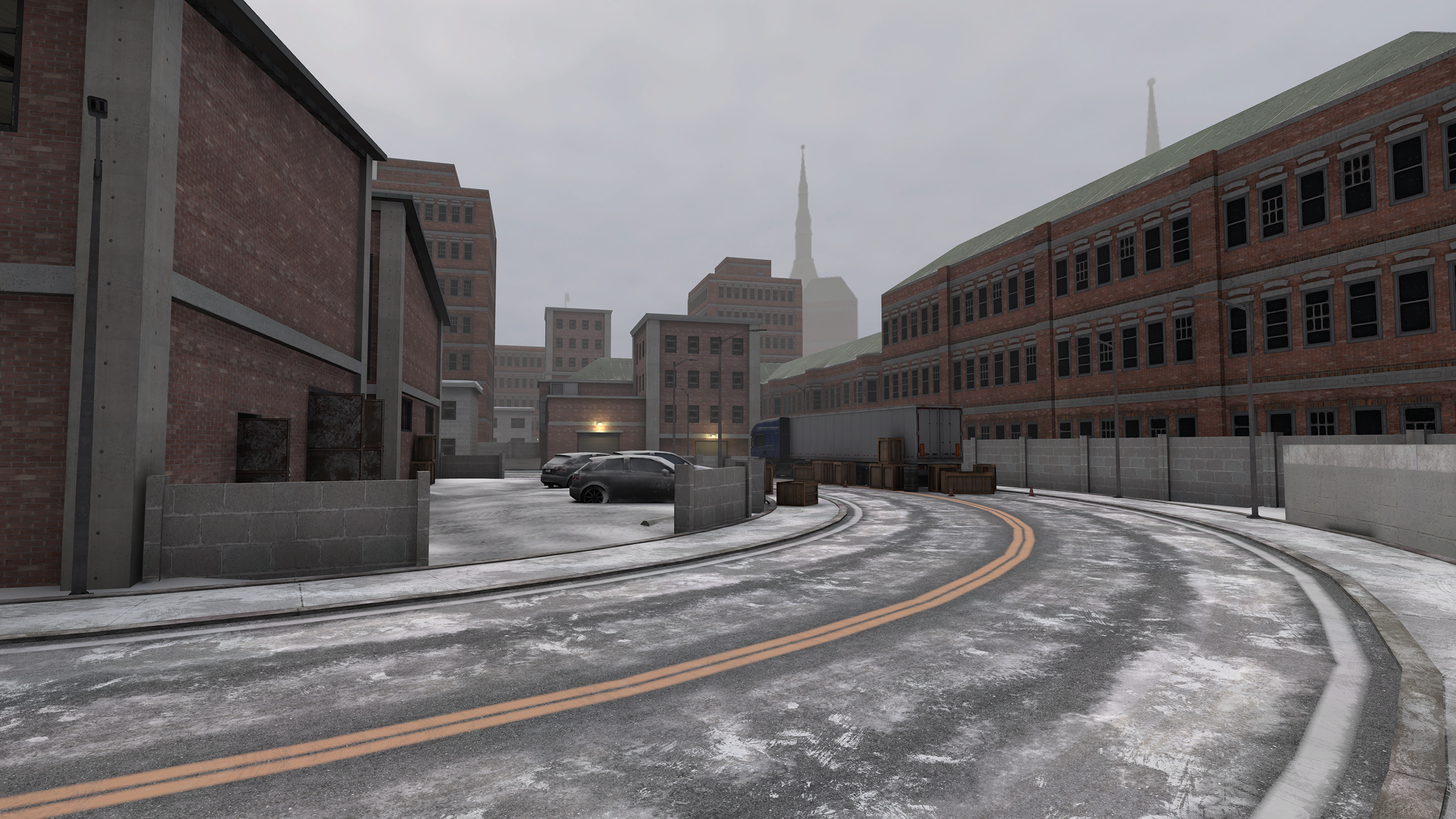
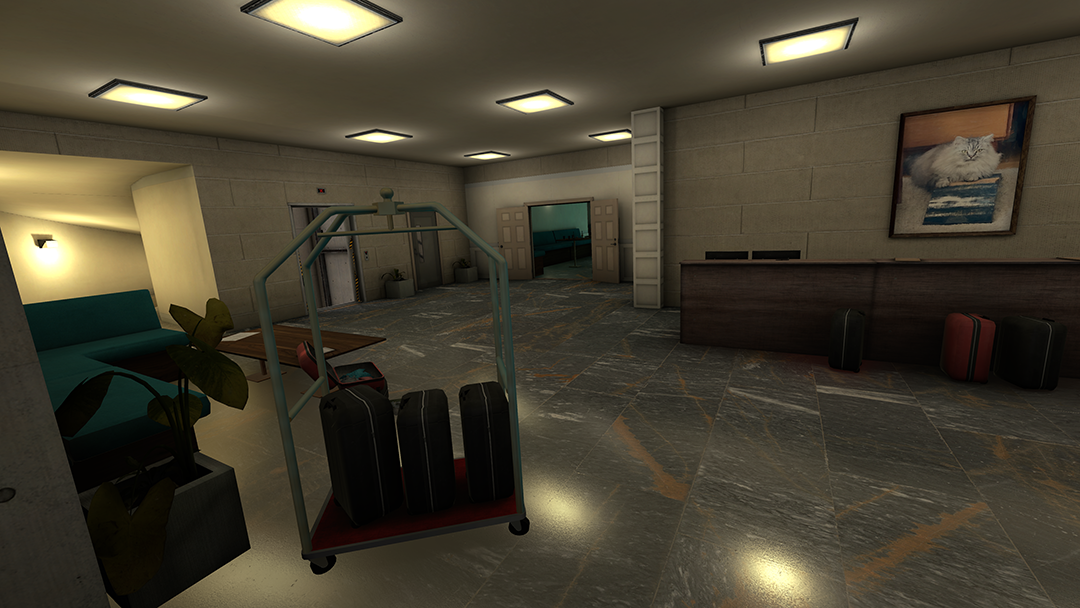
The day has arrived! Update 1.11 has been released. This is a large update. Please note on most platforms it reinstalls the whole game when updating, so make sure your headsets are charged. Due to the large amount of features and updates in this patch we will not be repeating as many details about the features we previously communicated in the May & June Sitreps. Otherwise these patch notes would get even longer, very quickly.
Let’s get right into it and take a look at everything included in the update. You can also find the detailed itemized list of all changes and bug fixes in the Change Log.
New & Updated Features
New Weapons
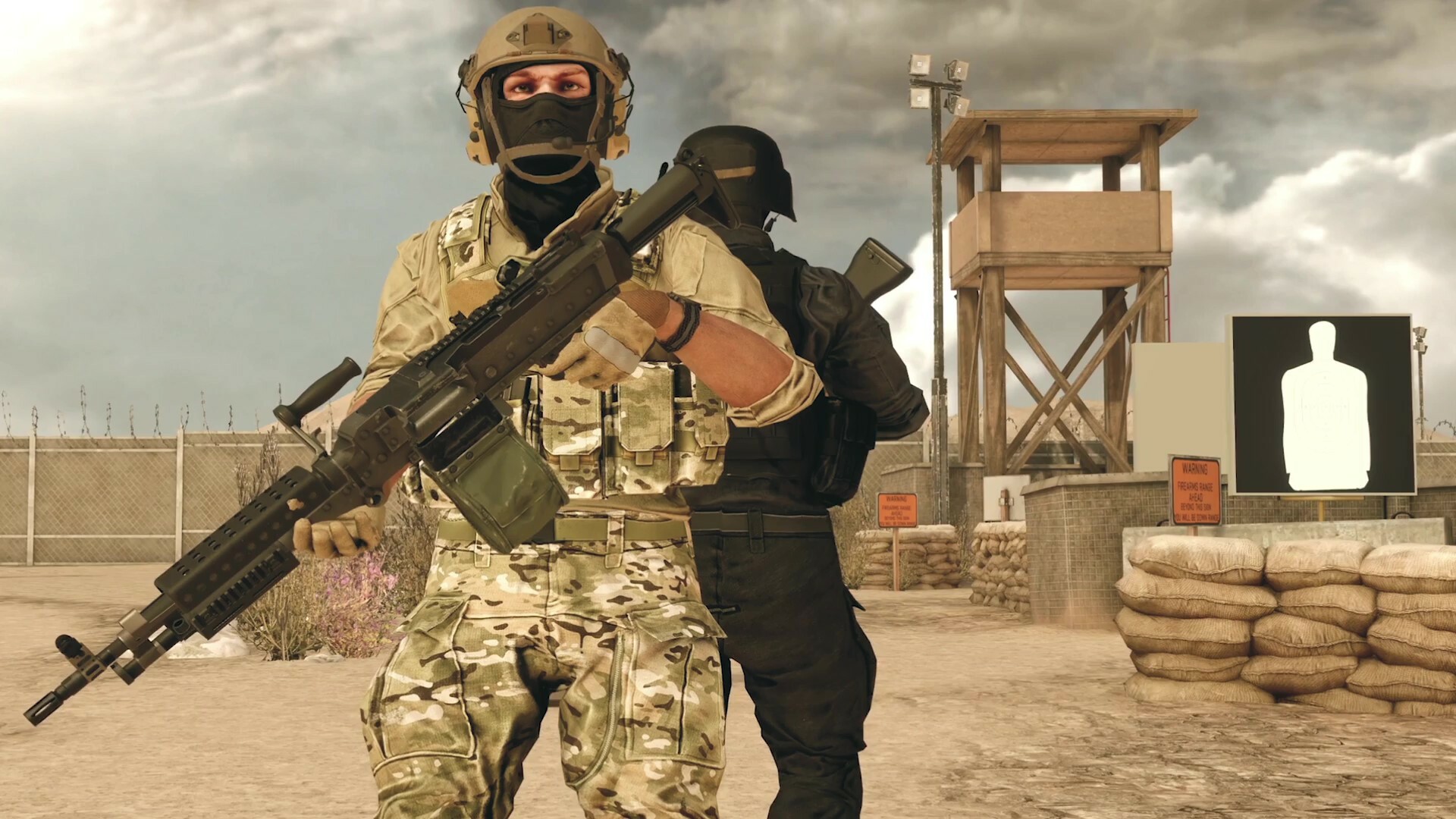
Two new high capacity Light Machine Guns have been added. The M240L for MARSOC Support Class and Ultimax 100 Mk3 for Volk Support Class.
New Tent Design & Interactions
The tent environment has been updated to a new design throughout the game. The new tent also includes updates to improve accessibility and movement for the whiteboard. Additionally, you can now access the full settings menu inside the tent.
Player Exploit Fix has been Added
Players will be killed when trying to forcibly enter geometry such as walls, rocks, vehicles, or other various items they're not supposed to.
Player Animations and Movement have been Overhauled
We’ve added brand new animations for player characters. In addition, the overall player movement has been slowed down. Along with the overall slow slowdown, gun weight* has been added and will affect movement speed.
*Gun weight is based on the heaviest weapon on your person, whether it is held or holstered, or whether it is primary or secondary, and is indicated by the “Movement Speed” stat in the Primary Stats menu. There are currently five weights for weapons - Very Light, Light, Medium, Heavy, Very Heavy, each weight class progressively slowing you down compared to the previous one. For example: If you are dual wielding SMGs and you have an LMG holstered, the LMG is used to determine your movement speed. This is indicated by "Movement Speed" in the weapon stats menu
Ability to Simultaneously Hold Weapons in Both Hands
You will now be able to use both your hands to hold weapons at the same time.
Revamped Shooting Range & Improved Killhouse
The shooting range map has been extended to 600 meters. We’ve added multiple new rows of further range targets and a new shot display on the Shooting Range that scores your target shots.
The Killhouse has been upgraded to be more interactive and will provide stats and a score for each run through. A scoreboard has been added outside that will break down the scoring of your last Killhouse run and the top players in the lobby for both target shots and Killhouse runs.
Weapon Recoil Overhaul
Balancing changes include foregrip and non-foregrip recoil adjustments & Bipods have been updated to be more accurate. New additions to the recoil system include horizontal recoil and stance based recoil (crouching and going prone will net you a recoil advantage).
Custom Maps will be included in Lobby Map Voting
Custom maps can be selected and played without needing to be downloaded prior to playing. Custom maps download automatically any time you do not have them installed already, whether joining through the server browser or through map vote. In addition, custom maps can appear in map votes even if nobody in the lobby has them installed.
Quality of Life Improvements
Connecting with Friends
We have introduced Server IDs in lobbies (found in the back of the tent) and a filter in the lobby browser to search for server IDs. When a friend creates or joins a lobby, they can simply provide you with the Server ID. After entering the code in the browser it will narrow down all the options to quickly find your friends' lobby.
Social Game Mode Improvements
Various improvements have been made to the game modes One in the Chamber and Gun Game.
Gun Game will have randomly generated loadouts that include random guns, attachments, and equipment. The host can choose four different progression options: Fixed Decreasing (the original non-procedural progression), Random Increasing, Random Decreasing, or completely randomized with Random Chaos. Every loadout progression ends in a finale stage, like the current shield and knife. However, there are now different finales you can possibly end on. The host can also determine how many stages are in the progression as well as if stages include hand grenades.
One in the Chamber will include options for weapon types and weapon sights. These will allow you to play the mode with the original pistol, or shotguns, or bolt actions, or RPGs, as well as a Random option. In addition, when the last two players are left alive, their watches will beep and you will be able to see the opposing player's location on the tablet. This signals the start of Sudden Death, which will require one player to kill the other within two minutes or they both lose. Additionally, spawns will be randomized each round as originally intended.
New Watch Design
The graphics and overall look of the watch have been updated. The new design includes a compass and a more clear numbering system for directional callouts.
Added Additional Hand Movement Settings
Added the option in the settings menu to choose whether you want to use the controller in your dominant hand or your in your non-dominant hand for movement.
Tablet UI Improvements
Tablet icons can now be seen scaling down on the Tablet when the player moves away from them. The icons on the tablet map are always positioned on the boundary line between the user and the object it represents on the map no matter the rotation of the tablet. Additionally, the compass visual on the tablet has been improved.
Change Log:
System
Player exploit fixes have been added throughout the game
Player animations have been replaced with new animations
Overall player character speed has been reduced
Gun weight mechanic has been added to player movement
Tent environment has been updated to new design
Free Roam games to be created as Public in the Create a Lobby menu
Footstep audio is more synchronized with new animations
Updated splash screen and loading bar when launching the game
Improved character animations in main menu on PCVR
Quest users no longer have to input a passcode anymore when joining private games via invite
Fixed player arms looking distorted when too close to their bodies
The word "Suicide" has been removed and replaced thoughout the game
On Quest, your preferred server region is now saved and not longer resets to default after you restarting the app
Players will now feel bHaptics impulses when launching the game or turning on bHaptics to verify that the device is working correctly
Fixed an issue that was causing bHaptics to to not work properly resulting in weapons not working correctly
Fixed issue that was causing bHaptics vest to not work for players on SteamVR or Oculus PCVR
Fixed an issue that was causing ProTube to to not work properly resulting in the game crashing or not opening
Quest players can now see Oculus friends when using the “Show friends only” filter in the lobby browser
Fixed a bug that would cause the player characters to look stuck with broken position tracking when viewing as a caster
Fixed "Height exceeded" warning message becoming unreadable when lowering the "Texture Resolution" setting on PC
UI/UX
Updated some maps with new loading screen artwork
Weapon Pivot setting has been added to the settings menu
Player watch design has been updated
Whiteboard in Tent has improved accessibility and movement
Whiteboard marker graphics have been updated
Orange interaction has been added to Tent
Added additional setting for movement (dominant or non-dominant) hand
Settings Menu has been added to back of Tent
Helmets can now be clicked on as well as picked up and placed on head to select faction
Movement Comfort Vignette setting has been added to the settings menu
Lobby browser filter has been updated to include new filters
Removed Advanced Training button from Main Menu
Introduced Server IDs in lobbies and Join Server By ID button in lobby browser
Icons on the tablet now scale down the further offscreen they are
Improved Tablet compass UI
Fixed an issue where players would get a continuous stream of pop-ups after opening the Oculus Browser after exiting a match on a custom map
The recoil bar in the tent weapon details has been changed to green when indicating recoil is improved
Gameplay
Added spawn protection to Shooting Range, Free Roam and Gun Game
Free Roam and Co-Op hosts can now start map votes at any time
Lighting has been adjusted for Spectator Goggles in the tent
Players are no longer able to exploit movement while downed
Ability to reach and use your radio on your shoulder when downed as you do when alive instead of it dropping onto the ground with your body
Map voting now offers the option to change the game mode in social or cooperative, within the same mode category, mimicking the current behavior of core modes
Fixed a bug that would cause players character to appear gray and not function correctly when spawned on map. Additionally fixed issues that would happen to player once this bug was triggered
Players are no longer killed when respawning if damage is dealt to their previous life's corpse
Fixed a bug in Shooting Range, Co-Op, and Free Roam that was causing the vote kicking system to not properly kick a player
Fixed an exploit where a player could revive as invisible if while being downed another player's Syringe is simultaneously being pushed into their body. Other players would see invisible player as downed
Fixed a bug that caused the laser pointer to disappear when a player is revived after being downed while equipped with a Stun Gun
Fixed a bug where players would see Volk scoreboards on both sides of the tent after resetting the title and joining a coop server with a custom map
Co-Op
Tweaked AI bots in Co-Op to make them more aggressive, move and close down more often, increase their accuracy at higher difficulty settings and reduce instances of bots getting stuck
Fixed AI movement paths and being able to walk through buildings throughout several maps
Bots will no longer obsessively focus on downed players
Added the loadout table tent radio (from Assault mode) to Co-Op modes to talk to players in-game from the tent
Fixed a bug in Evacuation game mode that would cause players to be unable to evacuate after entering the helicopter too early
AI bots now function correctly if a player grabs the attention of the bots then leaves the server
Fixed a bug that would cause AI animations speed up momentarily when fighting users
Fixed visual for AI Bots with a PKM or M249 weapon to have proper reload animations
Social Modes
Added additional progression modes for Gun Game
Added varying finales players can possibly end on in Gun Game
Host can now determine how many stages are in the progression as well as if stages include hand grenades in Gun Game
One in the Chamber now includes options for weapon types and weapon sights
Sudden Death added to One in the Chamber to speed up the end of the round
You will start with night vision goggles when playing on night maps in Gun Game and One in the Chamber
The radio on your shoulder will be available for use during Gun Game and One in the Chamber game matches
Gun Game and One in the Chamber now available on Subway and Tanker
Improved spawning in Gun Game and One in the Chamber to make it less likely to spawn in front of other players
Fixed spawns on One in the Chamber not being randomized.
Fixed a bug that would cause radio voice chat remains enabled in social modes after getting kicked in a core mode while holding the radio
Core Modes
Increased the audio range for disabling uplink alerts in Assault mode
Fixed a cascade of issue that would happen in Escort when host was set as the VIP after leaving ongoing matches of other game modes
Fixed a bug in Assault matches that would cause the 'Fireteam Leadership' to transfer to a VOLK member when the 2nd round begins if no MARSOC members ready
Fixed issue on Escort where red objective smoke grenades would appear with a mostly white cloud when observed
Maps
Quest users will now have more accurate colors displayed throughout the game. A color gamut palette has been selected bringing the display colors closer to what the game looks like on PCVR.
Abandoned
Objects no longer clip into stairs found indoors throughout building on the map
The lights inside the three story building top floor have been increased in brightness
The fog is now slightly reduced on Abandoned. Allowing players to see a bit better at distance
Corrected the terrain texture colors on the Quest version to look closer to the version seen on PC
Fixed visual pop of lights that would disappear/reappear when activating/deactivating Night Vision Goggles
Fixed visual on Day map where the sky was not being affected by the fog
Bottles & Mugs now include collision throughout the map
Items and equipment no longer clip through black tarp throughout the map
Character model shadows now correctly appear throughout the map
Fixed Ammunition box clipping through the ground near the destroyed helicopter
Fixed Z Fighting visuals throughout the map
Fixed visual for dirt that appeared like it was floating off the wall
Cargo
Drones can now fly through gaps on the pipe support beams throughout areas on map
Fixed C4 orientation to be consistent when the player plants it on similar walls throughout map
Players can no longer look through the tarp covered boxes with an Air Drone
Downfall
Fixed ammo box that was unable to be seen due to clipping inside another object
Colliders on walls fixed throughout map
Fixed lighting that was causing character models to appear unnaturally dark inside the first floor central rooms of several buildings
Helicopter blades no longer clip through a nearby vehicle as it lands near the 'East Tank'
Fixed visual where players could observe some debris extending onto the floor inside the building near the helicopter
Fixed a bug that would cause some players to dye while evacuating inside the helicopter
Fixed character lighting saturation when standing above a tire near the west church
Fixed audio where the outdoor ambiance and weapon reverb ws being used when shooting inside the center bungalow building
Fixed visual where projectiles would impact with the sky when a player shot upwards
Lighting has been adjusted for indoor locations throughout the map
Drones can now travel between the gaps in the wooden fences
The smoke on the PC variant of Downfall has been reduced in size to improve the crossplay balance for PC users.
A slight adjustment has been made to the rock walls texture
The lighting for player model brightness throughout the map has been adjusted to prevent player models from looking super bright when close to a wall whilst inside of a dark building
Quarantine
The laser sight attachment is no longer visible to other players through items on the map
Quarantine has a much brighter lighting setup now
The stairs inside the big open warehouse(some users know this as ‘hospital’) have been lit up with lights to better show player silhouettes as opposed to its earlier dark lighting conditions
The atmospheric fog has been reduced a lot in Quarantine allowing users to see and spot better at distances
The lighting system responsible for player model brightness throughout the map has been redone from scratch, allowing for much more accurate player lighting
Shooting Range
Props have been updated throughout the map
Map has extended to 600M
Added multiple new rows of further range targets
Updated shot display to score a player's target shots based on accuracy and distance
The Killhouse has been upgraded to be more interactive and will provide stats and a score for each run through based on accuracy and speed.
A scoreboard has been added outside the Killhouse that will break down the scoring of your last Killhouse run and the top players in the lobby for both target shots and Killhouse runs
Many models and textures have been redone
The atmospheric fog has been reduced a little allowing users to see a bit better at distance
Fixed consistency for several objects on Quest and PCVR throughout the map
Fixed missing action sounds on the target standees when knifed in the hesco box area behind kill-house
You can now use the taser, explosives, knives, M203 blunt damage, and molotov cocktails on target standees.
Fixed visual where wooden post appeared to be clipping through a white table underneath the tent near the open range
Fixed an issue where reaching out and grabbing in the air at very particular location on the map a player would unintentionally grab their tablet
Snowpeak
Performance improvements on areas throughout
Fixed visuals for ground drone camera so the ice lake no longer appears black
Fixed volume on Molotov bottle breaking sounds
Fixed audio where the outdoor ambiance and weapon reverb ws being used when shooting inside a specific area in an eastern room of the map
Trees have received new visuals
The PC version of snowpeak will now see a subtle snowfall particle effect throughout the map
Lighting for the roots for trees have been adjusted so they no longer appear really dark
Adjusted brightness for vents to be consistent when viewed at close and far distances
Adjusted brightness for shovel in the Northwest hangar because it was too bright when viewed at a distance
Fixed visuals where water puddles were visible through smoke which could allow players to see silhouettes of other players
Suburbia
Performance improvements made while using the Air Drone camera
Fixed bug where player would be killed if sticking their head close to a wall on buildings
Adjusted the lighting and tuned down how colorful and saturated the overall looks
The road and bricks have received adjustments to the textures
The atmospheric fog has been reduced a little allowing users to see a bit better at distance
Subway
Performance improvements on areas throughout
Corrected the visuals and audio when shooting the outer rail of double rails when not next to a subway platform
Fixed Z fighting visuals throughout the map
Fixed visual where players could see through the map when using the air drone from a certain angles
Tanker
Fixed a visual seam that allowed players to view into the tower of tanker from the outside, when players could not see out from the inside
Fixed Z Fighting visuals throughout the map
Turbine
Fixed visual on Night map where the sky was not being affected by the fog
Workshop & Custom Maps
Custom maps now auto-download if you do not have them when joining servers or map voting within servers
Custom Maps can now be included in lobby map voting whether or not anybody has them installed
Environmental audio has been fixed and can be heard on Custom Maps
Fixed a bug that would cause players to be unable to subscribe to unsubscribed custom maps and their thumbnails appear blank
Adjusted visual that would cause the incorrect tags to be highlighted when hovering the cursor between the tick boxes and the text
Weapons and Utilities
NEW M240L added to MARSOC Support Class
NEW Ultimax 100 Mk3 added to Volk Support Class
Added functionally to simultaneously hold weapons in both hands
The 4x and SV98 12x scopes for Volk now has a green illuminated reticle
Improved the hand disconnection on weapons to not feel unnatural to users or disconnect at inappropriate times
Changing fire modes will now play different haptic effects for different firing modes to allow you to differentiate between them by feel
The foregrip can now affect recoil on some weapons more or less than other weapons - did a balancing pass on these values. This is shown on the recoil bar in the tent
Bipods have been updated to be more accurate
New additions to the recoil system including horizontal recoil and stance based recoil
Belt fed firearms are now loaded and ready to shoot on spawn across all game modes
Improved shotgun combat performance
Improved brightness/visibility of IR laser beam when using Night Vision Goggles
Flashbang effects will no longer activate while waiting for round to start or during spawn protection
PCVR users view will no longer be stuck inside the 12x Scope when when attempting to steady with an AKM equipped
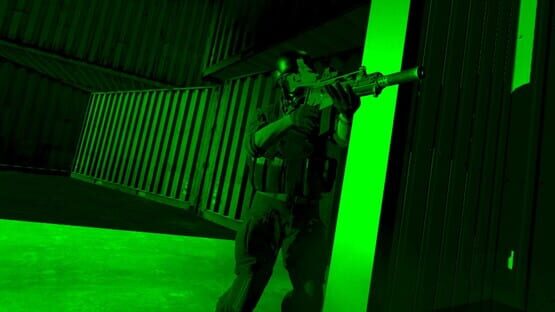
The air drone now has a gimballed camera which steadies your view as you move and turn
Added flashlight attachments for Support Class' secondary weapons in Free Roam
Weapon gripping will be reversed to its previous behavior (before 1.9)
Fixed an issue that was causing weapons to not fire or explosives to not able to be interacted with
Fixed a bug that would cause the M249 and PKM to fall in an unnatural manner when the weapon is loaded but not fired
Fixed bug where the P90 magazine would be upside down when held in the right hand
Fixed a bug with Gunstock Calibration that would cause the weapon to be in its default, uncalibrated, orientation if a player grips their weapon with both hands
Fixed attachments appearing shiny on the MP7A2 for Quest
Fixed visual where shotgun shells would clip through the chamber of the M1014 when seen from the perspective of another player
Fixed ammo jittering erratically on the PKM when a player grabs the ammo belt and places it up high above the weapon
Fixed visual of the ammunition belt on the M249 & PKM where is appeared to clip through the body of the weapon when player doubles the belt over itself while loading
Fixed hand alignments with the box magazines on the M249 and PKM when the player holds them
Fixed a bug on the M249 that would cause the weapon to leave your hands and have collision issues with the bullets when loaded and dropped
Fixed a bug on night vision goggles where if walking inside a red smoke grenade the fade effect would be red instead of green
Fixed a bug where loading a shell into an emptied shotgun while the bolt is open would cause the first shell to be ejected once you touched the bolt
Fixed position of players non-dominant hand on the M16A4 so it no longer clips into the laser sight attachment
The bolt of the AUG no longer clips through the butt of the gun while it is held back
Known Issues:
After refreshing a set of map vote options, the refresh button does not deselect for non-host users. Selecting another option and selecting Refresh again will allow players to refresh.
On-going matches appear non-active for readied players when Quest users automatically transfer host while unreadied during in-tent timer
If a player adjusts the desktop game window from Fullscreen, the player will experience an offset with their selection for all home screen & tent selectables
On Suburbia, players will occasionally experience a hitch when they eject the magazine of a weapon with a drop free magazine
On Snowpeak Night, collision blocks movement when users attempt to ascend the stairs of watchtowers throughout 'Snowpeak (Night)' on PCVR
June’s Sitrep
Greetings Onward Players!
Did you catch our trailer in the Meta Gaming Showcase? In case you didn’t, you can check it out below. This month the Devs’ Desk will be going over the features that were shown off in the video as well as some other additions coming to Update 1.11. Exciting stuff right? Some of these updates have been in the works for a long time and we are excited to get them to you. Did you also catch in the video that you won’t have to wait long for them? We are working hard on wrapping up some bug fixes and getting ready to release Update 1.11 on June 27th!
While you wait for the release, read on for additional details about the items that were showcased and other additional items coming with Update 1.11.
From the Devs’ Desks:
There are so many features we are excited to talk about that we didn’t know where to start! We decided to go with the order you see them in the video and add details along the way. Also included, towards the end, are new updates on things that weren't shown in the trailer.
New Weapons
The two new weapons that will be added to the game are the M240L (for MARSOC) and Ultimax 100 Mk 3 (for Volk).
M240L
- Belt fed heavy machine gun. High caliber 7.62. Punchy, aggressive, & heavy. The M240L is a medium machine gun that is found throughout the US military including Special Operations Forces. Firing from a disintegrating 75 round belt that is stored in the magazine pouch, the M240 series of machine guns have a reputation for stopping power and reliability. The M240L can be used in sustained-fire mode and used as an indirect fire area weapon.
Ultimax 100 Mk3
- Drum fed with mag release button. Intermediate 5.56 cartridge. Sleek, accurate, & mobile. It has a drop free 100 rounds drum, allowing for fast reloads. Has the charging handle on the left side of the receiver allowing for fast cycling of the bolt after inserting a fresh magazine, allowing for one of the fastest LMG reloads in the game.
You will be able to find these weapons under the Support class. Yes you read that right. These are the first new weapon additions for the support class since the game became available on PC in 2016. The support role provides sustained covering fire to keep enemy combatants pinned down as their squad advances and flanks.
These weapons can be used to suppress the enemy’s ability to return accurate fire, or to hamper the maneuver of the enemy’s assault element. They fix the enemy in position and isolate them by cutting off their avenues of reinforcement. Having more bullets allows them to provide cover while the rest of the team can flank a target and destroy it.
New Animations
This is a major feature you have been asking for, and we’ve been working on, for a long time. Getting leg movement working correctly in a VR game has taken a lot of work and iteration. When we were working on the animation we also wanted to improve how the characters moved overall.
In addition to the overhaul of the character animations, two additional changes have been made to the way your character will move. Onward’s gameplay has been focused on a slower, more tactical style vs a run and gun type system. Overall leaning towards a more realistic, to almost a fault, feeling than making the game easier for players. As different hardware devices were introduced we were challenged with how to properly balance the intended game design, hardware capability, and networked movement related concerns. It took a lot of research, development time, and testing to find the proper balance that we were happy with.
Overall player movement has been slowed down
We originally tried to implement an inertia system to address some of the community feedback around varying movement concerns. However, most of our testing feedback led to concerns about developing motion sickness. After additional evaluation of various gameplay styles and device compatibility it was decided that with the new animations a global slowdown of player movement speed would work best. It also suits the gameplay that Onward intends to portray. Now with proper player speeds the battlefields will feel much more immersive and fair while also addressing the frustration people perceive related to networked movement related issues.
Gun Weight has been added and will affect movement speed
When looking at the character movement with our intended gameplay design in mind, we wanted to expand on our goals of having realistic weapon handling. For this reason we have introduced gun weight to all weapons in the game. A weapon's weight will have a direct effect on your walking and sprinting speeds. This means that your weapon choices will now have additional impact on your overall strategy while playing during matches. For example, if you want to move quickly and be the one out in front, you will have more reason to select a submachine gun over a GPMG/LMG.
Revamped Shooting Range & Improved Killhouse
At any given time when you log into Onward and go to the lobby browser you can find pages of Shooting Range lobbies to join. We understand players use the Shooting Range for a variety of different play styles and training sessions. We wanted to enhance your time on the range by giving you more tools to help you improve your accuracy, reaction times, and strategies to further build your skills for the battlefield. Challenging your friends is also a great method to stay sharp and look for ways to make improvements to your tactics. The following updates have been made to achieve this:
Updated Range and Targets
The shooting range map will be extended to 600M. This allows for multiple new rows of further range targets. The new shot display on the Shooting Range will score player’s target shots based on things like accuracy, distance, and whether the target was moving. As shots are being fired, the display shows detailed scoring for each shot. Example image proved below.
Improved Killhouse
The Killhouse will be upgraded to be more interactive and will provide stats and a score for each run through based on how fast and accurate you are. A scoreboard outside will break down the scoring of your last Killhouse run and the top players in your lobby for both target shots and Killhouse runs. High scores are determined by accurate shots (center of mass or head shots), speed, and clear rate.
New Tent
The tent has always been your base of operations during game sessions. It’s where you set strategies with the team, prepare your loadout, and maybe even do a little trash talking with your opponents. We wanted to take the time to enhance the overall experience when in this space. Not just graphically either, we have also added additional functionality when inside the tent. We even brought back a version of an old interaction from back in the day.
Settings can be accessed from inside the Tent
- You will no longer have to exit the tent to make adjustments to your gameplay settings. The full settings menu will now be accessible and change will take place after you hit confirm.
Whiteboard Accessibility
- The whiteboard can now be dragged around throughout the tent for easier accessibility and placement. You click and hold the directions under the whiteboard to move the whiteboard throughout the tent environment. You can even turn the board a full 360.
Additional Features
There are a few other important updates that were not in the trailer, And we wanted to make sure you know these are coming as they will be bringing some additional quality of life to your game.
Updates to the Recoil System
- When reviewing the movement and weapons handling, we spent additional time evaluating the recoil system as well. Not only did we do some fixes, we included some updates as well. Balancing changes include non-foregrip recoil adjustments & Bipods have been updated to be more accurate. New additions to the recoil system include horizontal recoil and stance based recoil (crouching and prone will have advantages).
Full Auto Semi Auto
Ability to simultaneously hold weapons in both hands
You will now be able to use both your hands to hold weapons at the same time. Functionally this may not be the best choice for gameplay as it will be very difficult to be accurate and balance holding two weapons. However, in a pinch grabbing your sidearm and not having to drop your primary could save lives.
New Watch Design
The graphics and overall look of the watch have been updated. The new design includes a compass and a more clear numbering system for directional callouts.
Additional hand movement settings
We have added the option in the settings menu to choose which controller you want to use for movement (dominant or non-dominant). This will be especially helpful for left handed players who have wanted to use the left controller for movement and haven’t been able to.
Community Center:
We saw a lot of you get really excited about some of the scenes in the trailer that premiered at the Meta Gaming Showcase. We have captured some of those iconic moments and have uploaded them for you to use as wallpapers for your computer. Check out the Media Page to view and download them.
Our community member Blxxn has been making some very informative videos to help teach people basic and advanced techniques for Onward. If you are a new player or looking to learn some advanced features during gameplay, make sure to check the full list of videos available on his YouTube page.
New Community made Custom Maps have been added to the Workshop area. As a reminder, once Update 1.11 is live you will be able to start seeing maps like these in the map voting scenes during tent map votes.
APEX HQ and Training Center by Kensi_APEX This is the official map from the milsim APEX and represents their HQ and Training Center
Goryoukaku by Tarematsu Marsoc is here to defeat the Volks who have taken over the Star Fortress.
NSWC_Base and NSWC_Base Night by Lejam009 NSWC_ Base is a permanent joint operations naval base built for the Naval Special Warfare Command and Project Mercenary, and MilSims alike! By incorporating elements from real military branches of the United States, this base acts as a tactical operations hub and naval port. Featuring revolutionary systems and aircraft, the base is fully equipped to suit the needs of the evolving units.
SWAT CAMP LEVEL 1 by SVCPanther (PC Only) SWAT training in a challenging environment.
Container Heaven by Shh-Leo Volk have stolen a high value payload stored inside a cargo container and are storing it in this warehouse Marsoc is here to take out the Volk.
Tanglewood & Tanglewood - Blackout by Bluega Marsoc crash landed in a Volk controlled area, and there is a satellite that must be "Defused" for some reason. Despite being a satellite, we can only connect to it via bluetooth on our android 2.0 tablets. If it's not done within the next 6 minutes, might as well give up. Not worth the effort.
We were thrilled to see the positive reactions to these updates from the showcase and we are looking forward to getting them to you soon.
Brace for impact, later this month.
May Sitrep
Hello Onward Community,
Your kind words after our last communication meant a lot to us and we were happy to hear that you are excited to see what is coming next for Onward. This month in the Devs’ Desk we will be going over some of the changes that will be going into Update 1.11. The features that are coming soon will address community feedback in addition to offering better quality of life details into the game.
In addition to the changes we are discussing this month, we have some other major updates that are also included in 1.11. However, writing about these features just doesn’t feel like it would do them justice. We are working on some alternative ways to showcase these to you. Be on the lookout for more details soon.
From the Devs’ Desks:
The focus for update 1.11 is to bring features that will help your overall experience. Some of these have been in development for a while and will be completed and ready for update 1.11 and others were specifically picked to address community feedback.
Custom Maps
A major update is coming to Custom Maps: Custom maps can be set to populate in lobbies without needing to be downloaded prior to playing. Currently, if you want to play on a custom map you have to make sure everyone you are playing with has the map prior to starting or it won’t show up in the map vote. After update 1.11, while in the tent players will automatically download the custom map during the map transition after the vote occurs if they don’t have it installed yet. When you set up a lobby you will have four options for how custom maps can populate in the map vote. Options that can be set will be:
(By default) include all maps available on the Workshop
Only custom maps that the host has installed
Only maps that any one person in the lobby has
Disable custom maps entirely.
When joining servers you will also have a filter to search for lobbies that are Downpour only, custom only, or anything in between.
Our hope is that these changes dramatically improve the visibility of custom content in Onward, and allow for more players to check out the awesome environments our custom content authors are producing.
Evolutions to Current Social Modes
To enhance our social game modes we have made expansions to Gun Game and One in the Chamber. These new options can vastly change your experience in these game modes.
Gun Game
will have randomly generated loadouts that include random guns, attachments, and equipment. The host can choose four different progression options: Linear (the original non-procedural progression), Increasing Power, Decreasing Power, or completely Randomized Power. Every loadout progression ends in a finale stage, like the current shield and knife. However, there are now different finales you can possibly end on. The host can also determine how many stages are in the progression as well as if stages include hand grenades.
One in the Chamber
will include options for weapon types and weapon sights. These will allow you to play the mode with the original pistol, or shotguns, or bolt actions, or even RPGs! In addition, when the last two players are left alive, their watches will beep and you will be able to see the opposing player's location on the tablet. This signals the start of Sudden Death, which will require one player to kill the other within two minutes or they both lose. Additionally, spawns will be randomized each round as originally intended.
Two additional updates will be made to both modes:
The radio on your shoulder will be available for use during Gun Game and One in the Chamber game matches.
You will start with night vision goggles when playing on night maps, which has now allowed us to extend the modes to be played on Subway and Tanker.
Player Exploits
We will also be addressing a common exploit where players use various methods to enter locations, on various maps, which they’re not meant to be in. We took some time to address the issue in order to make sure there was proper balance for intended gameplay tactics while being able to address people using exploits to cheat or play in an unintended manner. Players will be killed when trying to enter geometry they’re not supposed to. This should help address and alleviate the frustration you feel when other players resort to using these types of behaviors during matches.
Connecting with Friends
We all know that playing with friends is probably the most fun you can have in Onward. Last year we introduced a way to invite people directly into your game if they are on the same platform as you, and in this update we're turning it up a notch by allowing you to quickly find your friend's lobby even if they are on a different platform. We will be introducing Server IDs to lobbies. You will easily be able to find your friends' games using the “Server ID” option in the lobby browser. When a friend creates or joins a lobby, you will have them simply provide you with the lobby ID number. After entering the code in the browser it will narrow down all the options to quickly find your friends' lobby.
Quality of Life Adjustments
Included in update 1.11 are several quality of life adjustments to the game. Adjustments like these may initially sound like small changes, however, the impact of how it affects your game sessions over time can be massive. Some of these adjustments include:
Added “Movement Comfort” option in settings to block edges of your screen when moving to help with motion sickness
Map voting can be initiated by the host in Free Roam and Shooting Range.
Map voting can now change the game mode in social or cooperative modes, within those modes, just like core modes were able to.
The Tent radio will be available for use during Co-Op matches so players in the tent can communicate with players in-game
Ability to create open to public Free Roam lobbies from the lobby creator
Ability to reach and use your radio on your shoulder when downed as you do when alive instead of it dropping onto the ground with your body
Spawn Protection will be added to Shooting Range and Free Roam
Bug Fixes
Our team continues to tackle and fix a large list of bugs. We understand that as we make major adjustments to the game and update backend features that it has caused some unintended behaviors to happen in different aspects of the game. We have been closely monitoring the community reports and are working on fixing many of the issues we have seen reported. Some issues reported may require more time as they might be a larger project or are being considered for redesign. Thank you for being patient with us while we continue to work on these.
While we continue work on various bugs, we want to confirm three bugs that have impacted the community and will be fixed in update 1.11. They are the following:
Weapon gripping will be reversed to its previous behavior (before 1.9). This should resolve the issue with weapons releasing due to recoil or hand positioning
Weapons not firing or explosives not able to be interacted with have been fixed
bHaptics and ProTube integration fixed. You will be able to re-enable the settings and use these accessories
We will have more to share as development continues and we get closer to the patch release.
Community Center:
We hope you enjoyed the Onward tips that were shared on our social media accounts. It seemed a lot of players learned some new techniques to add to their gameplay tactics. If you missed them, you can still review them on our social accounts. Instagram: Onwardthegame Twitter: @Onwardthegame Facebook: OnwardTheGame
In line with making quality of life improvements to the game, we have been making some quality of life updates to our Discord community as well. We have reformatted the way you can make game suggestions, report bugs, and also how to get help if you are experiencing any issues with the game. This will provide you with easier visibility to developer responses and ability to connect with other players about the game.
On a final note, by popular request, we have now made the new loading screen artwork available for you in desktop wallpaper formats. To check out all the beautiful 4K scene options, head over to the Media page to download them.
We are looking forward to giving you even more information in the coming weeks. Until then…
Stay alert, look to the horizon.
Hotfix 1.10.1 has been released
Hello Onward Players,
We were thrilled to hear how many of you are enjoying all the new content and updates that came with 1.10. When update 1.10 released, the team was continuing to work on the issues with the lobby stability, which is the major focus for this hotfix. In addition, we were also able to fix some small bugs that came with 1.10. However, we know this hotfix doesn’t include all of them. We have reviewed the feedback and are continuing to work on bugs that you have reported. Please see the list of fixes included in this hotfix and the list of known issues.
Change Log:
Updated and improved our networking. This should help bring more stability to lobby connections and reduce players getting kicked to the main menu
Fixed players not getting notifications when vote kicked from lobbies
Fixed visibility of the regional server information in the settings menu on Quest
Fixed issues causing poor performance on Suburbia (Day and Night) for PCVR users
Known Issues:
When a Quest player lets there headset go idle in the tent, it will cause a bug that causes them to load in as gray character model and not be able to play correctly
When you grip a weapon with both hands Gunstock calibrations are not applied. This issue is temporarily fixed once the player re-grips the weapon with their dominant hand
Quest Black Screen and hanging on loading for Quest users
Hand disconnection on weapons
Audio issues related to using flares
March Sitrep is now out
Happy March Onward Community,
Did you draw a battle plan for Egress? Is the MP7 everything you dreamed it would be? We hope you are continuing to enjoy all the new content that came with update 1.10. We were thrilled to see all your positive reactions and feedback.
Some of the items that made it into the game we understand you are less thrilled with. Some of the major community reports being the performance issues on Suburbia for PC players and the weapons unintentionally releasing from your hands. Based on the amount of feedback we received we understand these major pain points so we're prioritizing looking into these issues. Additional bugs that you have reported we are actively working on addressing as well. There will be a hotfix coming soon and more details about what will be included in it can be found in the Devs’ Desk.
Another topic we want to address is the departure of Downpour Interactive founder Dante Buckley, who has resigned from Meta. It’s not hyperbole to say that without Dante, Onward and Downpour Interactive would not exist. Dante’s vision for Onward and approach to VR game development was the foundation for our work and how we make games together here at Downpour. We want to thank him for his many contributions, and wish him the best in all his future endeavors while we carry on his passion for Onward. As a studio, we will miss Dante but are as committed as ever to continuing to deliver great gaming experiences for you all.
From the Devs’ Desks:
A major focus since 1.9 has been to address the outstanding issues related to networking. This includes issues where players are experiencing getting kicked from lobbies or whole lobbies are being dissolved. We have been working hard on identifying and properly fixing the issues. Network and server related work can be very delicate and takes a lot of development time and testing. We are in the process of testing a fix that is set to be released as Hotfix 1.10.1. We don’t have an exact date to share yet, once the hotfix is fully tested it will be released.
In addition to the hotfix, we are also working on our next update: 1.11. This update will include some major quality of life improvements, new content, and of course bug fixes. We will release more details about what is coming into the update soon. Stay tuned for more information.
Community Center:
Do you know every tactic and mechanic there is in Onward? Over the next couple weeks we will be releasing a series of social media posts with videos and images showing off some of the more nuanced and obscure things possible in Onward. If you are looking to broaden your skill set, be sure to watch our social pages.
The custom map makers continue to make some fun new environments. The following new custom maps have made their way to the workshop:
Extradition created by Bluega (PC & Quest) “Terrorists have locked you up in a half completed jail. Should be pretty easy to break out.”
Regimental Headquarters created by Mr.Cheeseface (PC & Quest) “ARR is proud to announce the commissioning of Regimental Headquarters, a fully-equipped military base. This facility includes Officer quarters, administrative offices, barracks, armory, mess hall, and other necessary buildings. In addition, Regimental Headquarters features advanced training installations such as close quarter combat (CQC) training and breaching training, a 25-meter pistol range, and a 300-meter shooting range. This base provides everything a modern military unit needs to train and operate effectively.”
Sokol Outpost created by LschVirus (PC & Quest) Sokol Operations Command (SOC) has decided to build an outpost on the mountains of Russia. Covered in a Snowy and Mountain environment, This makes a perfect place for SOC operations.
North created by Lejam009 (PC & Quest) During a training exercise over Volk territory, Marsoc's helicopter has been shot down by Volk. All Marsoc operators have survived the crash. The APCs have arrived, but all Volks needs to be neutralized to get a safe extraction.
Stay Focused, Stay Alert
Update 1.10 is now available!
New Features
Two New Weapons
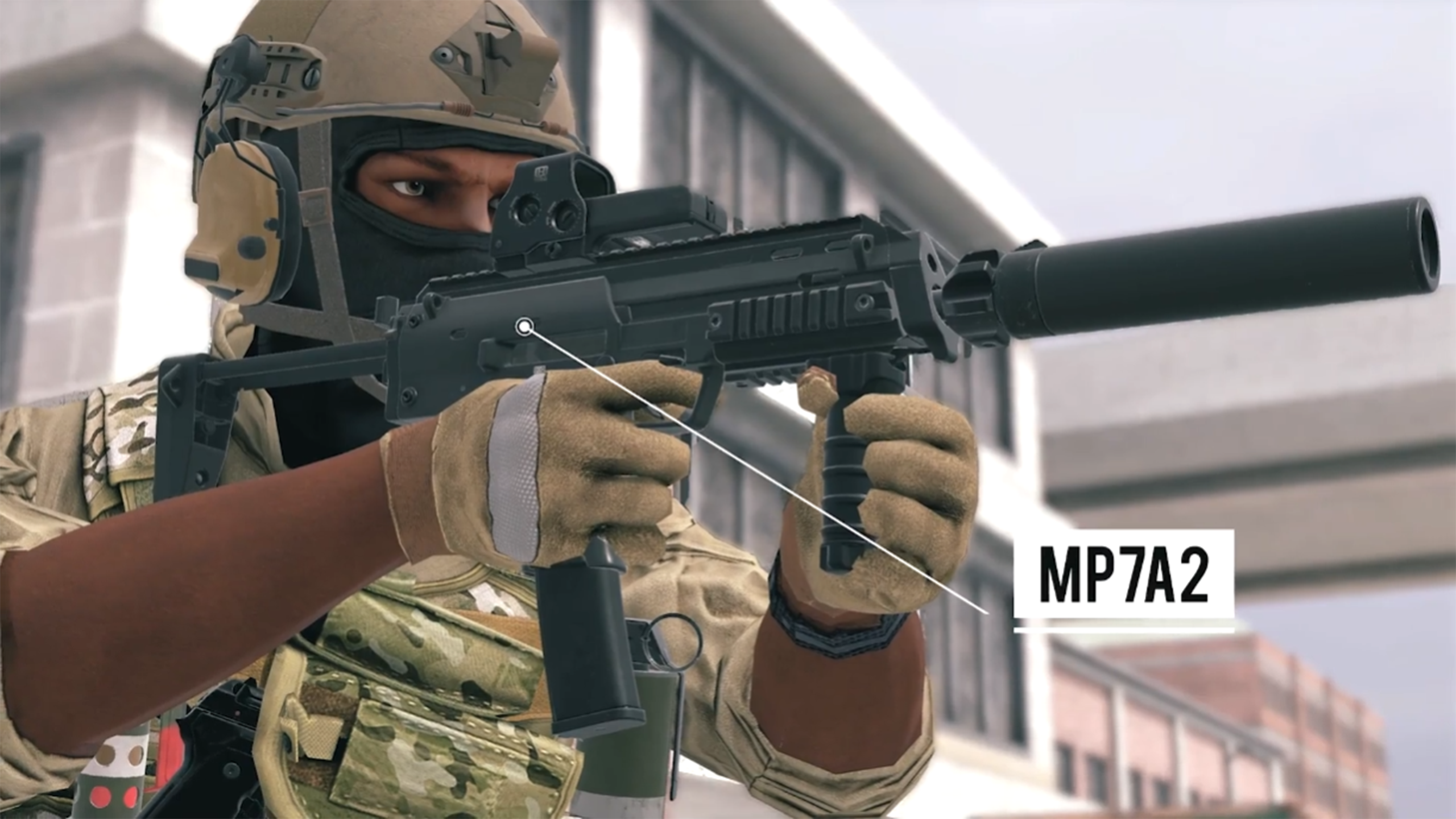
Two new weapons have been introduced to the game: the MP7A2 for MARSOC and the SR-2MP Veresk for Volk. The MP7A2 is one we heard a lot of requests for. You’ll see it has its 40 round magazine, drop free magazine, and bolt release button, while the SR-2MP Veresk’s has a 30 round magazine, drop free magazine, and cheaper point cost to balance it. Both sport a high fire rate and are excellent choices for CQB. You won’t need to worry too much about your barrel getting obstructed as it might with longer weapons. We’re happy to have a chance to provide more close quarters options, plus finally get an SMG onto Volk!
New Map
We have been listening to community feedback and requests for a European map. Egress is a brand new urban city map set in Estonia available for all game modes with both day and night versions, and it’s our second map to make use of snow. You will need to be careful when moving around to not give your position away when others can hear it crunching beneath your boots. Egress offers a variety of cover and interesting locations to discover including warehouse storage, a hotel bar, and more. Get ready to learn some new call outs.
This time around, we wanted to make sure all our weapon and map content in this update connected and fit well with each other in terms of both gameplay and setting. SMGs were a great fit for the close quarters urban fighting that’s seen in Egress. The MP7A2, in addition to being a commonly requested weapon by players, can be seen used by both American and Estonian special operations teams. The SR-2MP Veresk is a natural gameplay counterpart that is used by Russian security forces and thus makes sense for Volk to have their hands on, not to mention that its country of origin is just across the border. In future update content, we plan to connect our guns, maps, and overall content similarly as long as we are still satisfying our content goals giving you things you want to see in-game.
Regional Servers
Regional servers allow players to play in matches hosted closer to their location where they can have better connections. Upon launch after downloading update 1.10 players will be asked if they want to pick a preferred region. There are 4 options to choose from; US West, US East, Europe, Asia. Players should pick the region closest to their current location. If players ever want to change their preferred server region, they can do so at any time in the Settings menu.
Choosing a preferred server region will set your game to attempt to join lobbies in that region when using the quick play options for Core, Co-op, and Social buttons found under Multiplayer. If a lobby can’t be found in your region, it will start checking other regions. Whenever you choose to host a lobby, your lobby will always be hosted in your preferred server region. This gives you more control over this function, and not just assume you always want to host in whatever region is closest to you. So if you have a few friends all located in another part of the world, and want to host a lobby for them that is physically closer to them so they can benefit from a lower ping, you can always go to your Settings and choose their region. When looking for a lobby to join in the server browser, you can see which server region a lobby is set to in the server info area at the bottom under “respawn mode”. You can also use the server browser’s filters to narrow down which regional server lobbies show in the browser. If you’re ever in the middle of a match and unsure what server region you’re in, you can always look in the back of the tent.
AI Enemy Animations
AI enemy animations in co-op and single player have been completely overhauled. Every animation has been replaced, including walking, shooting, throwing grenades, dying, and more. Fighting AI and getting kills especially will now feel even more impactful, immersive, and responsive.
Now, over to the full change log!
Change Log:
Major Additions
Snowy urban CQB map Egress
MP7A2 weapon for MARSOC Specialist
SR-2MP Veresk weapon for Volk Specialist
Regional Server Support for US East, US West, Europe, and Asia regions
Overhaul of all enemy AI animations including movement, deaths, and more
System
Added additional information to Competitive filter description in the server browser
The 'Dominant Eye' setting no longer resets after changing the individual setting and relaunching the title
Fixed an issue where the license button would attempt to open a web page even if you weren't connected to the internet
Fixed issue that caused some players to go to main menu instead of directly going into the game lobby when accepting a game invite
Adjustments made to Virtual Gunstock to fix issues when aiming to prevent hypersensitivity
Fixed bug where some users are not able to see the Vote kick UI after they load into active gameplay and initiate a vote kick
Fixed bug where helmets would not properly equip and the menu options to not proceed to the loadout screen if hosts player's headset went idle before other players join the lobby
Fixed an issue on Quest 2 where dark shading patches were visible on character models
Quest users that have Oculus users as friends can now see said Oculus friend with the ‘Show Friends Only’ filter selected
Description of additional syringes available in co-op Evac is now consistent with the amount the user receives during gameplay
Loadouts created in Free Roam mode are no longer carried over to the other game modes
Weapons where both hands grip the weapon close together will no longer experience jittering when the user holds them at a specific angle
Gameplay
Numerous fixes related to bugs linked to a host player's headset going idle before other players join the lobby
Players no longer become invisible to AI when joining the lobby while the host has their Quest in rest mode at the end of the round
Player can no longer see or use extra ammunition from AI when joining lobby after the 1st round in co-op mode
Fixed an issue where you would see a generic end of round message ("MISSING END ROUND MESSAGE FOR ESCORT") when no players would be left alive at the end of the jail spawn timer
Fixed a bug where ammo boxes were only visible to the host after a map transition in Bazaar
Fixed issue in Escort MARSOC could begin the game without a VIP and be unable to extract if their VIP disconnects from the lobby as the game begins
Fixed a bug where a player could become invisible if you leave & rejoin an Assault lobby after downing another player, & you spawn into the map before said player has re-spawned back into the map
Night vision no longer fades away when user steps into a cloud of smoke after throwing a smoke grenade
Fixed players being able to exceed the class limit by selecting the same class at the same time in competitive servers
The Player Arrow on the whiteboard map now correctly points in the same direction as the player is facing when looking at team members in active gameplay
Maps
Bazaar
Fixed multiple spots of collision
Adjusted lighting in Bazaar giving the map more direct light in daytime to improve visuals and player lighting
Fixed missing items in the Market area in Bazaar
Some of the buildings in Bazaar now have an extra open window
Quarantine
Fixed multiple spots of collision
Fixed inconsistencies between Quest and PC versions of Quarantine where cover would exist on PC but not Quest
Fixed a mesh issue on the Humvees located on Quarantine
Fixed an issue where assets could clip through Hesco Bastions in Quarantine
Fixed an issue where the Air Drone could not see the sidewalks in Quarantine
Fixed an issue where the Drone would get caught on a building in Quarantine
Fixed several floating items in Quarantine
Suburbia
Fixed multiple spots of collision on Suburbia
The correct footstep sound will now be heard on grass and concrete areas throughout Suburbia
Fixed Tree consistency on Suburbia between PCVR and Quest
Fixed an issue where the evac helicopter would sometimes land into Hesco barriers in Suburbia
Adjusted the overall lighting for Suburbia to have brighter and more detailed visuals as well as more accurate player lighting
Updated the textures for the grass terrain for both Quest and PC
Buildings and Fences in Suburbia were re-made for better utilization
New road and sidewalk textures were implemented
Some bushes have been remade to improve graphic quality and to rectify a PC-Quest gameplay advantage where PC players could see through them and Quest users could not
Turbine
Fixed multiple spots of collision
Fixes for several exploitable areas
Workshop & Custom Maps
Maps downloaded on previous versions no longer appear as duplicates on map selection
Fixed an issue where some subscribed maps always required an update after refreshing the Workshop page
Fixed certain map thumbnails appearing blank and unable to be selected on the 'Workshop' tab
Custom Map image no longer fail to update when the user is brought to the Workshop after accepting a 'Missing Map' prompt in the 'Multiplayer Server Browser'
Weapons and Utilities
Fixed issue where positioning for weapons was not consistent when holstered when viewing other players
Hands no longer become stuck when holding another user's RPG-7 that has been reloaded
Fixed a performance issue on Quest related to the use of VR goggles
Fixed an issue with the PKM & M249 where your non-dominant hand would hold onto the feed tray cover when the weapon was dropped, following the weapon to the ground
Fixed issue where players could not manually activate an equipped laser sight on the P90 because the charging handle grab area interferes with the activation zone
Fixed max offhand grip release activating by weapon recoil when near the max offhand distance
Fixed a bug where another players primary weapon can fall through world when taking it then grabbing your own pistol
Smoke grenades can no longer be used normally during the match start timer
Fixed an issue on the SV98 when using Grip/Trigger setting and then attempting to pull the mag would result in an inability to do so or instead the bolt will be grabbed
Fixed an issue where letting go of your primary weapon with both hands simultaneously, while holding it away from your body, makes the gun stick to your offhand
The 2x Holographic Sight now shows attached to the rail on the FAMAS
AKS-74U Holographic Sight no longer appears solid in Gun Game after a computer restart
Primary and Secondary Attachments now default to 'Iron Sights' for Primary and Secondary Optics and Empty for Primary and Secondary Attachments after the user has equipped the Ballistic Shield, Stun Gun and Flare Gun in the tent
The 552 Commando charging handle no longer disappears when the chamber is closed
Corrected movement speed when player is using the Stun Gun in ready position
The PKM no longer unloads when dropped on the ground or passed to another player
Fixed issue where a single floating bullet would appear over the weapons of PKM-wielding AI throughout co-op matches
The magazine on the AK5C now appears correctly
Known Issues:
Sometimes the 'You were kicked.' message fails to appear when the user is returned to the Main Menu after being kicked from a multiplayer lobby
Free roam is missing the Support class secondary weapons flashlight attachments
On the M249 and PKM, the weapon will fall in an unnatural manner when the weapon is loaded but not fired
February Sitrep is available now
Hello Onward Community,
We hope you have enjoyed all the images that have been appearing on our social channels throughout the last month. All of the posts related to things included in the upcoming update 1.10. This month on the Devs’ Desk we will be discussing the images, their meaning, and how they relate to the upcoming update.
We know you are excited to play on the new map and use the new weapons. Update 1.10 is expected to drop on February 21st. Keep your eyes on our socials to know the exact time the update becomes available for download.
From the Devs’ Desks:
New Map We can now confirm that our next map, Egress, is coming in update 1.10. Egress is a snowy urban map taking place in a port city in Estonia, with a focus on CQB and medium-range combat. Establishing lore and story background in Onward is important to us, and we’re trying to emphasize deeper immersion through story with our future level content. The newspaper articles that were shared on our social media actually appear in-game, placed throughout the level. Each one gives hints as to why Volk and MARSOC are there, and what led up to the fight. When you load into Egress, you’ll see a location and summary of the engagement as with all our other maps. But if you can connect the dots there with the articles, you’ll learn much more. See below for the mission summary seen in the loading screen:
Volk has bribed a dockhand to falsely report a bomb threat, causing an evacuation. Volk aims to kidnap a scientist on the CBRN response team. Nearby MARSOC on a joint training operation have been given permission to move in.
For the level design of Egress, we knew we wanted to emphasize the close-quarters weapons available in Update 1.10. The map is tightly packed with alleyways, warehouses, loading docks and a centralized hotel that make for a variety of ways to strategize with your team to cover ground effectively, outflank your opposition and make gameplay fresh with each round. We want to take this moment to share more images showcasing some of the outside areas on this level and leave the rest for you to discover.
New Weapons In our very first teaser image, in addition to lore and setting, we left a nice little hint as to the weapon content coming in 1.10. Those in our community with a keen eye could see there was text in the bottom right hand corner of the page in that image reading “1316G1B”, which decodes as follows:
13 = M (13th letter of the alphabet) 16 = P (16th letter of the alphabet) G = 7 (7th letter of the alphabet) 1 = A (First letter of the alphabet) B = 2 (Second letter of the alphabet)
M - P - 7 - A - 2
We can confirm that the “MP7A2”, an oft requested PDW style SMG, is coming in 1.10 with the SR-2MP Veresk as its counterpart. Two image teases for the weapons showcased the amazing work the team does on the details when making weapons for the game. We showed extreme close ups of both guns, and then later showed off full on renders. You can see the closeups compared to the full weapon images below.
It was important to us that these new pieces of content fit together in a cohesive way that makes sense for both the gameplay and setting. These two PDWs are perfect for the confined urban CQB of Egress since they are small, lightweight, tight quarters weapons designed to be used against conventional armored combatants. Furthermore, we can see that the MP7A2 is used by both American and Estonian SOF, with Russian forces making use of the SR-2MP Veresk on their end as well. With adding these two guns, we have grown our CQB play and further expanded our suite of weapons in a way that makes sense for the update’s map and all other Onward maps, not to mention finally getting an SMG onto Volk!
Major Features In addition to the other two major features we talked about in previous Sitreps (regional servers & improved AI animations), we wanted to highlight that major fixes and updates will be applied throughout our maps. The foundations we've laid in our previous updates now allow us to refocus on releasing improvements we've spent the last year working on in the background, such as map fixes etc. Starting in update 1.10 you will start to see a big flow of map updates coming out again. This includes things like updated textures, misaligned collision fixes, fixed exploitable locations, and more.
More details for all the features and bugs fixes that are included in update 1.10 will be announced with the patch notes when the update goes live.
Community Center:
VR Central shared a fun video of some of the interesting things that happen during his gameplay in Onward. Some of the clips included are some skilled kills, funny moments, and some acts of ultimate betrayal during game sessions. We are glad to see that he has such a good time during his game sessions and makes the most out of some of the situations that happen on the battlefield. You can check out the video here: https://www.youtube.com/watch?v=nbHlPa8VwZs
The Custom Map Makers have done it again this month. We have 6 new custom maps for this month! Make sure to head over to the Workshop in game and add them to your library to test them out.
Shadow_Base submitted by !Lejam009 [PC & Quest] The official home base map for SSF commissioned by Astro from SSF. This map was inspired by the 125 Fighter Wing base in Jacksonville FL
Lazer Quest submitted by Timemaster111 [PC & Quest] Somehow you stumbled into the Lazer Quest arena. Reports are the enemy is here too... have... fun? (P.S. Try me with Night Vision and a Laser!)
Cloud & Cloud Night submitted by TNK_tarematsu_JP [PC & Quest] You are above the clouds. Be careful not to hit the fighters! For night mode Your night vision is broken. Must use a flashlight.
Stay Focused, Stay Alert
The January Sitrep is now Available!
Happy 2023 Onward Community!
We would like to start by welcoming all the new players that have joined the Onward community! We saw a large increase in players and number of lobbies through the month of December. We hope you all are fighting the good fight and enjoying all the different game modes that Onward has to offer.
After our 1.9 release, our focus has been to work on stability in addition to new content for the next update. When we moved our game over to a new hosting service in 1.9 we realized some additional server work was needed and we wanted to address it as soon as possible to enhance your experience. We produced hotfixes through December and January to improve the server and game stability. Update 1.10 is the next update that will be released and will include the new content you have been asking for.
Let’s take a look at some of that new content the teams have been working on.
From the Devs’ Desks:
Our level designers are providing a glimpse of what the inside of one of the major buildings looks like on the upcoming 1.10 map. It looks like something happened to cause this area to have been evacuated quickly. Luckily, the photo of Mr. Falafel Fluff appears to be undamaged.
The weapon artists are putting the last bit of polish on the two new weapons. What we can take a look at, well, listen to, is the audio of the new weapons being used at the shooting range. Weapon #1 Weapon #2
We hope you’ve been enjoying our teases about update 1.10’s new content and backstory on our social media. We’ve been reading and enjoying all of your theories! If you look closely at what we’re posting, and read between the lines, you’ll see some hints on what’s to come.
The Custom Map Makers have been working hard and added some great new maps to the workshop area. These new maps are available now to be played on PC and Quest.
Coastal Shrine submitted by @TNK_tarematsu_JP “Volk has taken over the shrine. marsoc must confront this.”
CQB_Training submitted by !lejam009 “This Marsoc base is situated in Colorado, instructors will bring their new recruits here to train them and prepare them for combat. This base offers a shooting range and a killhouse with watchtowers for instructors to evaluate the combat efficiency of their recruits.”
Paintball submitted by Bluega “For some reason terrorists are attacking a paintball field. Stop them.”
We are looking forward to showing you more as the time for release gets closer.
Over and Out
Hotfix 1.9.4 has been released
When patch 1.9.3 released there was an issue that was causing some lobbies to have incorrect spawn timers. In addition, there may have been other lesser reported compatibility issues for some players. These issues should now be resolved. It is highly encouraged that you update the game to version 1.9.4 to avoid any compatibility issues.
Change Log:
Fixed a bug that was causing some lobbies to not have correct spawn timers.
Known Issues:
On Meta Quest and Oculus Home, the 1.9.4 hotfix will report having version number 1.9.3.
Weapon recoil may cause the player character to let go of their weapon with their offhand if the player’s hands are already at the edge of the maximum grab distance
Players cannot manually activate an equipped laser sight on the P90 because the charging handle grab area interferes with the activation zone. It can still be activated when two hands grip the weapons using the left trigger.
Users are not able to see the Vote kick UI after they load into active gameplay and initiate a vote kick. The UI will appear in the next round.
Letting a Quest 2 host player's headset go idle before other players join the lobby causes helmets to not properly equip and the UI to not proceed to the loadout screen. Once the idle headset is active, function returns to normal.
Hotfix 1.9.3 is now available
Hello Onward Players!
We have started the year refreshed and hit the ground running by addressing some major pain points the community was experiencing after the 1.9 update. Please see the change log below for what is included in this patch:
Change Log:
Improvements made to increase server stability
Improvements made to game stability and reduced the amount of game crashes
Fixed bug that would cause players to crash when grabbing object from another player
Fix a desync issue with round starting timer that was allowing Quest users to start sooner than PC users
Fix for bug where custom content ambient sound effects would carry over into other areas of the game
Fixed issue that could cause lobbies to crash (especially when playing modes like Co-op)
Updated messaging so when you load into an invalid/corrupted custom map, a message will now be shown when you are booted to the main menu
Known Issues:
Weapon recoil may cause the player character to let go of their weapon with their offhand if the player’s hands are already at the edge of the maximum grab distance
Players cannot manually activate an equipped laser sight on the P90 because the charging handle grab area interferes with the activation zone. It can still be activated when two hands grip the weapons using the left trigger.
Users are not able to see the Vote kick UI after they load into active gameplay and initiate a vote kick. The UI will appear in the next round.
Letting a Quest 2 host player's headset go idle before other players join the lobby causes helmets to not properly equip and the UI to not proceed to the loadout screen. Once the idle headset is active, function returns to normal.