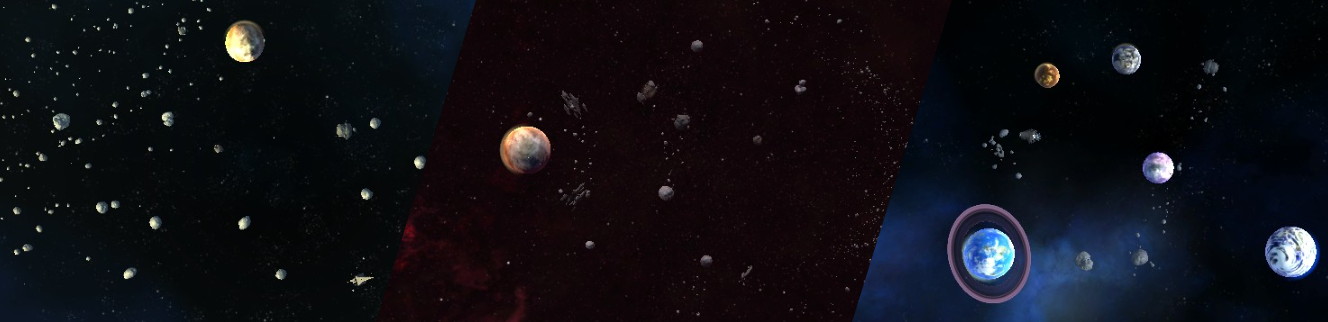
Today we’re releasing another update to the game! This update adds three new optional missions to the campaign, multiple new settings to the options menu for you to customize your gameplay experience and new additions to the user interface.
Additions and Changes
Added three new bonus/optional missions to the campaign, and a new Steam achievement for completing all three missions.
Added a new game options menu setting to customize how ship types are selected, Press to deselect, Press to select or Remember selection.
Added a new default graphics options menu setting to enable smoother ship movement than the previous default.
Added a new setting when hosting a multiplayer lobby to specify what happens when a player leaves an active game. The game will now either replace the player with a default AI or remove the player’s ships completely.
Added highlighting of ships when selecting ships to send between nodes. Ships that will be sent using the current settings (amount and ship types) are highlighted in white. This can be disabled in the options menu.
Ship types now display which magic spells they carry in the in-scenario UI and command bridge Fleet menu.
Reworked ship type selection/filter in VR to include the same features as the desktop version, including filtering five ship types instead of three and the ability to view ship stats during gameplay.
Bug Fixes and Improvements
Fixed a bug in the Level Editor which sometimes caused a scenario to fail to save.
Optimized the performance of the ambient asteroid field models in the game.
Patch #4 (4 Apr 2018)
It’s time for a new update! Arriving in this update is a new VR pause menu, a ship move animation, a new scenario for skirmish and multiplayer as well as a whole bunch of bug fixes and smaller improvements.
Additions and Changes
Reworked the in-scenario pause menu and added access to the options menu while playing a scenario. Also added in-scenario pause menu to VR with the same features as the desktop pause menu, to replace the simple “hold to return” button.
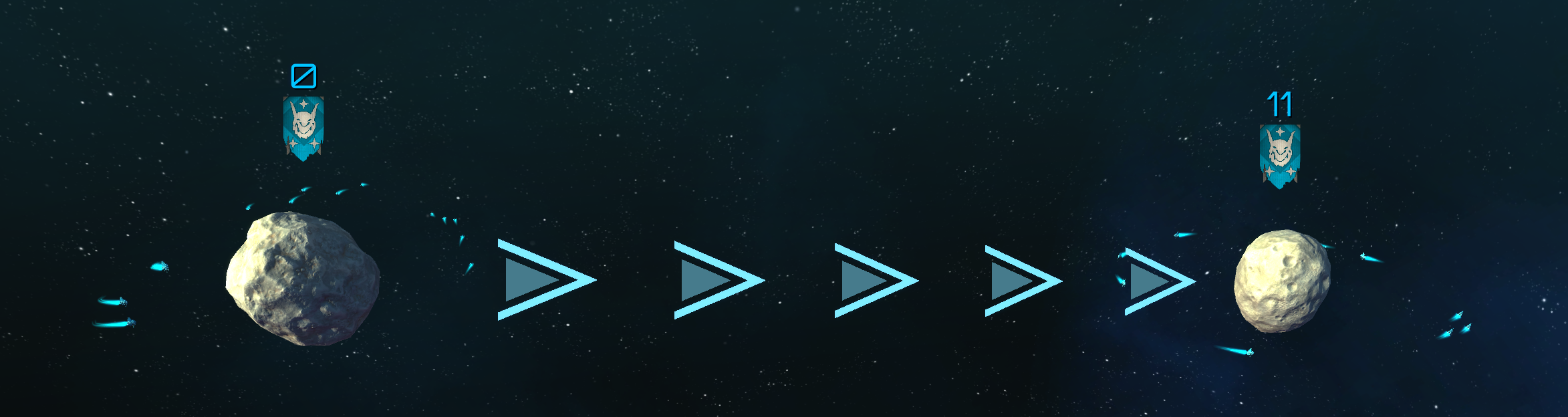
Added a new animation that is played when ships are ordered to move from one planet to another, to make it easier to notice when ships fail to move. This can be disabled in the options menu.
Improved the ship grouping behaviour to be more time efficient when initially creating the ship formation and assigning ships to individual formation positions.
Added a new multiplayer and skirmish scenario called Capture the Planets. Control certain planets at set intervals in this custom scenario to score more points than your opponent.
Improved performance of some custom script components.
Bug Fixes
Fixed an issue where returning from the Level Editor to the Command Bridge would sometimes immediately show the multiplayer menu.
Fixed an issue where the mouse wheel could not be used to scroll in windows in the Level Editor.
Fixed a bug in Campaign Mission 8: Looking for Trade where an advisor dialog conversation would sometimes be displayed multiple times.
Fixed a bug in Campaign Mission 10: Power of Gorgoth where the objective indicator would sometimes start with an incorrect value.
Fixed a bug where the Elven Mage ship (when playing as elves in Skirmish or Multiplayer) would be categorized as a Frigate ship in the desktop ship select UI.
Fixed a bug where some visual effects would continue to move even when the game was paused.
Patch #3 (6 Mar 2018)
Once again we’re happy to announce the release of a new update to the game, this being the largest update yet! The update is mostly focused around the release of the extensive Level Editor and level sharing, but also contains some user interface improvements, new features to multiplayer and skirmish lobbies and some tweaking of the early missions of the campaign.
Here's a short time lapse video of a level being created in the Level Editor: https://youtu.be/YqgVNX8YGFc
Major
The extensive Level Editor is now finished and available for all players to use! The editor is directly integrated into the game and can be accessed through the main menu. It also includes Steam Workshop integration, allowing players to instantly share their levels with the Steam community and to easily find community levels to play.
For a look at the community levels created so far, check out the Orch Star workshop page: http://steamcommunity.com/app/727100/workshop/
For an introduction on how to use the editor, check out the official guides:
http://steamcommunity.com/sharedfiles/filedetails/?id=1281810707 http://steamcommunity.com/sharedfiles/filedetails/?id=1288166180
We’re very excited to see what you will create!
The Multiplayer and Skirmish level selection menus have been improved. The previous simple dropdown has been replaced with a separate menu with a clearer scenario list, the ability to filter scenarios, button to access community levels and useful information about the selected scenario.
Objective counters and timers have been added to the campaign to clarify the main objective of some scenarios, and provide better warning of some events.
Players can now select between different factions to play as in the Multiplayer and Skirmish lobby. Available factions are scenario-specific.
Players can now change alliances between players and AI in the Multiplayer and Skirmish lobby.
The game now officially supports Windows Mixed Reality headsets (while using SteamVR)
Minor
The time between Mevorian patrol warnings and arrival has been doubled to make it easier to finish the scenario before they arrive.
The early scenarios of the campaign now require less time to complete.
We received feedback that the early scenarios felt too slow, so we worked on their pacing by lowering distance and ship production times.
The Upcoming Level Editor
As some of you may know, we've been working hard at the upcoming Level Editor for Orch Star! The Editor has always been developed alongside Orch Star itself; in fact, it was used to create all scenarios available in the game. However, we wanted to polish it some more before releasing it to you, the players, to create your own scenarios.
One of the main features we've been working on is the ability to Undo and Redo actions, an often overlooked feature which Blitzcake has been occupied with for the last few weeks. We're also integrating Steam's Workshop - this will allow you to share your own scenarios and access your subscribed scenarios without leaving the game!
Yesterday we first unveiled the Custom Functions available in the Editor. These allow the scenario creator to add custom behavior such as calling reinforcements, control the AI, or trigger victory at other conditions than "last player standing". Although the Functions can appear difficult to understand at first glance, we've found it to be very intuitive once you get going.
The Level Editor will be released in an upcoming update, along with exhaustive Steam Guides to explain how to create your first scenario, and how to further customize your scenario using Custom Functions and other features. Also, make sure to check out the other Orch Star Guides if you find the game difficult; you're sure to find help in one of the guides there!
The time has come for the next game update! This update is mostly focused on improvements and adjustments to existing content and functionality, addressing some of the great feedback and suggestions we’ve received. However, there’s also some new features in this update, most notably the new movement abilities when playing in VR.
Major
Oculus Rift now uses SteamVR (like the Vive), allowing the Steam Overlay to be used in the game when playing with the Rift. This can be used to invite friends to multiplayer lobbies, take print screens and all the other things the Steam Overlay can do
Added a new intro sequence to the game
Added the ability to move when playing in VR, using teleportation. Simply point toward the ground with the minimap tool and use the trigger. You can also rotate by pointing forward with the minimap tool and holding the trigger
Minor
Updated description for Scenario 2: Into Orch Space
Made the following scenarios slightly easier:
4: Get the Goblins
6: Become the Warlord
8: Looking for Trade
Added clarifying dialogue to the following scenarios:
4: Get the Goblins
8: Looking for Trade
Slight re-ordering of the tutorial in Scenario 2 and 3
Updated all dialog scroll speeds, most are now faster
Apart from the changes in this update, we’ve also worked hard on the upcoming Level Editor. We’re very excited about this feature, and we look forward to seeing all the scenarios you will be able to create and share using it!
Patch #1 (22 Dec 2017)
Today we're releasing our first patch to the game! Below you can read about the additions and changes that have been made, the big thing being the addition of a local Skirmish game mode. There is also some bugfixes and adjustments. Stay tuned for more updates soon!
Major
Added a Skirmish game mode to the game, where the player can play stand-alone multiplayer and singleplayer scenarios against AI controlled opponents.
Added the ability to add AI controlled opponents to a multiplayer lobby. This allows you to play with both human players and customizable AI players at the same time.
Added a new singleplayer Skirmish scenario called Core Defence, where the player has to survive as long as possible while defending a planet from an ever increasing hostile assault.
Minor
Fixed a bug where save file choices could be changed when replaying an already completed campaign mission.
Disabled tutorial when replaying a completed campaign mission.
Added the ability to open the main menu of the bridge by pressing the Escape key on the keyboard.
Minor adjustments to the Alpharion and Ceraster multiplayer scenarios.