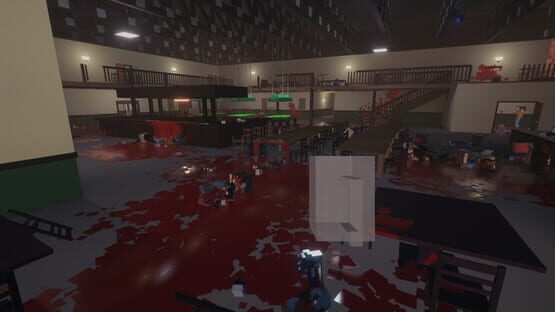
Update 0.8.4 is available now and adds support for Custom Music packs for use in Workshop levels as well as a lot of other improvements.
The Music Packs work very similarly to the Texture Packs and can be created from their own menu accessible in the Level Editor sub-menu options in the game's main menu. Packs can include up to 14 songs with a combined maximum size of 100MB and up to 4 packs you have subscribed to on the Workshop can be used in your levels. A new logic prop will allow you to change the music based on triggers in your levels.
A current limitation of the music files used in the packs is that they currently must be either .wav file or .ogg files. This is due to licensing and engine restrictions, but you can easily convert to .ogg files from .mp3 files or other using software like VLC or online converters. This is the site I used in testing to convert MP3 files to OGG files: https://www.onlineconverter.com/mp3-to-ogg
A full changelist is at the bottom of this post, but some of the new changes include:
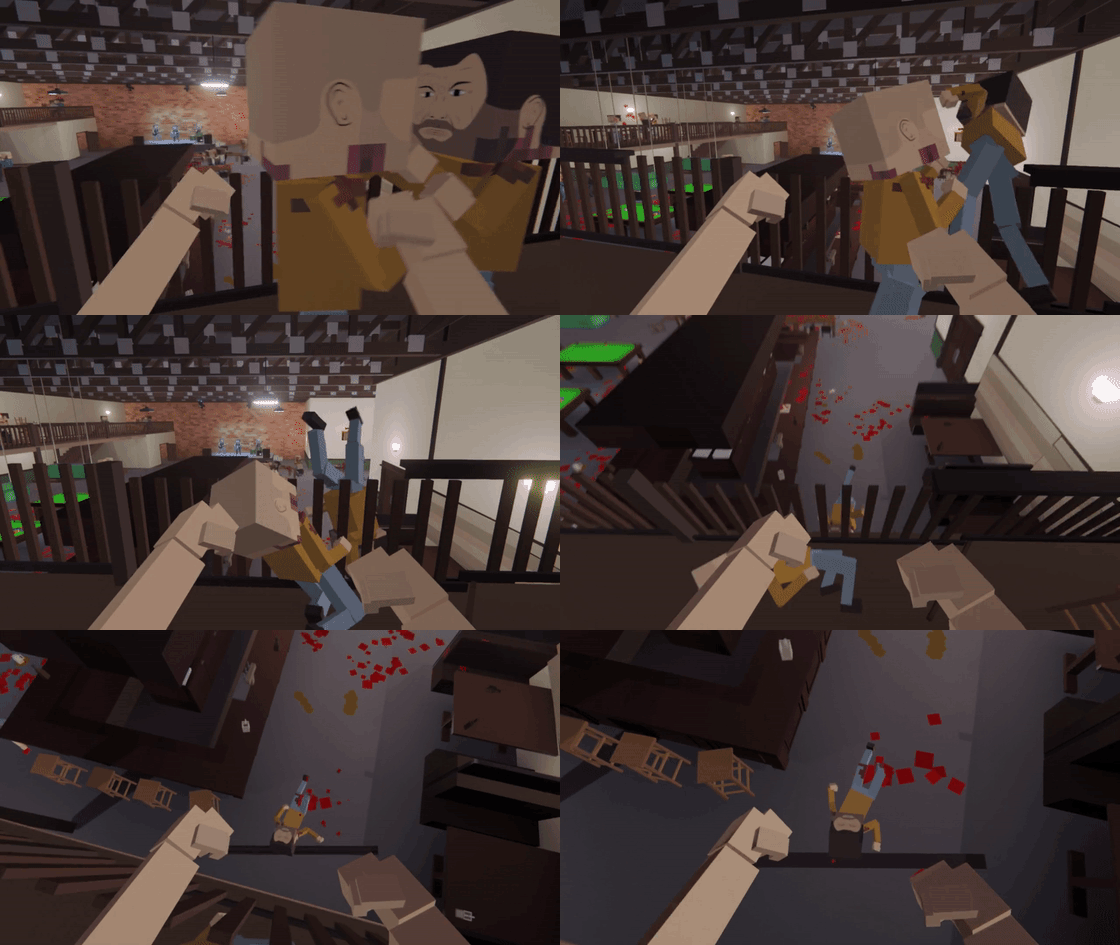
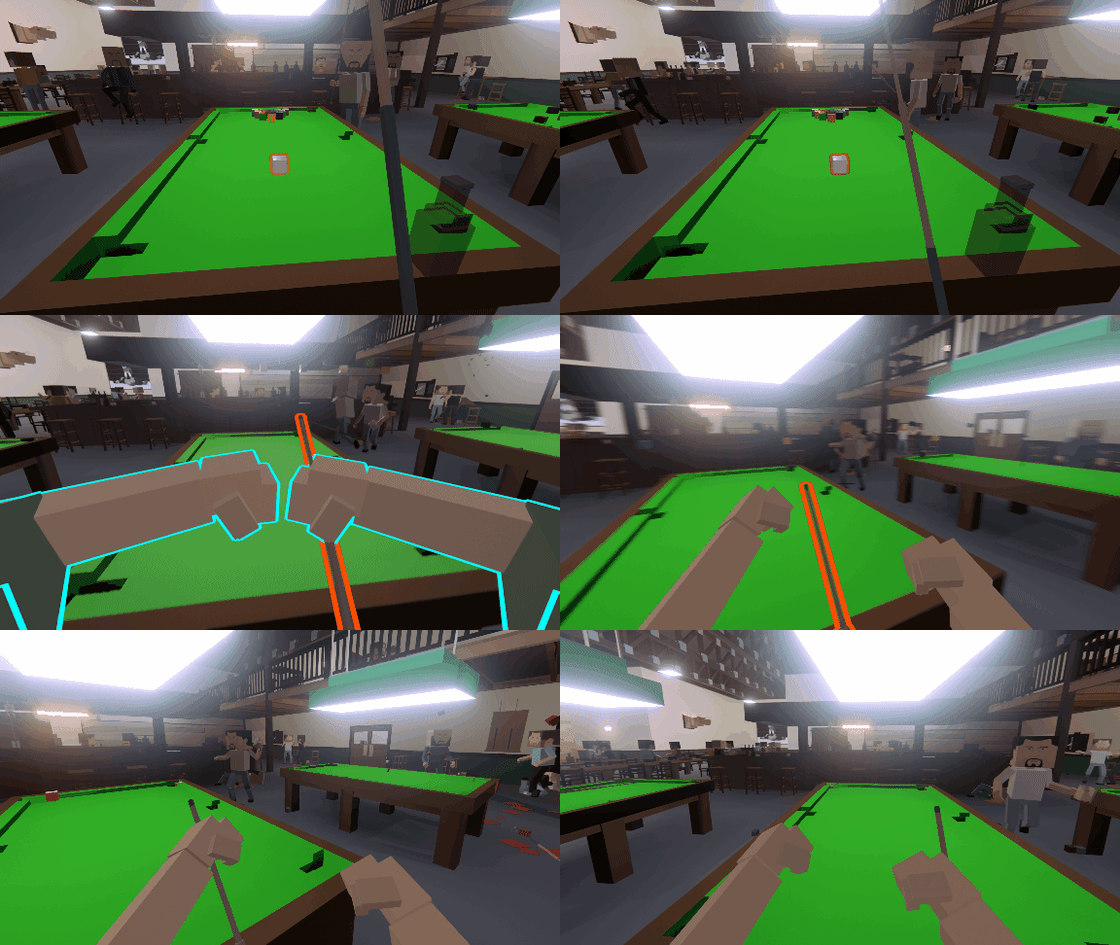
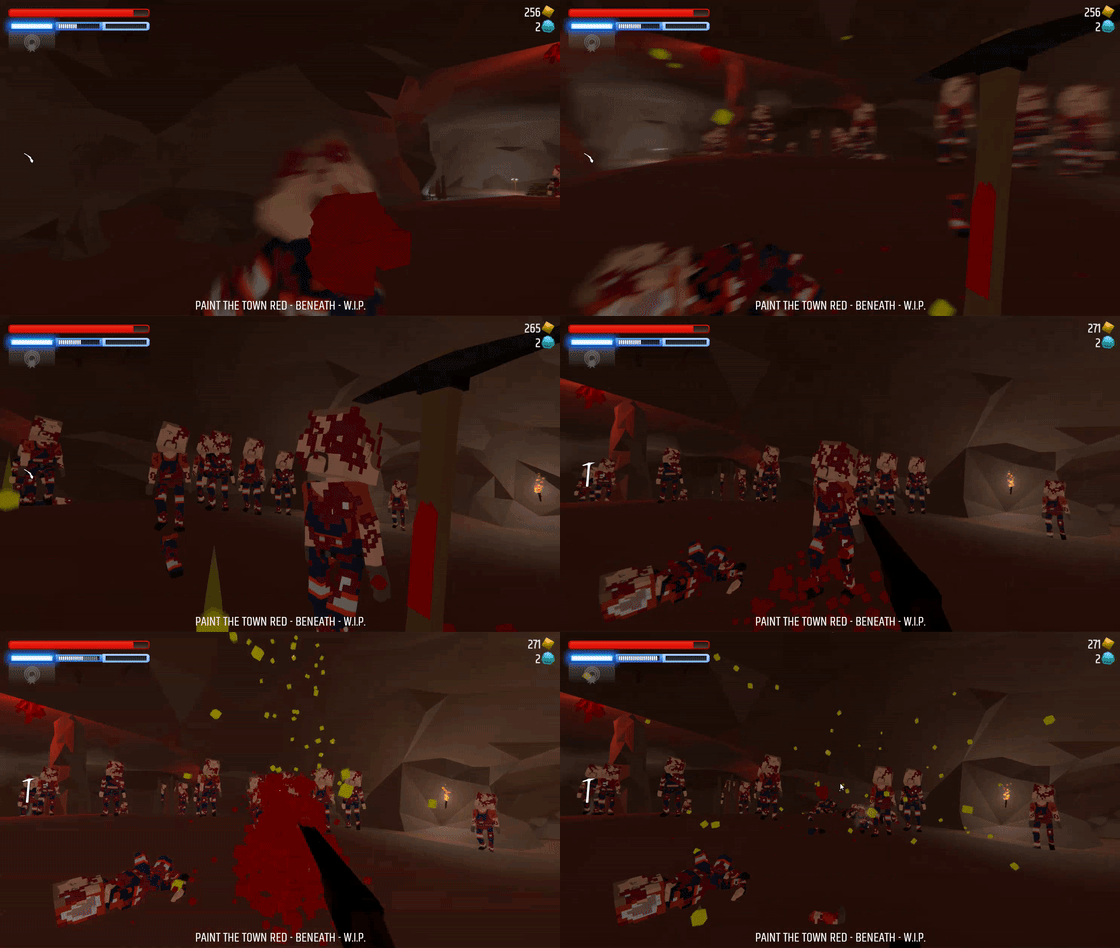
Collision based damage to enemies From minor damage...
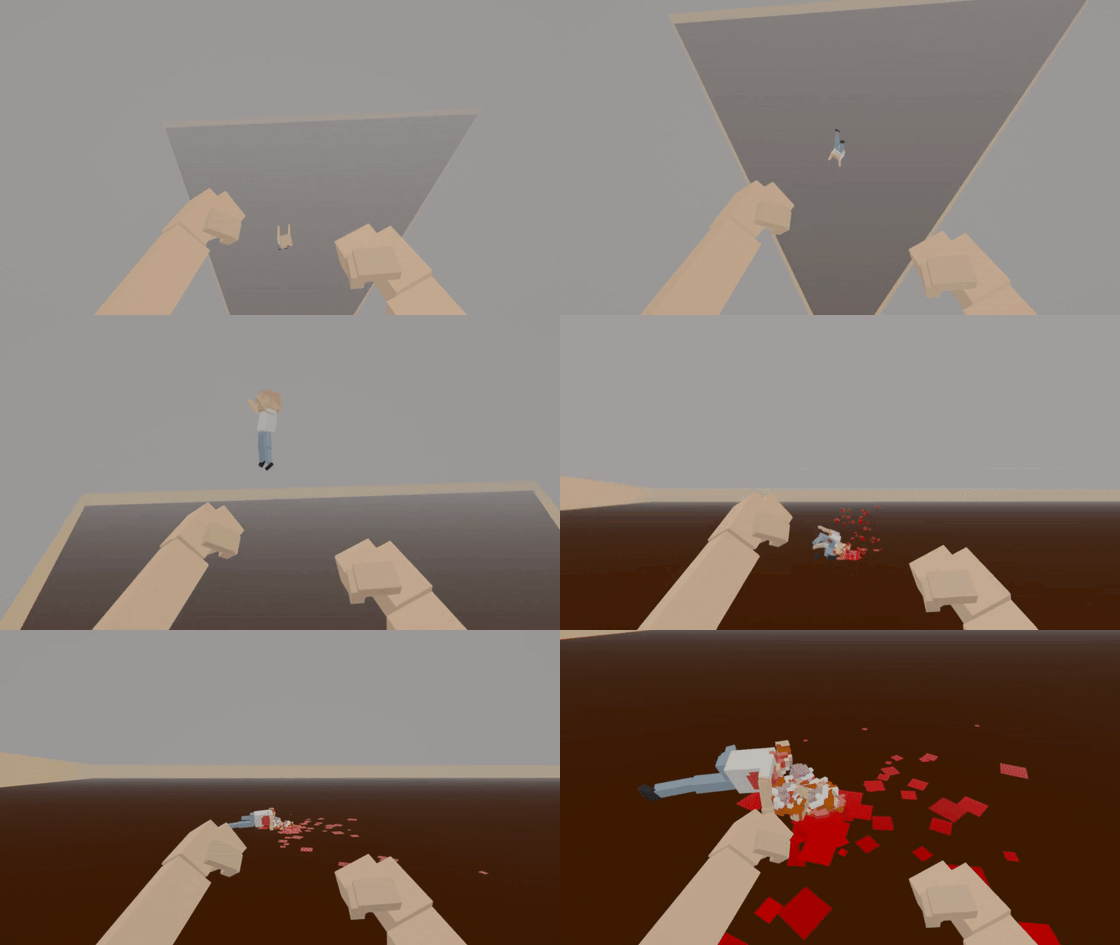
... to major damage on extreme impacts
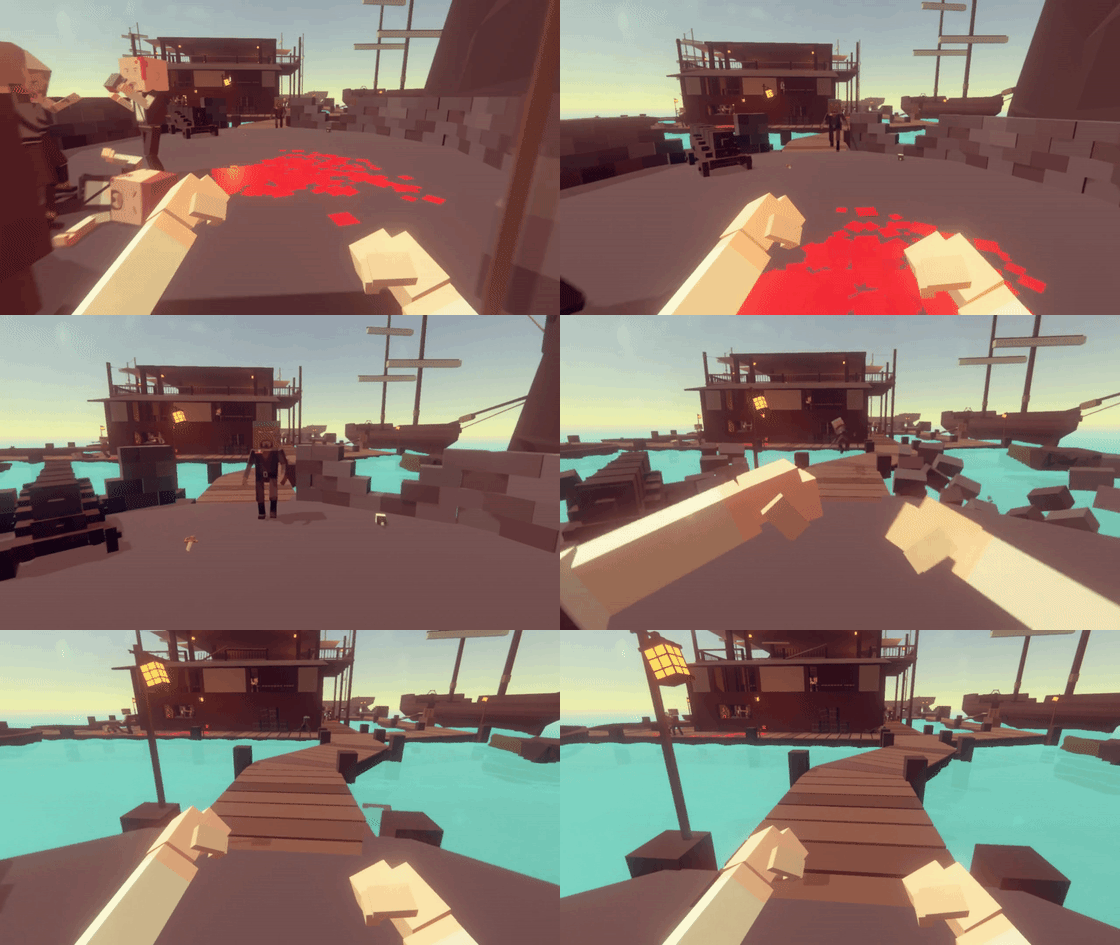
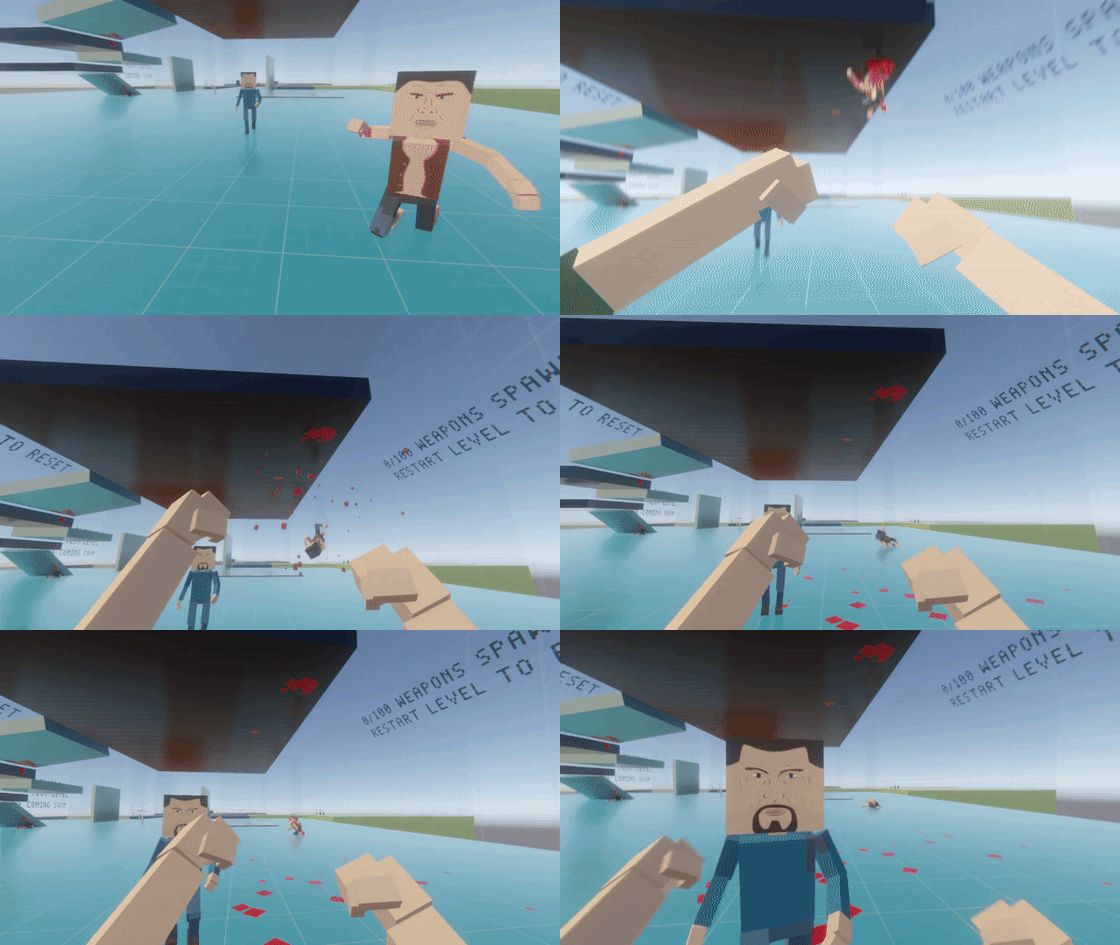
Shockwave affects props, bodies, etc
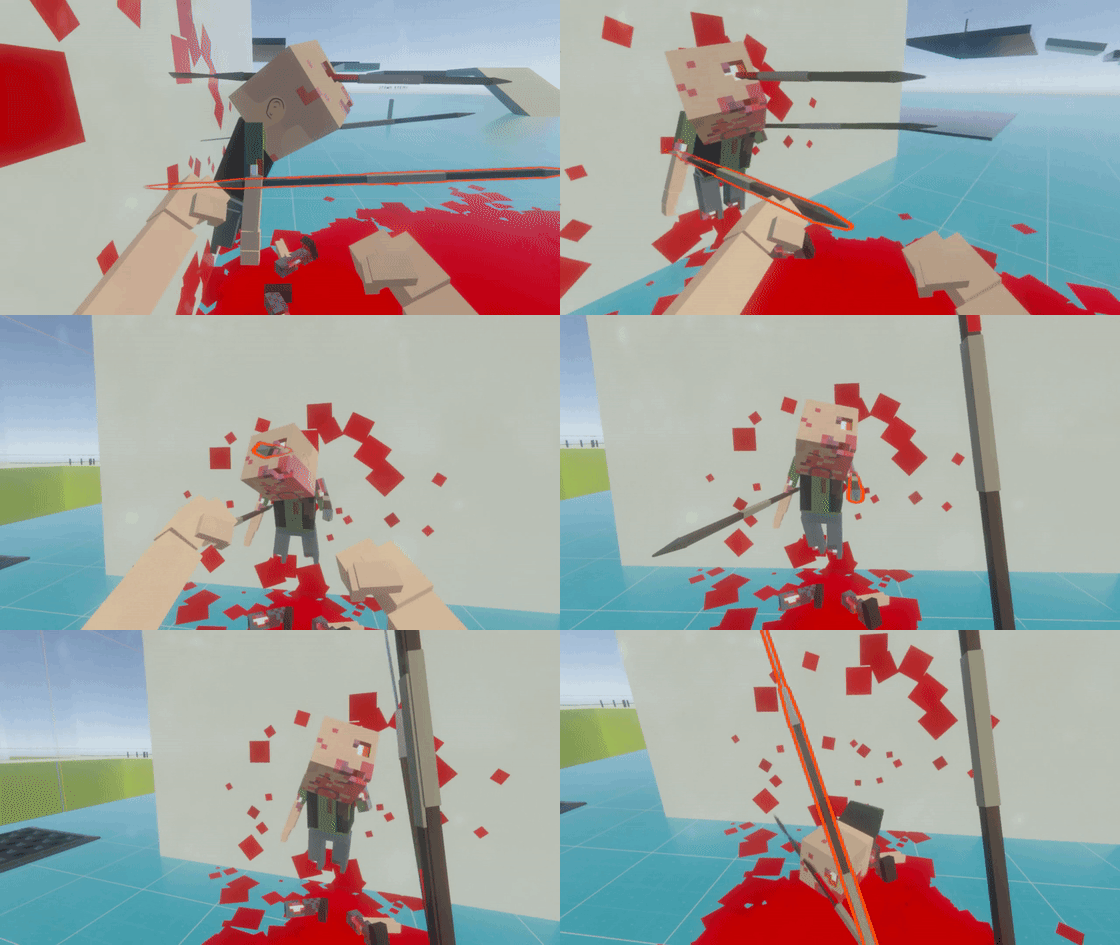
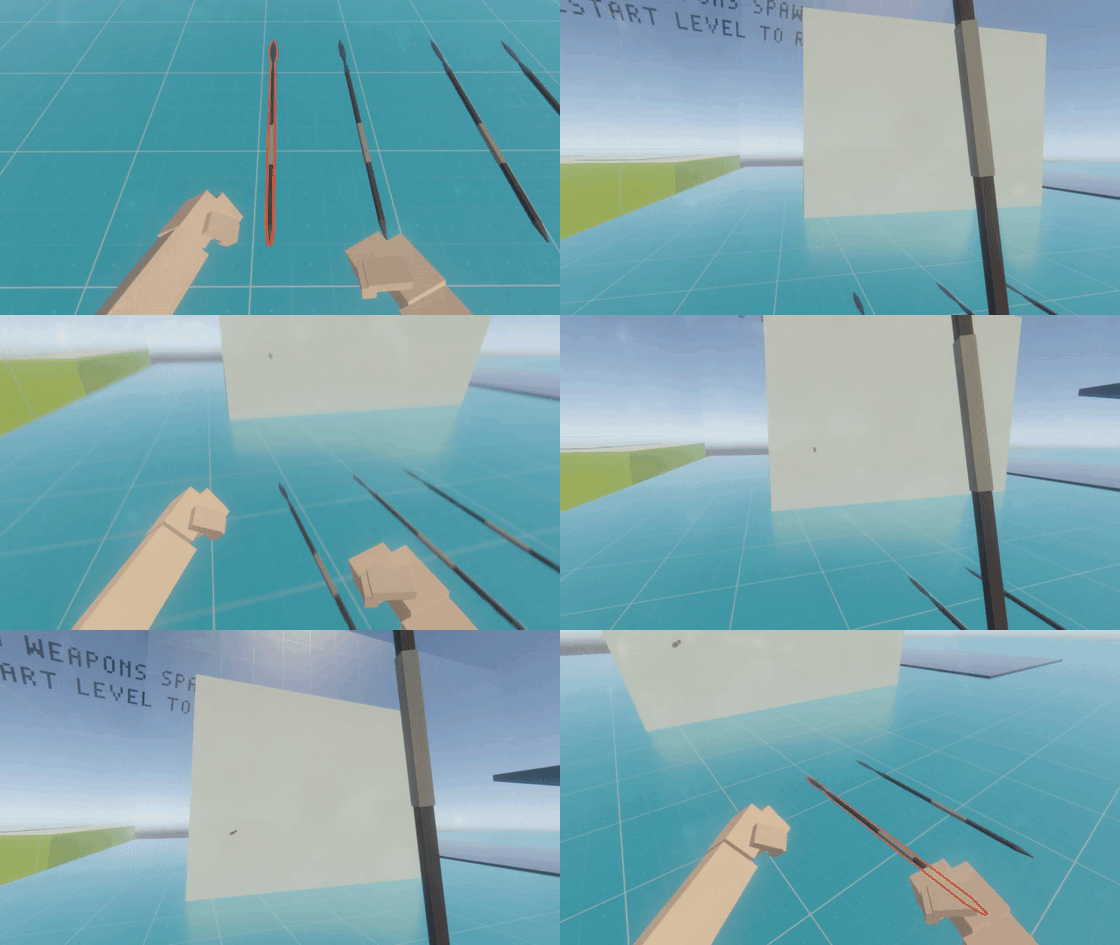
Sharp weapons can stick into the environment
... and some can pin enemies to walls
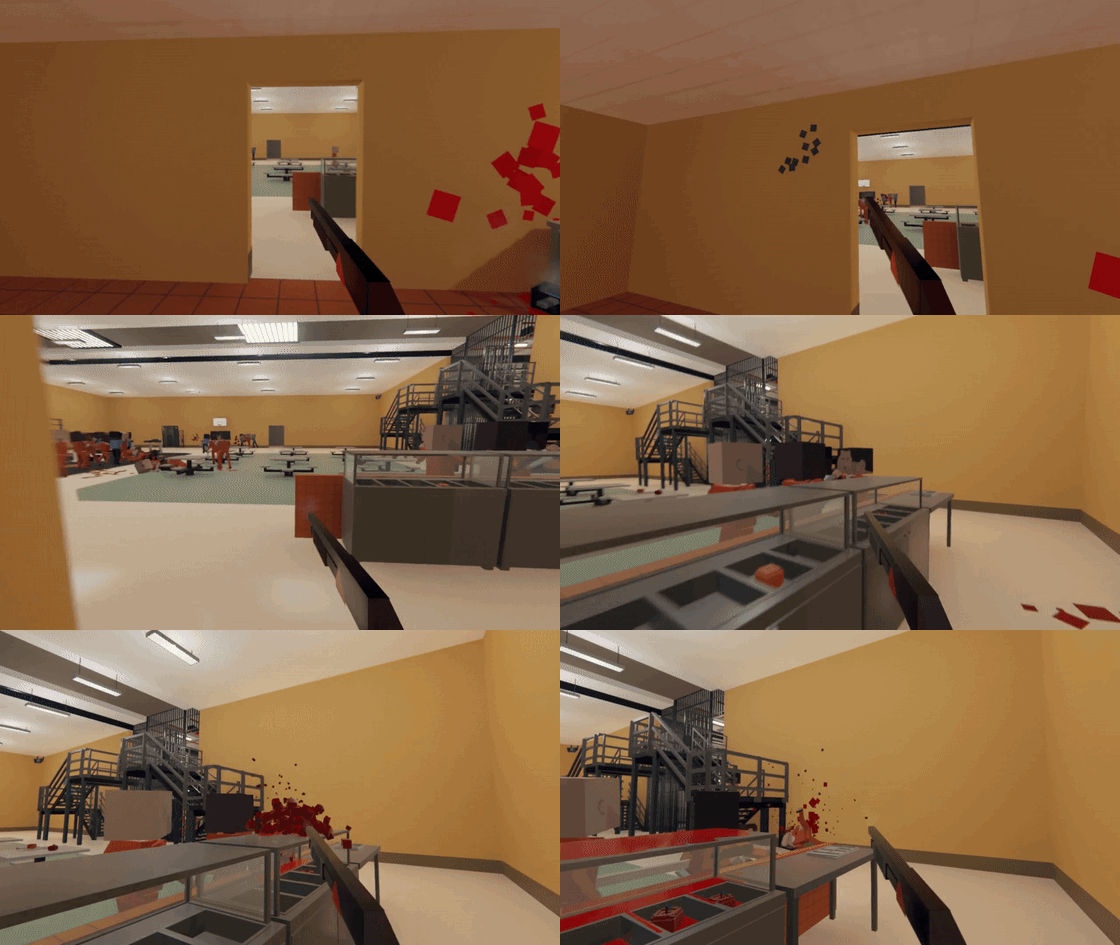
Bullets and liquid will create decals
Many of these new additions will continue to be improved upon in upcoming releases.
Due to the large number of changes in this update there may be some new bugs. Please let us know if you encounter any major new bugs on the Discord server or via email to contact@southeastgames.com.
Version 0.8.4
Custom Music Packs can now be setup and added to the Workshop
Knocked down/out enemies are now damaged when colliding with the environment
Bullets now move unused weapons they hit
Bullets now break some weapons like bottles
Weak unused weapons can break when hit
Bullets now leave impact decals in the environment
Spilled liquid now leaves decals in the environment
Added some slight variation to blood decal colour
Arterial spray will no longer occur when hitting dead bodies
Enemies voxels now show some burn damage
Shockwave now moves weapons and props
Shockwave now moves dead and unconscious bodies
Sharp thrown weapons can now stick into static environment geometry
Spears and similar weapons can now temporarily pin enemies to walls
Changed block position of guns to actually look like they're blocking
Improved thrown weapon torque
Weapons can now break when thrown or hit into objects depending on weapon type and impact
Level Editor: Custom Music Packs can be used
Level Editor: Added invisible paint
Level Editor: Logic Zones can be set to kill enemies
Level Editor: Logic Zones can be set to kill players
Level Editor: Added optional fall damage for the player
Level Editor: Added new triggerable Logic prop to change Music
Level Editor: Added level setting to disable fall/collision damage for enemies
Level Editor: Added ability to duplicate rooms
Level Editor: Enemies will prioritise targets at the same height as them in multi-story areas
Level Editor: Added checkbox on upload to approve your level for use on other platforms
Level Editor: Fixed enemies that fall outside play area being reset to invalid position
Level Editor: Fixed prop position property being incorrect after creation
Level Editor: Fixed platforms not being included in calculation of navmesh extents
Fixed enemies recovering from KO while in the air
Fixed bullets being destroyed before completing their full damage potential
Fixed cigar box cigars being tethered to box
Fixed enemies recovering from ragdoll upside-down
Beneath Preview 5 & Next Update Preview
Permanent Upgrades
Since the last preview post we've been wrapping up work on the remaining elements of the first 3 areas of Beneath which make up the main branch that leads to the first boss and run end. This included setting up the interface for purchasing permanent upgrades and having those upgrades both work and save both locally and to the Steam Cloud.
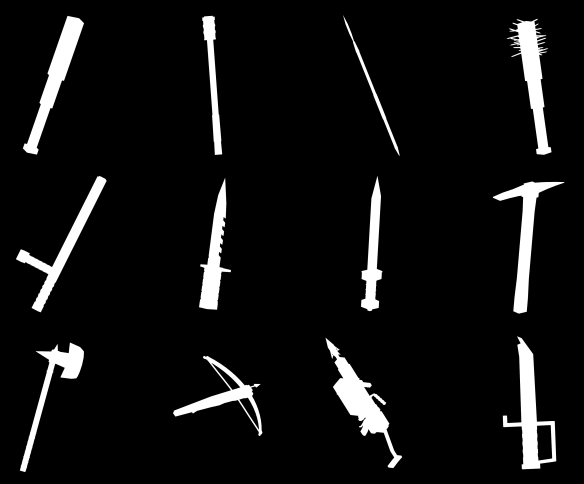
Another change in Beneath is that instead of pressing a button to drop weapons, that button will store and swap weapons so that you can hold 2 weapons at a time and swap between them. This will allow you to save more powerful weapons you've purchased or found for when you really need them. This feature, as well as many of the permanent upgrade options, required having an icon for the weapons you'll find in Beneath. To achieve this we have a process that renders every weapon to an texture in white and from a recognisable perspective and places them in particular positions on a texture atlas.
Some of the auto-generated weapon icons
Many of the permanent upgrades are to unlock the ability to find superior weapons in future runs in Beneath. One important element we've considered that we've found to be a negative element of similar upgrades in other Rogue-Lite games is that unlocking more weapons will reduce the likelihood that other powerful weapons you've unlocked will spawn. This is because the range of weapons the procedural level generator can select from has increased. In Beneath we've made sure that every unlockable weapon will always have a consistent random percentage chance to be found in the world and as you unlock more weapons only the lesser weapons of the default range of weapons will then be found more rarely.
Other upgrades include things like permanently improving stats for all classes, upgrades to starting weapons and shields, unlocking additional beneficial unique random encounters or increasing the durability of all weapons.
Swapping between 2 weapons
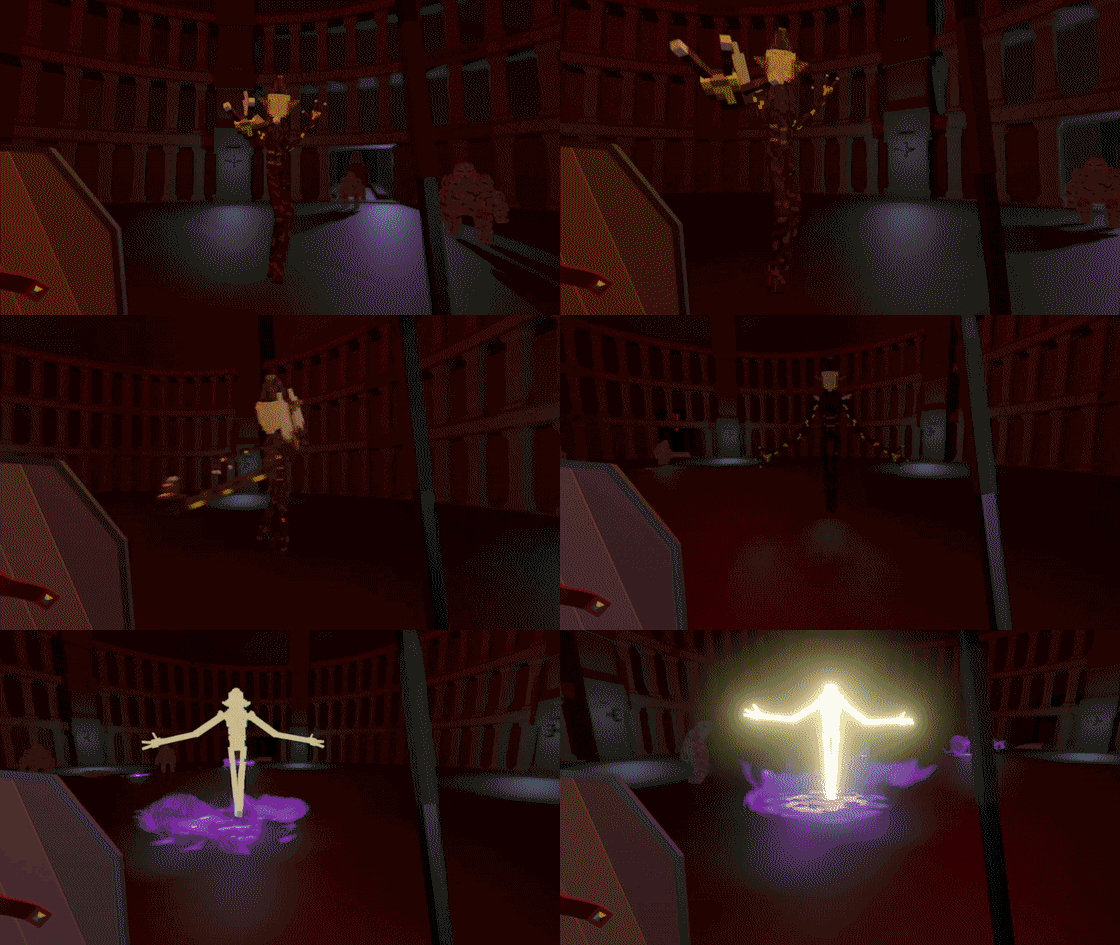
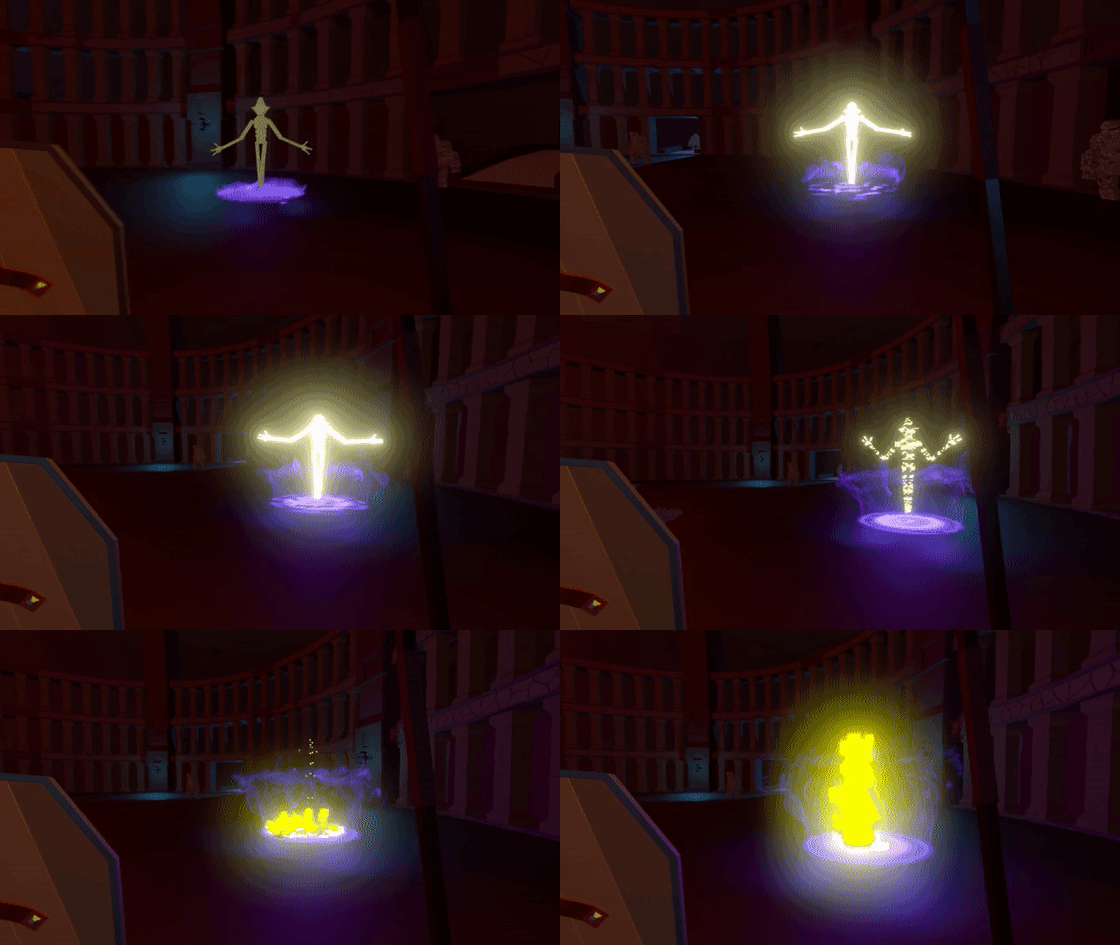
Giant Mage
Besides finishing the boss enemies for Beneath which is still to come, we've about wrapped up the last remaining big feature (besides bosses most work from here is related to tweaking/polishing/etc) which was the most complicated enemy in the game, the Giant Mage.
We won't show and spoil too much about this enemy because they have a lot of impressive abilities that will be much more fun to discover in game. The main thing that makes them a complicated enemy to create though is their interaction with other enemies. The class hierarchy will be pretty clear when you encounter a Giant Mage with some other enemies nearby like the Interceptor or Minion. They'll drastically change their usual tactics to protect and augment the abilities of the Mages. If you do encounter a Giant Mage without any protection you'd better act fast because they have the power to summon whatever they need.
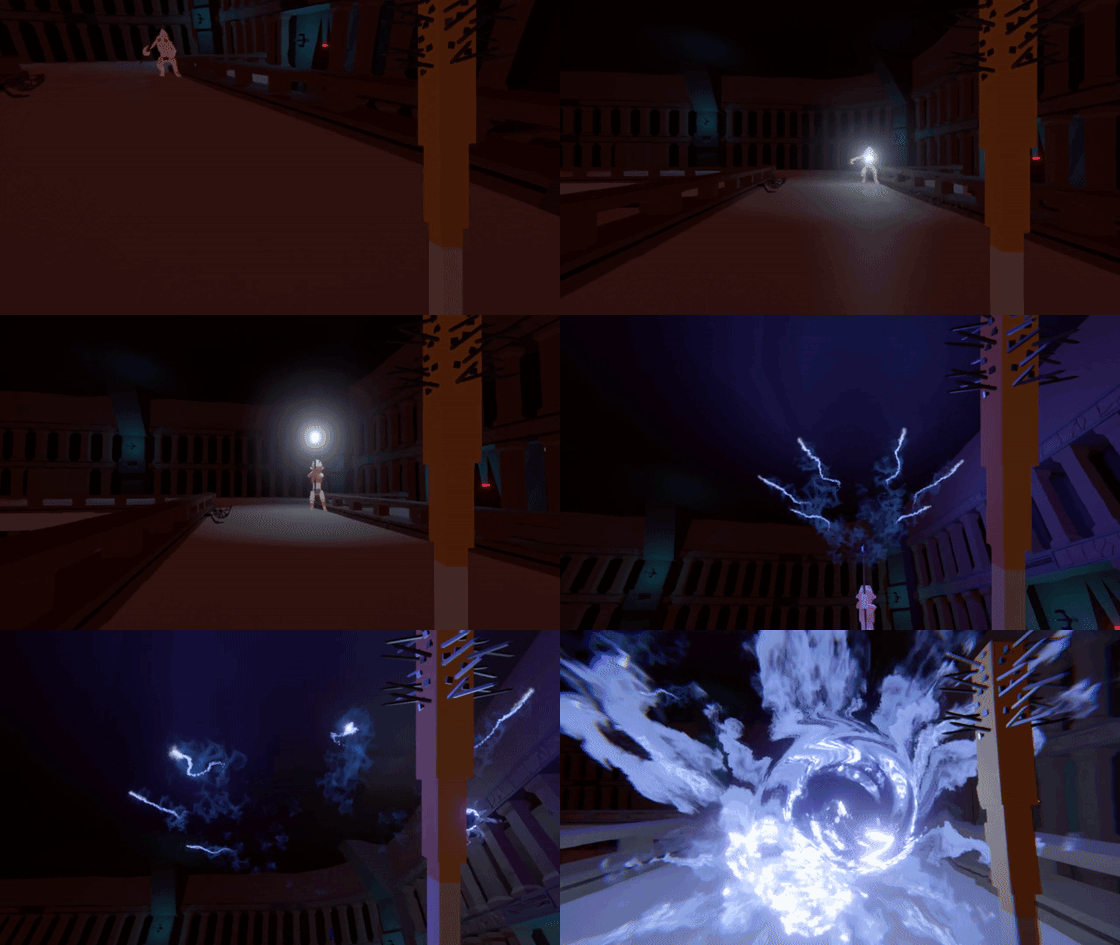
That's not to say they aren't more than capable of dealing with you themselves...
Update 0.8.4 Preview
Since we've reached a Beneath milestone we're going to spend next week working on the next update that will not only feature the Custom Music Packs for the Workshop, but also a huge number of other improvements. Many of these additions are possible because upgrades required for Beneath can easily transfer to existing systems and the changelist for 0.8.4 is by far the largest we've ever had in an update.
We'll hold off on posting the WIP changelist as it will definitely change over the coming week, but below are some additions you can expect in the update which will be available in a weeks time.
Custom Music Packs (workshop upload and Level Editor usage)
Ability to change music in Level Editor with logic triggers
Liquid Decals
Thrown sharp weapons stick into level
Some thrown weapons can pin enemies
Smite attacks will knock some nearby enemies away
Shockwave knocks props and weapons away
Invisible paint option in Level Editor
Ability to duplicate rooms in Level Editor
Bullet hit decals
New blood spurt effects
Blood colour tone variation
Shooting and hitting some fragile weapons will break them
Beneath Preview 4 & Update Info
Apologies for taking a bit longer to get back to the Beneath Preview posts since the recent detour to add custom character texture support to the Level Editor, but since completing those updates we've been continuing to make a lot of progress towards completing Beneath.
Testing both environmental content and combat scenarios had been a bit time consuming since with a Rogue-Lite game with randomly generated levels it can take some time to see certain environment configurations or combat scenarios that you might need to see. One of the first things we worked on after completing the last update was to setup specific testing environments for both Beneath environments and combat. This has greatly accelerated testing and improving the new environmental variety and the enemy AI and stats and different player class powers.
While there are 6 distinct areas in Beneath, only 3 are on the primary path and our focus is on completing everything for those areas so that section of the game is completely playable. We expect this to be complete in around 2 weeks, but we will wait for all of Beneath to be complete before adding it to the build for the first time. With this section of the game complete though we'll be able to show gameplay and content much more easily in these preview posts.
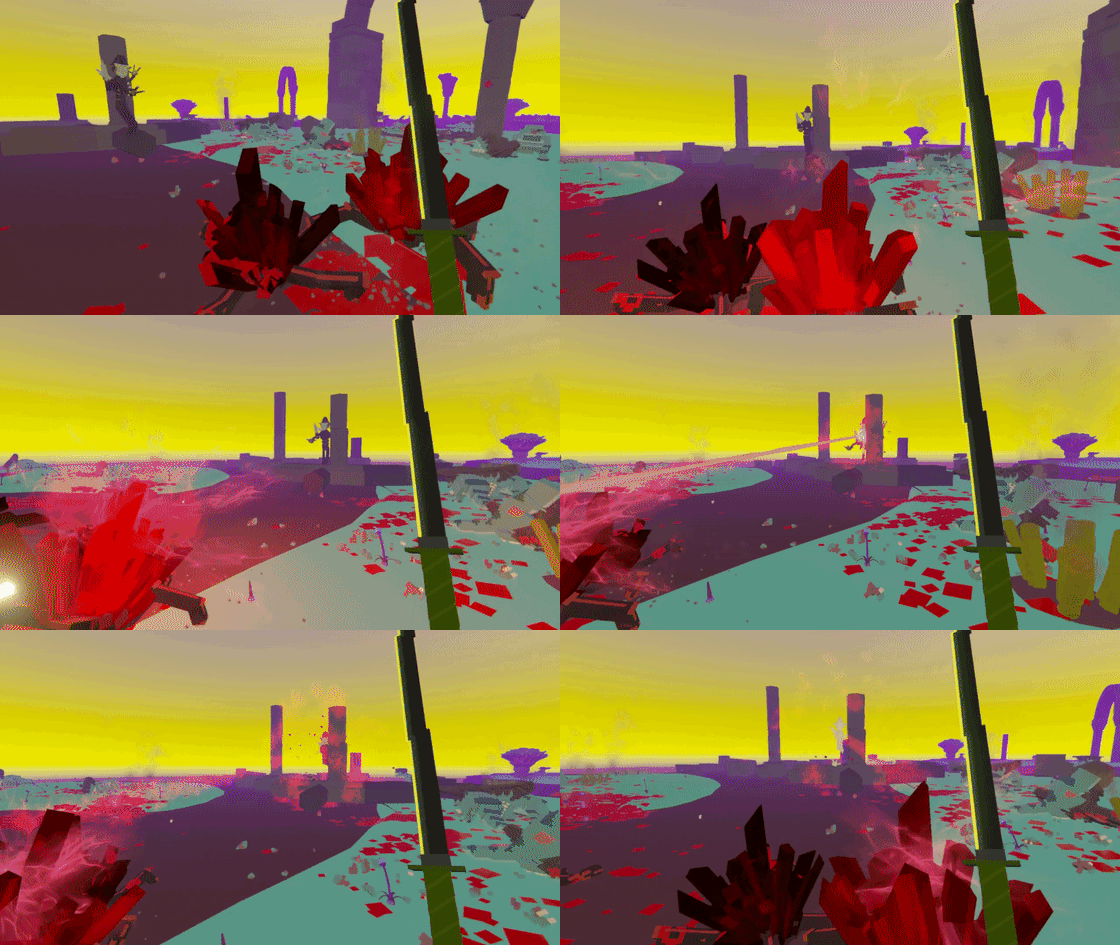
Teleporter Enemy
The Teleporter is one of the strongest enemies you'll encounter deeper into Beneath. With powerful ranged and close quarters attacks, the Teleporter is difficult to attack effectively. Like many of the other new enemies in Beneath, their movement also differs significantly from the standard human enemies. Instead of coming towards the player, the Teleporter will try to keep a distance from them. Due to their ability to levitate they can continue to face their target to continue to attack and defend themselves.
Their ultimate power though, as the name implies, is the ability to teleport to somewhere else nearby. If you're fighting other enemies and lose track of a Teleporter's location, you are at great risk of being hit by an unexpected ranged attack.
Of course there are many ways to deal with the enemies in Beneath. If you're a class like the Warlock that is capable of turning enemies against each other you might find the Teleporter is no match for the blast of a Crystal Crab.
Or perhaps you'll play as a Spectre and out-teleport the Teleporter...
Custom Music Update
The recent updates for Paint the Town Red which added Custom Texture support to the Workshop/Level Editor has been working well and opens an avenue to supporting custom music using similar menus and systems. Since most of the backend work required to support this sort of content is now complete, we'll likely take a couple of days off from working on Beneath to add Custom Music support in an update soon.
Another feature that's often requested for the Level Editor we'll be adding in the next update is the ability to have invisible walls which we'll accommodate with an invisible paint option for rooms and platforms.
Since the last update post we had a number of minor updates primarily focused on bug fixes which are below. The most recent update also included the ability to create 'Prefabs' in the Level Editor so those of you that create elaborate objects using multiple props can now save those for reuse in future levels.
Patch Info
Version 0.8.357
Level Editor: Added the ability to create a reusable Prefab from a selection of props
Version 0.8.356
Certain weapons and enemies now knock the player around
Fixed impact animations on enemies not playing
Version 0.8.355
Custom Textures will now show in levels when you have some, but not all packs downloaded
Updating levels will now remove old unused Texture Pack tags from Workshop
Added additional Body Template example texture created by map creator phenom Kersher
Version 0.8.354
Fixed bug with making mug and pot props with liquid static
Fixed not being able to properly remove textures from custom appearances
Fixed not being able to just use custom body textures with fallback heads
Version 0.8.353
Fixed colliding with dead enemies
Fixed arm cut reaction animation not playing
Version 0.8.352
Texture Pack dropdowns in the Level Editor now update to show newly downloaded packs
Allow loading of JPG custom textures
Serialize to JPG instead of PNG if smaller (to allow for smaller texture pack sizes)
Allow 1024x1024 textures for Body and Head textures
Display error information in Texture Pack Creator
Version 0.8.351
Fixed player spawn locations being reset to 0,0,0 in Level Editor
Community Discord Server
If you're not aware there is a community Discord server for Paint the Town Red that is quite active and I try to regularly respond to questions posted in the appropriate channel there. If you're interested in more information on PTTR development and have any questions you can join it here: https://discord.gg/9vug3Tb
Custom Texture Support - Version 0.8.35 Changes
Patch Info
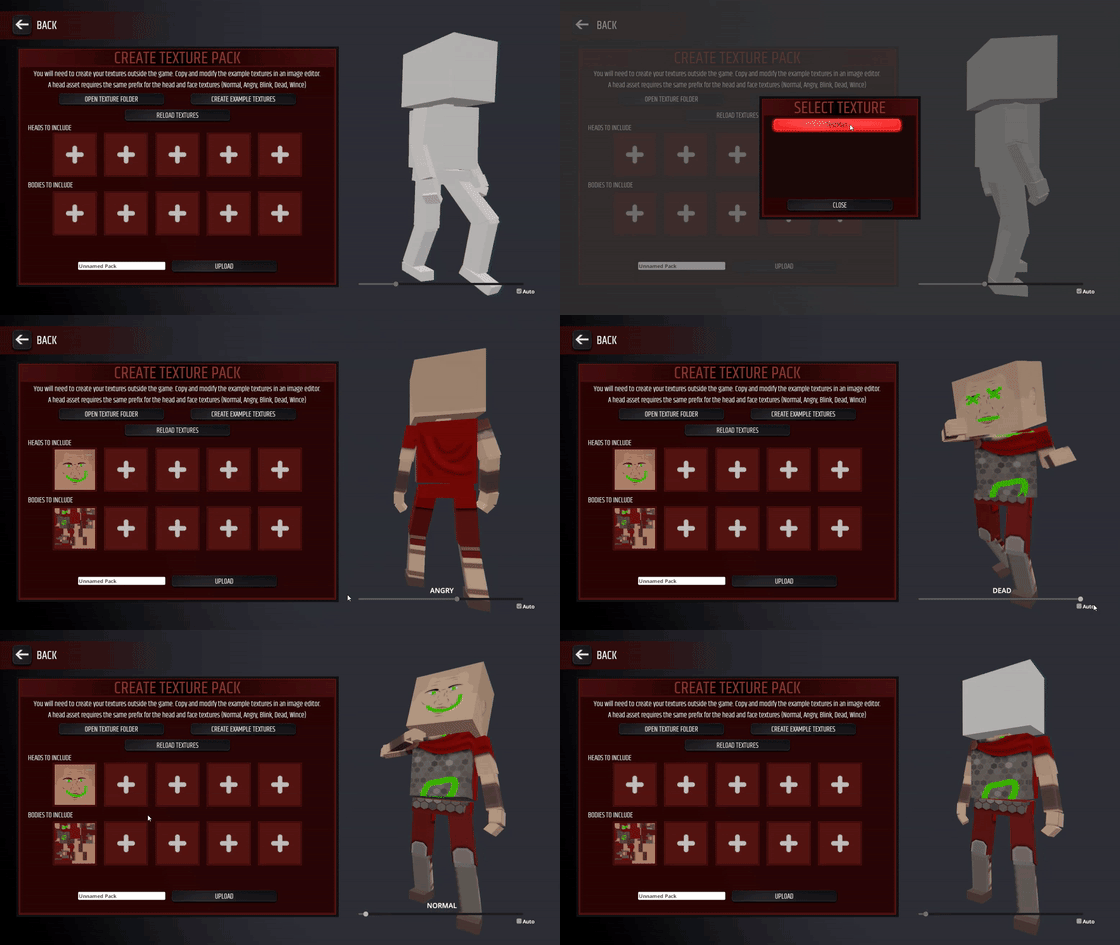
The ability to create texture packs with your own character texture replacements is now available. These texture packs can be used by you and other map creators in the Level Editor.
To create a texture pack, select 'Level Editor' > 'Texture Pack Creator' in the main menu. From there you can setup packs with textures you've created. Use the 'Create Example Textures' button and create example and guide textures and view them and a readme file with information on texture requirements by using the 'Open Texture Folder' button.
You can upload texture packs with 1 to 5 heads and 1 to 5 bodies. Note that inappropriate texture packs with offensive content will be removed.
When in the Level Editor in the Settings menu you'll find a 'Setup Custom Textures' button which will bring you to the menu where you can setup up to 12 custom appearances using up to 4 different texture packs you've subscribed to. Custom appearances have a fallback appearance which will be used when players do not have the texture packs downloaded.
If you subscribe to a level that uses texture packs you don't have, they should be automatically subscribed to and downloaded for you. If you're playing a level when the texture pack downloads, the textures will be dynamically changed from the fallback to the custom textures while you're playing.
A full list of changes for this build and the build from late last week focused on fixes is below.
Version 0.8.35
Ability to upload custom character textures for use in Workshop levels
Level Editor: Custom character textures can be set from Workshop
Level Editor: Increased quality of level preview screenshots
Fixed memory leaks related to Workshop level preview images
Fixed Modifiers from Level Editor testing not being disabled
Version 0.8.341
Fixed animation loop bugs
Fixed not being able to create a full length GIF
Fixed pirate cove chair material issue when static
Fixed Smite counting down before being able to shoot
Fixed Smite camera effects fading in backwards
Fixed right elbow and knee on enemies being rotated incorrectly
Fixed punching bag material error
Fixed mirror ball shader on OpenGL & Vulkan
0.8.30 Changes
Patch Info
Version 0.8.30 is available now. The main features of this release are focused on the Level Editor.
You can now set weapons to be static props in the Level Editor which also improves load times and performance when using a large number of weapons this way. You can also now edit properties on multiple props and weapons at once. Properties for characters have also increased with options for a vision cone trigger and proximity trigger, as well as the ability to have character move randomly around the environment near their start position before they enter combat.
The other changes are listed below. There have been a large number of backend changes in addition to these as part of development of Beneath, so you might notice other differences. If you notice any change that appears to be a bug please let us know.
Version 0.8.35 will be released shortly with support for custom character textures on the Steam Workshop as well as some other Level Editor changes.
Note: 0.8.30 initially had a bug where bone voxels weren't being destroyed. This is now fixed in 0.8.31.
Version 0.8.32
Fixed Smite not ending
Version 0.8.31
Fixed bone voxels not getting destroyed
Version 0.8.30
Engine update (DX9 support removed. DX11, OpenGL and Vulkan available)
Level Editor: Added option for weapons to be unusable static props
Level Editor: Added ability to edit some common properties for multiple selected props and weapons
Level Editor: Added vision cone and proximity trigger options for characters
Level Editor: Added option for enemies to randomly move around pre-combat
Level Editor: Added more button props
Large blood particles now only emit when voxels are destroyed
Performance improvements when playing Level Editor levels with lots of small weapons set as static props
Improved distance fog in Pirate Cove and Arena
Fixed ragdoll force when enemies die when body parts explode
Fixed gfycat upload bug
Fixed some bullet damage and impact issues
Fixed Arena Challenge 2 being at night
Fixed lighting issues on Pirate Cove
Tweaked Disco lighting bloom
Upcoming Updates Info
While we continue to work on getting Beneath ready for release there are some features we'd like to get out sooner so we'll have a couple of updates over the coming couple of weeks. The first update is 0.8.30 which is built on a newer engine version and is focused on Level Editor improvements and will be available this coming week. Following that will be 0.8.35 and is focused on adding Workshop support for custom character textures.
Some of the main features of 0.8.30 include:
The ability to make weapons be treated as static props in Level Editor levels so they can't be picked up by the player and will improve performance when using large numbers of weapons to build elaborate props
Enemy properties will now include options to use sight and proximity triggers. This will allow you to have enemies only begin combat when they spot you or you get close to them
In the Level Editor you will now have the ability to edit properties on props and weapons when you have more than one selected
Fixes and improvements to bullet damage and impact and also ragdoll impact force when enemies are killed from melee weapon attacks
Some of the main features of 0.8.35 include:
The ability to create custom character textures and upload them to the Steam Workshop
The ability to use a number of custom character textures from the Workshop in your created levels
The option to save created levels to the Steam Cloud
The goal for how custom character textures can be used in created levels is that you can pick existing ones from the Workshop to be used within your level. The game will then attempt to automatically download associated Workshop items when your level is download/played. This will allow you to use textures created by other players in your levels.
These builds will also allow us to ensure the many backend changes that have been made over the past few months work in the existing content as well as bring miscellaneous performance and compatibility improvements from the newer engine version out sooner than waiting for Beneath.
We'll continue with Beneath Preview posts after 0.8.30 is released.
Beneath Preview 3
In this post we'll briefly cover some of how levels in Beneath are created mainly from a high level overview of the technical aspects involved.
Level Generation Basics
The most common style of level in Beneath, the one you'll see in the first few areas, is created by connecting a number of randomly placed rooms with corridor pieces. This allows us to combine the benefits of pre-made rooms with the practically unlimited randomised layouts. In addition to randomising the layouts of levels we also randomise the types, counts and placement of enemies and items throughout the levels. These are governed by your progress through Beneath and how difficult it is supposed to be on that level.
Room Placement
There are some different ways in which rooms can be placed to allow for levels that flow in different ways. For the following example I've restricted the generation to using a limited set of room shapes and a basic level layout to more easily demonstrate room and corridor placement, but in a future preview post I'll cover the much greater variety of rooms available and the ways in which even the same rooms and corridors will appear completely different based on a large amount of flexibility with the environmental content of a room.
The most common way rooms will be placed is as follows:
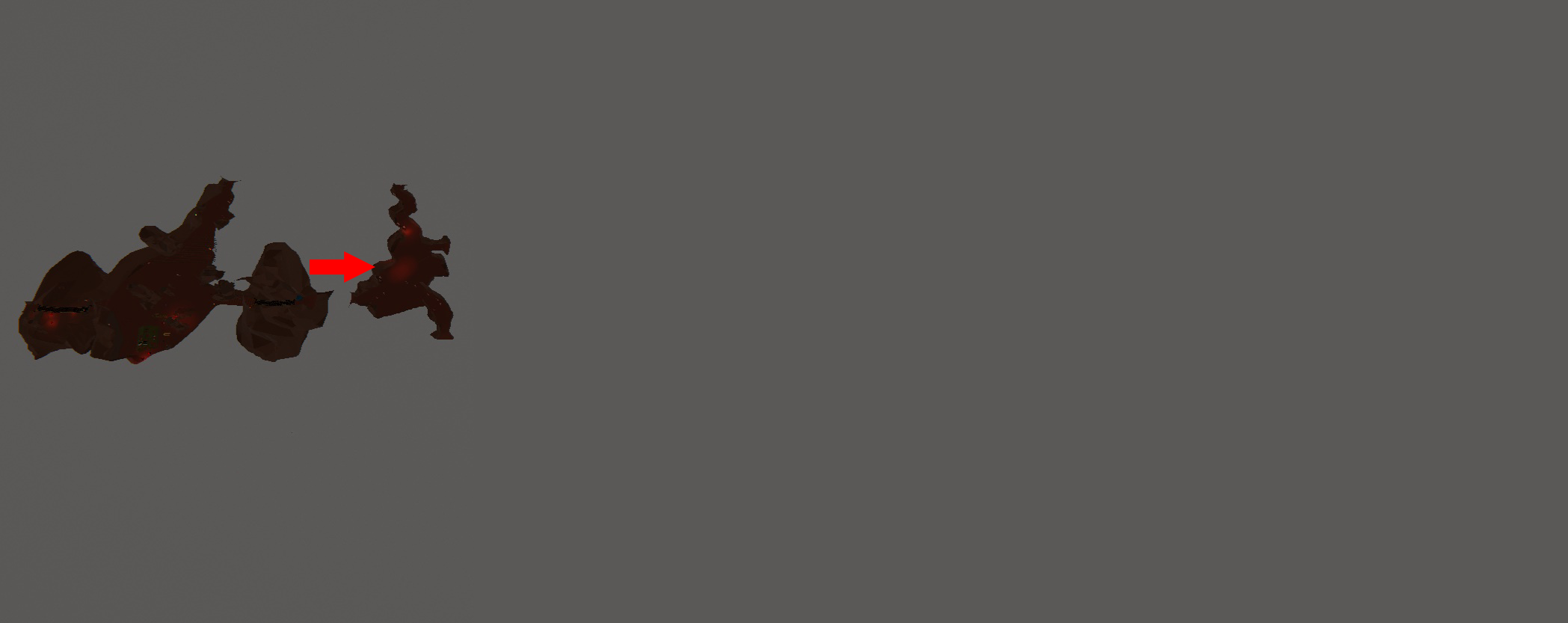
1. The starting room for the level is placed.
2. The next room is placed by choosing a random direction to offset it from this one. Attempts are made to place the next room close to a doorway of the current room to prevent too many sequences of long corridors in the level.
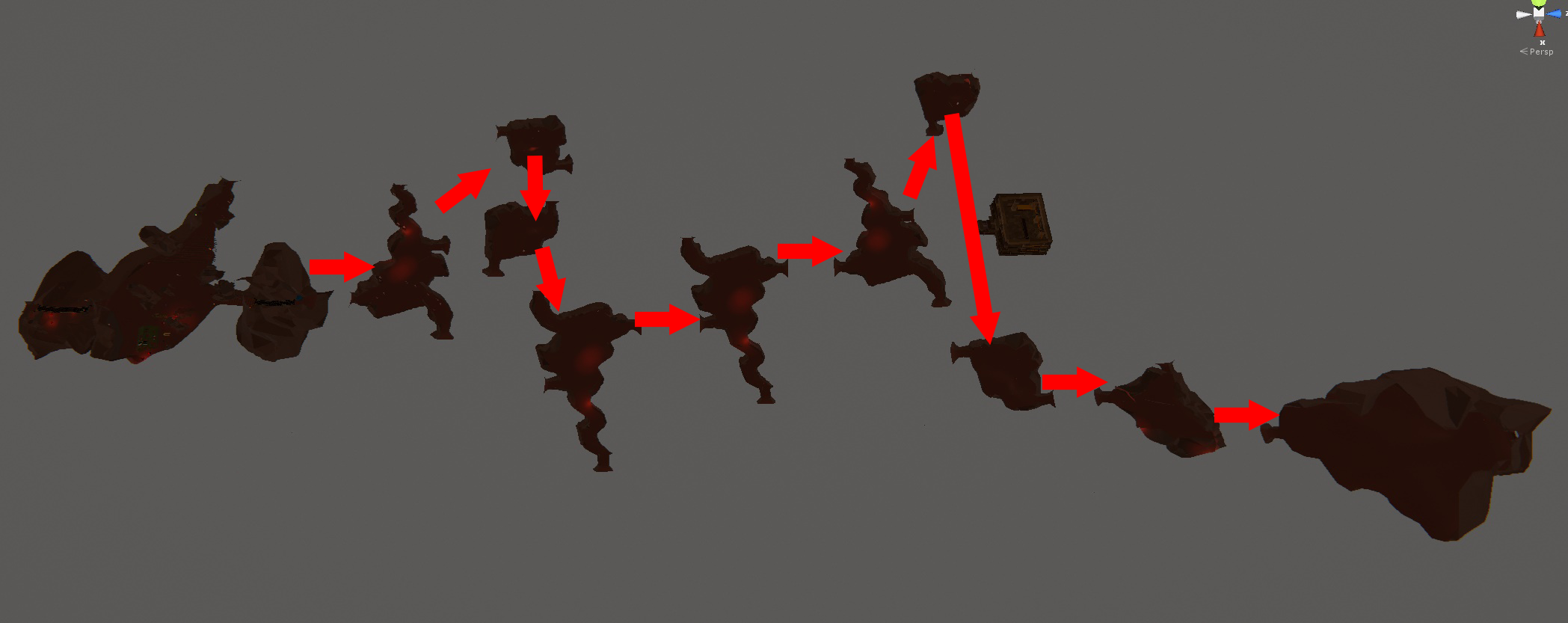
3. This process is repeated for all main rooms in a level with the randomised room offset direction being re-used each time and rotated within a certain range so that the level will have some ordered flow while still maintaining the ability to turn and intersect with itself in more chaotic ways over time.
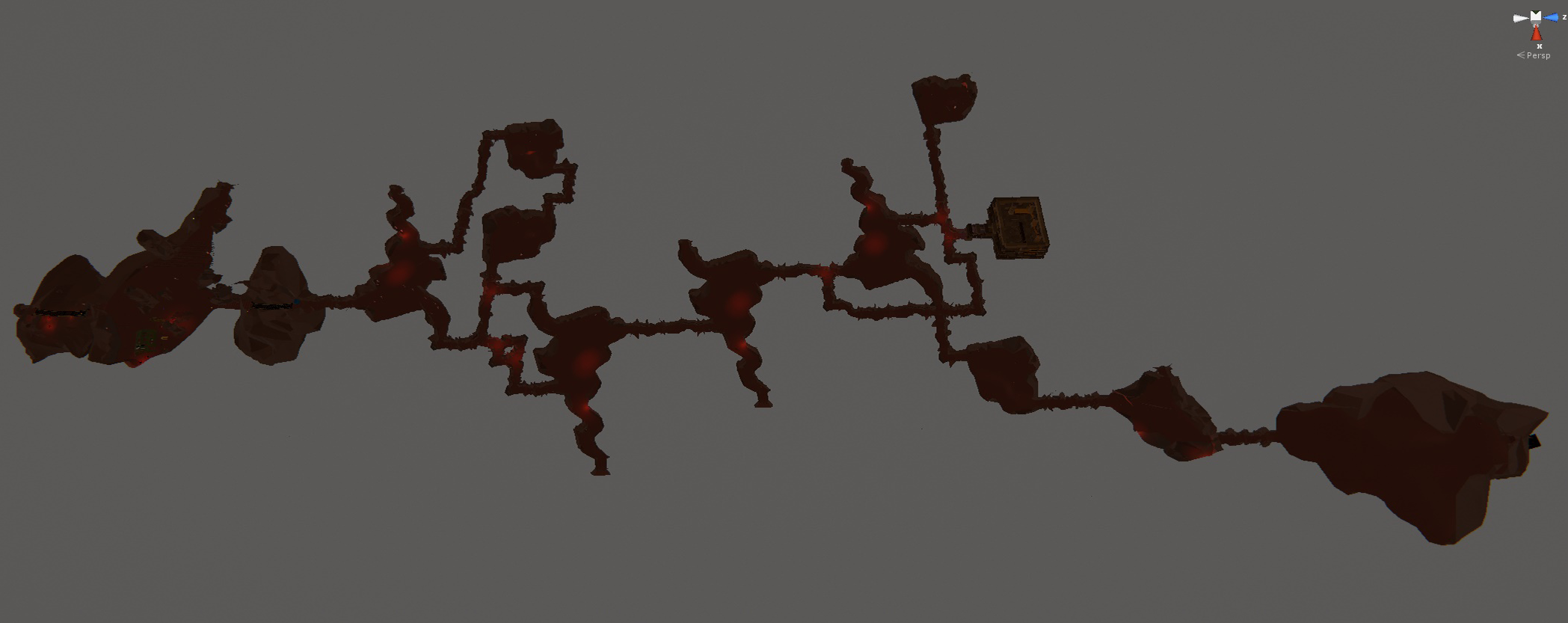
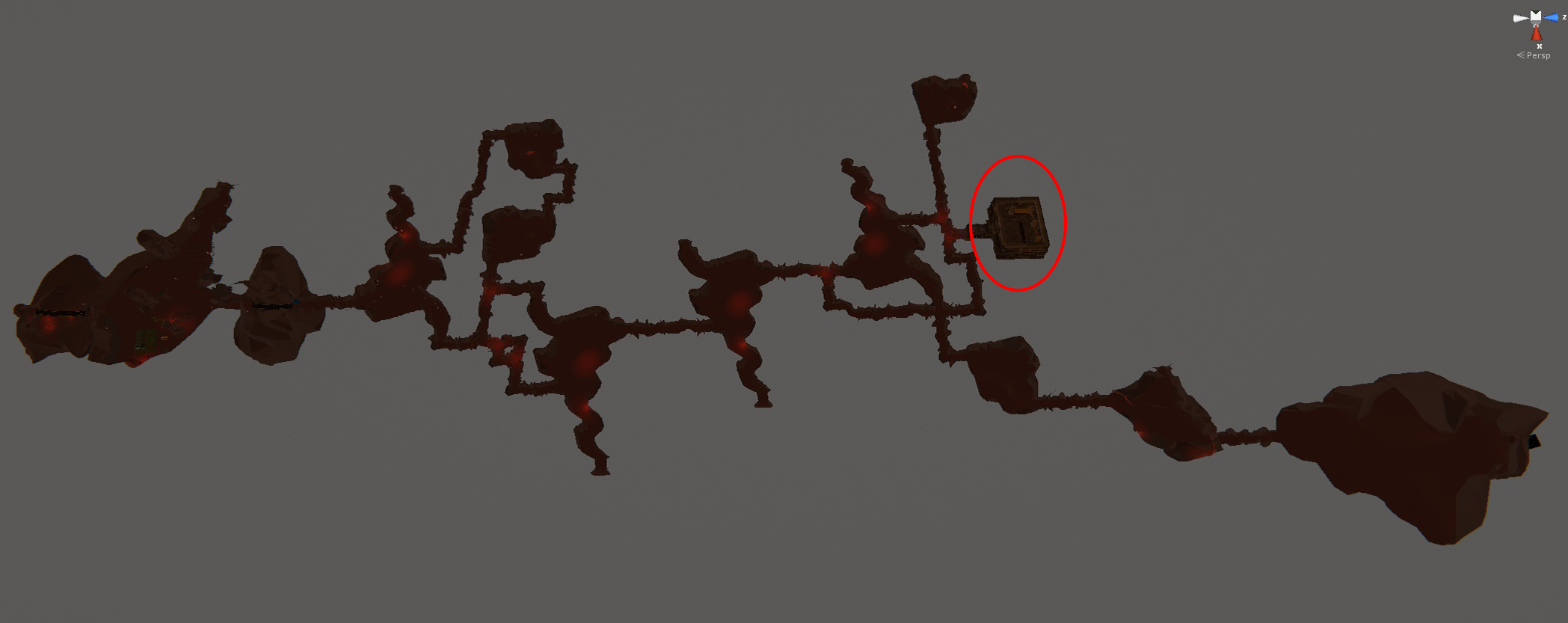
Some areas feature multiple levels of rooms and a certain number of rooms per level are created as stairway rooms connecting these. Also note the square-shaped room towards the end is ignored and bypass by the arrows here as that is a special room that will be covered at the end of this post.
The process of creating the rooms in an order with some loose restriction on a flow direction gives the ability to have the last room generally be the furthest from the starting room while also giving the ability for the flow to change enough to make this not the case and possibly provide earlier access to the exit room. The gameplay mechanics of Beneath make reaching the last room earlier not always desirable though. The order of rooms allows difficulty to ramp up over the course of a level through increases in numbers of enemies and the types of enemies you'll encounter.
Corridor Placement
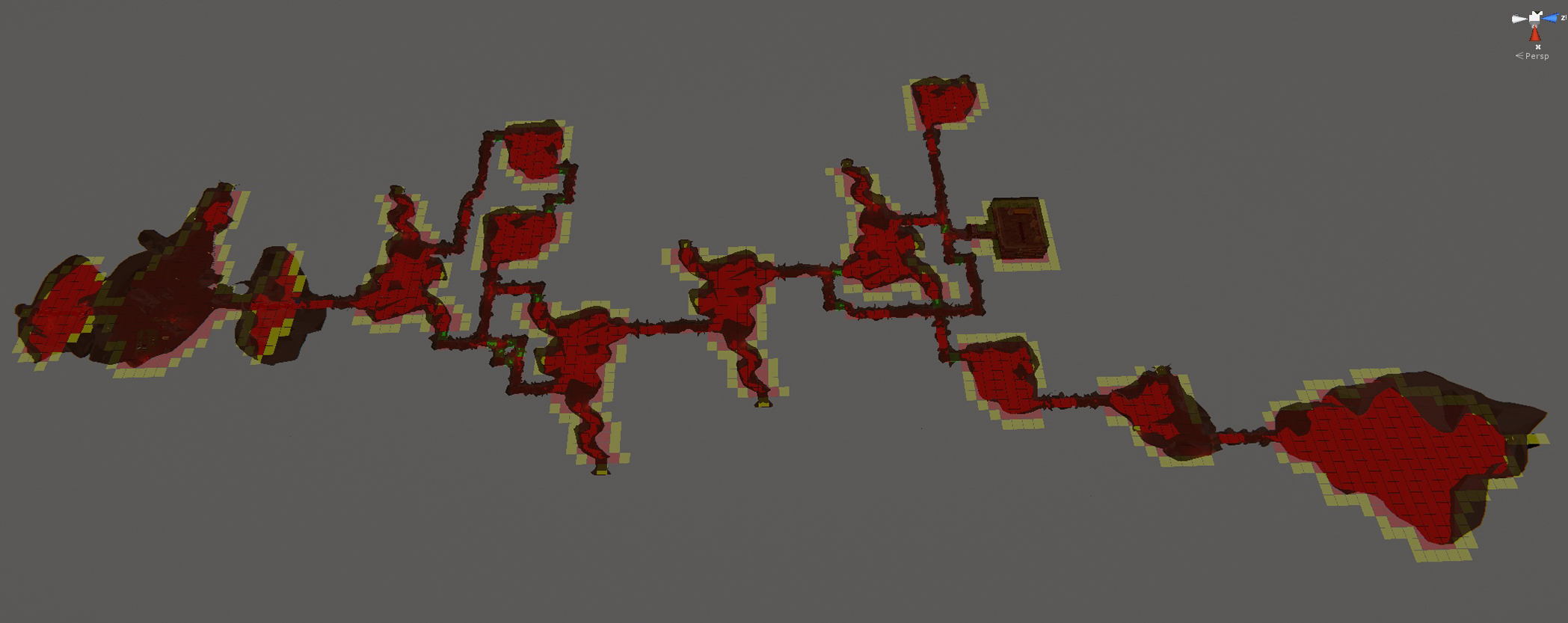
Besides the snaking flow of room placement, the corridor generation also allows for rooms to be connected in a variety of ways that disrupt the initial room order. While the rooms shapes themselves aren't created with much size or shape restrictions, they contain metadata that gives them a tile-based shape which is used in the corridor generation pass. To create the corridors connecting rooms a pathfinding algorithm, much like what is used by the enemy AI to find their way through environments during gameplay, is used to traverse the tile grid from room to room.
In the above image you can see the result of the pathfinding algorithm. The rooms are connected to eachother based on their order, but you'll also note that there are some paths connected rooms that are not following the logical flow of the level. Depending on the initial arrangement of the rooms and various other randomised factors, rooms can be connected in many different ways with paths branching regularly. In this example even with a level that flows fairly linearly, the second room connects to the 3rd, 4th and 5th rooms and similarly the 6th room has a path to the 9th room allowing you to completely bypass the 7th and 8th rooms.
Even moreso than room placement there are many rules governing how the corridor paths are generated. The main reason for this is to limit bugs and unwanted path issues, but the other reason is to ensure corridor path shapes fall within certain predefined types. Like rooms, corridor pieces are pre-made models and these are placed to match the tiles occupied by the corridor generation step. Once the pathfinding is complete, a process of placing corridor pieces takes place. This can be quite complicated as there are many different shapes to account for all sorts of intersection possibilities and a strict order of operation must be followed in how the models are added to ensure full path coverage without any overlaps.
Additional Features
There's much more to a Beneath level than simply placing rooms in an order and corridors between them. Many levels will have intentional branches that lead to nowhere or to other secrets. Other levels take on a more hub-style approach where the starting room might be more central with the level going out from it in different directions.
One element that will be common that doesn't fall into the basics of the level layout is shops. Throughout Beneath you'll earn gold from defeating enemies and this can be spent both at standalone "vending machine"-style objects found randomly in rooms, or at a shop. Shop placement in a level is handled after all rooms are created and typically will insert itself into a spot where there is a longer corridor between rooms. In the example here you can see the shop has placed itself between the 8th and 9th rooms which are the furthest from eachother.
There are many more aspects to level generation with room variety and level structure usually being much greater and more complicated than what was shown in this example. We'll likely go into more detail on other aspects of this and on how other areas generate their levels in upcoming posts.
Next Update
We're planning on releasing an update soon to bring the current state of the game closer to where it will be when Beneath is released. This is in order to ensure non-Beneath elements are working correctly and to minimise the amount of new things introduced at once when Beneath is released. There have been several significant engine upgrades since the last update and a lot of systems have been re-written to handle the greater variety of powers, enemies, weapons, etc. We'll detail more about what will be in this update in the next post.
Beneath Preview 2
Pre-Run Facility
When you first start Beneath and in between each run you'll be in the 'U.H.D.F. Frontline Facility Omega'. The story in Beneath and how it relates to the rest of Paint the Town Red will primarily be told implicitly through the environment and much of this will be in this area.
Certain areas of the facility will not be available for you to access initially and as you progress through Beneath and increase in rank you will gain access to restricted areas.
While the facility area is quite large and detailed, it was important to make sure you didn't need to spend time traveling around it in between runs. Any pre-run setup you can do such as class selection will occur in the facility, but is located right next to where you enter the area and also where you begin a new run.
You'll also also be able to visually see any permanent progress you've made in Beneath reflected in different ways in the facility.
Level Editor Content
Most of the facility content (textures, props, etc) will also be made available in the Level Editor. In addition there are a lot of props and environment assets from the areas of Beneath that will also be available in the Editor.
A lot of additional work has also gone into the enemies in Beneath to ensure they can work outside of the environments they're found in so they can be used in a range of environment types created for user's Workshop levels.
Some of the new gameplay features such as enemy and player fall and impact damage will be configurable in created levels to maintain expected gameplay from existing levels and to allow different gameplay types such as where player fall damage wouldn't be desirable for example.
Development Update
We've been continuing to work on various aspects of Beneath over the past week. We'll go into some more detail about the different ways the levels are generated in a future post, but one area of focus this week has been in setting up a different generation process for a later game area so that the level can suit the enemies and required play-style for the area.
Most areas in the game are a multi-level maze of rooms connected by winding corridors, but others, like the one setup this week is island based, with straight bridges connecting closer rooms. Avoiding being knocked off an island or bridge by enemies like the Charger will be as import as surviving regular attacks.
We'll show more about these different areas in upcoming posts.
There's a number of gameplay mechanics that Beneath's different classes, enemies and environments make necessary and in most cases these will benefit the modes outside Beneath.
One of these changes made in the past week include increasing the punch distance when looking down so that it's easier to punch small enemies and knocked out enemies without needing to crouch.
Another is the much requested feature of fall/impact damage for the player and enemies. This allows you to do much more damage when knocking enemies off high ledges or when they impact hard into walls such as after you use the Shockwave power. Also to properly handle the attacks of some of the new enemies such as the Charger, the player can now be knocked around when hit by certain attacks.
Beneath Preview 1
As you may be aware we've been working for quite a while almost entirely on the Beneath mode which has been little more than an ineffective menu button in the game for some time. Development has taken a long time as it's much larger than other parts of the game. Since we're now approaching the final stages of Beneath's development, we're going to start publishing these preview posts with some details on what you can expect in Beneath as well as development updates. There's a lot we don't want to spoil about later areas, character classes and enemies which is why we've been avoiding showing too much, but we'll show what we can over the coming weeks.
What is Beneath?
Beneath is what's usually referred to as a rogue-lite. It takes place in a number of different settings that are each made up of procedurally generated levels that will be different every time you play. Each of these areas will feature different varieties of enemies, weapons and power-ups. Typically you'll die before reaching an ending in Beneath, but each time you play you'll be gaining Energy that you can spend on permanent upgrades that will improve your chances on subsequent runs. There are multiple endings to Beneath with one ultimate ending that will require you to have completed all others on previous runs.
One of the great things Beneath brings to Paint the Town Red is a lot more variety in the gameplay than what's available right now. Most of this will be available for use in the Level Editor and the remaining Arena challenges will feature lots of content from Beneath (which is why there haven't been more challenges yet). The Endless Arena mode will also feature enemies, weapons and powers from Beneath and will be released in an update after Beneath is available.
We'll cover more of the Beneath content in greater detail in upcoming Beneath Preview posts, but below is some brief details on some of what to expect.
New Enemies
The most important aspect of Beneath is the array of new, distinct enemies. While there will be human enemies in certain areas of Beneath, the majority will be entirely new and have very different attacks and behaviors. Right now we have over a dozen enemy types which are all very different from one another, but in finding the right difficulty balance we might find we need to add more. The goal is to create complementary enemy types such that when they appear in different combinations will present unique, interesting and fun challenges for the player.
Some enemies, like the Crystal Crab, use powerful ranged attacks. Others might avoid the players, building up a powerful attack and then charge and strike the player from close range.
The Bore Worm will hide and move underground where it can not be damaged before erupting before the player and unleashing powerful attacks. You'll need to find strategies for dealing with these enemies to progress through Beneath.
New Powers
In current Paint the Town Red scenarios besides weapons and punches you have a kick attack and 3 powers: Shockwave, Berserk and Smite. In Beneath each run you will pick from one of 6 classes that each have their own set of powers, an alternative to the kick attack and different base amounts of speed, health, and attack damage.
The Brawler class will feel fairly familiar, with the same Kick attack you're used to and a focus on melee combat with powers like Stone Skin which makes you able to withstand attacks while taking minimal damage. Other classes will feel completely different like the Warlock which is far less effective at melee combat, but will shoot fireballs instead of kicking and has potent powers like Chaos which will turn enemies against each other for a time.
Since different combinations of enemies can complement each other in dynamic ways, we wanted to give the players the same opportunity in Multiplayer. When playing Beneath cooperatively with friends, you'll find all new possibilities when you are using different character classes. Powers that might be fairly simple alone like the Brawler'sSlow Time or the Spectre'sSpeed can be much more powerful when used together. Alone the Guardian'sRestoration power allows a player to move and fight in an area while being healed, but when playing co-op it can be much more influential by restoring health to your whole party, saving friends who are near death.
New Weapons
Every new scenario in Paint the Town Red has introduced new weapons and the Beneath mode is no different. Many of the existing weapons will be available in Beneath along with around 30 new weapons. Part of the progression system in Beneath is unlocking the ability for some of the powerful weapons to appear in subsequent runs. Some of these will be fun upgraded versions of weapons you've seen before like a Baseball Bat with Nails or a Flaming Gladius.
Other weapons are completely new like the Crossbow which have their own upgraded versions like the Triple Crossbow.
We're working as fast as we can to get Beneath finished and ultimately Paint the Town Red to 1.0 and out of Early Access. With the amount of time we've put into Beneath so far though, it's important we don't rush things now and release it before it's as good as it can be.
There's much about Beneath we don't want to spoil which has been one reason we haven't shown too much until now, but primarily with the huge amount of new content we've been working on there hasn't been much in a state of completion that's worth showing. Even now though almost all individual elements are finished to 90%, but it's the last 10% where things become visually complete and good enough to show.
Spending over a year on such a huge feature during Early Access is not ideal for you or us and while we had a number of updates in 2017, we regret not being able to have more substantial game updates during that time. We have been working very long hours on Beneath throughout and look forward to getting this mode into the build and your hands. We'll continue to post Beneath information and progress updates in these Beneath Preview posts on Steam so watch and follow the game to get notified as they are released.
0.8.22 Changes
Patch Info
We're putting this update out now mainly to help the awesome map makers that are making insanely large and detailed levels for the game. Adding and deleting props should be significantly faster when you have a large number already in the level.
There are several other fixes and performance improvements mainly from work that has been done on Beneath that are included in this update.
Version 0.8.22
Level Editor: Improved performance when editing levels with large number of props
Increased punching attack range for large enemies
Tweaked weapon settings
Added occasional weapons hitting environment during latter half of swings
Performance improvements with large numbers of enemies
Fixed some issues with enemy movement before combat
Fixed shields not being dropped on death
Fixed bug with weapon damage areas becoming offset after throws
Fixed bug with how spinning blades trap hits enemies
Fixed race condition in decal threading
Fixed a bug resulting in enemies dropping through floor at times
Fixed bug with bullets not coming out of guns correctly
Fixed out of range error in light culling on large workshop levels
Multiplayer: Fixed bug with some trigger zone settings not being correct for clients
If you notice any new bugs after this update please let us know at contact@southeastgames.com.