Our latest patch has a bunch of great content – some we have talked about in the past, some new! Here is a recap of what you can expect:
Performance Improvements
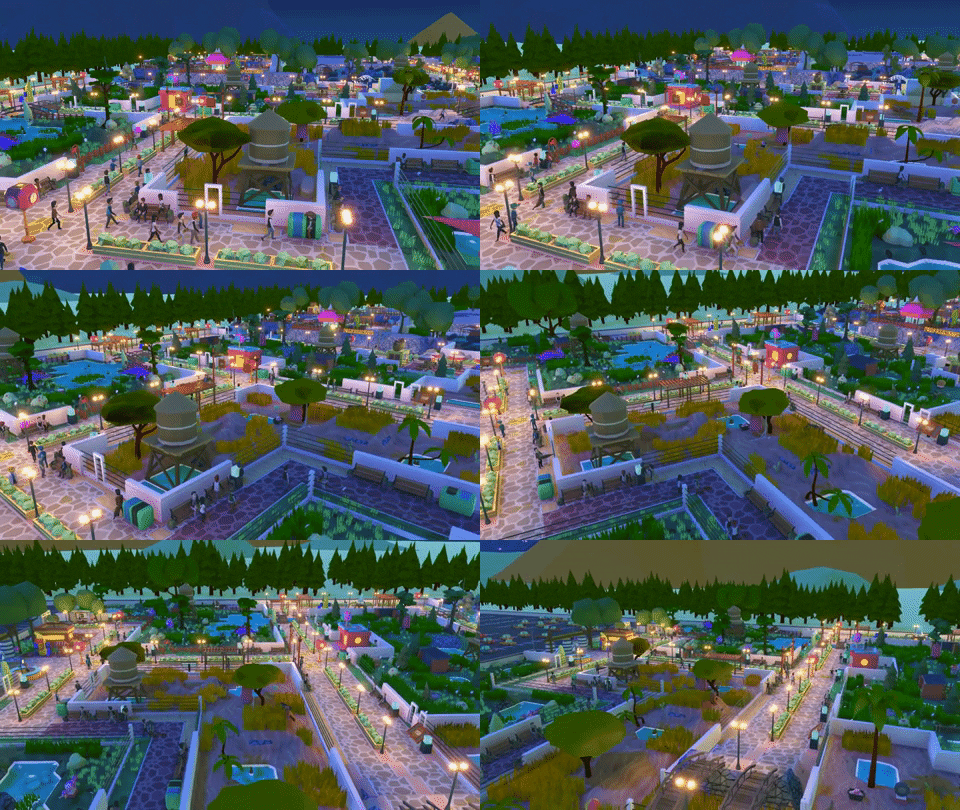
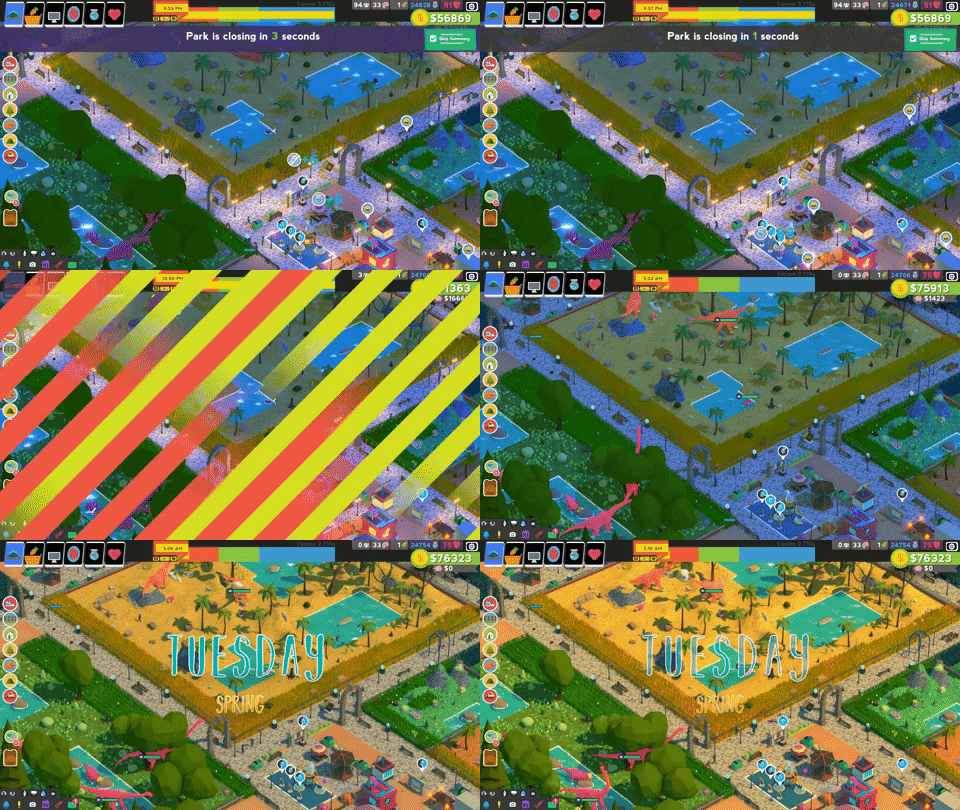
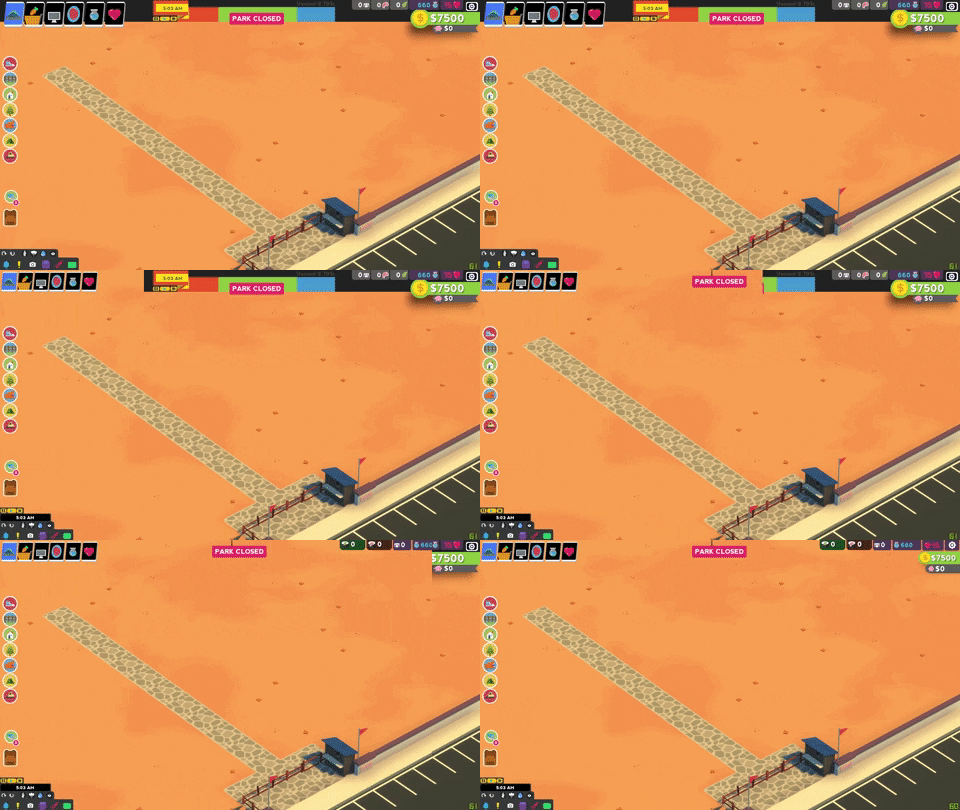
We overhauled the animation system, adjust the navigation mesh, and more! Everyone should see a major reduction in-game hitching, and a nice boost in frame rate. This is especially true for larger parks. Here is a little before/after on my slow laptop. 😊
Mission Par Times
Each mission in the campaign now has a par time in days. This is located on the mission information box (see below). Achieve the par time, earn an extra rocket. (we’re hoping to add achievements for this)
Improved Overview Functionality
We received some great suggestions from the community on how to improve our overview (button bottom left). A few examples include improving relevant information for the player such as dino health and a method to Auto Assign experience points for your Employees.
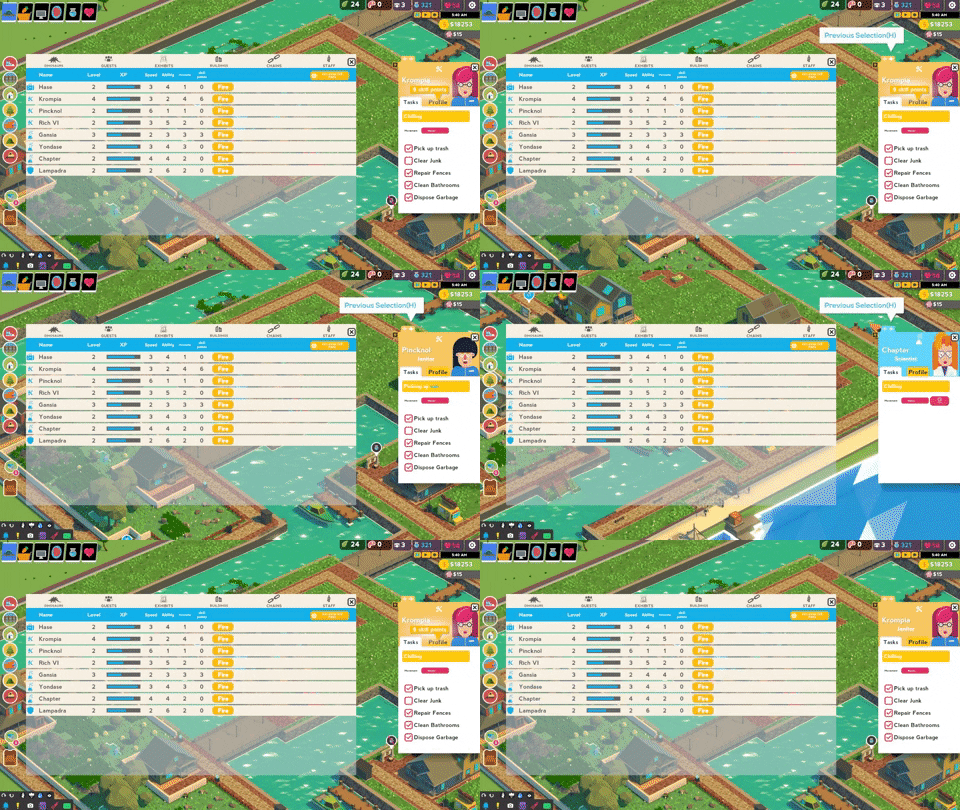
In addition, other UI enhancements were added, such as a cycle through your employees from the employee info pane:
Elevated Walkways
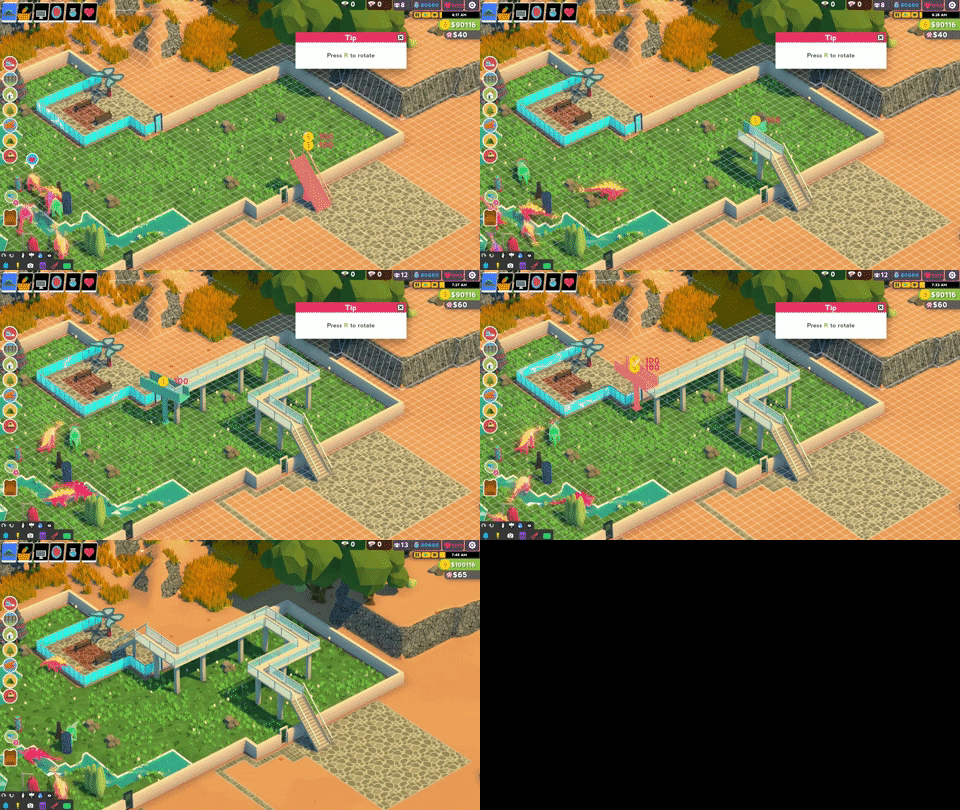
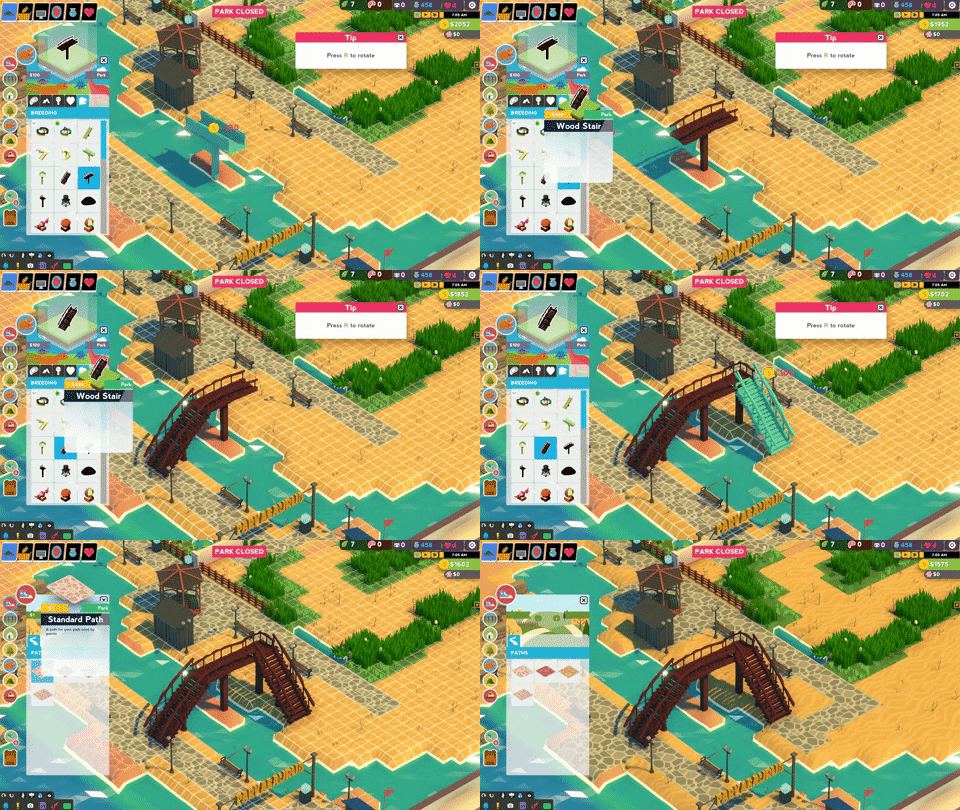
We have a more detailed post about Elevated Walkwayshere but in a nutshell - create pathways for your guests above ground. Go nuts.
Disclaimer: Any crazy features we write about might change during Early Access
Update #46: Elevated Walkways
Elevated Walkways
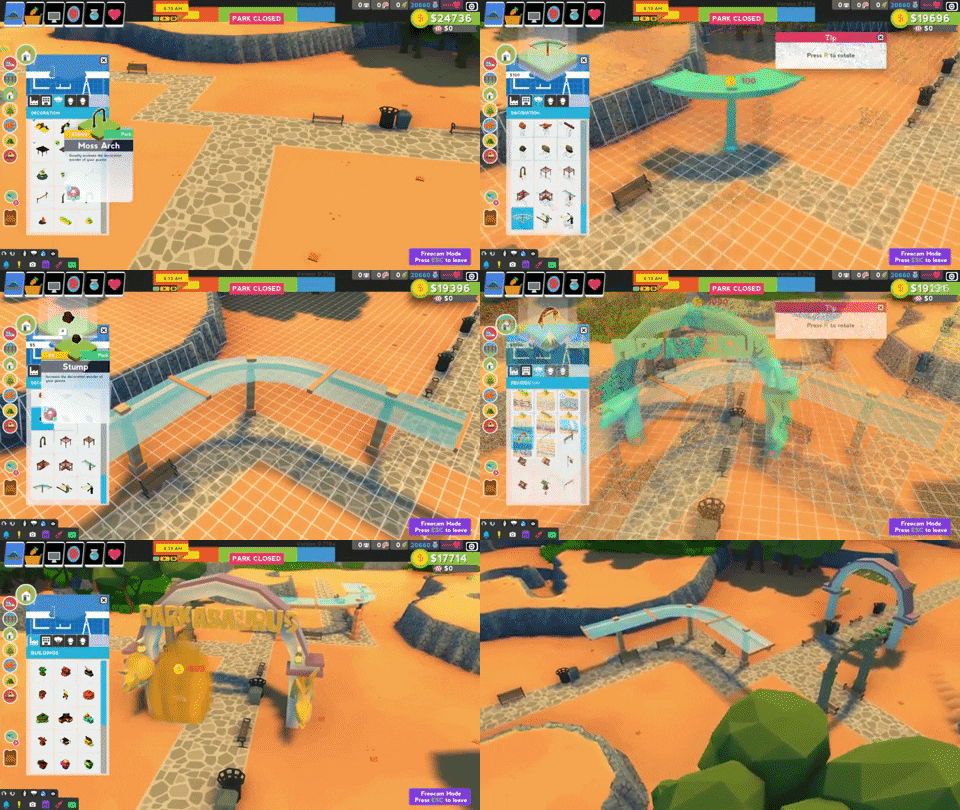
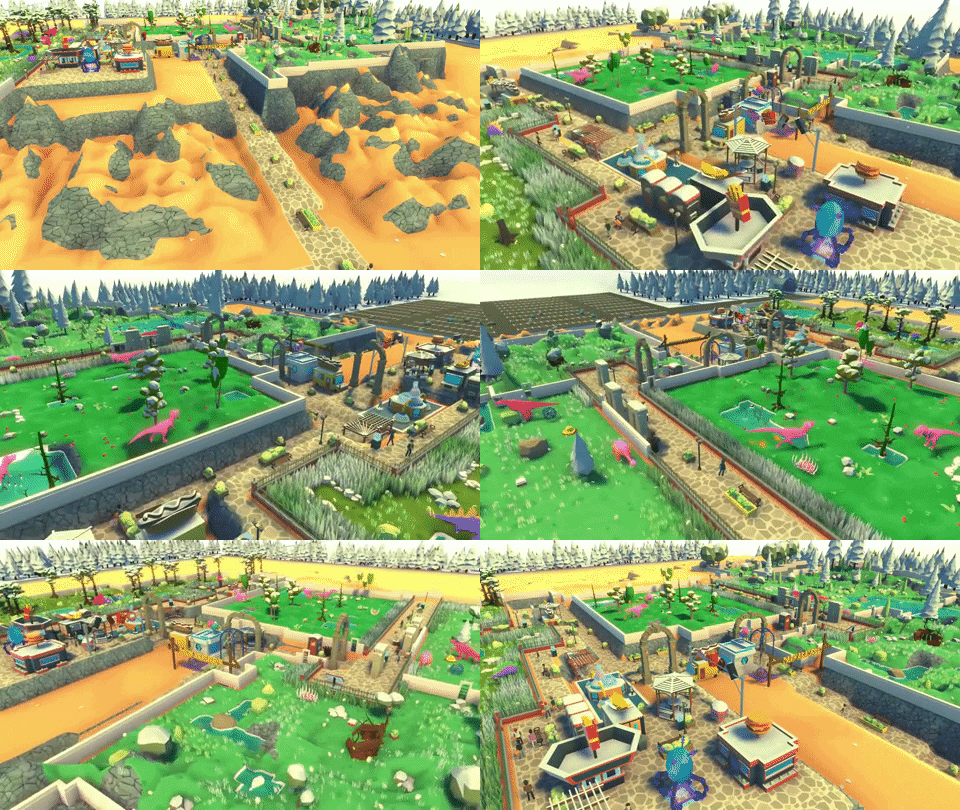
Our upcoming update has elevated walkways to add a little spice to your parks. Create an Apatosaurus’ eye view! Elevated walkways are a nifty way to create pathways through your dino parks without having to re-make an exhibit, and to also scratch those creative itches!
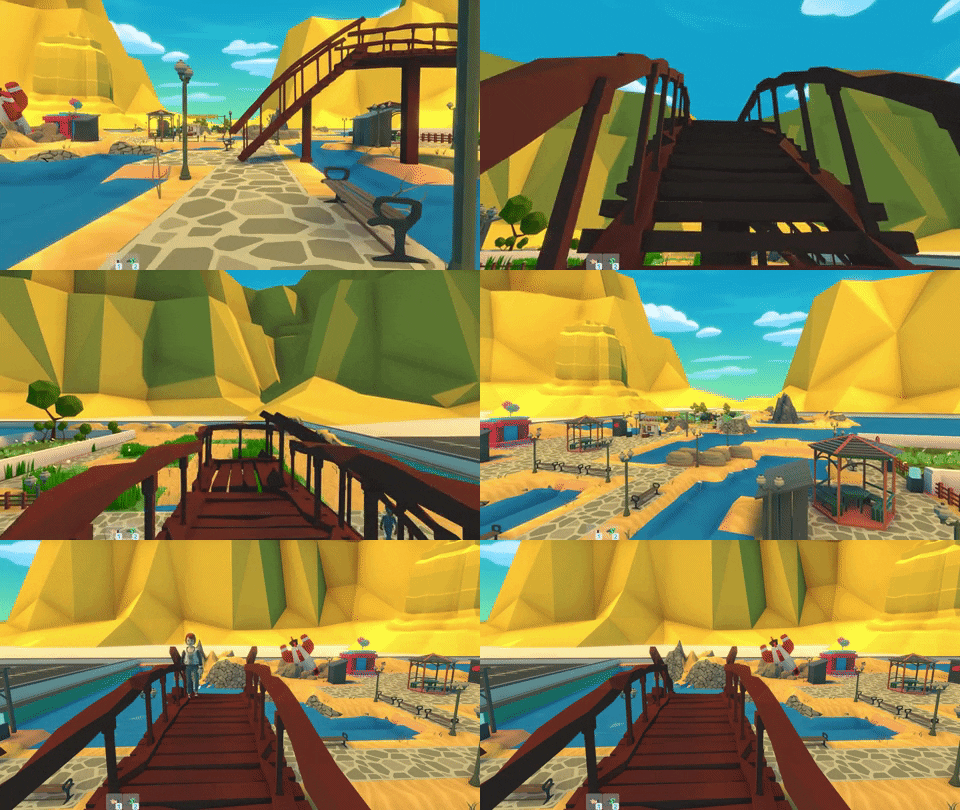
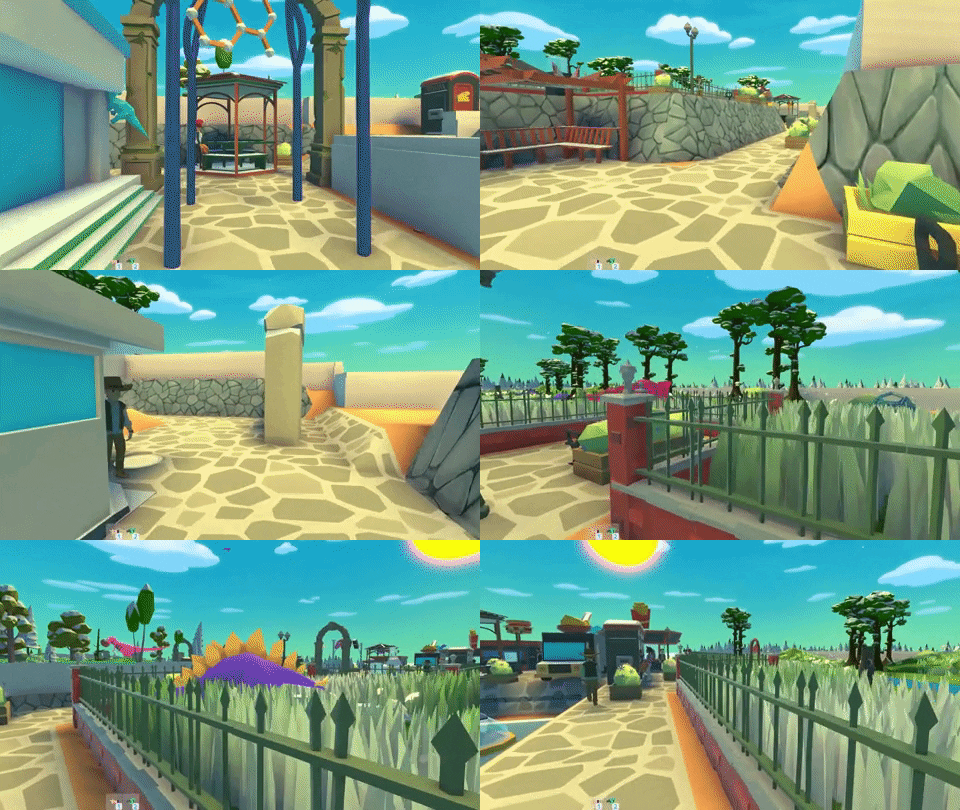
Here I’ve created an elevated walkway over a waterway so my guests can access the Stegosaurus exhibit.
Jumping into first person mode allows me to try out the walkway and see the guests using my creation.
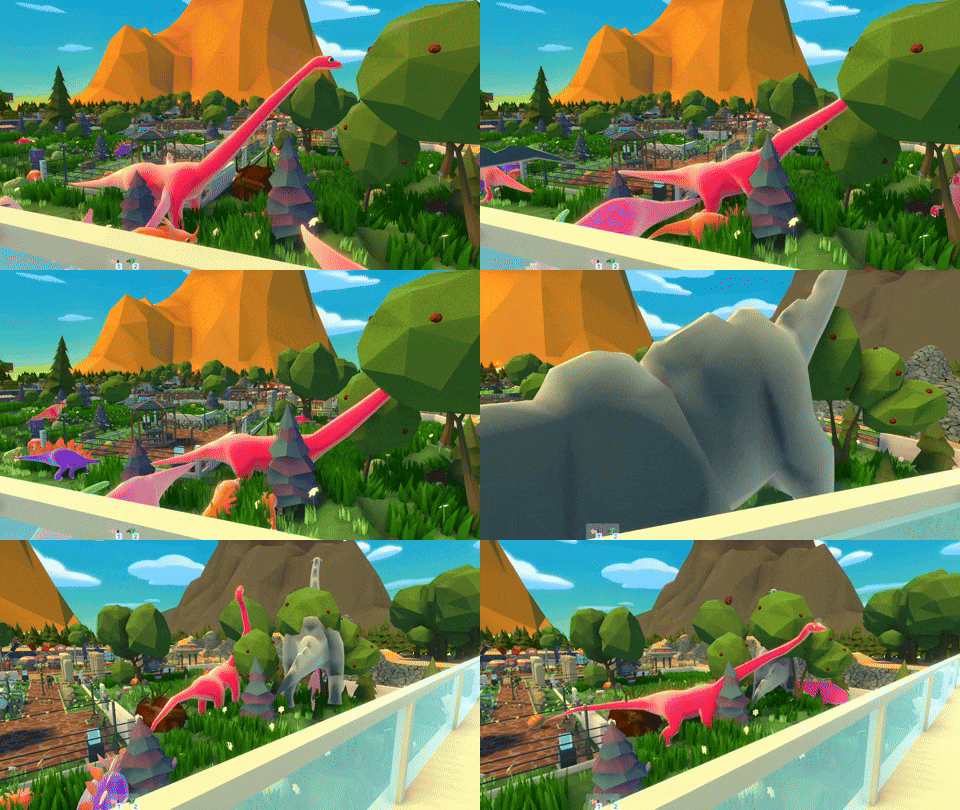
Create walkways to go through your dinosaur exhibits!
Get up and personal with your dinosaur friends!
Tips for elevated walkways:
Ensure the ground is at the same elevation underneath your walkways.
Careful that trees in the middle of the walkway prevent guests & employees from passing.
Have a great weekend and be safe! Taky & Smashlore
Disclaimer: Any crazy features we write about might change during Early Access
Update #45: Community Park Video
Community Park Video
Hello! The two of us at Washbear are consistently amazed by how creative and cool many of the Parkasaurus dinosaur parks we see sent to us. Why not celebrate with a Community Park Video compiled of these great parks!
The question is can we get enough submissions? Who knows! We’ll take the top 10-20 parks; all styles, big parks AND small parks, anything you're proud of. Send us your park for a chance to be featured in the video!
How to send us your park:
Option 1) While in your park send us a bug report from the main menu by “Submit Bug Report”
Option 2) Alternatively, the more cumbersome method is to email us your park at chris@washbearstudio.com. You can find the save game of your park usually here: C:\\Users\\\\AppData\\LocalLow\\Washbear
Be sure to let us know this is for the community trailer and include the alias you would like to appear if your park is chosen.
Let’s see if we can get enough submissions and good luck!
ps. We'll accept submissions for a month, let's say until July 7th.
Disclaimer: Any crazy features we write about might change during Early Access
Update #44: Dinosaur Variety
Dinosaur Variety
Hello! This week let me tell you about updates to what we call Dinosaur Variety. A player should be rewarded for having a greater variety of dino tiers within their park. Let’ s explore this idea.
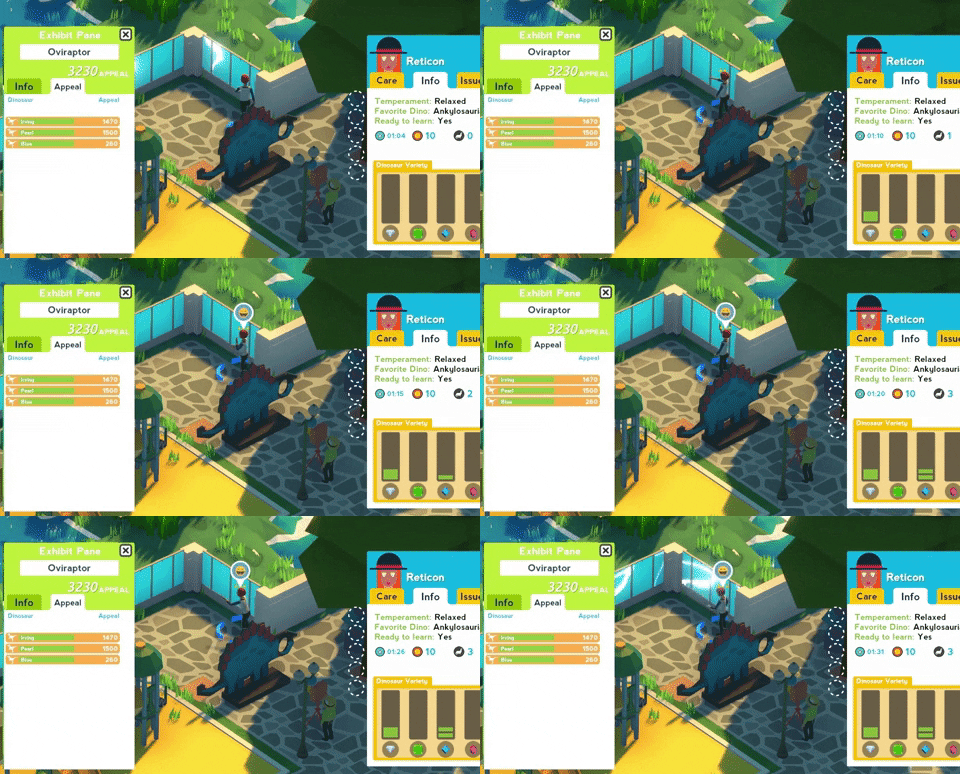
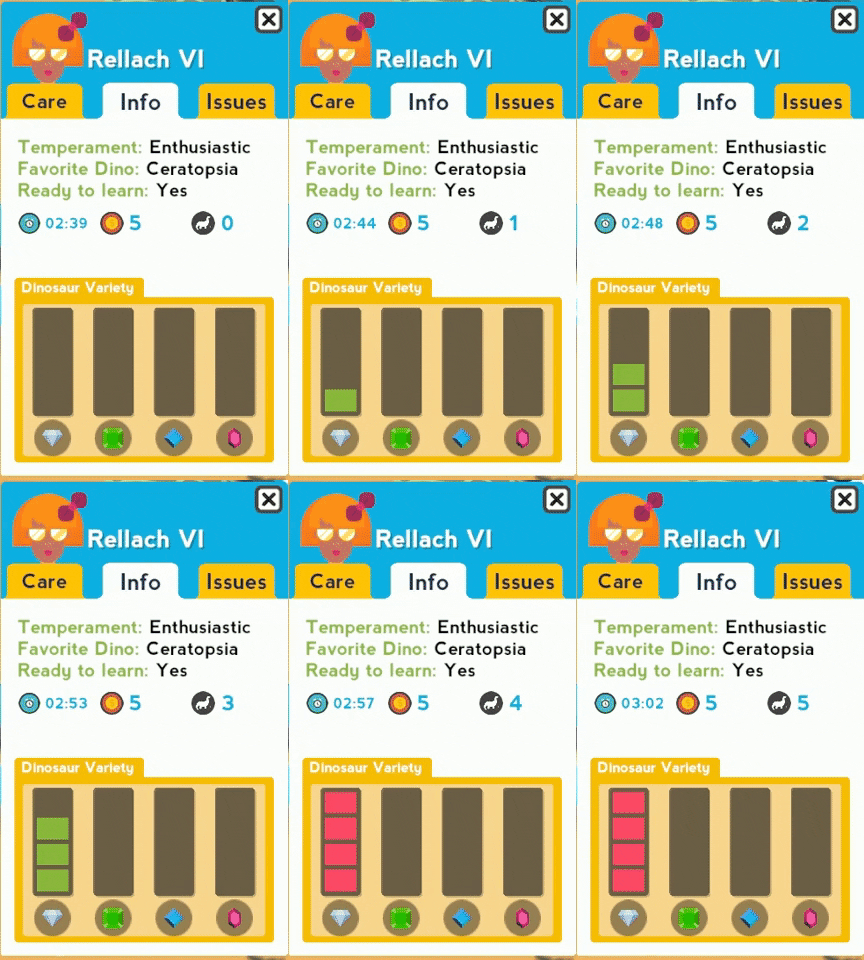
Currently in Parkasaurus there are 4 tiers of dinos: Imperfect, Uncommon, Rare and Epic. Now the Info pane on your guests reveals the Dinosaur Variety experienced by your guest in addition to the total number of dinosaur seen. If a guest has seen too many dinosaurs of a certain tier they become bored, and donate less.
In the picture above the guest has seen 1 Uncommon dino, 2 Rare dino, and 1 Epic dino. No boredom! A guest will donate proportional to the Appeal of your dinosaurs which increase with tier. This is Dinosaur Variety experienced by a guest at a raptor exhibit:
This exhibit contains 1 Velociraptor and 2 Oviraptor. The guest donates the full amount for each dinosaur. You will notice that a guest grows bored quicker for lower-tier dinos.
We indicate boredom has set in with red bars as opposed to green:
A guest still donates when viewing a dinosaur of a tier they have become bored with but at a greatly reduced.
Moral of the story: Be sure to keep Dinosaur Variety!
Also, this is a picture of the raptor exhibit from above. Apparently the Oviraptors decided to attack the lone Velociraptor.
Translation Help - Localizor!
Thanks for reading all, and we hope everyone is safe in these very weird times. xoxo Taky & Smashlore
Disclaimer: Any crazy features we write about might change during Early Access
Update #43: Info Booths
Info Booths
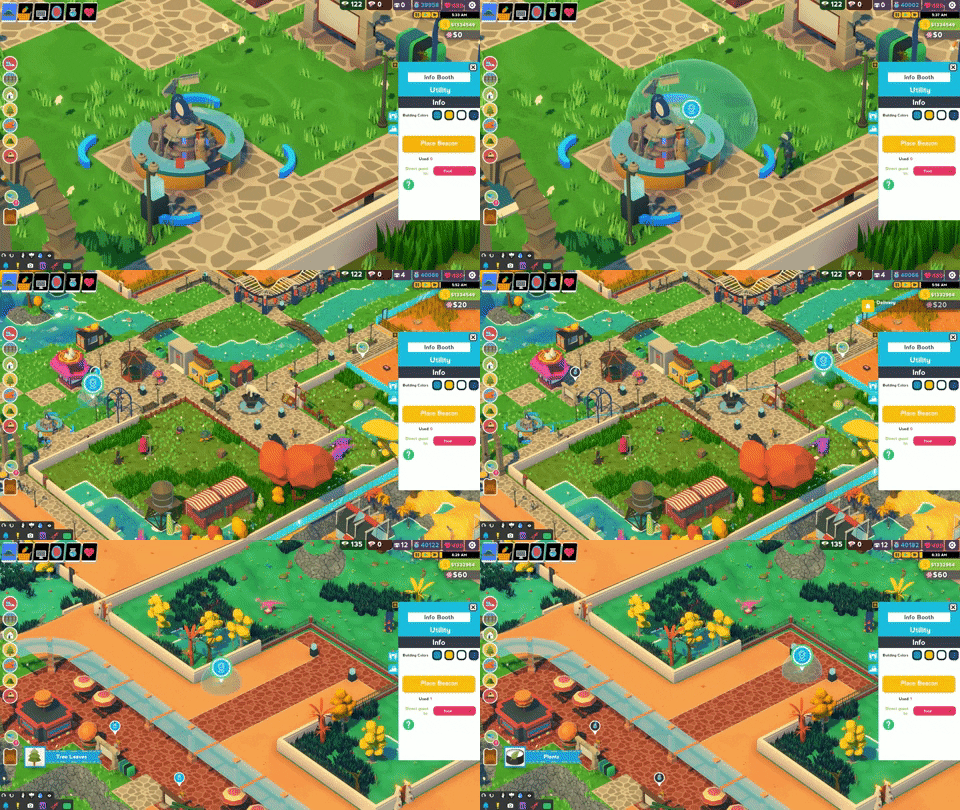
Hi friends. Today I’d like to talk about changes and improvements upcoming with Info Booths. Our objective with Info Booths is to provide players with a way to help direct guests deeper into their park. Just like you and me, when a guest arrives at a park they often will stop to look at the first dinos. As your park expands you eventually have cooler dinos with high appeal farther from the entrance. It is helpful to direct your guests to these new dinos.
How do Info Booths work?
First, place your booth. You now have decisions:
Placing Beacon
Choosing Attraction
To help illustrate the functionality of the Info Booth look at the park heat map below.
Notice that not many guests have journeyed to the top of the park. Also, notice the farthest exhibit has only received $272 in donations. Not a great situation if my highest appeal dinos are in this farthest exhibit.
Let’s move the Info Booth beacon to where we would like a guest to visit.
Second, let me select Fun as the attraction a guest will find. The three options are Food, Fun and Bathroom. Guests who are looking for Fun walk towards the suggested beacon.
Now, look at the park heat map with our Info Booth helping.
Notice that many more guests have explored the exhibit at the top of our park. Also, notice this donation has received $9405 in donations! Of course, this also means the park has received fewer donations at the exhibit closer to the entrance. The Info Booth also displays on the map how many guests used their service. Interesting decisions to be made.
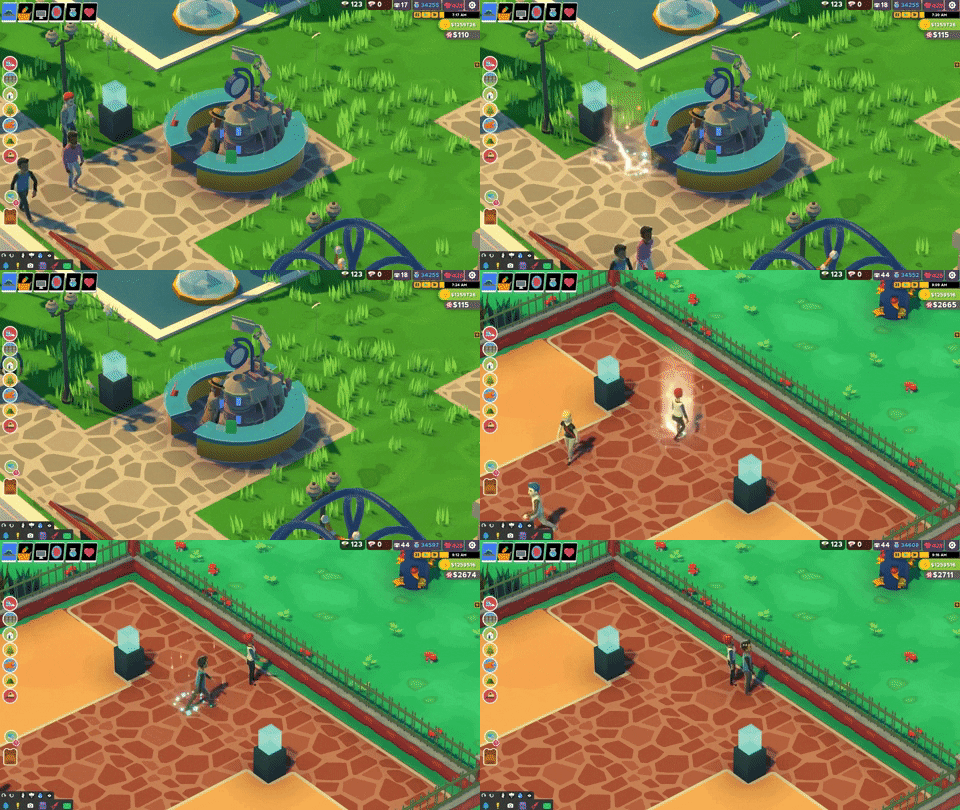
And did I mention the upgraded Info Booth teleports guests to their destination? Well – they do!
Translation Help - Localizor!
Thanks for reading all, and we hope everyone is safe in these very weird times. xoxo Taky & Smashlore
Disclaimer: Any crazy features we write about might change during Early Access
Dr. Dino
Welcome new and old friends! We out biggest update EVER available today; so expect this post to be longer than normal. There is tons of new content to talk about, but briefly:
Gameplay
Sickness & Medicine
Hats with Powers
Chain Light Overhaul
Dinosaur Food
Bank
Dino Toys
Park Map
Employee Updates
Robbers & Security
Portal Enhancements
Build Under Bridges & Arches
Info Booth Director
Campaign
Episode 3: 4 More Missions
Reset Ship Parts & Reset Campaign
Quality of Life
End of Day Major Change
Office Computer Redesign
Build Lower Tier Buildings
UI Redesign
Bug Fixes!!#!
Ambient Slider Control
24 Hour Clock
Sickness & Medicine
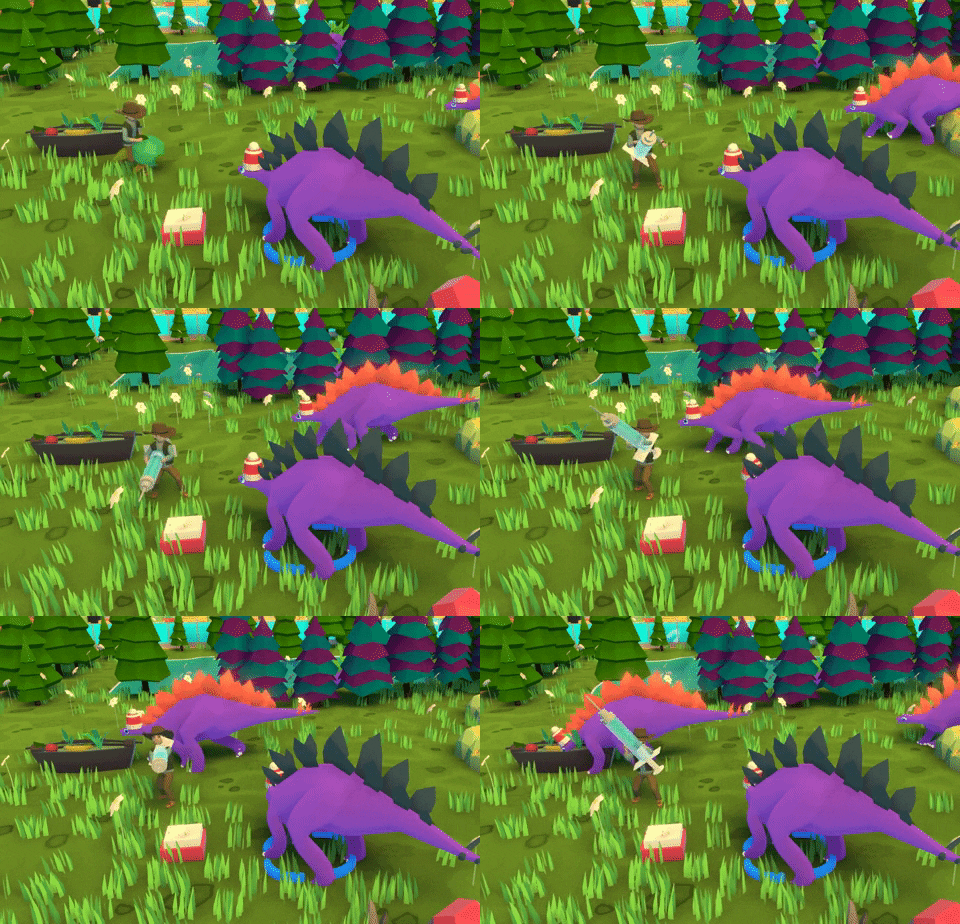
On occasion your dinosaurs become sick. Now it is up to you to determine the best treatment, and to keep up your dinosaur's overall health. Also, who doesn’t love giant syringes?
Hats with Powers
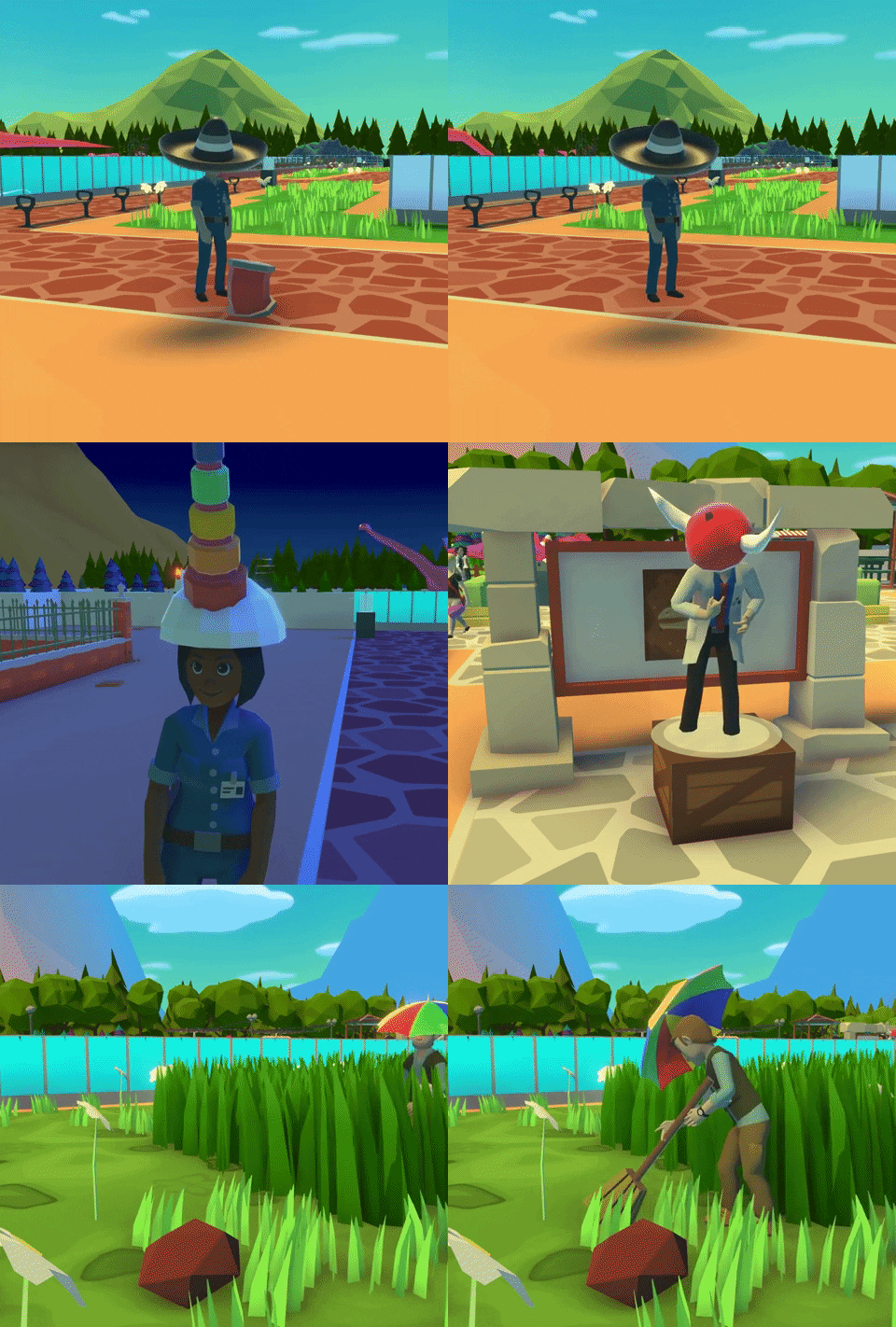
First: The same Hats are now wearable by both dinosaurs (when adults) and employees! Each hat has a unique set of buffs for either your dinosaur or employee. Be warned though, some hats will change the desired biome of your dinosaurs. Hats can be researched, rewarded, or found in unique hat chests found while digging.
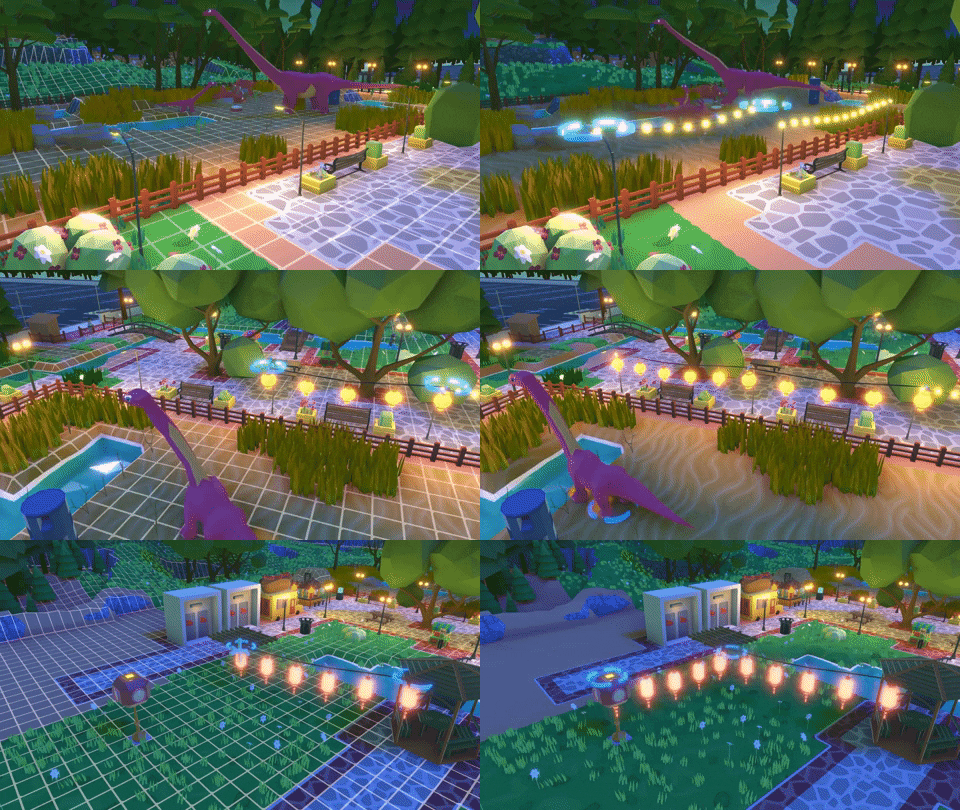
Chain Light Overhaul
There are now more ways for your park to look amazing at night. Also, major improvements to the controls of placing lights (it was pretty bad before). A full post can be found here: https://steamcommunity.com/games/591460/announcements/detail/1706237789316924617
Dinosaur Food
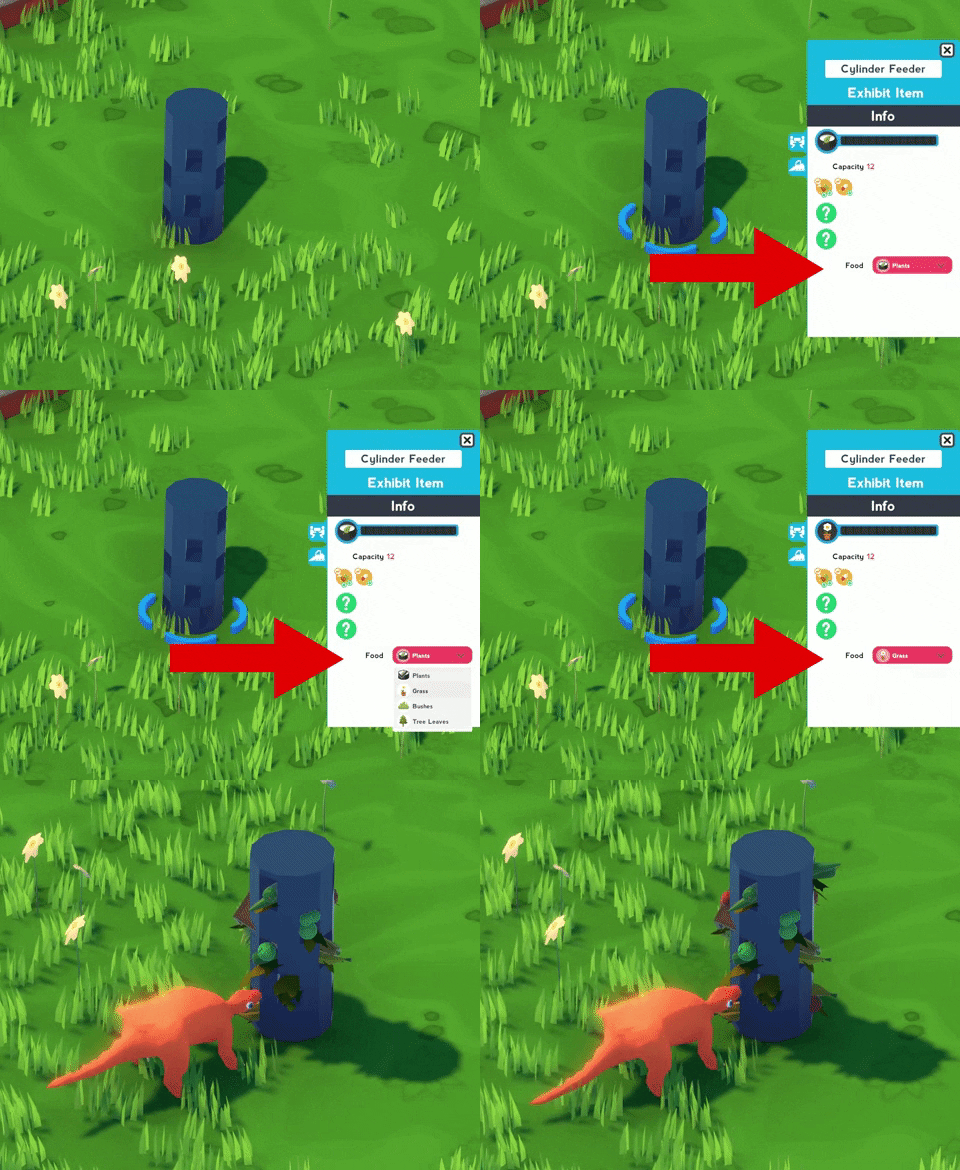
Different food types for different dinosaur sizes. The perks on your feeders have also been updated so choosing the correct feeder makes a big difference to overall dinosaur happiness. A full post can be found here: https://steamcommunity.com/games/591460/announcements/detail/1708492123024465185
Bank
This is a personal favorite of mine – the Bank in town is now OPEN for business. You can now exchange between currencies: Money, Science and Hearts. Very helpful!
Dino Toys
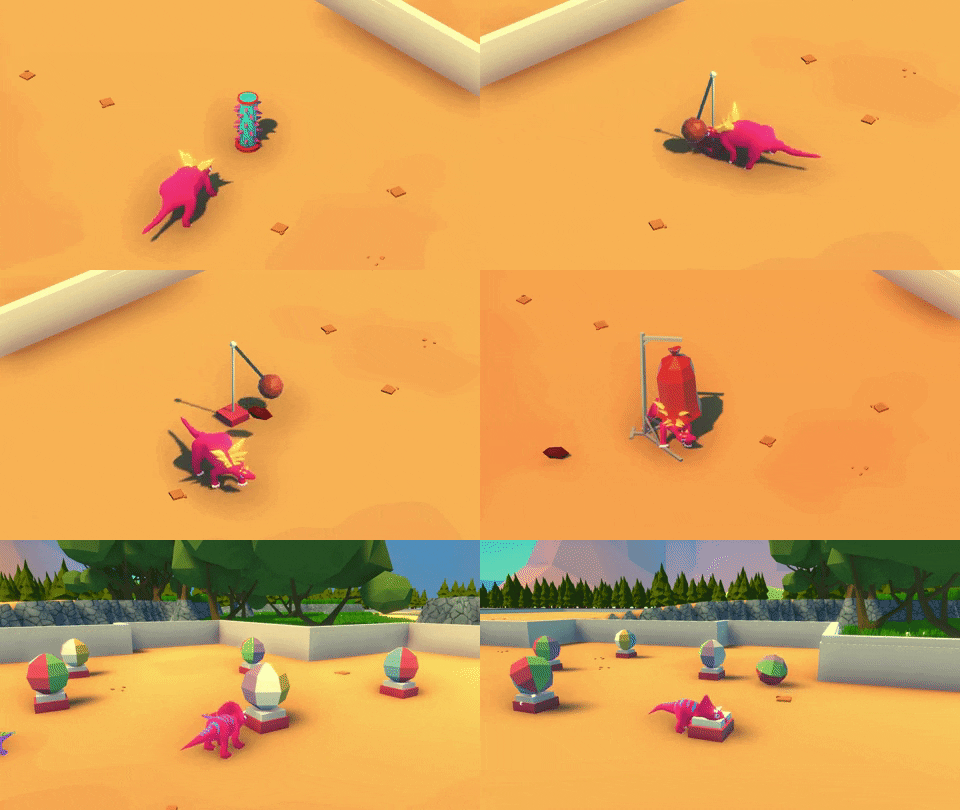
We added a lot more dinosaur toys! This is a great way to increase the Enrichment of your dinosaur friends.
Park Map
An overall Map of your park can be found in the office including Guest Heat Maps for all your guests. You also can simultaneously see the heat maps of all guests if you select All Guests.
Employee Updates
Lots of little changes have gone into Employees with most notably being the assignment of skill points and new skills available.
Robbers & Security: Security now picks up your crates! Also, they help reduce crime in your park.
Portal Enhancements: “R” now rotates all dig shapes! Your employees can bring different skills to each dig.
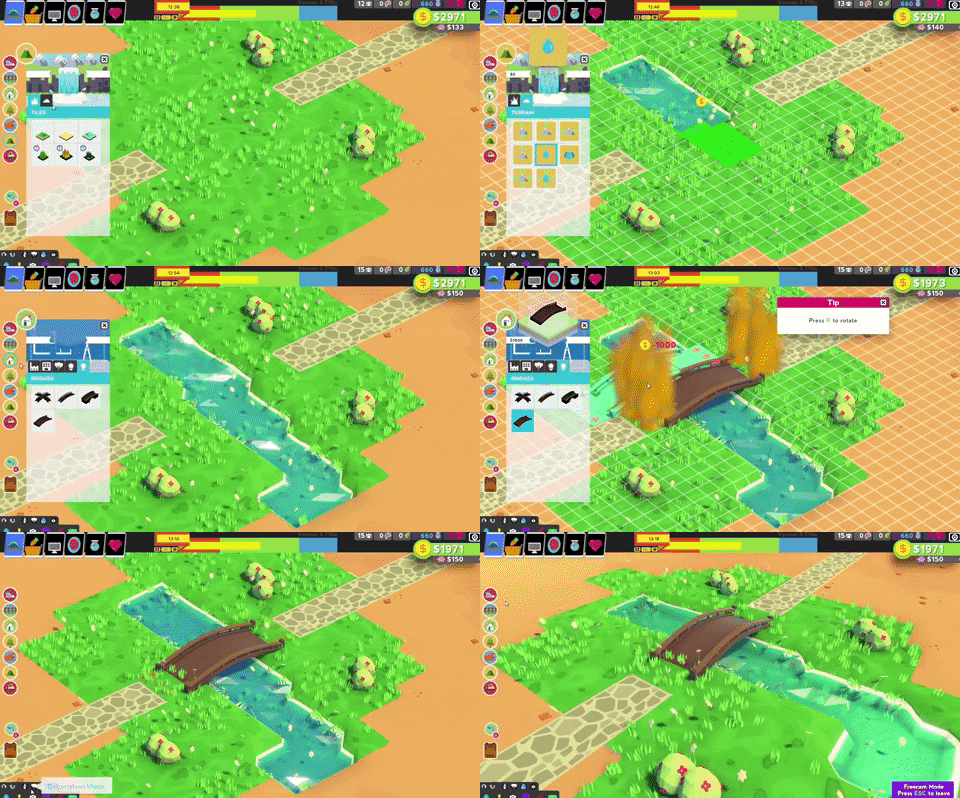
Build Under Bridges & Arches: Long requested, water flows under bridges and you can build under arches
Info Booth Director: We will make a post about the Info Booth. Briefly: you can help direct your guests around the park based on desire!
Campaign
Episode 3: 4 more Missions that hopefully each teach and provide a new challenge.
Reset Ship Parts & Reset Campaign: You can now fully reset how you have spent your Ship parks.
Quality of Life
End of Day Major Change: This was our #1 complaint by the community, and I’m hoping we addressed this. You can now seamlessly play into the next day, and skip the End Screen altogether if you desire. A full post can be found: https://steamcommunity.com/games/591460/announcements/detail/1698355219501610639
Office Computer Redesign: The Office Computer at the end of the day has been redesigned to provide you with actual useful information and to be more efficient. Check out the full post here: https://steamcommunity.com/games/591460/announcements/detail/1707364957702526234
Build Lower Tier Buildings: Now when you upgrade an item, you can still build the older tiered item if you desire!
UI Redesign: We redesigned the UI to provide more real estate space and consolidate the important information.
Bug Fixes!!#!
Ambient Slider Control
24 Hour Clock
More stuff that I forgot!
Thanks for reading this far. Please remember there could be bugs since this is such a big update! For a full list of updates and fixes (well, most of them) check out: https://steamcommunity.com/app/591460/discussions/0/1644292549023387189/
Thank you for all your community suggestions, bug reports and support. There many ways to help:
Follow us on Twitter, hang in Discord, post about us on reddit
Provide thoughts and feedback so we can improve the game for the final release
Tell your favorite streamers to play our game
Talk about us when you can
And most importantly, love your animals with all your heart
Disclaimer: Any crazy features we write about might change during Early Access
Update #42: Dino Food
Dino Food
Happy March! (whoah slow down 2020). Our upcoming patch has a few changes involving dinosaur food that I’d like to chat about. Our motivation was to provide players with a few different strategies when choosing how to feed their dinosaurs, both in ways to save money, and also ways to improve their dinos well being.
Food Specialties
Food Slots
Feeder Bonuses
Translation Help - Localizor!
PTR up this weekend
Food Specialties
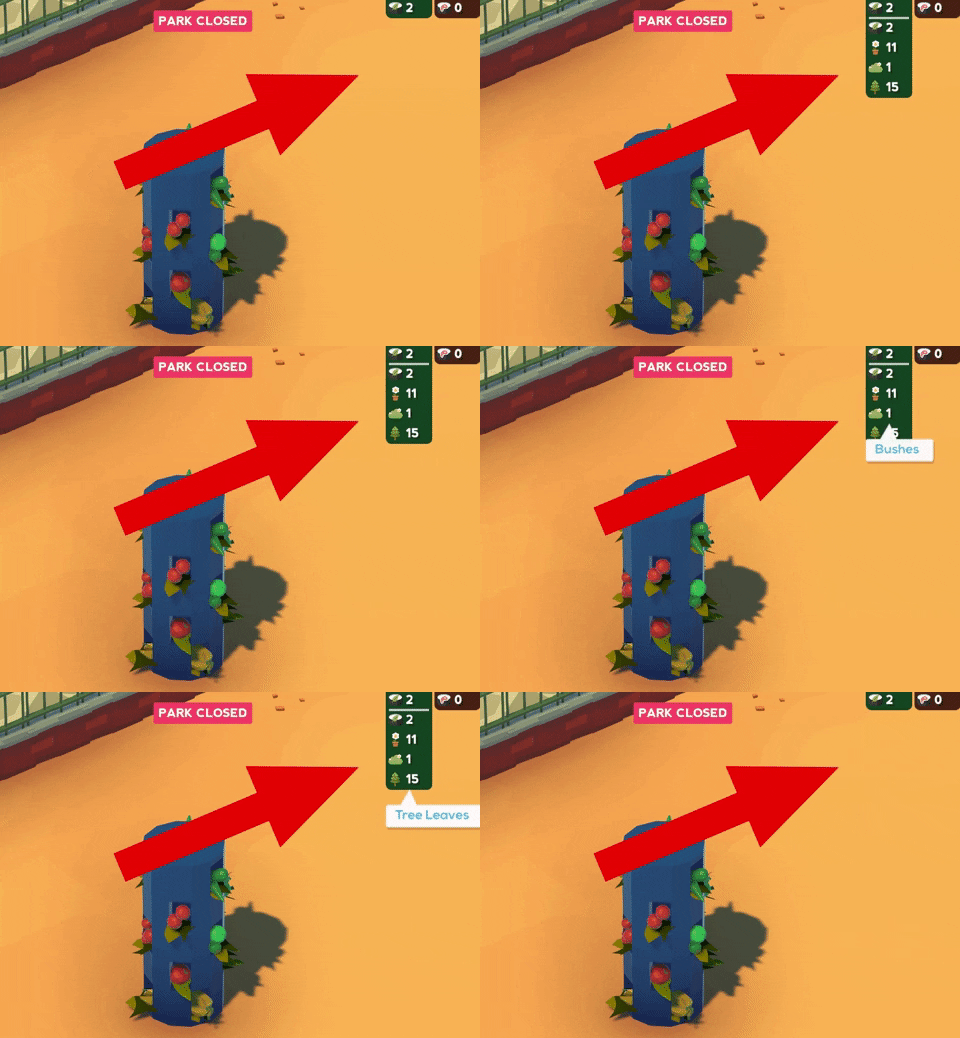
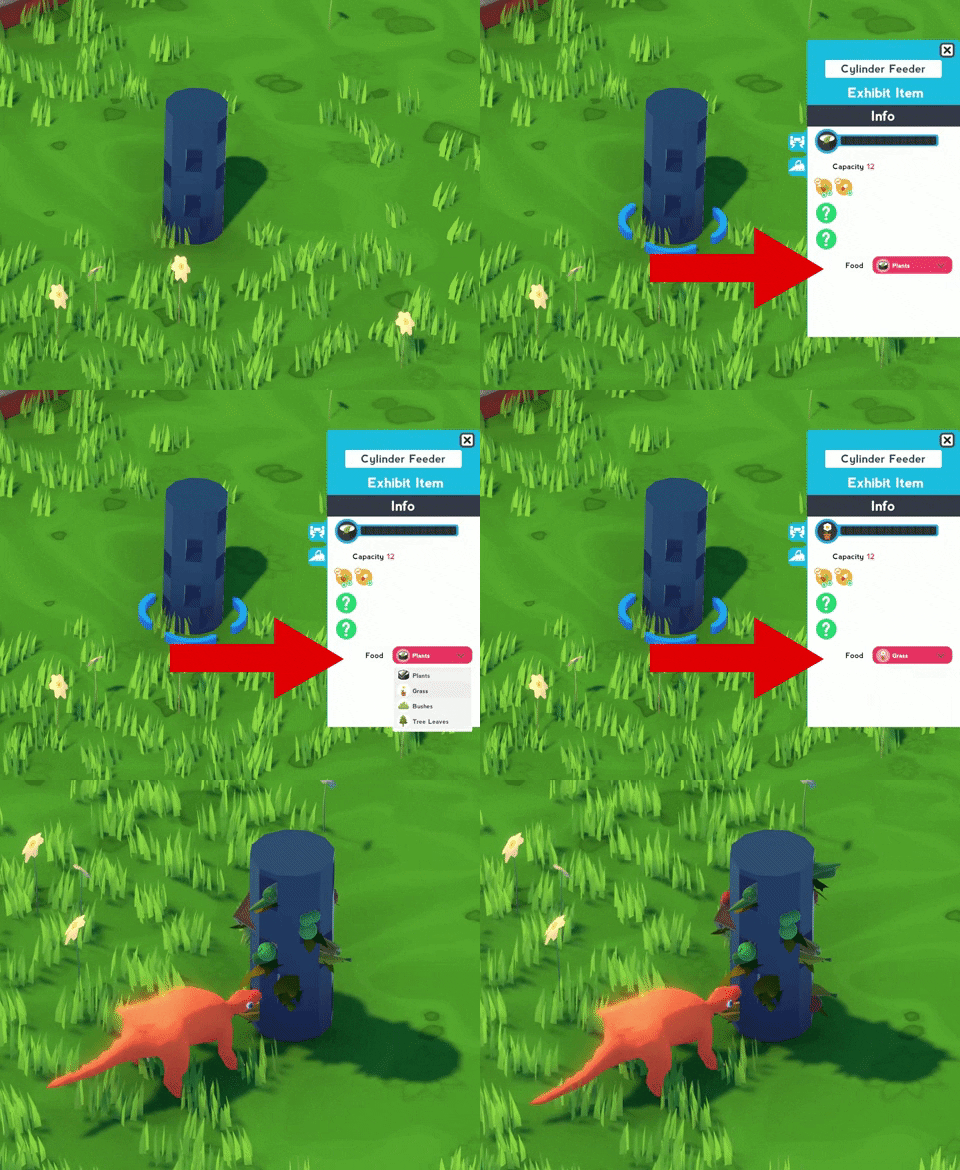
Are you interested in saving a few dollars when feeding your dinosaurs? Now you can buy them food appropriate for their size. If your dinos happen to large, then buy food that is suited for large dinos. The benefit to this is foods specific to a dino size are much cheaper than the generic food. For example, Tree Leaves are half the price of generic Plants. Your total food inventory can now be found hovering over the Vegetarian and Meat icons.
Food Slots
You assign each feeder what food to be filled with through the feeder info pane. By default, feeders are assigned to be filled with the generic Vegetarian (Plant) or Meat food (Fresh Meat) that are suitable for all dinosaur sizes. Selecting a food specialty means your Veterinarian now fills the feeder with this food instead of the generic food. Just be careful! Dinosaurs will ignore a food specialty not appropriate for their size. For example, above I have my Veterinarian filling the feeder with Grass that I know is suitable for small dinosaurs like my Minmi.
Feeder Bonuses
Did you not all feeders are built equal? Feeders currently have two types of bonuses:
Capacity: These feeders can hold more food so your Veterinarians do not need to return as often
Health: These feeders provide a Health bonus every time used by a dinosaur. The bonuses on the feeders can be found at the bottom of their descriptions.
Translation Help - Localizor!
PTR Up this weekend
Our upcoming major content patch: Dr. Dino is up on PTR for those willing to help us out. This includes all the content we've been showing this past month: Medicine, Maps, New Computer system, Toys, Food System, Employee upgrades, new portal mechanics ++! Early testers help a ton so thanks.
Disclaimer: Any crazy features we write about might change during Early Access
Update #41: Office Computer
Office Computer
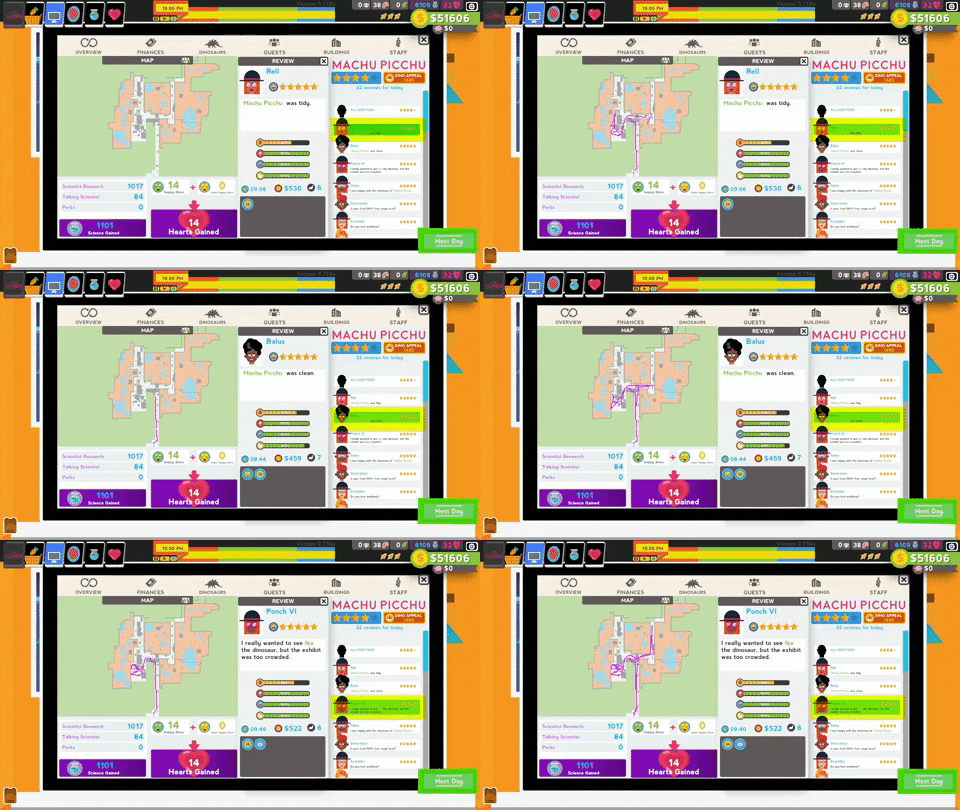
Hi friends. I’d like to discuss the overhaul of the Office Computer in the next big patch (Dr. Dino). Our objective was to provide players with more relevant data about their parks and add a few cool features. All of the examples below are from my Machu Picchu mission in the campaign: here’s what I built for the mission:
Finances Integrated
Park Map
Guest Heat Paths
Additional Guest Information
Translation Help - Localizor!
Finances Integrated
With the major changes to End of Day the Finances have now been integrated to the Office Computer. This seemed much cleaner to us.
Park Map
There is now a map of your park located on your Office Computer. As your park grows, so will your map. This provides an interesting overview of the spacing and paths throughout your park. Even cooler is the All Guests review that provides the average value of the various desires of all the guests.
Guest Heat Paths
Guest Heat Maps now exist for all your guests. You can see all the heat maps of your guests simultaneously if you select All Guests. This shows the popular routes of your guests and how you can modify the paths / directing of your park. If you want to see the paths as they occurred for each guest you simply need to select their review. You can see their exact path through your park and the value of all their desires.
Additional Information
As you can see, when selecting a guest review not only do you see their path through your park and desire values, you also can see the buffs the picked up during their stay. These appear as icons at the under their desire meters. AND, the total Appeal of your park is now listed in the top right of the Office Computer. Remember that your total Appeal is the total of each Appeal value of the dinosaurs in your park.
Translation Help - Localizor!
Thanks to everyone who has already helped to translate Parkasaurus. We can always used additional help so be sure to visit our Localizor page. Thanks!
Disclaimer: Any crazy features we write about might change during Early Access
Update #40: Chain Lights
Chain Lights
Happy February! The time is moving quickly, don’t forget to hug your fluffy loved ones. Too philosophical? Agreed. Let’s talk about our UPCOMING Chain Light improvements. Parkasaurus has a day/night cycle, and therefor means has darkness! We want to provide players with more ways to make a beautiful evening park for their dinos and guests.
Shapes
Patterns & Brightness
Colors & Brightness
Improved placing mechanics
Light organization
Translation Help - Localizor!
Shapes
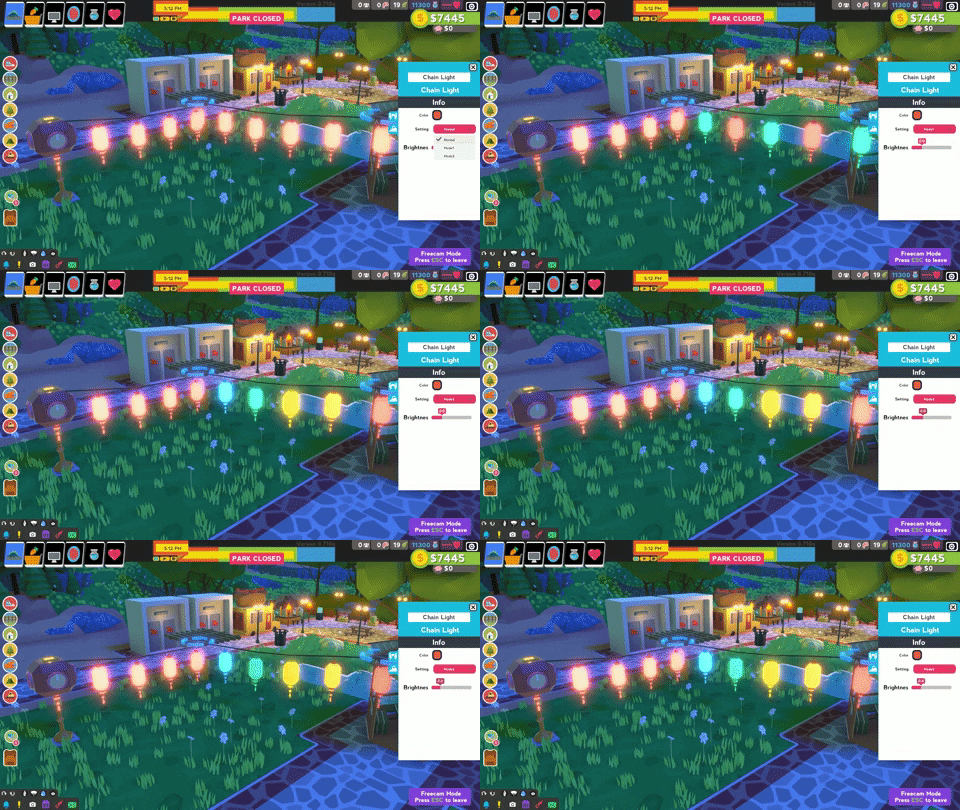
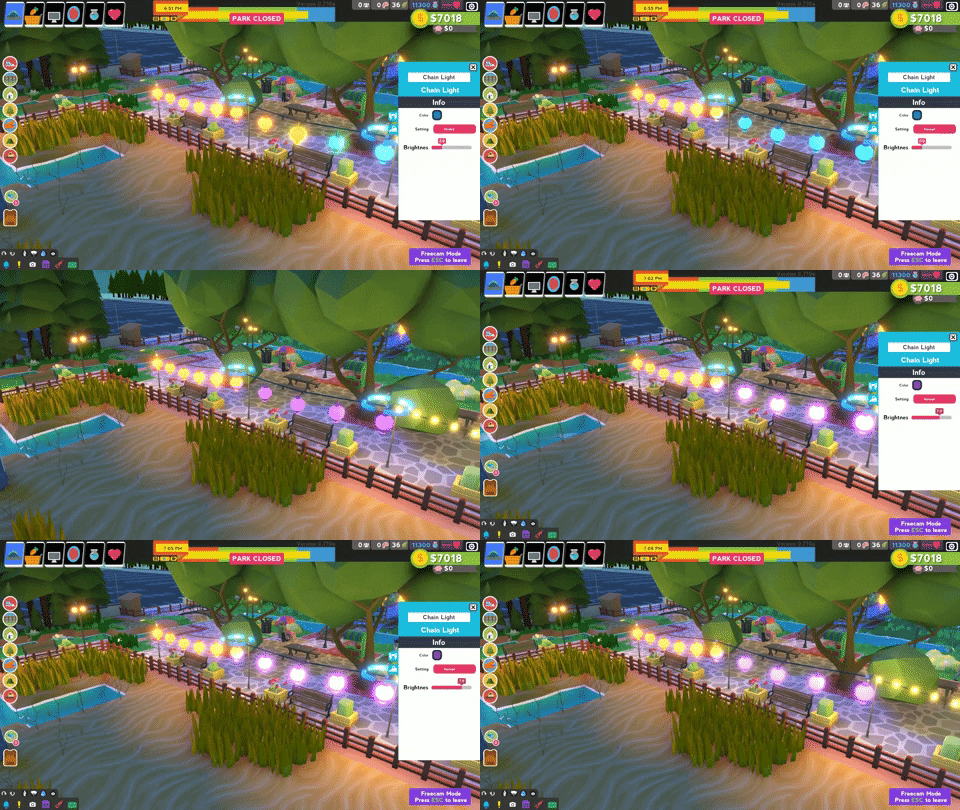
There are now 3 different Chain light shapes to choose from: standard, glow bulb, and cylinder. They each set a different mood.
Patterns & Brightness
Each Chain light shape also can have different patterns. There is the standard single color, or you can choose from dual colour mode or rainbow mode. Once you have a mode chosen, feel free to adjust the brightness!
Colors & Brightness
Using standard mode means you can open the color palette to pick the specific color of your Chain light. Everything red! And of course, you also can adjust the brightness here also.
Improved placing mechanics
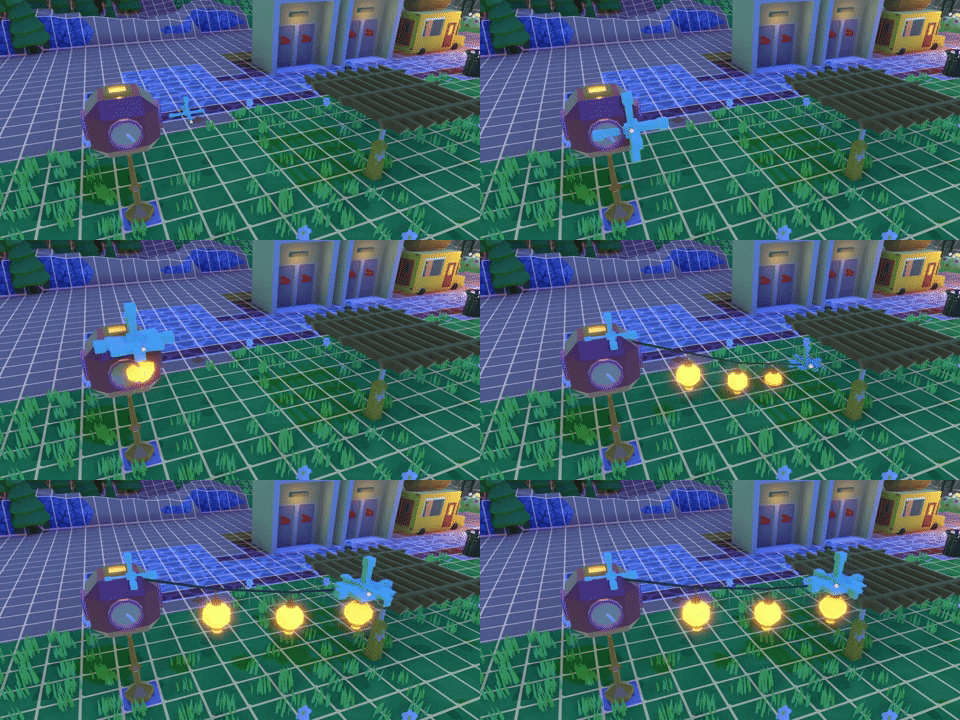
If you worked with Chain lights in Parkasaurus before then you know the difficulty of placing their beginnings and ends. We added special cross anchors to help you figure out where to place the ends of your Chain lights. We’ve also improved the Chain light logic for where to attach in your park.
Light organization
Finally – we’ve integrated your Chain lights in the park overview panel to provide an easy way to find your Chain lights. Click through any Chain light in the list to jump to that part of your park.
Translation Help - Localizor!
If you happen to be bilingual with English and another language (very cool!) and are interested in helping Parkasaurus with some translations (even cooler!) then check out Localizor page. You can help us, and earn some cool rewards. Thanks!
Disclaimer: Any crazy features we write about might change during Early Access
End of Day
End of Day
Since Parksaurus entered Early Access the most contentious aspect of the game has been how we handle the end of day. The two of us have always envisioned Parksaurus having a day-night cycle, this made sense to us since we wanted seasons, places for dinosaurs to sleep, and a more immersive feeling of the days in and out of the park. Our desire for players to have more connection with their dino best friends meant trying to ensure players felt the life cycle of their dinos, that you watched them grow each and every day. This was always our motivation for a day-night cycle. This also meant having an end of day. After reading and listening to you, the players, we have heard your frustrations with the end of day. We are implementing a LOT of changes to improve the end of day experience. I’d like to chat about UPCOMING changes:
Toggle option to go directly into the next day!
Integrating the Finance Wrap-up screen into the computer overview
Remembering camera position
Remembering tool selection
Bright end of day warning
Toggle go directly into the next day!
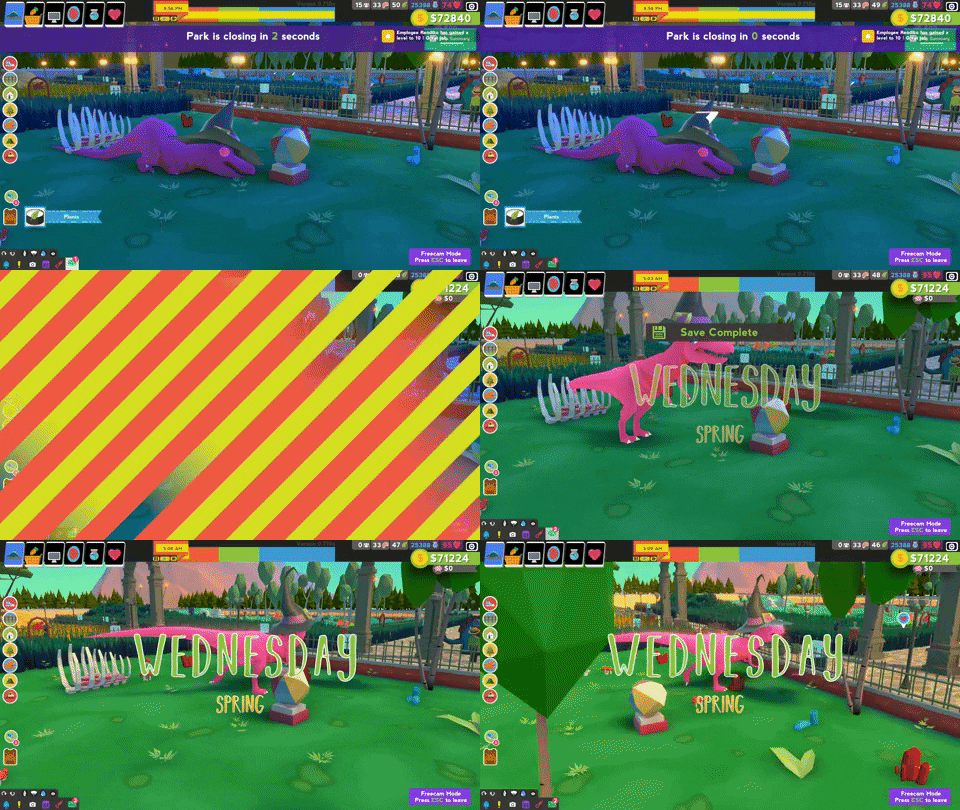
That’s right. When the end of day arrives a toggle option appears in the upper right portion of the screen. If the toggle is enabled your park will immediately go into a new day. Stock up on food and let the sim carry itself out. 😊
Integrating Finance Wrap-up into computer
The first time seeing the end of day finance screen is cool. After that, the finance screen becomes much less cool. It is an extra click, it takes away valuable time! In addition – we had always desired for your office computer to be an important tool, so naturally, it made sense to put the important financial screen front and center.
Remembering camera position
Have you ever been trying to get the perfect picture of your favorite T-Rex in a Witch hat and the end of day ruined your shot? No more! We remember your camera position, mode, and angle when starting a new day.
Remembering tool selection
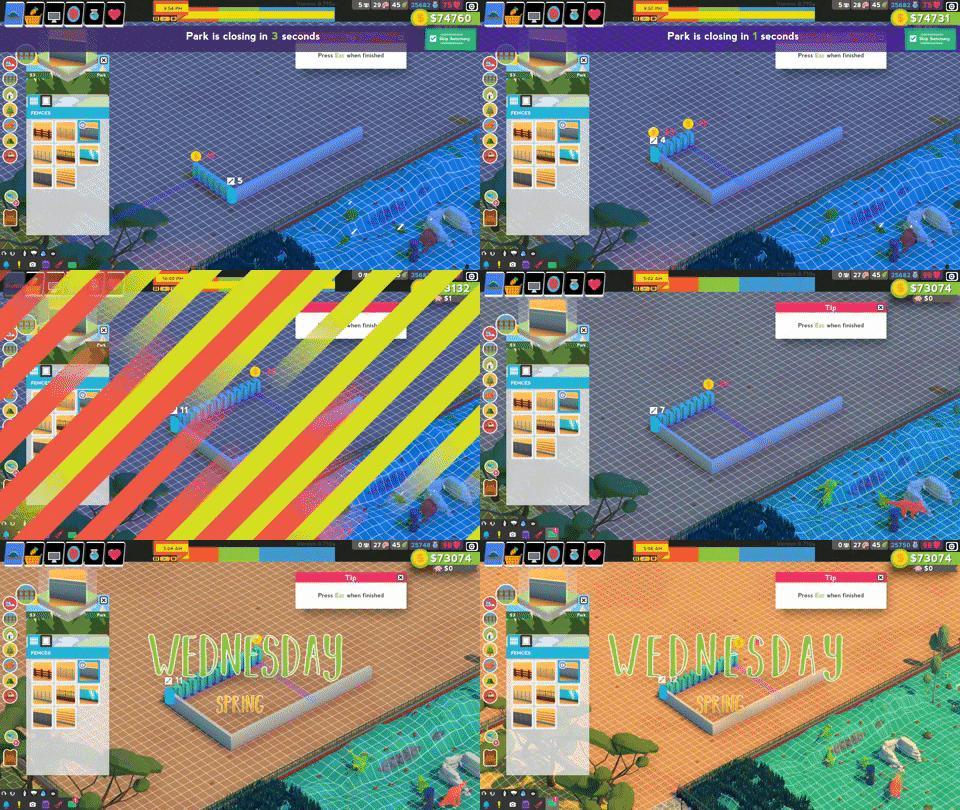
I noticed my flow was often ruined by the end of day when building. I found myself trying to position the perfect fence length and BAM, end of day! Have no fear, your tool selection is now remembered when starting a new day.
Bright end of day warning
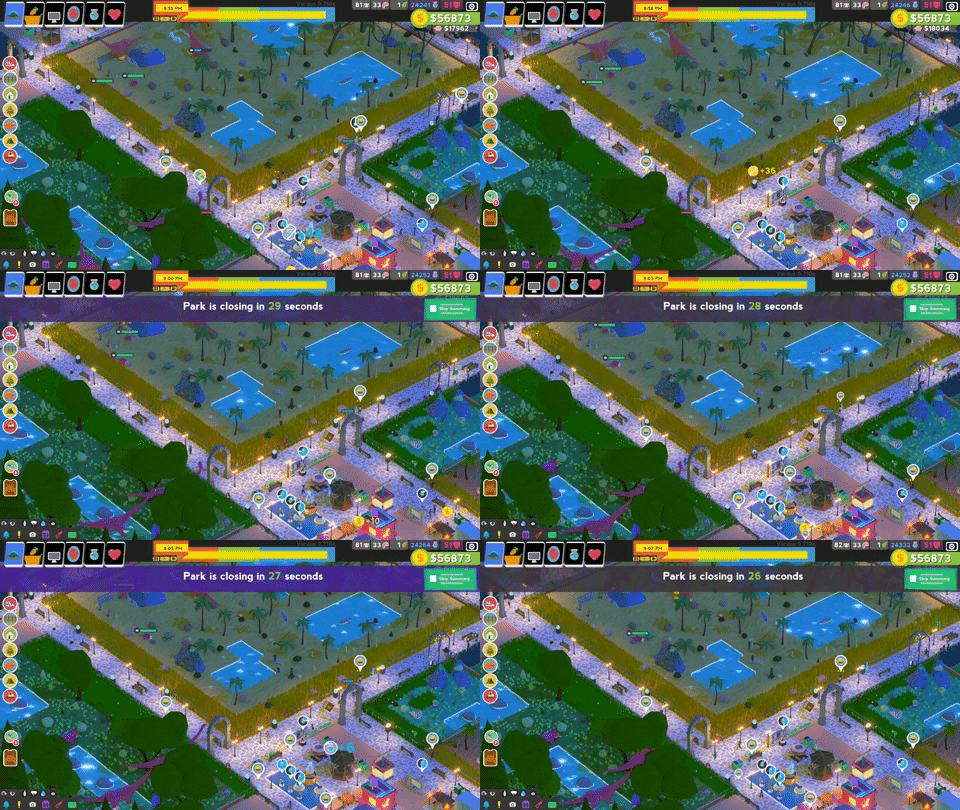
Some of you have experienced this, some have not. Basically players were getting startled out of their flow at the end of day. A bright warning has been added as you approach the end of day.
In conclusion – we heard your feedback. This is why Early Access is amazing. You, the players, have made Parkasaurus a much better game. While our solutions might not be perfect for you specifically, we try to get the best consensus possible.