Come join us on Garrets Twitch channelon Wednesday (October 24th) at 1pm PDT to chat while watching some new Parkitect art being created
Devlog
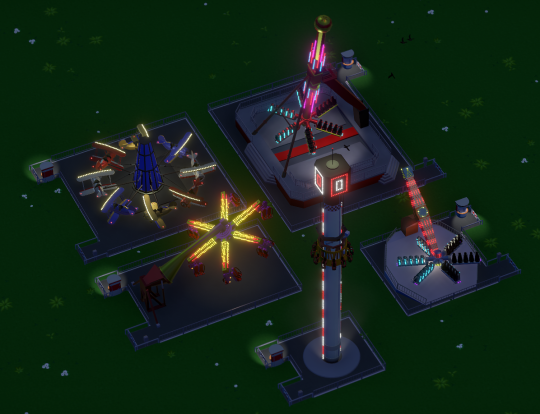
The more recent flat rides received their lights and light animations finally:
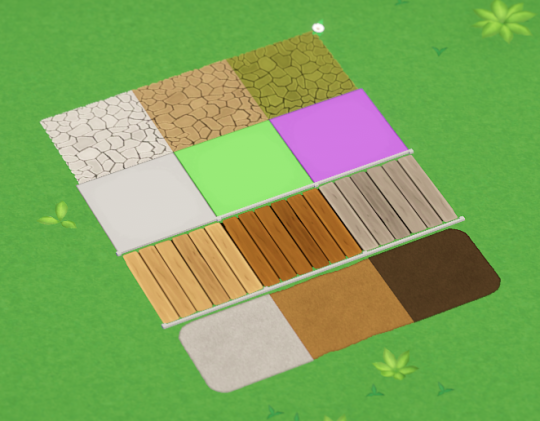
And we decided to also update the remaining old path styles, so every type of path has custom colors now.
Devlog Update 216
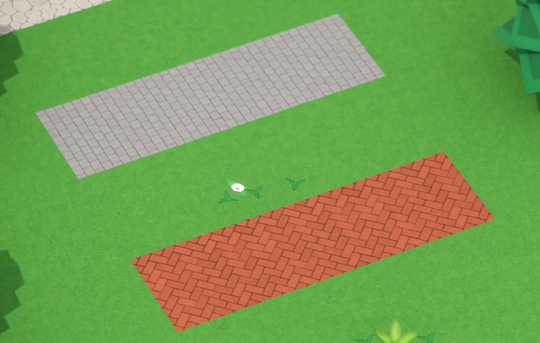
Garret added two nice new path styles:
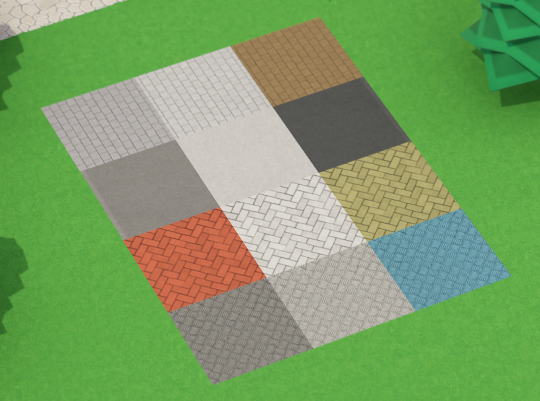
And we made it so these new paths (and some of the existing old ones) can be recolored, so you’ll have much more options for path styles now :)
Devlog Update 215
The audio team from A Shell In The Pit has been working on another bigger audio update for a while. Rachel has been adding some new sounds and fine-tuning volumes of existing ones, and Maris has been working on removing the weird pops and cut-off sounds we sometimes had. There’s also stereo sound now, making everything sound a bit less “flat”, and some more subtle crowd sounds. They’ll keep tweaking, but generally everything sounds a bit nicer now.
For Beta 11 the new Build Challenge is to build a Gentle Monorail Ride!
The top submissions get included in the next game update as default blueprints.
Changelog
Devlog Update 213
Art Stream
Come join us on Garrets Twitch channelon Wednesday (September 26th) at 1pm PDT to chat while watching some new Parkitect art being created
Devlog
We added a new utility building! The Trash Chute is a small and relatively cheap way to quickly transport trash bags to the trash dump. It needs to be connected to the Deliveries Building with the transport pipes.
So far trash bags could also be dropped at the Depot. We’ll probably remove that.
All build windows minimize now to get out of the way while you’re building something, like the deco window already did:
There’s also this new “slide in” animation when the window minimizes. This is not just for aesthetics. I oftentimes noticed people got confused where the deco window went after it instantly minimized and thought they need to re-open it. This quick animation should make it a bit more clear what happens with the window and that it’s still there.
Utility building doors finally received animations.
Devlog Update 212
Purchasable terrain is now surrounded by a fence. It was previously hard to discover whether a scenario has any purchasable terrain or not because you had to first open the land tools and then switch to the terrain purchasing tab.
This should make it much more clearer and remind you that this option exists.
The loans had a rebalance just recently. They were still not working too well though, so we’re changing them some more. Previously you were actively paying them back and they were running for a certain time, but none of it really mattered. As player the only important thing is how much money you get and how much you need to pay, so we simplified loans to just that.
You have to manually pay back the loan yourself now. This also gives you the option to only pay back a small part of it to reduce the monthly fees, which should be slightly more interesting as well.
Devlog Update 211
When you place an object in Parkitect, we give you a semi-transparent preview of what you’re building. It looks like this:
We had this look since the start of development without much change. In the beginning, when the game only contained some simple flat rides and shops that you could place this worked well enough. As the game grew, we added scenery objects that can be placed freely and that can be recolored, or blueprints that allow you to place thousands of objects at once, and these build previews did not work as well anymore. They looked quite messy and even made it somewhat difficult to see what you’re doing at times.
Last week we changed the build previews to look like this:
Apart from generally looking nicer and giving you a much clearer look at what you’re building, the added shadows help a lot with figuring out how far away from the ground the object is. Removing the transparency makes it a bit easier to see how the object intersects with the terrain or other things.
And we changed the way grid-snapping works. It now snaps to both the grid centers and corners at the same time:
The old way of toggling between these options wasn’t intuitive at all. New players frequently didn’t figure it out, which made building annoying. Removing the toggle behaviour also reduces necessary key presses.
On the downside it might be a bit more fiddly than before since there are more snap positions, but we’ll deal with that if it actually turns out to be a problem.
Devlog Update 210 + Beta 10
Beta 10 is now available for download! The full change log is at the end of this post.
Devlog
We are now using Metal as the default rendering pipeline on macOS, which brings the visual quality of the Mac version up to par with the Windows and Linux versions. Additionally, this should noticeably improve performance on Mac. Since this is a big change it’s possible that this causes some problems on some systems - please let us know if you run into any issues.
You probably know by now that Parkitect has a really unique and intricate scenery rating system that takes into account what guests are able to see. This is mostly working quite well, especially in fairly open spaces. Where it had some problems is enclosed spaces, such as this building for example:
It’s a really nice house that clearly a lot of effort has been put into, so you would expect it to have a great contribution to the scenery rating. But in reality it has almost no effect:
The problem is that these shops inside the building block the view, as do the walls, so guests don’t really “see” much more than 2-3 walls at once, which is too little to have a noticeable positive scenery rating impact. It makes sense in a way, but it feels really unfair.
After some tweaks the rating scores immediately inside and around buildings are more what you’d expect now:
And Garret created some really nice fog, smoke and spark effects during last weeks Art Stream:
Beta 9 Build Challenge Results
All submissions can be found on the Workshop - thanks for everyone participating!
These are the 5 winning entries:
For Beta 10 the new Build Challenge is to build a Floorless Coaster!
The top submissions get included in the next game update as default blueprints.
Changelog
Devlog Update 208 + 209
Art Stream
Come join us on Garrets Twitch channelon Wednesday (August 29th) at 1pm PDT to chat while watching some new Parkitect art being created
Devlog Update 208
We reached an important milestone - the campaign mode is finished enough that it can be played through from start to end, and has been sent to our group of testers!
They have a few weeks time to try it now, while we work on further polishing things and incorporating tester feedback in the meantime.
Having people test the campaign is very important. We have worked on this for so long and know the game inside out that we have no reliable feeling for its difficulty anymore… the early feedback so far is that even the first few easy scenarios are quite hard, so some more tweaking will be necessary!
Devlog Update 209
Going bankrupt has been a bit informal so far - you’d run out of money and couldn’t buy anything anymore, and that’s it. There’s now some proper UI telling you that you’re in trouble.Once you are in the red numbers you’ll get a couple months time to make a profit. If you don’t it’s game over.
I have also pretty much finished the tutorial except for some small tweaks and additions maybe. It will teach you all the basics - camera and building controls, how shops and supplies work, how to hide the backstage areas, how to build rides and queues, and finally also how to build a simple coaster. The last one was the most complex and scary part of the tutorial, so I’m very happy that this is out of the way now.
Devlog Update 207
We added an option for hiring a second research team, for a fee of $5000.
$5000 (and the monthly research cost!) is a lot during the beginnings of a scenario, but once the finances have stabilized this will speed up the second half of playing a scenario a bit where money is coming in fairly steadily but new rides are needed for attracting more guests.
And we finished the German translation. This helped with checking whether all text in the game is translatable, and since German text is fairly long it also helped to uncover some spots where the UI needed to be adjusted a bit to better fit the text. Other languages should probably fit as well now without too many further changes. Wunderbar!
We’re waiting a bit longer with getting more translations done because the text for the campaign and tutorial is still changing a bit but as soon as that’s final it’s all ready to be sent off to translators.