If you've enjoyed Perfect Tides, have I got a sequel for you. Perfect Tides: Station to Station, currently in development, has a free demo starting today!
And while you're there, please wishlist the game! It keeps you abreast of game updates, feeds the Steam algo, and is a big help toward getting the word out about these games.
Hope you enjoy playing!
Perfect Tides 2.0 for Mac [BETA]
Perfect Tides for Mac now has the 2.0 update the PC version received last fall. This includes improvements to the UI and controller support.
For now, it is in Beta, and you can opt in by doing the following:
Navigate to Perfect Tides in Steam, and click the gear.
Go to the "Betas" tab.
Enter the code "macbetaplease" to opt in to the beta.
NOTES ABOUT THIS RELEASE:
This update will break saved games. To restore your saved games, remove the opt-in code and revert to the latest release version.
Steam Achievements do not work. The developer (me!) has sadly hit a wall with this one, but hopefully it can happen by the time this version leaves beta.
Please report any issues with this build to the #bug-reports channel on the Perfect Tides Discord server. Thanks and happy playing!
A Perfect Tides: Station to Station Demo Is Coming
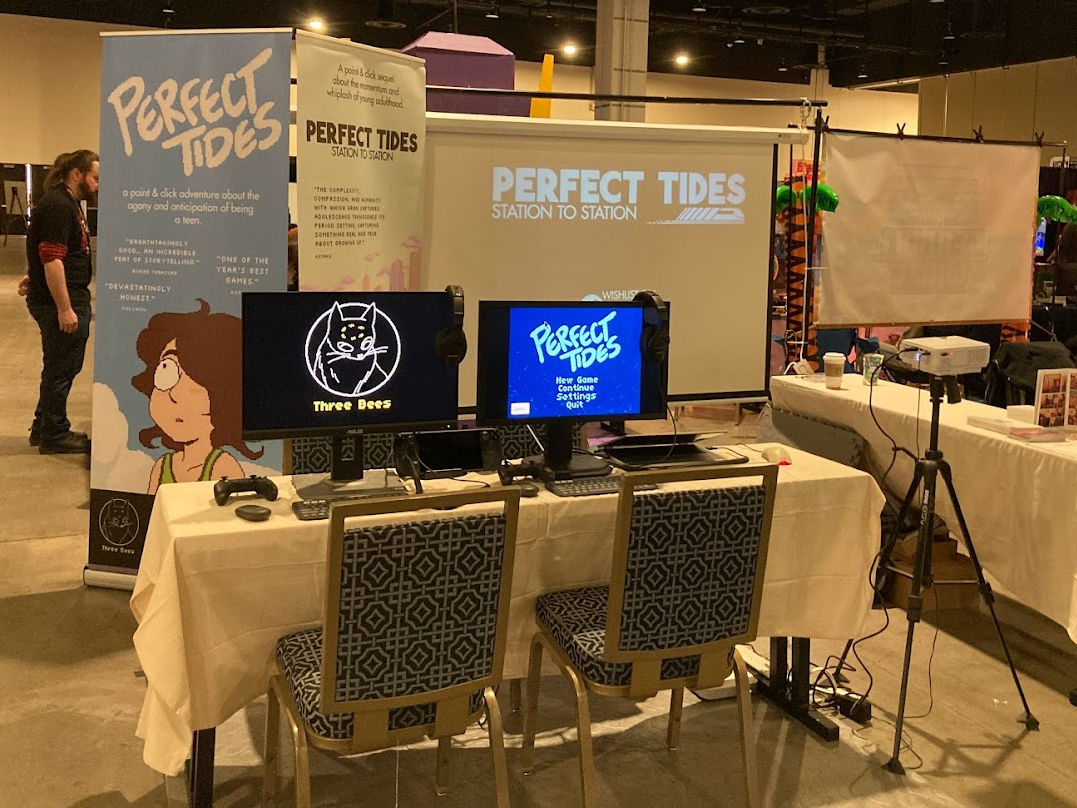
Greetings from the other side of MAGFest! As it turns out, this has been quite the milestone for Perfect Tides: Station to Station. The demo played beautifully, with dozens of people racking up multiple days of gameplay. The feedback was tremendous and players were engaging deeply with the game.
So, what does this mean for us at home? It means we are very close to an online demo. If all goes well, a playable build should be available by February. This version will include 1 full day (of 16) in the game's story, with about 30-60 minutes of gameplay.
To ensure you don't miss the announcement, here are some ways to stay in touch:
That's all for now - see you when there's more news! (Oh -- and if you were one of the people who demo'd the game at MAGFest, you have my utmost gratitude. We'll all be playing it soon, thanks to you!)
Perfect Tides v2.0.1
Patch fixes various UI and graphical bugs.
Please note that if you'd like to access your save files from before the 2.0 release, you can revert to the prior release by going to Properties -> Betas, and under Beta Participation selecting "Previous".
Perfect Tides 2.0 for PC
Perfect Tides 2.0 for PC has now been released!
A long time in the making, this update to Perfect Tides includes controller/Deck support + Achievements!
NEW IN THIS VERSION: -Overhauled UI system with new display windows for narration and speech -Steam Achievements -Computer IM conversations are now skippable at any time using the standard “skip” button/key, rather than a separate UI -Active inventory cursors now have an arrow for easier clicking -Skipping Cutscenes can now be enabled/disabled for both Mouse and Keyboard.
Please be aware that *YOUR OLD SAVES WILL NOT WORK* with this update! If you'd like to restore your saves from a previous version, you will have to downgrade to the previous release.
Mac users: Although we are planning a Mac release of this version, we are just not there yet. Stay tuned for updates on this as they are available.
As always, bug reports are appreciated! You can join the Perfect Tides Discord to make reports. Hope you enjoy!
Perfect Tides 2.0 in Public Beta!
Welcome to the public beta of Perfect Tides 2.0!
PERFECT TIDES v2.0 for PC (Mac coming soonish!)
Welcome to the public beta of Perfect Tides with controller/Deck support + Achievements! Your experience playing Perfect Tides with either a gamepad or Steam Deck will be of enormous value prior to this release.
TO PLAY THE BETA: -Go to “Perfect Tides” in your Steam library -Right-click and select “Properties”, and select the “Betas” tab -Under “Beta Participation”, select “controller-public-beta - Controller Support Public Beta” -From here, Steam should download the latest build of this branch. Please note you will not be able to use your saves from previous public builds (but you can always disable this beta branch to get them back!)
NEW IN THIS VERSION: -Overhauled UI system with new display windows for narration and speech -Steam Achievements -Computer IM conversations are now skippable at any time using the standard “skip” button/key, rather than a separate UI -Active inventory cursors now have an arrow for easier clicking
THINGS TO LOOK FOR: Some areas have had a lot of work - or are all-new - and I am particularly on the hunt the following: -Improperly sized sprites -Improperly sized dialog or UI windows -Any errors involving the IM chat system -Any errors involving Steam achievements
HOW TO GIVE FEEDBACK: At this time, I no longer need feedback on story, or anything related to non-controller-specific gameplay (the game’s out, it is what it is!). The good stuff I’m looking for are:
-feedback on the feel and functionality of the gamepad/Steam Deck -new bugs created by this update (if you’re not sure, report it!) -feedback on the functionality and quality of Achievements
And of course, please let me know if you played the game on Steam Deck or on your desktop with a gamepad. Thank you for the enormous help your feedback provides, and happy testing!
Perfect Tides: Station to Station. Coming in 2024.
Today I am delighted to bring you a first peek at Perfect Tides: Station to Station, the upcoming sequel to Perfect Tides.
My team and I will be fundraising for the next month. If you would like to be a part of this independent player-supported project, click the link below.
Quick PC + Mac update coming at you today! This Mac update consolidates the previous updates from PC build 1.0.1.
Changes in this version:
Volume slider now working correctly
UI now notifies player when they’ve reached max saves (50)
Framed close-ups can now be exited by pressing any key
small bugs fixed
lots of typos fixed
Known Issues:
<*>Game music stutters when the user tabs out under fullscreen mode. This is a known AGS issue, and a fix I was attempting (that wasn't working) has been removed. I am still trying to find a decent fix for this. However, hopefully removing the aforementioned feature will improve game functionality overall.
<*>Mac users have been reporting odd screen alignment when they start up their game in windowed mode. I'm looking into this, but for now, here is a workaround:
Click the green fullscreen button in the Mac OS window - the window will go fullscreen but be stretched out. However, if you click the green button again to go back, the window will fill correctly.
Or you can go to the settings at launch, and select "Fullscreen". The window should fill correctly.
-----------------------
A huge THANK YOU to everyone who has played Perfect Tides since the release! As always, feel free to report any bugs in the Perfect Tides Discord.
Perfect Tides v1.0.1
So far so good with our very first release! This is just a quick patch for the PC build. Since these changes are so minor, and Mac builds are far more time-consuming, these changes will be folded into the next regular-sized update for Mac.
Changes in this version:
fixed a bug that caused a collectable object to reappear
moved some NPCs that were blocking a walk path
fixed a typo
fixed a UI bug that prevented the game from pausing when menus are open
Known Issues:
Mac users have been reporting odd screen alignment when they start up their game in windowed mode. I'm looking into this, but for now, here is a workaround:
Launch the game. Select "Settings" from the intro screen menu. Select "Fullscreen", then reselect "Windowed". This should bring the window into correct alignment.
-----------------------
A huge THANK YOU to everyone who has played Perfect Tides since the release! And a giant thanks and sigh of relief to the pre-release testers, who have seemingly warded off anything catastrophic in the release build. As always, feel free to report any bugs in the Perfect Tides Discord.
Perfect Tides Dev Stream
Come and watch me play my own game, scrutinize small details, read everything in a really cool not annoying voice, and answer your questions!