
- Make compatible with PPL2, and advertise PPL2 once it is released.
- Improve key and mouse button bindings.
- Fixed synchronization related bugs.
- Fixed crash that could happen when viewing leaderboards.
- Added UwU translation.
- Added Catalan translation.

PewPew Live
PPL Update! v0.9.189
PewPew Live Update!
PewPew Live v0.8.180 is out!
What's new?
-
Configurable renderer!
This update includes the release of the configurable renderer previously shown as a preview during the PewPew Anniversary. The configurable renderer allows you to pick whatever effects you'd like to have, and which ones you don't. This way you can tailor your experience just the way you like!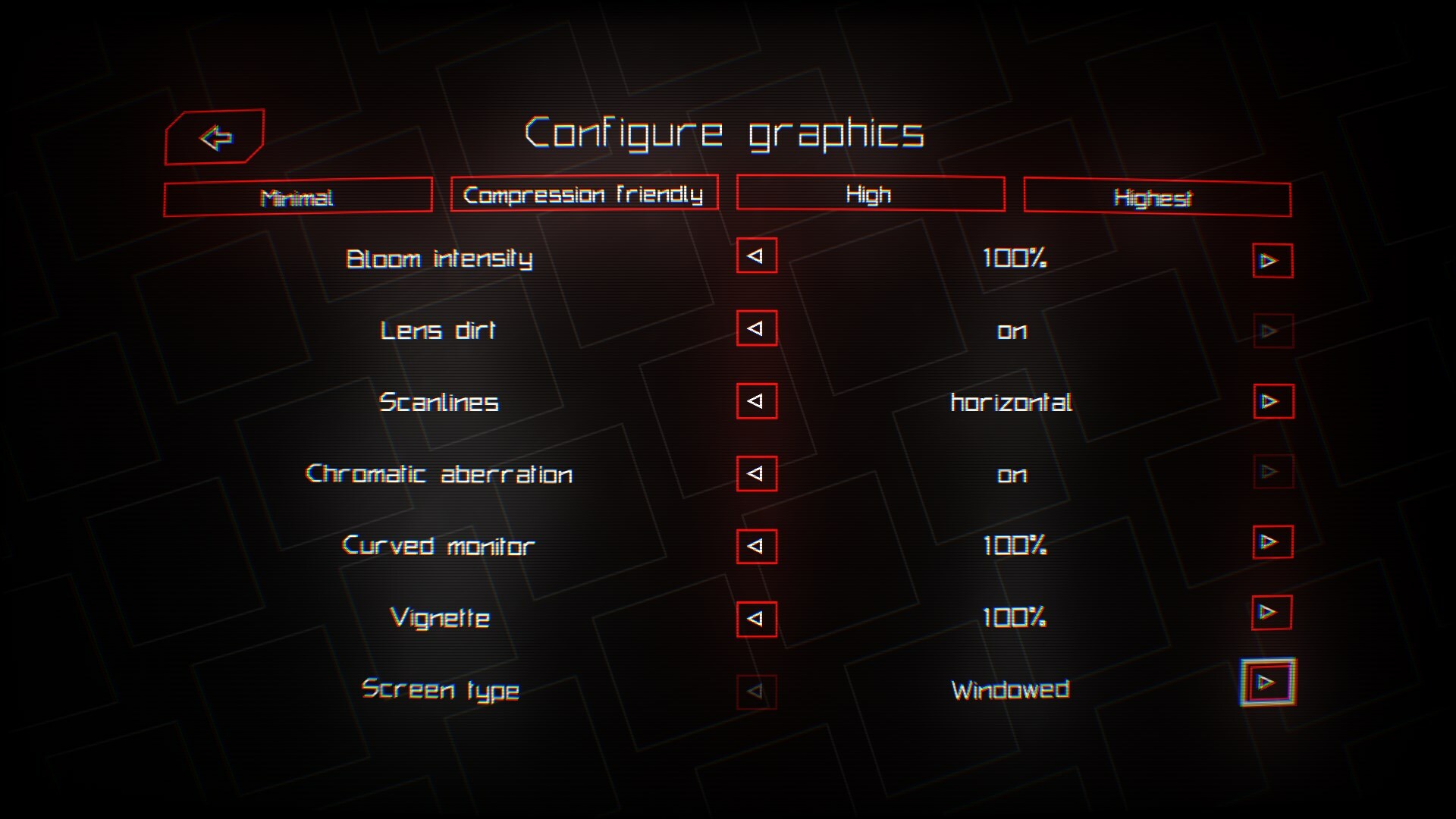
-
More comments?
Now, you can post comments on experimental levels and player profiles! We hope this feature will allow for more interaction between the player base. If profile comments are not something you want, don't worry! You can always disable the comments in your profile settings, visit https://pewpew.live/account to do so!

-
In-game keyboard improvement
It probably makes sense to be able to see your password to check if you wrote it correctly, well now you can!

-
Other game improvements
This update includes a few other general game improvements, making the game experience smoother and more fun. The improvements are:- Fixed various game bugs.
- New official level order.
- Added new Uzbek and Kazakh languages, and updated other languages.
- Support Windows' scaling factor.
- Support pause/menu button on game controllers.
- Added support for harmonics in the sound synthesizer.
- Added or improved several game sound effects.
- Attempt to improve keyboard navigation between the views.
- List scrolling with the mouse, switching pages with A and D keys (shift for tab switching).
- Ignore other mouse buttons for menu navigation (only left click works).
- Fixed various game bugs.
We hope you can enjoy playing this new version of the game, and give us more feedback!
Era 2 Update
PewPew Live v0.7.173 is finally out!
Why the long wait?
We would have liked to push this update sooner but faced a few unexpected roadblocks that slowed us down. We've solved everything we wanted, enabling us to finally push it out. It is available on Android, and now on Steam!
What's new?
-
The Pointonium Era (Era 2)
This update includes the release of Era 2, which resets the leaderboards, and allows us to add replay-breaking changes, namely Pointonium (the little green things)! Each different shard gives different amounts of score, like so:- Small Pointonium - 64 score

- Medium Pointonium - 128 score

- Large Pointonium - 256 score

- Small Pointonium - 64 score
-
Ooh, shiny!
To reward top leaderboard players, they now have special badge designs for their ranks. The Top 3 place players get medal-like badges, while the Top 100 get a unique badge from the others.

-
New level selection UI
This update changes the way you see Official and Community levels, simplifying the steps required, while also letting you sort Community levels too! Difficulty ratings have been added as well, making it easier to find levels you'd like to play.
-
Official level merge
Official levels were always treated differently, but now, along with the UI change, Official levels get to have the same features as Community levels, like comments and stats!
-
Steam-exclusive features
This better integrates with the Steam SDK allowing for handy quality of life features. Here they are:- Steam Rich Presence
Want your friends to see what you're doing? Well, this is perfect for you. Now with Steam Rich Presence, you get to enable the status
which looks like this
- Pause on in-game overlay
Now the game pauses when opening the in-game overlay. You are also able to open links from the game to the in-game overlay!
- Steam Rich Presence
-
Optional floating messages
With a single quick setting change, you can hide the optional floating messages if you feel like they are obstructing your view! The setting can be found in UI Settings.
-
Account settings refresh
To simplify the account page, the settings were moved to a separate screen, accessible via the button at the top right.
Along with these main things, Hungarian was also added to the languages available in-game, and a licenses screen where you can view the open source libraries PPL uses. The update also includes possible bug fixes and general stability improvements.
We hope you can enjoy playing this new version of the game, and give us more feedback!
0.6.131
I also configured Steam to install the "Visual C++ Redistributables" along PPL, which may solve some installation issues.
Finally, I tried to improve the VSync. No idea if things improved on that front because that always worked on my computer™.
Sorry about all that, I don't have a whole lot of experience releasing PC games.
Thanks for your patience!