On August 23rd in the year 1899 the first ship-to-shore wireless message in U.S. history was sent by Lightship No. 70 to a coastal receiving station at the Cliff House in San Francisco.
http://steamcommunity.com/sharedfiles/filedetails/?id=1116995970
Celebrating this milestone in radio technology,
Phoning Home will be 40% off for a limited time.
Find out more about this historic event:
https://www.wired.com/2011/08/0823first-us-ship-to-shore-radio-signal/
If you like Phoning Home, we'd love it you let others know by writing a review. It would really help us. Thank you!
More Bugfixes and Game Recommendation
At first we would like to say hello to the many new explorers joining the Phoning Home community during Summer Sale. Welcome everyone!
Today we've uploaded a new version containing a couple more bugfixes we implemented from player feedback. They are mostly fixes related to the storyline and compass markers. There was also a rare situation that players could end up with not enough Tetrerium at the end of the game, which is now fixed as well.
Furthermore we want to try something new today and start recommending games from other fellow developers. Games that we find fascinating and worthy for recommendation.
One such game is Aporia: Beyond The Valley developed by the talented people at Investigate North.
We particularly love the focus on environmental storytelling, which has been a strong design element in Phoning Home as well. In Aporia there is no dialog or text, everything is told via symbols and by exploring the beautiful environment itself.
Aporia is coming out tomorrow and we suggest to give it a try!
NVIDIA Ansel integration - Create your own 360° screenshots
NVIDIA Ansel
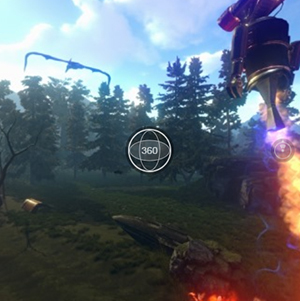
Ansel is an awesome tool to create wonderful screenshots. It allows to take full 360° shots. The easiest way to share them is via Facebook or Google Photos.
Check out this example. Click the image to view the full 360 on Google Photos.
But that's not all. You can also take ultra high-res or VR screenshots and position the camera wherever you want. Here's what you have to do:
Make sure to install the latest GeForce driver and check here if your GPU is supported: http://www.geforce.com/hardware/technology/ansel/supported-gpus
Play Phoning Home and press Alt+F2 (the default Ansel hotkey) during gameplay to open the Ansel interface. The game is now paused.
Reposition the camera by using WASD and rotate with the mouse+LMB, change Ansel options as desired, apply any effects you want and click “Snap”.
To adjust Ansel's internal settings, open the following tool:
C:\Program Files\NVIDIA Corporation\Ansel\Tools\NvCameraConfiguration.exe
Show us your creative skills on Facebook: https://www.facebook.com/phoninghomegame/
Story Hotfix
We have implemented a fix for a bug which broke the story script when returning to the forest from the desert too early.
As always, thanks everyone for your support.
Have fun!
Phoning Home is 50% off during the Summer Sale!
If you've been waiting patiently following development, or waiting to get Phoning Home at a discount, now is your chance!
Or get the Soundtrack Edition including the game's theme song "Find Our Way" performed by Caleb Blood and Taylor Olson.
Listen to a sample track here:
https://youtu.be/zna6ZEQkzoI
Our recent updates added a lot of improvements to the game, making IONs and ANIs journey more fun than ever. We also completely revamped controller support and implemented many fixes.
Welcome all the new players to this hub! Please share your experiences and feedback in the forum and among your friends.
If you like Phoning Home and want to support our work, please let others know by writing a review. Thank you!
Have fun!
Controller Layout
Spring Polish
We're in the middle of spring, so it's time to clean your vehicle to take it for a ride through the beautiful scenery.
Be like ION. Explore!
There were some remaining bugs and annoyances that we wanted to take a bit longer to get right. ION's movement for example has always been a bit tricky, especially when moving and thrusting at the same time when facing obstacles. It has always been very physically correct, but it required a bit of discipline to stop hitting that forward move key when you try to thrust up a rock or some other obstacles. Well, the new movement mechanics do that for you now.
We also had to find a solution to avoid running into rocks, which was kind of an engine problem. That should be fixed now.
Some of our most loyal fans found two major issues in the story and dialog logic, for which we are happy to provide a fix today. Thanks again for your help in reporting these issues and your continued support.
Further Changes:
Disabled hiding ION if the camera gets too close. This was originally implemented to avoid seeing only part of ION, but many reported it rather adding to the confusion than reducing it.
Fixed a few typos in tooltips and library texts.
Increased initial push of thruster.
Made a couple of environment changes in the forest and the desert.
Reduced the time of night.
Tweaked the lighting everywhere at night.
Added an option to select which monitor the game should run on.
What would you like us to work on next?
Your suggestions are welcome. Please let us know in the comments!
Heat
In this update we bring you a complete revision of heat damage. This has been a popular feedback topic from the very beginning and we believe to have found a good solution making heat damage both believable and avoidable.
There is now a heat meter above your stats. Whenever you enter an area that would be harmful, the heat meter warns you audio-visually. Once the heat reaches the maximum, you will begin to take real damage. Before that you might take 1% or less damage.
Usually there is an area at the core of heat sources which is very damaging and an area around the fire causing less damage. The same applies to lava streams. You will be able to avoid the dangerous areas better now.
Furthermore, we added more resources (Ferron and Thuranon) to craft powerups in the starting area and fixed a rare bug that could cause you to fall through the ground upon loading a savegame. This could happen when you were near a lava stream before loading the savegame.
Version 1.2
If you're using a controller or plan to do so, this update will make you happy.
Please let us know in the comments if you are a controller user and what you think about the changes! Thank you.
UI Revision We've redesigned the controls and user interface to make using controllers much more user friendly. The game now detects whether a controller button or stick was used and switches to the controller UI automatically. You can intuitively switch back between keyboard+mouse and controller by using the respective input device.
The controller actions are now displayed on the UI.
When no window is open, you can use DPad up and down to quickly switch between the available tools (Teleporter, Photon Pulse, Attractor etc.).
The inventory window has undergone a more elaborate revision. Tooltips are now removed, infos about selected items are now displayed on the left. Crafting items is now very easy with a controller use DPad Left/Right to cycle through the items available for crafting and hit X to craft.
Furthermore, all items are selectable with the controller now to read about their details.
We made sure that selected items are properly visible, especially in the savegame window.
Sprint Mode Sprint mode is now visualized by a small symbol above your stats. It also comes with a sound when you enable or disable it. Also, the sprint mode status is now stored in savegames.
Character Dialogue Improvements Dialogue for ION's or ANI's death has been fixed and has no more delay caused by other dialogue chains getting finished before. Also, after death no other dialogue is played anymore. After all, we have no proof yet whether robots have an afterlife.
Furthermore, the timing of dialogue is now better in some situations where it felt delayed. Very short lines sometimes caused a bug that made them barely readable.
Other Changes and Fixes
Fixed a couple of rare exceptions and errors that the crash reporter sent our way during the last 2 weeks.
Reduced the forced delay from one scan to the next. This was not intended to block the player, just to prevent bugs from scanning resources too frantically.
Fixed a bug that would prevent updating the thruster Steam achievements in certain conditions.
Increased the speed at which the thruster is refilled with fuel.
Added more resources in the starting forest area (Creonoble, Photonics and Thuranon).
Fixed a bug that caused draining energy when sprint mode was active and standing still.
Increased the size of the compass.
Happy controlling and exploring!
Version 1.1
Hello Explorers,
It's been nearly 3 months since the official release of Phoning Home here on Steam. The game has had a lot of changes since we put the first version live.
Thanks to you and your feedback we were able to improve the game - a survival story of the two robotic protagonists ION and ANI and their ships TR2 and Sister.
We want to celebrate the release of this Version 1.1 with a 33% DISCOUNT throughout the week. So get the game while it lasts!
Visual Improvements
If you own a powerful graphics card, the improved "Extreme" quality setting might be worth checking out. The range shadows are rendered has been increased a lot.
Also, the range in which objects are rendered at their highest detail is much higher than in the default "Very High" quality setting. Landscapes look very impressive on "Extreme", as you can see on this screenshot:
Additionally we added new environment effects to the ocean and crater areas.
Graphic Options
The options window has been overhauled completely with new settings both for rendering and audio. There are new options to toggle bloom, SSAO (screen space ambient occlusion) and motion blur to adjust the game to your taste. Upon request we also added a slider the change the field of view (FOV) to a value between 60 and 90 (default is 60).
Physics
To reduce collision inaccuracies we've increased the frequency of physics updates in physical objects. According to our tests this shouldn't affect performance in any significant way, as there are not a whole lot of physical objects in the scenes.
Sound and Translation
We went over all of the voiceover sounds and tweaked the volume and improved the sound quality where applicable. Also, we had a few streamers and Youtubers express the wish to be able to separately adjust the volume of the voiceover. We added that and another setting for ANI's voice.
Additionally we added missing translations, fixed typos and other language errors. If you spot any errors in your playthroughs, we would be happy if you reported them in the support forum.
Performance
To increase performance we have tweaked the LODs (levels of detail) for some of environment models and the texture sizes to reduce memory consumption on your graphics card.
Phoning Home still is a very modern game in terms of visual quality and detail. However, on lower end systems you can now gain a few more fps with the new graphics options,
like disabling some of the post processing effects like bloom and ssao (screen space ambient occlusion), even though we wouldn't recommend that because they look awesome.
Another option to gain fps is reducing the ground detail slider, this has proven to be very effective.
Other Changes
Besides a range of bug fixes this update includes a fix for a crash that would only happen when you quit the game right after you started it. We also increased the amount of visual effects in the desert, ocean and crater areas. Furthermore in all areas the navigation mesh was improved and extended, which is important for ANI to know where she can follow. However, if ANI does not follow, she just cannot reach the spot you currently are, mostly because the angle is too steep or there is no direct connection to your position.
Happy exploration!
Update 7
In this smaller update we've tweaked the doors in the mothership. There was also a missing collider near the entrance of the ship.
Now you have more than one way to help ANI around. She is needed to detect all the Tetrerium inside.
Furthermore we fixed a rare bug that caused ION and/or ANI to fall through the floor after entering a portal into another area. This has been confirmed fixed earlier today. Thank you, leebigh!
We also tweaked ANI's fall/collision damage. Since she is smaller than ION, it often happened that ANI took damage after following ION through one of his portals while ION didn't take damage. This happened often in the Skyscraper sequence or inside the Mothership as seen on the screenshot below.
I know that ION's and ANI's journey becomes very difficult toward the end. And from looking at the achievements it appears 5% of you guys have already made it to the final decision. But I'd like to challenge everyone to get there. It's worth it.
Another fun achievement is this one. Get to the top of the mushroom tree before entering the volcano. :ion: