

Pierhead Arcade
Hot Fix
Carry on
Penguins!

Slide the penguins down the iceberg to score points. The closer to the edge you get without falling off the more points you'll get.
Happy penguin sliding!
Golden Balls Update
 We've added the scarab balls to scarab toss finally. No longer will you be wondering why you're tossing white balls instead of scarabs. They even make a nice jingle when they land!
 New achievements icons
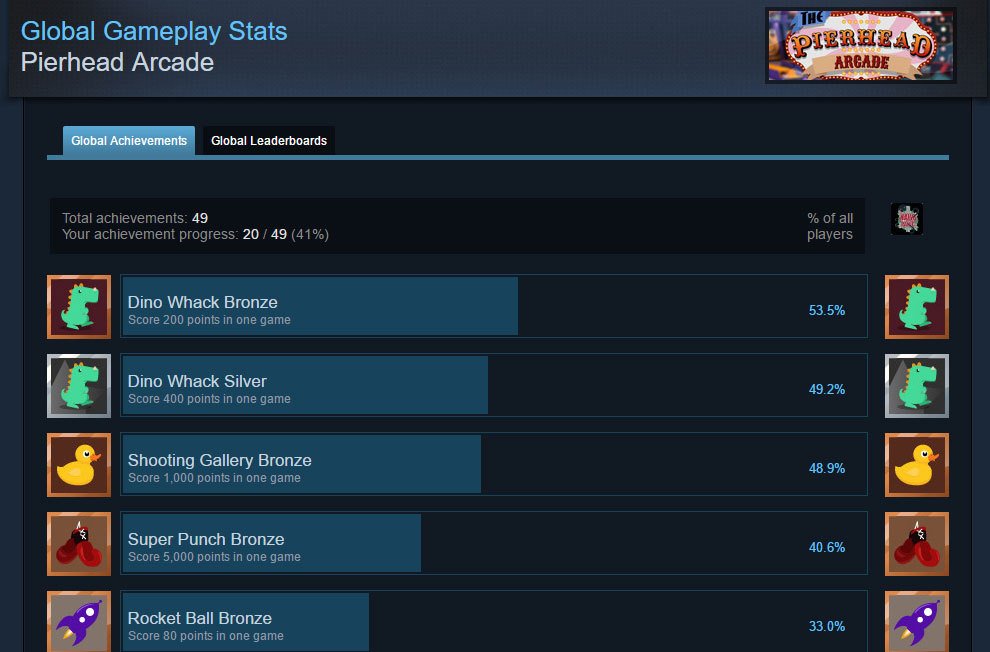 Gone is the ugly placeholder icon, now you can enjoy the improved icons here:
http://steamcommunity.com/stats/435490/achievements
UI Update


We've also added a Jukebox to the corner which will be where you control the internet radio from.

Other changes include:
<*>Teleport to the benches while outside
<*>Teleport rings to indicate where the teleport points are
<*>Gift shop spawn point moved to the right so toys don't drop off the bench
Big 'ol update

First off there's a new game, the much anticipated bowling alley!
Another big addition is an entire outside section!
It's basically a fancy start menu with some nice ambience.
There's also a super cool internet radio player! Now you can play your own music if you're sick of the ambient audio. We'll add a jukebox model for it later.
Follow this link to find out how to use it:
http://steamcommunity.com/app/435490/discussions/0/352788917744853147/
Currently doesn't sync in multiplayer.
We've also added a new usability feature for people with dodgy room setups or spotty tracking in places. You can now rotate the world using the orientation compass! Press the top menu button to view the compass and release to set the new forward direction.
Other changes:
<*>Custom loading scene
<*>Added Rocketball backboard
<*>New soda can models
<*>Open and "drink" the soda cans
<*>New fonts and models for the gift shop
<*>New boxing model to prevent phantom gloves blocking paddles
<*>Experimental Touch support
<*>Outdoor view culled while inside to improve performance
<*>New twinkly stars skybox
<*>New placeholder multiplayer models
<*>Giftshop prices
<*>Various bug fixes
New tanks
(There's also another secret in there, see if you can find it)
We're also working on bowling and another shooting game.
Then we'll work on the user interface a bit.
Stay tuned!
P.S. If you're in Liverpool on Monday we'll be exhibiting this game at the Exhibition Center.
New radio controllers
This update should be live for everyone now so let me know if you find any bugs or have any feedback.
Have a nice weekend!
Quadcopter!
You fly up by pulling the trigger and fly sideways by tilting the controller while pulling the trigger. (the trick is to find the hover point on the trigger and being gentle with the controls)
There are now 2 of each radio controlled toy, we'll change the look of each so you can tell them apart.
Also things on the top shelf are permanent and things on the lower shelf are temporary but you can buy multiple copies of them (things like sparklers)
New Toys
<*>Scaled up the ligher a bit
<*>Added an RC car
<*>Added some wooden blocks
<*>Added a traffic cone for making tracks
<*>Cars, tanks and lighters are non-consumable and can only spawn 1 of each
So now we have some more expensive items that are unlocked once and can be spawned for free thereafter as something to aim for.
We'll add some kind of visual icon to show which items are consumable and which are one off purchases.
If you lose it or it gets stuck you can respawn it at the counter. Don't worry, we're going to add more RC cars so you can race them.
The car flips easily at high speeds so you need to use the analogue speed trigger carefully around corners. Let me know if it's too sensitive. You can drive in reverse by touching the lower 1/4 of the touch pad while pressing the trigger.