

Pirate Code
Minor Update for Pirate Code 1.8.2
Path Notes for 1.8.1
Pirate Code 1.8 Is Here!
We've been busy working on Pirate Code over the last year. After we released Rise of the Kraken we decided to hit the most important issues and feature requests for Pirate Code and bring another free update to the game. At long last it's ready for you to enjoy! Here's a look at what's new.
The Most Requested Feature: Choosing Ship Upgrades
We've added four new items to the games in the form of playing cards. Each card allows you to do something different with the ship upgrades that you couldn't do before. You can find these cards in battle or in various shops throughout the game.
- Joker's Folly - Undo a ship upgrade and get your key back!
- Queen's Choice - Choose the upgrade you get from a small treasure chest!
- King's Decree - Choose the upgrade you get from a large treasure chest!
- Ace of Keys - Instantly gain a level and get an upgrade key!
We hope these new items encourage you to experiment with ship upgrades without the fear of ruining a good ship. These cards will be easier to get later in the game and should allow you to craft that perfect killing machine for the final battles. And for those of you still stuck in the first chapter, well, a lucky card drop might be just what you need.
AI Improvements, Again
If you've followed this game for long, you know that we make regular improvements to the AI. For this update we fixed an important memory leak in the AI that was causing long load times after battles later in the game. In addition, we further improved the AI removing any possible redundant calculations. For example, the most extreme case is with a Cargo Fin in using a level 3 Torpedo Boost. Previously this would require the AI to check 5124 tiles. Now it only checks 2562 tile. This is still slow but it's much faster. In most cases the AI will only wait about a second before attacking.

Botany Improvements and Pagodas
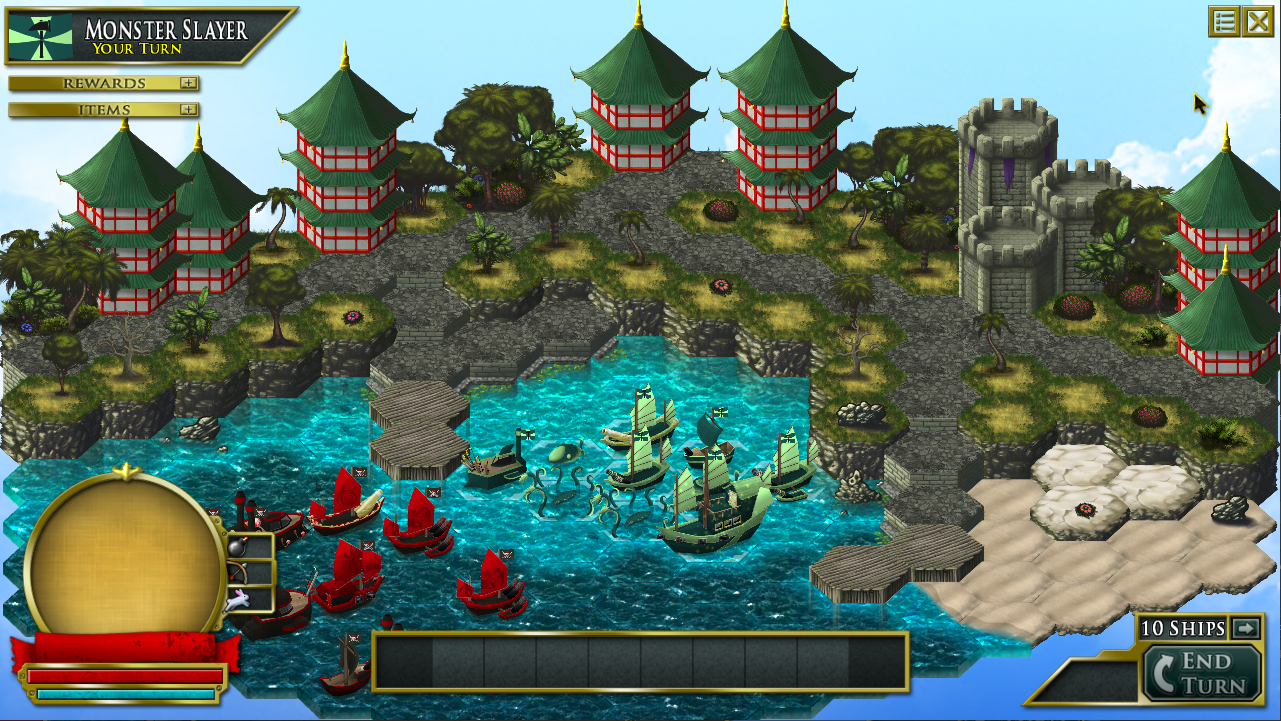
When using the Botany Balloon to gather plants, there are now icons displayed on the tiles to show you what you can get. This makes the whole experience much more enjoyable! We've also added some oriental themed building and props to the land. And we improved the look of the ship on the world map!

The Full List
- Added four card items that allow the player to better control ship upgrades.
- Improved the AI so that it is faster, especially for torpedo attacks.
- Added a portrait for Commander Franklin and several other characters, including a generic pirate and crew member.
- We now detect if you're using a touch screen and hide the mouse cursor automatically.
- The graphics for the Fire Shield have been upgraded.
- Improved the botany experience by adding icons to tiles so that you can see what items you'll get before moving to a tile. No more blindly chopping at the jungle!
- The world map camera now zooms out while you're moving, making it easier to avoid enemy ships.
- The ships on the world map have been upgrade with new graphics!
- The circles surrounding ships on the world map now fade out until they are close to your ship.
- Pagodas and other oriental themed props and buildings have been added to the Zen Empire islands.
- When a ship is targeting the anchor command and you click another ship, it will now auto-anchor the ship. Even we forget to anchor a ship sometimes! Well no more!
- There's now an option to single-click usable actions (instead of one click to arm and a second to use). This is off by default.
- There is now a visible way to skip dialogs making it more obvious that they can be skipped.
- Added the Argonian Theme music to a handful of Argonian islands. This music was written long ago and appears in the sound track, but hasn't been in the game until now.
- We painted a new marketing image for Pirate Code! It doesn't actually appear in the game, but still worth mentioning.
- Fixed a bug where turning off the sound effects would not end looping sound effects.
- Fixed a bug where the balloon would not count as a ship for auto ending the turn or tabbing between ships in battle.
- Fixed a bug exiting a botany challenge and going to the title screen would leave the starting botany makers on the screen.
- Fixed a bug where if Rise of the Kraken is purchased and you play the tutorial, Swanson would go to the wrong tab in the Mission Log.
- Fixed a bug where a surprise kraken attack could cause a ship to become unresponsive.
- Fixed a bug where ships would appear to reach level 11. Unfortunately there is no level 11.
- Fixed a bug where there was no way to hire Chinor Maan as a crew member.
Enjoy the update!
Hotfix 1.7.0.c Patch Notes
Rise of the Kraken is HERE!
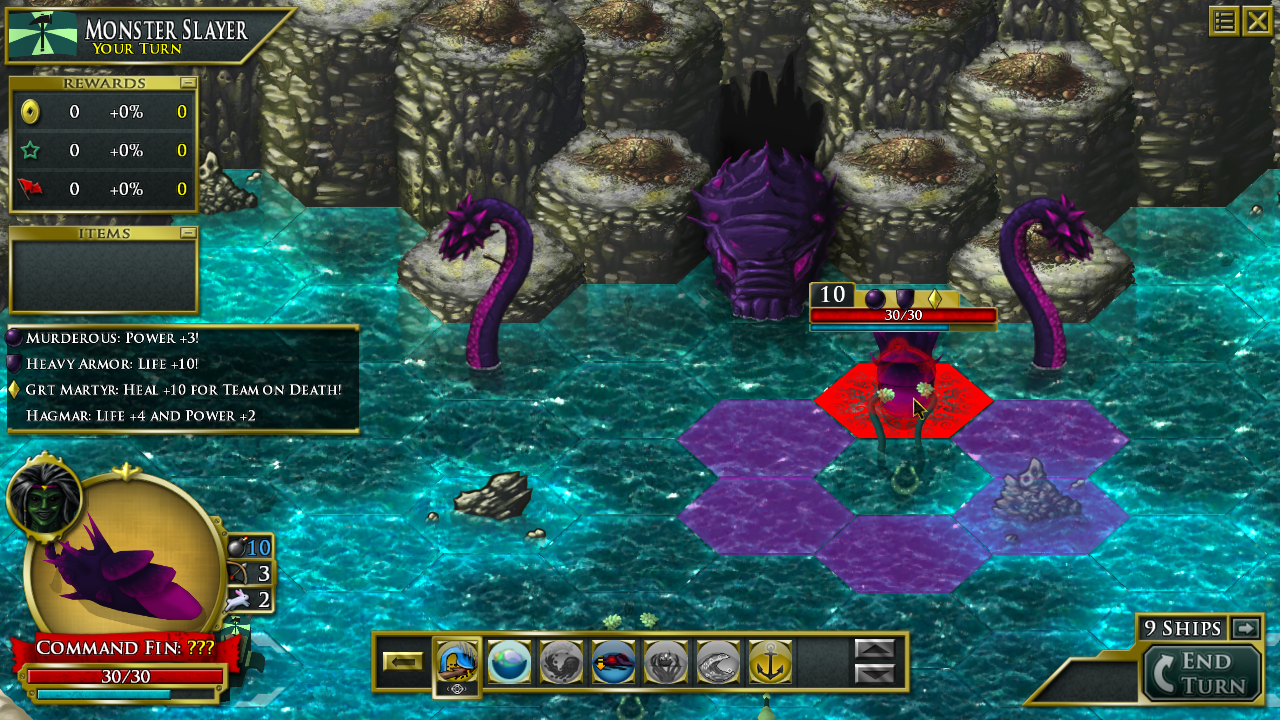
Everyone Can Fight Krakens
This update is not just the expansion. It includes changes to the base game as well. Everyone can find and fight wild krakens. If you want to raise your own krakens then you'll want to buy Rise of the Kraken. Krakens are a powerful new unit in the Pirate Code world that have a full arsenal of completely new moves!

Krakens start with a basic Strike attack. They can also shoot ink that covers enemies. Enemies with ink on them can't move for a turn or two. One of the most powerful moves the kraken has is an instant death move called Crush. And a well rounded kraken also has a move called Healing Wave that can heal several ships in a line.
We've re-written portions of the battle engine to make this possible including a more powerful and more intelligent AI. Here's a complete list of what's new in 1.7:
- Rise of the Kraken Expansion is available with this update!
- Ship Upgrades that buff against monsters
- A new ship upgrade called Relentless that prevents a ship's morale from falling below half.
- Improved AI
- Fixed a bug where island locations with locks did not move their percent numbers.
- Fixed the long standing black screen wait after battles that happened later in the game.
- Fixed cursor bugs on PC and Mac (Mac build coming)
- Defeat screen can now be closed with mouse
- Fixed a bug where the life bars would toggle on and off
- You can now move around the world map with the mouse!
- And many bugs!
As usual, please report any problems you encounter on the forums and we will fix them in lightning fast speed! The Mac build of this update is not ready yet, but we are working on it and we expect to release it soon.
Thanks for playing Pirate Code!

Rise of the Kraken is Coming Soon!

Rise of the Kraken will include content added to the game for all players, like wild kraken encounters. Players who purchase the expansion will be able to raise their own kraken and use it in their fleet as a ship. In fact, you can raise as many kraken as you want, but you can only use a number of kraken in your fleet equal to the number of captains you've unlocked. Krakens are not exactly like ships. If you lose all of your actual ships then you will lose the battle, even if you have surviving krakens. Even a well-trained kraken needs its handlers to stay in the fight!
Players who purchase the Rise of the Kraken will also be able to follow a secondary campaign that runs parallel to the main campaign. Discover who's behind the sudden return of the kraken to the ocean and thwart their dark plans! We're designing this secondary campaign to be challenging to those who've already completed Pirate Code as well.
But wait! There's more!
There will also be specialty flags, icons and ship colors available in Rise of the Kraken. Players will also have an opportunity to gain an additional 10 crew and compete in kraken-themed challenges. There will also be a kraken item set to collect.
Expect more information from us in the future! For now, go wishlist Rise of the Kraken and tell us what you think in the comments. We take community feedback very seriously.
Rise of the Kraken Store Page
Follow yer code!
Quality of Life Improvements
Ship Renaming
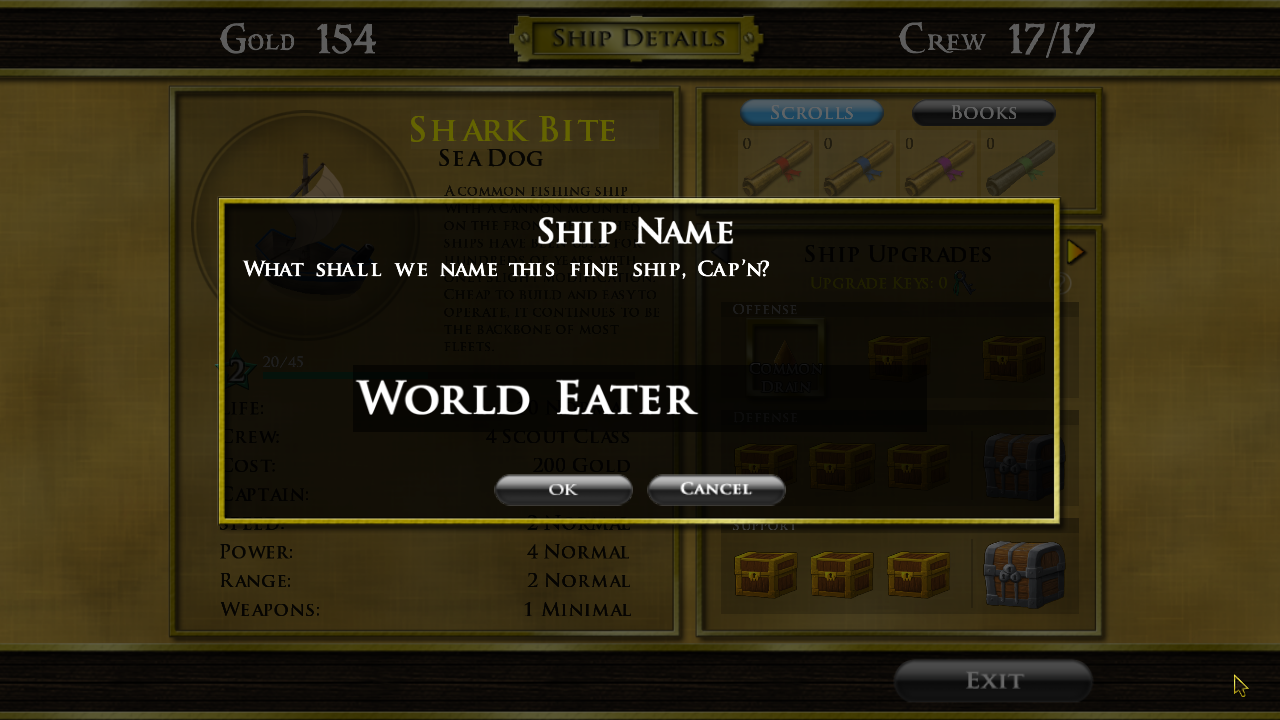
You've always been able to rename your fleet just by clicking on the name in the flag editor, but the ships were a different story. There were reasons for this. Ships all need unique names as well as other special criteria that need to be checked. With this update we worked through that and you can now click on the ship's name on the detail screen if you'd like to change it.
Locks
Previously, when you viewed locked items in a store, the amount of island liberation needed to unlock those items would be displayed in parenthesis after the name. Unfortunately, this took a lot of space, and as many of you have pointed out, the names would often be so long that they would flow into other elements on the screen. To fix this problem, we've replaced the original lock with one that has the unlock percent written directly on it. The new lock appears in several places, sometimes with no percent at all. Let us know what you think!

The List
Here's what we've cooked up for this update:
- Ships can now be renamed.
- Feedback has been improved when you try to name a ship the same name as an existing ship.
- Lock Icons now show percents on them to show when they unlock.
- Ships can no longer appear inside an island. If you see one, take a screen shot and post it up for us to take a look at.
- The Whale's Diamond Cannon attack was not draining enemy ships correctly. This has been fixed and applied as hot fix 1.6.6b.
- Added a new font to be used for the loading screen.
- We've picked up a new programmer! He's been added to the credits.

Next Up, New Content!
We've been hard at work making some exciting new content! We'll be posting about it in the weeks to come. Stay tuned!
Pirate Code Soundtrack is Available Now!
From intense battles with angry ghost pirates to relaxing fishing trips, Pirate Code has it all and composer Philip Robinson wrote the music to match. Until now you had to fight through scores of pirates to hear that intense final boss music, but all that has changed! We are happy to announce that the Original Soundtrack for Pirate Code is now available through Steam! There's 16 tracks that cover every pirate experience that you could throw a dagger at. What's more, it's on sale now!
https://store.steampowered.com/app/1275900/Pirate_Code_Soundtrack/
Camera Updates
Enter the Touch Screen
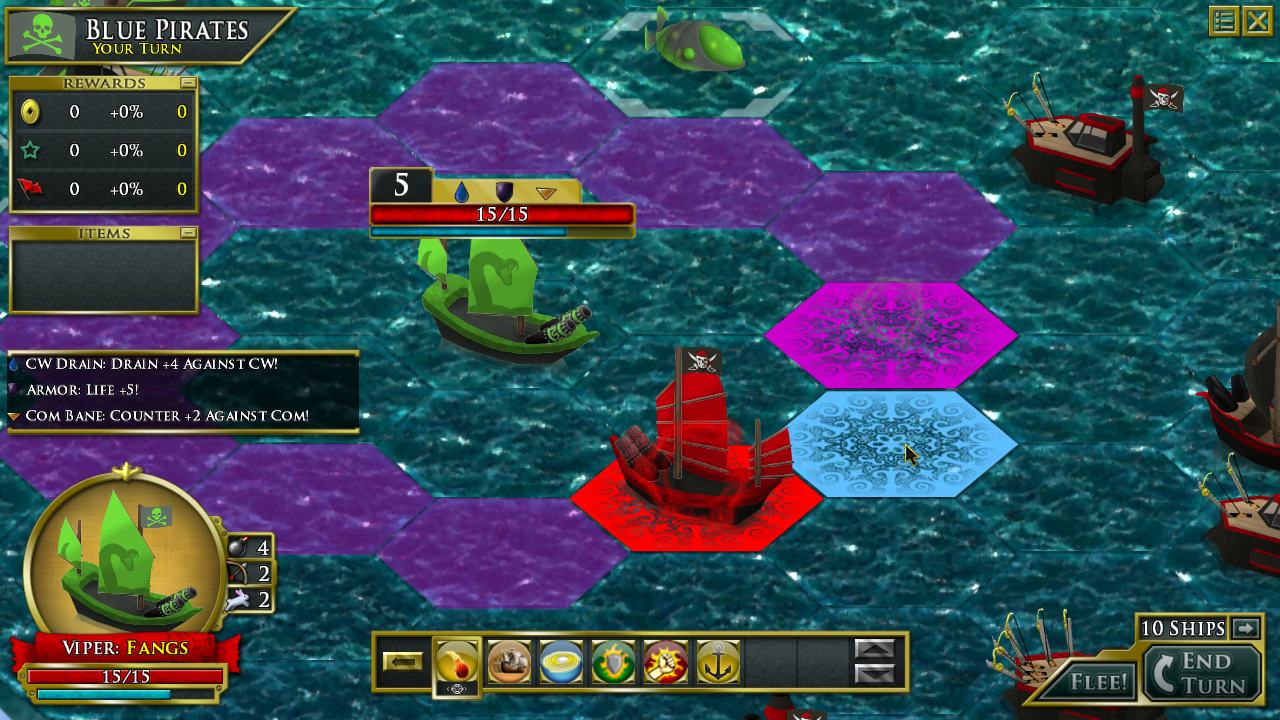
Personally, having worked on Pirate Code for years, I can say that I was comfortable with the arrows keys or wasd keys moving the camera. It wasn't until I had a chance to try Pirate Code on a touch screen that I realized how badly I wanted to just move the camera by dragging anywhere on the screen. So that's where we started. The results were a more fluid experience that will feel natural to anyone. It feels just as natural with a mouse and I've quickly adjusted to using it as the only way to move the camera. Also at user request, the middle and right mouse buttons also move the camera. So if you're use to moving the camera with a different button, those will work as well. There's an added benefit to using a different button too since there's no chance of accidentally clicking on a ship.
Here's a full list of ways the camera can be moved:
- Moving the mouse to the edge of the screen
- Using the arrow keys or wasd keys
- Dragging anywhere on the screen with the left, center, or right mouse buttons
Step Back to Study the Battlefield
As noted in the introduction, the camera might not need to move if you just could zoom out a little. Well now you can! If you're using a mouse, you can zoom out by simply using the scroll wheel. If you prefer the keyboard, then the +/- keys next to the zero (above the letters, not on a keypad) will zoom in and out. The zero key will reset the camera to normal. Finally, if you're using a touch screen, you can zoom in and out using the pinch gesture. This is new territory for Pirate Code, so please let us know in the forums if you have any problems with these new controls.

The Complete List
Naturally there were other changes as well and here's a complete list:
- Camera movement controls
- Camera zoom controls
- Camera now zooms to a specific setting on enemy turns and returns to the player's setting when finished. This better denotes the start and stop of enemy turns.
- Fixed a bug where music and/or sound effects where not being set to lower volumes as per the options when restarting the game. Released as hot fix 1.6.5b.
- Fixed a bug that caused a crash if the player tried to sell the first ship named Shadow Drift. You can now sell it if you so choose. Released in the hot fix 1.6.5b.
- Changed the color of the tiles when using Full Sails from green to blue to prevent confusing it with the movement phase.
- Fixed a bug that would cause the life bar to display the wrong bar size (numbers were not affected) if the ship lost and gained life at roughly the same time such as using drain on ships with vengeance.
- Fixed a bug where the morale bars would change back to blue despite the ship having high morale.
- Fixed a long list of typos

This update is available now for PC! Mac version will be following within a few days.
Chapter One Improvements!
More Strategic Variety
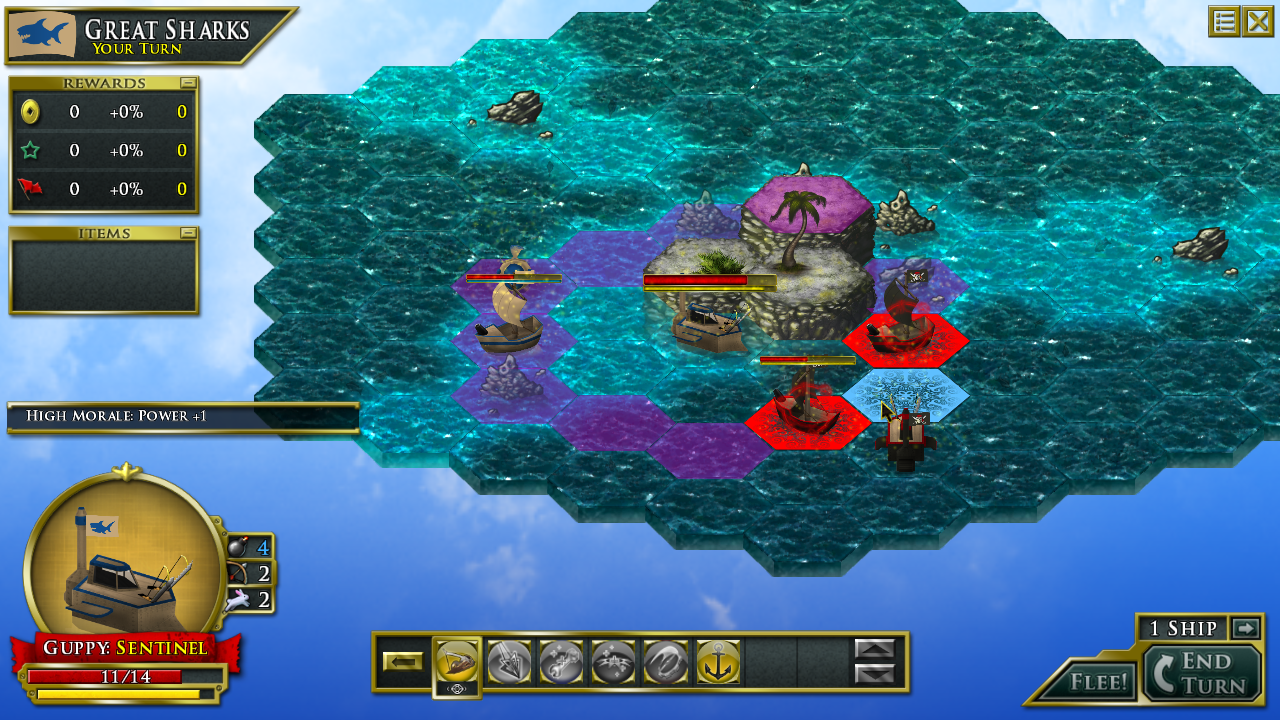
Previously, only the Sea Dog was available at the beginning of the game. There are three other ships to unlock, but it would likely be hours before most players would have them. The two cheaper options (the Molo sub and the clockwork ship) were unlocked right at the end of the chapter which meant players had very little time to use and upgrade them before the boss fight at the end. To fix these problems, there are now three ships that start unlocked (the common Sea Dog, the clockwork ship, and the Molo sub). Additionally, instead of starting the game with several of the same ship, players will now start with one of each. This instantly adds more variety to the decisions made in combat in the first chapter.
I you have an existing save file in the first chapter, you will still have the old starting ships, but the sub and clockwork ship will both be unlocked so you can purchase them right away.
Less Forced Fishing
In Pirate Code, you have the option of fishing to gather resources (fish, as it turns out) to sell and make extra gold. To introduce this, the first chapter previously had several missions that required the player to go get fish. These were main story missions that had to be completed to move forward in the game. Now they've been moved off the main quest line and have been remade as side quests. Fish if you want - or don't. But it wasn't just the fishing missions stepping aside. In fact, four missions in total were moved from the main quest line into side quests. Players can now arguably finish the first chapter much faster and move on to the deeper waters of chapter two.
If you have an existing saved game that was on a mission that has moved to a side quest, your game file will be updated with the new main quest automatically. Be sure to check your mission log once you load into your game.

Skip the Tutorial
The tutorial in Pirate Code has received many compliments, but let's be honest, once you've played it, you don't need to play it again. This has been a point of pain for many players who start a new game. Well no more! You can now skip the tutorial and get straight into the action. This is particularly important for player who may want to start over and enjoy these first chapter changes. However, if you've never played Pirate Code, I would strongly urge you to play the tutorial.
The Complete List of Changes
Here are a complete list of the changes that happened in this update.
- Four main story missions were moved to sub missions.
- Players now have three ships unlocked at the start of the game.
- Players can skip the tutorial.
- The cost of many ship colors in the first chapter were decreased.
- Removed a few very expensive items from the Nautical Academy.
- Players now start with 100 gold.
- The main map now displays island liberation.
- Fixed a bug that displays the red exclamation mark (!) incorrectly at times.
- Fixed a bug with the helpful hint text not resizing in one edge case.
- Fixed a bug where you couldn't move a newly purchased ship into your fleet.
- Removed the starting ship unlocks and crew from the total percent complete calculation.
- Fixed several smaller bugs and typos.
This update is live for Windows and will follow in a few days for Mac.