Thank you for using Pixel Game Maker MV. It's finally here! You can now apply for developing your PGMMV games on Nintendo Switch. Please check the branch for each version.
You need to register as a developer to be able to use the Nintendo Switch development function. A Nintendo account is required for the developer registration, so please prepare it separately.
Release Notes
Editor
Added functions for Nintendo Switch development
When developing for Nintendo Switch, please select the branch that matches the version you are currently using:
default: ver1.0.5.5
1.0.5-switch-beta: ver1.0.5.6
1.0.4-switch: ver1.0.4.2
1.0.3-switch: ver1.0.3.3
[Changing branches] 1. Steam Open Pixel Game Maker MV Properties from your Library 2. In the Beta tab, select the specific version and then close Properties
[Transitioning to default] To revert from the beta version to a previous version: 1. Steam <*>Open Pixel Game Maker MV Properties from your Library 2. Select "None - Don't participate in any Beta program" and close Properties
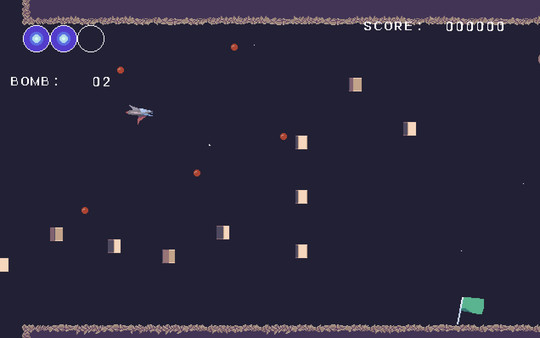
With this DLC, you will be able to easily create a top down sci-fi game with PGMMV! The low res SciFi Starter Pack contains a basic set of pixel art assets and a sample project. Character sprites, tilesheets, bullets, UI and even a project file is included... it has everything to get you started!
Thank you for using Pixel Game Maker MV. The 1.0.5, which was released on beta version, is now the default version.
In addition, the version 1.0.5.6 has been added as a beta version.
1.0.5.6 Release Notes
Editor
Fixed the behavior of Lock Objects Within Field of Vision/Lighting" when using "Move Layer"
Supports clipboard for copy / paste of Database cells
Fixed the "Runtime Action Changeable Even After Placement" when using Database
Supports SpriteStudio's mesh & bone function
Fixed crash issues when the menu is opened or closed.
Player
Fixed an issue regarding Motions and Directions of an Object when using "Apply Database"
Fixed the issue causing the Field of Vision to disappear when Object moves through layers
Fixed an issue in which the menu can be opened multiple times
Other
Updated the Help file
Please don't forget to update to ver. 1.0.5-database after making some back-up save of your projects.
[Changing branches]
1. Steam Open Pixel Game Maker MV Properties from your Library 2. In the Beta tab, select the specific version and then close Properties
[Transitioning to default] To revert from the beta version to a previous version: 1. Steam <*>Open Pixel Game Maker MV Properties from your Library 2. Select "None - Don't participate in any Beta program" and close Properties
Pixel Game Maker MV has joined up with the Remote Play Together Sale. While this software cannot be played remotely, it is a tool that can be used to create games playable remotely by up to four players, and using the multiplayer feature makes it extremely easy for anyone to play their games remotely. Don't miss this chance to check it out!
We have released a 2D side-scrolling shooting game sample project as DLC for Pixel Game Maker MV. Load Pixel Game Maker MV and select the "Sample" tab for the DLC to be displayed. Data can be found bundled in the "SampleGames" folder.
This is the data for a simple project that will help you to learn the basics of creating a 2D side-scrolling shooter using Pixel Game Maker MV. Additionally, all data for sample project materials may be used freely in other projects and games, so please feel free to use the materials in any way you like.
Thank you very much for using Pixel Game Maker MV. We have released an update to the current beta version, making it version 1.0.5.
Release Notes
Editor
Fixed bug in which "Specified object action changes" caused actions to turn blank
Player
Fixed bug causes FPS rate to drop when opening menu
Please don't forget to update to ver. 1.0.5.
[Changing branches]
1. Steam Open Pixel Game Maker MV Properties from your Library 2. In the Beta tab, select the specific version and then close Properties
[Transitioning to default] To revert from the beta version to a previous version: 1. Steam <*>Open Pixel Game Maker MV Properties from your Library 2. Select "None - Don't participate in any Beta program" and close Properties
Hi all, We have prepared a special bundle for you: Pixel game Maker MV and four games made with the engine! But not only the bundle contains great and fun games, but they also contain their PGMMV project data! It means that the project data for STEOS -Sorrow song of Bounty hunter-, Steel Sword Story, KUMACURE and The Witch & The 66 Mushrooms are now available! You are now able to dig into the techniques of advanced game makers! https://store.steampowered.com/bundle/18316/Pixel_Game_Maker_MV__DLC_Bundle/ Have fun with PGMMV!
First of all, the database update is now ready! Please be aware of the below changes: ・The 1.0.5 branch now includes the β version of the database (former 1.0.5-database) ・The 1.0.5-database now includes the newest update of the database. ・The 1.0.5-switch will be temporarily hidden.
With the Database update, you will be now able to make plugins for your Database. You can check the updated documentation here.
Yes, you read that right! Daisuke "Pixel" Amaya, the father of Cave Story and Kero Blaster will judge the games of the finalists this year too! The finalists will receive personalised feedback from the jury!
Also, to give you more time to polish your game, we have decided to extend the submission period to Feburary 28th 23:59 JST. Last year, some games were made in a few weeks or days and reached the finalist stage, so take your chance!" Please keep in mind that a good proof of concept or demo is more than enough for participating in the contest.