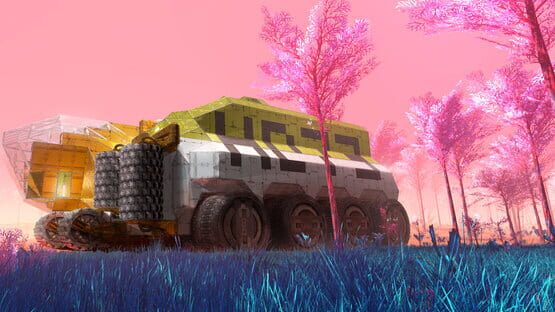
Today we've released (hopefully) last release of our big story update, version 0.9.9.2. It is just a small fixes for bugs you've reported to us.
List of changes:
fixed monuments that cannot be scanned from one side
fixed weird monument artifacts after teleporting or game reload
added healing to Trauma Kit
0.9.9.1 in Experimental Branch
Hello Nomads,
Thank you for the feedback on the story. We have noticed that there were some bugs that prevented you from continuing in some places, so we have an update in the experimental branch today.
There is one thing to highlight - we have originally intended to wipe your saves for story to work properly. But as it is always an unpleasant action, we decided not to do it.
If you continue to play your old save with the new story system, you might get into a trouble. For instance you might have blocks locked by quest that you cannot find in your world etc. Also tutorial started in old version probably will not be finishable in the new one.
We decided to keep you possibility to play the older saves and we disable the quests and other systems in this case. You will probably have blocks unlocked that you haven't yet. Any maybe some other changes in your game, but this should be lesser evil than losing your complete game.
For the best story experience you should start a new game, but if you know what you're doing, you can still live in your old world.
The list of changes:
bypassed Quest system in older saves - to make them playable again
Windows: returned to mono backend and default Garbage Collector - for better stability
fixed POIs remaining in compass
added immortality to Oddyseus Blueprint
fixed missing weather sounds (storm)
allowed closing Replicator window by Use (E) key
fixed story item that always dropped from hands
fixed 3rd person camera going too far
fixed not descending air blades in some occasions
reduced player falling through terrain check timeout - for better performance
0.9.9.0 in Experimental Branch
Hello Nomads,
We have just released new version of Planet Nomads - 0.9.9.0, you can sneak peek the full story in the experimental branch before the full release.
We do not want to wipe your saves because of story, so you can continue your saves, but maybe you will encounter some bugs caused by story changes. We cannot test the upgrade in all possible states of the game. Hope it is better than losing the whole progress. Anyway, if you want to play the story, you need to start a new game.
As usual, saves modified by the new version of the game are not guaranteed to work in older version, so backup your files if you want to switch versions back and forth.
The list of changes:
complete story (you have to start a new game to enjoy it)
added shipwrecks from Kickstarter backers
bigger Compass with better readability of overlapping marks
changed "T" button functionality - cycles between best MultiTool available and Emergency Tool
added possibility to bind other tools (Block Mover, Scanner, Weapon) to different keys
Radar: now it is possible to trigger scan even in already scanned region
Automatic Miner: fixed bug that caused game hang during load in some cases
0.9.8.4 Relesed to Public Branch
Hello Nomads,
We've just released 0.9.8.4 into the public branch for all players.
Repeated list of changes since last stable update (0.9.8.1):
0.9.8.2
Windows: new build using IL2CPP (should be faster in case of high CPU & low GPU usage)
modified physics to do less transform sync - caused low CPU usage due to thread locks probably (should fix FPS drop after longer gameplay)
fixed saving of hower blade height (should eliminate helicopter bumps on load/approach)
planet map: right click on custom POI deletes it
various minor script optimizations
0.9.8.3
fixed bug in saving sampled resources from Mining Machine
fixed Steam library compatibility with IL2CPP (broken workshop window close button)
fixed short drop in Solar Panel energy production on load
workaround for physics collisions bug (caused Jetpack hover mode disabled on load)
0.9.8.4
fixed player falling down through the terrain
modified memory management to prevent frequent frame drops
0.9.8.4 Bug Fixes in Experimental
Hello Nomads,
This time we have an update with some minor fixes. Mainly, you should not fall down through the terrain now (as it happened before in case of stepping under the hill from cockpit and other similiar situations).
We are also introducing memory management tweaks that should eliminate periodical frame drops caused by memory freeing routine.
0.9.8.4
- fixed player falling down through the terrain
- modified memory management to prevent frequent frame drops
0.9.8.3 Experimental Branch Bugfix
Hello Nomads,
Today we have released some fixes for bugs introduced in experiemental branch.
Here is the list of changes:
fixed bug in saving sampled resources from Mining Machine
fixed Steam library compatibility with IL2CPP (broken workshop window close button)
fixed short drop in Solar Panel energy production on load
workaround for physics collisions bug (caused Jetpack hover mode disabled on load)
0.9.8.2 Optimizations in Experimental Branch
Hello Nomads,
We have some optimizations for you to test in the experimental branch.
At first, we have changed a scripting back end from mono to il2cpp, which has 0 to 30% FPS increase in high CPU intensive scenarios (ie. many active blocks running of same resources etc.). This kind of optimization is available only on Windows yet, but we will see by your reports if it will be worth trying to use it on other platforms too.
Second optimization is for all platforms and it is in physics. There was probably a race condition in physics engine thread synchronization that caused FPS drop after some time in gameplay. It seems that different physics settings are less vulnerable to this bug. So at least we have eliminated one probable cause of FPS drop.
Here is the complete list of changes:
Windows: new build using IL2CPP
modified physics to do less transform sync
fixed saving of hower blade height (should eliminate flyer bumpings on load/approach)
planet map: right click on custom POI deletes it
various minor script optimizations
0.9.8.1 Released Officially
Hello Nomads,
We have just released 0.9.8.1 update into official branch, so everyone can enjoy our latest features.
The recap of changes follows.
Tool changes:
change in tool usage - now you can have multiple different Tools in the Hot Bar
added Mover Tool for moving blocks
split Emergency Tool and classic Multitool functionality - the first uses only Suit power, the latter only Batteries
enlarged default player inventory by 2 slots
Other Changes:
updated Unity engine to 2018.3.5f1
added Thermoregulator block and fixed thermal regeneration in different occasions
added slight boost to player movement while accelerating from standing to motion
faster mining with mining machines, but mining is now limited - you can harvest only certain amount of resouces on one place
custom POI in map - you can mark a point by mouse click in map, compass will show you the way there
save files are now compressed
0.9.8.1 in Experimental Branch
Hello Nomads,
We've just released a hotfix for yesterday's update to the Experimental Branch.
Here is the list of bugs fixed:
fixed error while switching from Mover Tool to other tool or block
fixed loss of Weapons and Tools during update to 0.9.8.0 (however, you need to open your original save - saves with items already missing will not recover it)
fixed remembering of disabled resources in Miner settings
fixed Solar Panels working at night
0.9.8.0 in Experimental Branch
Hello Nomads!
The new update 0.9.8.0 is on your way. You can try it in the Experimental branch.
BUT BE CAREFUL! We have implemented save file compression and older versions of the game (prior to 0.9.8.0) are incompatible with the new compressed saves. This update will compress all your saves on the first launch, so it might free some storage space in case you have a lot of big saves.
However, we strongly recommend you to backup ALL your save files BEFORE launching the new version (with the _main.db of course - you can find more details in discussions). Once compressed, you will not be able to use your saves in older versions of the game.
Now for other changes we have prepared in this release: We have added a new Mover Tool for moving blocks and we also plan to add a Scanner Tool for some story purposes we will reveal later. This is a fair bunch of tools at your disposal, so we had to change the way how tools are managed a little bit.
The "tool button" on keyboard (T by default) now brings your Emergency Tool - not the best tool available but one that is always ready to do basic work using your suit energy. You can carry better tools in your inventory and equip them to your hotbar, just remember the fact, that they cannot be powered by the suit and need its own batteries.
The full list of changes follows.
Tool changes:
change in tool usage - now you can have multiple different Tools in the Hot Bar
added Mover Tool for moving blocks
split Emergency Tool and classic Multitool functionality - the first uses only Suit power, the latter only Batteries
enlarged default player inventory by 2 slots
Other Changes:
updated Unity engine to 2018.3.5f1
added Thermoregulator block and fixed thermal regeneration in different occasions
added slight boost to player movement while accelerating from standing to motion
faster mining with mining machines, but mining is now limited - you can harvest only certain amount of resouces on one place
custom POIs in map - you can mark a point by mouse click in map, compass will show you the way there
save files are now compressed - see the warning above!