

Planet of the Eyes
New Game Announced - Echo Generation
Echo Generation is a turn-based adventure game about a gang of kids investigating supernatural events while battling monsters and mechs to save their small town.
[previewyoutube="-Gi-F7gYYUk;full"]
Check out some early press coverage for Echo Generation by GameSpot, Engadget, GameInformer, Hardcore Gamer, and Gematsu.
Don't forget to add Echo Generation to your Wishlist here:
https://store.steampowered.com/app/1072300/Echo_Generation
Thanks!
Add RIVERBOND to your Wishlist!
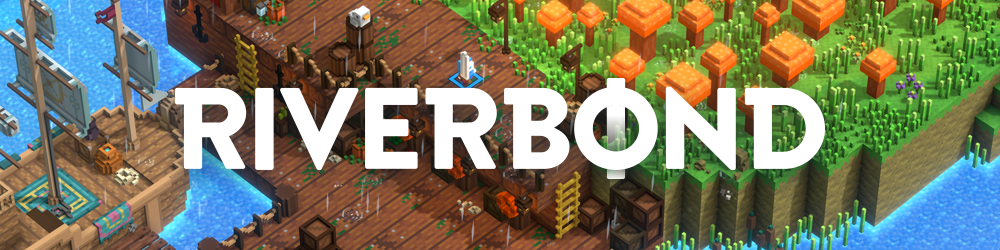
Hello players, If you enjoyed Planet of the Eyes, we invite you to check out our new game RIVERBOND and support us by adding it to your Wishlist!
RIVERBOND is a hack-and-slash dungeon crawler that combines a hand-crafted adventure with a destructible voxel world. Adventure solo or together with friends with drop-in / drop-out couch co-op, and embark on a heroic campaign to help rid the evil that has befallen the land.
Explore the hidden depths of the world, discover new weapons or treasures and face the deadly bosses. Will you and your friends be the legendary heroes of Riverbond?
Coming to PC, PS4 and Xbox One in 2018.

Wishlist Riverbond here
Thanks for your support! :poterobot:
NEW Trailer + Release Patch 1.3

Hello players,
We have an update for you in release patch 1.3 and some good news~!
Planet of the Eyes is coming to PlayStation 4 and Xbox One on Sept 12, 2017 and here's an action packed trailer for you to check out: Console Release Trailer
If you enjoy our game, we'd really appreciate if you could spread the word and recommend Planet of the Eyes to your console playing friends. We really appreciate your support!
Release 1.3 Patch Notes:
- Localization added for subtitles and menus: French, Italian, German, Spanish, Portuguese, Russian, Simplified Chinese, Japanese, Korean
- New start menus and loading icons
- Remastered art for end animatic
- Better support for Xbox One controller
- Various bug fixes
- Achievements on Mac now working
That's it for now, we hope that you enjoy the latest update and thanks for playing!
:poterobot: Team Cococucumber
Looking to the Stars

Hello players! Update: Planet of the Eyes is a 2015 finalist for Best Indie Game at the Canadian Videogame Awards. We're honoured and excited!
It's been quite the journey making this game, and we appreciate all of you who have encouraged and supported us. Till next time, we'll be looking to the stars.
Thanks for reading <3
-Cococucumber
Patch 1.2 & OSX Release Notes
Hello players! This patch is a special one for us as it falls on the same day as the Planet of the Eyes OSX release.
That’s right folks, the game is now available for Mac players and we encourage you to tell your friends. Here’s a tweet or facebook post for you to share.
Onward to the notes!
Changes (Windows & Mac):
-Now using Steam Cloud for save games.
-Support for new screen aspect ratios, not limited to only 16:9 or 16:10. Options available in the Settings menu.
-Added a Mute button for the in-game audio, accessible through the Settings menu.
-Added a Mute button for the in-game sound effects, accessible through the Settings menu.
-Fixed Z fighting asset issues in the Spaceship Crash level.
Notes (Mac specific):
-Please check the Minimum System Requirements for your Mac on the Store Page to see if the game is compatible with your laptop or computer.
-Controller / gamepad support not working for Xbox One. Support controllers are Xbox 360, PS3 and PS4. Please check that you’ve installed the latest drivers.
Known Issues (Mac specific):
-When accessing the Steam Community in game (Shift-Tab) there may be graphics rendering issues on certain assets, showed in pink or grey.
-When using the F12 button in game to take a screenshot there may be graphics rendering issues showed in pink or grey for 3-4 seconds. This will return to normal after that and does not affect gameplay.
Don’t forget to follow us on Facebook or Twitter for more updates on Planet of the Eyes news, swag and more.
Thanks for reading! <3
-Cococucumber
Release Patch 1.1
Since the rigorous 4-day non-stop testing at PAX and watching all the Let's Plays of Planet of the Eyes, we've decided to power through the list of bugs and changes.
Reminder that if you're using an Xbox One controller and Windows 10, please make sure you have updated drivers or the controller won't function properly (robot will keep running in one direction). The fix for that is here.
Bug Fixes:
-Fixed the offset on the robot animated mesh from the control rig after many play-throughs.
-Fixes issue of timer countdown not resetting for Scrapper attack position B when re-entering the switch.
-Fixed issue of Scrapper stuck in a shocked state on respawn if the robot suicides on it after pulling back the crate.
-Fixed animation glitch when pushing rotating objects.
-Fixed the double egg scenario after removing the hanging egg in the Water pipes level.
-Fixed issue when after finishing the game, if you replay from the start the credit loop sound comes back.
Changes:
-Made it easier to jump over the Scrapper switch.
-Scrapper stays on attack position B for an extra second longer.
-The door in the temple is now open upon replay.
-Prevent robot from climbing ledges if an object is directly above its head.
-Change Steam lava achievement to only occur in Lava level.
-Fixed issue of robot walking into a moving platform if jumping near a ledge as it goes up.
-Made a previous audiolog stop before new audiolog starts to play.
-Remove floating trees in the Scrapper level.
-Fixed issue of robot's head intersecting with the metal crate in Scrapper level.
-Patch over the ceiling in the Observatory level where the gap for the old laser used to be.
-Change the texture colour of lasers to match lighting.
-Add to pull/push functionality on both sides for gas tanks.
-Add Shift/Alt/Option key on the right side of the keyboard to grab objects.
Thanks for reading! <3
-Cococucumber
Developers showcase at PAX Prime
We encourage you to stop by, play a demo of Planet of the Eyes and buy a Steam key straight from the devs at a PAX discounted price!
Here is a map to Booth 6903 located on the 6th floor, where there will also be two other indie games on show: Fate Tectonics and Kitty Disastrous.

Hope to see you there!
- Cococucumber
FIX: Xbox One controller and Windows 10 compatibility issue
This seems to be an issue with the Xbox One controller, Windows 10 and an old driver, so here is a fix involving uninstalling and reinstalling the driver.
Instructions:
- Plug in your Xbox One controller.
- Download the driver from http://support.xbox.com/en-US/xbox-one/accessories/controller-pc-compatibility
- Run the driver installer.
- If there is an option to de-install (Remove) the current driver, please do so. If not, install the driver with the Xbox One controller still plugged in.
- The Xbox One controller should start to rumble. If it does not, please repeat the last two steps again: Remove the current driver and Install the new driver.
Thanks to zolointo for troubleshooting this issue.
Also, please read http://steamcommunity.com/app/261570/discussions/0/530646080866733155/ for a similar reported issue.
Thanks!
-Cococucumber
Planet of the Eyes is NOW AVAILABLE on Steam!
https://youtu.be/NZHT0Uv_Sc4
Don't forget to follow us on Twitter / Facebook for updates!
http://www.twitter.com/cococucumberco
http://www.facebook.com/PlanetoftheEyes
Thanks for your support and we hope you enjoy the game.
-Cococucumber