Planetary Exploration Company
BETA TEST PLAYABLE NOW!
Please let me know what you think of the game, including ideas, things you don't like, things you would like to do, anything that can help make this game a better experience.
Thanks in advance, have fun! :D
BETA TEST coming very soon!.
Here's what I have fixed since last update:
NEW:
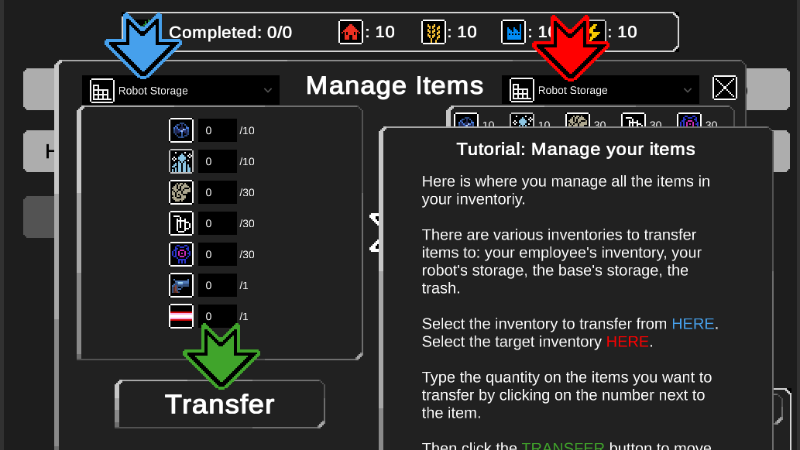
1. Tutorials: many new tutorials where added.
2. Tutorial button: added a new type of button that shows tutorials. Added it to many places and windows to explain how they work.
3. Hives: they show a health bar so you know how much you have left to destroy it.
4. Items: Added new items to change different stats, like speed, field of few, and more.
5. Save button: you can save your game when you want, inside a base.
6. Menu: added a menu to the upper left corner of the screen.
IMPROVED:
1. Planet Map: Reduced the size of the planet map because it was extremely big, making it overwhelming to complete.
2. Explorer: the sprite faces the direction he is moving.
3. Small enemy: added a small falling rotation to the death animation, so it doesn't only "dissapear".
4. Tutorials: the game is paused in some tutorial, so you don't get killed while you read.
5. Weapons: changed the icons of the weapons to make them look special, since their behavior is also different from other items.
6. Consumable items: changed the icons of the consumable items like medkits, to make them look special since their behavior is also different from other items.
FIXED:
1. Hives UI: Number of hives in the UI was not showing correctly.
2. Market lists: the lists where not showing all available items.
3. Market button: fixed the "sell" button that was not showing.
4. Spaceport: now you can travel to other planets, and it will save and load your save file correctly.
5. Weapons: some weapon upgrades did not maintain their upgrade level when entering another sector.
6. Lab: When game over and starting a new game, lab unlocks do not work well.
7. Game Over: starting again after a game over did not work correctly.
8. Item Transfer: some person properties where transferable when they shouldn't. For example you could transfer the "field of view" property of a person until it had none, which caused bugs.
9. Loaded map: when saving multiple times, the planet map was not loaded.
New procedural recipes and new tutorials + more...
NEW:
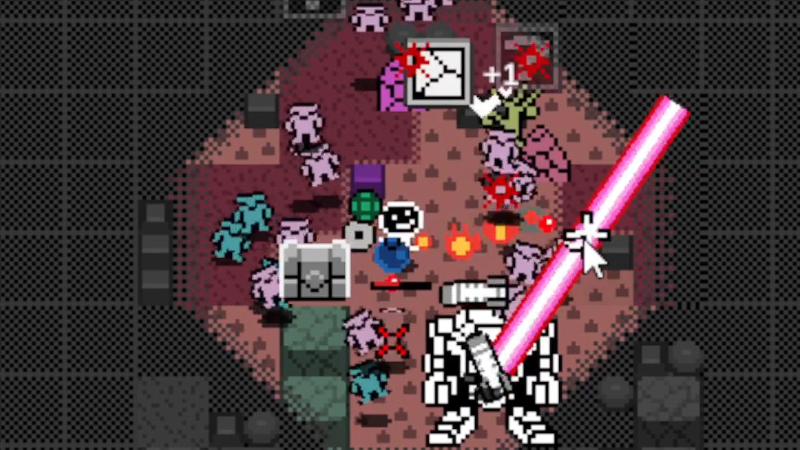
- Robot Laser: finished working on the laser weapon. It can be upgraded in damage power, length of explosions and rate of fire.
- Item unlocks: All lab and workshop recipes are proceduraly generated when you visit a new planet.
- Research available: when you enter a base with and you have, you get "news" telling you that you can research a new item in the lab, if available.
- Sprites: new graphics for some new items.
- Tooltips: added tooltips to some items that had none.
- Build window: Added some text to the UI.
- Tutorials: added new tutorial windows to some parts of the game.
FIXED:
- When an item finished researching, it will not appear again in the list of the Lab.
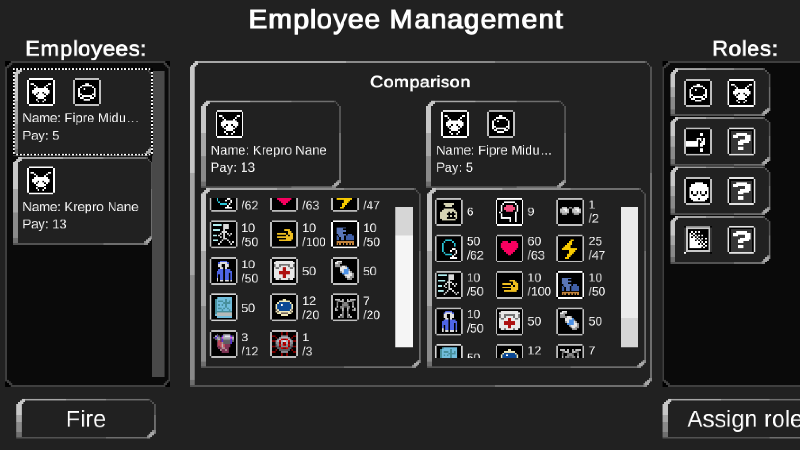
- The "hire employee" window was not showing the complete values of a person's properties.
4 New Weapons!: Missiles, Laser, Flamethrower, Boomerang.
- Bomb powerups: new upgrades for rate of fire, explotion size, and damage power.
- Missiles: your robot can launch missiles to kill enemies around the explorer, but its not very accurate. It can be upgraded in quantity, explotion size, and rate of fire.
- Boomerang: you throw it in a curved pattern. It can be upgraded in power, rate of fire, and size.
- Flamethrower: you throw flames to burn your enemies. It can be upgraded in rotation speed, rate of fire, and reach.
- Laser: started to work on a laser that is shot from the robot.
FIXED:
- Enemy hit: fixed that you could deplete all the health of strong enemies with a single hit, now you have to reduce their health with multiple hits.
New upgrade items + more...
- How to use Weapons: when you explore a sector, the robot will send you a box with a weapon that was stored in it. But when you go back to a base, the weapons the explorer has will expire.
- Book to increase handling: send it to an employee inventory and pass a day to increase his handling ability.
- Helmet to increase max oxygen: equip it to an employee's inventory to increase his max quantity of oxygen. This is the first of other items that increases the maximum quantity of a person's property.
- Exoeskeleton to increase max energy.
- Cyberheart to increase max health.
IMPROVED:
- Danger UI: the danger bar inside a sector is a different color that matches the color of the danger bar on the planet map.
FIXED:
- Saving: saving and loading was not working correctly. To save your progress, exit the game when you are inside a base.
- Extracting: the speed for extracting resources from destructible objects should work correctly.
- Tools: some tools did not work correctly, setting properties to 0 instead of increasing them, when beign used by an employee when a day passed.
New sprites + new objectives + more! :D
- Sprites: Many new images for biomes, terrains, walls.
- Tile discovery: The tiles you discovered when exploring a sector will remain discovered the next time you enter the same sector. This way you won't be able to cheat to get powerups the easy way by entering the same sector over and over again.
- Short term Objectives: Added a new type of short term objectives, they appear on the planet map as sectors marked with a blue border. Collect all its resources to get extra payment. A new one will appear after you complete it.
- Powerups reset: Weapon powerups get reset when you enter a base, so to survive sectors of a high danger level, start with low level sectors to accumulate powerups, then gradualy increase the danger level of sector you explore to slowly increase your survival chance.
IMPROVED:
- Tools news: At the end of the day, when an explorer uses a tool, a news is shown that displays a new icon of the specific tool used.
- Tiles: The tiles inside the fog have a visible grid, that way you know which ones you can uncover to increase your powerup bar.
- Health UI: Explorer mini health bar is always on top of everything so you never loose sight of your health.
- News: When news are created, they remain in the news list until the next day, so you have as much time as you need to read all the news.
FIXED:
- News: News items glitched when the text was outside of the news list.
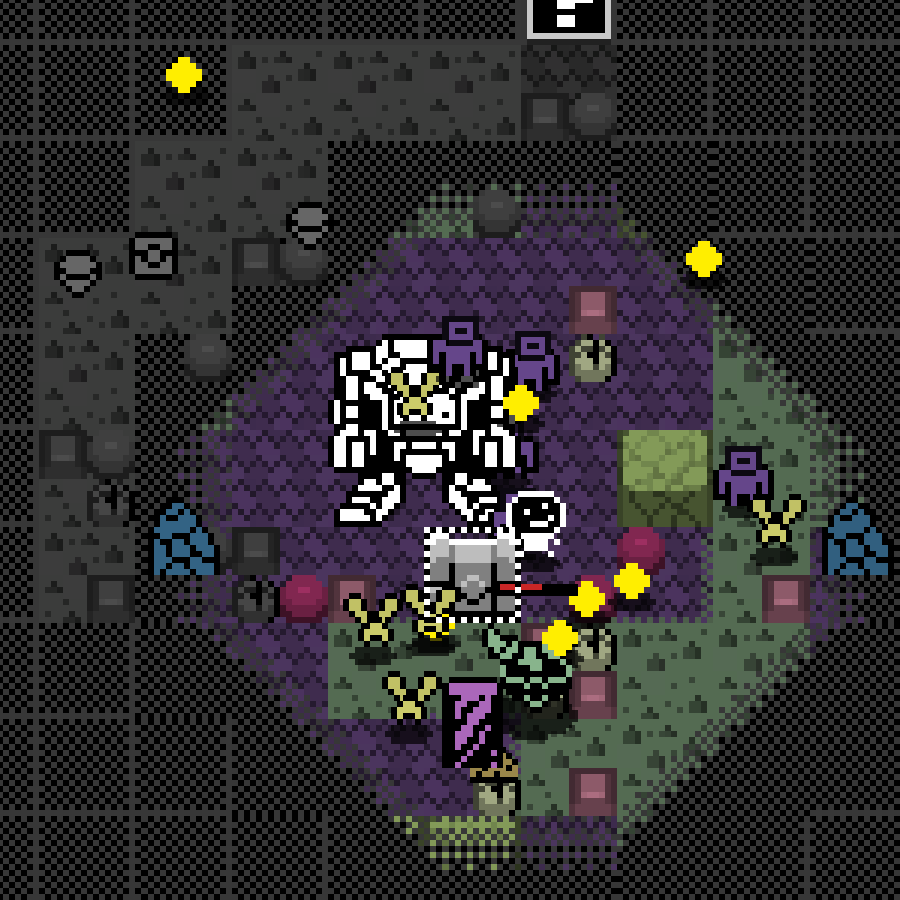
Sector map changes in size + balance improvements! + more!
2. Improved: the sectors with lower danger levels have more resources so there is a better incentive to explore them.
3. Improved: balanced the enemy wave creation to make the combat more fun.
4. Improved: balanced the amount of "bullet shooting mini-bosses" that can appear in a sector, now they are fewer depending on the danger level, sometimes they where too many and it was impossible to survive.
5. Improved: changed the shape of the "target move position" of the explorer, now it looks a bit more tridimensional.
6. Improved: new UI of the "danger level" and "resources quantity" on the "sector exploration screen" at the top left, now they have different horizontal bars.
7. Improved: new market prices.
8. Fixed: the shadow of the explorer was showing on top of him, now its below him.
9. Fixed: the area of collision detection of the explorer was too big, now its smaller so its easier to evade enemy attacks.
10. Fixed: trying to move close to the explorer was not possible because his sprite was blocking clicks on the floor.
11. Fixed: employees inventories where not being saved properly when you changed screens. Now all their stats and numbers will be updated correctly if you switch screens and also when you quit and enter the game.
12. Fixed: when the explorer entered and exited the robot there was an error, not anymore.
13. Fixed: sometimes it was impossible for the explorer to use the ladder to get into the robot.
14. Fixed: when you collected all the resources of a sector, the sprite indicating the completion percentage was showing in the wrong position.
15. Fixed: when the explorer destroyed an object to extract its resources, the resources UI bar was not updating.
16. Fixed: saving items to build was not working correctly.
New explorer animation and MORE
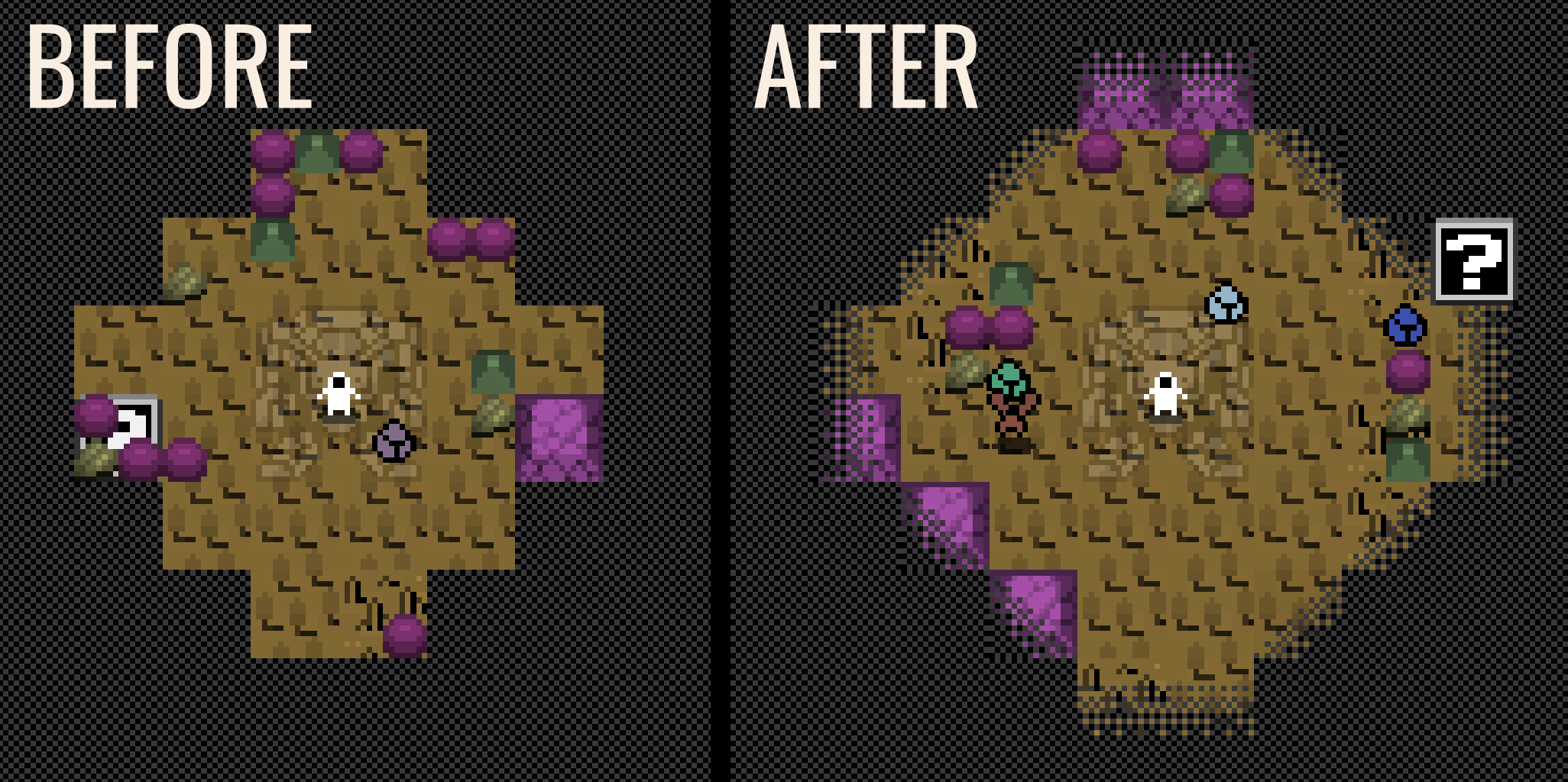
1. Improved: I reworked the fog transition to make it look better.
2. New: visual feedback for when the terrain damages the explorer.
3. New: added a smaller health bar next to the explorer so that you don't have to look away from the action to see how much health you have left.
4. New: added a death animation to the explorer so its more clear when he dies.
5. Improved: travel speed scaling was reworked, now the explorer should not move too fast or too slow, even when upgrading travel speed.
6. Improved: changed the creature attack sprite.
7. Improved: changed the explorer sprite so that it has more personality.
8. Fixed: enemy wave creation and delay was not showing correctly in the UI bar at the top of the screen.
9. Fixed: visual depth of the explorer was broken. Now, objects that are further away from the explorer will appear behind him. Objects that are closer to the camera will appear on top of him.
10. Fixed: sometimes when you clicked where to move the explorer, he glitched near the desired stop target.
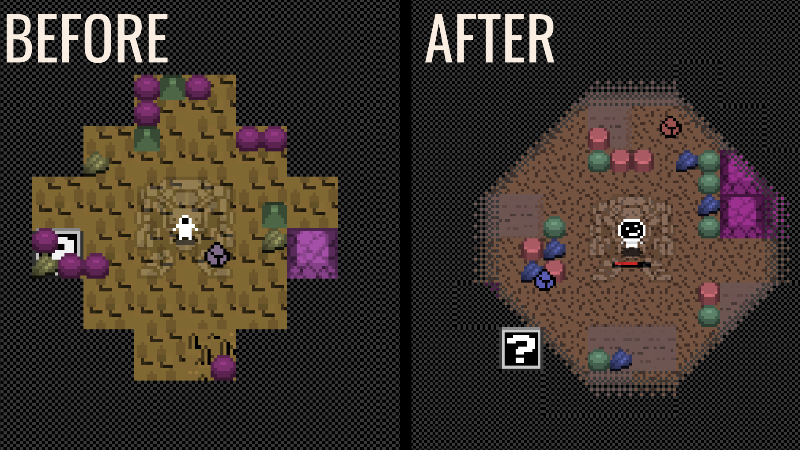
New biome wall graphics + smoother fog of war + more!
- Fixed: You could open a powerup box window more than once if you clicked it many times, now you can only open it once.
- Fixed: each time you clicked a powerup box, you got different powerups, now they will not change each time you click it. So you will need to get a new powerup box if you want different powerups.
- Added: new animation for taking small resources while exploring a sector. Now it does not cover the player, its less intrusive.
- Added: 5 new graphics for small walls inside map sectors.
- Added: now each biome has its own small wall type with its own color and sprite.
- Added: terrain tiles have a less contrasting border.
- Added: field of view has a smoother transition with the fog of war.