Fixed an issue that allowed the player to gain SP for unjustified handcuffing for 'Selling Narcotics'
Fixed an issue that was responsible for the number of wallet thefts
Fixed an issue in which the player could not interact with a possible frightful fleeing NPC after they put the hands down and after using the taser gun at them
Balance
Adjusted the number of Wallet Thieves in one shift
CP Loss
Fixed a CP Loss issue when the player detains an NPC for possessing drugs, causing the player to get a CP penalty
Fixed a CP Loss issue that occurred after arresting an NPC for possessing an excessive amount of cannabis or cocaine
Fixed a CP Loss issue which happened when the player could not interact with the NPC and used the taser gun on a frightful fleeing NPC
Crashes
Fixed a crash that occurred after the player lost all CP and the player violations option was turned off
Fixed a crash that occurred after the player used a ‘Pull Over Sign’ tool on an NPV
[previewyoutube="64UqnW3WbIs;full"]
Brighton was not built in a day: A look behind-the-scenes of Police Simulator
Hey everyone,
Quite recently we released The Operation Anti-Drug Update, which introduces some new game features like drug dealers. It also adds Brickston as the third playable district to our open-world map. How we created the map including road and building generation is what we want to focus on in this article.
We are Jonas Reich and Philipp Brasin, two Tech Artists from the team at Aesir Interactive, and we would like to take this opportunity to show you how we approached the creation of the open-world environment and how we integrated Houdini in our custom procedural content pipeline inside Unreal Engine 4.
Going Procedural
After developing the Windstorm games, we already had some experience with open-world level creation at Aesir Interactive. Those games were mostly set in the countryside without any traffic or NPCs taking a stroll. We knew that we'd have to up our game for PS:PO if we wanted to fill a densely populated city with content that allows interesting exploration on foot while still being large enough to allow travel by car.
Creating big cities like this from scratch usually requires big level design and environment art teams consisting of dozens of people. We always planned with a relatively small team, so leveraging procedural workflows was the obvious choice. The goal was to use smart tools that would allow us to work as efficiently as possible and enable content creation with as few repetitive or mundane tasks as possible.
Visual Prototypes
During prototype development, our environment artists still placed everything manually. They could play around with ideas and still scrap everything without having to wait for tools to be adjusted to their needs.
We created two levels during this time:
A small prototype game map to showcase gameplay and atmosphere for a prototype meant to be submitted to the German funding body FilmFernsehFonds Bayern
An art vision scene without gameplay which had more refined visuals that acted as target visuals
Creating these maps helped us to determine how we wanted our artists and level designers to work and which steps in the process we wanted to simplify.
1: The art vision scene
Functional Prototypes
In parallel with these art prototypes, we already familiarized ourselves with the unique challenges of generating roads and buildings for Police Simulator: Patrol Officers by developing throwaway prototypes that were scrapped and completely redone shortly before we went into full production.
2: Prototype for generating building topology with module attach points (white spheres) from a UE4 spline outline
3: Graybox building shapes generated from Houdini. This version of the generator used Houdini-generated geometry instead of instanced static meshes.
4: In-engine prototype for roads and bridges
Some of the features we tested here, such as the roads with elevations and bridges, were dropped to reduce the complexity of the tools and to allow a focus on what was essential for our gameplay purposes and scope.
Grayboxing and Planning
Going procedural naturally allowed us to iterate road layouts quite a bit. Still, the generation times of our Houdini generators were long, so we had to approximate the city with grayboxing tools for faster iteration times. To visualize these first design steps, we used HDAs that converted 2D drafts created in Photoshop to 3D models in real in-game size.
Trying out different road layouts was possible within minutes, which gave us a better feeling of the dimensions, scale and density of roads and buildings required for aesthetic and gameplay purposes.
5: Graybox map generated from photoshop draft
6: Driving around in the graybox map to get a sense of scale
A different grayboxing tool was created to layout neighborhood and district areas using simple spline curves. The volumes generated from this tool were not only used for planning the layout but could also be loaded into our main generators to load area-dependent pools of materials and props.
7: The neighborhood area editor inside UE4
Road Generation
Let’s take a closer look at the first of our two big Houdini tools: The road generator is the source of all ground meshes (roads, sidewalks, curb stones, etc.) and the node network required for traffic simulation (see Road Generator Outputs below).
Road Generation Part 1: Road Editing and Rebuilding
Roads can be edited by our level designers using simple spline HDAs to get a preview of the road layout. This preview includes the rough topology of the roads (lane widths, shape, etc) as well as some meta data (connections to other roads, etc).
8: Preview road meshes. You can see the spline control points of the road that is selected
9: The road network preview shows color codes for intersections and sharp turns that help to check if the input splines are valid
There are a couple of restrictions for how roads can be connected, such as not allowing two oneway streets to be placed in a way in which traffic would cause a face-to-face collision. This preview helps level designers find mistakes early in the process, with fast iterations due to short generation times for the entire map.
Road Generation Part 2: Inside Houdini
The road generator consists of multiple geo-level HDAs which were split in a way that allowed the separation of different problem areas of the road generation. The first one of these generators takes care of generating all geometry for the roads and sidewalks. This is one of the more complex steps of the entire pipeline because we’re generating unique shapes for each intersection.
We decided early on that restricting ourselves to a finite set of intersections with predetermined angles and lane configurations would not cut it because we considered this to be too limiting to our level designers.
Of course, there are still limits to how many roads you can connect, but those restrictions also apply to real-world intersections, so this is not a problem for us.
10: The detailed topology of two mesh chunks connecting roads of different sizes. Grid size: 5x5m
The intersections require the most complex geometry wrangling by far. Connecting them with road strips is relatively simple in comparison. After this is done, we have the basis for the next two parts of the generator:
On the one hand we need to generate some more geometry for all the areas between sidewalks. They are filled with ground meshes and strips of curbstones alongside the road edges. All these ground meshes are further refined by adding mesh decals and vertex colors for natural-looking wear and tear.
On the other hand, we have a complex traffic simulation in the game that needs to know the placement of roads, lanes, parking spots, etc. This data is also generated within Houdini. It is organized in a directed graph that contains meta information on speed limits and markup for traffic control objects such as signs and light signals.
11: Final output of two chunks with instance points and traffic system data. It also contains meta information such as LOD class, navigation area class and more
Finally, we also scatter a bunch of props alongside the roads: Anything that is gameplay relevant like fire hydrants, signage or crosswalks come first, followed by beautification props including trees and trash cans. Not all the props are placed procedurally though: We always decide on a case-by-case basis whether it makes sense to include additional rules in our generators. For most cases it can be broken down like this: If any of the following questions can be answered with yes, it’s placed with Houdini - otherwise we go for manual placement.
Is it connected to the traffic system?
e.g. traffic lights, trees, signs
Does it visually align with streets and/or have very simple placement rules?
e.g. street lights
Do we need more than 50-100 instances in the level?
e.g. trees
Placement is realized with instancing point attributes to instruct Unreal Engine 4 which assets to place in which locations.
Road Generation Pt 3 - Road Generator Outputs
Let's take a look at the outputs of the road generator inside Unreal Engine! The generated meshes are divided into 50 by 50 meter chunks which are themselves grouped into streaming levels - we settled on a streaming level size of 150 by 150 meters, so there’s 9 Houdini chunks in one UE4 streaming level.
12: All of the Houdini-generated geometry and placed props for a single streaming level inside UE4
13: The same streaming level up-close. Here you can see a bunch of props placed by Houdini.
The props placed by the road generator get additional meta information via UE4 properties and actor tags including their relation to the traffic node network. The prime example for this is our traffic light blueprint. We use the same blueprint for all traffic lights in the game so the blueprint needs to know the amount and orientation of lanes that it controls to adjust its components accordingly.
14: A traffic light blueprint actor as shown in the editor
15: The same blueprint with all of the possible signs activated at the same time
Depending on the lane count of the adjacent road, the blueprint can automatically extend the poles and add appropriate meshes and light components. Signage and pedestrian traffic lights that are attached to the same pole are also added on-demand based on the properties passed from Houdini.
16: A traffic light at the exit of a one-way street combined with a pedestrian crossing
17: A traffic light at the entry of a two-way street with a single incoming lane, also combined with a pedestrian crossing
The json serialized traffic system graph created alongside the static mesh geometry is imported to UE4 in order for it to be usable for our traffic system. We also created a custom editor mode that lets us inspect and edit the imported data to be able to debug it more easily.
18: Debug visualization showing the traffic node network of an intersection in our feature testing map
Overall, the generation time inside Houdini for everything related to the roads is around 2.5 hours with an additional 10 hours for importing and processing all of the data in the UE4 editor. Because of these long run times we have an automated schedule to run the pipelines outside of regular working hours and on weekends, so that the artists' workstations are not blocked by Houdini pipelines checking out streaming levels.
Building Generation
Building Generation Part 1: Instancing
The building generation can skip some of the steps required for road generation, simply because the buildings can be generated one by one without influencing neighboring buildings. As a result, we only need a single HDA with one HDA instance per building. The building generator also takes a different approach for geometry generation: Instead of generating all geometry with Houdini we instance prebuilt tileset pieces in UE4 using instancing points.
This approach has three main advantages:
Rendering can be optimized to use hierarchical instanced static meshes (HISMs) to reduce draw calls
Artists have more control over building geometry and can go crazy with unique details without making the generator overly complex
Development time and execution time of the HDA is a lot faster because of decreased complexity across the board
Building Generation Part 2: Tilesets
All pieces of a building are usually placed together in a folder with all its materials and some data assets that define tilesets.
19: All assets required for a building tileset, excluding attachments
Each tileset can vary in size compared to other tilesets because artists can configure which tilesets may be mixed and matched. To accomplish this, we use these Tilesest Asset Maps (TAMs) that define which pieces may be used together. The asset map defines a base piece size, so we can create a snap-grid from this smallest unit. We then configure floor ranges that use a custom expression syntax to group floors and walls together, which allows for having different meshes and even heights for different floors.
20: Tileset Asset Map (TAM)
The example from the screenshot uses indexing similar to python array indexing. Positive numbers count from the bottom, negative numbers count from top:
1: 1st floor (we use the US-American style of counting floors, so this would be the ground floor in British English)
2: 2nd floor
3+: 3rd floor and everything above
-1: topmost floor (overrides previous rule)
The artists can then assemble the floor range asset maps that reference all of the available meshes, materials and blueprints for each of these floor ranges.
21: Tileset Asset Map (TAM) - Floor Range
Finally, a last Tileset Fill Pattern (TFP) file is created that references a single asset map. The tileset fill patterns define how often and with which patterns the assets should be placed within a single floor. Separating the fill patterns from the asset maps makes it possible to create multiple configurations for how assets should be distributed from the same collection of assets.
22: Tileset Fill Pattern (TFP)
All the tileset files are automatically exported to json text files that can be referenced inside the Houdini HDAs using a custom variable syntax. In the screenshot above you can see a Houdini Path in the first line:
In the screenshot above you can see a Houdini Path in the first line: %UE4_HOUDINI_INPUT/Buildings/Tilesets/TFP_BS_B02.json
Notice the variable %UE4_HOUDINI_INPUT at the beginning of the path. We set up environment files and added utility functions both for Houdini and UE4 to resolve them, so the paths can be used across workspaces and programs. In this case the variable refers to a folder that contains generic data files, exported from UE4, and acts as input to Houdini. We also have variables for the UE4 project root, working files, and many other commonly used directories.
This setup allows us to resolve project file paths independently from the working directory of the current Houdini session.
The environment file also contains a UE4_CURRENT_MAP entry that is set automatically by our UE4 Houdini plugin and makes it possible to access content for the currently loaded level in the UE4 editor. For example, %HOUDINI_ROOT%/%UE4_CURRENT_MAP%/Buildings/BuildingOutlines.bgeo contained a geo file with all building outlines of the current level.
This environment variable system is not used exclusively for the buildings, but for all other HDAs that need to exchange data via applications. Small systems like this really paid off by keeping the way we exchange data simple and consistent.
Building Generation Part 3: Inside Houdini
The HDA for the building generator is created on the object level and contains multiple sub-objects that are attached to each other for different parts of the building:
23: Overview of the building generator graph on object level
The base idea of this hierarchy is pretty simple: We start the generation with a core generator that creates a grid of points where potential building pieces may be placed. Then other Houdini objects (see image above) are attached to this “armature” that actually uses the points to add…
instanced static meshes for the main building modules (walls, doors, windows, etc)
instanced static meshes or blueprints for additional attachments like flower pots, AC units, etc
generated static mesh geometry for the roof, graybox previews, debug info
generated collision geometry
As most of the building geometry in UE4 consists of instanced static meshes and blueprints, the buildings in Houdini consist only of the roof and the instancing points.
24: What buildings look like in Houdini (instancing points and generated roof geometry)
25: The same building with a debug visualization that shows the different modules
Building Generation Part 4: Using the Tools
To speed up the initial placement of buildings, we added a new mode to the grayboxing HDA mentioned above which already contains outlines for potential buildings. Level designers can simply select an area with a polyline and new editable buildings are placed for all contained outlines.
26: Selecting an area on the graybox ground plan to generate two buildings from the ground shapes
27: Both buildings are unique actors that can be selected and edited individually
Buildings are initially generated in a grayboxing mode that takes less generation time and therefore allows faster iteration of the ground outlines and building height.
28: Editing the outline of a building in grayboxing mode
Artists can then switch over to the actual tilesets in which all of the meshes and blueprints from the UE4 data assets are instanced. A random tileset is assigned automatically, based on the area in which the building's origin resides, but any of these settings can be manually overridden.
These areas are defined with the area grayboxing tool mentioned above in the “Grayboxing and Planning” section.
29: Tileset variant A
30: Tileset variant B
31: Tileset variant C
32: Tileset variant D
Sometimes the outline has to be tweaked a little bit after changing the tileset - after all, meshes with different base grids will result in slightly different outline shapes. From this point on it usually makes sense to make some adjustments to the walls and adjust the number of floors to make the building blend in a bit better with its environment.
In all cases the generated buildings are just the foundation for manual beautification. Of course the tools already offer many creative decisions and our target was always to reduce the manual work required, but some props still need to be placed manually to make the level feel more organic and recognizable.
33: The finished square
34: The same square from a different perspective
Micro-Tools
Whenever we had some new demands for the tools from an artistic or gameplay perspective, we expanded the generator and added small micro-tools that allowed artists to influence the Houdini generation on a more detailed level to visually refine an area or make some performance optimizations. One example are geometry volumes that enable the modification of enclosed objects by removing or adding props, swapping materials, or cutting holes into the generated geometry.
35: A volume that makes the sidewalk extend inwards to create narrow streets
Because these features were added little by little, not a lot of forethought went into them in the initial design phase during which we set up our pipelines. In hindsight we had some usability issues, especially with the aforementioned volumes because they would constantly overlap and clutter the level making it harder to get a clear picture of what was going on.
36: A part of the volumes placed in the level. 150x150m streaming level with a police car on top for scale.
This opaqueness of some of the tools was amplified by the waiting times required to see the actual output of the generators. We had done a good job with the road network preview (see above), but some of these smaller tools lacked immediate visual feedback.
We don’t have any clear plans on how exactly we want to address these issues yet, but for the next version of the tools we will certainly focus even more on usability, iteration times and the maintainability of complex scenes.
Continuous Integration Pipelines
The long execution times of HDA rebuilds and bakes mandated automating most of our Houdini pipelines. To accomplish this, we wrote custom UE4 commandlets which take care of rebuilding, baking and submitting assets to perforce. These pipelines are an important part of our overall CI setup.
The Houdini commandlets are usually executed after working hours because they have to check out and submit content to the same maps that are used by content creators. While we do have separate maps for HDAs of roads and buildings, the final meshes have to be baked into the same streaming levels alongside manually placed assets. We use actor tags to differentiate between Houdini/pipeline-controlled actors and manually placed actors so we can freely delete and replace previous bake outputs every night.
Streaming Level Proxies
We use UE4 level streaming proxies (also called level LODs) to reduce the amount of streaming levels that need to be loaded at the same time.
Our proxy generation commandlet loads up all original levels and bakes their entire content into a single proxy mesh per streaming level.
37: Brighton when viewed from above. The streaming levels close by are loaded in full detail, whereas the sky-scrapers in the back are loaded as proxies
38: The proxy meshes when viewed from a close distance
Obviously, the result looks super chunky up close, but when it’s loaded in the distance we get quite a nice skyline of the city as seen here in the Downtown district:
39: An ingame render from the Downtown district
Parks and Landscapes
If you play Police Simulator: Patrol Officers, you will notice that the city of Brighton is not all flat ground and concrete. There are some beautiful parks scattered all across the city. These parks are not made with any Houdini tools. Instead, they are built by our artists in UE4’s landscape editor.
40: One of the many parks in Brighton
Aesir PreCook
Everything generated by Houdini can be optimized without a big effort because we can adjust the generation algorithms and simply re-run the pipelines, but we also want to allow artists to place blueprints by hand and use them as a creative tool to assemble combinations of props. To deal with such actors, we made use of a tool from our toolkit: The Aesir PreCook is a commandlet that runs a preset of optimization steps on an arbitrary set of levels. Some of the things it can do:
convert child actors into real actors
break blueprints without logic into their components
batch components with the same settings together
create hierarchical instance static meshes where possible
convert ground decals into static mesh planes that render into a runtime virtual texture
register all lights with a single light manager actor per streaming level
All of these steps are super simple by themselves but when combined they yield great performance gains. The overall execution time fluctuates a bit based on the density of content. Timings range from 8 - 12 seconds per 150m parcel, that is 5 - 10 min per km² or 30 - 40 min for our entire map.
As a nice side effect we were able to easily add level metrics like actor counts, memory size, and their development over time.
After the precook we run the regular cook and packaging steps via BuildCookRun and deploy our builds to a Steam branch for testing.
41: Average static mesh actor counts before PreCook
42: Average static mesh actor counts after PreCook
Final Words
We hope this article was insightful and gave you an idea of the work that went into creating our beautiful open world. After all this talk about the technical aspects of our open-world tooling it’s easy forget how many other people are involved in making this game possible. So here’s a big shout-out to our incredible environment art team and everyone else who contributed to the game!
If you have any feedback on the article or simply want to reach out, you can contact our team at Aesir via hq@aesir-interactive.com or join astragon’s Discord server.
If you’re interested in the timeline for the ongoing development of the game, it’s worth checking out our Early Access Roadmap, where we outline all upcoming updates.
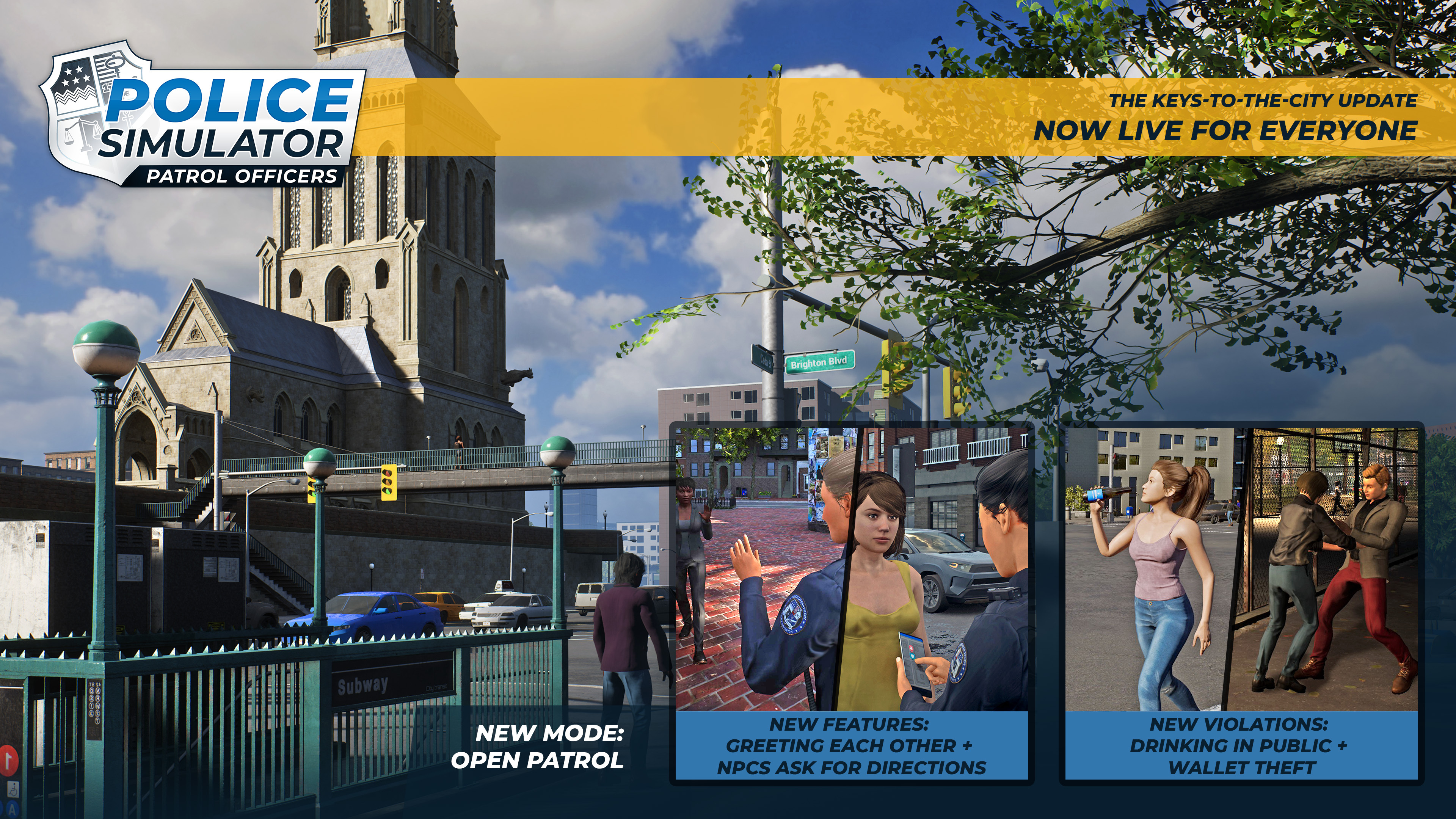
It's finally here! After weeks of beta testing (thanks, btw), we're pleased to announce that The Keys-to-the-City Update is now available to all players of Police Simulator: Patrol Officers!
We've prepared a plethora of new features and improvements for you. Some have been planned for a long time now and quite a lot come straight out of the oven - and are based on your feedback. Without further ado, let's dive right into it!
Open Patrol
Right as we began our journey in Early Access, people wished for one feature: "Please give us the option to play shifts with fewer restrictions!" Okay, to be honest, you've articulated your questions in a different way - but it's here now, anyway. Roam through the districts of Brighton with more freedom and play the game the way you want with Open Patrol!
Keep in mind that before selecting Open Patrol, you have to unlock it first by playing and progressing through some shifts. Obviously, you don't have to do that should you have already unlocked basically everything by now or at least the third district - Open Patrol will be available for you right from the start. Lay back, protect your city and get back to the precinct whenever you want. Currently, you need 14 Duty Stars to unlock the feature but we are observing your feedback and discussions about these requirements.
New Duties
Throughout Brighton, citizens have reported new violations: A bunch of wallet thefts was observed and drinking in public became a major problem in the entire city. Stop the thieves, stop the alcohol, stop the offenses!
However, you can also relax and focus on interacting with your fellow citizens in new ways. Some of them will ask you for directions while you are now also able to greet them back. Say hello! 👋
The moment you discover some exciting Point of Interest, the in-game map gets updated with a corresponding shiny icon - which is especially useful when your fellow citizens are asking for directions.
More NPC Variety
With the new update, we're also shipping three new male faces and three new female faces - in addition to four new haircuts for female NPC and two new haircuts for male NPC. Since all NPC are randomly generated from a larger amount of different options (gender, hair, face, hair color, clothes, etc), you will definitely see a lot fewer twins at every corner now. Apparently, they are not all related to each other. I'm relieved.
In addition, we will now have tenfold the number of names than we had previously. We're speaking of 733 female first names (previously: 77) and 754 male first names (previously: 75). Plus, we will now have 769 last names in total (previously: 60).
You see, more actually means MORE. I recently bought a new calculator and the first thing I did was to calculate how many possible combinations of names we now have. You won't believe the number: 1.100.000.
AI Improvements
I'm confident that basically everyone has experienced this: You want to blip a car to the side, they try to find a parking spot and... never do that. Do they just have bad eyes or are they trying to scam us?
We were aware how annoying that must have been which prompted us to improve the AI behavior significantly: Blipping now forces vehicles to stop in the right lane instead of looking for a parking spot - unless there is an available spot immediately nearby. In addition, blipped vehicles will now no longer brake abruptly when starting their parking maneuver.
If vehicles are under the influence of your patrol car siren and blue lights, they can now also be blipped and consider their current "stop location" as "stopped for parking". They are also blocked from moving forward when your ELS is active. Last but not least: In general, vehicles should react better to the player and also to the player's vehicle with activated sirens.
Some other Quality-of-Life Improvements
We now have an explanation system for the loss of Conduct Points so that the process is more transparent. You won't hurt yourself in your confusion anymore. Starting today, Car Patrol Shifts are also available within high crime areas and Field of View Adjustments are working better.
Voice-overs
We spent our last few weeks and months recording new voice-overs in both English and German and can finally ship them with this update! In the beta, they were not included yet as they were simply not finished. But hey, they're ready now and you can enjoy them in all their glory.
Bugfixing
Once again, we are prioritizing bugfixing above all. Our backlog of tasks is quite long and the team has already ironed out a lot of them - but just like with every game, work is never done! Please continue to send us your bug reports as we collect and read them all.
We know there are some that cause bigger issues and are also aware that there are some very nasty ones, especially when it comes to clipping and AI. Fixing those isn't easy and very often, we cannot reproduce them internally until we get that one piece of information that is so crucial.
Please check out the full patch notes down below for more details on everything we've fixed with this update!
Update 4.0.0 - Full Patchnotes
We had an amazing start to the new year and cannot wait for everything that's in front of us. Some of you have already seen our updated roadmap in which we tease some upcoming features like holding cells in precincts, being able to transport arrested people yourself, first modding capabilities, traffic management... and more!
We hope you're excited for the future of Police Simulator: Patrol Officers and eager to develop the game alongside us. Thousands of new players are joining us on our journey each month and we see no signs of stopping.
Okay, enough said - let's get to the patch notes!
New Features
New Feature: Open Patrol
New Feature: Conduct Point Explanation System
New Feature: Helping NPCs asking for directions
New Feature: Greeting NPCs
New Violation: Wallet Theft
New Violation: Drinking in Public
NPCs
Added 4 new haircuts for female NPCs & 2 new haircuts for male NPCs
Added 3 new face models for female NPCs & 3 new face models for male NPCs
Added more than 700 new first names for male NPCs & more than 650 new first names for female NPCs
Added more than 700 new last names for NPCs
Added some new animations to the police officers in the precinct reception
Police Car & Traffic Cars
Improved NPVs reaction when blipped over: Blipped vehicles now do not stop abruptly
Improved NPVs reaction when blipped over: NPVs now stop on the right lane if they can not find a parking spot nearby
Improvement: Vehicles under the influence of your patrol car siren and blue lights can be blipped and consider their current "stop location" as stopped for parking
Improvement: Pulled Over NPVs / Blipped Vehicles are blocked from moving forward when ELS is active
Improved vehicle reaction to sirens: When blipping an NPV it does react to my code 1,2,3 and stops searching for a parking spot while the siren is activated (or the horn). When running code 1,2,3 NPCs and NPVs do not react enough and do not try to avoid me as a player / make way.
Improved spotlights on Panther Z
Car patrols are now available in high crime areas
World
Added more lights in darker areas (especially useful in Night Shifts)
Sound
Added more voice overs for English and German languages
Handbook
Modified handbook entry for Parking Regulations, to include explanation about cars with “Shift” sticker on them
Balancing
Decreased chance for 'Smoking Exhaust' to be more realistic
Decreased chance for 'Engine Too Loud' to be more realistic
Beta Change: Adjusted the chances for NPC to ask for direction
Beta Change: Decreased distance range for greeting and asking for direction because the NPC voice lines are inaudible
Bug Fixes GAMEPLAY
Fixed a lot of cases where the action was unjustified in report, even though it was a justified action by the player
Fixed an edge case where sometimes players were losing SP instead of CP
Fixed an issue where player was able to hold two tools at the same time
Fixed an issue where restarting shift was placing players into the running shift again
Fixed an issue where incorrect CP was deducted when ticketing broken windshield
Fixed a issue with Radar Gun where pressing escape deleted the evidence photo the officer took
Beta Fix: Fixed an issue where player could not greet back when he had a tool equipped
Fixed a minor issue with night shift timings
MULTIPLAYER
Fixed an issue where some NPVs were invisible for client
Fixed an issue where the player's position from the previous shift was also displayed in the new shift when leaving the area of jurisdiction
Fixed an issue where 'Asking for ID' was blocking the client
Fixed a multiplayer issue where the client sometimes had camera view of the host while talking to accident witness and this lead to game being stuck for client
Fixed a major NPC flickering issue in multiplayer sessions
Beta Fix: Fixed an issue where sometimes players where not able to join Open Patrol in multiplayer
Beta Fix: Fixed an issue in background check where the host and client saw different information about the NPC
NPCs
Fixed many issues concerning NPC behaviors (e.g.: Drug dealer did not walk away after being let go)
Fixed issue where graffiti sprayers were spraying on advertisement boards and windows of buildings that were invisible
Fixed an issue where graffiti sprayers had no spray can in hand
Fixed an issue where graffiti sprayers were spawning on top of buildings
Fixed an issue where drug dealers were spawning in unreachable places
Fixed an issue where sometimes the buyer does not walk away after a drug deal
Fixed an issue in crime scenes where the criminal was still on the scene due to broken navmesh
Fixed an issue where NPCs did not walk on sidewalk due to broken navmesh
Fixed an issue where NPCs were floating in bus stops
Fixed an issue where NPCs were sitting on invisible benches
Fixed an issue where NPCs are sitting behind the bench
Fixed an issue where NPCs were clipping through tables
Fixed an issue where NPCs were clipping in Kiosk
Fixed an issue where the NPC faces LOD were incorrect
Fixed an issue where NPC feet were inside the ground
Fixed an issue where some NPCs were showing skin through dress
Fixed an issue where sometimes NPC fingers were all weird
Fixed an issue where you could not interact with NPC when aiming with a tool
Fixed an issue with drug dealers fleeing
Fixed a navigation issue under the bridges which caused drug buyer to not interact with drug dealers
Fixed a NPC navigation issue due to a narrow sidewalk
Beta Fix: Fixed an issue with wallet theft victims no longer fleeing from player when he fires taser or gun
Beta Fix: Fixed an issue with wallet theft where the victim animation was not played correctly
Fixed an issue where sometimes wanted suspects did not flee the crime callout area
Fixed a issue where some NPC standing near the sidewalk were blocking the traffic
Beta Fix: Fixed an issue where sometimes the NPC asking for direction does not mention the location
Fixed an issue where sometimes player could not interact with the pulled over NPC
Fixed an issue where sometimes you could not call an ambulance for an injured NPC
PATROL CAR & TRAFFIC CARS
Fixed an issue where Patrol Cars were accelerating after returning from a tutorial popup
Fixed an issue where Patrol Cars were accelerating on their own after closing the Board Computer
Fixed an issue where Patrol Cars were disappearing from game session if the previous session was failed
Fixed an issue where player could interact with NPCs while asking for NPC ID
Fixed an issue where some parked NPC were submerged in the sidewalk
WORLD & GRAPHICS
Fixed a lot of places where sometimes you could see spaces in between two buildings
Fixed a level design issue with misplaced scaffolding on a building
Fixed an issue where a small part of a building in Chester did not have a texture
Fixed an issue where some walls were missing collision
Fixed an issue where some walls in game were missing collision so that players could walk through them and fall into the never-ending abyss of Brighton
Fixed some issues where cables were clipping through buildings
Fixed some issues with coffee shops
Fixed an issue where bookshelves in precinct were changing textures (are they chameleons?)
Fixed issues where some decorative plants did not have collision
Fixed an issue in parks where the grass textures looked really wrong
Fixed an issue where graffiti cans were submerged into the sidewalk
Fixed an issue where bicycles were submerged into the sidewalk
Fixed an issue where some street sign boards were small in size, so now we have increased their size to have better visibility
Fixed an issue with the LOD of trees
Fixed an issue where sometimes the border warning color was incorrect
Fixed a visual issue with the parking spot in traffic stops
Fixed a lot of level design issues
Fixed an issue where some graffiti were overlapping with each other
Fixed lighting issue during night shifts, where earlier the areas where too dark without lights
Fixed a lot of textures on buildings
UI
Fixed the developer debug string displayed in the intuition messages (no more #hackerman)
Fixed an issue that caused the 'Aim mode: Field of View' settings have no effect
Fixed an issue where the displayed intuition was sometimes incorrect and misleading
Fixed an issue with the tool tip for 'Parking in Front of Bus Stop' that did not mention towing as justified
Fixed an issue where the color of the game suddenly turned to black and white (thanks, Marcobarg!)
Fixed an issue where placing a custom marker on map sometimes did not show up
Fixed an issue where the interaction button 'F' was still present during driving the patrol car
Fixed an issue where the NPC ID was displayed completely black
Beta Fix: Fixed an issue with Open Patrol: When in open patrol, hovering over the icon does not show useful information
Beta Fix: Fixed an issue where the last used car in career mode is displayed in Open Patrol
Fixed an issue where the compass did not move correctly
Beta Fix: Fixed an issue where the star for Open Patrol where incorrectly updated
Fixed an issue where the high crime area progress bar does not get filled
Fixed an issue where sometimes the Duty Stars displayed on save game was incorrect
Fixed an issue in encounter report, now demanding ID unjustifiably is properly displayed
TUTORIALS
Fixed issues with tutorials not triggering correctly
Fixed an issue with cannabis tutorial which had broken gender text
Fixed an issue where 'Expired Parking Meter' tutorials were triggering on handicapped cars
Fixed an issue where 'Underglow Lights' tutorial was not triggered correctly
Fixed an issue with 'Using Turn Signal' tutorial
Fixed an issue with 'Wanted Person' tutorial
Fixed an issue with 'Photographing' tutorial
Fixed an issue with 'Broken Lights' tutorial
SOUND
Fixed an audio loading crash when entering Patrol Car
Fixed an issue where the sound of damaged patrol car engine was still audible after restarting the shift
Fixed an issue where continuing a career from main menu after leaving a career mutes many sound effects
Beta Fix: Fixed wrong dialogues being player when handcuffing a wallet thief
Fixed wrong dialogue lines when detaining for suspicious driving behavior
CONTROLLER
Fixed an issue with game pad- it was observed that the shift selection screen does not show any
Beta Fix: Fixed an issue where a designated button for controller to switch to the Open Patrol mode was not displayed
MISCELLANEOUS
Fixed an issue where player character ragdolled after opening the patrol car trunk (do a barrel roll!)
Fixed hands clipping through blazer
Fixed an issue where the graffiti was visible when NPC is painting
Fixed an issue where some hairstyles were missing in game
Fixed an issue with adjustment to female officer uniform
CRASHES
Fixed a game crash when performing background check