Hey everyone, we're back with a small but important update.
As you've most likely noticed, there are a few bugs with our game. Most of them are with multiplayer, and as such they are quite a pain to find since it depends on a lot of factors - network speed, game performance, long chains of sitatuations, etc.
To help with finding and fixing this bugs we've improved the network logging of our game to let us know what exactly is going on with your game!
But this requires help from you guys, too.
If you experience a game-stopping bug, we would like you to alt+f4 out of the game and send us your output logs so we can see what exactly happened, and fix it for you and future players!
The logs can be found by going to the Steam files for Polyball:
And then going into the Polyball_Data folder, and viewing output_log.txt.
Please join our Discord here and send us your output file: https://discord.gg/54jRXt4
With your help, we can make Polyball much more stable and re-enable battle mode! Exciting!
There is one bug we are particularily interested in; For some new players when playing multiplayer, the ready up screen never appears! We've tried everything to find the cause, but no luck. If you or anyone you play with encounters this please report it to our Discord.
Thanks again and as always, keep rollin'
Full Patch Notes:
Fixed extra level Styx not loading
Fixed some pointless console logs
Fixed a minor error if you weren't subscribed to any workshop levels
Improved multiplayer logging to find issues easier
Dying while in spectate mode no longer respawns your ball
v1.0.5 - Level Editor, Spectator Cam, and Softlocks
Hello again, I've got a small but feature rich patch for you today!
Online spectator cam has been added when you die in a hub, or finish a race. It's pretty bare-bones at the moment but will be a good base moving forward. It's pretty self-explanatory, just hit the next/previous player buttons to switch between people.
Thanks to a Community Hub post, we realized the initial level editor popup that told you how to use the level editor wasn't popping up! This has been fixed, please go play around and make your dream levels! You can even import your own models.
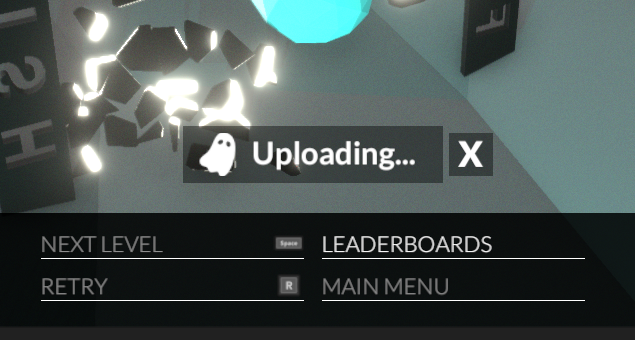
And one more softlock was fixed thanks again to our community members. This softlock happened when you finished a level, the ghost was struggling to upload, and you reset the level and finished again which caused weird overlapping ghost uploading. A new UI element was added which you can cancel the ghost upload if it's taking too long, and we won't allow a level reset until the upload is failed, finished, or cancelled:
Thanks again, if you have any bugs to report please join our Discord and report them there: https://discord.gg/54jRXt4
And remember if you enjoy the game please leave a review! It really helps us a lot!
Keep rollin'
Full Patch Notes:
Fixed level editor tutorial not showing up
Fixed async issues with ready up icons
Disabled tab to toggle ui mode in online multiplayer
Fixed up softlock related to network issues while uploading ghosts and allowing the user to retry a level before the ghost status was cleared
Added ui element notifying user of ghost being uploaded
Can now cancel ghost upload if it is taking too long
Added a rough but workable spectate mode to online mode after you finish
On the topic of camera issues
Hey everyone, we've been seeing a lot of reviews focused around camera issues and we wanted to spcifically address what we think is going on.
There was a bug where the first time you launch the game the camera was being set to inverted by default. If you are unaware, camera inversion basically switches the up and down on your joystick/mouse.
This bug flew under the radar for years it seems, and since we as devs don't usually launch the game for the first time and most of our testers werent launching the game for the first time either - we failed to notice it.
This has been fixed in the latest build, and the setting is being reset to non-inverted for anyone who has already launched the game.
If you left the game because of these camera issues we would like you to try it again and see how it feels! There are also a variety of camera settings you can tweak if this doesn't make it feel perfect for you.
Also, try out the follow camera! You can enable it by holding the shift key or the left trigger on a controller, and you can even set it to automatically turn on after a certain speed. This is changable in the settings window as well.
Hopefully this helps a bit, thanks again for playing our humble ball rolling game.
The major feature this patch is a player ready screen showing other players and if they have hit ready or not - so you know if you are waiting for someone or if something has gone wrong.
This also has some tweaks to the default settings, and resets camera inversion and the game resolution which we believe is where some of people's problems are coming from.
The next patch will have a new follow cam for after you finish a online race and are waiting for others to finish.
Thanks again for the great response, and lets get some more reviews!
Keep Rollin'
Full Patch Notes:
Added a player ready screen, so you can know if you are waiting on someone to click it or there is a bug
Online race unfinished player time now shows as --:--:-- instead of 00:00:00
Fixed UI bug in 'Broken Universe' where a multiplayer leaderboard was always active
Can use mouse when you finish a online race, instead of waiting for all players to finish to be able to use the mouse
Fixed booster texture
Chat messages no longer disappear
Inverted camera was on by default, turning that off to see if that helps players with their camera issues
Game now starts in correct resolution, we will reset your resolution next time you start just to make sure!
v1.0.3 - Multiplayer Bugs
Hey we hear you, there are some bugs with multiplayer. This patch addresses some of the more major blocking ones and adds some quality of life things. Restart Steam to start the update.
I haven't touched this project in quite awhile, and it took me like 4 hours to even get the project running and building to Steam, but I think all these new players will motivate a few patches and who knows - maybe even some new levels. We plan on adding a better finish cam in the next patch.
If you are running into issues, it would be great if you could make a post on the community hub detailing what issues you are having. Be as detailed as possible - if you can reproduce the issue please let us know the steps.
Also - please tweak your camera settings if things feel weird! Invert it, tweak the sensitivity, make use of the follow cam (shift key)!
Thanks for the support, keep on rollin'
Full patch notes:
Fixed a softlock where you "lose your mouse" if you use the chat while viewing the post-match leaderboard
Fixed a similar softlock but with the pause menu and the post-match leaderboard
Removed chatsharp.dll so people will stop thinking its a virus
This means the global chat window from the online multiplayer menu no longer works
Added multiplayer instruction text where the global chat was
Disabled battle mode, we will be working on stabilizing it before re-enabling it.
Added extra messaging to the end of online coop regarding the status of the match
Removed abilities from online hubs, this could be related to load issues and should just be safer for now
Made it so that text box with jumbled text stops showing up at the beginning of multiplayer matches (hopefully)
Multiplayer level select now starts on coop levels rather than hub levels
Added some new library art
Polyball Free to Own!
Hello everyone!
Since a lot of us are stuck at home looking for things to do, we've made the decision to make Polyball free to own for the next 2 weeks (April 17 to May 1). It's a small gesture, but it's one thing we can do to help out those of us who are at home sick, isolating, or off work. The Polyball community is very welcoming, and we hope to see some new faces chasing high-score times!
Also, we've been working on a website called Instruction Manual over the past few months. It's essentially a wiki that's graphically and functionally inspired by the manuals that used to come with games. The content is all user created, and we've been working to fill out the Polyball page. There is more work to be done, so feel free to take a look and add anything you see is missing!
https://polyball.instructionmanual.app/
All the best,
Studio Monolith
Polyball Merch Store Now Open!
We have just opened the Polyball merch store to the public, you can get some shirts and concept art posters!
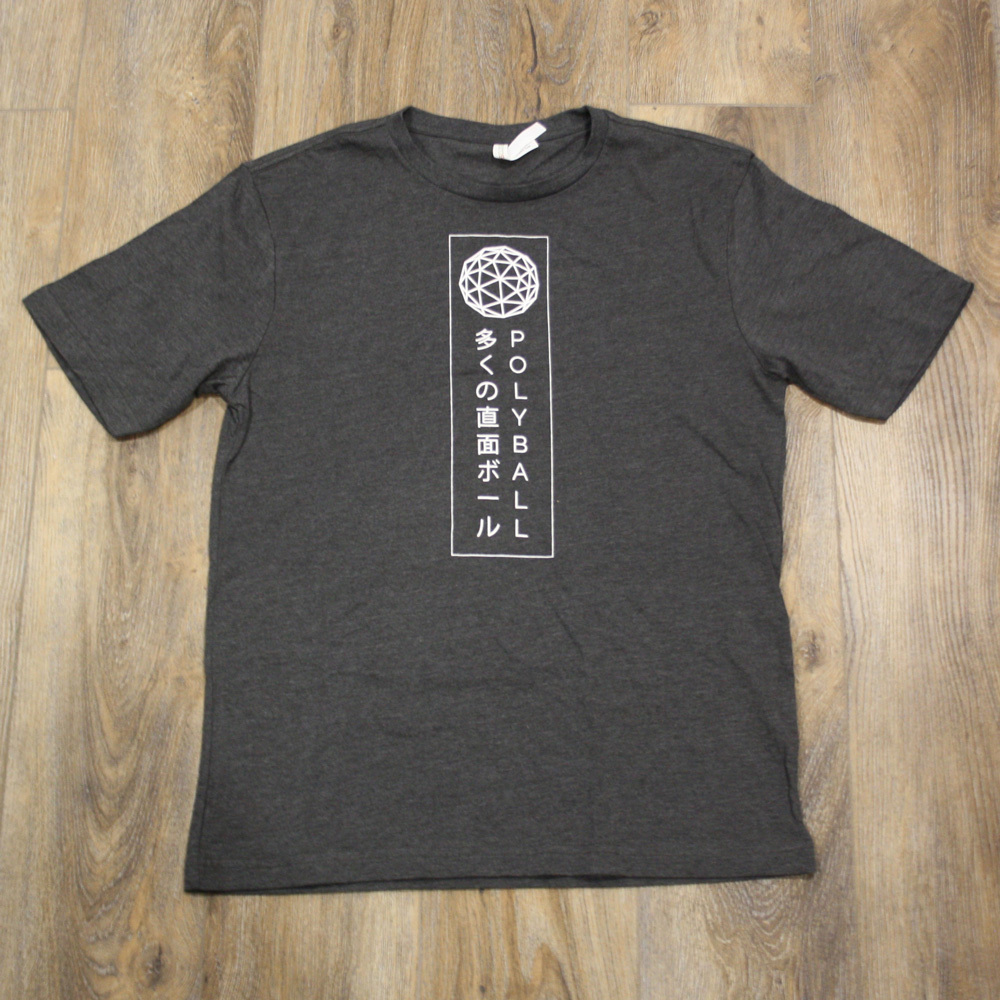
Our two featured products are the Polyball Logo and Poly-san shirt, these are limited edition leftovers from EGLX - only a few of them left so get one before they are gone!
MARCH 9 - 11 - Studio Monolith will have a booth at the gaming convention EGLX.
Be sure to stop by and pick up some exclusive Polyball merch and chat with us about the game! Hope to see you there!
Polyball is 65% off in the Chinese New Year sale!
As a treat for our Chinese friends we have applied a large discount, hope you enjoy and happy new year!
Polyball wins Toronto Game Devs Game of the Year!
We are super happy to have won this award, and wish to extend a congratulations to all the runners up as well. You can check out the other winners here: http://www.torontogamedevs.com/blog/torontogamedevs-game-of-the-year-winners