We are on the home stretch to a huge milestone in the development of Cattle and Crops. On Oct 15 2020, version 1.0, which we all have been waiting for, will be released. This is an exciting moment for all those who have supported the game, some of them for years, because it will turn the crazy idea of creating a professional simulation as close to reality as possible — from the community of fans of agricultural games — into a tangible reality.
We now also have a clear picture of what will be included in V1 at the start and what unfortunately will not make it into the game by then. Of course, this is the question that is of great interest to you as supporters of the development, some of whom have been with us for several years. And that's why it's also important for us to openly discuss with you the goals that have been achieved, but above all those that have not yet been achieved.
Many of you have already supported us in the context of our Kickstarter campaign in 2016 and with this leap of faith you have contributed significantly to the financing of the project. In the course of the campaign, we have also described our goals regarding the content of V1. Without a doubt, these goals were also the impulse for you to support the project. Therefore it is even more difficult for us to inform you at this point that we are not yet able to deliver the following content planned for the start:
Multiplayer: In the Kickstarter campaign we included the multiplayer. We had already informed you in a statement on December 5th, 2019, that it will not be released for V1, because we have to concentrate on the work on the AI drivers first.
Stretch Goal 1: Multi Language (French, Italian, Polish, Russian, Spanish) is for the time being available in a basic version and has been extended to the new tutorials and scenarios. Other languages (Czech, Danish, Dutch) are not yet implemented. The missing languages as well as a revised version of the current languages will follow after V1 or will be completely translated.
Stretch Goal 2: "The Golden Voice" (voiceoOvers for English, German and French) unfortunately won't make it into V1. Due to the extensive new content in tutorials and scenarios we have to do the basic translation first.
Content: There will be no more maps or machines beyond the machines already delivered with the fieldwork package (v0.9.6) for the release. We are aware of the fact that you would have wished for "nicer" news especially concerning this aspect. But the extremely time-consuming creation and "ingaming" of new assets had to be put on hold in favor of working on enhanced gameplay content. So we are all the more thankful for the already many great machines that have been created from the community and are available at modhoster. Of course we know that these are no replacement for other machines we have created. But at least these mods will hopefully keep you busy for a while.
Exclusive Backers Tractor: To all of you whose Kickstarter package includes an exclusive one - we didn't forget you, of course! Unfortunately, because of the time-consuming creation the same applies here as already written above (content). We will hand you the tractor!
Launcher: With the release we will discontinue the launcher version of Cattle and Crops. The effort to manage and support multiple download platforms will be too much work — at the latest with the release of the console versions — and therefore we decided to end the launcher support with this release. For all those who are still using the Launcher, you have the possibility to generate a Steamkey in your Cattle and Crops account and activate it at Steam.
We understand that many of you may be disappointed about this. As you know, Cattle and Crops is our first project. To the best of our knowledge and conviction, we have set the goals described there as part of the Kickstarter campaign. With today's knowledge, we have to admit that in many places we underestimated the effort and overestimated the speed with which we can handle the numerous extensive tasks. It is a fact that the high and detailed level of reality that we want to present in the game, initially seemingly manageable tasks can quickly become very complex. But it is not an option for us to simply lower our demands on realism in favor of significantly faster results. We are convinced that this is the reason why you support Cattle and Crops. And that's why we emphasize that the goals we have set for ourselves will remain the same. Even if they are not yet implemented for V1, we will pursue them in the continuous development of Cattle and Crops, and of course you won't have to pay extra for any of the kickstarter goals later on. Please understand, however, that we cannot yet give any concrete dates.
But why are we launching the V1 "now" and not waiting until all the goals are implemented? This decision was not easy for us and is the result of conscientious consideration of all the "pros and cons". Of course, the version we are about to release is not the version we planned to release in 2016 as V1. But in fact it is true that not only one-sided features are missing. On the contrary, in many places we were able to surpass our goals and bring in additional extensive and valuable content that was not even on the schedule. We are now at the point where we believe we can release a game that will give you and many new players a great, motivating and educational gaming experience. In the last few months we have put together a package with a lot of new content that will be available for everyone when the game is released.
In the following, we will give you an overview of the features that are already included and go beyond the Kickstarter goals:
Drying system: We have added a complex weather-dependent drying system to the grassland area, which reacts to influences such as temperature, wind and sunshine hours!
Bale physics and handling: When handling hay bales, we have significantly enhanced the physical handling by adding appropriate weights and the possibility of collecting via front loader and bale spike!
Gamepad control for the PC version: Actually it was planned for the console version - but due to many requests from the community we preponed it, so that you can "plow" your fields with the controller on your PC!
Fertilizer calculator: There is not only too little, but also too much of a good thing! The right way to fertilize is a question of dosage - with the fertilizer calculator we give you a tool to calculate how much nutrients have to be applied!
Grain maize incl. cutter: You grow your maize not only for the silo! With the new type of crop and the appropriate machines we expand your possibilities for the cultivation of your farm.
Radial menu control: No stress! With this clever control system we have created the possibility to reach and operate the many functions of the machines comfortably in connection with the Quickbar.
Unloading into silos: Moving silos can be loaded individually and the piles can be distributed and compacted with the shovel!
In addition, you can look forward to the following content with the V1, which was not on the schedule in 2016:
Extensive tutorial mode: We give you about 50 tutorials that can be started at any time via the menu and explain the numerous functions & features in the game.
Career learning mode with certificates and scenarios: In addition to the simple sandbox mode, we have also included a complete career mode! Here you first have to earn certificates (as a result of successfully mastered tutorials) in order to unlock individual scenarios. The multi-level scenarios depict various agricultural tasks in a realistic sequence and at the same time convey well-founded specialist knowledge. In this form and scope this should be absolutely unique in the world of agricultural work simulations!
We will present more details about these two completely new points, which stand for several hours of fun, with the publication.
As you know, we have entered into two partnerships in the course of the last year to support our work. It was part of our learning curve to understand that we can't do the project without a partner as intended. The Landwirtschaftsverlag from Münster is the largest European agricultural publishing house, providing us with extensive expertise and data that will ensure the level of realism we are striving for throughout the game and especially in the new campaigns. With Toplitz Productions from Irdning/Austria we have an experienced publisher on our side, who helps us to better coordinate the many levels of development to achieve a good gaming experience for you. Furthermore, Toplitz will of course mainly take care of the marketing of Cattle and Crops.
In this context, Cattle and Crops will also receive the title addition "Professional Farmer - Cattle and Crops" from V1 onwards, which is intended to concisely describe the content of the game. (For you and the game nothing will change because of this addition to the title, of course!)
We are very grateful to our partners for their support. This will enable us to achieve our goals better and faster.
We hope that this more detailed statement will answer many of your current questions. Furthermore, we are of course available in the forum for further questions, which we will answer - as far as we can to the best of our knowledge.
THANK YOU for your longtime loyalty & support! We are now looking forward to taking the next big step with you! THIS IS JUST THE BEGINNING!
Your Cattle and Crops team from Masterbrain Bytes
Status Update 02 Sep 2020
In the holistic development of Cattle and Crops, we are working in parallel on many different levels - both "in" and "around" the game. Not all of this is immediately visible or tangible. Certain things can only be released in a package after completion and thus made visible to you. In the last few months we have paid special attention to how we can offer you a great gaming experience. As announced in the last status update, we have implemented an extensive tutorial system, which should answer any open questions you may have at any time. But especially for CNC beginners we want to make the access to the game much easier. The second pillar are the campaigns which are new to the game and which we have enriched with the expertise of the Landwirtschaftsverlag both in the implementation and with corresponding accompanying information. The campaigns guide you through independent scenarios that are theme-based. You will be guided by "Professor Farmstein" and repeatedly provided with interesting information on the individual work steps and the general conditions in real agriculture. Furthermore, the campaigns are linked to the new career mode. If you play the career mode, not all tractors and implements are available right from the start, but you have to unlock them through the tutorials and campaigns. But if you want to start right away, you have the possibility to do this in the sandbox mode. Here everything is immediately available and you can simply start without having to fulfil any requirements.
Furthermore there was an engine update to a pre-release version of the C4 7.0 engine, which will be the basis for the port to the consoles. But with this we have also opened the door (on all platforms) for new graphical features like HDR, God-Rays, better SSAO quality and through a slimmer renderer more performance. In addition, the new C4 engine offers the new Slug font system, which allows us to display pin-sharp fonts in any resolution. This is very beneficial for the new content, because we now offer much more text in the game.
In addition, we have devoted a great deal of attention to AI in recent weeks to make it work better again. With the [soon for you available] revised stand a relaxed chopping and threshing is possible again. Currently the AI is being optimised once again for normal soil cultivation.
We have also made great progress in the field of "hay drying". We have revised and refined the complete drying system. The drying process is now not only influenced by temperature but also by wind. In addition, the hay no longer gets wet so quickly if it rains just a little.
We have also integrated many small improvements into the game that improve the clarity and usability.
Currently, a test version is being tested by our publisher Toplitz, who is putting it through their paces. With their feedback we will be able to announce more details about the release date.
Status Update 07 Aug. 2020
With the status update of 28 Feb 2020 we mentioned tutorials as a topic and today we would like to go into it again.
We have integrated an extensive tutorial system into the game that explains in detail the individual steps and possibilities in Cattle and Crops.
[previewyoutube="ggOSLkkjP84;full"]
We have separated the tutorials into various sections, all of them can be expanded later as needed. This is e.g. the operation of the player, vehicles operations and the interface; and extends further to soil cultivation, sowing, fertilization, harvesting, transport and processing, animal procedures, plants and objects, and helpers.
The individual tutorials are listed in main categories. Each tutorial can be played by itself and independently. Furthermore, they can be repeated at any time. Even if you get stuck in-game, you can always start the fitting tutorial from within the game, which should answer all your questions. After finishing the tutorial you can begin the next tutorial in the same category or return to your game.
With the tutorial system implemented at game release, we want to make it easier for all new players to get started to the world of Cattle and Crops and give the old hands a tool to explain the intricacies and complexities of Cattle and Crops.
Landscape Tutorial Mapping
With these tutorials we explain how to create the basics of a map (landscape) for Cattle and Crops using a 3D program and the engine editor. Basically it is about the terrain, roads, fields and vegetation.
The first part explains all necessary steps in the 3D program Blender, the second part shows how to get the created landscape template from Blender into the engine.
In the video description you can find the link to the sample files and the needed Blender addons. The tutorials are in German language, an English subtitle via the YouTube function will follow in the next days.
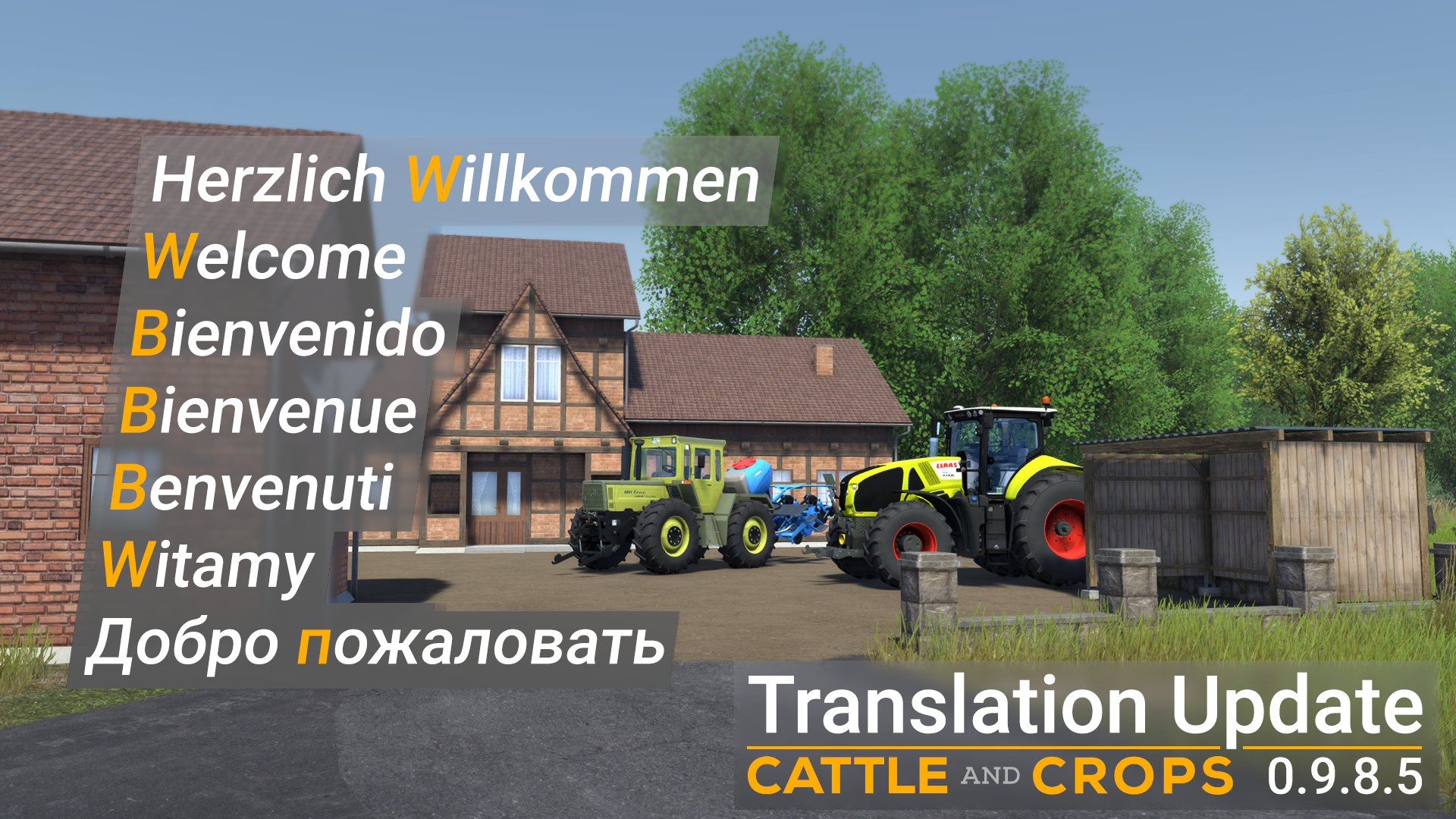
Today we publish a language update with which most of you can set your national language. In Cattle and Crops we not only support German and English, but now also French, Italian, Spanish, Russian and Polish.
Some translations may contain even smaller errors. Furthermore, some translations are sometimes too long for mission and message windows.
You can select the new languages in Steam under the Cattle and Crops properties:
Changelog 0.9.8.5
NEW
New languages Spanish, Italian, French, Polish and Russian
BUG FIX
Fixed missing action to chase away animals and added missing sounds
The Lemken Azurit machines no longer lift the wheels of tractors
NOTE
Some GUI elements are not yet translated because they have not yet received a string ID
Some panels still have minimal problems with Russian regarding text width recognition
Polishing Update 23 June 2020
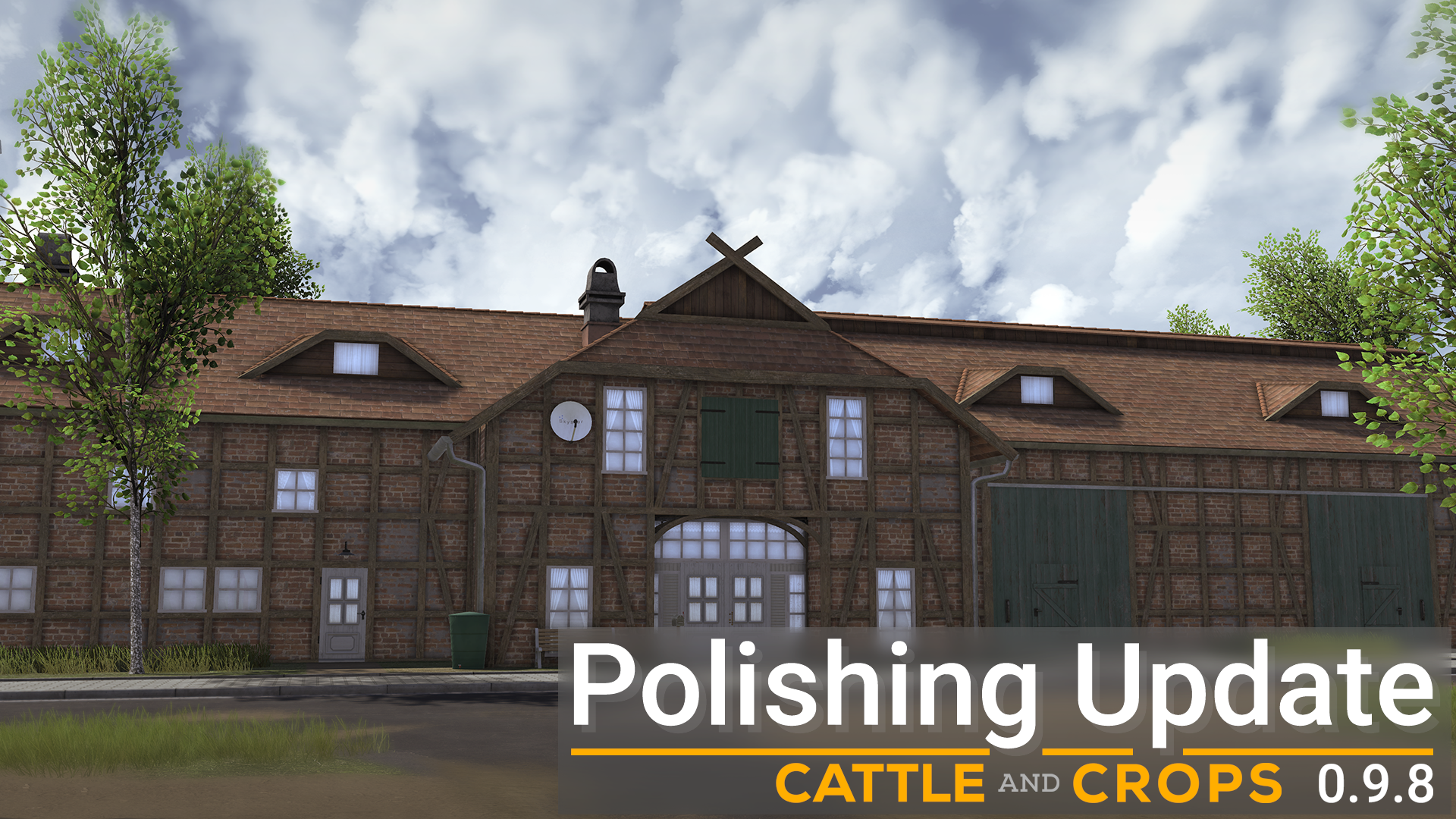
With update 0.9.8 we want to offer you more immersion and gameplay. Therefore, we have added environment sounds to this version. This means you can hear various sounds on the Albergtal map, which makes the game feel more realistic. The birdsong, rain and wind sounds are some examples. In addition, your character has now been given movement noise, which also differs depending on ground types. This is completed by sounds that attract and scare away animals.
The Albergtal Map was further updated. The vehicle trader now has tractors in his showroom and the sewage plant has been made a bit nicer. The farmhouse and all buildings have been reworked and got a more realistic look. The barn is now finally a barn and does not look so clinically anymore. The farmhouse now has automatic opening doors and the annex and garage can now be used to park vehicles. Furthermore, new bushes have been placed on the Albergtal map which are also seasonable.
An update to the current PhysX 4.1 version is also included in this update. This fixed the shaking in light vehicles (AI traffic).
Furthermore, many bugfixes have been included in this update. All changes can be found in detail in the changelog.
There will be a status update at the end of July and end of August until V1 in September. We are currently working full steam ahead on the completion of the V1 and will introduce to you some of the content of the V1 in the upcoming status updates.
Changelog 0.9.8
NEW
The vehicle specific physics were reworked and several heavy bugs were fixed that made light vehicles shake
PhysX 4.1 update. Update to the latest stable PhysX version
Environment sounds were added
Footstep Sounds have been added and are configurable via XML
Flashlight has received on/off sound
Sounds to attract and scare away Animals
Attract and scare off Animals improved
Bushes were added
Bushes Season Update
The farmhouse has been given a garage
The farmhouse has got a workshop
32 bit triangle indices support so that meshes can have more than 65336 vertices. so we can render more vegetation than before
BUG FIX
KI riders no longer automatically log off the field
KI driver waits until chopper/thresher is ready on the field
KI: Detection of potential collisions improved, NaN problem fixed
Crashfix: Delete on vehicle Hide FieldGuidanceSystem window
[EDITOR] Fixed connecting NavPath ends to nodes in the editor
[EDITOR] This is important for modders: WheelJoint settings have been fixed. Unfortunately, an error had crept in during the engine upgrade and the brake settings of the WheelJoints could not be changed properly.
When you drive with automatic, you don't shift from neutral to first gear anymore which was a conflict with the automatic of PhysX.
Also the PhysX input smoothing for analog input events was fixed. A wrong time factor was calculated here.
[EDITOR] FontImporter settings were fixed
[EDITOR] PNG Tree Importer fixed
Street Decals fixing
Field menu: Added missing StringTable entries for field grass and rye
Albergtal material errors have been fixed
Vehicle shelter collision was added
Vegetation Grid hole was solved
Workshop Collision was changed
Asset Windmill
Tree bug fixed
Factions are now translated and XP correctly scaled
Mission 07 Harvest the skiers do not work properly anymore
Morph mesh no longer explodes in the first frame
Tire tracks are painted directly under the tires and have fewer outliers
The motor sounds were adjusted to the volume level of the new ambient sounds
The new ambient sounds become quieter when the cabin is locked inside the vehicle
The menu sounds and mission event sounds have been turned down
The Footstepsounds were refined
The machine sounds of the attachments have been reduced to 25% volume
Fixed a problem with Plug 'n' Play support for Xbox controllers. It was possible that the controller was not recognized if the driver had given an unknown string or hardware ID. Now all XInput Devices are supported
Fixed missing default assignments for the controller when walking Attract animals placed on Y Scare animals away on RB + Y Jumping is A Getting into the vehicle is now done with X or Dpad Bottom as when getting out Flashlight is RB + DPad Left as in the vehicle
CHANGE
Sewage plant has received a complete overhaul
Sewage plant was added to the minimap
Vehicle dealer was revised
Hammer CornKing maize sowing unit: too high seed consumption corrected (now 50l/ha)
Path System at field entrances was revised
BGP silo paths were revised
[Farmstorage] AI's no longer stuck on the driveway
Farm premises were completely revised
machine hall, 1st floor is accessible
Sewage plant was revised
[EDITOR] Triggers can now also be set via editor masks
The OBJ to Agrofield Importer now supports OBJ files from 3D Studio Max and the Guruwave Exporter and the latest Blender version
Early Access Update v0.9.6.5: Bug Fix Release
We’re releasing a small bug fix update today to get you through the easter days… and also to make sure some missions can work correctly again. Both Lemken Azurits and Lemken Saphir have received fill meshes and tank lids that can be opened. Unfortunately, we haven’t had time to add sounds to the recently released Lemken machines.
In addition to that we’ve created a small tutorial for those interested in modding, showing how to change the player character’s clothing. You’ll find it in this thread.
Happy easter, and stay healthy.
NEW
On/off sound added to the flash light
Lemken Azurit, Saphir: tank fill meshes added, lids can be opened
[MODDING] Editor function “Replace Geometries with Instances” now factors in the dummy objects’ respective scale. This way, you can place a lantern in Blender spread out on the map using curve and array modifiers, or spray them using particle tools, and then replace them in the editor with your target .wld with one click.
BUG FIX
Field menu: missing StringTable entries added for field grass and rye
Mission “Golden Harvest”: Jaguar can drive to field 3 again using the autopilot
Mission “The bulls are back in town!”: faulty navigation target points fixed
Hammer CornKing: track markers can reach the ground again
Hammer CornKing and seed units: seeding area improved: there should be fewer holes when an employee is working with both machines
Hammer CornKing: actual fertilizer spread rate didn’t match the set value
Claas Axion: rear three-point hitch attacher is not skewed anymore
Claas Tucano, Geringhoff Mais Star: Unnecessary “You’re driving too fast” warning when in transport mode fixed
Claas Tucano: screw conveyor rotates again when combine system is on
Claas Quadrant: missing pickup texts fixed
Lemken Azurit: dirt on the discs fixed
Bugs fixed when baking impostor normals and shadows
CHANGE
Hammer CornKing corn seed unit & Lemken Azurit: seeds usage was too high (now ~60l/ha)
Lemken Korund: roller particles extended
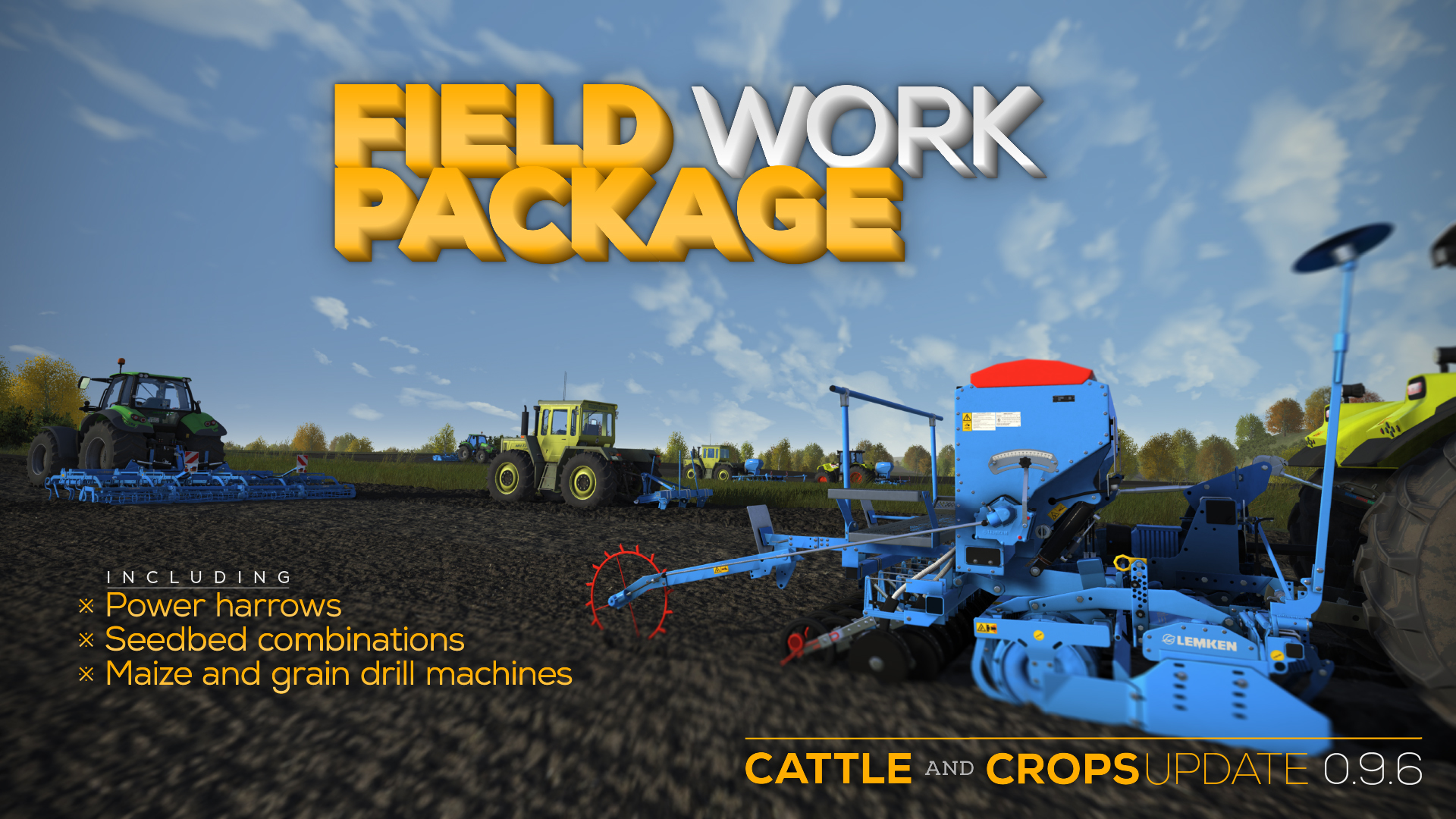
Early Access Update v0.9.6: Field Work Package
As mentioned last week, here’s the little surprise package, in addition to multiple bug fixes and optimizations as part of v0.9.5 (Tombstone) recovery.
In this update we’re releasing an eight-part field work package with Lemken machines. This includes power harrows, seedbed combinations as well as grain and maize drill machines. It’s completed by a fertilizer tank and a subsoil loosener. The new machinery allows farmers with smaller operations to work more precisely, as we’ve included a handful of 3m (9 ft 10”) machines. There are also 6m (19 ft 8”) variants of the same model series included, though, for the larger fields.
Lemken Zirkon 12/600 K (6m power harrow, foldable)
BUG FIX
Shop images can be generated again and are no longer just gray
NPCs in the village no longer have the wrong shading. General Shading problems with scaled models fixed
Field information panels for swath are displayed again in front of the swath
Oily graphics on Linux systems was fixed
Fixed crash when selecting a dropdown during loading/unloading and leaving the trigger
Fixed crash when trying to load without selecting the fill type first
The "Washing" window is no longer visible after loading a savegame
The factions in the profile menu are now translated
Crash while loading the MixKing at the farm storage fixed
Fixed wrong spawn location when account balance is less than the vehicle rental price
The fence gate at the pasture closes again
Fixed missing translation strings in Claas Quadrant
Vehicle Shop: translated descriptions are displayed again
Joint script methods now always return the correct rotation angle between -180° and 180°
Pasture fence collision fixed: the cattle should not be able to escape now
Fixed missing NPC models: no more yellow boxes running around the village
Shader editor: Parameter dropdown in constants can be selected again
CHANGE
[Performance] Traffic vehicles now execute less code
[Performance] Code optimized for machines (dirt, tire tracks)
Certain console commands now have an additional output in the debug.log (listMachineStates, listPlayerAttributes, listGroundAttributes, listFruitAttributes)
Removed anti-aliasing option from settings menu as MSAA 4x is used, with a custom resolve shader for better quality
The player character has received new textures
NOTE
The new machines have no sounds yet
Just like the Hammer seed units, the Saphir 7 also requires a front attachment machine: the Lemken Zirkon 8/300 power harrow. The Azurits can be attached directly to the tractor's three-point linkage.
The Lemken Gemini front tank can currently only be used for transport, not as an additional tank with the Dammann Land-Cruiser sprayer
Early-Access-Update-Release v0.9.5 Tombstone
After spending a long time on it, we’ve finished the migration of Cattle and Crops’ engine to Tombstone v2.91 for the most part. All gameplay relevant parts of the engine have been adapted - the remaining work will be mostly the integration of the editor and landscaping tools changes.
In the last status update we have already given you an insight into the extent of the changes. During the last week and a half we used the time to fix bugs that were caused by the integration of the Tombstone Engine. An example would be field tessellation, but also internal editor or script problems.
With the Tombstone conversion we have taken a big step into the future. You can see the changes mainly in the new calculation of the trees and the resulting increased performance. The new engine will allow us to make extensive improvements to the game, especially in terms of performance and looks: two areas in which we will gradually invest time. The currently integrated Tombstone version is v2.91, which is the basis for being able to integrate Tombstone v3.0. With that version, CNC will be able to offer a jump forward in the graphics area.
As announced before, we have now also replaced the Strautmann brand with our house brand Hammer with this update. The models will be automatically replaced in your save games with the new vehicles. All in all, this update consists of countless small features, changes, and above all bug fixes. We have added support for existing tanks in field cultivation tasks, which means storage of seeds and fertilizer now makes a lot more sense. Also, some of the task creation wizards have been tidied up and improved, for both clarity and convenience.
All other changes can be found in the changelog.
NEW
Trees in the distance are now rendered using imposter billboards, which leads to a performance improvement as there are 4000 fewer draw calls to be sent to the graphics card per frame
Liquid fertilizer tank added at the cow shed (can both be filled and emptied)
Dammann Land-Cruiser can now be used for liquid fertilizer transport
Farm slurry tank can now be filled using vehicles
Support for regular tanks in field work tasks You can now use your own fertilizer or seeds from your tanks (instead of re-purchasing them at the trader). For example: store NPK 15/15/15 in the grain storage, and use it in the task with the Rauch Axis. In addition, the BGP tank can be used, allowing you to fertilize using BGP digestate.
Warning 1: the validation only checks for a potential fill type compatibility, not for the actual current fill type. Meaning: you’re responsible for the fill level and fill type of the tanks when the task is executed
Warning 2: at the moment the vehicle will continue driving its tracks even when the refill storage tank is empty - and ignores all economic interests you might have. We’re working on that… - in the meantime you should activate the rebuy fill type in order to avoid additional work.
The field menu displays the fields’ names (support for InfoForTaskAndQuest naming). At the moment none of the Albergtal fields have a custom name.
All objects with an InfoForTaskAndQuestID can now be defined specifically as a possible target location for tasks (“Available in Tasks”). This will lead to much cleaner drop down menus.
Field name and the field entry’s name are automatically concatenated in target menus (i.e. F28 and north-west = “Field 28 north-west”)
AutoPilot is visualized in the speedometer display, when active
Hard coded vehicle camera distance has been replaced by a console variable ($maxCameraDistance) with a new, reduced default value of 25 meters
Traffic vehicles can now have spawn probabilities (). These are open-ended: you can give a first vehicle a value of 1, a second one a value of 10, and a third one a value of 613. If nothing is set, the default value of 1 will be used.
Traffic vehicles can now receive color variables, which will be sent to the material shader as a parameter. At least one node that uses the corresponding material needs to be referenced, incl. parameter slot, material index (when using multi-material geometries) and the hex color code. Example:
In this case, the material used by “body” gets red in parameter slot 0, the material used by “box” gets blue in slot 3. In addition, you can define color probabilities (usage identical to traffic vehicle spawn probabilities). Attention: each referenced material has to be made unique using .
Work width, fertilizer spread rate in tasks When using corresponding vehicles (Rauch Axis, Dammann Land-Cruiser, Stapel VT) in field work tasks, the work width and/or the fertilizer spread rate can be set in the task creation wizard. The track widths will be adjusted accordingly.
Property “Handle Task Event”: activates/deactivates the node controller when the task starts/ends
Script method “GetActiveTaskSetting” Returns the current task’s settings in a vehicle (if a task is active, if it’s controlled by an AI driver, if the vehicle should seed, if the vehicle should fertilize, the work width, the spread rate, if swath deposit should be activated)
Script method “GetFillLevelNormalized” returns normalized tank fill level (0 - 1)
Script method “SyncPassiveUserActions” Forces the synchronization of passive UserActions to the parent vehicle’s states
Console Command “genImp” Generates imposter textures for geometries in .wlds. Usage: either directly in the console, or as batch .cfg file (analog to texture import)
Strautmann vehicles: converted to house brand “Hammer” New names, new textures, new dirt masks - everything else is the same
C4 logos have been replaced with Tombstone versions
Console command “abortNavigation” doesn’t require a mandatory vehicleID - also stops the currently entered vehicle when no ID is provided
Mission command “attachMachine” now also works between two implements
Create field work task menu reworked:
Fill type setting per vehicle
Repositioning and resizing of most elements for better usability
Navigator: finding of next NavPath improved
Game Speed reworked There are new game speed levels: 1, 3, 6, 12, 30, 120 - all others have been removed. In addition, there’s no “pause” speed anymore, instead there’s an option to directly open the sleep window For testing purposes, there’s still the console command timeFactor
Chaff can be fed to the bulls in the stable
Fruit distance colors adjusted
Console command body is now rigid (Tombstone change)
Fog levels decreased
Editor: Nav paths in 3D viewport have better visibility
Rauch Axis: empty tank UserAction can now be interrupted
Dammann Land-Cruiser: empty tank UserAction can now be interrupted
Stapel VT: empty tank UserAction can now be interrupted
Hammer Corn King, Seeders: empty tank UserAction can now be interrupted
Claas Tucano:
Tank hatch has new animation, can now be interrupted
Tank fill mesh enlarged significantly, hatch can not be closed if fill level above 53%
Swath deposit system has been separated into two actions (1 on/off command, 1 mode
switch command)
Raise/Lower via SendUserActionMessage was only used with the change mode “Auto” in an implement. Now also works with change modes “Activate” and “Deactivate”
NOTE
The rendering of certain lists are buggy due to the Tombstone integration. Specifically the notification area on the screen’s left side doesn’t clip the Items correctly at the moment.
The vehicle 3D view in the fleet menu is partly buggy due to the Tombstone integration and has to be re-implemented.
Anti aliasing has been deactivated in this update, due to Tombstone forcing 4x AA and manually blending the four pixels in a separate shader. MSAA 8x should not be used with 4K resolutions anyway, as there are too many pixels making 8x too expensive. We’re going to test alternatives in the future, such as SMAAx2, and offer them if there are performance improvements.
Status Update 28 Feb 2020
As per the last update, we have been working hard on the Tombstone migration. This is almost finished and the first test version with Tombstone version 2.9.1 is heading to the test department today.
Almost all features have been transferred over - except for the new font rendering (Slug) and the new sound format. Also the editor widgets are still displayed the old traditional C4 way, with rounded buttons instead of the new square layout.
The rest of the engine migration will now mainly take place in the editor. The code under the hood is already almost completely transferred from Tombstone, but the GUI panels are still the old ones because they are harder to replace in the middle of production.
CNC can load assets from both C4 and the Tombstone Engine. In principle, besides many basic tasks in this branch, almost the entire renderer was replaced/reworked. The renderer still works with OpenGL but with a much slimmer driver interface which actually requires OpenGL 4.3 with a Direct State Access API.
The generation of the OpenGL shaders was heavily reworked and there were many changes that also broke our custom changes and had to be repaired first. Currently the tessellation on the field is still affected.
All multithreading optimizations of the Tombstone Engine have also been adopted. This concerns especially the light/geometry interactions. So the culling - to see if a geometry should cast a shadow - is swapped to jobs which are calculated on as many cores as available.
But if the tests go well and no further major problems occur, the update 0.9.5 for the community could follow in the next two weeks.
We also continue to work, in addition to a multitude of fixes and improvements, on AI bug fixes and a new extensive tutorial system which should make it easier for beginners to get started and provide you with tips and infos. This should make it possible to pause the running game in order to play a specific tutorial mission to learn the operation and contexts, or even a whole tutorial chain from the main menu.