Project Heartbeat 0.17: Anniversary Update Episode 3! 40% off too!
Project Heartbeat 0.17 is here, this update is MASSIVE, with a revamped version of the new media downloader (that had to be rolled back due to issues discovered after release), a massive editor overhaul, better MM+ support and a complete rewrite of the gameplay code of the game for increased performance and reliability, a big NVIDIA fix for windows users, along with some new and highly requested features.
This is likely our biggest update yet (I think), and it marks the third anniversary for Project Heartbeat, the little rhythm game that could.
I have also decided to make the game 40% off, just to celebrate a bit more ;)
New content
New song: Monochrome Stars
The final SuganoMusic licensed song, a funky nostalgic song, Licensed from SuganoMusic, vocals and lyrics by shironegi, composed by obama. The song was charted by resident idol enjoyer The artwork was masterfully created by Mariale, who incidentally is also the singer for the OTHER song in this update. That's right, there's two!
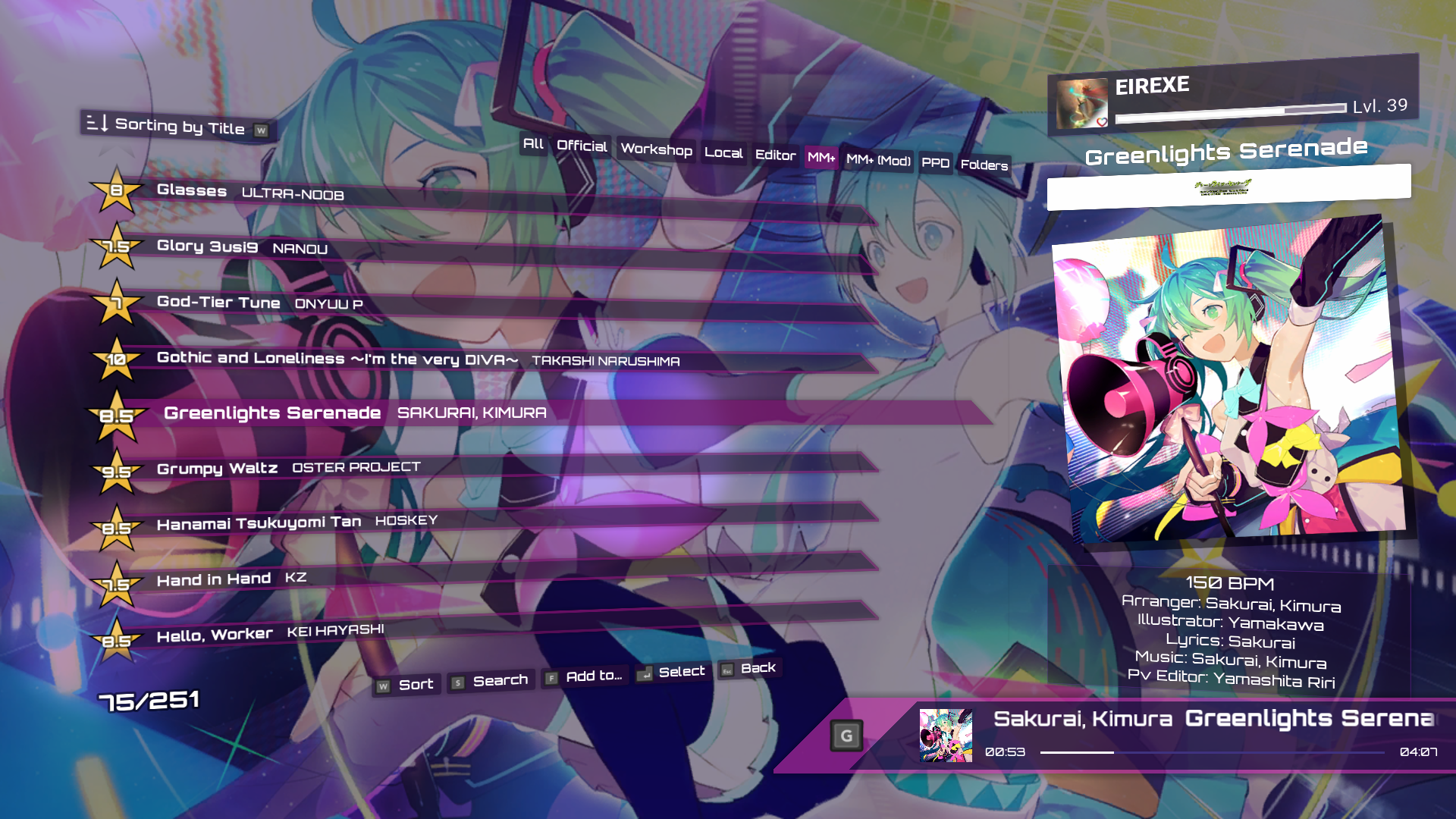
New song: Dime Linda
Our first song in a language that isn't English or Japanese, done in Spanish by Mariale, one of the resident Project Heartbeat illustrators, I think it's quite different from anything else we've had before, so I hope you can find it enjoyable!
The chart was made by BunBun, a new PH charter.
The artwork comes from David Revoy's open source webcomic (Pepper & Carrot), with proper credits, of course.
The editor update
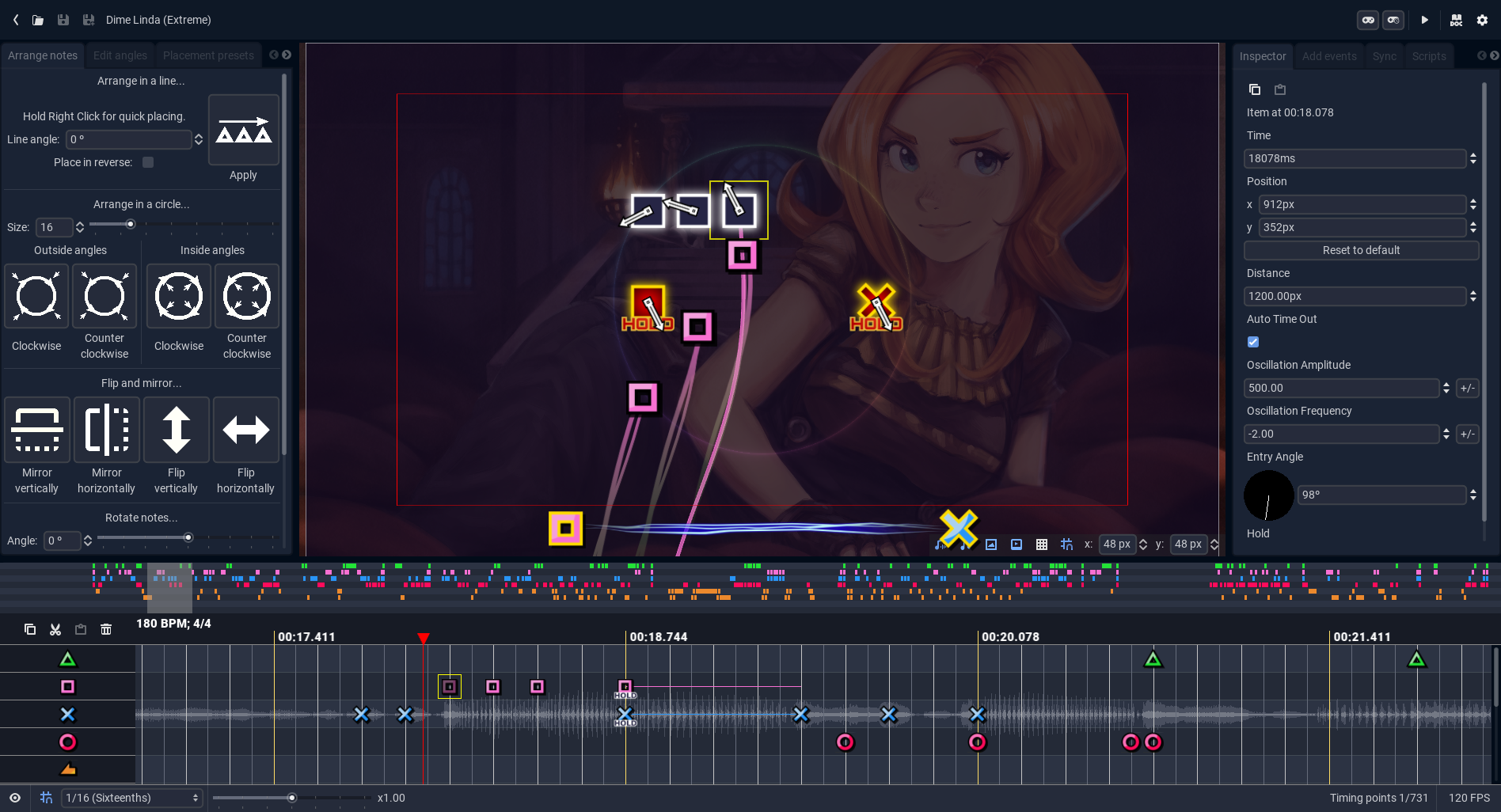
The editor has received a much-requested do-over, it now looks better and is nicer to use, with some new features that I'm sure you will enjoy. This is done mainly by Lino.
A short introduction to the new editor
Project Heartbeat has, since very early in development, had a chart editor, which people could use to create charts for the community. It worked fine, but it had a lot of rough edges and inconsistencies. Furthermore, most of its design was based on UPDC, a chart editor that, while revolutionary for its time, doesnt hold up too well to more modern standards. Over time, as more and more stuff was added, trying to keep it up to date with the features of the game and adding more tools was getting complicated, and the codebase was pretty messy. So, enter, the New Editor:
Major changes:
A more modern, sleek look, with rounded edges and bigger focus on icons over text.
The editor is now mostly grouped into modules.
Every module has big and clear buttons, with clear icons and a description which you can read by hovering over them.
Everything has a shortcut!
There is a new tempo system, with the timeline grid changing according to the tempo.
Selecting and editing multiple notes at the same time is now properly supported, with the entire power (and a bit more!) of the old expression runner available inside of every property spinbox.
All the tools got a fresh coat of paint, making them more responsive, easy to use and powerful. Also, some cool new ones were added!
You can now open external charts (From the workshop, officials, or the imported sources) as read only, so you can study charting and get inspired from the community.
Comfy Studio charts (.csfm files) can be imported right into the editor.
You can import charts alongside your current chart now, instead of overwriting it every time (useful for collaborations with people who dont like charting in PH)
F and F2nd chart importing was fixed, and the editor can now load them effortlessly (even decrypting them if necessary).
A new built-in script manager, with file management and a code editor with syntax highlighting.
An arrange wheel with multiple snap settings.
Support for irregular time sigs.
Proper speed changes (for example, set speed to 150%).
Playtesting shows the video and meta as if you were playing the chart normally.
A collection of static note templates, with tools to make your own or download them from the community
And much. much more!
If you charted before, please, try out the new editor, and report any bugs you may find to the #bug-reports channel in the official Discord server or on the steam forums. You can also ask for help there if you have any issues, and submit your thoughts on the new update. Your feedback is valuable, and it is what makes the game better! And if you have never tried charting, now it is the best time for that. The editor has never been easier to understand or to work with, and seeing how new people interact with it helps make it better and simpler for everyone. So please, share your experiences with us!
Special thanks
Brutal, who helped me with all my whinings about music theory.
Pascal, for always providing feedback.
Neorash, for pointing out bugs when the update released.
Samyuu, the father of the diva editors.
Everyone in the PH community, for their support and help throughout the development of this update.
And EIREXE, for putting up with my BS.
Workshop difficulty-based filtering
One requested feature for a long time was being able to filter by difficulty on the workshop, unfortunately the Steam Workshop didn't make this easy at all, so a compromise solution was developed, we use the tagging system to tag songs based on their difficulty star range, this is obviously still imperfect and I'd like to have more tagging options, but it's better than nothing.
Older songs will also have these tags applied automatically with the update, so you don't need to do anything!
In the future this system will be expanded to allow filtering by chart type.
Gameplay rewrite
During the development of the game the ever-growing requirements and new gameplay functionality required making changes on top of a gameplay system that just wasn't quite ready for it, this led to many complicated engineering problems that didn't have an easy and safe solution.
This is why the decision was made: To achieve a well working and reliable gameplay experience a rewrite of the gameplay side of the game was needed. This was done in a few weeks and after bug squashing the new system is much more reliable, with lower loading times and better performance.
While this work was done, new features that improved the experience were added:
"Play hit sounds only when a note is hit": Exactly what it says, note sounds will only play when you hit a note correctly
Sustains will now have a custom "held" looping sounds that gets higher and higher pitched.
Autoplay now uses the audio scheduling system, which means that note hit sounds should be perfectly in sync most of the time
Double notes now have a small delay while playing the normal non double note sound, this is because the recent changes had reduced latency so much it was becoming obvious that the sound was being played and then stopped when the double note sound was played.
Hold precision issues have been removed, which means that hold scores will no longer be -1 compared to what they should be.
New media downloader: Episode 3
The new media downloader was plagued with obscure issues that we weren't able to resolve, this is why a different approach was needed and why it was originally rolled back.
A new process communication system was added to the engine to allow the game to run processes and then communicate with them in both directions, this together with yt-dlp's powerful custom stdout system mean that the new downloader is now much more reliable.
This also adds back features such as being able to cancel songs mid-download (not just ones that are waiting to start download), and a loading bar.
ShinobuZ V2
The Shinobu audio engine has received yet another minor revision, this time the timing system was changed to using nanoseconds instead of milliseconds, this should lead to smoother note movement in some cases.
NVIDIA Windows stutter fix
NVIDIA's drivers have historically been non standards compliant, this was partially the cause of the dreaded stutters that were hard to replicate and would only happen on some machines, as they were also different across CPU architectures it was a very complicated problem to tackle.
I did some initial work on the past, by adding ANGLE support to the engine and other things, but that wasn't a perfect solution, I always preferred to use the normal opengl driver instead of a translation layer.
Late last year it was discovered that this is actually a known issue for OpenGL programs on NVIDIA GPUs (Project Heartbeat being one of them), a solution was developed that would disable a feature known as "Threaded Optimization" that caused random stutters for any OpenGL program running on windows that wasn't knowledgeable enough to know about this issue and disable it in the drivers.
This feature is also disabled by other high-performance OpenGL programs like Ryujinx.
Linux users do not have to worry about this issue, as the proprietary NVIDIA drivers disable this so-called "feature" by default.
Any other stutters that might be found are likely caused by the windows kernel being tragically slow at filesystem I/O operations and cannot really be solved.
MegaMix+ loader changes
Changes to how the MegaMix+ loader behaves have been made, now it will behave closer to how the original game does with DivaModLoader, it still isn't perfect and a lot of mods will continue to fail to load, but the great majority should work fine, specially when not many mods are used, however mod conflicts are known to cause songs to disappear in some cases and it's still being investigated.
As part of the loader changes, the game can now show song variants loaded from MM+ as if they were normal PH variants. Additionally the game will also show the list of mods that modify a given song.
Other minor changes
Enabled wrap around in the pause menu
Added the option to pause when the focus is lost by the game window
Made workshop upload form resizable
Fixed rollback issues when using high timing offsets
Future
This was a lot of work, took months since the last major update (in fact, since September), so I hope you will enjoy this update.
There is still some minor work left on some components of the game, my main focus right now is going to be on removing unused code in preparation for moving to the new engine (Godot 4), this will be a massive upgrade so the least code that needs to be ported over the better.
Another thing I'd like to do is rework the menu system to be more consistent and easier to maintain, as it's currently a bit of a mess (it was the first system ever created for Project Heartbeat back in late 2019).
Hopefully with my more stable mental health things will keep improving at a steady pace now, I have started working on yet another side project that I hope will lead somewhere :D
Project Heartbeat: Gameplay rewrite now in testing
!! WARNING !!
If you plan to try this beta and edit songs, please back up your charts, as they might be corrupted by some of the inevitable bugs that come with major code rewrites. Leaderboards are also disabled for the beta branch.
Hello, one of the things I've been working on recently is rewriting all of the gameplay components, there are many reasons for this that I'll go over shortly.
Reasons for the rewrite
The truth is when I started working on PH in September 2019 I never expected the game to reach the point its reached today. For example originally I was never going to have the console gameplay style, but over time I decided to add it.
The problem is that due to the way the code was structured it was very prone to failure and strange issues caused by edge case problems (it doesn't help that the PH community is very creative and does many weird things with notes).
With this rewrite I aim to create a simpler base on which new note types can be implemented in a consistent less buggy form, with a proper architecture for handling multi-notes consistently.
Please, try it out and give me feedback!
Major changes
The autoplay system is now a modifier, the checkbox in the debug menu will be removed soon.
Autoplay hit sounds are now scheduled, so they should be much more accurate.
Multi note visual behavior has been improved to better match diva
Sustains now have looping sounds when held, and a different release sound
Sustains now currently count as two notes when a WORST rating is given
Known issues
Hidden modifier doesn't work (yet)
Double heart notes don't use the double heart note sound
Single slides break when holding their direction before they enter in range
Slide, normal and heart notes don't ignore eachother's inputs
Project Heartbeat 0.16 MegaMix+ loader, New downloader, Shinobu Z engine & more
Welcome to Project Heartbeat 0.16, after three months in development hopefully it will have been worth the wait.
This update is probably going to be the final big feature update to the game, as the focus now remains on getting more content in, bugfixing and polish, hopefully the new changes are to your liking.
The update is also not as big as other updates, because most of the work has been on big things with far reaching consequences (like the new version of the audio engine). The last few months have been hard, I spent around a month working hard on the game on big stuff such as the MM+ loader. Then I spent another month mostly bed ridden and finally spent a whole month trying to pick up a car.
It's been a terrible summer and I hope to leave it behind.
Anyways, let's get to the new stuff.
NEW CONTENT
New Song: Confession
A new song from Takanashi Koubou, this very nice song was charted by resident idol enjoyer Yahoo, the artwork was made by David Revoy for his webcomic Pepper & Carrot, which we are using because the comic is creative commons licensed, check it out.
The song is composed by TTL, sang by Kanata and written by LUNA.
NEW FEATURES / CHANGES
Shinobu Z
A few updates ago I shipped the first version of Shinobu. Shinobu is our Open Source bespoke audio engine designed with rhythm games and other low latency applications in mind, powered by the great miniaudio library.
Shinobu was very well received by the community and made the game's foundations so solid some might argue that, as a rhythm game engine, Project Heartbeat is less prone to issues than some commercial titles such as Project DIVA MegaMix+
After the success of Shinobu I set out to engineer a reworked version of the audio engine, the main goals of this design project were reducing memory usage and increasing memory safety, thus augmenting reliability and preventing crashes caused by the engine.
This was once again a worthy endeavor, as Shinobu Z is now included in update 0.16, this update achieves higher levels of memory safety and performance while using less memory. For this he API has been completely reworked to allow binding songs to the Godot scene tree, among other things.
Overall, you should expect a 10% improvement in memory usage and reduced loading times for songs in the song list and in the game itself.
Project DIVA MegaMix+ loader
In may of this year our colleagues at SEGA released Project DIVA MegaMix+ on Steam which has achieved positive reception.
Because of how similar the gameplay styles and due to how some costumers enjoy playing both games based on their different respective strengths Project Heartbeat now includes the ability to load content from Project DIVA MegaMix+ through the new MegaMix+ content loader in update 0.16. This new functionality can load the full song list of a legally purchased copy of the game so you can enjoy playing with your content in a different engine. This is similar to playing OpenTTD or using an emulator such as CEMU.
This system reads the files as they are, without modification, and even supports loading content designed to work with DivaModLoader. We hope you enjoy both games to their full extent.
The loader uses the Steam API to find your installation of MegaMix+ and verify ownership of the game, this is just a simple ownership check done by steam itself and doesn't involve Denuvo or any other similar technology.
Furthermore, through playing Project DIVA MegaMix+ content on portable systems such as the Steam Deck one can obtain longer battery life, as Project Heartbeat uses very little battery due to it not having 3D animations and using an engine that was designed for low power devices such as the PSP and the Nintendo DS, the battery usage is so low the default FPS on the deck is set to 120 FPS, yet it maintains 4-5 hours of battery life from a full charge.
Audio normalization system rework
The code for audio normalization has been modernized and improved, this should yield much faster audio normalizations.
Streamer mode
A lot of Project Heartbeat players tend to play the game on stream, for this we have added a new feature that we hope will be able to enrich their streaming experience for them and their followers.
The new streamer mode is a simple but effective option that allows exporting to files both cover art and background art right from the game as you are playing it. This allows you, the streamer, to display both artwork and currently being played song information right on your streaming interface.
If we ever move to Godot 4.0, an option to open another window to show extra stats of the current gameplay session to your viewers might be added, but for the time being please enjoy the new functionality.
We have also released a simple guide that explains how to use it, you can check it here.
Audio downloader rework
One of the major complaints we got from gamers was the rudimentary nature of it. We agree.
Introducing: The new audio downloader, this is a major improvement over the old system, since it now handles the downloading of song media inside the game itself, thus being able to give you feedback about the status of the download, simultaneous downloads, better error information and more.
The system continues to use youtube-dl internally to obtain the information required for downloading the data, but the rest is handled by the game itself.
As this is a highly experimental feature, we ask for some patience while we sort out the inevitable bugs with it.
Game over chibi Aiko
We thought that we would give the health system a bit more personality by including a crying Aiko when the random game over quotes are shown.
Option to clean unused and deleting song media
You can now delete the song media from each song's pregame screen, and delete all unused media from options -> content inside the options menu.
Other minor changes and bugfixes
Fallback to default user directory when the user specified content path does not exist.
Add support for using PageUp/PageDown in the song list.
Fix skin editor applying clear bar colors wrongly
Fix YoutubeDL cache saving issues
Add new YTDL downloader code.
New song: ETERNAL
I would have released this for 0.15, but it wasn't quite ready yet, hope you enjoy this new song!
This is ETERNAL, the new song featuring in Project Heartbeat. As it's tradition it's a Touhou cover from the Takanashi Koubou creator's circle. The song is composed by DJ Timotei & Violet Delta, with lyrics by Kaito, written by Yaso and charted exclusively for Project Heartbeat by newcomer charter snail with the lower difficulties made by the great Yahoo mememaster.
The artwork was made specifically for Project Heartbeat by the great Guinii featuring Touhou Project girl Hina Kagiyama doing her usual spinning stuff that she's known for.
Hopefully you will enjoy this new song release! A few more songs are in the works, including a special non-eurobeat guest artist from Spain and another song from SuganoMusic!
More news soon!
Thank you for your continued support.
Project Heartbeat 0.15: Skin editor, QoL improvements, bug fixes & more
Welcome to Project Heartbeat 0.15, this is a smaller update than what you are used to, the objective of this update is mostly to make the game more friendly to new players, but it also includes some other new stuff, such as new song and the long-awaited skin editor!
Hopefully you all enjoy your adventures with the blue chipmunk later this week!
New content
New song: Reprisal
A new song for Project Heartbeat! funnily enough this song was licensed through shitposting on the fumofumo server. The background artwork shows a Techno Pro Spirit style Toyota MR2 made by Lucas Corral, check his stuff out. The song is charted by yahoo, arranged by Turbo, with lyrics by ShinkoNet and Turbo and with vocals provided by the great Odyssey Eurobeat!
New features
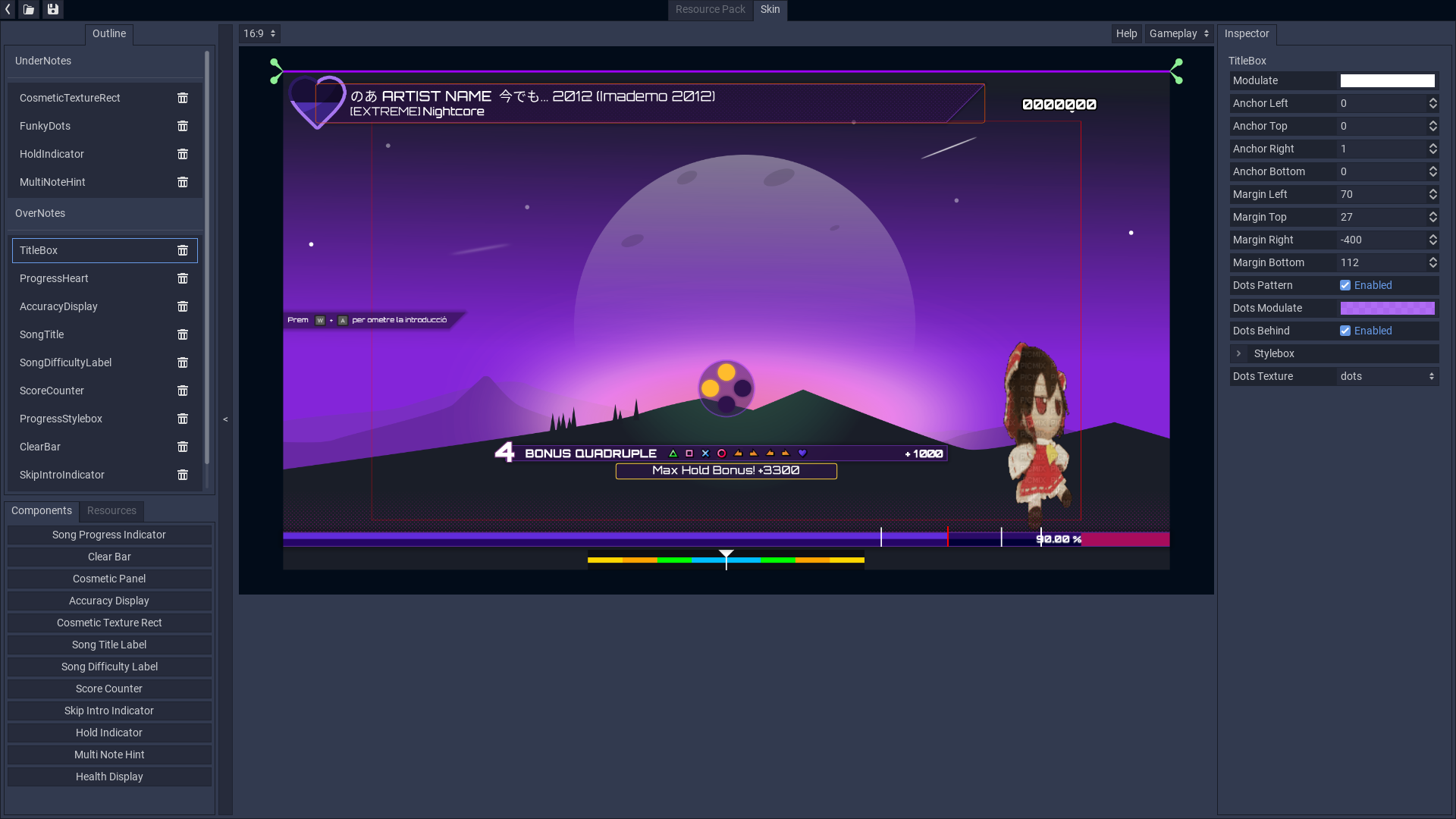
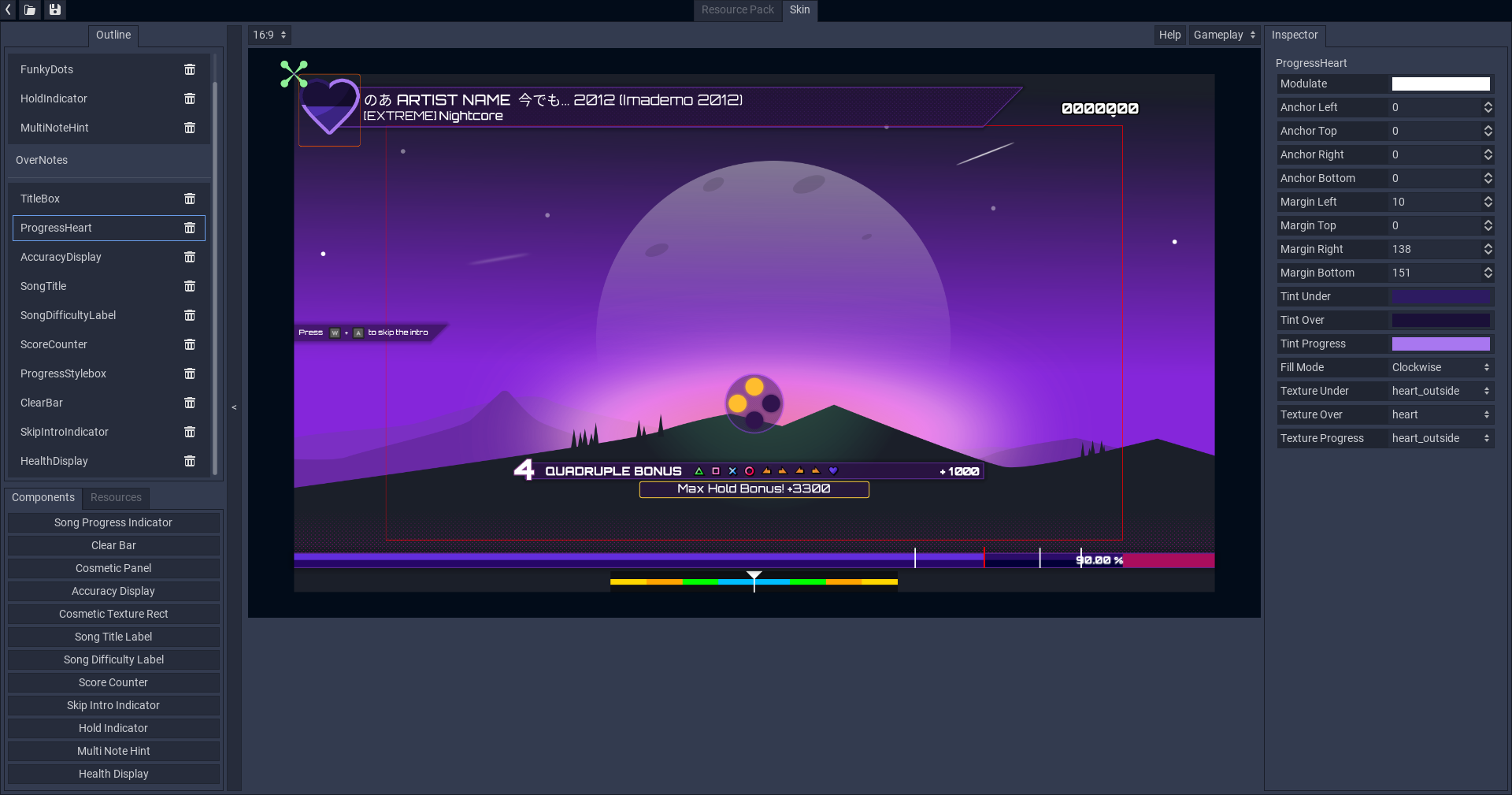
Skin editor
One of the long-awaited features for Project Heartbeat: the Skin Editor.
It's a slightly complicated tool, but hopefully the built-in guide will be enough for you to understand it, I suggest playing around with it!
You can set your own songs to "recommend" a skin from the workshop, those songs will automagically download the skin, obviously this can be disabled if wanted in the song settings by the player.
Other changes
Visualizer rework & new main menu visualizer
For the different visualizers throughout the game PH does spectrum analysis on the song currently being played, what PH did was a linear average sampling of frequencies from 0 to 20 khz, however the human ear doesn't work in a linear fashion, so this was stupid, in fact commercial spectrum analyzers don't work this way.
Additionally, the new spectrum analysis code can decay over time to make a smoother output, all of this should give the in-game visualizer a nice, more detailed output, which corresponds better to what you are hearing.
Finally, this has been used to create a new visualizer for the main menu (hidden in the song list) that you can see above, fancy.
New UI elements
Some parts of the game UI use a new type of element to display multiple selections.
Controls editor rework
Controls editor now shows the related note and button icons, as well a small text that should be enough to figure out how to do macros.
Sorting system
The sort dialog is now different, featuring a new checkbox that lets you only select songs that have media downloaded. It's barebones at the moment, but more features will be added eventually!
[Wrong note cross
One of the things I noticed when showing off PH at the in-person event was that people didn't realise wrong notes were wrong, so I've decided to add a small X next to the wrong ratings to make it more obvious, hopefully this will be enough.
Bugfixes
Fix editor error when resizing the timeline
Fix invalid user settings files breaking the game when loading
Fix intro skip bugs
Fix discord rich presence
Fix DSC songs being broken since shinobu
Fix diagnostics debug screenshot being semi-transparent
Fix option description in song settings sometimes overflowing
Fix practice mode issue where the latency change option would be pressable even in seek mode.
Fix audio issues on steam deck caused by steam deck's old version of pipewire, the game now defaults to ALSA on the deck, if you want to force pulse on the deck you can add the "--shinobu-backend pulseaudio" command line argument.
Fix crash when exiting and re entering the latency tester
Fix shinobu seeking bugs that broke negative start times
Fix latency tester crashes on windows (for real this time)
Fix minor memory leak when restarting songs
Add safety margin to song end check
Fix workshop item state shenanigans in workshop browser
Fix custom sfx not reloading automatically
Fix editor crash when changing song after testplaying.
Fix more edge cases that would cause songs to never end
Fix pregame opening per song settings failing when backing out and returning to the pregame screen.
Introducing: The Project Heartbeat UI Skin Editor!
Work on Project Heartbeat 0.15 has already started in the beta branch, this update which is codenamed Goth Girl School Idol Club.
Among the new features is the all-new UI Skin Editor, with complete workshop integration like you are used to!
With this new custom tool, you can create your own skins. Currently there is no documentation on how to use this tool, However reading the size and anchors article from the godot documentation might give you some basic clues on how to get started!
The skin editor features a resource management system to import your own fonts and textures, you can edit all the UI components such as the clear bar or the song title by using the inspector on the right hand side. Additionally the system supports animated textures everywhere, which means that anywhere you can place a texture, you can make it animate. Currently this feature is a bit WIP so you can't change hte FPS yet, that will come soon.
The tool is heavily inspired by the Osu! Lazer skin editor, it might be a less pretty but it more than makes up in the customizability department.
You can copy the default skin (and in the future, any skin you are subscribed to) to use as a base for your own UI shenanigans.
Yahoo has already uploaded the first skin to the workshop, please check it out!
I hope you enjoy this new feature.
0.14.1 update notes
0.14.1
Fix practice mode issue where the latency change option would be pressable even in seek mode.
Fix audio issues on steam deck caused by steam deck's old version of pipewire, the game now defaults to ALSA on the deck, if you want to force pulse on the deck you can add the "--shinobu-backend pulseaudio" command line argument.
Fix crash when exiting and re entering the latency tester
Project Heartbeat 0.14 Anniversary Update 2: New song, new audio engine & more!
Welcome to yet another update to the rhythm game that refuses to die, this is the single biggest update in terms of technical stuff we've done since the game was released over two years ago in March 26th 2020. A lot has changed and a lot will change and I'm super proud of this one.
Shout-outs as always to lino for taking care of ensuring the editor doesn't blow itself into pieces and adding a bunch of nice new features.
Some of the things here might sound familiar, this is because some (like the song) were released in minor updates for 0.13, but they are still listed here as they were part of the development process for 0.14.
New song: Love sacrifice
[previewyoutube="ME5KysG3VQo;full"]
This is Love Sacrifice, the new song featuring in Project Heartbeat and the first new song of the year. As it's tradition it's a Touhou cover from the Takanashi Koubou creator's circle. The song is composed by SaiNa, sang by Queue, composed by BeatCharger and charted exclusively for Project Heartbeat by resident meme master Yahoo.
The artwork was made specifically for Project Heartbeat by the great Guinii featuring Touhou Project girls Renko Usami and Maribel Hearn of the Girls' Secret Sealing Club lying in a field together in slightly lesbian fashion.
Hopefully you will enjoy this new song release! A few more songs are in the works, including a special non-eurobeat guest artist from Spain.
Big changes
The Shinobu audio engine
One of the biggest issues Project Heartbeat has faced is the Godot audio stack, while sufficient and good enough for most games it really isn't suited for use in rhythm games.
For this reason I spent worked on a new audio engine specifically for Project Heartbeat, it's called the Shinobu engine. It's the biggest engine customization I've done yet and it really does fix many of the issues you guys had with the game.
This new audio engine is based uses the excellent miniaudio sound library. If you need a good library for all your audio needs miniaudio is the king, it's beautiful.
Here's what shinobu does:
Better performance
No more desyncs
Less battery use and better thermals whooo steam deck!
Latency should be lower
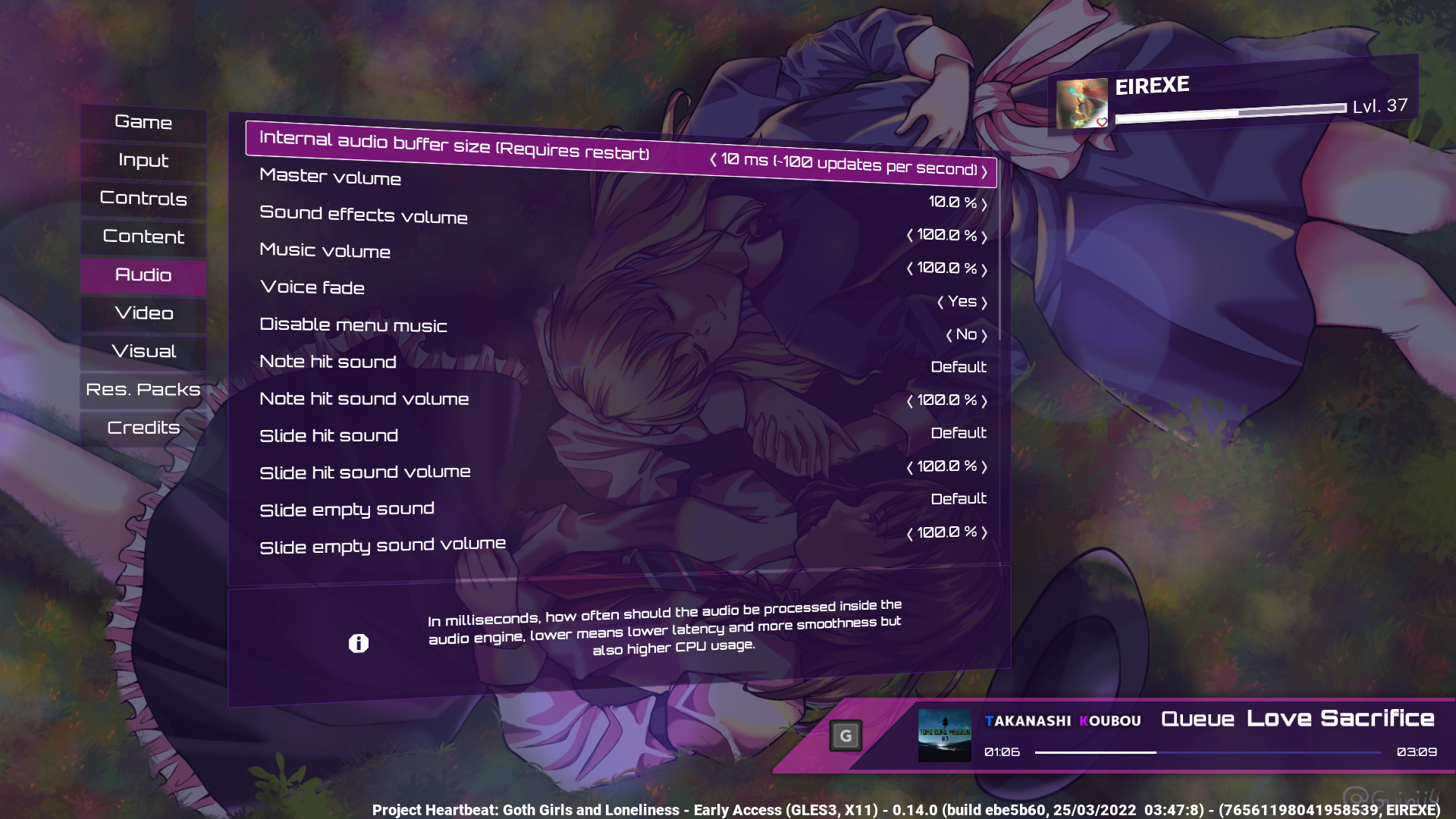
You can now configure the buffer size in options -> audio
More smooth note movement
Ability to adjust your buffer size
Shinobu is a game changer, I believe it has turned PH from a weird janky rhythm game your weird friends played to a more serious piece of kit that should be up there with the big names.
Audio just like video, has frames, these frames are composed of instantaneous samples for all possible channels, unlike video however the frequency is much higher, while a typical video might have 30 frames per second a typical audio file might do 44100 frames per second, which is quite a lot..
(In case you are wondering the reason why it's ~40 kHz is because of Shannon-Nyquist telling us that "If a system uniformly samples an analog signal at a rate that exceeds the signal’s highest frequency by at least a factor of two, the original analog signal can be perfectly recovered from the discrete values produced by sampling." and as human hearing caps at around 20k kHz it is enough for us).
This means that there has to be an intermediary buffer that gets filled with a bunch of frames, this is the main source of audio latency, as telling the engine to play say a note SFX as soon as possible might take a bit until the OS asks for samples again, reducing this buffer is important to reduce latency, however this must be done with care as CPU usage goes up the lower the buffer size is (for example, at 10 ms the mixing happens 100 times a second).
Timing is then done by using the amount of samples consumed by the audio system every time it asks for it.
Another issue is your operating system, sometimes your audio driver might not allow smaller buffer sizes, Shinobu will try the lowest possible buffer size the operating system gives it (but always bigger than the buffer size you set in audio->buffer size).
As the audio buffer might sometimes be higher than the frame time i.e it might be >16 ms worth of samples timing from that might be jittery, this is why it now uses an internal high precision clock to interpolate the time between updates. This is an alternative to just lowering Shinobu's internal buffer size which increases CPU usage and doesn't give us any benefit in terms of playback latency.
DJA finally the default
Direct joystick access has finally become the default method for analog input in the game, there are still some quirks with heart sustains multis, but it should now be ok for the great majority of people.
New workshop browser UI
I've changed the workshop browser from the grid design you are used to to a less cluttered design which I feel doesn't feel as claustrophobic as the old one, it also has some extra space we can use for other things, talking about other things...
Romanized title support in the workshop browser
The workshop browser will now show the romanized title of the song if it is available, funnily enough PH was already uploading the romanized titles, but I forgor to implement actually being able to view them, whoops.
Do note that searching the workshop by romanized titles is not available, this is a limitation imposed on me by Steam and there's nothing I can do about it.
Random song button
The random song button has been added, a highly requested feature, I also made it pretty looking (and also pretty gay, which is nice). Yes it even works in folders!
Song list sorting changes
The workshop section of the song list has new sorting options available, they are exclusive to this section, for this reason the sorting mode on the workshop is now separate from the other sections.
Chart sections
You can now specify chart sections inside the editor, these are shared between charts of the same song just like lyrics are. Sections can have a name and a color given to them, currently they are only visible in the editor and practice mode, but soon they will be used to give you more detailed information on your scores.
Practice mode rework
Lino has reworked practice mode, you can now switch between modes to adjust latency options, playback speed and other information.
Additionally, a lot of new information is visible in the practice mode information section to the right.
Editor changes
Search
When selecting a chart, you can now search for it by name instead of having to dig through the list
DIVA F2nd edit importer
Lino has made an importer for f2nd edits, these have to be decrypted for them to be read by the game, but I will be looking into how to load encrypted files in the future.
This will allow people to preserve their edits in case Sony wants to pull a fast one on the community again.
Song settings editor
There's now an editor settings section for song-specific settings, you can also use this to test your song variants.
Sync toolbox
Lino added a toolbox with a bunch of tools to aid in syncing songs, fancy.
Minor changes
Make combo reset in practice mode whenever stats get reset
Add 1440p to desired video resolution options
Enable wrap around in options menu and main menu
Add CPU-based fallback for slide particles in GLES2
Use fancy two pass gaussian blur for the pause menu instead of the current textureLod based solution which doesn't work in GLES2 PokeKMS
Save the last selected folder in file dialogs
Search for the original title and the romaji of songs when searching in the song list
Editor: Add a "Reset position to default" button
Editor: Add more shortcuts and separate a lot of them
Editor: Add a hold graphic to the editor
Editor: Queue notes placed during playback for better consistency
Added a button to change the multiplayer host
Bug fixes
Fix random quotes not being random (???)
Fix workshop upload form replacing metadata when downloading a song while it's open
Update YTDL
Fix various menu focus issues
Fix godot focus stupidity
Fix joypad prompts breaking changing from keyboard to controller
Fix gamepad keyboard prompts breaking when forcing a prompt type and returning to auto detect
Fix background music player not using preview_end at all skull face no space
Release drag even if _gui_input doesnt catch the event and allow cross-chart copies
Remove video requirement from variant sync & add warnings when using non audio only variants with video
Fix song list focus loss issue
Fix minor focus bug when selecting custom SFX
Disable forced VSYNC in the editor
Release focus on all editor inputs upon pressing accept or cancel
Fix focus issues on pregame screen
Fix editor scale not updating when using control+scroll wheel
Fix visualizer in GLES2
Fix GLES2 title bar in-game
Disable menu FPS limits when using the latency tester
Fix song list engine regression
Disable forced VSYNC in the editor
Fix lyrics not appearing after restart
Reset input manager on restart (Fixes issue with input carryover)
Fixed most multiplayer issues and weird race conditions
Other stuff
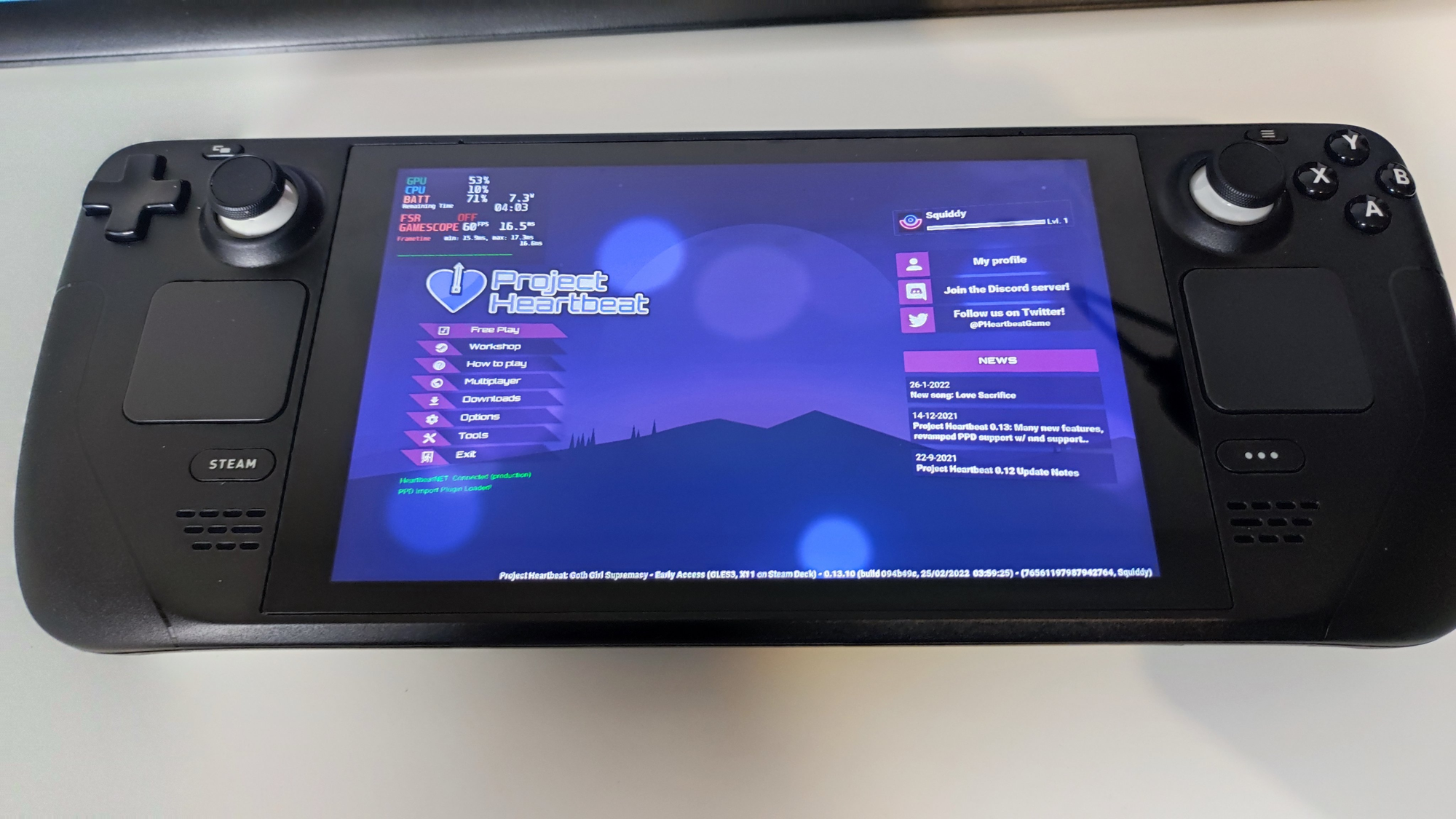
Project Heartbeat on Steam Deck
It's been reported that PH on deck works fine by various parties, such as Liam from GamingOnLinux and some people on Reddit. If you are the owner of one please give it a go.
I will receive mine this week, so if there's any rough edges I'll take a look at them when I receive mine.
Project Heartbeat @ Sarrià Manga & official merch
I together with Guinii will be attending a local event known as Sarrià Manga, we will have a demo booth of the game using the event edition.
We will be selling posters of the game! These will optionally come with a Steam key for the game, so if you happen to be a local and are interested in it please come visit us! We will be at stand number 3, near the entrance.
Besides the PH posters we will be selling postcard-sized prints of Guinii's Remilia Scarlet artwork. I originally wanted to also sell the nsfw version of this but this idea was promptly shut down. We live in a society.
There are no plans to sell these online (yet) but I might one day, let me know if you are interested.
Future
It's not over yet. I will probably resume work on the mgs3-inspired game next week (after the event) but I have a few ideas of the things I want to see in PH in the future. These include replays and an optional life bar, more info soon.
Introducing the Shinobu audio engine: A game changer for Project Heartbeat!
One of the biggest issues Project Heartbeat has faced is the Godot audio stack, while sufficient and good enough for most games it really isn't suited for use in rhythm games.
For this reason I spent this week working on a new audio engine specifically for Project Heartbeat, it's called the Shinobu engine. Keep reading to learn how you can test it and why it's very important for the future of PH!
This new audio engine is based uses the excellent miniaudio sound library. If you need a good library for all your audio needs miniaudio is the king, it's beautiful.
TL;DR: What it means for you
Lower latency
Better performance
No more desyncs!
More smooth note movement
Ability to adjust your buffer size
The technical side
One of the most important features Shinobu brings to the table is the ability to select your own internal buffer size.
Audio just like video, has frames, these frames are composed of instaneous samples for all possible channels, unlike video however the frequency is much higher, while a typical video might have 30 frames per second a typical audio file might do 44100 frames per second, which is quite a lot..
(In case you are wondering the reason why it's ~40 kHz is because of Shannon-Nyquist telling us that "If a system uniformly samples an analog signal at a rate that exceeds the signal’s highest frequency by at least a factor of two, the original analog signal can be perfectly recovered from the discrete values produced by sampling." and as human hearing caps at around 20k kHz it is enough for us).
This means that there has to be an intermediary buffer that gets filled with a bunch of frames, this is the main source of audio latency, as telling the engine to play say a note SFX as soon as possible might take a bit until the OS asks for samples again, reducing this buffer is important to reduce latency, however this must be done with care as CPU usage goes up the lower the buffer size is (for example, at 10 ms the mixing happens 100 times a second).
Timing is then done by using thea mount of samples consumed by the audio system every time it asks for it.
Another issue is your operating system, sometimes your audio driver might not allow smaller buffer sizes, Shinobu will try the lowest possible buffer size the operating system gives it (but always bigger than the buffer size you set in audio->buffer size).
As the audio buffer might sometimes be higher than the frame time i.e it might be >16 ms worth of samples timing from that might be jittery, this is why it now uses an internal high precision clock to interpolate the time between updates. This is an alternative to just lowering Shinobu's internal buffer size which increases CPU usage.
This buffer size setting might actually be unnecessary, I am not sure: we will have to test over the following months, but if it works we might just target the lowest latency the OS gives us and match the internal buffer to that and interpolate away the rest.
How to test shinobu
Go to your Steam library, right click the game's cover art/name and select properties, click on betas and enter the super duper secret password MARINSTHIGHS, then click the blue button to opt into the bet branch! If you want to return to the normal game just set it back to "None".
What's left to do
The only major thing that isn't implemented in Shinobu is the spectrum analyzer the visualizer used, I will try to implement it using Godot's spectrum analyzer as a reference.
Source code
As it's tradition, shinobu's source code is available in our modified version of godot as a module:
As you might have heard, the Steam Deck launched last week. We believe Project Heartbeat is an excellent game to play on the deck.
Unofortunately we haven't been among the lucky few who received a devkit from Valve before release, so the game is not Steam Deck verified. We will verify the game as soon as we get the ability to do so.
In the meantime, it's likely PH already works on your Steam Deck if you have one, Liam from GamingOnLinux tested the game and said it worked fine, so while we don't have an official blessing for Steam Deck verification we reckon the game should work fine already. Obviously Liam didn't conduct an exhaustive test, but we don't think there's any reason why PH shouldn't work on the Deck.
A few versions ago we did a lot of work to support all different aspect ratios (this includes 16:10 as in the Deck), as well as improvements surrounding controller usage, mouse hiding and other funky important things.
We have reserved a Steam Deck as normal costumers for testing, we are scheduled to get it before the end of March, hopefully sooner than later.