It's my pleasure to announce Protonwar will now be free to play! We have chosen to do this as a gesture of goodwill to the VR community.
I would like to personally thank people for supporting Protonwar up to this point, we feel that this change is the best for the community.
We hope you enjoy the game, and look forward to bringing new VR games to the community in the future!
Achievements patched
Hello completionists!
There has been a very very small patch pushed up today which fixes issues that were stopping people from completing achievements. The first time you start a new match now it will read your player stats, and update any pending achievements.
Enjoy, GLHF, Gozu ːsteamhappyː
Controller settings explained...
Hi Guys!
There has been some talk recently on the forums in regards to the controller settings, with a little bit of confusion around what they do.
I decided to do a little write up here and explain some of the options for anyone that is new to Protonwar, so that you can customise the game a bit more for an enjoyable experience!
MOVEMENT MODES
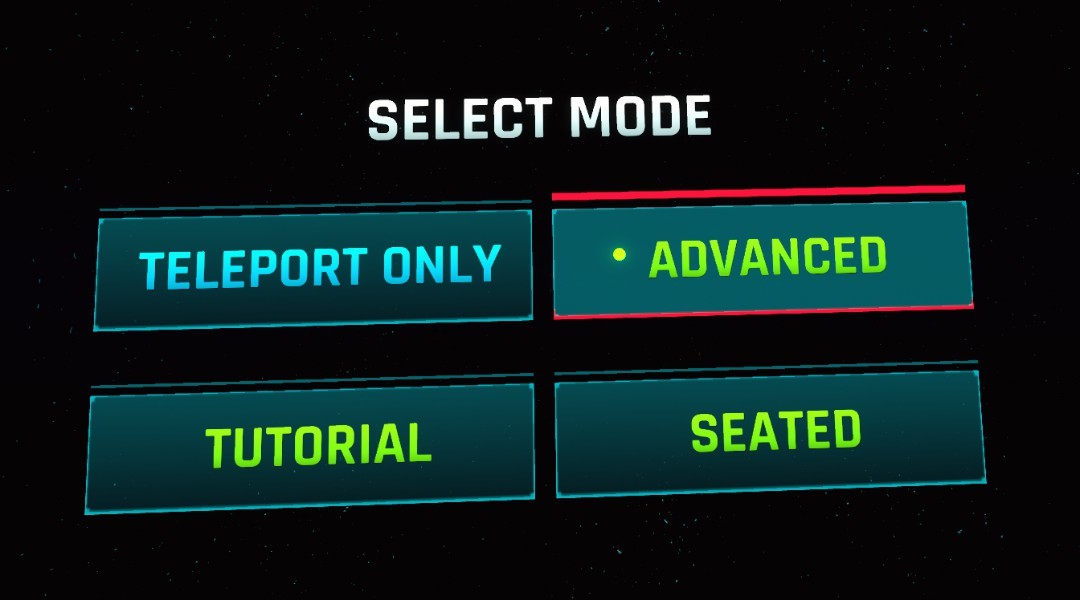
First off, when you start the game you get a choice between, "Teleport Only" movement, "Advanced" movement, or "Seated" mode.
Teleport only: This will lock the character into a teleport only type movement mode, this is recommended for absolute vr beginners, or people that suffer from motion sickness in vr.
Advanced: This mode has full locomotion using your trackpad or joysticks on your motion controllers. This mode is similar to Onward or Pavlov. This is my personal favorite!
Seated: Seated is designed to be played with either a mouse and keyboard, or a control pad while seated at a desk, i will not cover the specific options for this mode as i do not recommend it, but it can be fun to play around in :)
You can select the menu options by pointing your controller at the option and pressing on your triggers.
CONTROLLER SETTINGS
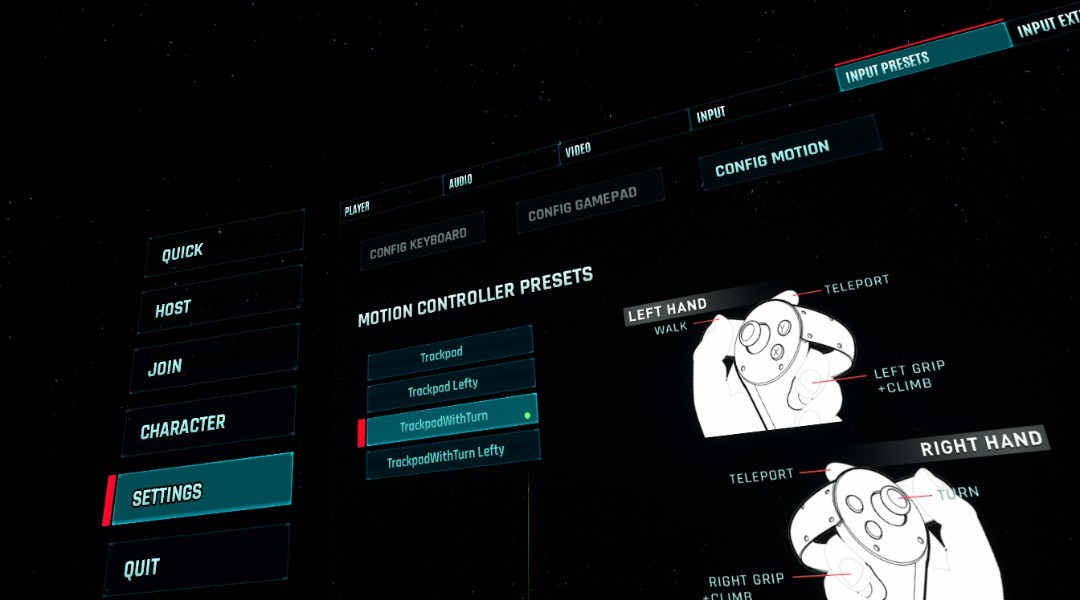
To adjust how the controllers are mapped you can select "Settings" then "Input Presets" then "Config Motion" to adjust your VR controllers.
Trackpad: Default movement using the trackpad or joystick. To turn your character around in game you have to physically turn your body. This is the recommended setting as it is more comfortable.
TrackpadLefty: Default movement mode for a left handed person
TrackpadWithTurn: This mode will let you rotate your character around by using left / right on the joystick. This mode is reserved for the truly hardcore vr players as it can cause motion sickness.
TrackpadWithTurnLefty: Same as above, but for left handed.
EXTRA CONTROL SETTINGS
We can now also adjust some of the more advanced options about the movement, this can be done by selecting "Settings" then "Input Extra"
Alt Move Enabled: This is an extra mode that some people might have fun with, this mode relies on you pressing on your "Grip" button, then doing an action. We can choose between "Arm Swing", where your character will move forward based on you swinging your arms. Or "Player Relative" which is when you hold the grip button down, and point your controller in the direction you wish to move.
Slide Control Rotation: With this option enabled your movement direction is relative to the rotation of your motion controller, This can be a bit flaky at times, so it is off by default. However some players that have come from games like Onward/Pavlov might like this option.
Slide Move Enabled: Disable this if you wish to completely disable movement from the trackpad/joysticks. Only recommended if you are using the "Alt Move" options.
Slide Strafe Enabled: Disable this if you wish to disable Strafe movement that happens by pressing left/right on your trackpad/joystick.
Jump Enabled: Disabling this option will disable character jumping.
EXTRA FOR INDEX CONTROLLERS
The game has been tested on an Index and works as expected. The only real issue here is the default grip settings on the index seem to be causing jumping issues for a few people as the grip on the index uses a new touch sensitivity feature. I have found a tip on reddit on how to reconfigure your index controllers in a way that i believe will improve the experience on the index for this game, and any game that uses a grip, that came out before the Index. (Or games designed for Oculus seem to be similar) https://www.reddit.com/r/ValveIndex/comments/dxuj00/tips_for_index_controller_grip_set_up_for_oculus/
This option should fix up that issue for any Index users.
I hope that you found this small guide useful and that it will improve the experience for you all!
Cheers :-) -Gozu
Patch news!
Hi Team,
Have just released a small patch to address and improve a few things in the game :)
Weapon tracing on Assault, Sniper, LG (Hitscan weapons) has been improved to be better for beginners, making it a bit easier to hit people.
Assault speed increased and damage tweaks. Trace has also been made more visible.
Grenade explosion radius increased.
Improved collisions in most maps, and some visual tweaks in a few.
Small AI improvements.
Footstep particles added.
Enjoy,
GLHF,
Gozu ːsteamhappyː
Oculus Rift, SteamVR Performance issues?
Hello future fraggers,
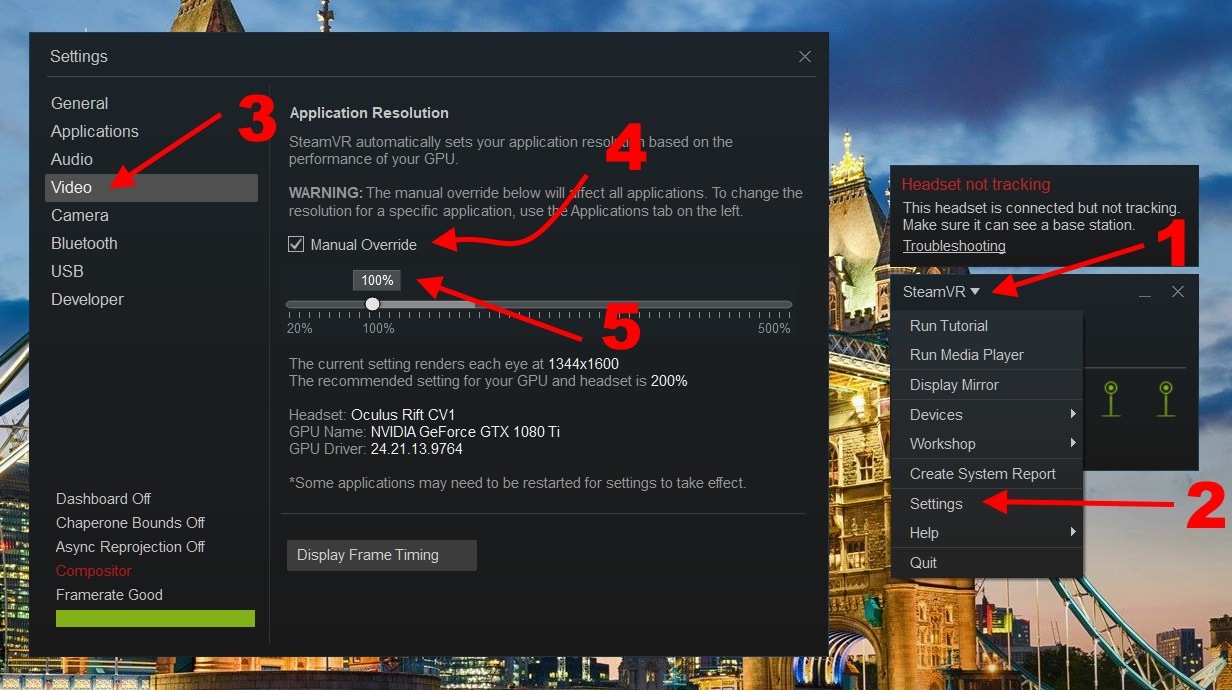
It has come to my attention that there are some potential performance issues if running SteamVR apps while using an Oculus with the current version of SteamVR.
This is not something that should affect you in Protonwar due to it using the oculus SDK, but if you are attempting to run the game using the SteamVR mode and having issues please check the current options in SteamVR and it may help clear up any bad performance.
This is probably not affecting anyone, but i just wanted to share the knowledge, incase there where any users struggling with performance with Protonwar, or any other games on the Rift.
Cheers, and Merry Christmas!
Announcing Outer Planet Studios next game! (Non VR)
Hello fellow FPS fans!!
I would like to take this time to introduce our next game "Fight or Flight"
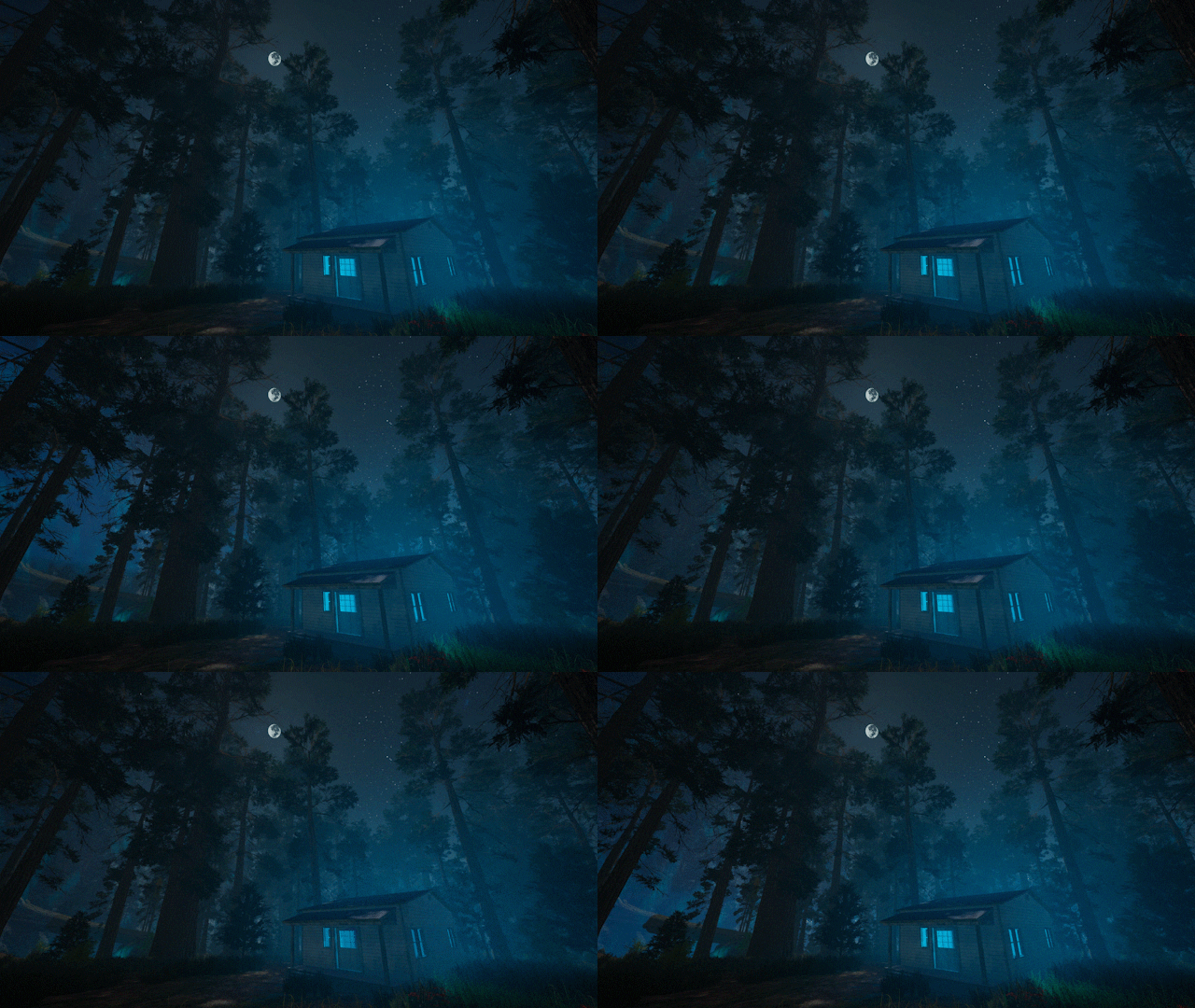
Fight or Flight is what i would call, Survival Horror Battle Royale. There has been a very strong focus on atmosphere, and a mix of PvP/PvE.
You are a specially trained operative that will drop into the virus infected region and attempt to recover research and eradicate any of the infected that remain.
Features game modes, "Extraction" (Monster Hunting), "Battle Royale" and "Drop Zone" (fast paced BR with limited respawns, my fav mode ;)
Please check out our steam page over here, the game is shaping up very nicely!
Steam Link
If you like games such as DayZ, or MilSims such as Arma, i think you will like this. ːsteamhappyː
*Please note, this is not a VR game...
Learn your history! Why Protonwar?
When i was younger i always admired the team at Epic Games.
What i saw in these games, what i played, the communities and friends that i made over the years is what has encouraged me to make my own games such as Protonwar!
Check out this little youtube video on the history of Unreal Tournament!
First off, a big thank you to anyone that has supported Protonwar through early access and from release.
Time has come to drop the price slightly, as i feel that it is only fair.
It was a great pleasure to make the game, and to learn about what could be possible in a VR Arena FPS.
The VR market has grown and changed tremendously over the last 5 years, and looks like it will continue to grow. It really is here to stay now!
I cannot wait to see what Oculus and other vendors have up their sleeves next. My dreams of high PPI screens and amazing graphics are so close now. Once they can solve motion sickness, and eye focus issues we will literally never have to leave VR! ;)
Once approved from Valve the price will drop to $9.99 usd for now and the foreseeable future.
Commercial licensing prices will also drop.
GG,
-Gozu
Proton Sabers!
I dont think there is much more i need to say!
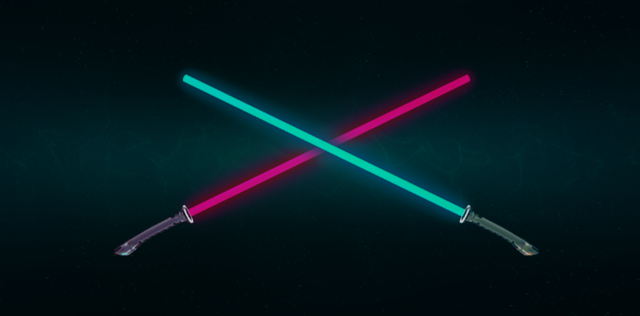
Live your childhood dreams of becoming a true Jedi Master! With two new Melee weapons, a Proton Saber, and a Proto Saber.
<3
-Gozu
Small patch!
Hey guys,
I have uploaded a small patch that adds options to change teams, in the in game menu. You can either pick your team, or simply choose switch teams.
When you switch teams you die and lose all your points, then respawn on the other team.
There has been a discord channel set up here: https://discord.gg/GYxb74a with some people looking for games.
I hope that you enjoy your VR Arena FPS experience!
Thank you for your support, it is truly amazing and humbling to see people enjoying the game!