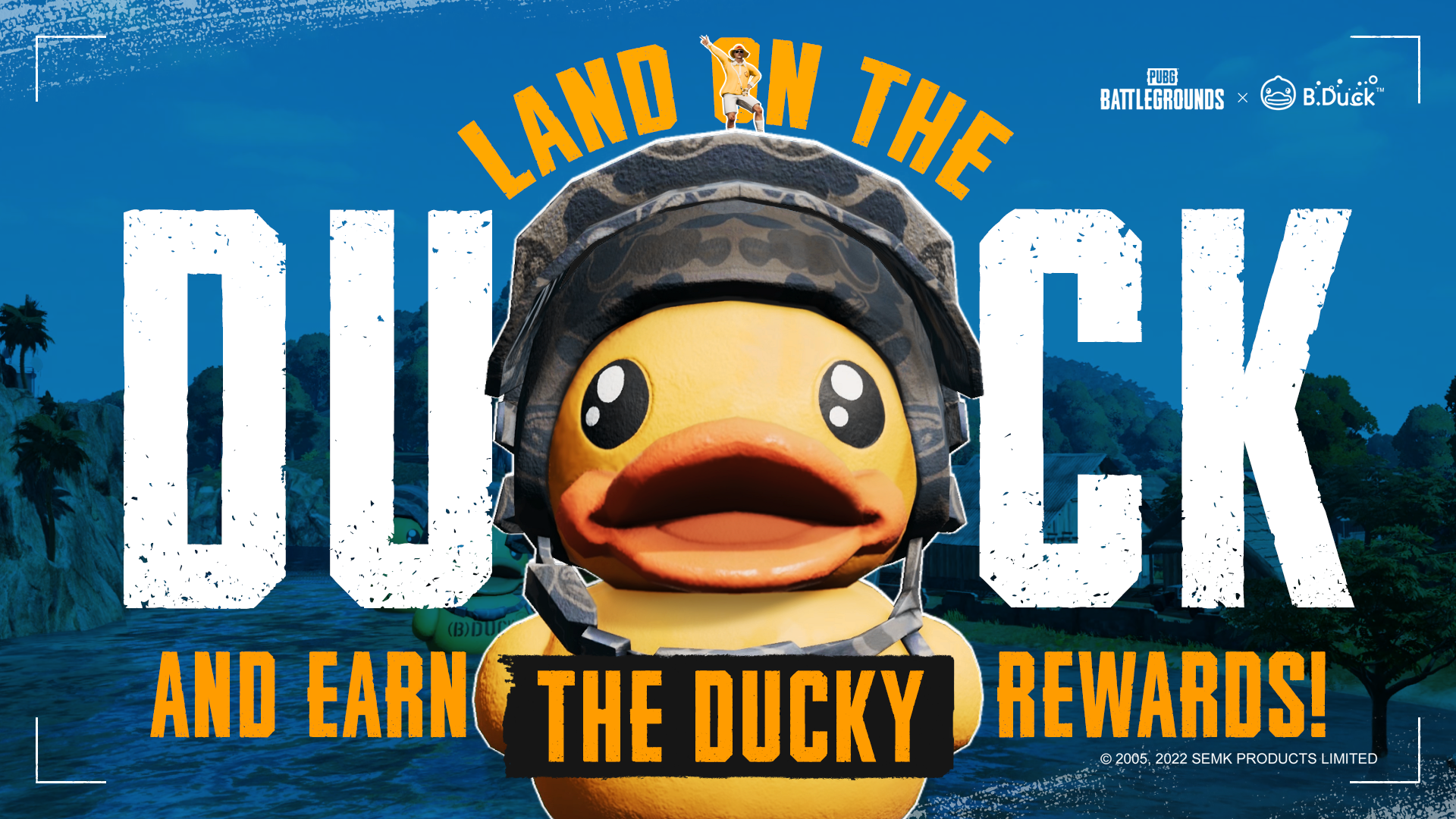
Got some top-tier landing skills? Then you’ve arrived at the perfect event.
Along with the new B.Duck update at Sanhok for Update 17.2, we’ve prepared a special Duck Rider Challenge! Land on top of one of the B.Ducks’ fluffy heads using your parachute, capture and upload a screenshot/video of that moment, and earn the chance to take home ducky rewards!
HOW TO PARTICIPATE
Parachute your way through Sanhok and land on top of one of the four B.Ducks’ heads.
Take a screenshot or video of yourself.
Upload the screenshot/video to your social media account on one of the following platforms.
Twitter
Instagram
Facebook
Regional platforms
Please include the following information along with your entry:
Your PUBG in-game nickname
Your platform (ex. Steam, KAKAO, Xbox, etc.)
Required hashtags
#PUBGDuckRider
Regional hashtags
REWARDS
1,000 winners chosen from the submitted entries will receive a B.Duck spray.
100 additional winners chosen from the 1,000 winners will receive five B.Duck weapon skins.
EVENT SCHEDULE
※ The following dates are subject to change. Updates will be given in the event of date changes.
EVENT SUBMISSION PERIOD
PUBG Duck Rider Challenge will be available during the following period. Please remember winners will only be chosen from submissions made within the event period!
PDT: May 19, 12 AM – May 31, 12 AM
CEST: May 19, 9 AM – May 31, 9 AM
KST: May 19, 4 PM – May 31, 4 PM
WINNERS ANNOUNCEMENT
PDT: June 7, 12 AM
CEST: June 7, 9 AM
KST: June 7, 4 PM
IMPORTANT NOTES
A single PUBG account may participate only ONCE in this event.
As long as it’s a game mode where the B.Duck update is applied, you are eligible to participate in this event.
Only entries submitted through the provided platforms above (Facebook, Instagram, Twitter, etc.) will be eligible.
Your social media post is required to be PUBLIC (everyone can see it) without any viewer restrictions during the event period and until rewards are granted.
Participants who submit screenshots/videos that are not their own will be immediately disqualified and have their rewards withdrawn even after receival.
WE ADVISE YOU TO NOT CHANGE YOUR PUBG NICKNAME AFTER PARTICIPATING IN THIS EVENT AS THERE MAY BE DIFFICULTIES DURING THE PROCESS OF GRANTING YOUR REWARD(S).
Your screenshots/videos may be used in KRAFTON and/or PUBG’s official channels.
Therefore, please hold on to your original files as we may ask for them later on!
The winners announcement in our official homepage and community pages may include your social media’s link/nickname/content.
The winners’ screenshots/videos can be used by the company for promotional purposes, and the screenshots/videos may be transformed freely during the process.
Thank you.
PUBG: BATTLEGROUNDS Team
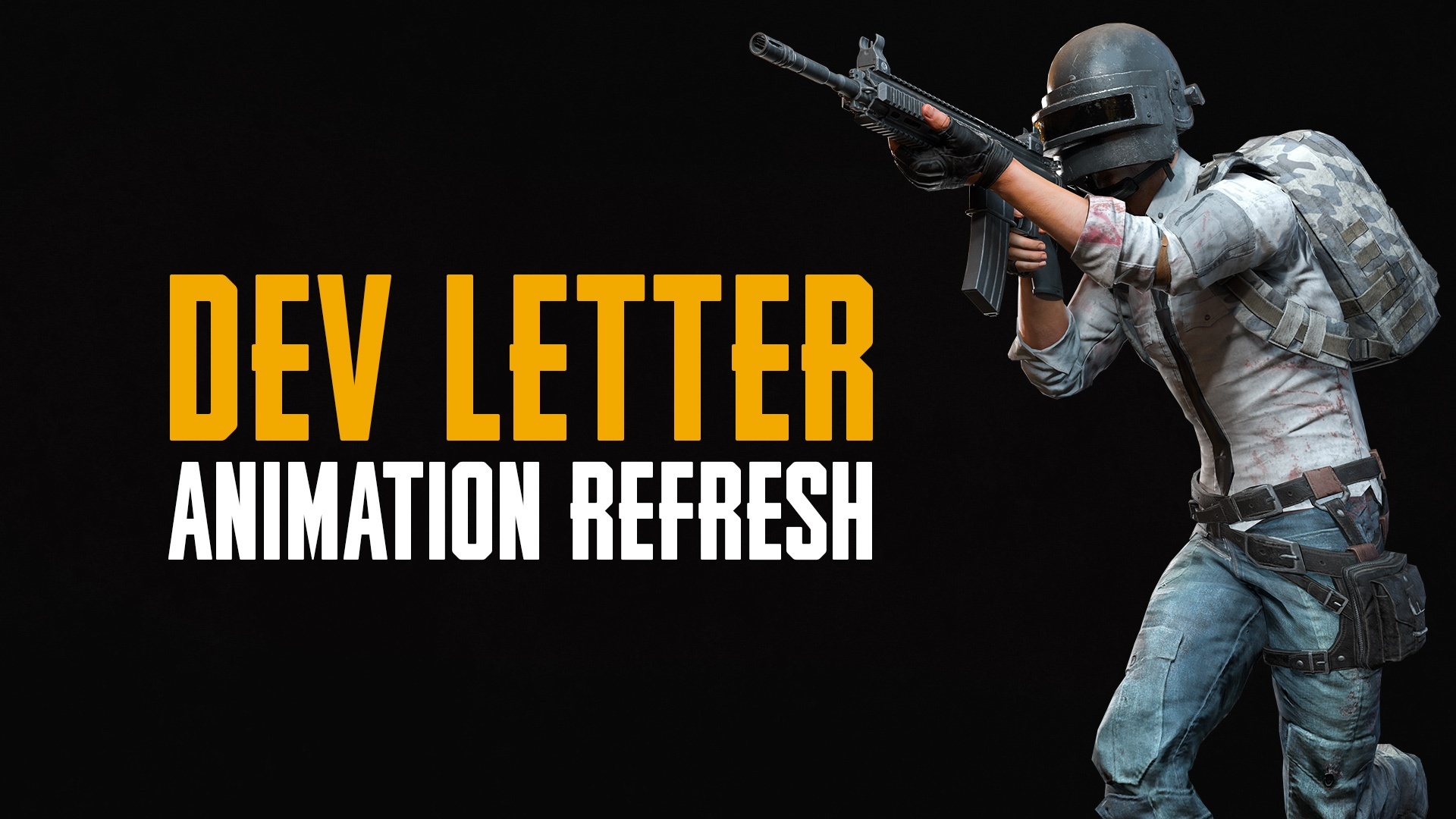
Dev Letter: Animation Refresh
Today, we're showing off the animation refresh coming soon to PUBG: BATTLEGROUNDS. We wanted to take the current animations and infuse them with the desperate struggle for survival that PUBG has become known for. The goal is that the intensity and tension that the player feels in every match is also reflected through their avatar.
We understand that longtime players who are already familiar with the existing character animations and movements might be concerned about adapting to the new ones. However, no timings have been altered during this process, and the weapon handling should feel exactly the same. It's more like a fresh coat of paint on your trusty Dacia. It looks new but handles just like you remember.
Again, we focused on minimizing the impact on your gameplay. PUBG: BATTLEGROUNDS' unique gunplay elements remain the same and animations were only altered to improve accuracy, add intensity and weight, and allow it to be expressed in action.
Take a look at the details below!
FPP Motion Refresh
Weapon Animation
Previously, most of the action when handling or reloading a weapon happened off-screen. Reloading a gun allows players to better see the weapons they have skins for and have been working hard to customize, so we made more parts of it visible on the screen. Furthermore, we changed the character's movements to be more aggressive to make them feel more substantial.
Sprint Locomotion
As mentioned in the weapon animation, most of the character's actions were happening off-screen when running with a weapon. Now the weapon's position has been raised to make it more visible. In addition, more intensity has been added to the weapon movement, which we think is more satisfying.
TPP Motion Refresh
Run and Walk, Start and Stop
The previous character movement was generally stable and consistent but without a convincing transfer of weight to speed. In other words, we had room to add some realistic movements, so we added more weight to the character's actions and made them more visible when changing speed.
Melee Attacks
Prior to the update, the melee attacks had some jitter and were evenly timed. We tried to make it more seamless and natural, and we think this helps make the action look and feel more powerful.
We're always looking for ways we can improve the game without affecting the core feel players have gotten used to, so we hope you're as pleased with these changes as we are. As always, we look forwards to your feedback and we'll see you on the Battlegrounds!
PUBG: BATTLEGROUNDS Team
Introduction to the PUBG Nations Cup 2022
Hello PUBG Esports fans!
The long-awaited return of the PUBG Nations Cup is near!
On June 16th, 16 National squads with the best players from their region will be gathering in Bangkok, Thailand to prove which nation is the finest among the best.
PUBG Nations Cup 2022 Full Line-up
We believe many of our beloved PUBG Esports fans have been following the news on each national roster.
Here is the full lineup of PNC 2022!
Tournament Structure
Main Match
The Match event of the PNC 2022 will take place on June 16 ~ 19th.
There will be 5 matches per day with a total of 20 matches with only Erangel and Miramar.
Rest assured, PNC 2022 will be using the S.U.P.E.R point rule system for the whole match event.
Prize Pool
The prize pool of PNC 2022 starts at $500,000! Plus, as always, the overall prize pool will be increased via Pick'em Challenge. The prize will be distributed based on the final rankings of the tournament.
PNC 2022 Item sales profits
All participating teams of PNC 2022 will benefit from the profits of the sale of PNC 2022 items! Picking up the awesome PNC 2022 gear will help support your favorite teams directly! More information on PNC 2022 Pick'em Challenge will be available in the future announcement!
Stay tuned to PUBGEsports.com as more information on the PUBG Nations Cup will be available at later dates!
PUBG Esports Team.
Reminder on Sharing Accounts
Hello players!
Have you ever said yes to a "hey can I borrow your account so I can try out your Progressive Weapon Skin?"
Well, you should always say no when it comes to sharing your account information!
We've been receiving many reports on account sharing/rental actions throughout our community; so we're here today to remind you once again of the importance of protecting your account.
The act of lending your account to others - this includes close friends and family members! - violates our Terms of Service. In other words, you may end up receiving harsh penalties (such as permanent bans and/or removal of PUBG Partner status) the moment your account is shared with others.
Posts prompting and/or suggesting account sharing uploaded to official PUBG: BATTLEGROUNDS community channels will be taken down without notice; and of course, you'll be receiving penalties if you happen to host/participate in such activities.
You will bear full responsibility for your account's activities - regardless of the situation, you'll be facing heavy penalties once your account is found to have gone through actions that go against our rules.
The mentioned penalties will not be lifted from your account even if you were unaware of your account activities made by others.
So just remember one thing: never let others use your account!
Thank you.
PUBG: BATTLEGROUNDS Team
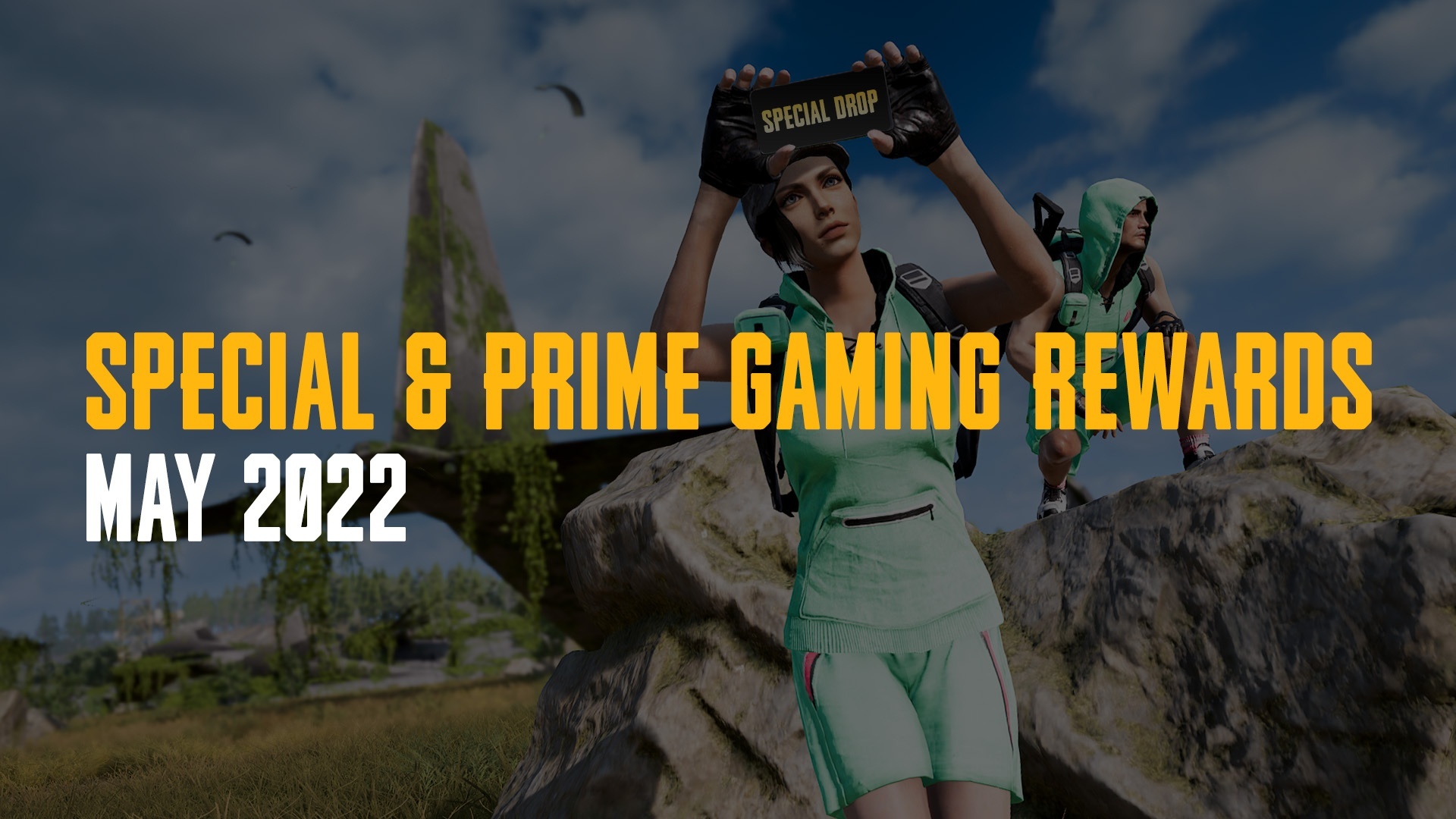
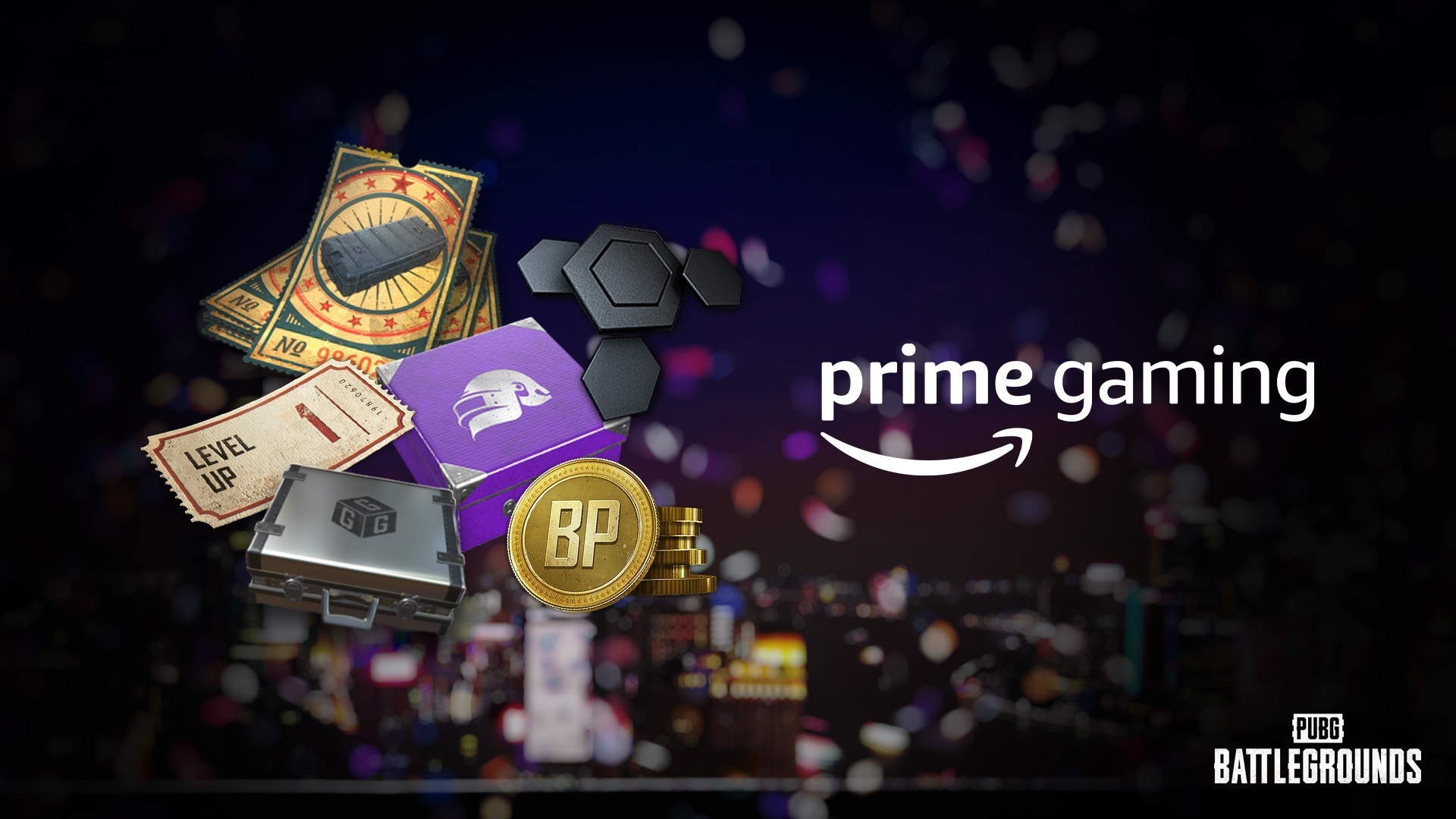
Special & Prime Gaming Rewards - May 2022
Welcome to the May Special Drops announcement. Once again, we’re back again with some unique rewards for everyone who logs into the game this time. That’s right! Simply by logging in to the game every day, you can make all the rewards your own. In addition, the monthly update for Prime Gaming is also in the plan, so check them out now!
Special Drops
There will be two different Special Drops events for both PC and Console platforms.
PC
PDT: May 11 2022, 0 AM – May 31 2022, 0 AM
CEST: May 11 2022, 9 AM – May 31 2022, 9 AM
KST: May 11 2022, 4 PM – May 31 2022, 4 PM
Console
PDT: May 19 2022, 0 AM – June 8 2022, 0 AM
CEST: May 19 2022, 9 AM – June 8 2022, 9 AM
KST: May 19 2022, 4 PM – June 8 2022, 4 PM
Special Drops 2: Contraband Coupon Party
PC
PDT: May 25 2022, 0 AM – June 7 2022, 0 AM
CEST: May 25 2022, 9 AM – June 7 2022, 9 AM
KST: May 25 2022, 4 PM – June 7 2022, 4 PM
Console
PDT: June 2 2022, 0 AM – June 15 2022, 0 AM
CEST: June 2 2022, 9 AM – June 15 2022, 9 AM
KST: June 2 2022, 4 PM – June 15 2022, 4 PM
Read on and learn how to receive rich rewards for every event!
Special Drops 1: PUBG Marathon!
Event Mission
Clear the following daily missions during the event period shown above to collect, and exchange points for various rewards! [table] [tr] [th]Mission[/th] [th]Points[/th] [/tr] [tr] [td]Survive for 30 minutes. This includes spectating your duo/squad members.[/td] [td]40[/td] [/tr] [tr] [td]Travel a total of 600 meters on Parachute.[/td] [td]30[/td] [/tr] [tr] [td]Finish in the Top 20.[/td] [td]30[/td] [/tr] [/table]
Event Rewards
You can exchange the points you have acquired through missions for these rewards shown below. [table] [tr] [th]Points[/th] [td]450[/td] [td]400[/td] [td]350[/td] [td]300[/td] [/tr] [tr] [th]Item[/th] [td]Seafoam Backpack (Level 3)[/td] [td]Seafoam Sleeveless Hoodie[/td] [td]Seafoam Shorts[/td] [td]Seafoam Shoes[/td] [/tr] [/table]
Special Drops 2: Contraband Coupon Party
Event Mission
Clear the following daily missions during the event period shown above to collect, and exchange points for various rewards! [table] [tr] [th]Mission[/th] [th]Points[/th] [/tr] [tr] [td]Survive for 30 minutes. This includes spectating your duo/squad members.[/td] [td]40[/td] [/tr] [tr] [td]Loot a total of 150 items.[/td] [td]30[/td] [/tr] [tr] [td]Use a total of three Bandages.[/td] [td]30[/td] [/tr] [/table]
Event Rewards
You can exchange the points you have acquired through missions for these rewards shown below. [table] [tr] [th]Points[/th] [td]400[/td] [td]400[/td] [td]200[/td] [td]200[/td] [/tr] [tr] [th]Item[/th] [td]Contraband Coupon x10[/td] [td]Contraband Coupon x10[/td] [td]Contraband Coupon x5[/td] [td]Contraband Coupon x5[/td] [/tr] [/table]
Click the “Claim Now” button below the claimable reward.
Sign in to or sign up for an Amazon Prime account.
You need an Amazon account to sign up for Prime. If you don’t have an Amazon account, you can create one by clicking “Create Your Amazon Account.”
After signing up for Amazon Prime, you will be required to add a payment method. You can start your 7-day free trial first and pay the monthly payment after the trial.
After you successfully set up your Amazon Prime account, you will be redirected to the reward claiming window.
Press “Go to KRAFTON” to link your KRAFTON ID to your Amazon Prime account.
You are required to agree to allow Prime Gaming the rights to access your game account information. After confirmation, you will be redirected to our Prime Gaming page.
Click “Complete Claim” to receive your reward!
Access the game and you will see your rewards automatically granted to your Inventory.
FAQ
Do I have to be a Amazon Prime member to receive the rewards?
Yes, your Prime membership must be maintained during the monthly reward claimable dates to receive the rewards.
Can I cancel my Prime membership?
Yes, you can cancel your membership anytime. To cancel, go to your Account & Settings page in primevideo.com and click “End Membership.”
I started my 7-day free trial but I got charged $1.00 USD.
Amazon Prime will initially extract $1.00 USD from your bank account to confirm your payment method. The $1.00 USD will be returned a few days later.
Will every game platform linked to my KRAFTON ID receive the rewards?
Yes, every game platform tied to your KRAFTON ID will automatically receive the claimed rewards!
Help! I linked the wrong PUBG: BATTLEGROUNDS account to my KRAFTON ID.
Submit a ticket through PUBG Support and we’ll assist you as quickly as possible.
Thank you.
PUBG: BATTLEGROUNDS Team
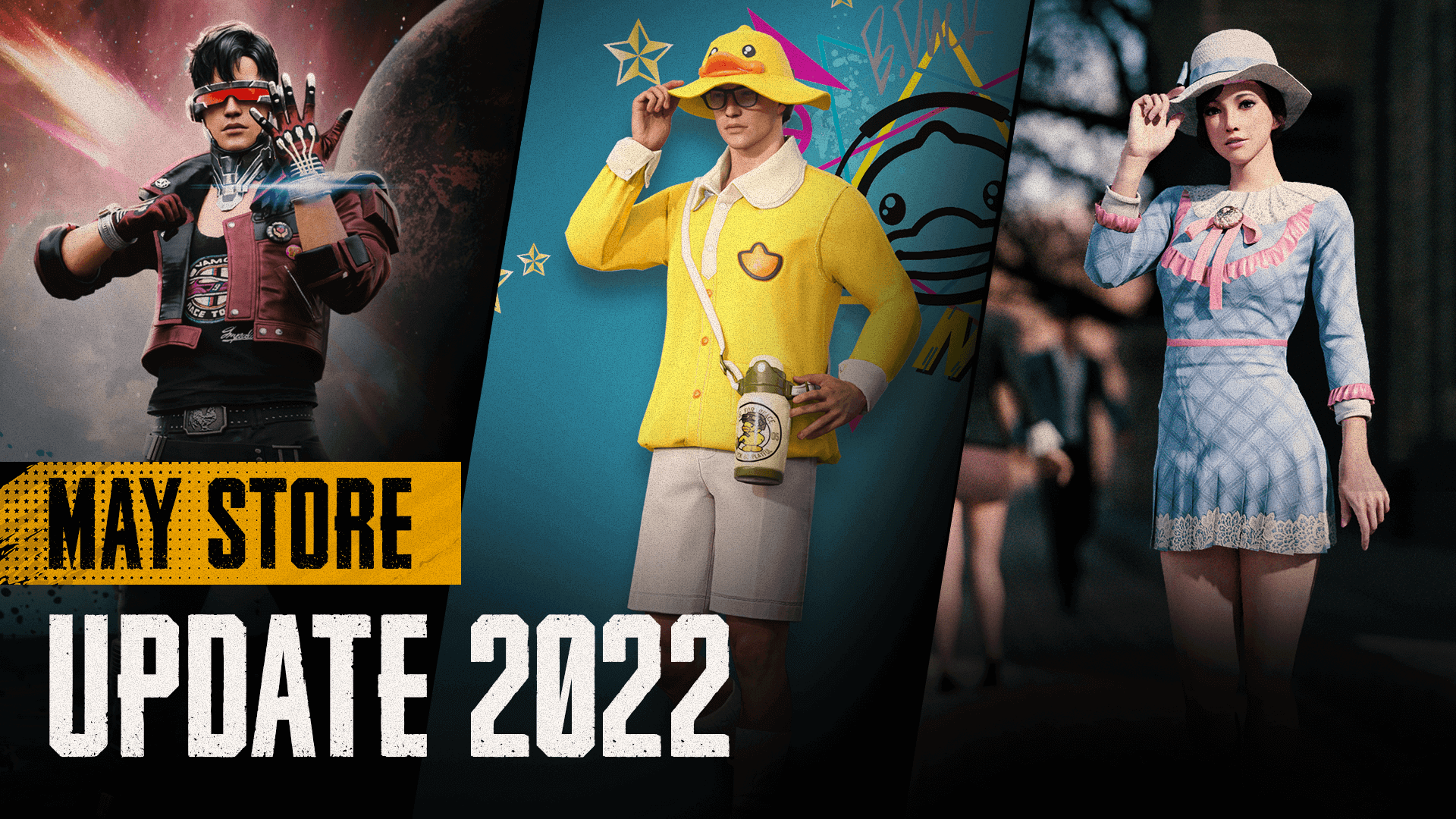
May Store Update 2022
Hello players!
With this Store update you’ll be able to explore the unknown, perhaps turn into a duck, or dress up for spring and much more!
Also, departures are set for several collaborative skins this month so make sure you don’t miss out!
New Items and Skins
※ The sales periods shown below are subject to change.
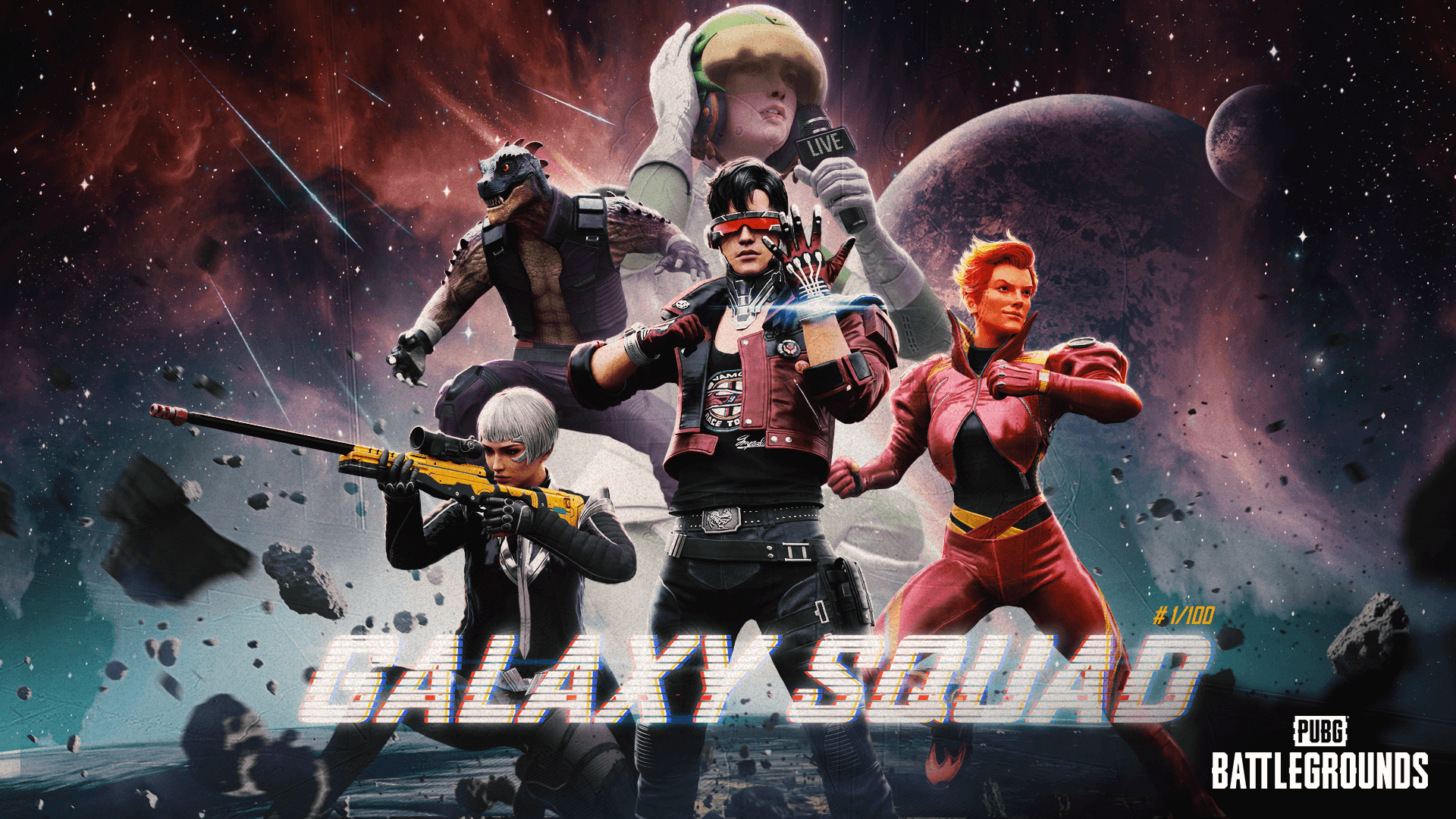
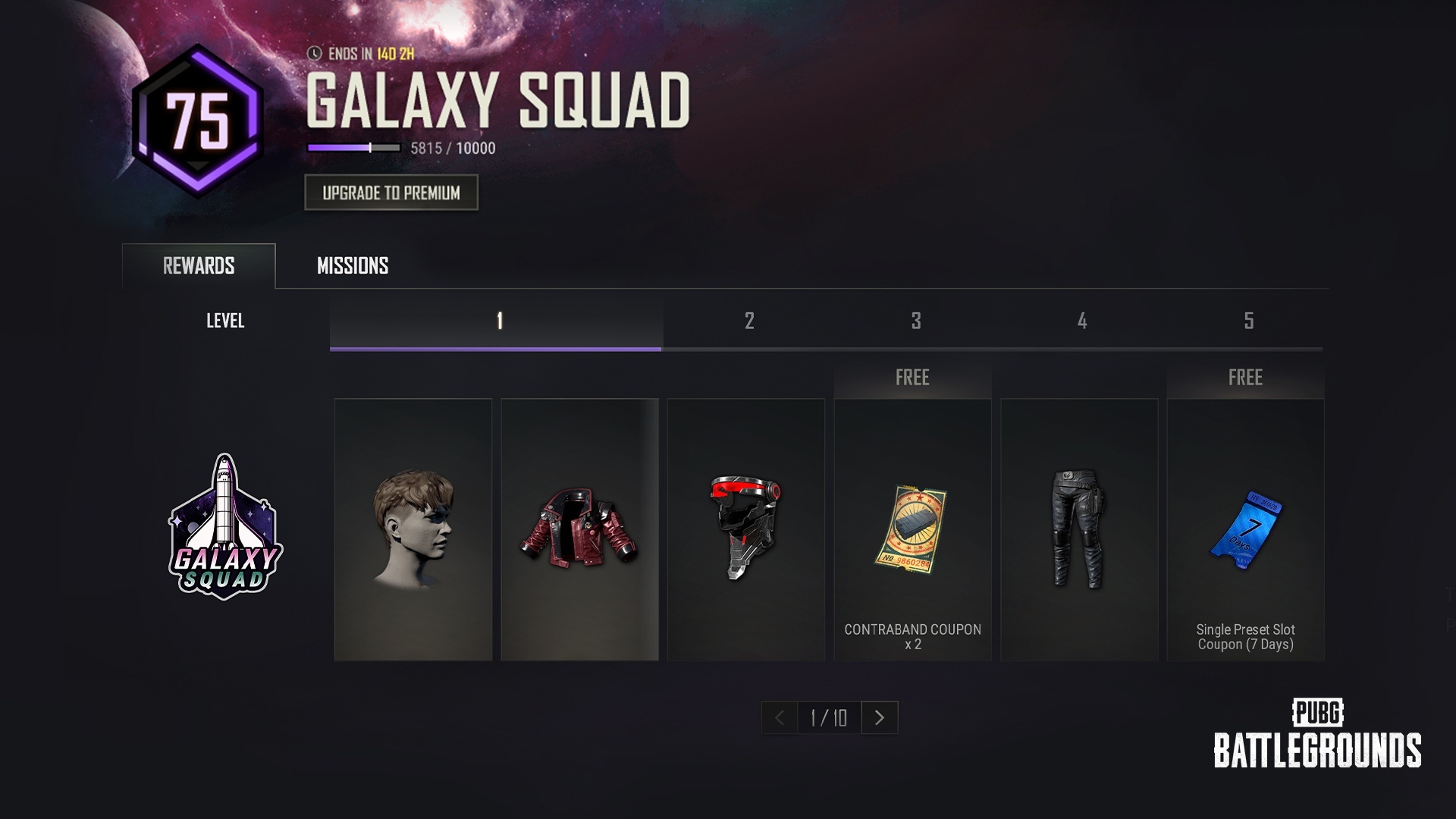
Survivor Pass: Galaxy Squad
Galaxy Squad never surrenders! Dominate PUBG: BATTLEGROUNDS and the galaxy with the new Survivor Pass.
Test your luck once again and take home the best deals with the reopening of Your Shop.
Service Period
PC
PDT: May 24, After live server maintenance – June 7, 7 PM
CEST: May 25, After live server maintenance – June 8, 4 AM
KST: May 25, After live server maintenance – June 8, 11 AM
Console
PDT: May 24, 7 PM – June 15, 9 PM
CEST: May 25, 4 AM – June 16, 6 AM
KST: May 25, 11 AM – June 16, 1 PM
Items and Skins End Date Reminder
Victory Dance – Samsara
The emote that has you humming and wiggling is leaving the Store very soon.
Items List
Emote
Victory Dance – Samsara by Jane Kim Choreography (700 G-COIN)
Sales End Date:
PC
PDT: May 17, 7 PM
CEST: May 18, 4 AM
KST: May 18, 11 AM
Console
PDT: May 18, 9 PM
CEST: May 19, 6 AM
KST: May 19, 1 PM
Nameplates
Now’s the time to say to your friends’ faces: “Hey, I bet you don’t have this Nameplate.”
Nameplates
Two Smoking Barrels (500 G-COIN)
Adrenaline (500 G-COIN)
Julie (500 G-COIN)
The End (500 G-COIN)
Sales End Date:
PC
PDT: May 17, 7 PM
CEST: May 18, 4 AM
KST: May 18, 11 AM
Console
PDT: May 25, 10 PM
CEST: May 26, 7 AM
KST: May 26, 2 PM
PCS6
Got some remaining EP in your pocket? Use them up with goods from PUBG Continental Series 6.
PC Items List
※ PC players can obtain certain PCS6 items with Esports Points (EP) in the Esports Point Shop.
Individual Items
PCS6 Brushstroke – Pan (125,000 EP)
PCS6 Hairstyle (75,000 EP)
PCS6 Brushstroke – M416 (125,000 EP)
“PCS6” Motorbike (75,000 EP)
PCS6 Game Face Makeup (20,000 EP)
Nickname Change (30,000 EP)
Sales End Date:
PC
PDT: May 24, 7 PM
CEST: May 25, 4 AM
KST: May 25, 11 AM
Explorer
Curiosity knows no bounds. Complete your dream as an Explorer before it’s too late!
Items List
Set
Pathfinder Outfit Set (1190 G-COIN)
Survivors Biker Outfit Set (1190 G-COIN)
Hiker’s Outfit Set (1190 G-COIN)
Individual Items
Pathfinder’s Uniform (700 G-COIN)
Pathfinder’s Skirt (700 G-COIN)
Pathfinder’s Shoes (150 G-COIN)
Survivors Biker – Helmet (Level 2) (300 G-COIN)
Survivors Biker Vest (700 G-COIN)
Survivors Biker Shirt (200 G-COIN)
Survivors Biker Jeans (350 G-COIN)
Survivors Biker Shoes (150 G-COIN)
Hiker’s Neck Scarf (350 G-COIN)
Hiker’s Overshirt (700 G-COIN)
Hiker’s Shorts (350 G-COIN)
Hiker’s Shoes (150 G-COIN)
“Range Shredder” Zima (990 G-COIN)
“Snake Hunter” BRDM-2 (990 G-COIN)
Emote
Victory Dance 52 (500 G-COIN)
Sales End Date:
PC
PDT: May 24, 7 PM
CEST: May 25, 4 AM
KST: May 25, 11 AM
Console
PDT: June 1, 10 PM
CEST: June 2, 7 AM
KST: June 2, 2 PM
Collaboration Skin: Fresh Hoods
Don’t miss out on the Fresh Hoods goods that’ll make you the coolest kid on the block.
Items List
Set
Fresh Hoods Commando Pack (990 G-COIN)
Fresh Hoods Crew Cropped Pack (700 G-COIN)
Individual Items
Commando Neck Sleeve (500 G-COIN)
Commando Sweatshirt (500 G-COIN)
Commando Sweatpants (500 G-COIN)
Crew Cropped Hoodie (500 G-COIN)
Stealth Sweatpants (500 G-COIN)
Crew Neck Sleeve (500 G-COIN)
Caution Fresh Neck Sleeve (500 G-COIN)
Gorilla Fresh Neck Sleeve (500 G-COIN)
Skydiver Hoodie (500 G-COIN)
Caution Hoodie (500 G-COIN)
Smokey Dreams Unisex Hoodie (500 G-COIN)
Pure Hoodie (500 G-COIN)
Crew T-shirt (500 G-COIN)
Commando Crop Top (500 G-COIN)
Rainbow Panda Bomber Jacket (990 G-COIN)
Skydiver Jacket (990 G-COIN)
Sales End Date:
PC
PDT: May 30, 7 PM
CEST: May 31, 4 AM
KST: May 31, 11 AM
Console
PDT: May 30, 9 PM
CEST: May 31, 6 AM
KST: May 31, 1 PM
Partner Skin: J0 & LUCKY
Lay your hands on some PUBG Partner J0 goods before they’re gone.
Items List
Set
J0 BUNDLE (1340 G-COIN)
Individual Items
J0’s 7PUPU Team Jumpsuit (1000 G-COIN)
J0’s Mk47 Mutant (990 G-COIN)
Sales End Date:
PC
PDT: May 31, 7 PM
CEST: June 1, 4 AM
KST: June 1, 11 AM
Console
PDT: May 31, 9 PM
CEST: June 1, 6 AM
KST: June 1, 1 PM
Thank you.
PUBG: BATTLEGROUNDS Team
Patch Notes - Update 17.2
17.2 Highlights
To be updated with the Live Server update.
Live Maintenance Schedule
PC
May 11, specific time to be updated.
Console
PDT: May 18, 9 PM – May 19, 4 AM
CEST: May 19, 6 AM – 1 PM
KST: May 19, 1 PM – 8 PM
※ Please keep in mind that the features and updates we provide below may be modified or even possibly removed due to reasons such as bugs, in-game issuesㄹ
Tactical Gear
Spotter Scope
The previous Patch Notes hinted some big and small changes were soon to come to the Spotter Scope. The Spotter Scope and its automatic features of marking and following enemies continue to show overly strong performance, causing more stress than enjoyable experiences to our players. Therefore, starting from this update, you shall now be able to meet the following, healthier changes:
The enemy detection range has been changed from 1000m → 600m.
The white passive marker will NOT appear automatically in ADS mode.
It now requires you to hold the Fire key to begin scanning for enemies.
Once a scan begins, a meter will appear on the screen and start to fill up. It will take up a second for the scan meter to fill up completely.
Exiting ADS mode during a scan will cancel the scanning process altogether and require you to start again from the beginning.
Once the scan meter is full, passive marker(s) will then appear on enemies within the Spotter Scope’s field of view.
However, enemies who enter the Spotter Scope’s field of view after a scan is complete will not be marked.
Passive markers will also appear on enemies hiding within smoke.
You may initiate and complete as many scans as you’d like in ADS mode.
A new scan can not begin while a scan is already in progress.
When you complete a new scan, the previous set of passive markers is overwritten with a new one.
There is no time limit to the duration of passive markers and they will continue to mark enemies even when enemies hide in smoke or foliage, but passive markers will disappear when marked enemies hide behind solid cover such as trees or buildings, or when they exit the Spotter Scope’s field of view, or if you stop using the Spotter Scope.
You can also choose to tap the Fire key instead of holding it to perform a different function – tapping the fire button when passive marked enemies are within your field of view and positioned in the center rectangle of the Spotter Scope will change passive markers to red active markers.
The red active marker now marks enemies individually for 3 seconds.
After 3 seconds, the active markers will turn back to passive ones if the enemies are still within the Spotter Scope’s field of view. Otherwise, the marks will completely vanish altogether.
If you tap the Fire key when you’ve already changed passive markers to active, you can extend the duration of your existing active markers.
Active markers will disappear as soon as enemies are out of sight – this includes when they hide behind cover.
If you are marked with an active marker by the enemy, you will receive a warning message on your screen.
Even if passive marked enemies are inside smoke, you can convert their passive markers to active ones.
(Console) The key for normal screen ping has been changed to the following:
Controller A, B Type: RB (Xbox, Stadia) / R1 (PlayStation®)
Controller C Type: R Stick (Xbox, Stadia) / R3 (PlayStation®)
Weapon Balance
5.56mm Designated Marksman Rifles (DMR)
According to the stats, the usage rate of the two weapons using 5.56mm was far below our expectations. However, we hope the following minor changes make them more appealing and used more frequently. Moreover, we have changed the position of the Mk12 as a high-end DMR.
MK12
Since the damage-related update, players still found it challenging to handle. Therefore, we improved the recoil recovery value to ensure stability like the Mini14
Increased recoil recovery
Re-balanced the recoil related speed
Mini 14
The Mini14 continues to show steady selection rate due to its distinct traits – therefore, its damage has been slightly improved.
Damage 47 → 48
Mortar
We’ve constantly listened to your feedback since the Mortar was introduced as a Taego-only weapon. Unfortunately, contrary to our expectations, the Mortar definitely wasn’t one of the most favored weapons. It didn’t take us long to figure out the reason. When deploying it on the surface, it had many limitations, aiming was too complicated, and even the ammo was hard to find. It doesn’t end there; it occupies one main weapon slot, which many players found not to be worth it. However, we are still seeing a lot of feedback about how attractive a weapon the Mortar is. In this iteration of the Mortar, we applied the following changes to unlock its hidden potential.
It can now be deployed on any terrain, except when the deploy angle is not secured or on water, including small puddles.
Asphalt, Concrete, Iron, Grass, Sand, Snow, Ice, Rock, etc.
Available on Normal matches: Erangel, Miramar, Sanhok, Vikendi, Karakin, Paramo, Taego.
Due to its distinct map characteristics, Mortar is not available on Haven.
Now the Mortar takes up the inventory slot and the weight is set to 50.
It can be picked up and stored in the inventory again after use.
Picking the Mortar up with a primary weapon in hand will automatically have you swap to the Mortar.
Picking the Mortar up with bare hands (with two primary weapons holstered) will place the Mortar in the inventory.
Swapping a primary weapon out with the Mortar in the inventory screen will have you drop the primary weapon.
Picking up the Mortar when the player is not equipped with any weapons will place the Mortar to the first primary weapon slot.
Ammo weight is lowered to 20 in lieu of the previous 30
Ammo spawns in a stack of 3- 5 in lieu of the previous 1 – 3
(Console) UX changes
Put into inventory: A key (Xbox, Stadia) / X key (PlayStation®)
Unequipping: X key (Xbox, Stadia) / ▢ key (PlayStation®)
Can not equip to primary weapon slot by looting it from the ground or trunk of a vehicle.
Map Service
We are currently preparing a more flexible system for our map services. With that being said, a separate Map Service Plan announcement will not be released as we believe it’s a bit too early to announce our upcoming plans. However, we will continue to announce the map service updates for the current patch through the Patch Notes.
The map rotation for Normal Matches will pluck Haven out and plant Vikendi back in.
Ranked
Erangel / Miramar / Taego
World
B.Duck Collaboration
Dive into the lake located at the middle island of Sanhok and meet the giant, floating rubber duck bobbing in the calm waters.
B.Duck is a map decoration – therefore, nothing will happen even if you attack the duck.
Weather
The colors of the weather and terrain texture in Miramar have been adjusted to reduce the map’s glaring, yellow shade.
Adjusted color of certain weathers for Paramo, Haven, and Karakin as well to represent a more realistic atmosphere.
Training Mode
New Area: 1v1 Arena
Who’s the better player? Find out in the 1v1 Arena.
Additional constructions have been made to Training Mode to welcome all types of combat practice in a suspenseful 1v1 setting. Either go through 1v1 rounds with a real player or spectate intense fights in the new 1v1 Arena.
How to use the 1v1 Arena
Interact with the signboards located in front of the ticket booth outside the arena to either participate or spectate.
Numerous interactable signboards to either sign up for a 1v1 match or to spectate are also scattered around the arena.
Participants: Will be registered to the 1v1 matching pool
You may cancel your matchmaking any time by interacting with the ticket booth again.
Once matchmaking is complete, a 5 second countdown will pop up before you enter the arena.
Spectators: Will enter the spectator area after a 5 second countdown
Basic rules of a 1v1 match
While waiting for your turn to enter a 1v1 match, you will not be able to enter other training areas such as the Aim/Sound Lab, private indoor target practice, or Jump School. Attempting to do so will cause a message to pop up asking if you’d like to cancel your 1v1 matchmaking.
However, you can enter a 1v1 match while you’re searching for a Ranked match.
But keep in mind you’ll be forced to quit from a 1v1 match once your Ranked matchmaking is complete.
You and your opponent will play three rounds.
The player to win the first two will win.
There is a time limit of 60 seconds per round.
If a player dies within the 60 second time limit, the round will immediately end.
If both players die at the same time or if no one dies within the time limit, the round will end as a tie.
Once you spawn on the fighting grounds, you can not move nor receive any damage for 3 seconds.
Your HP will be set to 200.
You and your opponent will spawn on each side of the arena and switch sides every round.
The results will turn out as the following if your opponent quits during a round:
When opponent leaves in the first round, you win.
When you lose in the first round and the opponent leaves in the second round, it’s a tie.
When you win in the first round and the opponent leaves in the second round, you win.
Equipment
Basic equipment: Vest (Lv.3), Helmet (Lv.3), Backpack (Lv.3)
Weapons: Two primary weapons and one secondary weapon
The weapons you’re holding before you enter the match.
You can not change them after entering the arena.
Other items such as ammo, heal items, and/or Tactical Gear will disappear from your Inventory once you enter the arena.
Ammo: 2 stacks for each held weapon
If you are not holding any weapons or if you only have throwables and/or melee weapons in hand, the default weapons will be provided:
M416 and SKS
Pan
Grenade
Handgun: P18C
The state of your ammo and armor will reset each round.
After a 1v1 match, the results screen will pop up displaying the final results along with the results of each round.
Spectators
May enter the arena any time even when a 1v1 match is not in progress.
Players who are up in line for a 1v1 matchmaking may enter as a spectator while waiting for their turn.
Your screen will display the current situation of a round in progress.
You will enter the arena with no weapons/equipment in hand.
However, you will have throwable apples.
The use of emotes is available in the spectator area.
You can not enter the fighting grounds from the spectator area.
You may interact with interactable signboards within the spectator area if you wish to sign up for a 1v1 match.
After a 1v1 match, the results screen will pop up displaying the final results along with the results of each round.
After a 1v1 match, you may continue to wait for the next match to start.
Spectators may leave the arena any time by pressing:
PC: B key
Console: D-Pad Left
New Feature: Map Teleportation
As Training Mode continues to expand with its new features and areas, we’ve decided to add a teleport feature to save time and create a more convenient experience for you all.
Open up the World Map to teleport within the training grounds.
Clickable icons are shown on the map. Click on the icon of your choice and you’ll instantly find yourself at your destination.
(PC only) You may also use the list of thumbnails of specific areas shown on the left side of the World Map.
Aim/Sound Lab Score System
With the addition of new categories to the Aim/Sound Lab’s scoring system, players who pull off relatively difficult combat stunts will earn extra points.
Aim Lab
[table] [tr] [th]Condition[/th] [th]Extra point(s)[/th] [/tr] [tr] [td]Hit farthest target[/td] [td]2[/td] [/tr] [tr] [td]Hit the next farthest target[/td] [td]1[/td] [/tr] [tr] [td]Etc. areas (Legs, arms)[/td] [td]0[/td] [/tr] [tr] [td]Head area[/td] [td]3[/td] [/tr] [tr] [td]Body area[/td] [td]1[/td] [/tr] [tr] [td]Hit next target within +1 second after hitting previous target[/td] [td]3[/td] [/tr] [tr] [td]Hit next target within +2 seconds after hitting previous target[/td] [td]2[/td] [/tr] [tr] [td]Hit next target within +3 seconds after hitting previous target[/td] [td]1[/td] [/tr] [/table]
Your current scores are now shown on the upper right screen in Aim Lab.
Sound Lab
[table] [tr] [th]Condition[/th] [th]Extra point(s)[/th] [/tr] [tr] [td]Hit target within +3 seconds after sound plays[/td] [td]1[/td] [/tr] [tr] [td]Hit target within +2 seconds after sound plays[/td] [td]2[/td] [/tr] [tr] [td]Hit target within +1 seconds after sound plays[/td] [td]3[/td] [/tr] [/table]
Custom Match
You can now create a Training Mode custom match to enjoy with your friends.
Each player may only enter this mode as Solo.
Minimum number of required players: 2
Maximum number of players: 32
Tutorial
Tutorial missions have received an update so that all our players can keep coming back to play the game even more.
Missions
Equip a Skin Set
Changed the name to “Equip a skin”.
Previously, you had to equip the entire set, but now you only need to equip one skin (Ready to Rumble Jacket) to clear the mission.
Add Friends
Changed the name to “Request a Friend”.
Previously, you had to invite three friends, but now you only need to invite one friend to clear the mission.
Target
All PUBG: BATTLEGROUNDS accounts.
Mission period
Mission is available for all players at anytime.
Players will not need to do anything, the missions will start automatically.
The mission list will be removed once they are all clear.
Survivor Pass: Galaxy Squad
Prepare to dominate the cosmic realm with the new Survivor Pass: Galaxy Squad! For more details, make sure to check out the soon-to-be released May Store Update announcement.
Throwables Timer
Throwables are small but precious weapons that can impact the game when used at the right time. However, throwing a throwable at the right time can be very challenging, even for skilled players, especially during combat situations.
We are happy to introduce the Throwables Cooking Timer UI to improve the current situation where players are reluctant to use throwables.
This feature is intended to help the less experienced players to use the throwables in Normal matches so that in the future, they can freely use throwables without the guide UI in Ranked. Also, we are aware of some concerns from the community. Therefore, we will continue to monitor the situation.
It appears on Grenades and Stun Grenades.
As soon as the cooking begins, the UI is displayed to the right of the throwing point display UI.
The UI disappears immediately upon throwing.
The cooking time for each throwables are as follows.
Grenade: 5 seconds
Stun Grenade: 2.5 seconds
Not available in Ranked and Esports modes.
Loot Recommendation
Relatively new or returning players seem to struggle and take some time learning and picking up the appropriate items for their possessions. To relieve that stress and provide an even better looting experience, we’ve decided to add in a new loot recommendation feature.
The appropriate ammo type and equipment such as vests, helmets, backpacks found on the ground will be highlighted (glow up) for the loot you are holding.
The ammo for the weapon you have equipped (primary or secondary) will be highlighted.
Ammo for holstered weapons will not be highlighted.
Equipment with higher levels than your current one(s) will be highlighted.
For example, if you have a Vest (Lv.2) equipped, a Vest (Lv.3) will be highlighted.
The Jammer Pack will be treated as a Backpack (Lv.1).
This feature will be turned on as default, but can be turned off in the Gameplay settings.
You can choose to either turn on/off the Highlight Recommended Ammo and/or the Highlight Recommended Equipment option.
Items within 30m of your character will be highlighted.
Items dropped by other players will also be highlighted.
Items from dead body crates will not be highlighted.
This feature is applied to every game mode.
Item Use in Driver’s Seat
Have you been mainly in charge of driving in your squad? If that is the case, listen up! Forget the miserable times of not being able to use bandages or boost items while driving. Remember how you had to take turns driving to heal yourself when traveling through Blue Zones? With this new update, the driver can remain seated in the cockpit until the end of time. Even in solos!
You’re asking why? Because with this update, you can freely use bandages and boost items while driving.
Bandages, Energy Drinks, Painkillers, Adrenaline Syringe are usable.
Available in the driver seat of all vehicles, including boats.
First Aid Kits and Medkits cannot be used.
Item use will be cancelled in the following situations
Same conditions apply as canceling the use of bandages and boost items when not in the drivers seat.
Anything apart from Driving straight (booster included), auto driving, turning vehicle off, or driving backwards will cancel the driver’s item use.
Driving in reverse, then forward and vice-versa will also cancel the item use.
UI/UX
The current in-game guides regarding Team Emotes did not seem very helpful, so we’ve improved the messages on the use of Team Emotes to the following:
Main lobby chat when you/teammate uses Team Emote: “To join ___, press ‘Join Team Emote’ in the Action Wheel.”
In-game radio message when you/teammate uses Team Emote: “To join ___, interact or press ‘Join Team Emote’ in the Action Wheel.”
In-game message when you’re waiting for teammates to join Team Emote: “Waiting for teammates to join. To start now, interact or press ‘Start Team Emote’ in the Action Wheel.”
Main lobby message when you’re waiting for teammates to join Team Emote: “Waiting for teammates to join. To start now, press ‘Start Team Emote’ in the Action Wheel.”
We’ve also heard your frustrations on not being given the option to either leave or have a clear error message pop up when a network issue arises during a match. Now, when a network delay/issue occurs for more than 10 seconds, an error message will notify you with the option to attempt reconnection or to leave the current match.
You will return to the main lobby if you choose to leave.
This is applied to every game mode.
Performance
Improved memory usage by removing unnecessary logic used to express in-game characters.
Bug Fixes
Gameplay
Fixed the issue of DBNOed players being able to see through walls.
Fixed the distorting character issue when you get on the Aquarail after getting off the Dirt Bike in water.
Fixed the issue of a character looking as if it’s walking when it’s actually sprinting after using an emote.
Fixed the issue of different Assist conditions depending if the enemy player was riding a vehicle or not.
Fixed the issue of a player’s posture and aim looking different in another player’s perspective after you re-access the game while leaning in ADS mode.
Fixed the issue of your footsteps sounding as if you’re barefoot when you have shoe items equipped from a multi-slot item.
Fixed the issue of the sound not playing when switching firing mode for ACE32.
Fixed the issue of the ACE32 sounding louder than other ARs from within a 100m distance.
Fixed the issue of being able to see terrain and the character’s silhouette within a Smoke Grenade’s smoke.
Fixed the issue of being able to stay underwater with no limit while using a certain emote.
Fixed the issue of being unable to enter the Aim/Sound Lab after vaulting a certain object.
(PC) Fixed the status issue of Solo/Duo Squad not being updated on Steam and Discord.
(PC) Fixed the issue of being able to use the Spotter Scope in TPP when setting Aim and ADS mode to different keys.
(PC) Fixed the issue of a black screen showing up when a player enters a Ranked match after entering Training Mode during Ranked matchmaking.
(PC) Fixed the issue of being unable to skip the intro clip when you start the Tutorial.
World
Fixed collision, texture, performance, and more general issues in Taego.
Fixed the issue of the Black Zone’s first siren sound not playing in Karakin.
UX/UI
Fixed the arrows showing up as white at the lobby’s News page.
Fixed the issue of the date disappearing when you hover your cursor on top of a notification at Notifications.
Fixed the issue of a spectated character’s health UI not showing up in the driver’s seat.
Fixed the issue of overlapping Russian text in the Training Mode related message that is shown during Ranked matchmaking.
(PC) Fixed the issue of every letter of G-COIN not capitalized in the G-COIN tab of the Store menu.
(PC) Fixed the issue of the missing menu bar after moving to the Store after purchasing a Preset Slot.
(PC) Fixed the issue of text shown cut off in the Training Helper when screen ratio is set to 16:10.
(Console) Fixed the issue of completed Tutorial missions continuing to show up on the Event page.
Items & Skins
Fixed the awkward texture issue of the male character’s left hand after equipping both the Ready to Rumble Gloves and the Ready to Rumble Jacket.
Fixed the awkward hair issue when equipping both the Ancient Mummy Mask and certain Hairstyle items.
Special Drops & Prime Gaming Rewards - April 2022
Welcome to the April Special Drops announcement. Once again, we’re back again with some unique rewards for everyone who logs into the game this time. That’s right! Simply by logging in to the game every day, you can make all the rewards your own. In addition, the monthly update for Prime Gaming is also in the plan, so check them out now!
Special Drops: Exciting Start of May!
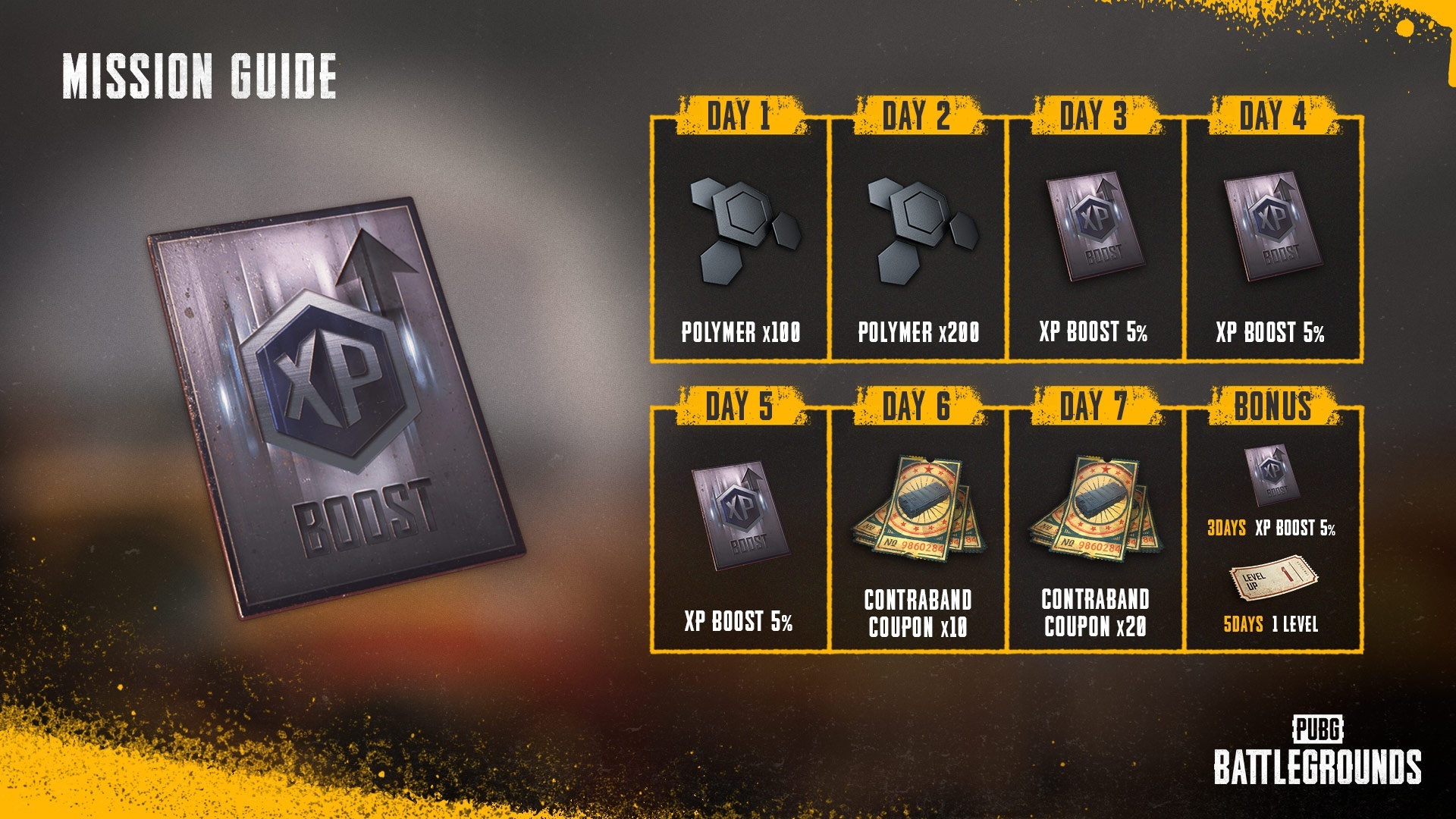
Login Event and Rewards
Simply log in to the game during the event period to receive the rewards below. Then, come back every day and get all of them! [table] [tr] [th]Login[/th] [th]Reward[/th] [/tr] [tr] [td]Day 1[/td] [td]Polymer x100[/td] [/tr] [tr] [td]Day 2[/td] [td]Polymer x200[/td] [/tr] [tr] [td]Day 3[/td] [td]XP Boost 5% (Until: May 8, 5 PM PDT)[/td] [/tr] [tr] [td]Day 4[/td] [td]XP Boost 5% (Until: May 8, 5 PM PDT)[/td] [/tr] [tr] [td]Day 5[/td] [td]XP Boost 5% (Until: May 8, 5 PM PDT)[/td] [/tr] [tr] [td]Day 6[/td] [td]Contraband Coupon x10[/td] [/tr] [tr] [td]Day 7[/td] [td]Contraband Coupon x20[/td] [/tr] [/table]
Consecutive Login Rewards
Log in to the game every day during the event period to receive two additional Consecutive Login Rewards. So have you forgotten to come back to the game? Worry not! You can continue to add up your consecutive logins during the event period and receive these rewards after three and five straight days of logins.
Click the “Claim Now” button below the claimable reward.
Sign in to or sign up for an Amazon Prime account.
You need an Amazon account to sign up for Prime. If you don’t have an Amazon account, you can create one by clicking “Create Your Amazon Account.”
After signing up for Amazon Prime, you will be required to add a payment method. You can start your 7-day free trial first and pay the monthly payment after the trial.
After you successfully set up your Amazon Prime account, you will be redirected to the reward claiming window.
Press “Go to KRAFTON” to link your KRAFTON ID to your Amazon Prime account.
You are required to agree to allow Prime Gaming the rights to access your game account information. After confirmation, you will be redirected to our Prime Gaming page.
Click “Complete Claim” to receive your reward!
Access the game and you will see your rewards automatically granted to your Inventory.
FAQ
Do I have to be a Amazon Prime member to receive the rewards?
Yes, your Prime membership must be maintained during the monthly reward claimable dates to receive the rewards.
Can I cancel my Prime membership?
Yes, you can cancel your membership anytime. To cancel, go to your Account & Settings page in primevideo.com and click “End Membership.”
I started my 7-day free trial but I got charged $1.00 USD.
Amazon Prime will initially extract $1.00 USD from your bank account to confirm your payment method. The $1.00 USD will be returned a few days later.
Will every game platform linked to my KRAFTON ID receive the rewards?
Yes, every game platform tied to your KRAFTON ID will automatically receive the claimed rewards!
Help! I linked the wrong PUBG: BATTLEGROUNDS account to my KRAFTON ID.
Submit a ticket through PUBG Support and we’ll assist you as quickly as possible.
Thank you.
PUBG: BATTLEGROUNDS Team
Community Care Package - April 2022
While we try our best to keep fans updated with important information, we’ve always wanted a place to talk about community issues that may not have been addressed through our regular announcements and Patch Notes. Even though our great team of Community Managers tackle many of these issues on various channels, that info can be easy to miss. To remedy this, we’ve decided to start the Community Care Package, a new, non-regular announcement to talk about some of the most desired community issues.
Why non-regular? We plan to put these announcements out as we have updates on community issues instead of keeping it to a forced schedule. This way we can be the most efficient with the time spent putting them together.
Without further ado, let’s jump right in!
Map Selection
We’re already a few months into PUBG: BATTLEGROUNDS free-to-play and we’re thrilled to see so many new players joining our game. We know that with the influx, many of you in regions without map selection have continued to ask for separation between Battle Royale and Mini Royale maps. This is something we’ve spent a long time trying to figure out, considering many possible ways to make this happen. The unfortunate reality is that even with the increase in players, we still don’t have the numbers necessary in these regions to provide more choice in map rotation without bogging down matchmaking.
The following is a more detailed explanation of why it is so difficult to change the current map rotation.
How we decide the map rotation
As mentioned above, it is true that we saw an influx of new players after the transition to F2P, on top of a dramatic increase in the active user population. We know many of you have noticed this as well.
However, not every new player is making it as far as the matchmaking pool. Many of the new users remain in the tutorial stage, drastically lowering the number of these players who contribute to matchmaking compared to the increased number of active users as a whole. For example, one user may play 30 matches a day, while another joins the game and exits after playing a couple of tutorial matches. In this case, only one is really contributing to the overall matchmaking pool.
The list of playable maps can also result in different simulation results depending on what factors we consider, including the number of active users, the number of matches requested, the number of game sessions, etc. Therefore, we decide on the map rotation by factoring in comprehensive metrics such as per-session details and traffic differences by time and mode instead of simply looking at the number of players increased due to the F2P transition.
Perspective
Many of you have noticed that matchmaking speed differs depending on what perspective and mode you play in. Solo Mode in the AS, KR KAKAO, and SEA servers on PC, for example, are seeing games with many bots due to not enough players in the pool. In the most popular mode (mostly Squad) of the same servers, matchmaking is completed relatively easily without bots.
You might think that in these cases it would be okay to allow for map selection in Squad Mode and not for Solo, however, dividing the matchmaking pool of both modes with map selection would only worsen the matchmaking issue, making it very likely that those who prefer Solo Mode would always end up playing matches full of bots. This is because dividing the queues into large maps and small maps means a smaller overall matchmaking pool.
In addition, if we apply different options for different modes, some users may have to play the mode they don’t want to get the map they prefer. For example, players who prefer FPP would be forced to play in TPP or vice versa.
Last but not least, many of the new players who joined our game after the F2P transition are still enjoying TPP Mode, while the most favored mode on the EU server is FPP. Therefore, the increase in TPP Mode players doesn’t significantly affect matchmaking in the most popular FPP Mode in the region.
Bot ratio and MMR
Along with requests for map selection from our community, we also saw many comments regarding bots. As requested, the bot ratio was recently reduced with various adjustment measures. If the bot ratio is increased back again, it would only cause inconvenience to our players.
We understand that players would prefer a zero bot ratio, but we need to consider various possibilities in matchmaking. More bots mean more sessions that can be generated per player. We need 100 players to generate one session, so we can say each player can bring about 0.01 sessions if we assume there is no bot. In other words, the number of sessions where players can be distributed increases because of bots, allowing players to be placed in different sessions based on their skill gap. Therefore, reducing the bot ratio would increase player density, resulting in a wider skill gap among players within the same session.
If we introduce map selection and divide our matchmaking pool into two, it would be inevitable to see either a higher bot ratio or a wider MMR gap.
The number of players split by half means more bots to make up for the half. Or, if we don’t want to add more bots, we have to match players with a wide gap of MMR together. This would ultimately make new players who meet enemies with way better skills lose interest in our game and leave, which in turn would lead to the return of a high bot ratio as before.
Based on the considerations above, while we know it isn’t the answer you hoped for, we’re quite concerned that providing map selection just because the number of active users increased would force us to sacrifice many other values and lead to an overall worse player experience for many.
Server status
We currently consider matchmaking works properly as long as the average session count per hour exceeds about 300. The Squad/FPP queue of the EU server is an example of the hourly average sessions of 300, which is the biggest server among various other random-map-based servers. It is natural to experience more frequent matchmaking during the peak hours when there are a lot of players, whereas matchmaking is less frequent at midnight with less player concentration. Therefore, we say the matchmaking status is pleasant only when frequent enough matchmaking is ensured, at least 5-6 hours of peak time within a day. Under this criterion, we can say matchmaking is pleasant when the average session count per hour exceeds 300.
If we divide the matchmaking pool by half to provide map selection, the number would also be reduced by half, and the criterion would double. In this case, the bar of per-hour sessions should be about 600 to provide map selection while maintaining the current bot ratio and ensuring pleasant matchmaking after splitting the queue into two.
The EU server, which has the biggest number of players, reached the figure right after the F2P transition. However, the number soon dropped to the extent that made it difficult to provide map selection. It would be a more dangerous move to divide the pool whose traffic is not on an upward trend. Also, please be advised that the situation is not much different, or even worse, in other servers in terms of player count.
Ranked – 10 Division Restriction
In our current Ranked Mode, players with a 10+ tier gap, cannot team up as a squad. The idea was to ensure that squads of similar tiers were matched together. However, we found that such a restriction serves as a barrier that blocks players from playing Ranked Mode while teaming up with their friends with a 10+ tiger gap in some servers where the skill-based matchmaking system doesn’t work as intended. Moreover, there have been requests to lift the restriction from some server communities since a while ago, and we are fully aware of them.
After putting our thoughts together for a long time and making various analyses, however, we decided to keep the current skill-based matchmaking system. We understand this decision may disappoint the players on the server who made the requests for a long time, and we would like to explain why we made the decision. It might not be the decision you want to see, but we hope the following explanation can help you understand our intention.
Rank Point (RP) difference in Ranked sessions
The following are the average and maximum RP differences on the weekend of March 26th and 27th.
[table] [tr] [td]Server[/td] [td]Mode/Perspective[/td] [td]Agv. RP difference [/td] [td]Max. RP difference[/td] [/tr] [tr] [td]AS[/td] [td]Squad[/td] [td]864.5[/td] [td]2263[/td] [/tr] [tr] [td]SA[/td] [td]Squad-FPP[/td] [td]2199.2[/td] [td]2765[/td] [/tr] [tr] [td]NA[/td] [td]Squad-FPP[/td] [td]2063[/td] [td]2063[/td] [/tr] [/table] We can see the AS server has very healthy skill-based matchmaking with an average RP difference of 864. Its max RP difference stood at 2,263, but this came from a match during non-peak time, not a usual case. We can also tell that the average RP difference is around 1,000 in a server with frequent Ranked sessions, whereas servers like NA or SA with smaller player pools have bigger average RP differences. It was an extreme case, but in the NA server, the max and average differences were the same because only one Ranked session was played during the same period.
As you can see, in many servers, except for some, the skill-based matchmaking system is working properly.
RP difference ratio in Servers with healthy Ranked matchmaking
The following indicates the rate of unbalanced matchmaking according to RP differences. [table] [tr] [td]RP range[/td] [td]AS[/td] [td]KAKAO[/td] [td]EU[/td] [/tr] [tr] [td]0~500[/td] [td]1.5%[/td] [td]0.1%[/td] [td]0.1%[/td] [/tr] [tr] [td]500~1000[/td] [td]81.5%[/td] [td]43.0%[/td] [td]31.8%[/td] [/tr] [tr] [td]1000~1500[/td] [td]17.0%[/td] [td]46.0%[/td] [td]53.8%[/td] [/tr] [tr] [td]1500~2000[/td] [td]0.1%[/td] [td]6.8%[/td] [td]7.9%[/td] [/tr] [tr] [td]2000~2500[/td] [td]0.0%[/td] [td]3.1%[/td] [td]4.8%[/td] [/tr] [tr] [td]Above 2500[/td] [td]0.0%[/td] [td]1.0%[/td] [td]1.6%[/td] [/tr] [/table]< In the AS server, 83% of the entire sessions showed less than 1,000 RP differences, which means skill-based matchmaking is working properly. In other servers except for KR, matchmaking was made with less than 1,500 RP gaps for more than 84% of the sessions.
Therefore, skill-based matchmaking is properly working for Ranked Mode, with 1,000 RP gaps in most servers.
We are aware that players in some servers where skill-based matchmaking doesn’t work due to not enough player pool have asked us to partly or completely lift the 10 division restriction so they can play Ranked Mode in a team with their friends with a wide tier gap as skill-based matchmaking isn’t working anyway.
We did review the option of easing the division restriction from 10 to 15 or even 20 through strenuous data analyses and discussions.
Our conclusion, however, is to go back to the basics: Skill-based matchmaking is the foremost precondition for Ranked matches to ensure fair competition. Some players might still ask us to make an exception for some servers where skill-based matchmaking isn’t working properly, but it is technically difficult to differentiate regions. There is no perfect alternative available, but we hope Normal Matches can be the place for free play with friends.
We will continuously monitor player feedback on our final decision from various servers.
Console – Enhanced Graphics Options
It has been quite a while since we first discussed enhanced graphic options on consoles. We’re aware that many of you are disappointed that after almost 2 years, you’re still unable to take advantage of your higher-spec console hardware.
It is still early to announce a specific release timing, but since we are getting close to finishing development on enhanced graphic options, we wanted to share as much information as possible through this letter.
Stability issues and delays in development
Initially designed for the PC platform, PUBG: BATTLEGROUNDS has experienced stability issues since its console launch. Until recently, we saw some periods of increased crashing, hitches, desync, and graphic loading issues that would sound familiar to those who played PUBG: BATTLEGROUNDS on the console.
Due to a recent surge in console crash cases, we had to put a significant amount of dev resources into further addressing performance issues. Stability issues are usually more severe on low-spec consoles because they have less memory available. When we release new content and features through updates, memory use increases. This also applies when introducing enhanced graphic options that would require higher device performance, potentially worsening stability issues.
Another reason for the delay in providing enhanced graphic options was that we needed support from platform holders to help us distinguish between the older (PlayStation®4, Xbox One/One S) and newer consoles in our game (PlayStation®5, Xbox Series S/X. Unfortunately, despite our collaboration with platform holders, we faced several additional technical issues that caused more delays in development. However, with the help of the console platform partners, we successfully solved the problems and were able to advance the development.
We are committed to introducing graphics enhancements options without compromising stability. But please understand that the options may not be supported on all devices as there will be potential stability risks.
Targeting level of graphics
Our target is to create an environment where users with higher-spec console devices can play PUBG with a steady performance of 60 FPS at a higher resolution. We’re also planning to improve Anti-Aliasing from the current FXAA (Fast approximate anti-aliasing) to TAA (Temporal anti-aliasing), which will soften the sharp edges you see on objects when playing. That being said, differences in visual performance will exist on various consoles, and some devices might not see any difference compared to their previous generation. In addition, we have difficulties making the best out of the capabilities of the current generation consoles since our development aims to preserve backward compatibility. Thus, newer consoles will share the same system builds as the older ones. So we’re going in the direction of offering the best possible graphic options optimized for individual console models rather than providing the same level of graphical improvements for all current-generation devices.
Anti-cheat
We haven’t forgotten about anti-cheat, but are still compiling that particular announcement. We will be back with an anti-cheat announcement soon.
Conclusion
Once again, this letter is designed to be an update on pressing community issues but we also very much want it to be a place where we can continue dialogue. By nature, that unfortunately means we’ll sometimes have to deliver bad news. It’s never easy for a developer to deliver news that we know players don’t want to hear, but open communication means doing our best to explain why those decisions, while they may sometimes feel bad, are good for the health of the game overall. That doesn’t mean the conversation has to end, though! We’re always looking for ways to improve the game and your experiences playing it. If an opportunity arises to readdress these topics, we will use letters like this to keep you updated on those developments.
Thank you.
PUBG: BATTLEGROUNDS Team
2022 Fan Art Contest: LAND
Hello players!
What comes to mind when you see LAND from our LAND, LOOT, SURVIVE? We’d say… shoes! Shoes that help us traverse vast lands of our many maps!
Therefore, starting today we’re prompting you to submit your creative and original sneaker designs to earn a chance to turn them into an official PUBG: BATTLEGROUNDS skin! Or, you can participate by voting for your favorite skin that you want to see and put on in-game!
How to Participate
Submit your Design
Send your design files to pubgcontest@krafton.com along with your PUBG nickname, game platform (Steam / PlayStation® / Xbox / etc.), and a brief description of your design’s concept within the email.
Vote for a Design
Visit our official website once the CONTEST menu is open and cast your vote to your favorite design!