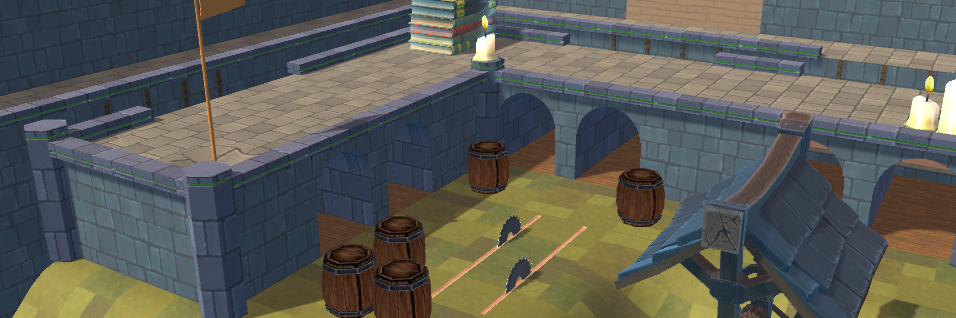
The big map creator update! Over a month worth of features jam packed into this one release, including a prop overhaul for tastier models and a complete overhaul of the map creator. Tons of new features including a guided tutorial, check it out!
What's next?
We're going to be adding more props, music tracks, backgrounds, and more in the coming weeks. It's easy now that the frameworks are in place!
The only thing we've really left out is total rotation control and scaling. We want to include refined camera controls with that, so that'll be coming later.
0.13.0 Patch Notes
Content & Features
Prop redesign. Everything looks snazzier.
Layers menu. Organize sections of your map or put sections of it off the grid.
Context menu. Fine tune individual pieces.
Paint tool and new styles for most props.
Background selection
Music and music selection
Traps with timing offsets from the context menu.
Highlighting
Mass place objects by dragging
Guided tutorial
Better graphics for defining goals and spawns
Rotation graphics and better defenitions
New screenshot gooey.
Bug fixes
Banner image for network maps downloads properly
Streams network maps, no more lag spikes.
Lots of fixes to hitboxes in the map creator
Lots of other stuff. Too many to list.
Other stuff
We temporarily removed PointControl from the map creator. That mode is in need of some TLC. We're going to be adding a lot of features to it which will probably break existing maps. We'll re-enable it once the mode is better.
That took awhile!
This update was huge bottleneck for us. There were too many features and adding content was getting blocked by working around out of date code.
Update 0.12.0 "Clustered" Released!
This update is focused on a new feature set for the map creator, Clusters! These let you place sections of your maps off the grid, or on their own grids. You can copy and move them around too.
Please note that the graphics and user interface for clusters are early; they'll be changed in our next update.
Being able to place things on their own grids should make more complicated level designs a lot easier, and being able to move and copy whole sections of the map should make working a lot cleaner.
0.12.0 Patch Notes
[Feature] Clusters in the map creator
[Feature] Highlighting of selected cluster.
[Enhancement] You can now switch between grid placed and freeform placement of any prop with tab.
[Enhancement] You can no longer set re-spawn points in a traps area of effect.
[Bugfix] You can delete re spawn zones now.
Update 0.11.0 "Race" Released
Sorry for the long hiatus. We're back, and today we're bringing you the race update. This comes with a bunch of new features, listed below.
Changelog
Feature More rules, including timed score mode
Feature Rule presets that can be selected from
Feature Map checkpoints that activate as soon as you enter an area, for faster placed gameplay.
Enhancement Better Chat UI
Enhancement Updated Golf UI
Tweak Score UI shows Time in timed score mode
Tweak Ruleset GUI is updated
Bugfix Chat now shows up properly in practice mode. It was previously typing into the lobby GUI, even though that GUI was closed.
0.10.0 - Propped Up
This update lets you place props that aren't generic level pieces around your workshop maps, bundled with an assortment of other map creator features.
Heads up that our update schedule places releases on Tuesdays now, rather than Thursday or Friday.
0.10.0 Patch Notes
Content
New forest props that can be placed in your workshop maps
Features & Enhancements
Props can now be placed arbitrarily and off grid (if they fall within the correct category)
Copying a prop opens it up in the asset selector
Copying tool saves prop rotation
Select prop inverses by pressing keyboard -
Fixes
Shiny ground textures are no longer shiny
Map maker no longer loses holes on the GUI after a playtest
Several prop lightmaps have been fixed. Further work is delayed until unity fixes some issues in 2019.
Trees no longer show up behind water in the main menu
The players ball should actually receive lighting effects now
Puttin' Around - Polished Balls Update
For our Polished Balls update we've been working hard on making the gameplay smooth and easy. This game has meant a lot to us, and we hope you enjoy it, but please voice any opinions or problems you have with the game so we can make it better!
Changelog:
[feature] Usernames now display above other players balls
[feature] Added the ability to test your maps in the map creator
[change] Other players balls move a lot smoother
[change] Volume sliders react much smoother
[fixed] Certain rules break gameplay
[fixed] Other players balls get stuck and won't move when spawned
[fixed] Rules not set for players who enter the room
[fixed] Help GUI doesn't show up when first playing
[fixed] Golf hole goes forever if a player leaves early
[fixed] Time not synchronized for players in golf mode
[fixed] Impossible to time out of a hole in golf mode
[fixed] Help menu fails while in practice mode
[fixed] Lighting looks odd for objects in the pirate map
[fixed] Initial region was not being properly set if not in US
[fixed] Hole could only fit four balls in at once
Update 0.8 - A new map!
This update took a bit longer than usual, but we're ready to show you our second map; Pirate Cabin! A host of other fixes, changes, and features accompany this new adventure.
0.8 Changelog
Features
A new map, Pirate Cabin
Audio for hitting the ball
Updated main menu / practice map
Changes
Pirate cabin is the default map.
By default, you can only hit the ball when it's stopped. (Set in rules!)
Fixes
Camera direction set on respawn
Region selection works
0.7 Released
We're back again. This patch focuses on play-ability and stability. The biggest change of note is the new putting rules, configurable in the lobby. Tell us what you think!
Features
A real help UI with unstuck!
Putting rules define when you can hit the ball
A loading camera for map creator maps
Bug Fixes
Free camera no longer starts while typing
Par now displays properly
Practice no longer freezes up after golfing
The score GUI for point control works properly for clients
You shouldn't be able to get stuck in inactive holes
Free camera turns off when a new hole starts
Update 0.6 - Map Creator Quality of Life
This week was about filling out and fixing quality of life issues with the map creator. To that end we will also be publishing an actual full map on the workshop, "Tunnels and Doors".
Change log:
Enhancements
Map Creator Rule set selector hides itself and auto selects mode when those modes are enabled.
Version number displayed in bottom right corner
Edge scrolling in map creator can be toggled from options
New props are available in the map creator
Bug Fixes
Multiple holes can share goals in the map creator without issues now
Update 0.5 - Point Control Score UI and Free Camera
Having spent this past week working on adding more core functionality and enhancements to the game we have really appreciated the input from you all.
Changelog:
[New feature] Spectate other players once you have completed the current hole
[New feature] Free camera: Hit C to fly around the map and view it! No more guessing where things are
[Enhancement] Respawn: You will now respawn at your last landed spot instead of back at the start of the hole
[Enhancement] Updated the network library for more reliable connections
[Bug fix] Number of players in room is now actually giving you information.
[Bug fix] You can now start games without worry of not being able to hit the ball
[Bug fix] You will now always respawn in the practice map
[Bug fix] Animation for getting to the main menu is no longer in slow-mo
[Bug fix] Deleting a spawn in the map creator no longer corrupts the map
Update 0.4 - Enhancements
Since last week we have been hard at working to fix the larger playability issues from the start of our soft launch.
Changelog:
[Enhancement] You can now create private/invite only rooms
[Enhancement] The map editor now has feedback to let you know which tool you're using
[Enhancement] Spawns are now clearly marked in the map editor
[Enhancement] Floating icon in the map editor is gone
[Enhancement] Map editor has buttons for changing which height you're working on
[Enhancement] Golf mode can now have penalties
[Enhancement] Map editor's camera now has panning
[Enhancement] You can now delete maps
[Bug fix] You now reset when falling off the map
[Bug fix] It is no longer possible to create a golf map without any spawns or holes
[Bug fix] Map editor's camera can't go infinitely far off to where you get lost