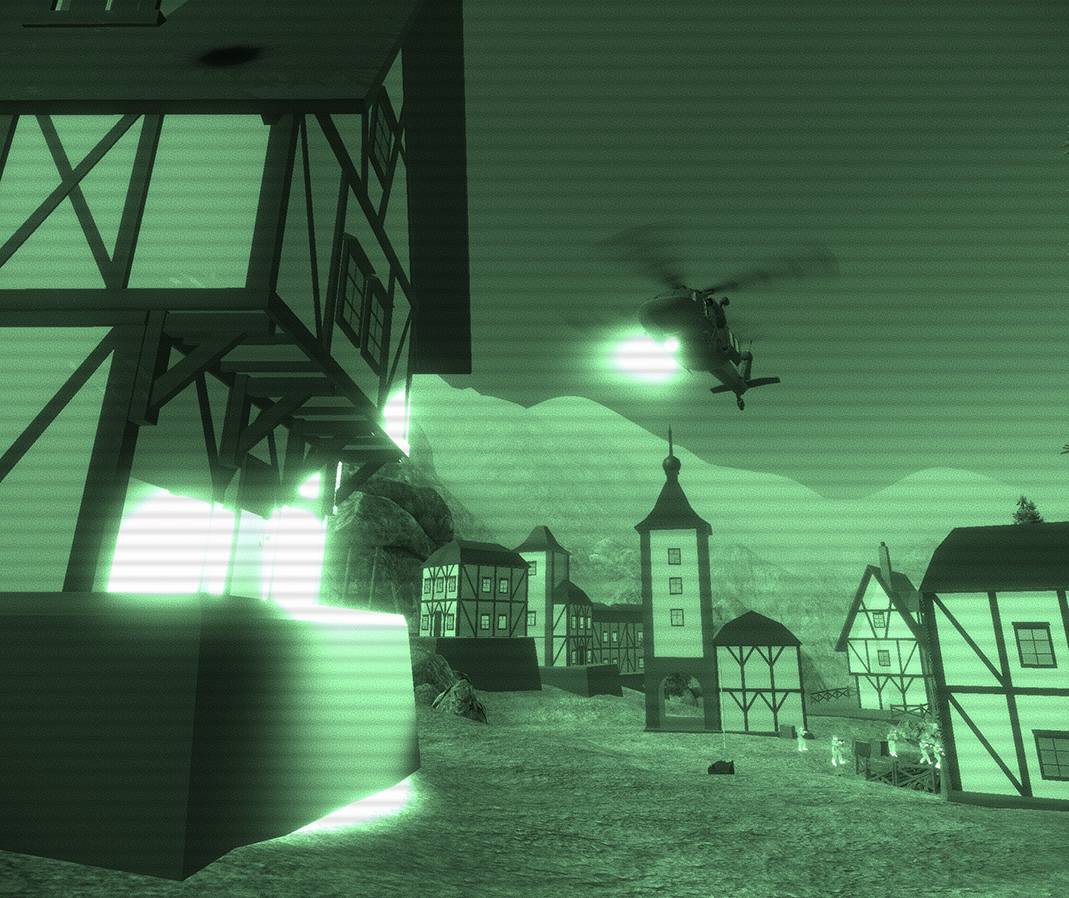
This was supposed to be a 2 week update. It only took 9 months..........
EA26 is finally out! This update focuses heavily on improving upon the base game experience by heavily improving performance and compatibility with modern systems (thanks to updating to a new Unity Engine version, 2020.3). The update also features lots of quality-of-life improvements and bugfixes.
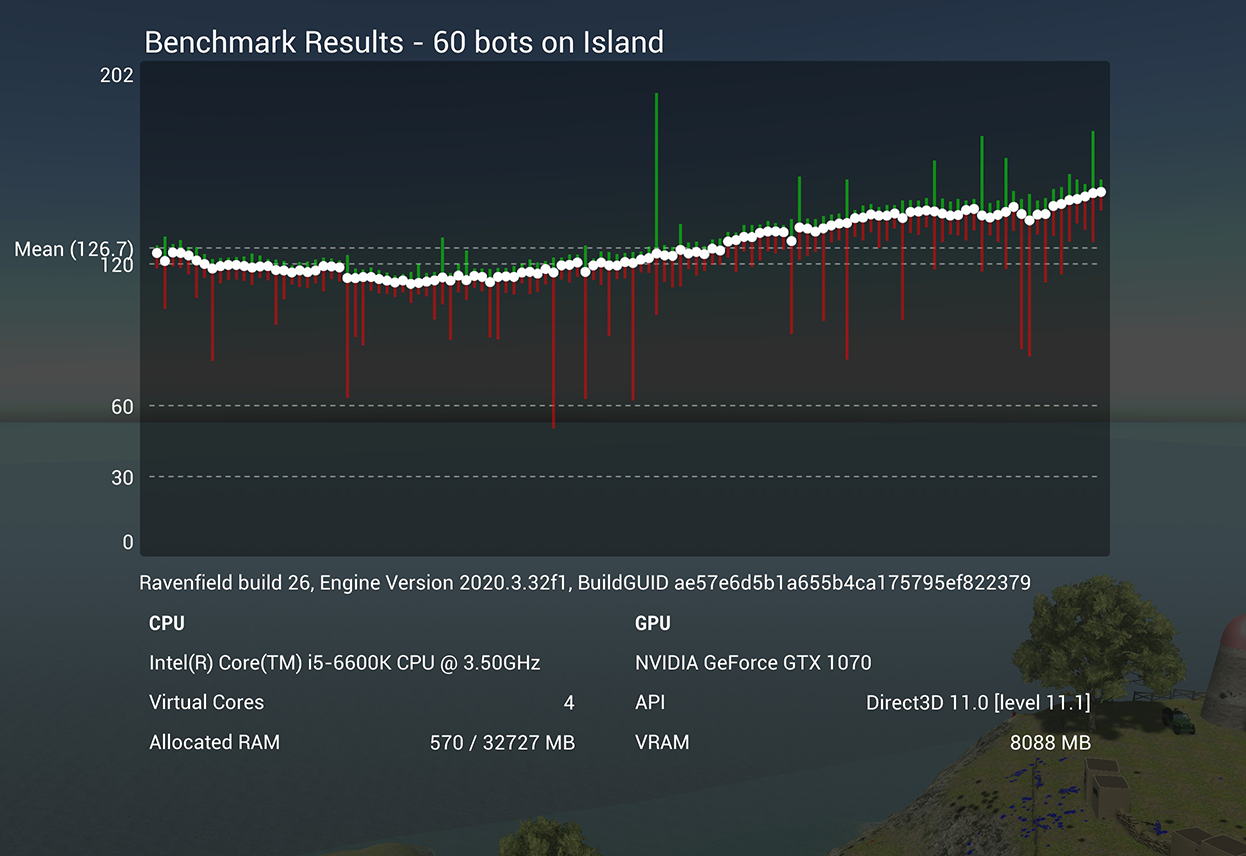
One of the major improvements in EA26 is the increased framerates and reductions in frame jitter. The framerate should now scale way better with the bot count, allowing you to play with more bots than ever before. You can also run a benchmark to easily compare your performance to others. A default benchmark is available from the launch menu in Steam (launching the game with 60 bots on Island without mods loaded) but you can also use the launch option "-benchmark *bot count*" to launch a benchmark on any map, with mods enabled.
Another major new feature is full support for Steam Input. This means that you can connect any gamepad or joystick to the game through the Steam Input system, and create controller binds that you can share with other players. The game has full action map support, meaning that you can easily create separate binds for infantry, vehicle, aircraft use, etc. Additionally, the game will display key/mouse/controller input prompts based on your binds while ingame. If you're planning on playing the game with a controller, please bind all inputs through Steam Input instead of the built-in input options menu. That way, you can take advantage of the Steam Input features. I have created an official controller binds for the Dualshock 4 controller, which should automatically work for other controller types as well.
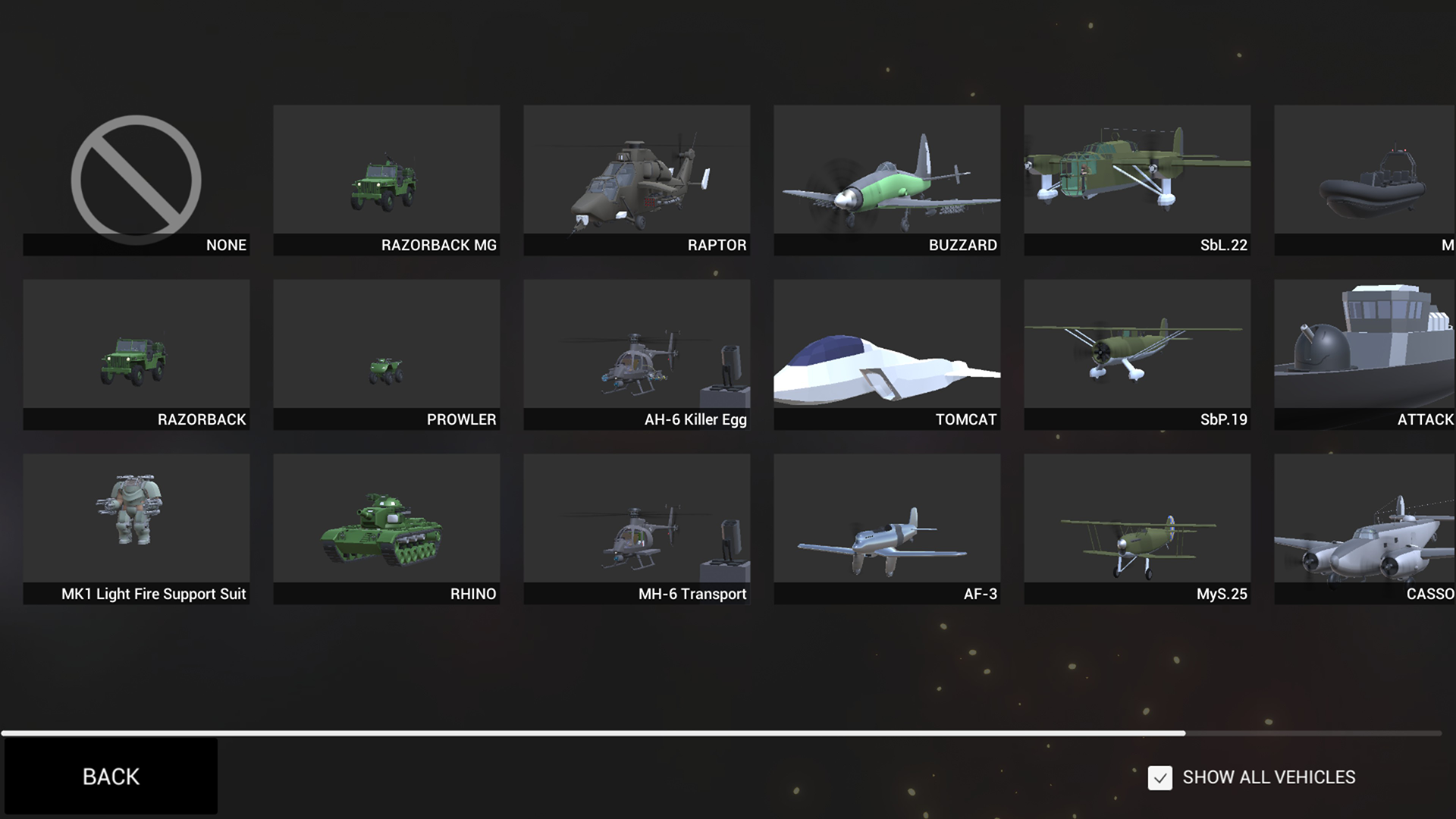
EA26 improves upon the vehicle picking system, allowing mods to easily bundle vehicle variants that appear in the vehicle selection screen. When picking a vehicle, the game will now display a list of vehicles complete with images to make it easy to find exactly the vehicle you're looking for. Additionally, you can select "Show All Vehicles", allowing you to pick a vehicle regardless of type. This means you can for example replace all aircraft with cars, or vice versa.
I want to extend a big thank you to Ravenfield's modding and beta testing community for the patience and help with getting this update out. Due to compatibility issues between older mods/maps and the new Unity engine version, tons of mods have had to be patched or updated to be compatible with EA26. You can find all mods that are verified compatible with EA26 under the EA26 Compatible tag on the workshop. However, thanks to a lot of trial and error and a little bit of hacking, most older mods should now also be playable on EA26, even though there might be some hiccups here and there.
If you want to play a mod that straight up does not work on EA26, you can switch to the Ravenfield legacy branch (Go to your steam library, right click Ravenfield -> Properties -> Betas and select the legacy-ea25 branch). This branch will downgrade your game version to EA25, which should be compatible with all older mods. When you want to return to EA26 to play new mods, just pick the None option in the beta dropdown.
Full change log
Game changes: - Updated to Unity Engine 2020.3.32f1 - Updated post processing version to 3.1.1 - Changed AO implementation which fixes various shadow artifacts - Removed AO quality levels from the options menu as the new implementation doesn't have quality levels - Replaced limit framerate option with VSync - Loadout screen no longer extends beyond the screen on ultrawide monitors - Increased max FOV value to 180 degrees - Added -resetresolution launch option which forces the game into a 1280*720 window - Added optional Vulkan graphics API to Windows and Linux platforms, use launch option "-force-vulkan" to enable. - Added OpenGL Core graphics API as fallback on all platforms. Linux uses this graphics API by default. - Added benchmark mode which can be used to benchmark game performance. You can run a benchmark either from the game's launch menu options, or by using the command line argument "-benchmark *optional botcount*". - "-map *path*" launch option now accepts .rfld or .rfl paths as argument. - Bots and vehicles now use interpolated rigidbody movement which results in less jittery movement. - Added blood decal options in the options menu. - Reworked the Vehicle Switch screen. - Added Vehicle picker screen that shows vehicle icon and title. - Toggle "Show All Vehicles" in the vehicle picker to access all vehicles, regardless of type. - Added cool loading screens! - Improved spec ops intro, Eyes is now only introduced in the first spec ops game you play each session. - Removed fog rendering from HUD shaders. - Increased audio DSP buffer size, which should reduce crackling and other audio issues. - Improved terrain geometry and house positions on Citadel near west eagle spawn. - Fixed a bug where weapons with multiple muzzles would not fire when their ammo was set to infinite. - Refactored Actor damage code to make it easier to integrate with Ravenscript - Capped the maximum vehicle mass force gain based imparted on infantry when rammed by a vehicle - Reduced camera jitter when getting up from ragdoll. - When exiting a vehicle seat, the game will now do raycasts to determine where the exiting actor ends up. This prevents actors from ending up inside geometry or under the terrain after exiting a vehicle. - Various improvements to UI scaling and visibility, especially noticable 4k resolutions. - Fixed a bug where LUA errors would sometimes cause the Lua VM to run out of memory and overflow. Also added debug values to the console to help monitor the VM memory state. - Suppressed warning logs from builds, these weren't useful anyway and would just clog the log file. - Suppressed stack trace when logging info messages. - You can no longer swap to the seat you're already in. - Ragdolls that are moving faster than 20 meters per second will now automatically use continuous collision detection, which should prevent ragdolls tunneling through the terrain or other static geometry. - Updated physics settings to speed up the game and provide more stable physics simulation (reduced risk of the spaghetti man appearing!) - Fixed a bug where bots would sometimes tunnel through the level geometry when deploying their parachute very close to ground level. - Added one progress bar per content mod worker in the mod loading screen. This allows you to monitor the progress of loading each mod. The point of this is to more easily debug the cases where modding unexpectedly hangs, as it's now possible to see what mod is being loaded when everything breaks. - Added a -strictmodversion launch option. When this launch option is used, the game will only load mods created with the same major unity version. That is, EA26 will only load mods built with 2020.3.XX versions of Unity. - Fixed car pathfinding on the coastline cliff ruins flag (finally lol) - Updated navmeshes on Coastline and Archipelago - Made water deeper around attack boats on Twin Island, and also rotated the attack boat spawns 90 degrees - Fixed an issue where APC lock on sounds were not affected by sound volume settings - Added -resetresolution launch option that will force reset the game to run in a 1280*720 window - Removed box men option, replaced with box men actor skin that's available in the actor skin dropdown menu (it's called Ravenfield 2016). - Added kick foot model for box man skin - Major improvements to transport helicopter landing AI, it happens much faster and more reliably now - Improved spec ops detection system so it's easier to escape detection - Replaced visibility test randomness with a deterministic system when bots are detecting you in spec ops. This should make the detection system easier to understand. - Fixed a bug where bots would not detect you if they didn't have a weapon that was effective against you. - Added helicopter patrol to Spec Ops. A transport helicopter carrying high-level enemies will be called in if you're spotted and the defenders manage to fire a flare. - Laser sight dots are now scaled based on distance to the player camera - Filled up a hole in the citadel mesh
Input changes: - Added support for Steam Input to the game. This control system completely bypasses the options menu keybindings, and allows you to set up pretty much any gamepad/joystick/other controller through the Steam Input UI. - Added default Steam Input bindings for Dualshock 4 controllers. - Added sprint toggle option. - Added bindable seat keys (defaults to F1 -> F7) - Added keybind visualizer system, which will be exposed to RS later. - The game keeps track of the active input type (Unity default or Steam Input). This is used when deciding which control glyph to render. - Added Controller Hint option toggle. Disabling it stops the game from displaying the default control hints. Control prompts such as Press F to plant timed explosive in spec ops are still shown regardless of the setting.
Optimization: - Forced all terrains to use a default material - Terrains now use instanced rendering on high terrain quality, reducing CPU rendering overhead on modern systems. - Replaced Ingame Map Editor level generator code, which runs faster and produces more detailed results. - Ingame Map Editor levels now use Unity's built in mesh baker, significantly reducing the CPU overhead when rendering the level. On busy levels, this can lead to more than twice the frame rate! - The game now uses GPU skinning to offload the CPU. - The game now uses graphics jobs, which should multi-thread parts of the rendering work. - Added deferred squad spawning, meaning the game will spawn at most one squad every frame by default. This reduces frame spikes when spawning lots of bots at once. - Reworked the minimap code and rendering, significantly boosting overall game performance. - Tweaked a physics property to prevent the engine from doing unnecessary synchronization of physics transforms. - Disabled graphics raycasting on some game UI elements that didn't need them. - Airplane ailerons now move correctly according to roll input (they were reversed before) - Actor animator now internally uses precalculated parameter hashes instead of strings - Optimized name tags mutator, it now uses the new PlayerHud element tracking. - Deferred lua console updates to happen max once per frame.
Various tweaks to AI weapon usage to reduce rocket spam towards helicopters/airplanes and similar long range shots: - Added weapon target difficulty value, for example targeting a helicopter with the dagger is considered a Hard shot. - Added bot skill level value. Bots will only take shots that are within their skill level ability. - Bots that haven't engaged any targets in a while can attempt harder shots. - Weapon difficulty values can be set manually using the new mod tools pack, but will be automatically set by matching the weapon to a weapon architype such as machine gun, pistol, rocket launcher etc.
Various improvements to mod content loading: - Added multi-threading to mod loading, allowing the game to load multiple mods at once. - Shader reloading is run on all platforms when loading a content mod that was built with an Unity editor version that doesn't match the game's current engine version. - Auto-upgrading of deprecated Plane component class to Airplane. - Added fallback shader lookup for legacy shaders resolving. - Added "-verbose" launch option, which logs shader resolving results. If you're experiencing pink error materials, you can find out which shader failed to resolve using this feature. - Mod content such as weapon entries, skins, mutators etc are now sorted by source mod. - Added source mod title grouping in the weapon picker UI. - Added support for vehicle content variants, allowing modders to package multiple vehicles of the same type in their vehicle content mods. - Added retargeting system for actor skins, allowing the game to load and retarget skins made in engine version 5.6 and 2020.3 (and any future versions) - When resolving material shaders, the game will now keep the material's render queue value (previously the game would change it to the shader's default render queue value). - Attempted to fix 5.6 maps terrain tree instances colliding with player. This is done by assuming that only capsule colliders should be solid (as these the collider types that are typically used for tree trunks, etc). All other collider types are assumed to be Ai Vision blockers.
Modding changes: - Exposed WeaponEntry.uiSprite to Ravenscript - Added weapon target difficulty value - Added AnimationCurves, Color and Gradient to the data container component - Added a warning when custom weapon CullInThirdPerson values would cull the third person transform. This also prevents the third person transform being culled. - Removed support for CustomActorSkin in custom maps as it was using an outdated actor skin system that was incompatible with Unity 2020.3 - Added actor skin retargeting to DataContainers, which should make it so actor skins loaded from data containers should be retargeted correctly. - Added HUD Unlit shader variant - HUD Light material now uses alpha blending (identical to EA24 and earlier releases). Use HUD Additive for additive blending. - Exposed variout requested featured to common classes such as SpawnUI, Player, Actor, Weapon, Projectile, Minimap, AiActorController and Vehicle classes. - Added PlayerHud class that can be used to automatically track world objects on a 2d canvas. - Exposed player loadout to RS - Exposed OnAnimatorIK to RS - Exposed VideoPlayer/VideoClip to RS - Various improvements to navmesh generation which should improve the generated navmesh shapes. - The last error logged in the console will now automatically stack. This should prevent the entire console from being clogged when the same error is thrown every frame. - Added .patch file support. Patch files contain extra data that can be used to recover old, outdated mods to be compatible with new Ravenfield builds. This is currently used to recover animations that appear broken on EA26 due to a compatibility bug inside the Unity engine. - The game now tries to log the source directory of ScriptedBehaviours. This should help debug issues with RS from log files. - Fixed Vehicles.GetTrackingMissiles() throwing clr type cast errors. - Exposed various projectile types to RS. The API of all projectiles are currently identical, but they will be populated with type specific properties in future updates. - References to destroyed GameObjects/Components will now evaluate to nil in RS, creating parity with the official Unity API. - Exposed DamageInfo, HitInfo and ExplosionInfo structs to RS, which simplifies the RS API when interacting with damage values and events, etc. - Added various damage/explosion events using the DamageInfo and ExplosionInfo data structs. - Exposed ExplosionConfiguration to RS. - Exposed ActorManager.Explode() that can be used to trigger an explosion from RS. - Added Weapon.GenerateWeaponRoleFromStats() which generates a weapon role based on the weapon stats. Can be useful for classifying weapons. - Added OnVehicleDisabled and OnVehicleExtinguish events in RS - Exposed PlayableDirector to RS - Made it possible to disable stabilization for each axis on MountedStabilizedTurrets. This will be made available through a future RF mod tools update. - Debug gizmos triggered from RS (Debug.DrawLine etc) are now visible through geometry - When running the game in test content mod mode while in the test game mode, the game draws the path of your squadmates.
Known issues with this update - Many mods made in Unity Editor 5.6 have broken animations in this update. This is a bug in the Unity engine itself and isn't fixable from the game code. I have however generated patch files for some older, unmaintained mods to get around this. It is recommended that mods suffering from this bug is re-exported using Unity 2020.3 and the 2020.3-compatible Ravenfield modding tools. Alternatively, It is sometimes possible to solve this issue in the Unity 5.6 tools by making sure the "Resample Curves" option is checked inside the animation import settings of a model, and then re-exporting the mod.
- Some maps made in Unity Editor 5.6 have broken collisions on trees and other detail objects. The game tries to solve this by assuming that only capsule colliders are solid, and any other colliders should only block bot vision. This runtime patch is only applied on 5.6-made maps, and does not affect fully compatible maps created in Unity Editor 2020.3.xx.
Trouble running the update? If you're having problems running this update, please make sure that your system drivers are up to date, and that your system passes the minimum requirements of the game. You can always access the previous update EA25 by changing to the legacy-ea25 branch by following these instructions:
Go to your Steam Library page
Right click Ravenfield, click Properties
Select the Betas tab and in the dropdown, choose the legacy-ea25 branch. (No need to enter any access code)
Click OK and wait for the game to update.
I hope this update works well for you and that you are looking forward to the story campaign content that I will be working on next!
/Johan (SteelRaven7)
Attention Modders: EA26 mod compatibility info!
Hey, I'm back with another news post about EA26, let's get right into it!
The EA26 update is now mostly done, and is playable on Ravenfield's beta branch. I originally wanted to release EA26 before leaving on my winter break, but there are still a few issues that I want to tackle before making it available to everyone. I expect EA26 to launch in February.
Also, as I mentioned in my previous post there are unfortunately many compatibility issues with older mods in EA26, most of which are outside my control. To aid with the transition to EA26, I have created a guide for modders on how to update mods to be compatible with EA26, which you can find here!
I have also added an EA26 Compatible tag on the workshop, where mods that are compatible with EA26 can be found. It is up to the modders themselves to verify and mark their mods as compatible with EA26, and you can find a guide on how to do this in the guide posted above. In most cases, it's as easy as downloading the latest mod tools, changing a few asset options and re-uploading the mod.
Other than the mod compatibility issues, EA26 plays pretty well so if you're interested in trying out the improvements to AI and performance, you should definitely switch to the beta branch! Unsure how to switch to the beta branch? Here's how!
By popular demand, I have added a Maps - Mod Tools tag to the workshop. All maps created using the mod tools (IE ones not made using the ingame editor) are available under both the Maps and the Maps - Mod Tools tags. This makes it possible to filter maps based on which tool they were created with. Please make sure you have the latest mod tools installed when uploading a map for it to be tagged correctly!
Finally, I want to wish you all Happy Holidays, I'll see you next year!
/Johan (SteelRaven7)
Ravenfield EA26 Status Report
Hey!
It's been a while since the game last recieved an Early Access update, I just wanted to let everyone know what I'm working on and why it has taken a while!
Game engine update Since its Steam release in 2017, Ravenfield has run on a now-outdated version of Unity (Unity 5.6). While this engine version has worked fairly well throughout the years, it is no longer officially supported by Unity which leads to compatibility issues with more modern hardware. Also, Unity 5.6 has not been receieving bugfixes since early 2019 which isn't ideal.
In June this year, I experimented with updating the game engine to the latest stable release of Unity, 2020.3. The initial experiments seemed promising and apart from some bugs the game even ran faster than before. That's why I decided to update the game to the 2020.3 engine version for EA26. After I released EA25 I took a few weeks off, and then started working on EA26 in september.
So that's what I've been working on since september, but unfortunately the task of updating from 5.6 to 2020.3 has taken a lot longer than expected due to hundreds of compatibility-related bugs. For the last two weeks or so the game has run pretty well on the new engine version, with the following improvements over EA25:
Significantly increased frame rates (Many users have reported an increase of 20-30% or even more!)
Major performance improvements to levels made with the ingame map editor.
Reduction of frame jitter, making the frame rate more stable.
Proper V-sync implementation.
This Unity engine version should now fully support the latest graphics card drivers and vice-versa.
You can optionally run the game using Vulkan on Windows and Linux.
Support for new engine features such as terrain holes, etc.
On top of the benefits from the updated engine version, I've also implemented the following things in the upcoming EA26 update:
Multi-threaded mod loading, reducing mod load times.
Optimization work for framerates and reduced frame jittering.
Improvements to bot movement code, making their movement smoother.
Benchmark mode to easily measure game performance.
Full Steam Input support
However, there are some inevitable downsides to the engine update in EA26, such as:
Dropped compatibility for some old GPU hardware and OS versions. I have updated the minimum requirements on the game's store page accordingly so please check them out if you're concerned about this.
Animation compatibility issues affecting some weapon/vehicle mods made in the Unity 5.6 mod tools. This is an issue with the internal game engine which I have no control over :(
When EA26 is officially released, I will set up a compatibility branch for the game running EA25 (and the old engine version). If you're experiencing any issues related to EA26, you will be able to run this compatibility branch instead. Please note that this branch will not be receiving future updates to the game.
Testing the EA26 beta I'm still working close with the modding community to iron out the last bugs related to the engine upgrade, so I'm not sure exactly when EA26 will be ready, but you can try it out right now by opting into Ravenfield's beta branch by following these steps:
Go to your Steam Library page
Right click Ravenfield -> Properties
Click the Betas tab and select the Beta branch in the dropdown (No need to enter an access code as the beta is publicly available)
Story Campaign status Unfortunately I haven't had time to implement a working campaign story mission yet. I originally intended to release a story mission from the campaign in EA26, but there just hasn't been enough time to update game engine version and design the story mission for this update, so I'm pushing the mission back to EA27.
It's not all bad news though, I have recently completed the first draft of the Ravenfield campaign story. This means that the overall story is in place and gives me a good overview of what still needs to be added to the game for the story to play out. I plan on working together with a 3d artist and a level designer to speed up the campaign development.
Even though it's taking a while, I hope you're looking forward to the release of EA26 and what's to come after!
/Johan (SteelRaven7)
Patchnotes July 19th and 20th
I've released two patches to the EA25 update. If you're having trouble surviving in the new helicopter, I'd recommend trying the restricted anti-air mutator that is now bundled with the game. The mutator restricts AI ground vehicles and boats from firing at aircraft.
July 19th patch: - Fixed vehicle first-person head bob weight value not being applied correctly. - Reduced default vehicle first-person head bob. - Improvements to follower bot movement which significantly reduces movement jitter, particularly at lower frame rates - Fixed a bug where bots would sometimes get stuck in place. - Bots will now follow paths more closely. - Exposed weapon effectiveness values to Ravenscript - Added enclosed muffle sound mix option, which will become available in the tools pack later. - Added target tracker lock on to empty vehicle option, which will become available in the tools pack later. - Fixed a bug where bots would sometimes get stuck when trying to re-enter a transport vehicle.
July 20th patch: - Added Restrict Anti-Air mutator which restricts AI from using car/boat weapons against aircraft. - Exposed seat.weapons and seat.activeWeapon to Ravenscript - Exposed GameEvents.onVehicleSpawn to Ravenscript - Exposed GameEvents.onTurretActivated to Ravenscript
/Johan (SteelRaven7)
Attack Heli Update - Early Access Build 25
Heyyy, it's time for another Ravenfield EA build update!
EA25 overhauls the attack helicopter with a new look and new weapons. On top of a 24-round rocket pod the helicopter now packs 4 long-range laser-guided missiles that are ready to take out those enemy tanks! The missiles will automatically track laser target crosshair at the center of your screen, even while in-flight. Additionally, by holding right click and looking around you can move the laser target to track any point you look at. While this system will not automatically track vehicles for you, you can still use it to manually track and take out targets which is particularly effective at long ranges. Also, countermeasures will not cause the missile to loose track so fire away!
Bot movement has received some major improvements, in particular in CQC areas. Bots will now slow down when turning corners and, in close quarters, lean and clear corners. This results in slower but more tactical gameplay on small maps.
EA25 also has some code optimization which targets frame stutters in particular. Hopefully this should result in the game running more smoothly with less frame hiccups.
Full change log: ¨ Helicopter changes: - Updated attack helicopter model - The attack helicopter rocket pods now hold 24 rockets, but has a slightly reduced fire rate and direct-hit damage. The rockets still have quite strong splash damage, making them very useful against infantry or low-armor vehicles. - Added laser-guided missiles, which have high direct-hit damage but low splash damage. These missiles are very effective against armored targets such as tanks and APCs. It's also possible to hit aircraft with a bit of practice! - Added laser-guided target tracking system. When using a laser-guided missile, the missile will automatically target the center of your crosshair. By holding right click you can look around as the pilot, which allows you to move the laser target crosshair. Laser-guided weapons will not lock on directly to enemy vehicles, but you can still track them by moving the laser target while the missile is in-flight. By tapping right click, you can reset the laser target crosshair to the center of your screen. - The laser-guided missiles can only be fired when the laser target is within a target circle. This prevents you from firing at targets to the side of or behind the helicopter. - Added auto-hover feature that is available on all helicopters. When auto-hover is enabled (default key E) the helicopter will automatically level out and keep altitude. This is very useful when setting the laser target for your missiles. - Updated the helicopter HUD to be slimmer and more readable and added more information.
Improved helicopter flight model: - Added ground effect, which gives some extra thrust when close to the ground. This makes it easier to recover when you're about to crash into the ground. - The official helicopters now have directional drag forces. This allows the helicopters to travel significantly faster when pointing into the relative air-flow.
Bot improvements: - Bots will now handle corners better by slowing down and aiming towards their next destination. - In CQC zones, bots will slow down a lot and lean when turning a corner. - Improvements to where bots look when they aren't targeting an enemy. - Bots no longer play the mantling animation when walking up slopes. They still play the animation when climbing over low walls, however.
Gameplay changes: - Added muzzle flash light effect on non-suppressed weapons. - Muzzle flash light effect intensity can be decreased or disabled entirely in the options menu. - Explosions now also trigger a light effect. - Added smoothing system to bot movement, making them less jittery when walking over uneven terrain. - All explosion effects now use the new smoke particles. - Optimized several explosion effects, reducing the overall particle count about 70-80% - It's no longer possible to enter a vehicle if there are passengers of the enemy team already inside. - Fixed an issue where the ragdoll stand up animation would sometimes play when in water. - Added a terrain fallback material that is used when the terrain material fails to load (which would result in a pink error material). - Added occlusion map to new attack helicopter and bomber. - Vehicle first person and third person cameras now have slight acceleration-based head bob. - Fixed a bug where plane rocket thruster effect would not be disabled on explosion. - All vehicle weapons will now auto-reload when empty. - The official airplane and attack helicopter HUDs will now be automatically dimmed on night levels. - The official airplane and attack helicopter HUDs now use a monospace font with additive blending on HUD elements. - Slightly reduced attack plane machine gun damage. - Slightly reduced attack plane and bomber health - Slightly reduced AA damage - Wrench is now automatic (Spamming the fire button really made my fingers hurt after repairing the helicopter for the 100th time lol) - Fixed a bug where joystick binds would not save correctly. - Improved audio mixing when inside enclosed vehicles. - When using third person in enclosed vehicles, the audio mix will now update accordingly.
Optimization: - Refactored the capture point take-over system so it should run faster by using RAM more efficiently. - Each frame, the capture status of one capture point is evaluated. This makes the evaluation happen more often, but evenly spreads out the work over each frame. This should result in reduced frame stutter. - Added an AI tick scheduling system which automatically spreads out AI work across frames. This should result in reduced frame stutter. The AI scheduling system targets 5 updates per second for each bot. - The AI tick scheduling system will automatically throttle the AI workload when the game runs at low framerates. This makes AI react slightly slower but should prevent massive framerate drops. When running at normal framerates (>60 fps) with a normal bot count, the AI workload is never throttled, so bots will remain alert. - Optimized car wheel physics by precomputing transformation data. - Optimized projectile hitreg code by removing some unnecessary calculations.
Modding changes: - Fixed an issue where custom turrets would not load in test content mode. - Navmesh generation scene camera now renders skybox and has an attached audio listener. - Made Weapon.OnFire() consumable, which cancels the shot. - Exposed Seat.cameraType to RS - Exposed ActorWalkable layer mask to RS
Story campaign progress
Last month I announced my plans for Ravenfield's story campaign. While I don't have anything playable in this update, I want to share some of the progress I've made so far. Please note that these features are still in development and are not yet available to modders!
- Added actor triggers with configurable shape
These triggers are intended to be used in story missions to trigger events such as attack orders, dialog, sound effects and more! It's possible to configure the trigger volulme shape, which is useful for creating triggers in complex areas. As a bonus, it's now possible to use these triggers as the capture volume for flags! This is currently only used in the east bunker capture point on the citadel map, seen in the image above.
The volume triggers will also be exposed to Ravenscript, allowing modders to easily check which actors are inside, etc.
- Added waypoint system
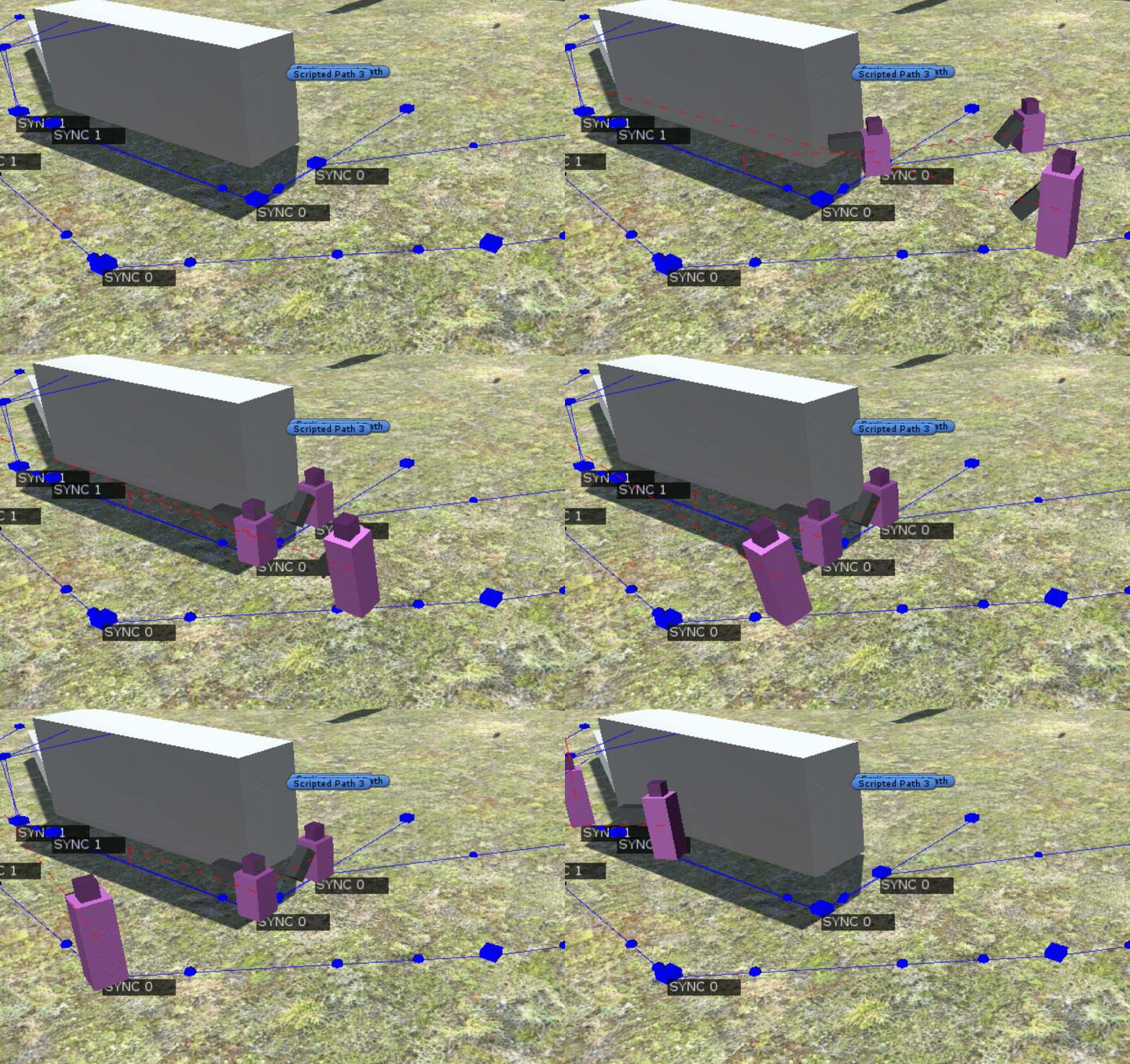
The waypoint system allows modders to set up premade waypoints for their missions, which gives full control over the movement of squads of bots while the game is being played. Bots will follow a predefined path, and the system allows bots to synchronize movement with each other while also being able to trigger animations and stance changes.
I think this system could be very useful not only for controlling bot movement in missions, but also for creating custom cinematics in an easy-to-use way. It will definitely be exciting to see what modders will come up with once this system is ready!
Finally, I've been investigating the possibility of updating Ravenfield to run on a newer version of the Unity engine, 2020.3. While I'm still working on getting the game to run stably on the new engine version, the results so far look very promising with improved performance and stability. Transitioning to a new engine version will inevitably break some mods, but I plan on working closely with the modding community to mitigate this as much as possible. I'll have more information about this at a later date.
I hope you'll enjoy this update!
/Johan (SteelRaven7)
On Conquest Mode & Story Campaign
Hi everyone and thank you for the awesome response to the last EA24 update!
As some of you may already know, Ravenfield is now on it's 4th year in Early Access. Originally I intended to finish the game within 1-2 years, but since then the game has grown quite a bit in scope with additional features like new maps, more vehicle types and improved modding support using scripting. Your overwhelming support and the creativity of the modding community has well exceeded my expectations as the game is played by thousands of people every day. It is genuinely a fun project to work on, even after 5 years in development.
We're now at a point in development where the base gameplay works nicely, even if there still are a bunch of bugs and issues I still need to iron out. That is, I feel like the instant action part of the game works well. The part that still needs major improvement is Conquest mode, and I have spent some time thinking about how to improve it and integrate it better with Ravenfield's core design of approachability and customizability.
Problems with Conquest Mode
The Conquest mode was originally designed to combine a strategical world-map layer with story/dialog elements to provide a background and stakes to the Eagle/Raven war. At the moment, almost none of the story elements are available in Conquest as this turned out to be really difficult to get working in a fun way without being too intrusive on the strategy elements.
Another issue with Conquest is that the same central maps are being fought over repeatedly, with others being ignored almost entirely. This was resolved by adding an Auto-Complete battle feature, but skipping a battle simply isn't very fun and feels like wasted opportunity. Also, the current version of Conquest would be very difficult to mod, and require very complicated external tools to edit or extend. This also seems like wasted opportunity and goes against Ravenfield's core of easily being able to configure your experience like you can in Instant Action mode.
To solve these problems, I've decided that the best direction to take is to split the current conquest into two separate modes, a Story Campaign and a new, streamlined Conquest Mode.
Story Campaign
The Story Campaign centers on the war as seen from the eyes of the Advisor and the special forces group TALON she commands. You have already gotten a glimpse of this group through the updated Spec Ops game mode, but there is still much to discover about TALON and the characters around the group who aid and manage its operation.
I'm working together with long-time community member Starstrafe to bring these wacky characters to life through illustrations which will appear in dialog sequences throughout the campaign. The Story Campaign will be split into 3 acts where each act features one or two story missions along with spiced-up battles and story elements.
I have set a goal to create a story that should take around 2-3 hours to complete on your first playthrough. Going for a short length should prevent the campaign updates being released over an endless number of updates (I actually want to get this done), and help ensure quality over quantity. I also want to keep the Campaign progress highly transparent and available to you all, so on top of the Act 1/2/3 updates I also plan on pushing intermediate updates featuring standalone campaign missions. These missions will eventually be integrated into the campaign story.
I have already started work on the story campaign, and I want to release the first story mission in the EA26 update for you to try out (which will be out after my summer break). If I get enough progress done in time for this summer's EA25 update, I will include an early sneak-peek version of the mission.
Conquest Mode version 2.0
While I'm still figuring out the details of this mode, I want to make a streamlined version of the current conquest mode. This mode will not feature any story details (for example, the war room scene of the current conquest mode and the tech tree will be removed). Instead the new mode focuses 100% on an "arcady" approach to playing Conquest where you purchase upgrades to your army and try to conquer all enemy-controlled levels. The plan is to let the player decide what weapons/vehicles/levels they want to appear on the strategy map and generate a conquest scenario from that. This would also support custom content such as weapons, vehicles and maps. The main goal for the new conquest mode is being able to set up custom conquest scenarios from within the game itself (no need for modding tools!).
I'm still figuring out the design this mode, and it will not be available for some time as I want to focus my efforts on the story campaign for now.
Modding: Scripted Missions and Custom Game Modes
While scripted story missions are an integral part of the story campaign, I also want to make scripted missions available to modders. Scripted missions could either be a story mission that plays on a specific map, or even a custom game mode selectable in Instant Action that can be played on any map.
As I create the story missions for the official campaign, I want to design a simple-to-use system that is reusable for modders. This system would be used with or without Ravenscript (Ravenfield's lua-based scripting framework), depending on the complexity of what you want to achieve. I intend to make it possible to set up simpler story missions without having to write a single line of Ravenscript code.
Finally, modders will be able to create custom scripted campaigns which can, for example, include a sequence of story missions. Custom campaigns will be driven by Ravenscript to make them highly customizable. It will not be possible to create custom campaigns without the use of Ravenscript.
For more information how these changes will influence modding, please see this modding document.
End of Early Access
When the Story Campaign, new Conquest mode and scripted campaigns/missions are available in the game I intend to finish the early access period of Ravenfield and release the 1.0 version. I want to keep supporting the game after the 1.0 release with bugfixes, general improvements and localization.
I hope this new direction for the game makes as much sense for both players and modders as it does for me. I really want to start taking major strides towards finishing the game and nailing down exactly what constitutes Ravenfield 1.0.
In Summary
Feel free to let me know what you think about this in the comments to this post or on the Ravenfield Discord server at https://discord.gg/ravenfield. Please note that I won't be able to answer any comments directly, but I will certainly read them and take them into account!
/Johan (SteelRaven7)
Please Note: All details in this post are work-in-progress and are still subject to change. I tried to make this post as comprehensive as possible, but game development is difficult and things might need some tweaking! :)
Citadel Update - Early Access Build 24
Hey! Early Access build 24 is finally here with updates to the Citadel level, aircraft and tons of quality-of-life improvements to gameplay.
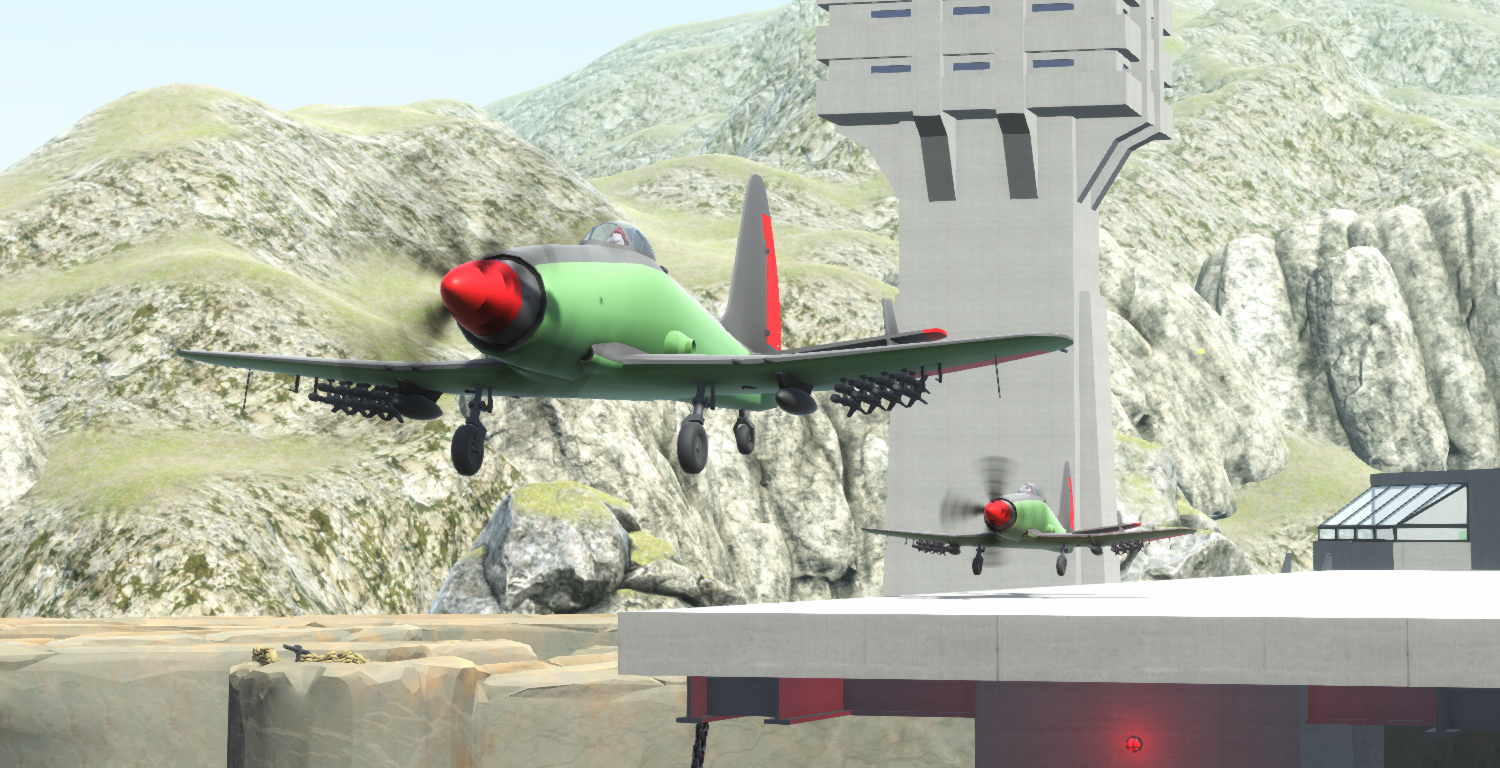
The main focus for EA24 is the overhauled Citadel level. Pretty much everything in the level has been updated, which should give the level a nice flow and several ways of attacking the central citadel. Major changes have been made to the areas outside the citadel, such as adding bunkers for the defending team. The defenders now have access to airplanes via the takeoff platform suspended over the citadel wall. The level is quite different from most official maps as you get quite a different experience playing on the attacking or defending team. I hope you'll enjoy it!
EA24 also updates the two official airplanes, both visually and their flight handling. Both aircraft have received a shiny new model with an updated, more informative HUD. The attack plane now carries more ammo than before, making hit-and-run attacks a little easier to pull off. All airplanes, including modded ones can now land by holding throttle down and flying close to the ground. This will extend the landing gears and activate airbrakes which slows the aircraft down and lands it. There have also been some minor changes to the flight model which should make aircraft feel more nimble than before.
The ingame map editor has also received an update which gives the maker more control over the lighting and feel of their map. I hope this brings out some extra creativity to those custom maps!
Finally, this update contains a ton of fixes and improvements to the game play and AI, please see the change log below for details!
Full change log
Citadel level has been fully overhauled: - Removed bridge between the two defender outposts outside the citadel walls, creating two separate attacker lanes. - Split the attacker's first spawn into two separate spawns, one for each side of the river. The bridge connecting the two sides of the attacker spawn is still there so it's possible to cross to the other side easily. - Added suspended takeoff/landing platform for airplanes at the citadel. - Added 2 attack planes for defenders. - Removed helicopter from defenders. - Added attack helicopter to attacker spawn. - Attackers now get one APC and one tank. - Added bunkers and several anti-tank and machine gun turrets for defenders. - Added one anti-air turret on the east bunker. - General improvements to village area, giving it more structure. - Redid the HQ building and tower in citadel. - Added various stone and supply props to citadel for cover. - Added rocks and trees to break up sightlines outside the citadel. - Added vis occluders to Citadel trees
Attack airplane and bomber overhaul: - Updated HUD with speed/altitude/gear/brake indicators - Updated the heading indicator HUD elements to make them a little more clear and less obtrusive. - All airplanes (including modded ones) can now land by holding throttle down while being close to ground. This will automatically extend the landing gear and allow you to land. - Overhauled the handling of the attack plane. - Balanced attack plane weapons, giving it more ammo but slightly less damage. - All airplanes can now airbrake by throttling down when close to the ground. - Updated bomber turret to use the new stabilized turret, making it way easier to hit targets. - Both official airplanes now have landing gear suspension.
AI updates: - Restricted squad clustering (IE when vehicles would slow down to cover nearby infantry) to only occur when close to enemy capture points, or if the cluster is taking fire. - Fixed a bug where AI would not halt when firing long range shots while in vehicles. - Updated AI Airplane swerving, so bots are less likely to crash into the target they are currently engaging. - Added reload assist to bots in airplanes so they reload their weapons while doing U-turns in order to engage a target. - There is a small chance of infantry bots chasing after a nearby target if it goes out of sight. This never applies to bots in the player squad. - Made it slightly easier for bots to lock on with target locking weapons. - Fixed an issue where bots could sometimes lock on to targets behind them. - AI will now have slightly worse aim directly after taking damage. - AIs shooting from cover are now slightly less accurate directly after uncrouching - Aircraft pilots will now only bail out if they are close to a valid infantry navmesh. - AI will no longer use turrets that aren't facing an enemy capture point. If the defense strategy is set to "always man turrets", all turrets will be manned anyway. Additionally, anti-air turrets will always be manned. - Improved AI order generation based on neighbors, now bots will never use land vehicles or walk when attacking a neighbor that is set to water only, even if that point is technically reachable by land - Fixed a bug where the AI would not target enemies correctly with mounted turrets - Fixed a bug where AI would sometimes shoot through walls/cover while crouching - Improvements to AI cover usage when defending flags. - Reduced risk of AI friendly fire through explosions when they are using cover. - If AI accidentally misfires an explosive projectile, friendly fire damage will be reduced. - Bots now prefer cover points with ceiling protection (As that protects them better against explosions, mortars, air to ground attacks etc. To take advantage of this change, a new navmesh must be generated.
Bots will now keep track of targets for a few seconds, even if they temporarily go out of sight: - This always applies to high priority targets (such as a vehicle capturing a flag, or a target assigned by the player). - Bots on turrets will keep track of targets if they are of their preferred target type. - Bots in airplanes will always keep track of targets. This makes them more aggressive and use their weapons way more.
Input improvements: - Improved memory management of the input system for optimized access. - Joystick inputs will now only bind on change in the input options menu. This makes it way easier to bind your inputs. - Added deadzone slider that will control the joystick input deadzone.
Rendering Optimization: - Optimized terrain rendering on the official maps. This will lead to slightly more pop-in but reduced CPU overhead when rendering. - Baked soldier smirk into the soldier material, reducing the draw call overhead for rendering a character from 2 to 1. - Soldiers behind the player will have their weapons culled.
Please note that if you're experiencing low frame rates with the game, try running the game without mods and see if that helps. I also recommend reducing or disabling the vegetation rendering in the video options menu. That seems to give me quite a big increase in frames per second on many levels.
Ingame map editor: - You can now tweak the ambient lights for both day and night versions of a map. - You can select a post processing preset for your map. - Added ability to tweak sun/moon positions in the sky. - Fixed fog not being applied and added daytime fog density parameter. - Added skybox atmosphere parameters. - Added water volume, allowing you to create lakes that spots that are higher than the ocean water level. - Added ability to change the ocean water level. - Changing these level detail parameters will now update the scene view in realtime, making iteration a little easier :) - Pressing the night vision button will toggle night vision inside the editor. - Added new props from the citadel level. - Night vision can be turned on in-editor by pressing the night vision input key (default N).
Misc game improvements: - Moved unfinished levels (Tunnel, Twin Islands) to the bottom of the map list. - Fixed lighting on Tunnel level, although it's still pretty broken :/ - Fixed a rare bug where entering a vehicle seat would sometimes cause the screen to go black or start glowing white. - When switching seats in a vehicle, if an AI is already occupying that seat, you will switch seat with them. - You can now easily take over an AI vehicle by pressing use on it, even when it's already occupied. Entering the driver seat will automatically make the passengers join your squad. Entering a passenger seat does not modify your squad, so you can ride as a temporary passenger if you like. If there are no seats left, the bot you replace will be kicked out of the vehicle and create their own squad. - Spec Ops helicopter exfil now supports custom transport helicopters (So long as it can fit your spec ops squad, otherwise the default helicopter will be used). - All preplaced audio sources in a level will now be set to use the world mixer group. This makes them react to your sound volume setting or slow motion effect. - Added UI scaling for resolutions above 1080p for parts of the UI. This makes it way easier to select spawn points, or click the pause menu buttons on 4k screens or similar. - Minimap resolution is doubled when playing on >1080p screens. - Spec ops flare now fades in/out smoothly. - Updated post processing presets on all levels. - Updated occlusion data on most levels. - All official mounted turrets now use the new stabilized mounted turret script. - Added slight recoil to the mounted turret cameras. - Updated turret cameras and projectile impact effects. - Fixed a bug where mortars would not hit their indicated target. - Updated water material so it is influenced by ambient lighting (Previously only direct lighting would affect it). - Added High Dynamic Range (HDR) rendering option in the video options. - Fixed spec ops not starting when no primary weapon was selected - Only projectiles fired by bots will now make flyby sounds. - Fixed a bug where missiles without a target lock would never accelerate to the max travel speed. - Fixed an issue where the weapon selection UI would sometimes not list weapons. - Fixed an issue where projectiles would stop in mid air when hitting vehicle debris - Made it easier to select the correct flag when using the squad ordering map. - Made attack helicopters slightly faster when travelling forward, and overall a little more agile. - Fixed a bug where the vehicle HUD would sometimes not render after entering a vehicle. - LOD objects will no longer be baked together for ingame map maker made levels. - Various minor bugfixes to projectiles and missiles and the missile tracking indicator - Spec ops objective markers now have a distance label. - Added outline to spec ops objective markers so they are easier to see with bright backgrounds. - Fixed a bug with PlayerRecoilCamera which caused vehicles like the Tank and APC to not have recoil applied properly in first person mode. - Fixed a bug where AI Vision Occluder colliders would sometimes cause the player to be pushed - Exfil helicopter crew can no longer be ordered by the player using quick orders.
Ravenscript: - Exposed parachute functionality. - Exposed AiActorController.targetFlightAltitude. - Exposed various airplane flags such as airbrake, altitude, gearsRetracted, isAirborne - Added Squad.Create() function. - Exposed various Collider classes to RS (BoxCollider, CapsuleCollider and SphereCollider) - Exposed missile tracking and lock on status to Vehicle in RS - AI.canJoinPlayerSquad value exposed to RS
I hope you'll enjoy this update and all the improvements it brings to the game! I will post an news update regarding the Ravenfield 1.0 release soon, so please look forward to that!
/Johan (SteelRaven7)
Spec Ops Pt 2 - Early Access Build 23
The Spec Ops update Pt 2 adds features such as Flares, Exfiltration and smarter patrols to the Spec Ops mode. When attacking objectives, it is good idea to strike quickly or using stealth to prevent the enemy from firing a signal flare, which attracts nearby patrols. Flares are also very bright, so they may blind on night levels when using Night Vision. The TALON spec ops team now carries C4 explosives, which can be planted on parked vehicles. You can even plant C4 without picking up the item in your loadout by walking up to the destroy target vehicle objective and pressing the use key to plant C4 with a 30 second timer. Alternatively, you can send one of your squadmates to plant an explosive using the squad command button. This should give you lots of options to completing your objective even if you forgot to bring anti-vehicle weapons!
TALON is now supported by a recon operative, EYES, who will call out nearby patrols and mark them on your minimap. This is very useful as suriving enemies on completed objectives may now leave their post and try to hunt you down. EYES is only available when playing as TALON on the Eagle team, so try playing on the Raven team for some extra challenge!
After completing all objectives, you must now make it to an exfiltration transport helicopter, and enter it with your squad to win. Alternatively, if all TALON operatives are alive and you are not being hunted by the enemy, you will exfiltrate on foot and skip the helicopter exfiltration entirely. Perfect for speedrunning :).
Finally, EA23 adds much nicer post processing effects to the game. On top of improved Color Correction and Bloom, Ambient Occlusion is now available along with FXAA and SMAA anti-aliasing. You can find these options in the Video Options menu tab.
Full patch notes:
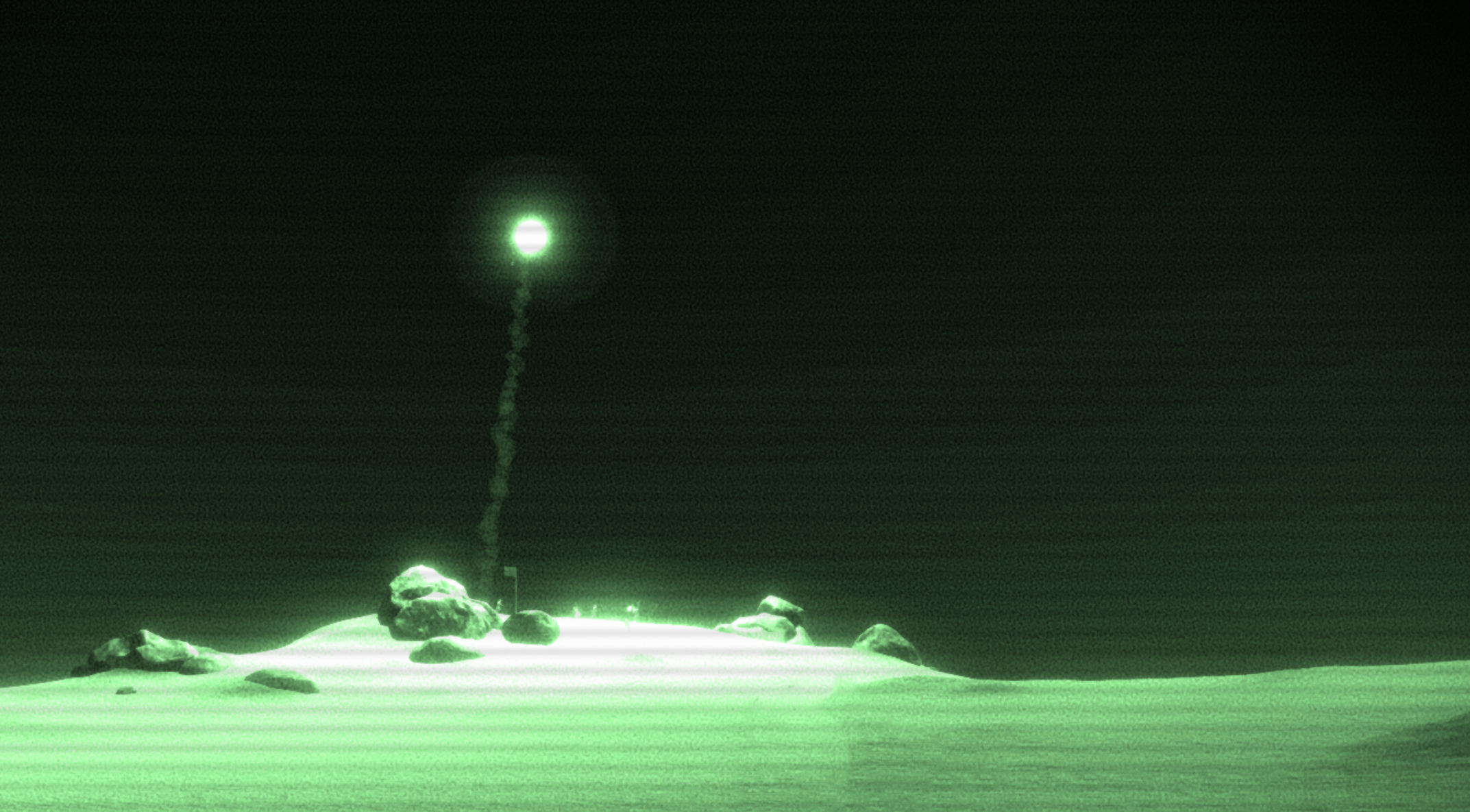
Spec Ops Improvments: - Added Neutralize Patrol objective type. - Improved the spawning location of the attacking team, you should now always spawn around 200 meters away from the closest objective. - You can plant C4 on the "Destroy Vehicle" target by pressing the use key when close to it. This even works if you didn't bring any C4 or other anti-vehicle weapons. - You can order your squadmates to plant C4 on the "Destroy Vehicle" target by issuing a squad order using the quick squad order key. - Added EYES to Spec Ops. EYES is a recon operator who will provide you with intelligence on enemy patrol movement, such as alerting you if a patrol is about to spot you. EYES is only available when playing on the Eagle team. - Patrolling vehicles now have a maximum of 4 passengers - The balance slider can now be used to set the number of teammates in spec ops. Each soldier in the game preview image corresponds to one teammate. - Spec ops now uses the cinematic victory/defeat screens - Major improvements to defender AI in spec ops mode - Added flares, which a squad defending a flag will fire if they spot you. There is some delay before they are able to fire the flare, so it's a good idea to take them out quickly or using stealth. - Flares attract nearby patrols to the location. They are also quite bright so they may make your Night Vision unsuable. - You can be spotted from further away when standing under an active flare - Made the spec ops teammates harder to detect when they are close to the player.
There are now 2 possible endings to spec ops, either quick victory (where the game instantly ends when all objectives are completed) or helicopter exfiltration: - Quick victory will only fire if all attackers are still alive when the game ends. On large levels, you also need to be unseen by enemies when the game ends. - Helicopter exfil victory will fire otherwise, where you need to get to the exfil location and enter the helicopter.
Game Improvements: - Added remote detonated C4 weapon. - Fixed a bug which would cause tracking missiles to sometimes fail to track enemies. - Removed legacy post processing effects - Added new and shiny post processing effects using the Unity Post Processing Stack. - Added Color Correction, Bloom and Ambient Occlusion post processing effects and settings to options menu - Added support for FXAA, SMAA anti-aliasing. - Removed forced MSAA anti-aliasign when running the game on the highest graphics setting. - All levels now use improved post processing, including custom levels. - Fixed a bug where stabilized mounted turrets would rotate even when no-one is using them. - Night vision can now be toggled in spectator and photo mode without the screen turning black. - The version warning dialog box is now red and has larger text to make it stand out more. - Slightly increased the size of APC hitboxes - Fixed a pathfinding issue on temple near waterfalls at the center of the map - Fixed CSG meshes on Coastline not generating properly - Multiple mods can now be loaded when running the game in content mod test mode by specifying multiple -testcontentmod arguments in the launch options. - Dialog portraits now use higher quality compression so they look even nicer, particularly at 4k resolutions! - Made timers a bit more cache-friendly so you might see some slight speedups on computers with low memory speeds - When exiting a vehicle, it will no longer immediately automatically brake. This makes it way easier to ram enemies (or planting c4 on your vehicles as a moveable IED) - Fixed seat exit offset for jeep. You will now end up beside the jeep when exiting it. - When exiting a vehicle, you will now unholster the last equipped weapon. - Fixed bugs with throwable weapons (such as grenades and the c4). It should no longer be possible to throw an extra phantom grenade by spamming fire when you throw the last ammo. Also improved resupplying/reloading behaviour and fixed soft-lock bugs. - Minor improvements to helicopter AI. They will now tilt the helicopter less than before, unless they are attacking enemies. - Fixed bug where SL-defender would shoot slightly off to the right when rapid firing while aiming. - You can now use your carried weapons when inside the transport helicopter back seat row. - Improvements to helicopter landing zone generation so the exfil/transport helicopters now choose way better landing spots - Fixed a bug where the landing zone generation would always fail if multiple connected pathfinding boxes were used.
Improvements to the AI targeting system: - Bots will now prioritize targets better. - AI will now prefer to use weapons that are within the effective range, but will use weapons at up to twice their effective range if no other better weapon is available. - AI will now aim at a target faster if they were aiming at another nearby target before. For example, this makes it easier for a bot to take out a squad that is bunched together. - Fixed some issues with the attack target quick command. - Bots using target lock weapons will now lock onto targets much more reliably. - Bots will now fire as soon as they get a target lock. - Bots will now only fire one missile at a time if the target vehicle has countermeasures. - For vehicles without countermeasures, the bots will launch one missile at a time if the vehicle has less than 2000 max health. (In order to not waste ammo by launching 3 missiles towards a jeep). - AI will now take aim before firing weapons with AOE damage, reducing the risk of friendly fire and making them more deadly against vehicles: - AI will still fire quickly if the target is very close.
Ravenscript: - Added Car, Boat, Helicopter, Airplane classes - Added Value Monitors to ScriptedBehaviours which can be used to automatically notify a script of value changes on a variable or function. - Added Debug Value Monitors that can be used to easily monitor values when playing in content mod test mode. - Misc API additions and bugfixes
I will be taking a holiday break from development, but I have some exciting news to share when I get back regarding the Ravenfield 1.0 release. Until then. here is a little teaser image:
I hope you'll enjoy this update and that you're excited for what is yet to come!
/Johan (SteelRaven7)
Transport Heli + Game Improvements - Early Access Build 22
Hey everyone! Here are the update notes for EA22!
Things didn't go exactly to plan with this update, as it turned into quite a big bug-squash rather than a full on update to new Spec Ops mode. For that reason, The Spec Ops update pt. 2 will be launced next time as EA23. Nontheless, there are still a bunch of new additions to Spec Ops ready for you to try out today, such as patrolling enemies and issuing target orders to your squad!
To issue a target order to your squad, aim down sights and hold the squad order key. Release the key when hovering over your desired target.
EA22 fixes a ton of issues or bugs with the base gameplay of Ravenfield, along with a few new performance optimizations that should help keep your framerates nice and stable! There have also been a number of fixes/improvements to the Ravenfield AI, including new combat movement, and a fix to the old bug where AI would sometimes always fire at the player, even when there were other closer targets. (Oops!)
EA22 also updates the transport helicopter to a shiny new model, along with improvements to minigun aiming. It is now even possible to land the helicopter safely thanks to a new innovation on the Ravenfield: Landing gear suspension!
You may also notice that all vehicle look a bit nicer thanks to the new baked occlusion maps, which make the vehicle models pop more!
Full change log
Spec Ops change log - Added enemy patrols to Spec Ops mode - Tweaks to how unalerted AI detects players, slightly speeding up their target acquiring. - Improved hero armor so it also works on instances where you get hit by a ton of low-damage projectiles at once (shotguns, low-damage, high rate of fire weapons) - Hero armor now blocks explosion damage more consistently. - Slightly reduced number of soldiers defending each Spec Ops objective - Changes to the spawn position of the player squad. On large maps they spawn around 200 meters away from the closest objective, and on tiny maps they spawn on a regular spawn point flag. - If you pick Patriot TAC in spec ops, all teammates will also pick it so you can enjoy the laser show! - Added Important audio mix group intended for game mode, UI or story audio clips that really should be heard - At least one teammate will now always spawn with an anti-tank weapon in spec ops. - Improvements to where the attackers spawn in spec ops, I tried making it pretty random, but you should always spawn around 200 meters from an objective, and never closer (if possible). - Added spawn indicator to spec ops minimap that shows you exactly where you will spawn.
Game Improvements - Added support for Wedge, Vee, Line, File, Echelon and Diamond squad formations. AI Squads will randomly select one of these. You can't select the formation of your own squad yet, but this is a planned addition! - AI infantry squads will now have 3-5 members, instead of always 3. - Fixed a bug where AI would sometimes switch between medic/ammo bags and their primary weapon super fast - Added water footstep sounds and particle effects - Added DataContainer class to Ravenscript and beta branch mod tools - Added RequiredGameVersion class to beta branch tool, place it next to your content mod components to notify the user if they are on an unsupported verison of the game. - Fixed an issue related to one-way-neighbors where AI squads would attack flags their team already owns. - Added AlwaysManTurrets defense strategy, which allows squads to defend a flag only if there are available turrets. - Updated infantry pathfinding on Dustbowl to make AI able to reach the AT turret on airbase - Updated glacier navmesh, which fixed an issue where the bots would never use the stairs at the center of the map. - Fixed a bug where bots would sometimes prioritize firing at the player over other closer targets. - Added Attack Target squad quick order. Access it by aiming down sights when holding the squad order button. - Attack target orders override the current squad rules-of-engagement setting, so you can use it to force attack enemies in spec ops. - Using the attack target order when not being in a squad will mark that target as a "High Priority Target" for your teammates for 60 seconds. High Priority Targets are prioritized over closer targets by AI. - You can now cancel squad point orders by pressing the aim down sights button while holding the squad order button. - You can now cancel squad target orders by releasing the aim down sights button while holding the squad order button. - Fixed spawn countdown timer!! (It only took 3 years!!!!) - When taking over a bot in skirmish mode, that bot will temporarily have hero armor to make it very unlikely that they die while they are being taken over. - Reduced vehicle knockback from projectiles when they are manned by soldiers. - Fixed the water on rafts level so the fish don't fall out of the water!!! - Inceased max audio channels from 32 to 64, meaning up to 64 sounds can play at once (if your sound card supports it, but it probably will since it's 2020). - AI now never halts (stops and takes aim at distant target) while entering a vehicle. - Added combat movement to Infantry, they will now strafe their target when in close range (less than 50 meters). This makes it so infantry is less likely to just rush a point while taking tons of fire. - AI can now hear footsteps of nearby actors walking/running while standing. To suppress this effect, you can crouch/prone walk. - Hehe funny boat - Fixed a few bugs related to camera management and UI elements such as the UiTargetTracker. - Fixed some bugs related to turrets and orders initialization at the start of games. - Fixed an issue where AI would not spawn after manually configuring flags. - Melee damage will now always deal damage to enemies in range if possible. Team damage will only be dealt if no enemies are hit by the melee range check. - Bots can no longer deal team damage when using melee weapons. - Improved bot melee charge so it's less jittery. - Sabre and Wrench weapons are no longer instakills - Added third person unholster animations - If a primary weapon is set to be effective against infantry, the game will now force set that weapon to be preferred - meaning that bots will always prefer it over any secondary weapons so long as ammo is available and the target is in effective range. - Fixed an issue where the mouse input would sometimes stop working in menus - Slightly reduced AI sprint speed to better match player - Added a few more default bot names - - Misc improvements to the AI
Vehicle change log - Increased max plane sensitivity by request. - Updated transport helicopter to new model - Added suspension to tranport heli landing gear - Transport heli now has an additional co-pilot seat, so it can carry 8 people in total! - Updated heli miniguns to stabilized mounted turrets, making them easier to aim + update the camera. - Added occlusion maps to all updated vehicles. - Cars now have a bit of downforce applied, which makes the stick to the terrain/road a little better! - Added transport heli to vehicle testing level - Proximity fuze projectiles can no longer be triggered by the vehicle they were fired from. - Added error handling to handle issues with custom vehicles that would sometimes cause projectiles to float/get stuck in mid-air.
Game optimization - Projectile spawning/despawning has been significantly improved, which should yield higher and more stable frame rates. The effect of this optimization should be most noticable on computer with slower RAM. - Content mod file data is now unloaded after all content has been initialized, which removes unneccesary RAM usage. You can expect to see a 5-20% reduction in RAM usage when running the game with a lot of mods. - Code Exceptions caused by mods will no longer be logged in normal gameplay, which should help with performance hits from mods that cause many errors. - When running the game in test content mod mode, any code errors will be logged to the Ravenscript console. There is also an error count text message that will notify you if new unread errors have been logged whenever the console is closed.
Ravenscript change log
- Added support for OnEnable() and OnDisable() functions on ScriptedComponent behaviours. These are similar to Unity's built in OnEnable and OnDisable functions. - Added support for disabling number row inputs, allowing modders to use the number row for special inputs. - Exposed AudioSource output mix. - Added Debug class for drawing rays/lines ingame. Please note that this feature is only available in test mode for performance reasons. - Exposed IngameDialog to Ravenscript. - Exposed audio source audio spectra and sample data fetching - Exposed portrait generation to RS via PortraitGenerator - Exposed Player/Game mode hud values in GameManager - Improvements to function variant selection, making Ravenscript calls prefer functions with float parameters over ints - Added DataContainer class to Ravenscript and mod tools - Exposed setting the actor team skin (which automatically affects all actors of a team whose skin has not been overriden): - Exposed resetting an actor's skin to its' team skin - Exposed Runtime Animation Controller to RS (Which should make it possible to replace character animations and cool stuff... maybe) - Spawn Points now have an outgoing and incoming neighbor list, which keeps track of what flags can be attacked by / can attack a particular spawn. Also exposed to RS. - Spawn countdown is no longer visible when the player actor has been deactivated through RS.
Order - Create orders through Order.Create() - Orders can have a Vector3 override target, allowing RS to control exactly where bots go to complete an order.
Squad - Added support for Wedge, Vee, Line, File, Echelon and Diamond squad formations. - Added support for custom squad formations, allowing modders to create their own formations via RS through squad.SetCustomFormation() - Exposed Remove and Split functions to Squads.
Weapon - Exposed various configuration values - Exposed Add and Remove subweapon functions to Weapons. - Exposed weapon.ReloadInstantly
AiActorController - Exposed Goto() functions, allowing RS to control AI movement. - Added OverrideDefaultMvoement() which disables all built in game movent, giving RS full control over bot movement. - Exposed AiActorController.hasPath to RS - Exposed AiActorController IsInFOV()
Spec Ops Pt 1 - Early Access Build 21
Heads up: Ravenfield is 50% off from Tuesday to Thursday!
EA21 is the first half of the two part Spec Ops game mode overhaul - introducing improvements to stealth AI, an objective screen and ingame dialog support!
Spec Ops now generates a scenario with multiple objectives, which you can tackle in any order you'd like. Objectives range from eliminating officers to destroying vehicles and ammo boxes, with more objective types being planned for the next part of this update in EA22.
When playing as Eagles, you will take control of TALON, an elite spec ops branch of the Eagle military. TALON is commanded by the Eagle Advisor, who now appears with her update look, with artwork by long time community member and illustrator Starstrafe.
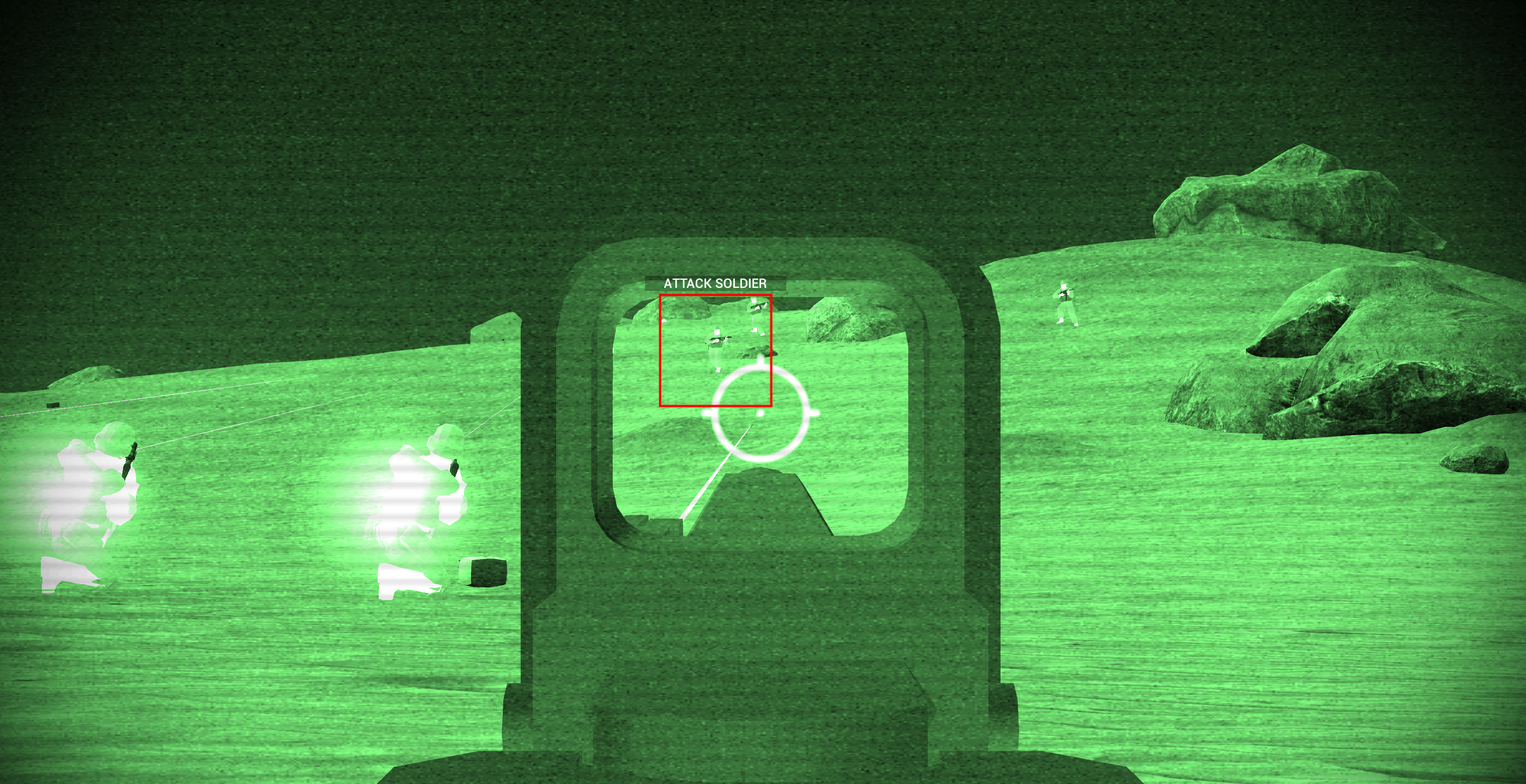
EA21 also overhauls the night vision and squad order menu. You no longer need to carry the specific item to use these features, just hit their specific keys which can be rebound in the input options menu. Night vision has also been improved, with glowing soldiers, making it easier to see the soldiers on the battlefield.
Finally, EA21 adds a new Patriot Tactical variant, featuring a suppressor and a laser sight, making it a perfect companion for stealth operations!
Full change log:
Spec ops improvements: - Added 4 objective types, increase the game length value to get more objectives at once! - Spec ops defender AI now has significantly reduced sight range - Spec ops attacking AI will now only fire on enemies that have been alerted - When playing as Eagle using the default soldier models, you will play as a TALON soldier. - Added dialog chatter between the attacking team and their HQ leader. - Added detection indicator. - Added slow detection, where AI will not immediately spot you if you are far away. - Spec Ops enemies will now be alerted by sounds such as nearby unsuppressed gunfire and vehicles - Attacking team now keeps a closer formation, should make it easier to navigate levels without one of them running to weird places while following the player. - Improvements to spec ops defender pathfinding, should solve cases where all defenders are stuck in a single spot on custom levels.
Game improvements: - Improvements to stealth AI and systems - Removed night vision item, night vision mode is always available by pressing the night vision (default N) - Squad order menu is now always available by pressing the squad menu key (default B) - Improvements to actor animation blending. - Actors will now glow slightly in night vision mode. - Cool fade in effect when you start a game (WOW!) - Added cool new tactical patriot version with suppressor and laser sight!
Ingame map editor: - Added many new textures to the ingame map maker, including solid color textures. - Improved the ingame map maker texture search function to scroll up to the top results.
Planned additions for Part 2: - More objective types. - Enemies that roam the level and look for you. - Expose new stealth/story functionality to Ravenscript.
I hope you'll enjoy this update! Please look forward to the additional Spec Ops mode features coming in EA22!