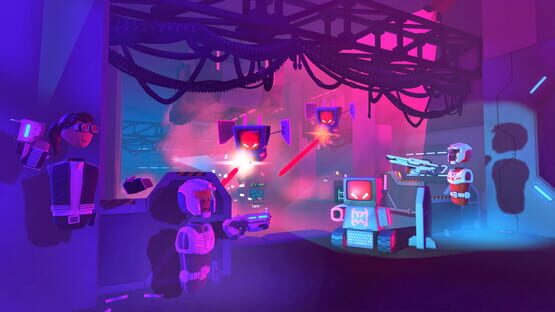
We're experimenting with a room recommendations system. Some users will see recommended rooms instead of the Rec.Net tab. These recommendations are based on your previous room visit history as well as a point-in-time analysis of the aggregate history of the community. We expect to update the aggregate analysis periodically. We hope this new system will make it easier to discover rooms that you'll enjoy!
Also, some general bug fixes:
Players can no longer use their own Room Settings AI menu to kill AI in rooms that they don't own.
The Game Rules chip now caps the player count at 40.
The welcome mat now immediately shows whether it is configured to link to a room name, or a subroom.
You can now report another player's comment in your room, even if you have never met them.
As always, thanks for playing Rec Room! Please see here for convenient links to controls, tutorials, comfort options, etc.: https://recroom.com/community We love to hear your feedback, so please don't hesitate to let us know what you think...
Rec Room PATCH - the "iOS iteration" edition
Some of the touch controls for iPad/iPhone players have been redesigned to make it easier and more comfortable to play!
What used to look like this... https://imgur.com/a/I3KUupH
...now looks like this! https://imgur.com/a/sKycjXS
In our latest blog post we started to talk about experiments we’re running to make players on screens devices better able to express themselves with their hands. https://recroom.com/developer-blog/2020/6/9/social-expression-on-screen-devices
This control redesign is our first step towards that more-expressive screen-player future as you can now wave with both your left and right hands!.
We also took this opportunity to make interacting with the world a little more comfortable and a little more consistent.
Instead of this... https://imgur.com/a/FlTsQRS
...do this! https://imgur.com/a/RXe5IPT
Players on iPad/iPhone will also see a streamlined login flow. We have removed the portrait mode chat UI for now. We will likely bring it back in improved form at some point. But for now we want to focus on getting you into the game as quickly and as smoothly as we can.
In other news, we’re also bringing circuit pins to the Costume Dummy! This version of the costume dummy will replace the old one in the Maker Pen, but you can still find all of your old costume dummies without the pins in your rooms and still use them.
[General Changes]
Equip UI on the costume dummy no longer orbits the base.
The distance at which the equip UI opens and closes was tuned to be closer to the dummy itself.
The costume dummy is no longer physical, and will now stay in place while you’re working on it.
[Configure Options]
Select multiple roles to add to the player that is wearing the costume.
Select whether to remove the roles that were added when the costume is removed (on by default).
Select whether to show or hide the equip UI.
Select multiple categories of avatar outfit items to hide when the costume is worn. You can choose from Head, Torso, Left Hand, and Right Hand.
Option to disable the zip sound
[Circuitry] Input Pins
Equip to player ID - equips the costume to the provide player ID.
Reset - removes the costume from the current wearer and puts it back on the costume dummy.
Output Pins
Equipped Player ID - now reports 0 when no one is wearing the costume.
We also created a new screen where you can view all of the content a player has created in Rec Room – The Portfolio Screen! You can access your portfolio screen through your profile and view other players' portfolios through their player details pages. On the portfolio screen you can view all of the rooms, inventions, and clubs a player has created as well as viewing a list of their subscribers. You will see both unpublished and published content on your own portfolio but you can only view published content on other players' portfolios.
You can now view a list of all players you're subscribed to through the "Subscriptions" tab on the People screen. Here you'll find a searchable list of subscriptions with links to each creator's portfolio.
Creators can now publish custom announcements for their subscribers! Announcements can be created from your portfolio or when publishing a new room or invention. Other players will be able to view your announcements on your portfolio and can follow links to check out your new rooms and inventions.
Also, some general bug fixes:
The rangefinder will now report the most recent player ID or object ID on the next circuit tick, so you will no longer miss out if a player or object passes through the laser beam between circuit ticks.
Wall run behavior is back to normal after an unintentional change last ship - maintenance has cleaned the walls to verify you should be able to wall run normally again.
As always, thanks for playing Rec Room! Please see here for convenient links to controls, tutorials, comfort options, etc.: https://recroom.com/community We love to hear your feedback, so please don't hesitate to let us know what you think...
Rec Room PATCH - the "Announcements in the Club" edition
Charades fixes:
Primitive shapes spawn without pitch or roll, just like if you were using the Maker Pen.
Fixed the triggers on PS4 DualShock. You can actually play Charades (BetaUpdate) now!
Room Chat upgrades:
Room chat messages have a new look that makes it easier to read and to see who the message is coming from
Messages show the sender’s profile photo, this is also a button (for Touch and VR at the moment) that will open the sender’s profile page.
Fixed a ton of bugs with the formatting, transitions, and other interactions with Room Chat. It should be much more stable and consistent now!
And some general bug fixes:
The radio menu is fixed for screen players
Fixed an issue on screens where you could click on scoreboards and other world UI while trying to close the watch menu by tapping in the margins.
Fixed laser pointing a player not working if you were gripping your Index or Oculus controller.
Bear standee should no longer cause errors when saving into rooms
Fixed an issue that could cause players to perpetually drift after landing on the ground
Fixed an issue with manipulate tool that caused it to impact multiple sides at once
Fixed an issue causing state machine nodes losing their configured values when being connected to a state machine graph
Fixed "Cancel" button on Safe Mode confirmation screen during login
Fixed bug that was causing some players to get stuck while viewing their chat messages
Fixed an error in club details where members where showing as blank boxes
As always, thanks for playing Rec Room! Please see here for convenient links to controls, tutorials, comfort options, etc.: https://recroom.com/community We love to hear your feedback, so please don't hesitate to let us know what you think...
Rec Room UPDATE - the "Announcing in the Club" edition
Club announcements are a great way to publish info for everyone in your club to read! As a club leader (or someone with the announcements permission), you can post an announcement with a title, body, and an optional image. It will show up for everyone in your club just a few minutes after you hit publish.
Only club members can view club announcements. Members can find the announcements in a new section of your club's page, just under the actions section. Members will know your club has posted a new announcement when you see a number on the clubs button on the watch home screen. Once inside the clubs browser, a green marker will appear on clubs with new announcements. Then in your club's announcements section, each individual announcement will have the same green maker showing you if it's new.
Club owners control who can post announcements. On your Club page, go to "Club Settings" and configure the "Can create club announcements" permission for each membership level. Announcements will be a great way to post about upcoming club events, new creations the club has worked on, updates to the clubhouse, or anything else you'd want to let your members know about. We're thinking about what a true club events system will look like, but for now announcements will be the best way to organize your members.
Thank you so much to everyone who has created a club so far! We're really happy with the variety and love put into all the clubs we're seeing.
On another note, Charades is now in beta for screen players! Try it out in ^CharadesBetaUpdate. We will be refining the experience over the coming weeks and adding a brand-new venue! Soon As you might have guessed, screen players can now use the charades pen! It also includes some exciting enhancements to make drawing in charades better on screen mode:
Finger painting mode! Tap the finger paint button to start drawing tubes and other shapes using a cursor on the screen.
Shortcut menu for the charades pen with quick access to a few shapes and colors
Trigger sensitive tube size with a controller
Dynamic tube size on mouse/touch based on how fast you draw
Pressure sensitive tube size with Apple Pencil while finger-painting
Charades pen has gotten some general improvements:
A fresh coat of paint on the tool menu
More shapes (cylinder, pyramid)
Shape previews at the tip of the pen
Bug fixes:
Screen players can now pickup objects that are “sticky” such as charades shapes and polaroids, even after they are stuck to something.
iPad Pro 11 inch home menu now works in landscape.
Fixed Apple Pencil pressure sensitivity for whiteboards
Fixed some cases where the UI would break after returning to a backgrounded iOS app
We've also added a new way for creators to easily highlight content for their players -- Link Buttons! The link button is a new dynamic prop which can be spawned from the maker pen palette. Once spawned, players can configure these buttons to link to any of the following: Players, Rooms, Clubs, Inventions, or Player Events. Players that press the button will be shown the details UI for whatever the button is linked to (ex: A specific player’s details UI). We hope creators can use these buttons to call attention to some of the cool people and creations that can be found in Rec Room.
We also added a Rangefinder Gadget - Point this new gadget at anything and it will output the distance to whatever the laser beam hits. If the target is an object or player, it also outputs the target's ID. It can be configured to provide distance values in meters, centimeters, or millimeters, and can filter for objects by tag, and players by role. You can configure it to show the recolorable laser beam even when gadgets are hidden, so get ready for some cool laser light shows!
And some general bug fixes: Reduced latency on screen creation tools. Dragging now happens instantly rather than in .25 seconds Can now drag objects which are far away
As always, thanks for playing Rec Room! Please see here for convenient links to controls, tutorials, comfort options, etc.: https://recroom.com/community We love to hear your feedback, so please don't hesitate to let us know what you think...
Rec Room UPDATE - the "Meetups Everywhere" edition
Codes and Links have been unified and polished, and can now be used on all platforms! Codes are used for Meetups, Friend Invites, and Referrals with more to come. You can discover, create and enter all types of codes from the new Code button on the home screen of your watch. For your convenience, you can also enter any code from the login screens. When you create a code, you’ll also see a unique RecNet link for that code. This link is helpful for sharing with others: it displays the code, helps install Rec Room, and even supports Quick Play for iOS and PC users.
Meetup codes - Create a private instance of a room that only other people with the code can access. Great for meetings and hangouts where you don't want to have to manually invite everyone. The meetup code also works for non friends which makes it ideal for quickly meeting up with people not already on your friends list.
Friend codes - Single use invites that will automatically add the player to your friends list and bring them to wherever you are in Rec Room. If you're in a private room when they enter the code it will auto ping you saying they have requested to join. This is a great way to quickly invite a single person to your friends list and quickly bring them to you.
Referral codes - Referral codes should only be used when a referral event is running. By referring new players during an event you can unlock different rewards. Watch out for in game announcements or announcements on our social channels for when these events are happening. We will be running one soon! There's also an 'event details' section of the Codes screen that will show if an event is currently active or not along with the event details. The referral code ensures we attribute new players to your account so that we can issue you the event rewards. Referral code players are not added to your friends list so that you can share this code more widely to anyone who might be interested in trying out Rec Room. This system will be updated over time with new features like sending you a notification when someone has used your referral code. For now there is no way to tell how many people have used your code until we issue rewards at the end of the event.
We’re also starting a Selling Inventions Beta - A small group of players are selling inventions for tokens. These beta sellers were selected based on their creation skills, their history of giving quality feedback, and their good moderation standing. It’s an intentionally small group for the beta period as we test out the system and find the flaws. Anyone can buy these inventions from the Inventions store in the watch. There are some really great things there: costumes, furniture, animated characters, games, and more.
And some general bug fixes:
Fix for sign collision in disc golf, paintball, and soccer
Fixed bug where settings screen could show incorrect options
Improved navmesh baking to better respect the bounds of objects
Improved quick action menu sizing on non-VR platforms
Changed SetLeaderboardStat chip to use an 'invalid' mode by default. You will need to explicitly choose the assignment behavior in the configure menu before the chip works. In the case where a room instance breaks, the chip should revert to the invalid state preventing data loss for users.
As always, thanks for playing Rec Room! Please see here for convenient links to controls, tutorials, comfort options, etc.: https://recroom.com/community We love to hear your feedback, so please don't hesitate to let us know what you think...
Rec Room UPDATE - the "AI or Die" edition
https://imgur.com/a/zcYRax0
This one's been a long time coming! We've seen so much enthusiasm and positivity around the Quests we've built over the years, and as long as community rooms have existed, the ability to build experiences with AI has consistently been one of our most requested features. Today we're excited to announce our first step in an ongoing journey to bring delightful, expressive, and robust AI tools into Rec Room for everyone to use! It all starts with Golden Trophy Goblins and JumboTron bots, but this is just the beginning, and you can look forward to many more AI features in the coming months!
- The Spawner Gadget https://imgur.com/a/uKbLcCJ This unassuming-yet-powerful little Gadget is now available in the Maker Pen Palette under Gadgets -> Other Gadgets. The purple base and beacon indicate the location for its spawned object, and the chip provides its circuit interface. This Gadget will ultimately be able to spawn just about anything in Rec Room, but today you can use it to spawn AI and some destructible props. To spawn an AI, place one of these in your room, and then select it with the Configure Tool to select whatever you'd like to spawn: https://imgur.com/a/qsxMXoU Once you've selected something to spawn, you'll see a purple-tinted preview of the AI in the location where it will show up. To spawn an AI, send a circuit signal to the Red input pin! https://imgur.com/a/Gj7woL2
- Navigation Data We've built a lot of gameplay scenarios in our Quests and Laser Tag maps, but we've barely scratched the surface on the variety of environments these bots can play in. We're excited to see you push these limits, and because everyone builds environments differently, we've provided a visual indicator to help illustrate how these AI see the world and navigate through it. If a hallway is too narrow for a bot to fit through, you'll see that reflected in the navigation data. If a hill is too steep for AI to climb, you'll see that too, all without having to test all these scenarios manually. https://imgur.com/a/gbGFL1D https://imgur.com/a/Lwdl0XP For creators, this visualization is a powerful design aid and time saver to help make sure your environments support the gameplay you want for your players. This information will then be saved into the room, and you’ll only need to redo the bake step when something changes where AI can move in the room, like moving walls or furniture. Before you can have AI running around your room, open your Watch Menu, and go to This Room -> Settings -> AI -> Navigation and hit the button to bake NavMesh. https://imgur.com/a/ZOQ0oIv If you forget where to find this, you can follow the in-game prompt that displays if you attempt to spawn AI in a room that doesn't have navigation data yet. **A couple quick tips for working with AI** We’ve added a couple features to make it easier to iterate on your gameplay setups. First, we’ve added a Destroy All AI button to the AI Settings tab in room settings. This will clear out any AIs currently running around in your room. It’s easy to lose track of them as you’re testing a bunch. Second, we’ve added the ability to specify whether a trigger volume should only trigger once. https://imgur.com/a/BYisIZR With this set to true, if you just want one wave of spawns, your players will really only get one wave of spawns, rather than triggering spawns every time they touch a trigger volume. We’ve also added a new Reset Gadgets button to the Maker Pen settings menu. https://imgur.com/tQGFhPT In Rec Room we have a very fluid line between creation and play. That said, as we add more complex features like AI, it’s helpful to be able to quickly try your experiences over and over, and see them the way your users would see them. This button provides a way to clear out non-permanent changes to the room, and reset the room back to the state it was in before circuits started running logic. This button currently only applies to the trigger count for Trigger Volumes, and the state of your Spawner Gadgets, but it’s likely we’ll expand this to reset other gadgets where it helps. If you work anything like we do, this one will make iteration on gameplay setups much smoother. Lastly, we’ve added a configuration shortcut to our Game Rules chip in order to help Creators quickly configure their own games to run similar to our Quests. https://imgur.com/a/jnP8jys If you're using a Game Rules chip for game states, Reset Gadgets also gets called automatically on game start and game end. So if you have AI running around during pre-game, they'll get cleaned up before the game starts. And if AI are still alive when the game ends, they'll get cleaned up when you transition to post-game. The Reset Gadgets button is currently the only way you can manually trigger it. All right, that should be enough to get you started creating with AI in Rec Room! As we mentioned at the beginning, this is just the first step in our journey to bring the delight and expressiveness of AI to everyone in Rec Room. As always, give us your feedback, both good and bad, hit us with all your feature requests, and stay tuned for more exciting AI features to come!
---
While we were building our new AI systems, we also took this time as an opportunity to run a comb through our existing Quests to tune interactions and squash a whole bunch of bugs! General Quest bug fixes: - Fixed spawn points being above the ground in some spots - Fixed lock icons not going away when you unlock mid level gates and end doors Curse of the Crimson Cauldron: - Improved visibility and flow in the ladder section of the bell-tower - Pike Goblins' shields now react more physically to being hit by projectiles - Fixed a spot where you could get stuck on a ladder in the first level - Added some ramps to clean up areas where players were getting stuck - Fixed some black textures Crescendo of the Blood Moon: - Fixed various props clipping into geometry - Sound effects that previous had no mixer assigned are now in SFX or Ambience - Fixed a visual on a skeleton hand that showed a book - Fixed a sprinkler effect that wasn't visible in the first level - Lowered miniboss' hit audio volume - Fixed enemy pathing issues in the Lower Sanctum level - Lowered Musket Enemy health from 100->75. This makes it a little more feasible to flank a squad of enemies - Made some navigation improvements to the ballroom level, specifically reaching the door at the end of the room - Fixed some mini-bosses not spawning silver - Minor performance improvements in some scenes - Adjusted volume of the fire traps to be more audible - Fixed a spot in the boss room that you could get stuck behind props - Fixed getting out of the map in the Grand Hall The Rise of JumboTron: - Fixed a wall that had no collision in the first level - Fixed meshes being unable to utilize LODs - Fixed JT grenade damage radius visual - Fixed props clipping inside of each other - Fixed some collision clipping to allow smoother movement on some staircases Isle of Lost Skulls: - Fixed a name not showing up on one of the loot chest pedestals - Fixed a bunch of audio sources that had no sound channel assigned - Fixed the hat being the wrong color for the third slot outfit in the ILS storefront. - Fixed an enemy killzone not working in the boss room
We also made some fixes to Laser Tag maps: Hangar - Fixed Laser Launcher power weapon damage radius visual - Fixed bleachers collision to be more accurate - Fixed a hole in the map that let you leave the arena CyberJunk City - Fixed some UVs on the orange side tower - Made the orange side tower's windows slightly taller so you can enter and exit from the windows easier - Re-tuned occlusion bake values to reduce areas where parts of the map disappear - Adjusted collision on the overpass so its more accurate - Fixed a window collision that allowed teleporters to get on top of a building in the map that was unintended
---
Unrelated we also added notification filtering settings to experience settings to help keep notification clutter down.
We also already have some updates to Clubs: - Inviting all friends or nearby players to a club now prompts you with a confirmation screen.- “Sort By” options for club join requests work correctly now - Club searches can now be run by hitting enter or submit, and provide more details about the search when no results are found - Searching for players on club invite and ban pages should be faster and more responsive - Club settings screen does not re-show Code of Conduct warning if the club is already public - Club and member search text doesn’t get cleared when navigating - Fixed a few typos in clubs pages, including the typography crime that was the word “CoOwner” :) - Added join date to club member details page - Updated validation and feedback messages for various club actions to be smaller and more concise - Hitting the back button after removing a member or deleting a club no longer results in a 404 - Setting club photos now give better details about whether it is adding or replacing an existing photo
---
Also some general bug fixes: - Unfavorite button in player details page was truncated - Tooltips on room report categories were incorrect - Friends list was updating too often and making it unusable for people with many active friends - Chat message behavior improved for unread messages - Vote to Kick button behavior improved when initiating a vote to kick - Fix that prevents WalkVR players being able to teleport off of Royale gliders - Fix for getting stuck in strange animation states when player releases 2-handed tools (ex: Cannon) - Fix for animation tool desyncs when player joins room after it has been saved - Fix for not being able to set shape equip slots on costume dummy in screens - Fix for screens players not being able to fly when falling - Fix that makes 3D text display reflections and fog properly - Fixes crashing and stalling when using the clear all notifications button - Fixes comment UI paged grid from resetting to first page when cheering or reporting comment - Reduces max number of comments user can leave per minute from 4 to 2 - Adjusted AFK detection on Steam VR to address issues with certain headsets - Improved audio prioritization in rooms with lots of players
As always, thanks for playing Rec Room! Please see here for convenient links to controls, tutorials, comfort options, etc.: https://recroom.com/community We love to hear your feedback, so please don't hesitate to let us know what you think...
Rec Room UPDATE - the "Room Comments" edition
We've added a new way for players to leave feedback in rooms they like in Rec Room -- the feedback tool! You can find the feedback tool in your backpack and use it to leave feedback, ideas, or bug reports in any user-created room. When holding the feedback tool, you'll see where other players left feedback in a room and, if you're a room creator, co-owner, or moderator, you'll be able to read the feedback by tapping the floating icons. To quickly manage feedback in a room you own, you can view recent comments in the new "Room Comments" tab under the room details UI. Creators can cheer commenters from comment bubbles to show their appreciation for their thoughtful feedback.
Creators will also receive watch notifications when their rooms have new comments. You can jump to these rooms right from the notification. Also, if your notifications list is getting a little too full, we've added a "Clear All Notifications" button to quickly clean up your inbox. Enjoy!
We also built out subroom welcome mats: you can now configure the welcome mat to support sub rooms and set the spawn point based on what room the player is coming from.
Also some bug fixes: * Fixed bug where you couldn’t scroll past 10 clubs * Fixed missing level up rewards * Fixed infinite consumable bug * Fixed bug that meant leaderboard stat values were truncated * Fixed an issue where costumes didn’t respects world fade settings * Fixed bug where arrows hung in the air when dropping the bow
As always, thanks for playing Rec Room! Please see here for convenient links to controls, tutorials, comfort options, etc.: https://recroom.com/community We love to hear your feedback, so please don't hesitate to let us know what you think...
Rec Room UPDATE - the "Join the Club" edition
We promised it was coming Soon(tm). You waited. You asked on the Discord, you asked on the Reddit, you asked in AMAs. Well, the wait is over because this update brings: * New **Clubs** feature! Rec Room Clubs allow you to create and manage communities of like-minded players! * You can create a club for any topic/interest/reason you like (Code of Conduct permitting). Want to create a club for fans of scary horror rooms? You can do that! Want to create a club to discuss your favorite books, movies, games, etc.? You can do that too! We hope to see clubs large and small, public and private, open and invite-only, covering a wide array of topics and interests! * You can use any room you created as a clubhouse for your club, and club members can choose to spawn in the clubhouse by default (bypassing the Dorm Room). For a quick overview of how Clubs work, check out this video: https://youtu.be/Xf6CcPpnM00 * Clubs is a new top-level button in the watch! https://i.imgur.com/6wEbnBC.png * NOTE: Clubs is built with a preview of a new UI system we're working on. So when you press the Clubs button you'll be transported to a _strange new world_ where the UI looks different. Lots of work remains to make it polished, so please give us feedback on what you like/don't like about it! https://i.imgur.com/zUqozy1.png * Once you're in the Clubs UI, you can browse existing Clubs, or tap "CREATE CLUB" to create your own. * You can be a member of as many clubs as you want, but you can only create five clubs at any one time. We have limited it because we expect you to actively manage and moderate your club in accordance with the Code of Conduct. If it attracts too many reports you may receive moderation penalties including removal of your club. * Please note that the new clubs feature replaces the old clubs we experimented with a loooong time ago on rec.net. Old club creators will be notified of the new system and the old clubs will be deprecated in 30 days after this update. Old clubs are not compatible with the new clubs system so creators will need to create them again in the new system. This means the old club name in your bio will disappear. But we are looking to bring that same functionality back soon to show and link to all of the new clubs you create or join! The good news is you can now be in as many clubs as you like and there is no limit on the number of players that can be in a club. * New clubs don't have rec.net pages yet but we want to get to that work soon! We can't wait to see the clubs you create, and we hope you find them useful and inspiring. This is a brand new feature, and we have plenty of improvements planned. So please let us know what you like/don't like about clubs and help us make them better!
We've also added another highly experimental new feature: The ^ARRoom! This "room" works using the AR (augmented reality) capabilities of the latest iOS devices to bring the full Rec Room experience into the real world! Check it out: https://twitter.com/recroom/status/1238896912465448961 * iOS Users can go to Watch > Create > My Rooms > AR Room to enter AR mode. From there you can use the Maker Pen as normal to add props/shapes/etc. Rec Room will scan your room so it knows where the various surfaces are (walls, floor, tables, etc.) and things will bounce off them, etc. * Players on other platforms can be invited to the "AR Room" by the iOS player. Rec Room will represent the scanned surfaces as colored shapes, so you'll be able to have some idea of what the remote room looks like! It's pretty weird, to be honest, but it's a science experiment and fun to play with =] * Please note that the "AR Room" cannot be saved. * iOS players can also play in any room using experimental AR Locomotion. In addition to the on-screen buttons, you can walk around your real-world space to move and aim your device to look. Please let us know what you think of AR mode!
As always, thanks for playing Rec Room! Please see here for convenient links to controls, tutorials, comfort options, etc.: https://recroom.com/community We love to hear your feedback, so please don't hesitate to let us know what you think...
Rec Room Update - the "Polished Meetups" edition
Meetups have been polished up for your convenience! * There is now an extra dialog when creating a meetup to prevent accidents. Remember that when you're in a meetup, your friends can only get to you by invite or with the meetup code/link! * Your last successful meetup code is remembered for you. * You are now notified when you enter a meetup, either when joining or when the private room instance you're in is converted to a meetup.
Additionally: This update is a _minor_ engine upgrade that should get rid of the "Rec Room Requires Focus" warning on PC. We also hope it will allow us to get rid of the annoying "crash on exit" on PC which has been happening forever, but we haven't quite landed that change yet.
Please note that we still have a _major_ engine upgrade in the works!
In order to limit violations of the Code of Conduct, we are now launching Rec Room on PC via Easy Anti-Cheat (aka "EAC"): https://easy.ac/en-us/ EAC may cause certain anti-virus programs to flag Rec Room as suspicious. If you experience this, please check these links for instructions on how to ensure Rec Room is allowed to run on your system: https://recroom.happyfox.com/kb/article/47-common-error-codes/ https://easy.ac/en-us/support/game/guides/antivirus/ ...or use one of the channels listed here to get in touch with us: https://recroom.com/community We want to help!
OK, also some bug fixes: * Fixed bug that broke edit mode when creating on screens. Sorry about that :-/ * Fixed an issue that could cause bad performance on some iOS devices * Fixed an issue where you couldn't connect chips spawned from inventions * Fixed LookAt gizmo losing its assigned roles after a room save * Fixed issue where "View All Creators" button wouldn't always repond * Animation gizmo - fixed a few issues where it could pop or desynchronize, and one where it didn't undo moving connected objects * Clamp gizmo - fixed issue where it would jump to random positions (sorry) * Circuits - fixed an issue where floating point values didn't work with non-US locales * Lost Skulls - Fixed some visual/lighting issues in Boat and Town levels * Fix gadget visibility being tied to holding the maker pen * Fix maker pen laser appearing to "stick" to objects during some operations * Fix for checkpoint volumes not loading properly
As always, thanks for playing Rec Room!
Please see here for convenient links to controls, tutorials, comfort options, etc.: https://recroom.com/community
As always, we love to hear your feedback, so please don't hesitate to let us know what you think...
Rec Room Update - the "Quick Meetup" edition
This update includes two experimental features (currently available only to PC players) - you can now share your Windows desktop in a private room, and you can now share your Windows audio in a private room. We've been using these features for team meetings, etc. during this time of remote work. They are perfect for meetups like presentations (use your desktop PC to share your slides!) or parties (someone can DJ the party). These features are highly experimental, and are only available to players who've contacted us directly. If you'd like to try them, please email sciencedept@recroom.com.
This updates also makes it much easier to get together with friends and colleagues in Rec Room! Now they can easily join you in any private instance of a room via Meetups.
* To create a Meetup, visit the This Room page in your watch and press the Meetup button. From there, just share the Meetup Code or Link with your friends.
* Meetup Codes work on ALL platforms! If you're on iOS you have the added option of using a Meetup Link. Friends on iOS with Rec Room already installed can just click the link to go straight to your private instance. For all platforms, the Meetup Code can be entered from the Play menu in your watch. On iOS you can also enter the Meetup Code during login.
* We've tried hard to make the feature easy to use for both experienced Rec Room players, and people that are totally new. Meetups work great for office meetings, presentations, happy hours, virtual dance parties...you get the idea =]
As part of our ongoing efforts to make sure everyone in Rec Room is a delightful social playmate, we've brought Dancin' and Wavin' to screen platforms (PlayStation or PC with controller, or PC with mouse and keyboard).
Be sure to checkout the latest controls help via the Shortcut Menu if you're playing with a controller or mouse and keyboard, because there's a lot of cool new stuff to play with:
* Note that the Shortcut Menu is now accessed by pressing and holding the Tab key
Speaking of shortcuts:
* The 'neutral' emote (aka "straight face") is back for all players! There are now _two_ pages of emotes in the shortcut menu, so we can fit more dumb faces =]
* Screen players have a new Cheers gesture. It lets you do a thumbs up animation (thumbs down if you wave down) and send cheers by targeting players. Find it in the shortcut menu on the gestures page.
* We've refined dance moves for all screen players including new pointing and conversational sets so you can really talk with your hands. On controller, tap down on the d-pad to access dances and poses. Or use the shortcut menu.
Some tweaks, bug fixes, and quality of life improvements for Creators:
* Maker Pen functionality should now be the same across controller, VR, and touch inputs. This includes giving screen players the ability to connect tubes on subsequent draws, and sets us up for more efficient development of new Maker Pen features! * We've improved the "Make Invention" workflow on screens - after selecting pieces for your invention, you'll get a '…' menu option to "Make Invention" * Maker Pen - Pivot point now stays when performing split on shapes * Maker Pen - Pivot point can be recentered on the selected shape(s) via the ... menu * Maker Pen - All shapes can quickly be selected via the ... menu * Maker Pen - Pivot point visuals are now correctly rotated with the object * Animations - New option added to rotate around pivot point to make animation editing easier. * Animations - Fixed issue where animations would not stop when sending signals. * Animations - Animation slider now works properly for keyframes with times less than 1 second * Animations - Undo can be performed on both add and remove of animation keyframes * Animations - Odd behaviors when editing an animation while sending it 1 in reset solved. * Animations - Fixed an issue where users couldnt join because of empty animation gizmos (can no longer delete last frame) * Animations - Start/stop and reset signals that are negative numbers now counts as true. * Maker Pen - Fix center scaling. It now scales properly from the center without moving the object. * Maker Pen - Prop menu focuses on last selected props when returning to menu
As always, thanks for playing Rec Room!
Please see here for convenient links to controls, tutorials, comfort options, etc.: https://recroom.com/community
As always, we love to hear your feedback, so please don't hesitate to let us know what you think...