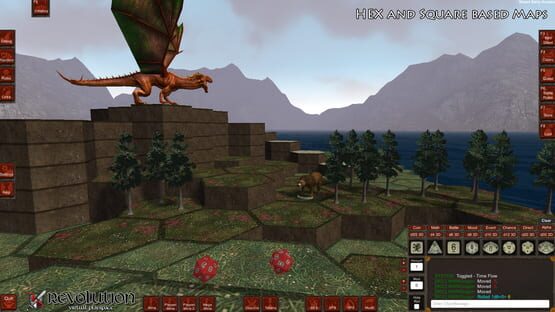
With this update we have added a measurement system to the playspace, so you can measure distances on your own screen without having to move a miniature. Toggle the "Measurement" box in the Settings tab of the playspace and click to start the measurement, click again to end the measurement and have the distance displayed to you in the chat box. By default it measures in "Squares" but if the GM enabled "Hex" mode it will measure in unit increments. Turn the toggle off to stop measuring.
Note: In the screenshot you can see the "Distance Line" that the system draws to show you the distance that you clicked. You can also see the output to the chat box, and the toggle mentioned above.
Added:
Measurement system in the Playspace [Requested]
16 Sewer Entrances
9 Fancy Jugs
11 Stone Steps/Platforms
Fixed / Changed:
Coin Collider Fixed
Code Cleanup
Texture Cleanup
Early Access Update (a1.83015) [Loads of Fun]
Early Access Update (a1.83015) [Loads of Fun]
With this update we have added GM "Load" buttons to all the miniature information tabs, to allow all editor files to be loaded during play in the Playspace. This opens up a ton of play-ability options for people who like to make things up as they play!
Added:
GM Playspace Loaders. GMs can now load all info file types while playing in the Playspace. Conversations, Quests, Battle Rules, Stores, Loot Drop Lists.
30 Crystal Formation Placeables
6 Gemstone Placeables
3 Bow Icons added to the Item Editor (Requested)
Fixed / Changed:
All in game Music has had the volume adjusted to suit better normalization in the game.
Replaced the "COIN" dice with a better coin model
Early Access Update (a1.82615) [Requests Filled]
Early Access Update (a1.82615)
Added:
A New Alphabet Dice (A to Z)
Extended Randomizer that allows you to send chosen lines of text to the chat box as you wish, or you can still randomize the output. It kind of acts like a text macro system. Save and Load lists to have unlimited access to your content. (Requested)
Default Height System for placing assets in the Map Editor has been added. makes creating second and third floors to dungeons much easier. (Requested)
29 Stained Glass Windows [Raven Set] Placeables added to the map editor.
Fixed / Changed:
Music volume default increased (Requested)
Asset Optimization (All GUI Icons)
Early Access Update (a1.82215) [Music to My Ears]
Steam Early Access Update (a1.82215)
Added:
Unlimited Scaling System added to the Map Editor (In the right click options)
MFX System (New Tab in the Playspace)
10 MFXs (Multi FX: Sound and Visual effects together)
Music System (GM Only Tab in the Playspace)
31 Music Tracks to play for everyone
15 Box/container placeables (+3 treasure chests not in the screenshot)
1 Modern Subway entrance placeable
1 Directional Compass Decal (For the Direction Dice Rolls)
Fixed / Changed:
Fixed some tree placeables that weren't scaling properly
Relocated the Info Popup in the Map editor
Reorganized some assets behind the scenes
Quick Tiny Patch a1.81618 [Who are You]
Quick Tiny Patch a1.81618 [Who are You]
This is a quick tiny patch to fix the names that appear in the chat box when chatting or rolling text based dice.
It was listing your name over and over no matter who was talking, turned out we had a variable being overwritten.. that is now fixed and it will now show the Steam name of the person doing the chatting or rolling!
We apologize for any inconvenience this may have caused.. it slipped through the QA, but it's fixed now.
EDIT: It looks like the Randomizer and movement text was also not working properly so we fixed that as well. Chain of bugs caused by a simple mistyped variable.. All fixed :)
MWMDragon
Hotpatch Coming
We have noticed a bug in the last patch that prevents the movement of Miniatures in the Playspace. We have completed a fix patch and will be uploading it very soon.
Thank you for your patience :)
Early Access Update (a1.81515) [Keep the Dice Rolling]
Steam Early Access Update (a1.81515)
[ Keep the Dice Rolling ]
* This update adds more play options as well as the ability to see each dice rolled as requested by some players.
Direction Dice (North, East, South, West, NW,NE,SE,SW)
Shield and Skull Dice
Coin (Heads & Tails)
Changed / Fixed:
Enabled freelook in the Playspace to be "RMB + LMB" together instead of the "F" key for laptop users as the F key was massing with the ability to type into the GUI fields.
Made the mouse lock when free looking in the map editor.
Changed the position of the Information bubble when mousing over things as it may have caused issues on lower resolutions.
** Note: There is an intentional 1.5 second delay on the ability to click the spawn dice buttons quickly as it can cause lag spawning tons of dice at once.
EDIT: We have released a hotpatch to fix an issue preventing the moving of miniatures in the playspace.
Early Access Update (a1.80815)
Steam Early Access Update - a1.80815
Added:
10 new VFX (Visual Effects) in the Playspace
16 Stone Wall Alcoves (Interior Tab)
10 Stone Braziers (One used in the Screenshot)
16 Stone Debris (One used in the Screenshot)
Fixed / Updated:
Map name is now shown in the Map Editor (Requested)
GUI Type Through Fixed. You no longer jump around while typing in the Playspace. When your mouse is over one of the tabs or Chat area.. typing does not affect your view.
Adding campaign files to minis now enforces that you have a mini selected to even have the option to link the files come up.
Early Access Update (a1.80415)
Steam Early Access Update (a1.80415)
We have applied some fixes and filled a popular request with this update. Tokens used in all kinds of tabletop games are now available in the Playspace and act like Miniatures but are not as fully features as miniatures as they were created to fill a specific purpose.. act as Tokens, Counters and Markers.
We have also chased down some shadows that were not obeying quality settings.. and have made them follow the rules. If you are running on an old weak computer and shadows are killing your on board graphics card.. simply start the game in "Simple" mode and you will get all the textures with minimal shadows.
Added:
10 Green Game Tokens
10 Blue Game Tokens
10 Red Game Tokens
10 Yellow Game Tokens
Fixed / Changed:
HUGE Playspace GUI Update
Lighting Shadows wrangled to obey quality settings
Some light heights changed to look better in game.
More Information Tips Added to the Playspace
Cage based gates & doors fixed and now open and close.
Early Access Update (a1.80115) SFX & VFX
A huge update to the Playspace! Visual and Sound Effects systems have been added to allow visual and audio effects to be used on the fly while gaming, making it an even more immersive experience.
There are also a preview systems. You can see or hear the effects by yourself and decide if it's the one you wish to play for everyone in the game. With a new sound system there also needed to be a volume control and a mute button added to the settings panel.
Added:
VFX (Visual FX) Panel and use system, with Previews.
SFX (Sound FX) Panel and use system, with Previews.
20 Visual Effects (Many more to Come)
24 Sound Effects (Many More to Come)
Volume Adjustment and Mute Button in Settings
Fixed / Changed:
Removed particle placement from the Playspace as it can, and should, be done in the map editor.