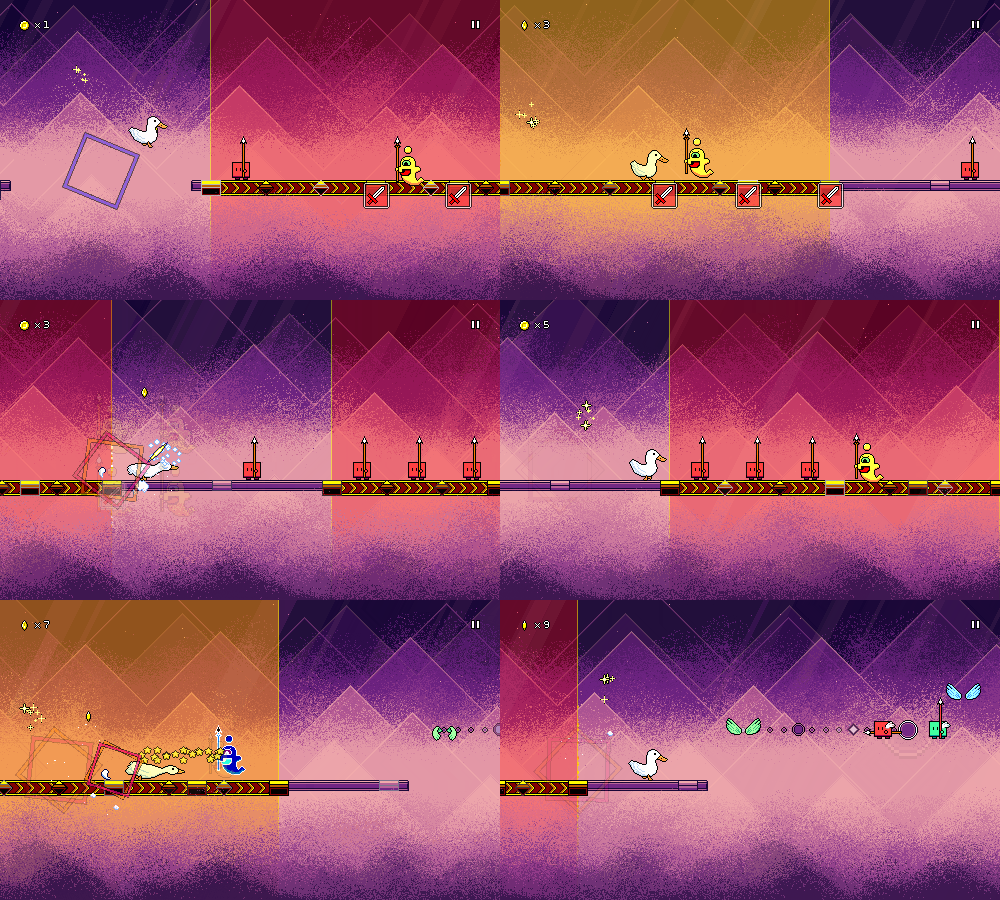
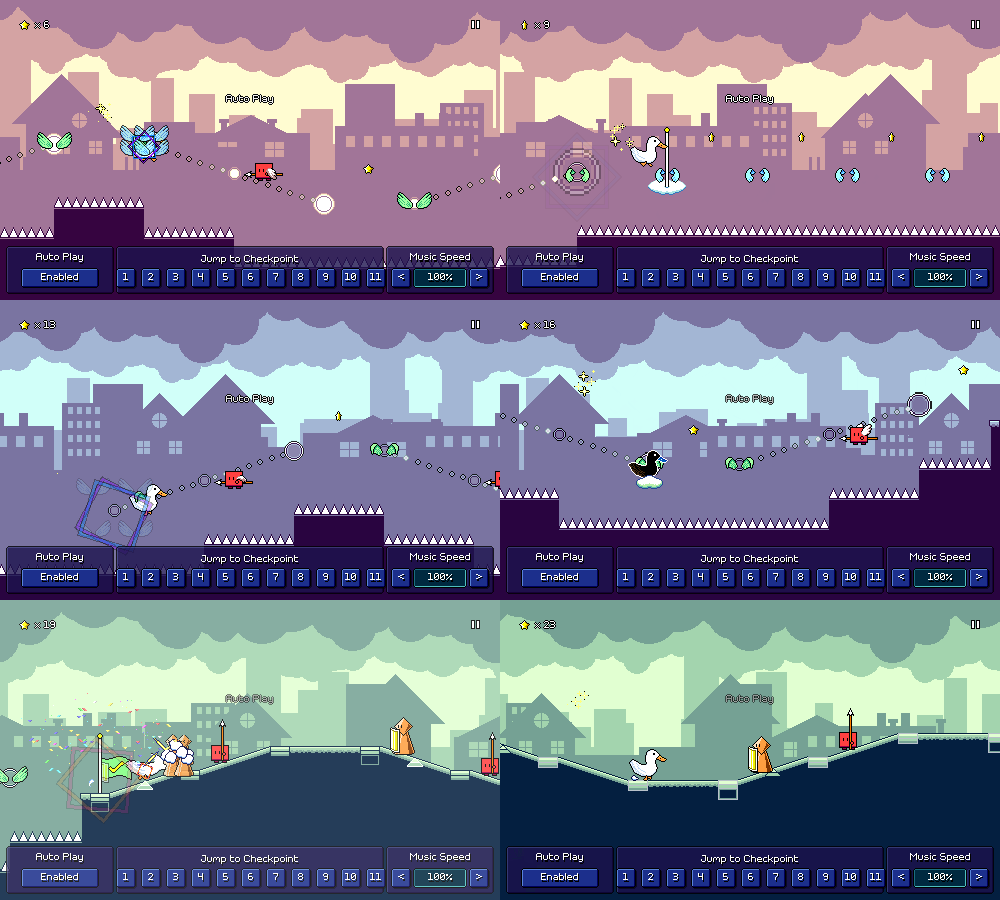
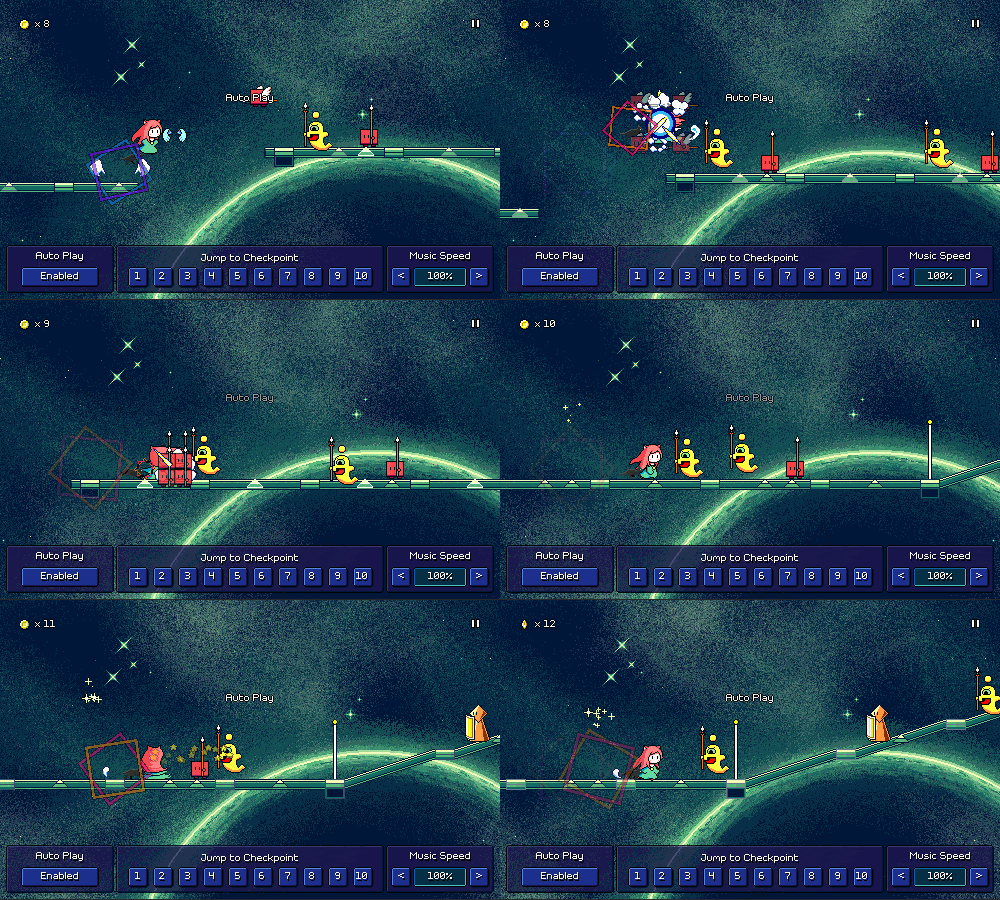
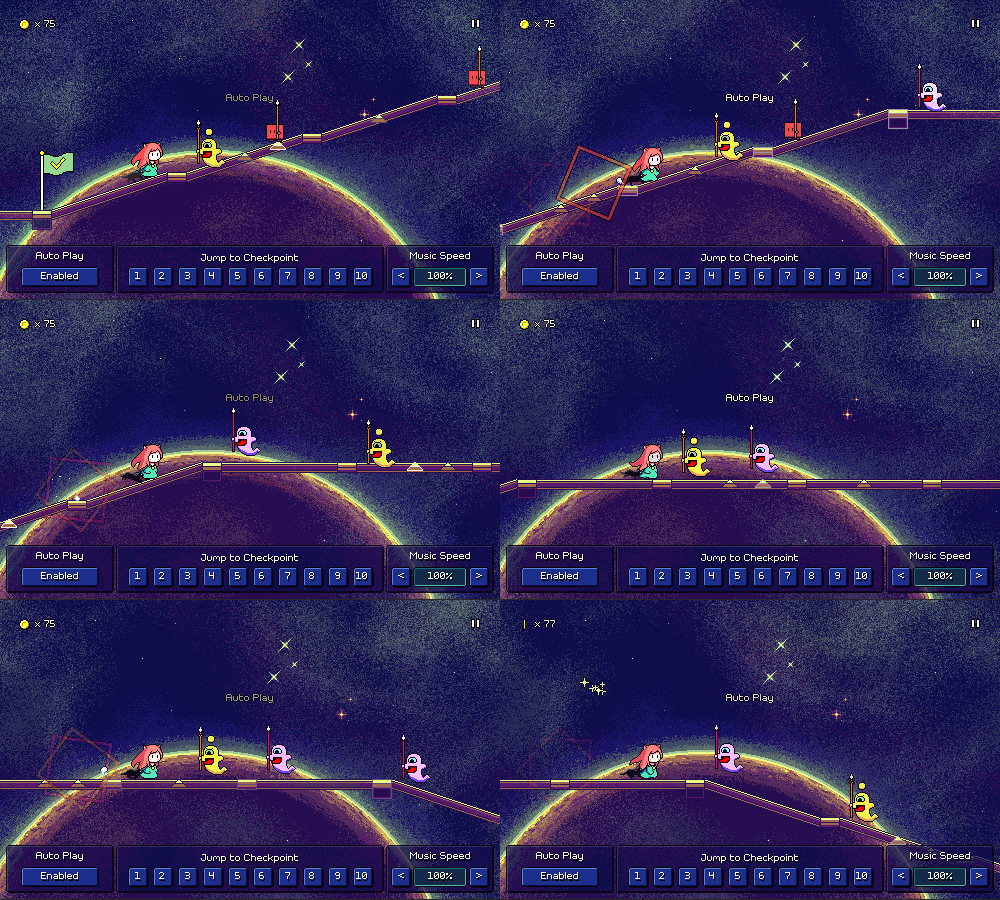
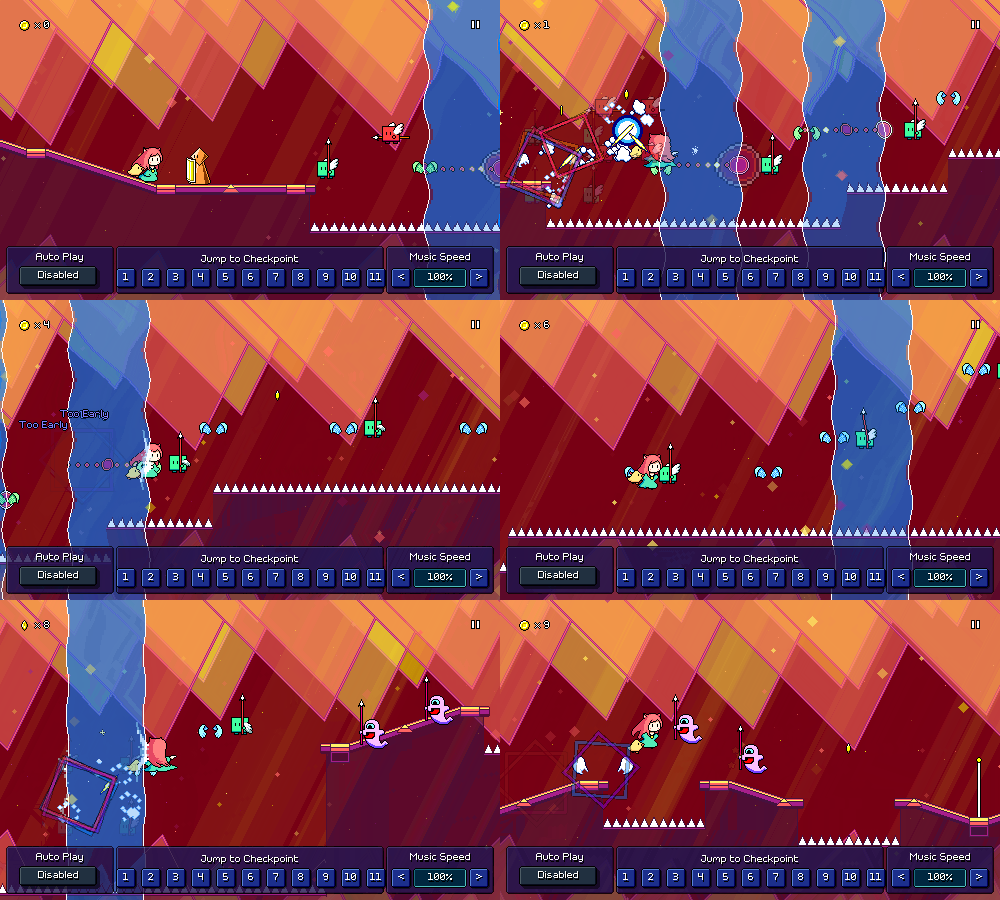
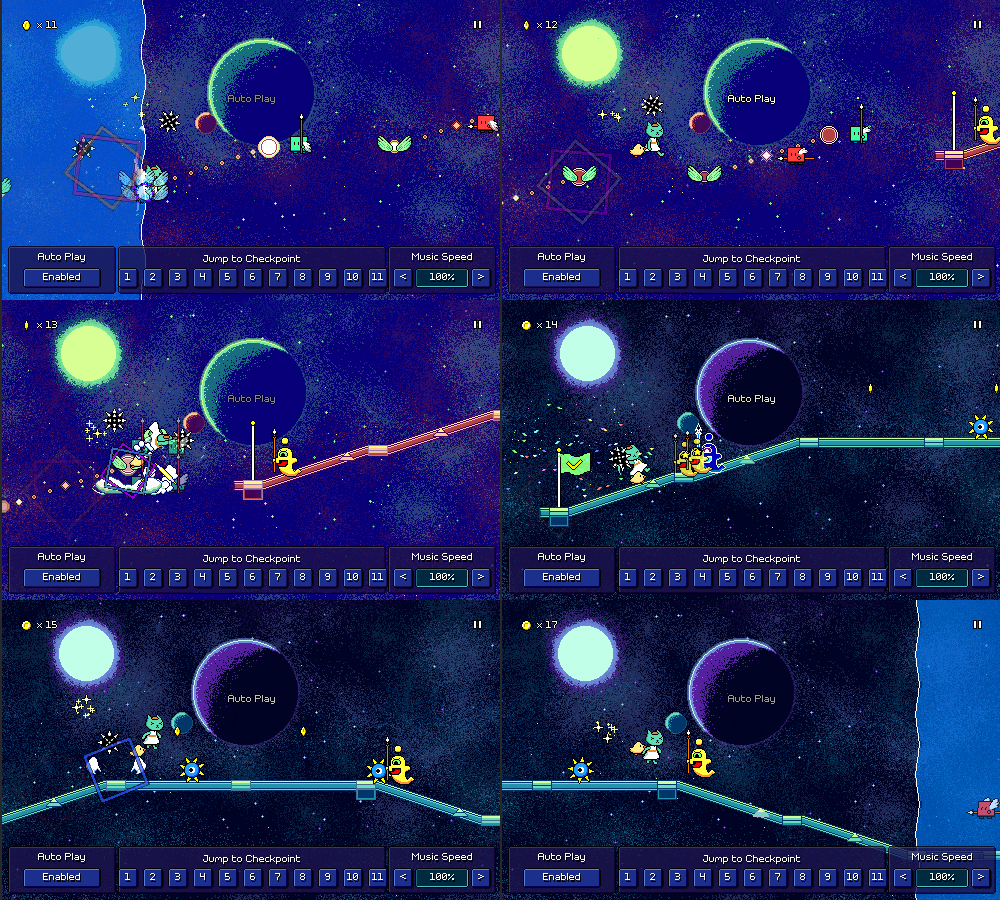
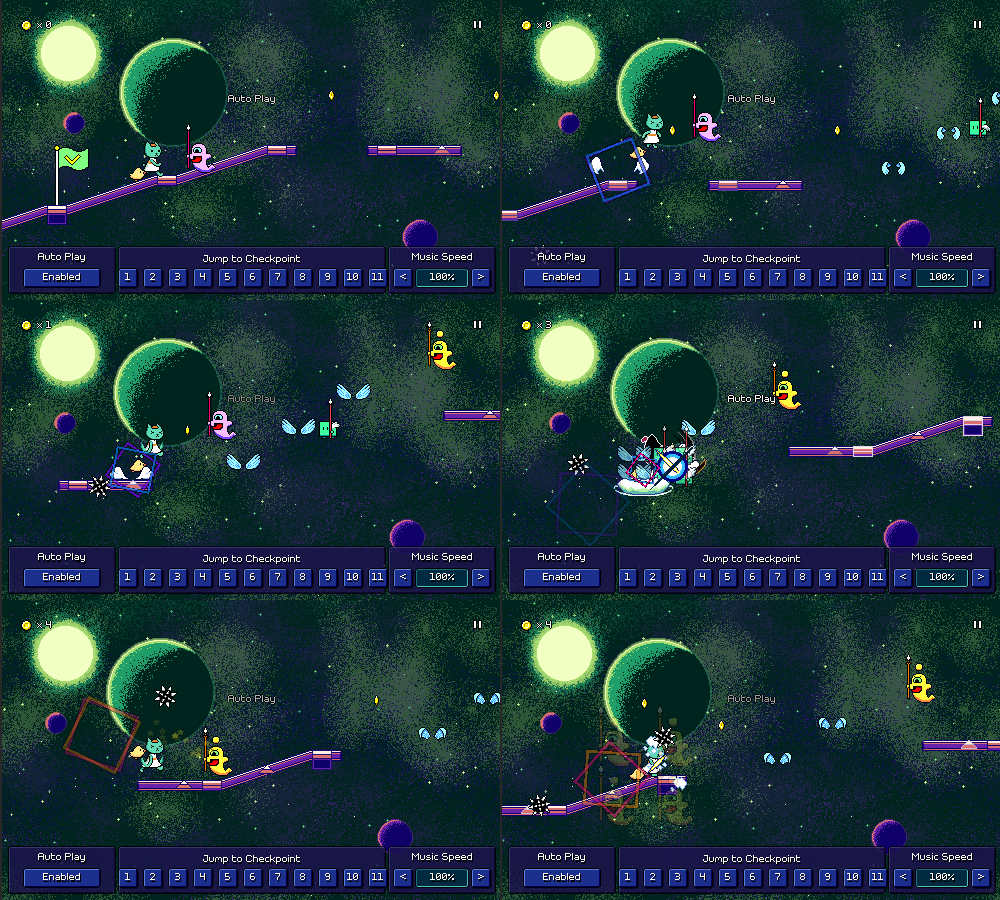
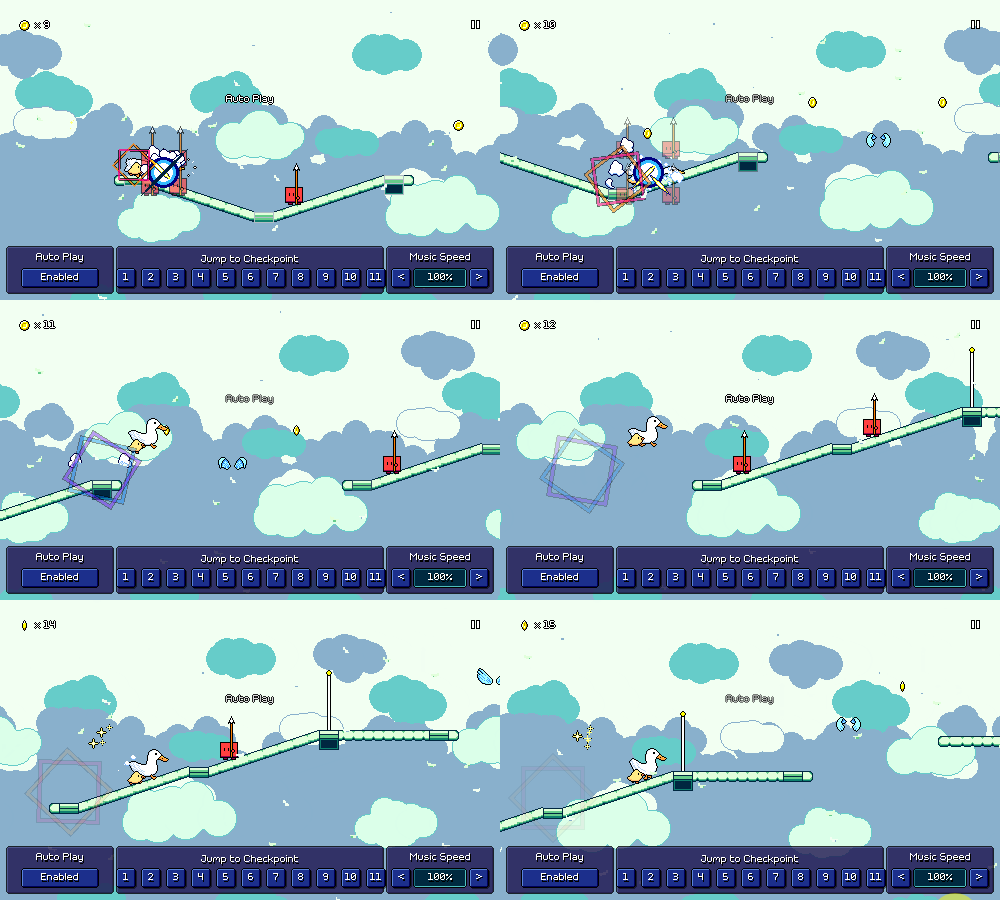
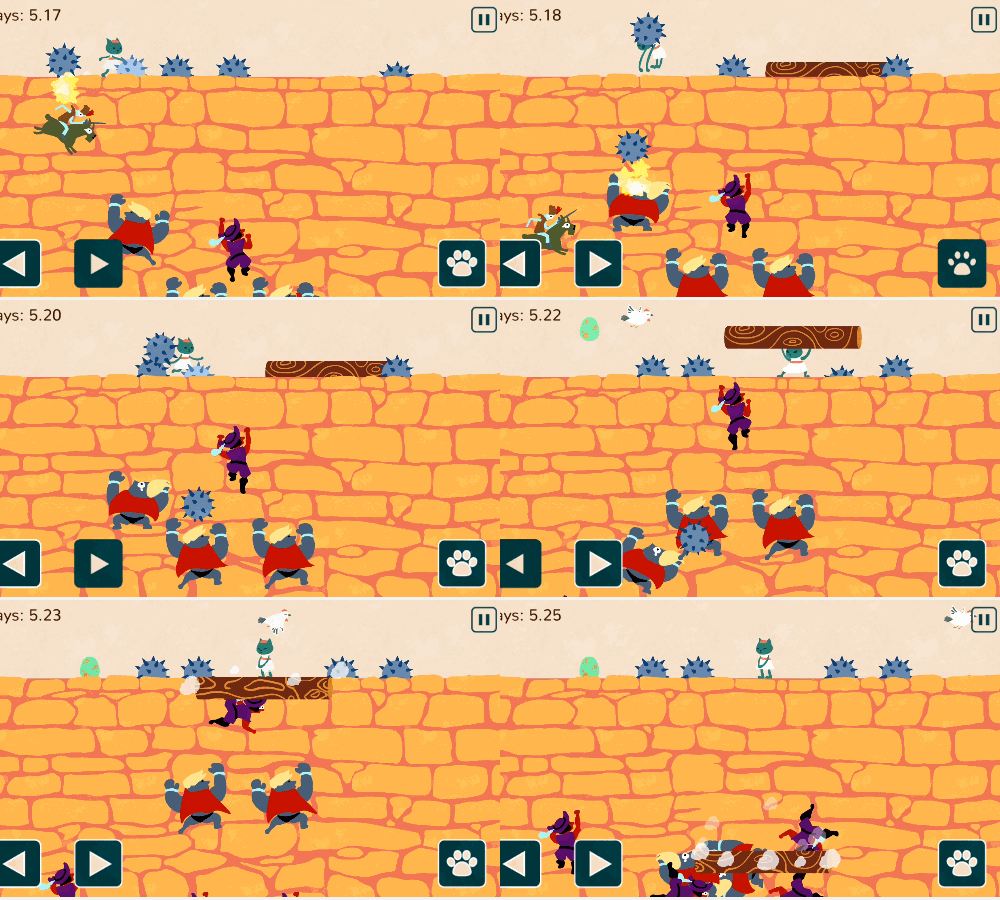
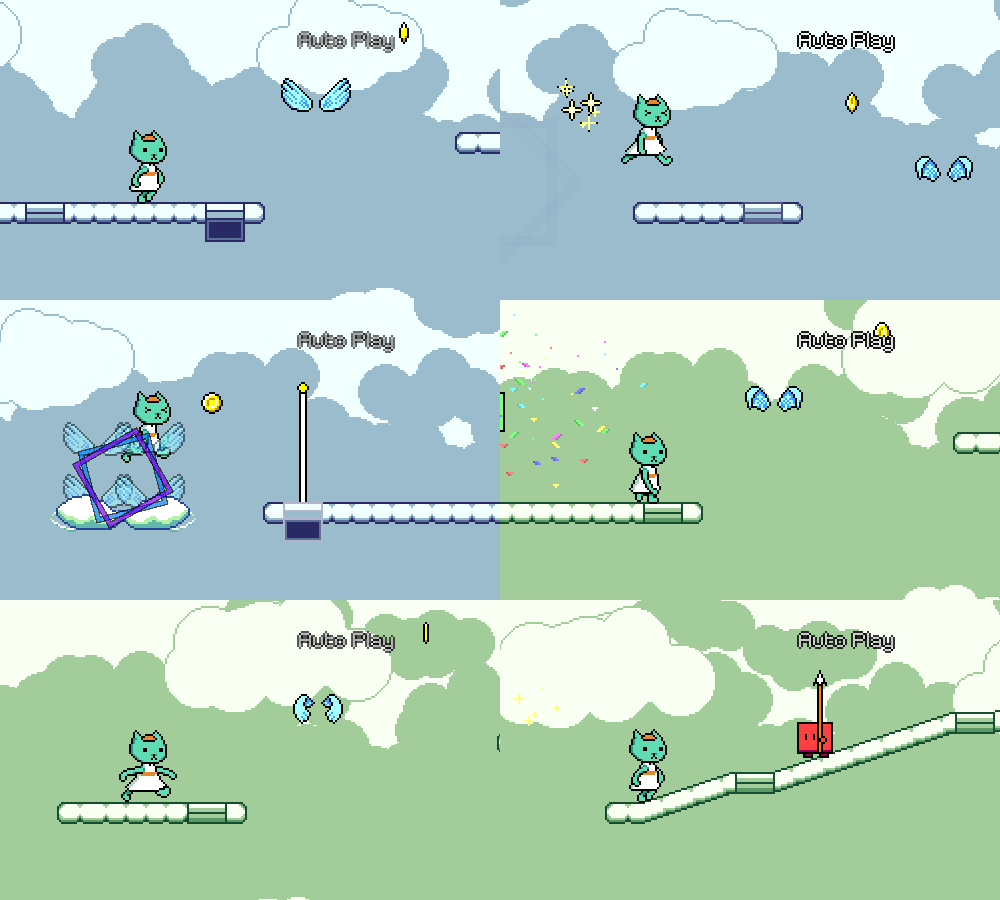
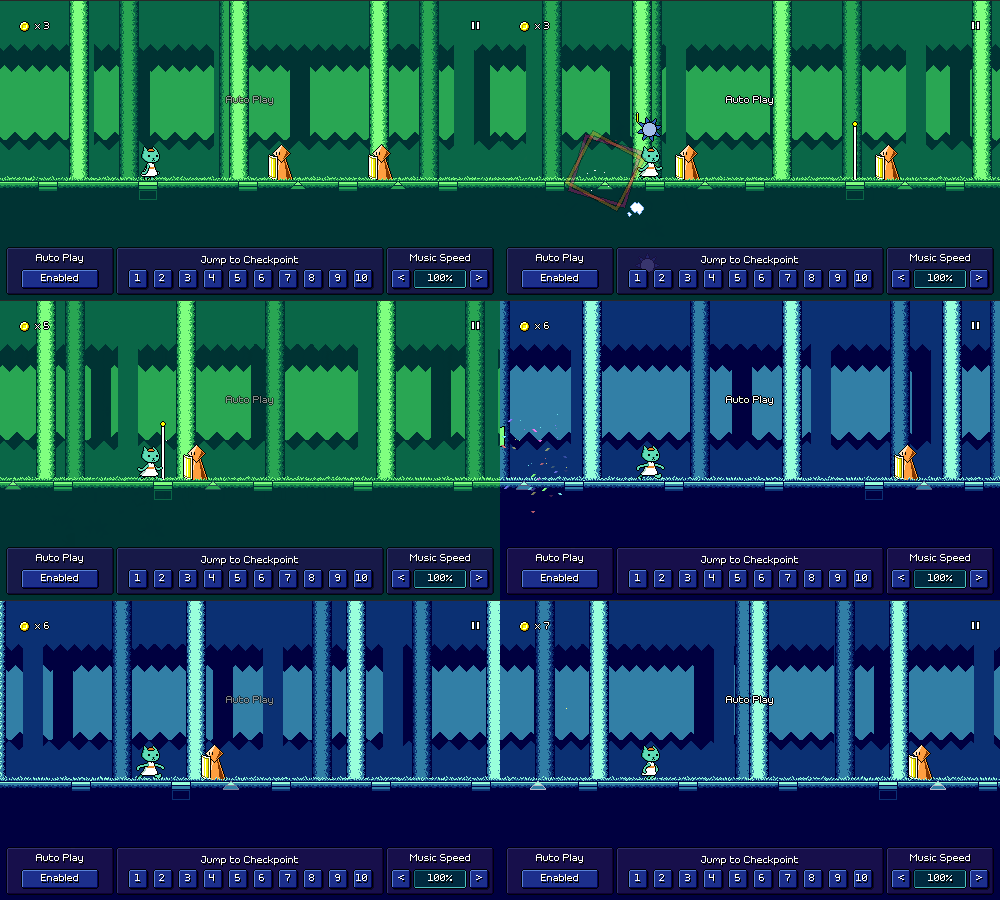
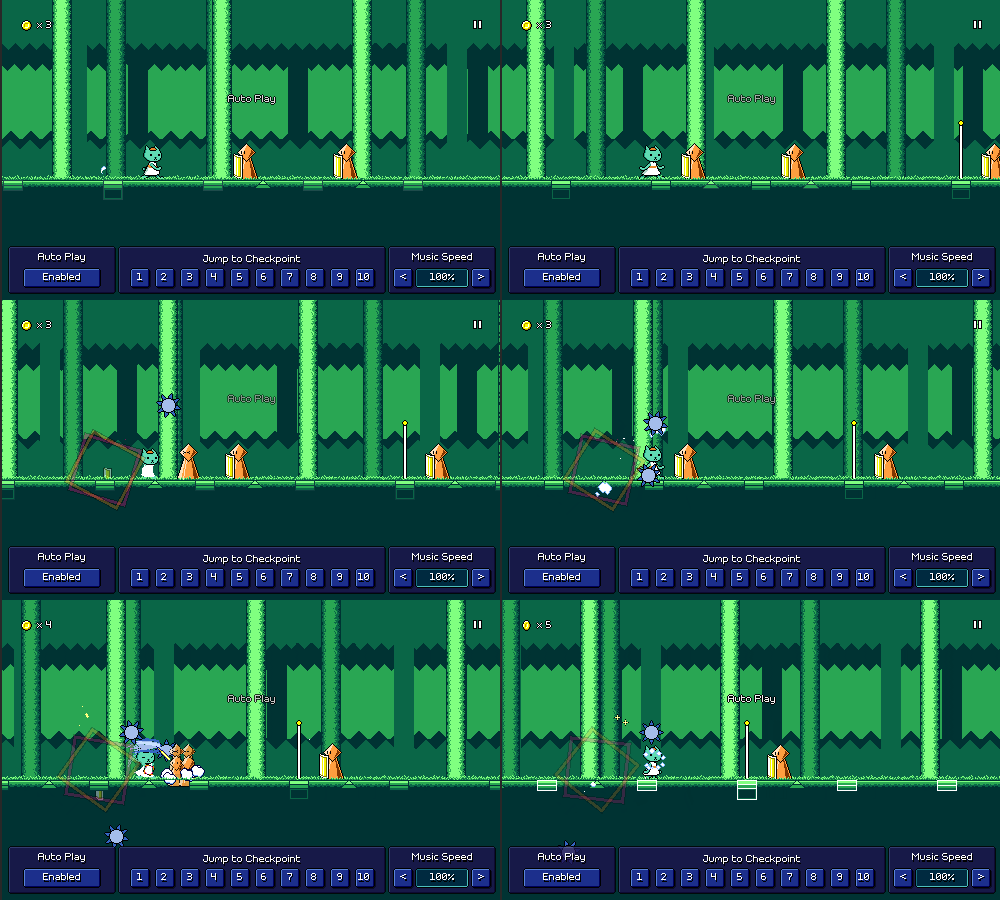
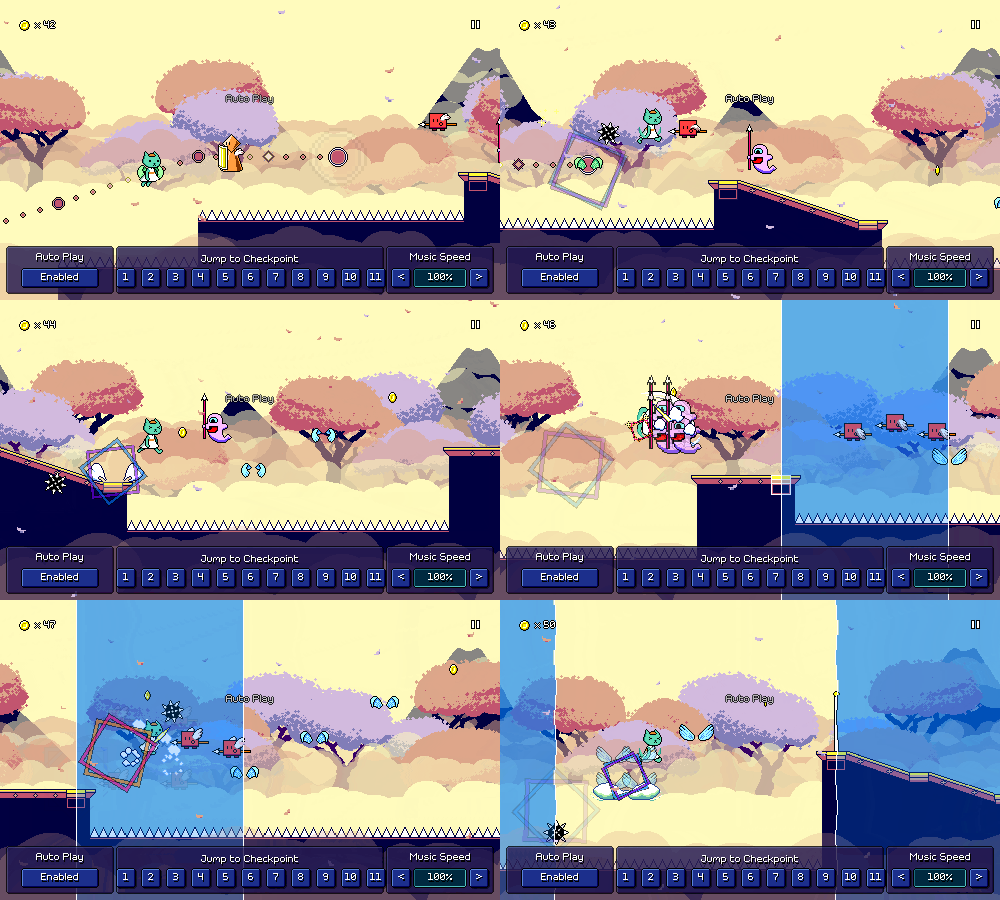
This is the second-to-last level of the 30 main ones, so I can't hold anything back now! Even this late in the game, I'm actually still managing to introduce a new curveball or two...starting off with combining speed zones with ghost enemies:
Since this isn't immediately obvious how it would work, I've provided the tutorial icons below to show where the ghost ends up. It's actually simpler than it looks, as the timing is just equivalent to regular eighth notes (like a normal double-hit enemy). But now I can use this triplet->eighth note rhythm as a satisfying way to cap off a phrase.
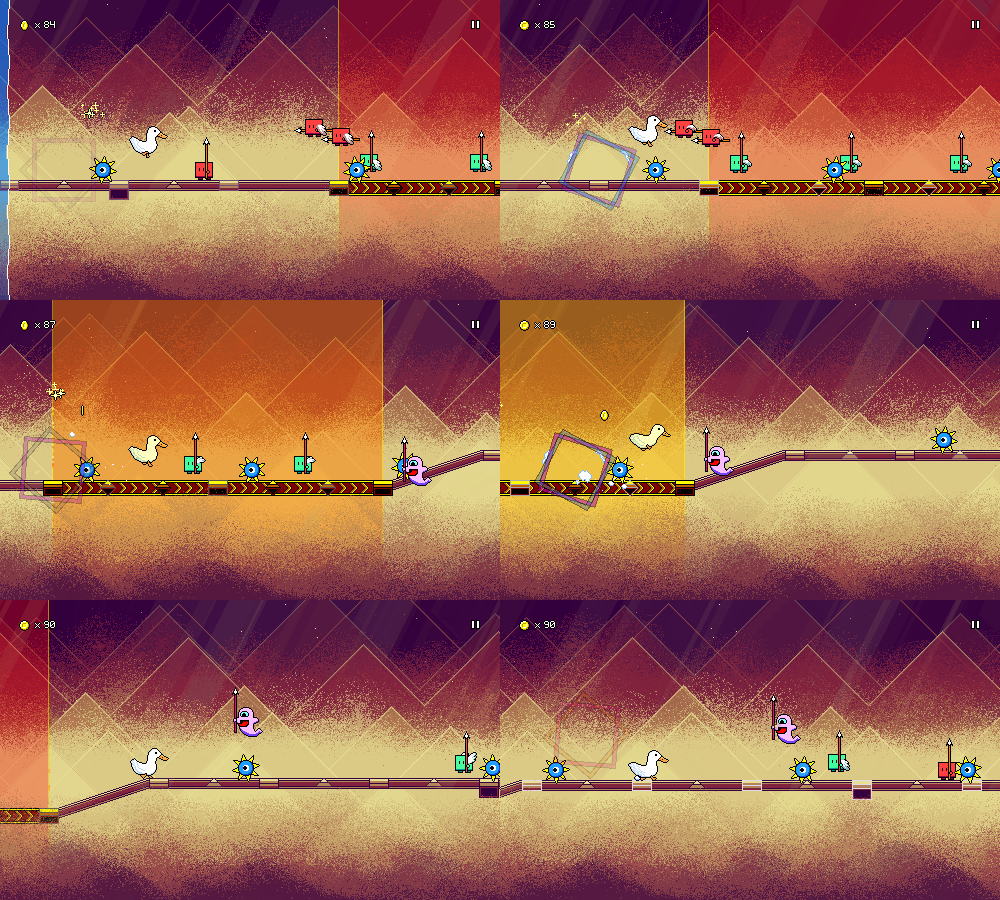
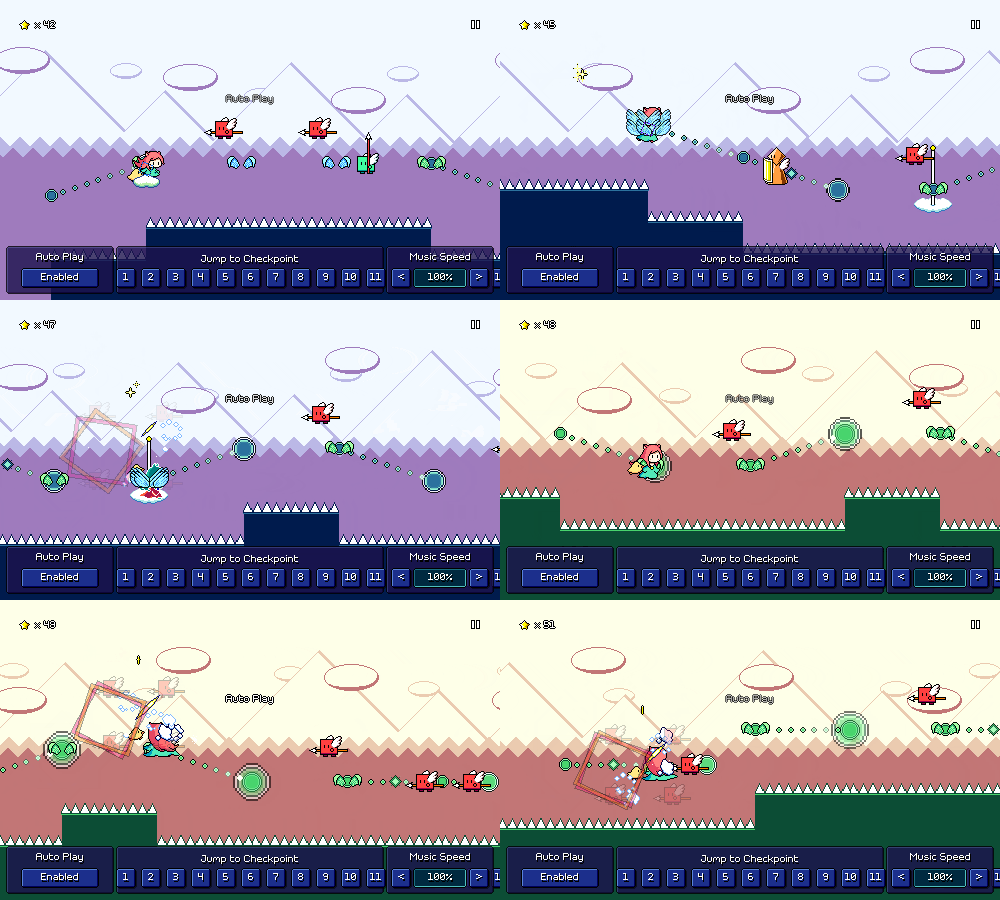
In a similar vein, I also combine speed zones with spike enemies:
This is another instance where I'm secretly making the rhythm easier to parse by adding extra elements -- the green combo enemies allow you to have a more obvious indicator of when you need to jump.
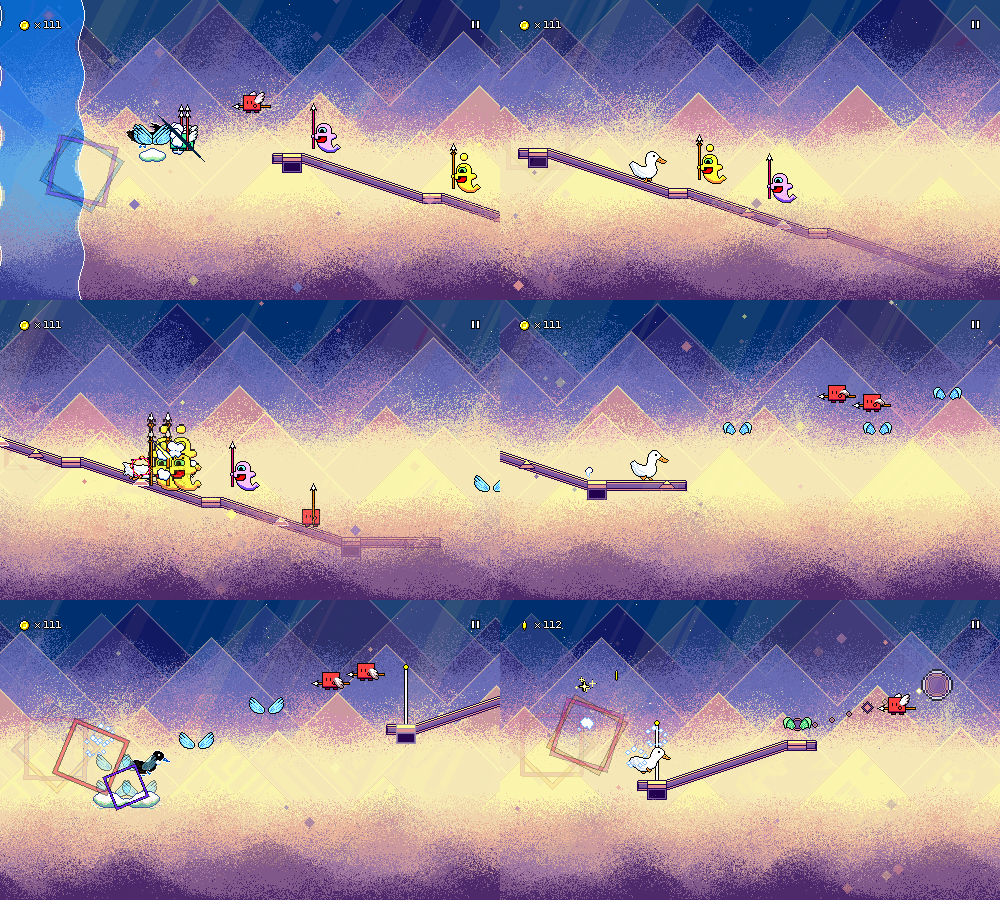
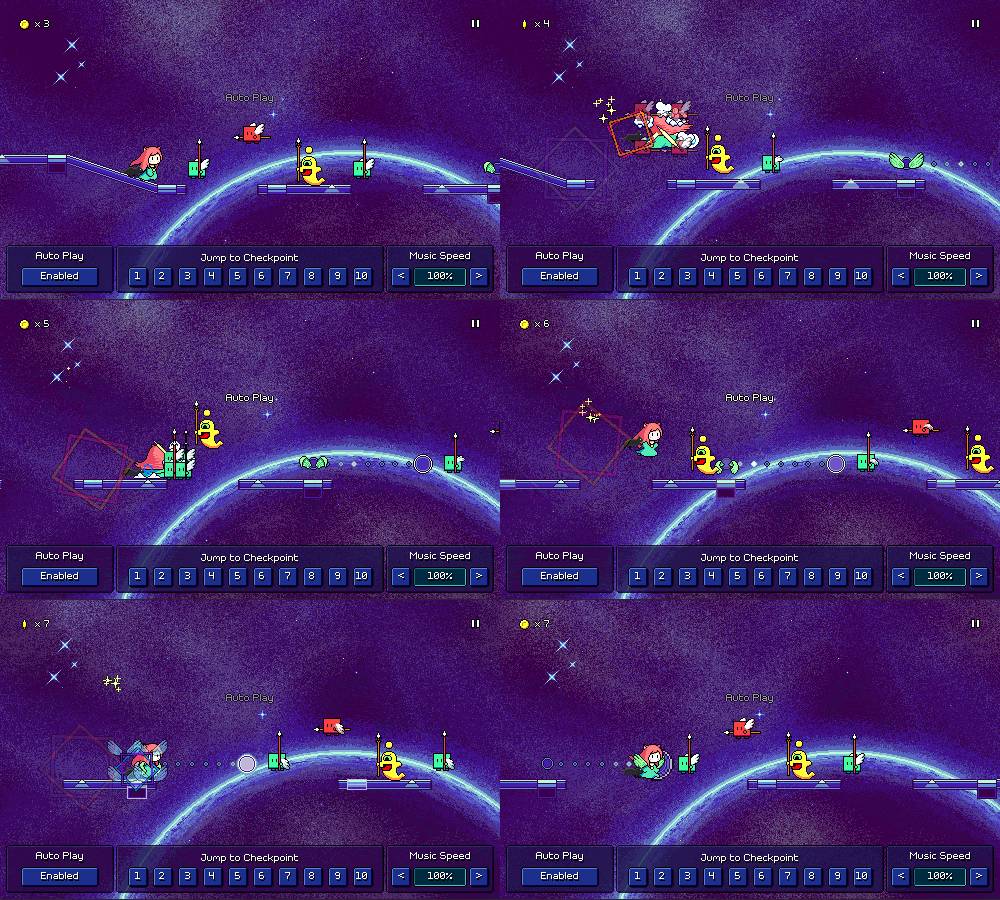
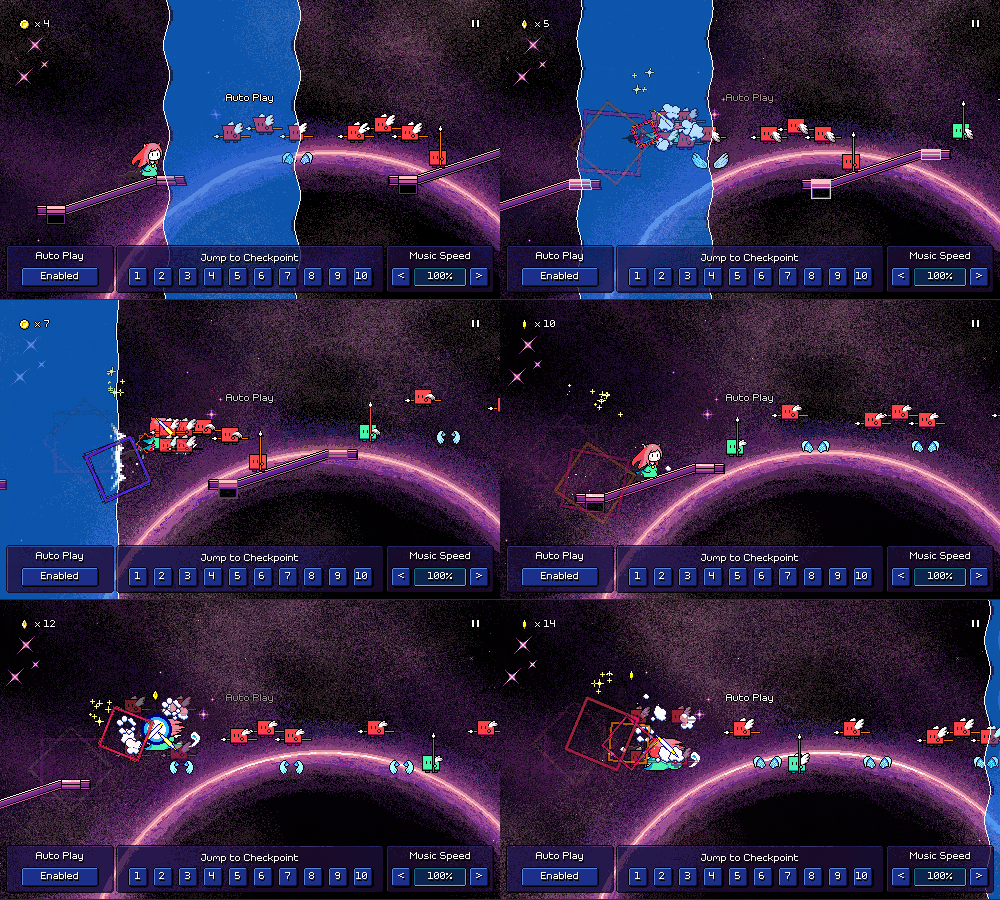
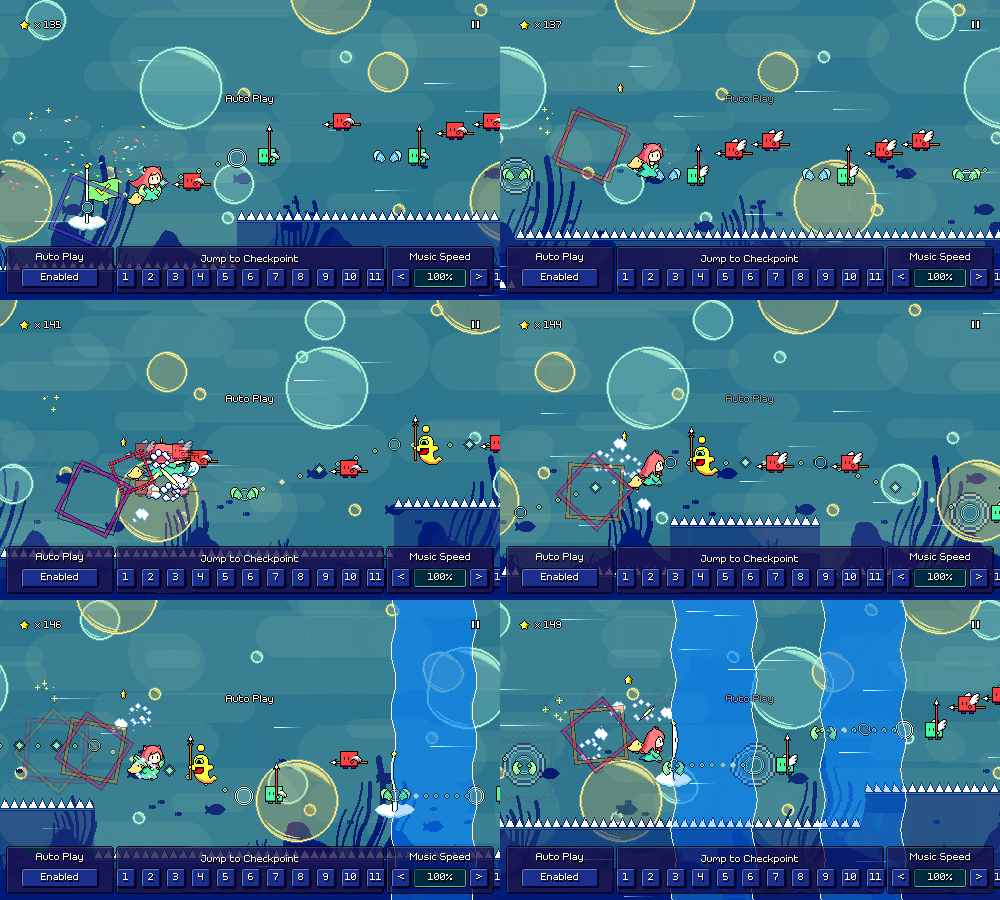
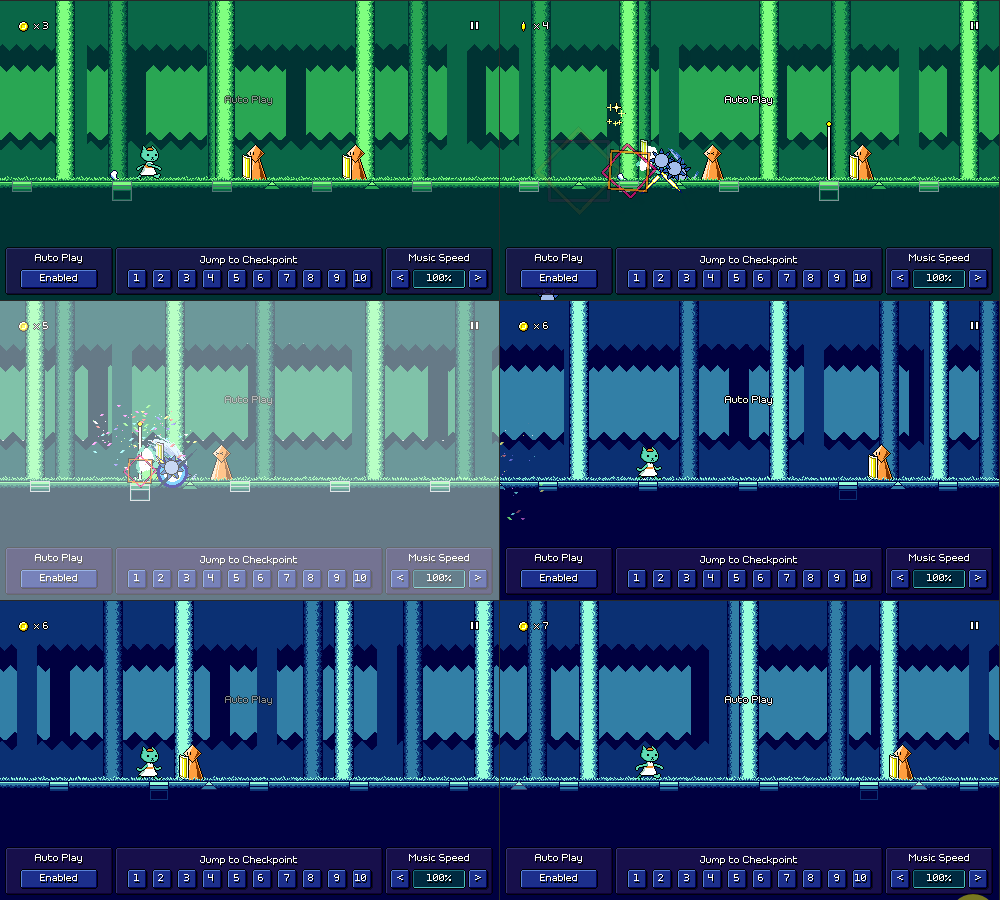
Besides that, I'm making full use of the 16th-note rhythms that I introduced in the previous level:
I feel okay using this tricky purple + yellow ghost combination as a "fixed pattern" since I already introduced it in level 6-3 at a slower tempo. As you can see, I'm also leaning more into variations on 16th-note flying enemy patterns as well.
Honestly, the new rhythms are a blast to play. It's crazy to think that over a year ago I thought that speed zones would be the last mechanic added to the game, until I was inspired to make the yellow ghost enemies (partly due to some custom level work I was doing!) which started to open up the opportunities for more variations.
Backdrop Design
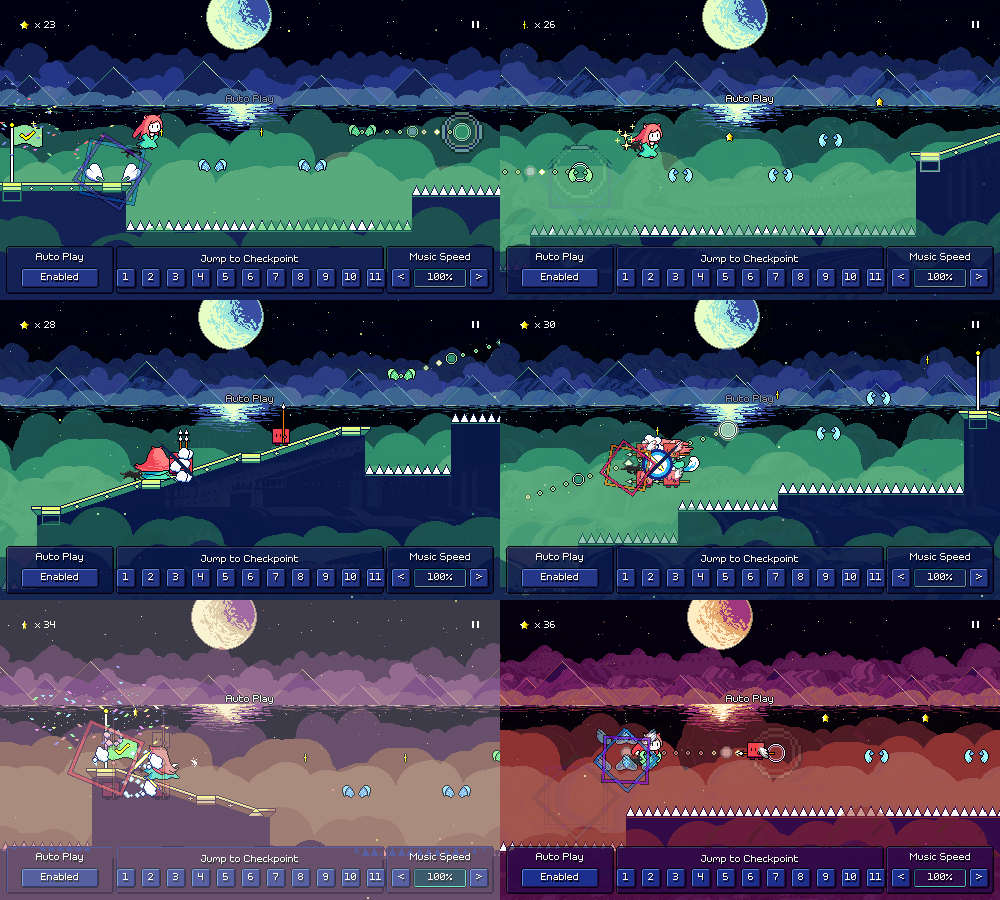
I'm quite pleased with the backdrops for this level, not just because they look great but because I managed to do something different than just a 4th version of "outer space with a bunch of stars, plus something extra". I started things off with these spraybrush layers, actually very similar to some of the cloud layers in previous worlds, just with a lot of dithering going on (that's the main stylistic thing going on in world 6):
I liked the way that looked, but wanted to add something more to it. My first attempt was just to do some mountains (clouds + mountains...just how many of my previous level backdrops are variations on this?):
It wasn't the worst (the dithering on the shading of the mountains was a nice touch), but I felt like it wasn't quite hitting right, plus it didn't really feel like it vibe with the whole space theme. I decided to try using translucent triangles instead, kind of like how I did in world 5, and that looked much better:
I'm scared at how this might perform on the switch (this is the kind of backdrop set that requires toggling off some layers when in low-quality graphics mode), but it looks beautiful when you see all of the translucent layers scrolling at different rates and blending together.
Audio Design
The element that kicks of the track and plays through its entirety (and the one I wrote first) is this gated pad sound. I layered some different sustained synths and then applied a rhythmic volume automation to it:
There's two different basslines going on in the first section of the song -- one main "plucked" bass synth, and then a simple pulse wave bass that's a bit higher in frequency:
In the second second of the song where the big drop happens, I switch to a different main bass sound. This one is really thick, made by layering a handful of different synths -- some providing a really "meaty" low-end, and others providing a more middle-range detuned sound.
The drums get a little changeup too! Most notably, I switch to a halftime beat, but I also use a beefier kick drum, and there's an extra drum loop layer, which mostly adds extra strength to the snare hit.
There's this heavily-reverbed chirp sound too. I featured this same sort of thing in the previous level too, but I guess I just can't get enough of it; it provides this sort of nice melodic "shimmer" in the top-end without getting in the way of the lead melody.
In the buildup I also turn on a "notch filter" (removes a narrow range of frequencies) and sweep it from high to low, for an almost phaser-like effect. Here's all of that coming together:
I've also been working on adding some more classical music pieces to the game as bonus songs -- this time by composers other than Mozart!
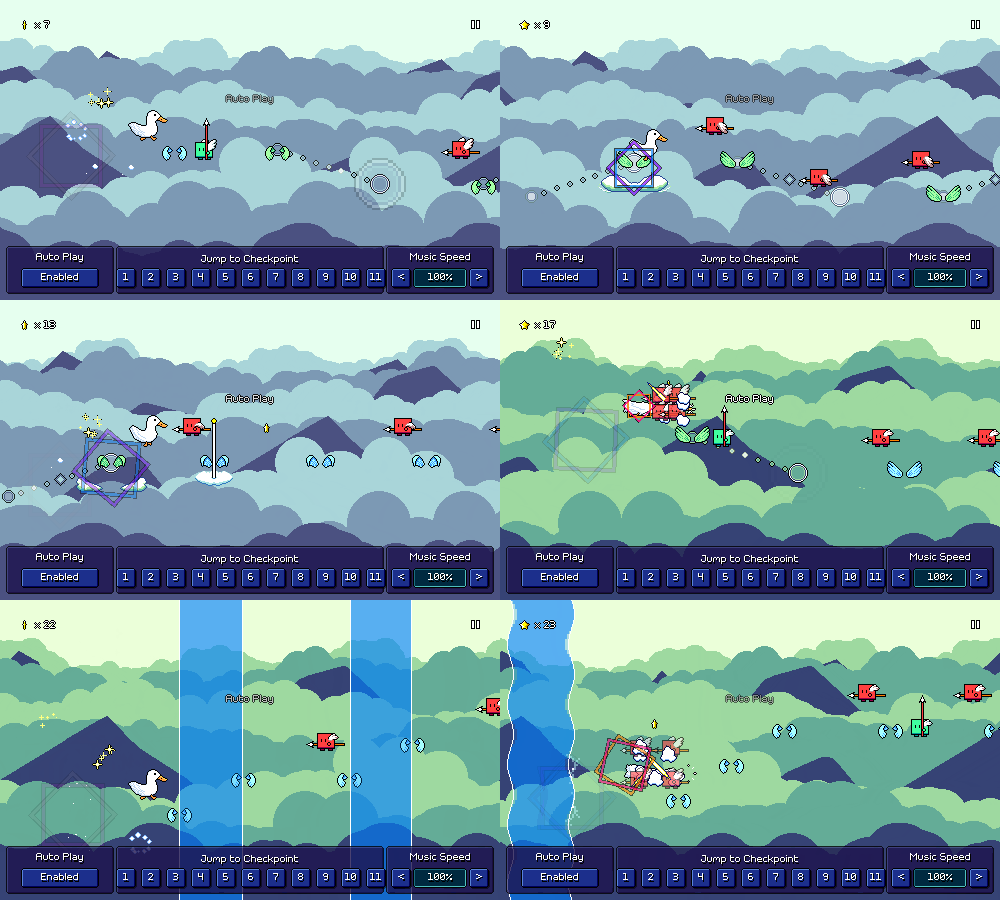
Starting off with a classic, "Flight of the Bumblebee". While this one isn't quite as well suited to Rhythm Quest as it is to some sort of 7+ key rhythm game where you can just chart out all of the 16th notes, it was still a fun one to do.
Past the very start of the song, you spend the entire time in the air through combinations of air jumps and flight patterns, as a nod to the theme of the song. The scrolling speed also increases bit by bit with every checkpoint, adding to the frenetic nature of the song. (PS: I spy mountains + clouds in the backdrops...)
Then we've got a song that I heard about a billion times at music recitals for young piano players, "Für Elise":
This one is more laidback -- kind of a repetitive song, to be honest, but I made sure to chart each repetition a little differently so that you don't end up falling asleep (like I did during those music recitals...). It's also notable for being the first song I've charted that makes use of a non-4/4 time signature. (Hm? Yes, that functionality totally worked the first time that I tried it, there were no bugs to speak of, nope, not at all. ...why are you looking at me like that?)
That's it for this month's update. Comparing level 6-4 to level 1-1 is wild; I can't believe how far I've come in these past 8 years and how deep I've gotten into Rhythm Quest charting and level design. I'm honestly almost glad that the journey to get here has taken this long, as it means I get to put the knowledge and skills that I've accumulated over the years into use. Well, it also means I probably need to revisit some of the older levels to touch them up, but I'm going to not think about that just yet...
Level 6-5 feels like it might be a little intimidating to work on, so I might try and work on a few other things next month to start with. Knowing how I work, though, I feel like it's going to be the sort of thing that I just decide to just sit down and knock out most of it in like a day or two. Just has to be the right time, I guess.
Devlog 70 - Midnight Moon, Rondo Alla Turca
Working on new levels has consistently been my favorite part of Rhythm Quest development! As I continue to flesh out my roster of bonus stages (I've got 15-20 at this point!), I've been thinking about other musical styles that I haven't yet represented. One of those is DnB (Drum and Bass), so I made a track called "Midnight Moon" inspired by "Liquid DnB" soundscapes:
This one is at a very brisk tempo of 170 BPM, but doesn't feature any of the mechanics from worlds 4-6 (water/speed zones, green enemies, yellow ghosts), so it's a good exercise in simply testing your ability to read basic patterns. I'm making more liberal use of syncopated rhythms in the bonus songs throughout, though, so they are going to be a little trickier to sightread than the main stages.
As I've probably mentioned in the past, even when I do use offbeat rhythms, I'm trying to keep them relatively readable, often favoring airjump patterns over basic enemies as they tend to be easier to read at a glance based on height differences.
For the music side of things, the basic structure of the DnB soundscape is actually not very complicated. The foundation consists, of course, of a nice drum loop, and then a prominent low bass synth with a little bit of "wetness" (growl/detune/warble) to it:
The cool thing about the liquid DnB-inspired soundscape for me is that the tight drums contrast with the other melodic layers going on, which are either drenched in lush reverb, or have softer textures. Here I'm using a droning bell-type pad loop sample, some electric piano-ish plucks, and then a chiptune arpeggio that's put through a ton of reverb:
Here's all of that coming together in the main drop of the song, which also adds in a few other new elements (an additional drum loop layer, a high blippy synth):
https://rhythmquestgame.com/devlog/70-drop.mp3
Rondo Alla Turca
I'll eventually try to get someone else like Bach in the mix, but for now we've got some more Mozart! This time the very well-known "Alla turca" movement of Piano Sonata No. 11 in A Major, also known as the "Turkish March":
This chart is simpler (doesn't even use ghost enemies) and should be a fun, light-hearted playthrough for anybody who has gotten to world 3-ish. Being familiar with the melodies of the song should also make sightreading a bit easier, which is nice. There's not much else to say about this one so let's just move onto talking about other stuff!
Pausing while Respawning
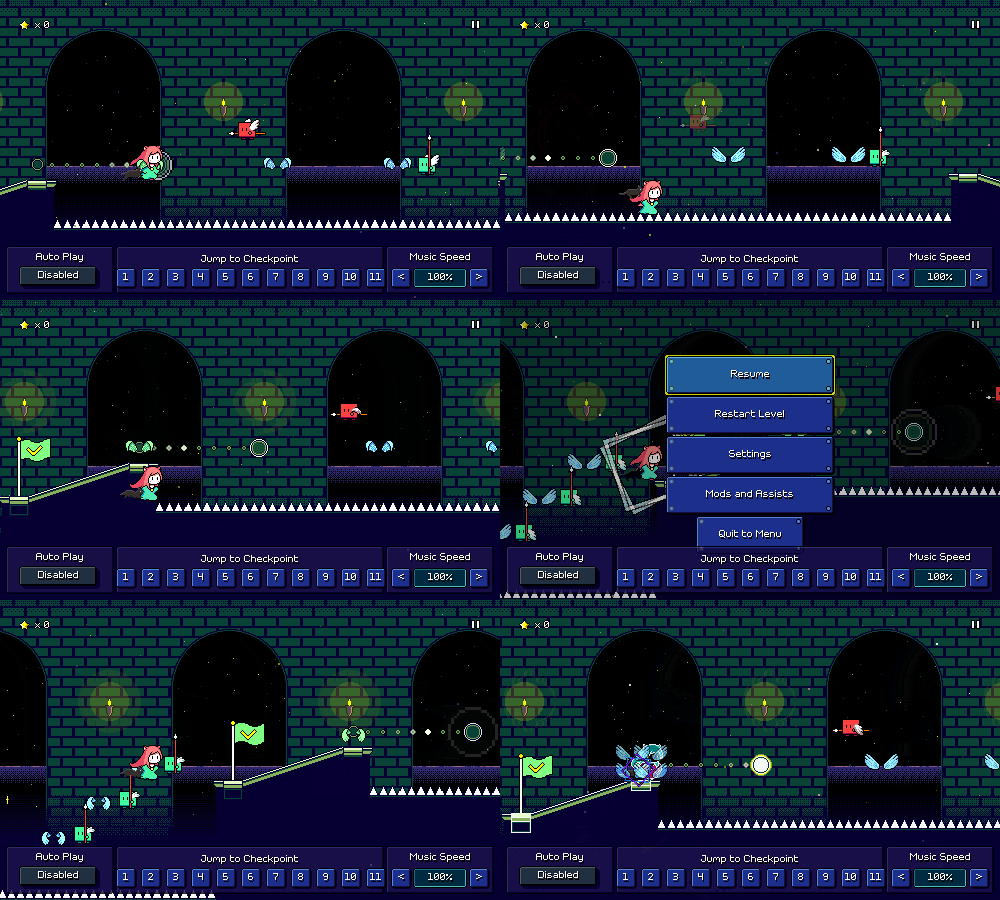
Finally!!! This seems like such a trivial thing but has literally been on my TODO list for years...you can pause in the middle of a respawn now:
It's...actually still not perfect, as instead of immediately resuming the respawn where it left off, it restarts the respawn transition so it might take a few extra beats. But that's certainly good enough for me!
You might be asking why this took so gosh-darned long for me to implement and the answer is that the respawn logic is actually really complicated with a bunch of different moving parts. Briefly speaking, during a respawn the following things happen:
- Switch over seamlessly to the respawn music loop (which was already playing, just at 0 volume) - Find a seamless point in the future to reschedule the main music - The pause music loop and respawn music loop also need to be scheduled (at 0 volume!) - Take care of the actual camera and player animation, which needs to be smoothly interpolated - At the end of the respawn, the entire audio timeline needs to be shifted
Because of how audio needs to be scheduled in advance (otherwise you run into audio buffer/latency issues), pausing that entire process isn't as simple as "just pause here and resume later" -- the scheduled music transition needs to be cancelled entirely. Of course, pausing the game also involves some special logic (keeping track of when in the music the player paused, so that we can later schedule the unpause seamlessly and drop you in on the right beat).
This was really daunting, so I kept putting it off, but recently I was working on handling an edge case where switching the audio device (e.g. plugging in a pair of headphones) would cause all currently-playing audio sources to stop (sigh...) and need to be rescheduled, so I went in and tried to just solve for all of this at the same time.
Weblate Setup
For a while now the community translation/localization efforts for Rhythm Quest have been managed via its page on Crowdin. This has mostly sufficed (actually was a headache at first as their Unity integration wasn't robust and I had to patch it up a lot...fortunately they have patched all of that up since then), but despite my impressions of the game not having a lot of text, I eventually started adding enough options and level editor UI flows that I quickly started running into the limits of their free plan (word count X number of languages can be 60,000 at most).
The next tier up would cost $150 USD a month (yeouch) and only increase that limit to 100k, so I chose to look for alternative solutions for hosting and managing community trnaslations (hopefully something better than just reverting to using a scrappy shared google sheet). I ended up looking into Weblate, an open-source solution for this. Weblate's cloud-hosted option costs ~$40 USD a month, but you can also host it yourself if you have enough know-how to administrate a web server and set up all the infrastructure for it.
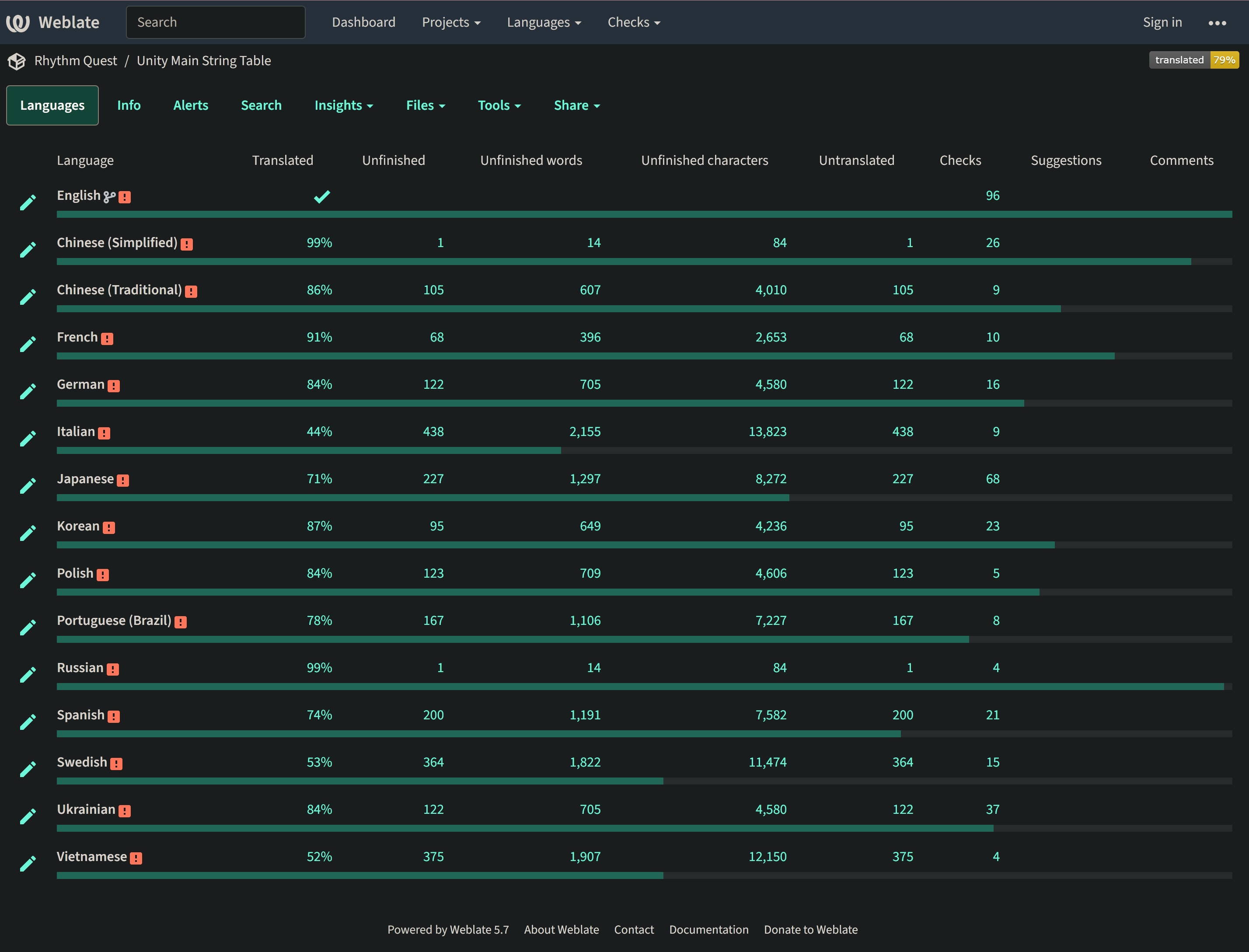
After some failed (but educational) attempts at bringing that online earlier this year, I managed to actually get that mostly up and running on my web/cloud infrastructure stack:
This is not really production-ready yet (I've disabled new user registration and everything), and there are still some aspects of it that I need to follow up on, but it's good to know that this has a good shot of panning out for my localization needs moving forward. It's still not free, of course, as I need to pay for the server resources and all that, but the cost is an order of magnitude less than I would be paying otherwise, so it's a win there nonetheless.
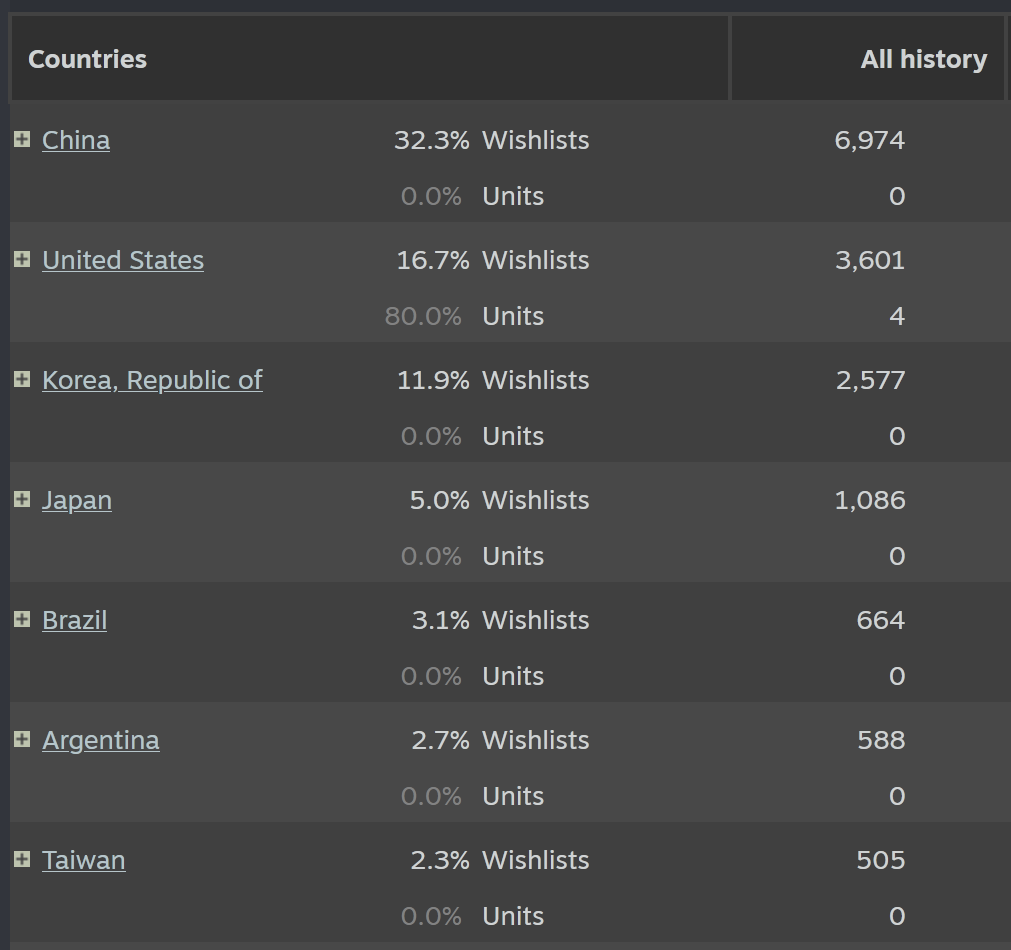
Translation is actually quite an important thing for my game if you look at the Steam wishlist breakdown by region, as the majority of my wishlists are actually from non-English speaking countries...
I had some plans initially for transitioning to using a professional agency and/or service for localization, but got a little discouraged after thinking about the costs involved. I guess it's a hard thing to commit money toward something that hasn't really yet cost you anything nor made you anything either...
Rhythm Quest Demo v0.32.1 Released
The Rhythm Quest Demo has been updated to version 0.32.1! This patch contains a few bugfixes, but also finally allows you to pause during the middle of a respawn.
Full changelog:
Version 0.32.1 - Allow pausing during respawn (finally) - Fixed pause music continuing to play after exiting practice mode - Fixed music desync when pausing during level 1-1 tutorial - Attempt to handle audio device resets/changes by restarting music - Fixed minor menu navigation issues - Fixed some text strings
Rhythm Quest Demo v0.32.0 Released
The Rhythm Quest Demo has been updated to version 0.32.0! This patch adds in various assist features to help if you're struggling with particular levels or sections of the game.
Full changelog:
Version 0.32.0 - Added track preview, practice mode, track freeze assist features - Added assist prompt when failing a section too many times - Added control settings to in-game menu - Added setting to enable/disable coin collection chime - Tweaked/increased respawn timing - Increase coin loss on respawn - Decrease coin bank amount on checkpoint - Fixed pause drum loop played after unpause - Fixed pause drum loop synchronization issues when music speed was altered - Fixed missing blur screen filter description - Fixed jump arc calculations - Fixed doublehitenemies always awarding coins even after respawn - Fixed wrong ghost helper beat-matched sprite colors for second helper - Fixed beat-matched colors not updating correctly via in-game menu - Fixed visual hitch for ghost helpers on respawn - Fixed keyboard rebinding not being available on web build - Updated localizations
Devlog 69 - Level 6-3
Another month, another new level. Hopefully I can at LEAST keep this pace up, if nothing else, haha. There's some other stuff I worked on that's not ready to show off yet, but here's the preview for level 6-3, titled "Quantum Orbit":
Chart Design
I don't have any more game mechanics to introduce (we're nearing the end of the main levels, after all!), but this level still introduces some new rhythms into the mix to spice things up.
I'm hoping to introduce two "combination rhythms" involving the yellow ghost enemies, one for A.bA ..A. and another for A..A b.A., where A is the ghost hits and b is a basic enemy inserted in the middle of the pattern. Level 6-3 features the former of the two:
A little later in the level I also feature the same rhythm, but this time with a green jump+attack enemy:
I originally had these as ghost + jump combinations (without the green combo enemy), but I was worried about the visual readability for that rhythm because the ghost =looks= like it's a half-beat after the jump (even though it's only a sixteenth-beat after the jump). My hope here is that by adding the green combo enemy it's actually easier to recognize as being the same rhythm as before (with the red enemy). Things are definitely getting trickier here near the end of the game!
Level 6-3 has what I believe is the slowest tempo out of all of the main songs so far (95 BPM) due to featuring these fast sixteenth patterns. This also gives me the opportunity to introduce sixteenth-note strings of flying enemies:
We've already seen this same grouping inside of water zones, but this is the first time we're seeing them outside of them, meaning the pattern is twice as fast. I like how despite being a very fast rhythm, it should be very easy to pick up due to being so similar to something you've already gotten used to recognizing throughout the previous 2 worlds. This is where my consistency in pattern usage will hopefully pay off!
Last but not least, towards the end of the level I throw this super-interesting purple + yellow ghost combo rhythm at you:
This is another instance where I'm trying to help the player out by first introducing the same rhythm, but with basic enemies instead of the purple ghost. Since the musical rhythm repeats the same way both times, there's a higher chance that you'll be able to get it -- if not on the first try, then hopefully without too much trouble after practicing it a few times.
Visual Design
I went kind of wild with the number of transparent layers for the backdrops here (I have to be careful not to do this too much as the backdrop textures will end up eating up more memory and storage space), which is why the colors look to have such a gradual gradient when they're all blended on top of each other.
I'm staying consistent with the general visual theme of world 6 and using the spraypaint tool everywhere for the "nebula cloud-like" dithering textures. That combined with the gratuitous layer blending really makes this world's backdrops feel different than any of the other worlds. It's working out nicely that the colors involved are the most complex compared to the other worlds as well.
The main focal point of the backdrops is the big rimlit planet. Honestly at this point I'm just searching for random sci-fi/space-themed drawings and photos and using those as inspirations. It's working out okay so far! I tried to draw the stars a little differently this time -- have to do something to set apart all these generic "dark space backdrops"...
Music Design
I'm trying to use more varied bass synths through world 6. Here we have a thicker "plucked" bass sound that kicks off the song, as well as plays through the first "verse" section. Note the use of triangle wave tom fills to accentuate the triplet speed zone pattern (that's becoming pretty consistent musical signage for me):
https://rhythmquestgame.com/devlog/69-verse.mp3
I'm trying to keep my lead sounds diversified as well. I still use my trusty square wave "bell" tones, but I also use more complex synths like this synth patch. Here I'm using an added square wave "pluck" layer to accentuate the onset of each note, and also adding extra "cool spacey" vibes by slapping on a reverse effect on the delay/echo trail:
For the main chorus section, I'm using a bog-standard VI-VII-i chord progression (probably the most common progression in the entire soundtrack) with some added sevenths/suspensions to spice things up a bit. Dropping into this specific progression at the main climax of a track is definitely a go-to techinque of mine, both inside and outside of Rhythm Quest, so I'm well, well acquainted with it. The pad synth is sidechained against the kick drum to give it that "ducking/pumping" sound, which you can hear here:
I'm trying to let loose a little more with reverb through world 6 as well, which means some heavy use of my favorite huge-reverb plugin, ValhallaSupermassive, which can turn any sort of basic/dry sound into an entire soundscape of washed out echoes. I use it mainly on this "call-and-response" arp synth:
Here's the entire main drop into the chorus of the song. The echoey arp that I mentioned above is definitely a background element here since it needs to make room for the actual gameplay-based melodies, but it's my favorite element of the track by far.
https://rhythmquestgame.com/devlog/69-chorus.mp3
That's going to do it for this update! I only have TWO MORE LEVELS to make before I can celebrate at having all 30 songs in the main 6 worlds done! (and then go back to the million other things that I have to do, ha ha ha...)
Devlog 68 - Rhythm Quest x Mozart, Assist Features
New levels! In addition to charting out "Song of the Sea (Expert Mix)" from Melody Muncher, I've added two Mozart compositions to Rhythm Quest. Here's the video showing off some excerpts from those levels:
Mozart
The two Mozart pieces that I added are the first (Allegro) movements from Piano Sonata No. 16 in C Major, K. 545, and Eine kleine Nachtmusik (Serenade No. 13 for strings in G Major), K. 525. (whew, that was a mouthful)
Various classical pieces have been featured in other games (see: Pop'n Music, Taiko no Tatsujin, etc etc) and I wanted to see how they might work in Rhythm Quest too (given that I could find some public domain recordings or simply take a MIDI arrangement and create my own).
Overall, they're pretty energetic and make for a fun playthrough! The rhythms aren't necessarily perfect for charting in the Rhythm Quest system, but they work well enough and there are a few phrases that came out particularly nice-feeling. The trickiest part about charting them was making sure that for all of the repeated sections were charted slightly differently so that it doesn't get stale. I don't want to just have the exact same sequence repeated a bunch of times over and over again! (looking at you, Rock Band...)
Probably the best aspect of these songs is that they're pretty widely known to a general audience, so that factor of "hey, I know this song!" is nice to have. Perhaps I can look into some other public domain compositions in the future...
Song of the Sea (Expert Mix)
Like with "Beneath the Surface", this one is at a slower tempo of 90 BPM (the two are very similar actually), so I wanted to focus on more complex rhythms in the chart, including 16th note patterns!
In the above gif you can see a couple different trickier rhythms being used. The sixteenth-note flying enemy patterns are something that I haven't actually used in the main game (yet??), as I've only done that grouping in the middle of a water zone. However, it's actually quite easy to read once you're familiar with it, so that might end up showing up in World 6 at some point (?).
The trickier patterns is the one with the yellow ghost intermixed with red basic enemies. Fortunately, the tempo is slow enough here that even if you're just visually reacting to the spacing, you can kind of get it even if you don't parse it ahead of time. It's very satisfying to hit, though! This makes me think that maybe when I work on level 6-3, it should be one that's at a slow tempo like this, so that I can introduce some (maybe not all) of these more complex rhythms.
One last note is that currently these types of 16th-note based patterns are impossible to create in the level editor, which obviously isn't ideal given that they're actually quite fun to work with when used tastefully. I'll have to make a note to see if I can add a setting for snapping to 16th-note placements, which I'm sure will also involve a bunch of work on validation and bugfixing, haha...
Assist Features
Feature-wise, I've actually been doing a bunch of work on game assists -- functionality to make the game temporarily (or permanently) easier, for players who are struggling or get stuck on a certain song but want to continue to progress.
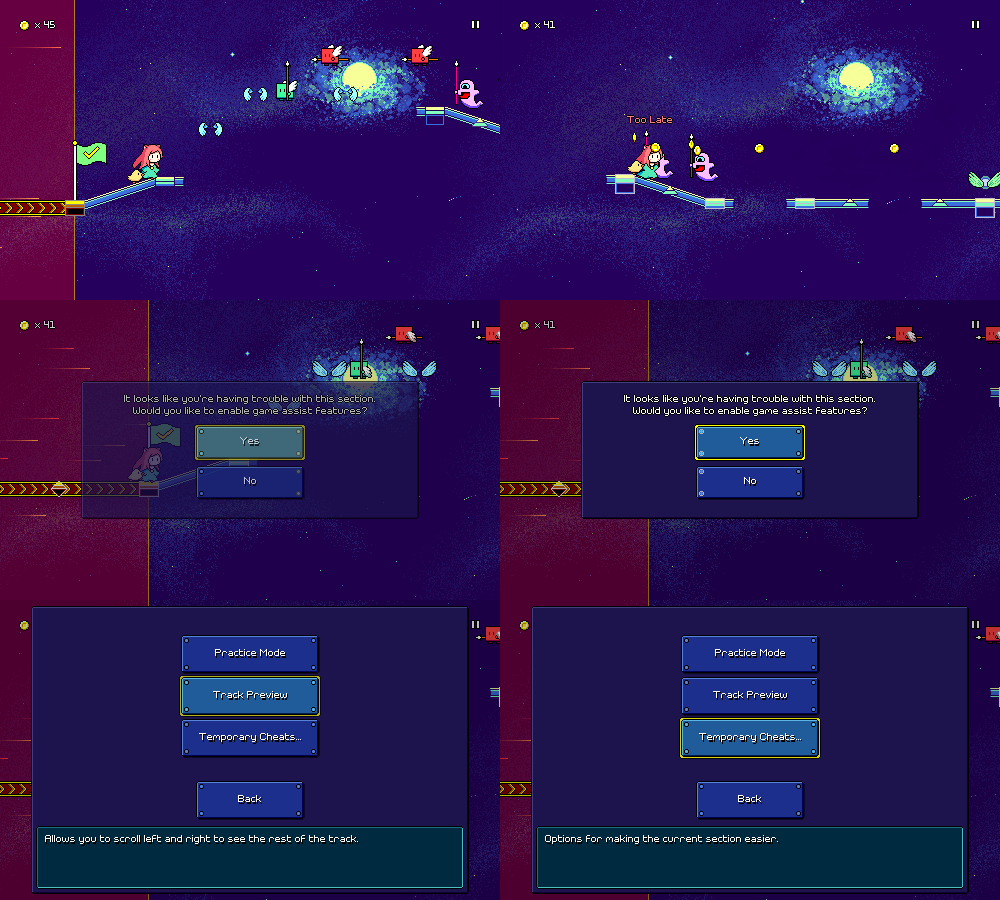
First off, I've added a dialog that shows up if you fail the same section of a track enough times (currently, after your 30th attempt). Because this is an unexpected prompt that happens in the middle of gameplay (I try to avoid those!), I made sure to fade it in and disallow input during the fade, to prevent you from accidentally selecting something without having the chance to read the prompt.
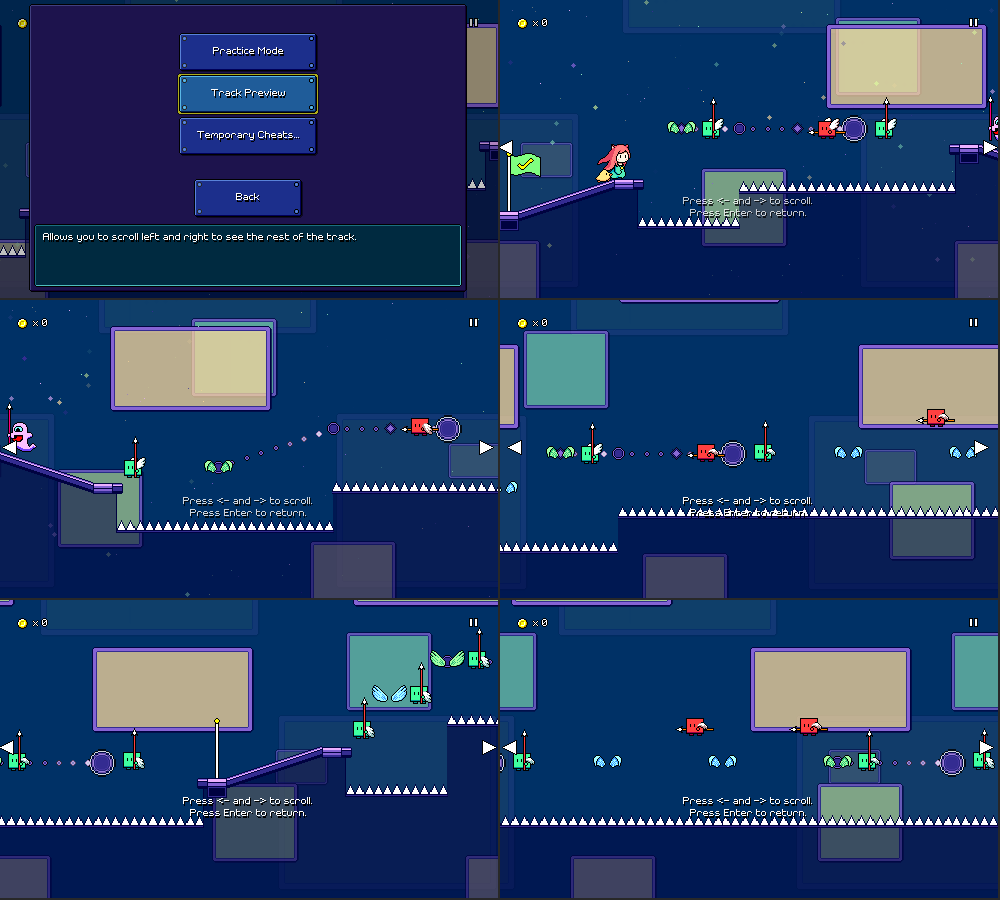
One of the options here is a "track preview" feature, inspired by the "binoculars" in Celeste, which let you view upcoming sections of the level in case you want to get them into your head and see what's coming up:
There's also "practice mode" (UI still being worked on) which will let you repeatedly practice the current section on the fly (while controlling the speed, etc.) until you're ready to attempt it for real. "Temporary cheats" just contains settings for slowing down the music speed, lengthening timing windows, and enabling autoplay, but they automatically disable themselves once you reach the next checkpoint.
Track Freezing
The new assist feature that I've just developed is something I'm calling "track freezing". When this is enabled, the level scrolling will automatically pause and wait for you to make the correct input, if you haven't already done it in time:
The music keeps playing even during this pause (trust me, it would be wayyy too complex to try and pause the music and reschedule it on the fly), so after you make the input, the scrolling tries to speed up to "catch back up" to the music.
The end result is actually pretty cool! If you aren't missing any inputs, then the track freezing doesn't kick in at all and you just play normally. But if you miss some notes or press something too late, you'll be able to just correct it on the fly and have the music keep playing instead of having to restart the section.
Life...
...happens. I'm happy that I was able to put together a progress update for y'all this month, but I honestly wasn't sure it was going to happen as I had some tough stuff that I had to handle in my personal life over the past weeks. This is kinda just the way that things go (I'm a normal human being just like the rest of you), but it's also kind of tough to account for the in the grand scheme of things.
Now that we're at the end of June, 2024 is officially halfway over! (gulp) Looking back over the past six months, it seems like I mainly worked on a bunch of bonus levels and custom level import/publish flows, but there were also some other great features added such as the companions, plus the eighth-note ghosts (a new core mechanic!). If we're being totally realistic, it's probably inevitable that I won't be able to do a full release by the end of the year =(...but part of me wants to keep that deadline fixed because I think it's good to have a goal to shoot for!
Honestly, though, I've always been in "marathon mode" for this project -- as long as I'm continuing to progress forward at a steady pace, that's going to be considered a success for me. Hopefully seeing more and more levels and features is also enjoyable for you guys, even though I know y'all just want to hurry up and play the game already. I guess part of the reason I wanted to call out the whole "real life" stuff is that recent events have reminded to step back a bit in terms of perspective on what is important to me. At the end of the day, as much as I wish I could say that releasing Rhythm Quest is going to be something that brings lasting happiness into my life, it kind of isn't, in the grand scheme of things.
...which is not to say that it's not important to me or that I won't keep working on it! I'm still having fun working on the project and every now and then (usually when I'm charting new levels) I'm reminded of just how fun the gameplay actually is, and of COURSE I'm going to finish it, guys, I'm very committed to that. But at the same time, it's something I'm trying not to get too worked up about, because it's only one part of my life. I hope whoever ends up reading this will also keep in mind what the "the real important stuff" is as they go through their day to day struggles and efforts.
Anyways, personal segment over, I'll see you back here next month with some more updates!
Rhythm Quest Demo v0.31.0 Released
The Rhythm Quest Demo has been updated to version 0.31.0! This patch includes bugfixes and some new mod options, including the ability to switch the color mapping for obstacles in levels.
Full changelog:
Version 0.31.0 - Added color skinning visual mod settings to aid readability - Added visual mod to adjust horizontal placement of enemies - Added timing mod to scale timing windows by music speed setting - Added visual mod to re-show collected coins after respawn - Tweaked respawn timings, especially across different music speeds - Fixed not being able to buffer jumps out of pause - Fixed ghost enemies not respawning quickly enough when offscreen - Fixed some level select logic when levels are played out of order - Fixed flight paths jumps pulsing with incorrect beat offset - Minor backdrop scrolling tweaks - Fixed mis-sized character shop graphics - Fixed checkpoint activation sounds sometimes replaying on respawn - Fixed missing coin animation frame
Devlog 67 - New Level 6-1, Level Publishing
Well, first things first -- I've got a new level to show off! I decided to move the speed zone level (formerly 6-1) to become level 6-2, and instead have this new level 6-1 which introduces the yellow ghost enemies in their basic state. Here's the video:
Visual Design
I've been a bit worried about all of the world 6 backdrops looking similar since there's a space theme and it's really easy to just do dark backgrounds and stars over and over again. At least this backdrop set has different focal elements (rim-lit planets vs. a spiral galaxy) than the other one I did, but I think I'm going to have to change it up a little more in the future.
Besides lots of little point stars, a lot of the "nebula" texture here is achieved by layering rough transparent splotches of color -- I'm just using the spray tool here so it makes more of a textured/fuzzy cloud rather than smooth shapes. I build up the "glow" effect on the large sun and planet using multiple layers, which seems to work well!
Of course, in action all of the different layers are scrolling around, which makes things look even nicer:
Music Design
World 6's music style isn't =fully= fleshed out yet, but I have a few ideas that I've been trying to push in the two tracks that I've made so far. One of them is the use of more interesting bass synths -- here we have a plucked synth bass that gradually opens up using some filter automation over time:
There's nothing too crazy or special going on with the drums, just a pretty basic pattern, though at one point I layer in some heavily-reverbed claps for some extra spice. The classic triangle-wave bassline comes in halfway here, along with some chiptune-style noise drums:
I only have so much leeway that I can get with lead melody sounds because I really need to make sure they cut through the mix effectively (usually means no massive detuned supersaws or anything like that), but even then, I'm still trying to push the variety a little bit. Here I'm using a square-whistley synth with a gratuitous amount of pitch bending/portamento so it's really bendy. There's two different patches layered on top of each other, which contributes to the slightly-detuned sound.
As I mentioned, this is the level that introduces the yellow "dotted eighth-note" ghosts, so there's plenty of those thrown in by themselves, but I also wanted to be sure to mix in purple ghosts (to contrast the two). The most complicated yellow ghost pattern is this one where there's an air jump immediately before it:
I'm hoping to add a few very specific 16th-note patterns involving yellow ghosts in later levels here, but for now this will suffice.
mod.io Publishing Flow
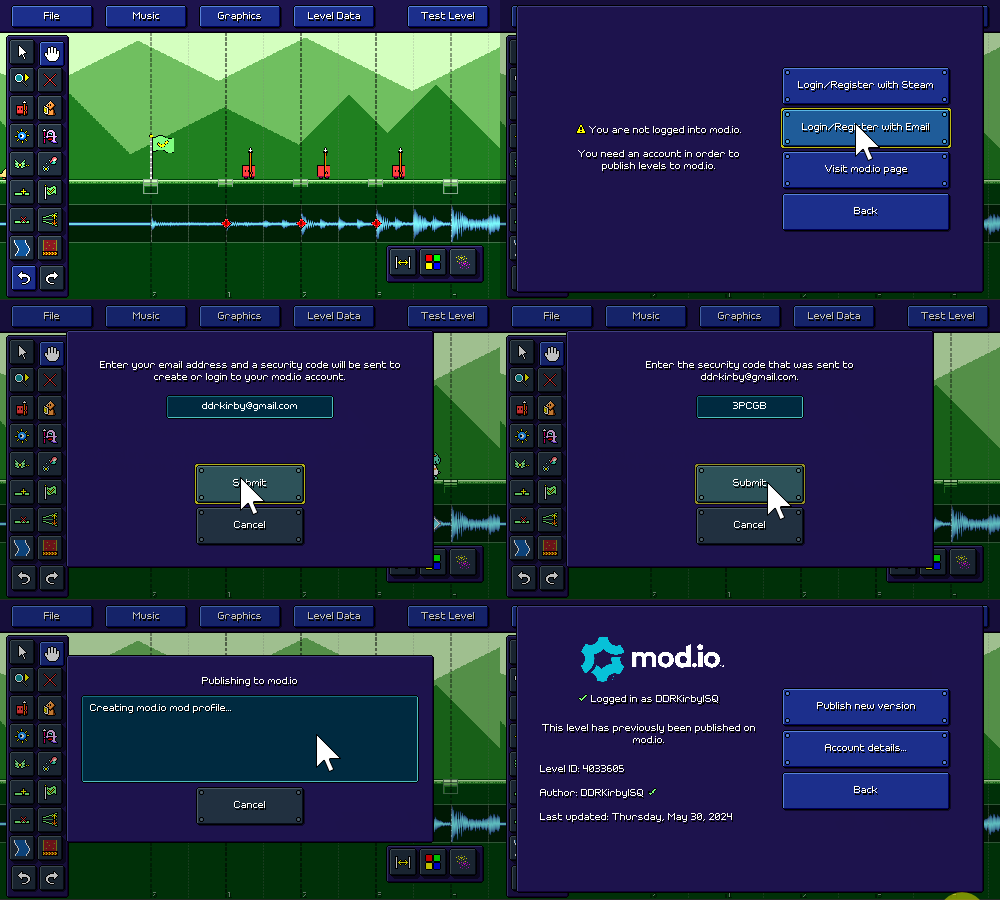
In addition to working on world 6, I also took some time hammering away at trying to build out a publishing/export flow for mod.io. Mostly this meant a lot of UI work as I integrated with the mod.io SDK/APIs. Here's what it looks like at the moment to login via email, submit a security code, and the publish a level:
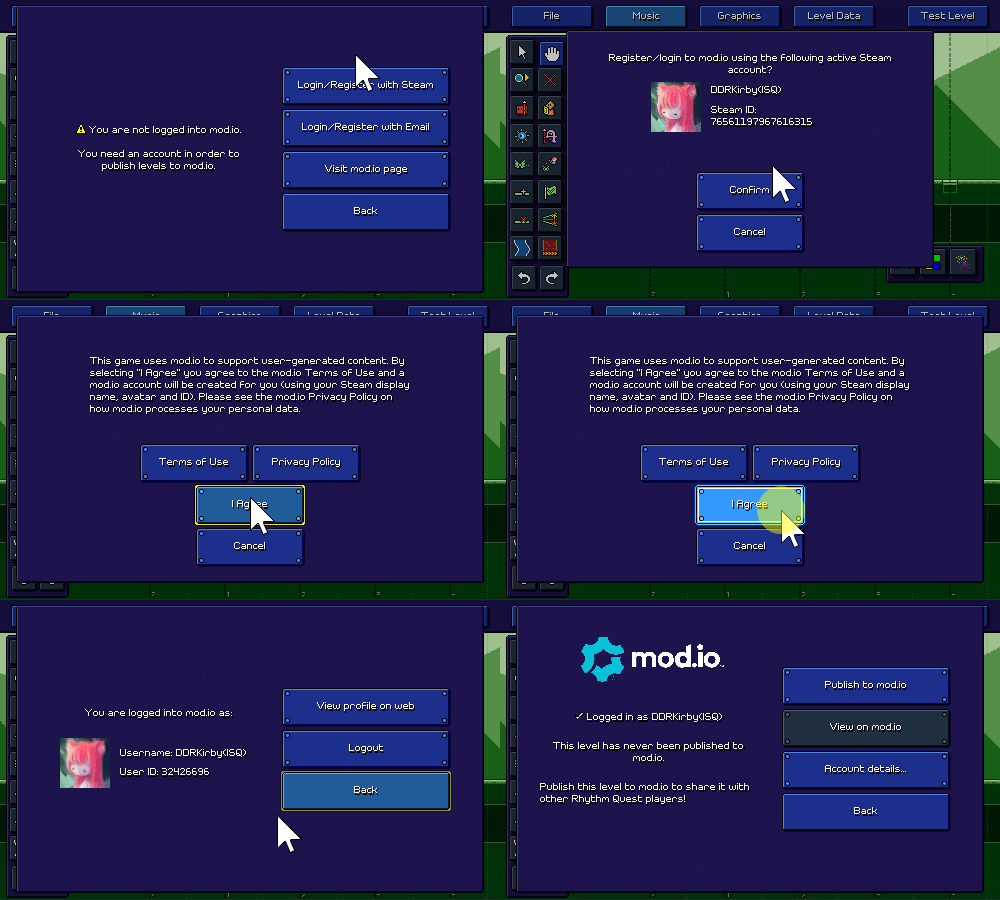
If you launched the game through Steam you also have the option of using Steam as an authentication method -- it should automatically pull your steam ID and userinfo from the account you're playing with, and display the (localized) mod.io terms of service if needed.
It's not perfect, but it's a good start! The next major step here is to actually work on a "publishing checklist" where the editor will check to make sure your level is actually complete before letting you export (you need to fill out the tile/author information, decide whether the music will be distributed as part of the level export, probably also some copyright disclaimers, etc.).
20k Steam Wishlists
Last, but not least, I created a little banner image to celebrate passing 20,000 wishlists on Steam (crazy!).
Everything has really come such a long way! Even my artwork has really leveled up since the last time I tried to make a banner image like this:
Hopefully Rhythm Quest will continue to get even better from here on out...
Thank you for 20k wishlists!
Incredible - Rhythm Quest now has over 20,000 wishlists on Steam!
I just wanted to take a moment to thank you so much for all of your support and interest...I'll continue doing my best as I work towards a full release!
Devlog 66 - New Characters, New Companions
Another month, another devlog. At least I'm consistent, if nothing else. That consistency is what I've relied on for the past 8 years of development (has it really been that long!?), so hopefully it'll continue to carry me through.
Rain Girl
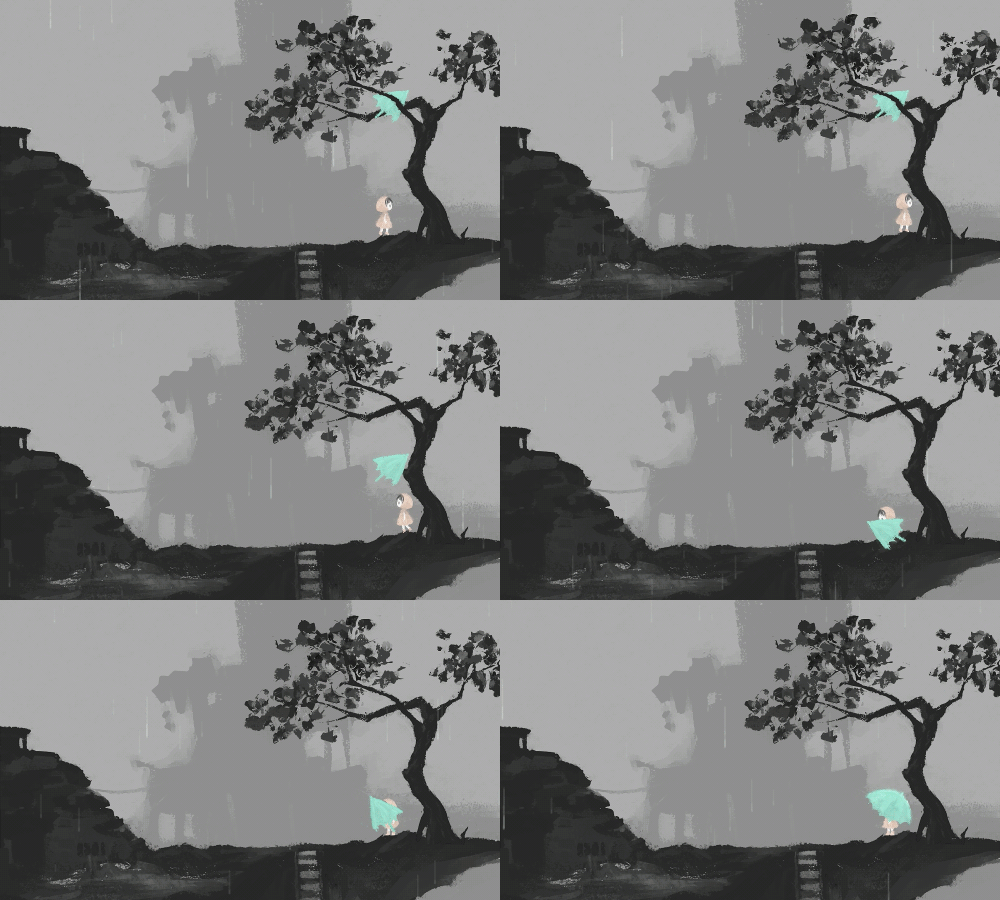
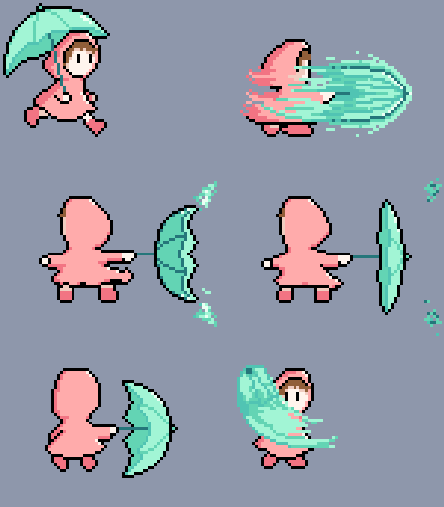
I shifted my focus (again!) this month, this time working mostly on new character graphics! First up is the girl from our Cocoa Moss game "Rain", released back in 2014:
This was a somewhat more complicated sprite set to put together since the umbrella adds an extra element of complexity. I tried to fit in some subpixel movement here and there to get across the side to side movement without seeming too distracting. The saturation is also upped a ton to make sure that she fits into the more colorful world of Rhythm Quest (which has a completely different aesthetic).
The jump animation was pretty simple, just removed the side to side motion and tried to retain some of the movement of her hoodie. As with some of the other characters, she has a very brief crouching frame that helps to provide a brief flash of movement when a jump starts.
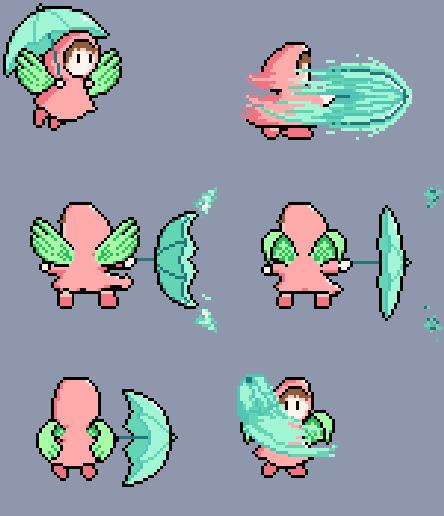
Flying is just the same thing, with the wing graphics included.
This one was where I really had fun! I feel like I've really started to get the hang of how to build this sort of attack animation. Using Sayuri's attack as a reference, I made sure to make ample use of motion smears, and a little bit of stretch on impact before she settles into her main "recovery" pose. She also turns her entire body into the attack, which helps give it a feeling of weight.
Here's the winged version, this time played at a faster speed. You can start to see how the smears carry a lot of the information in those quick first two frames.
Companions
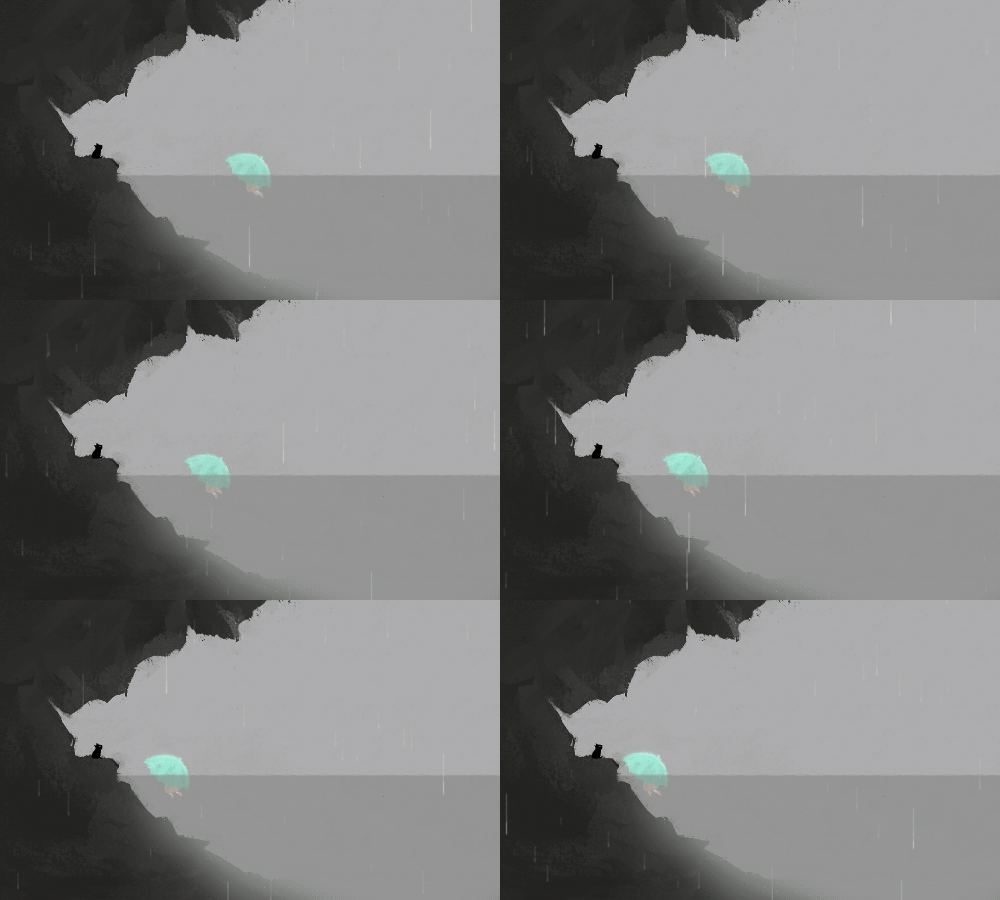
Of course, adding the girl from Rain wouldn't feel right without also being able to add the black meowmie from Rain, too:
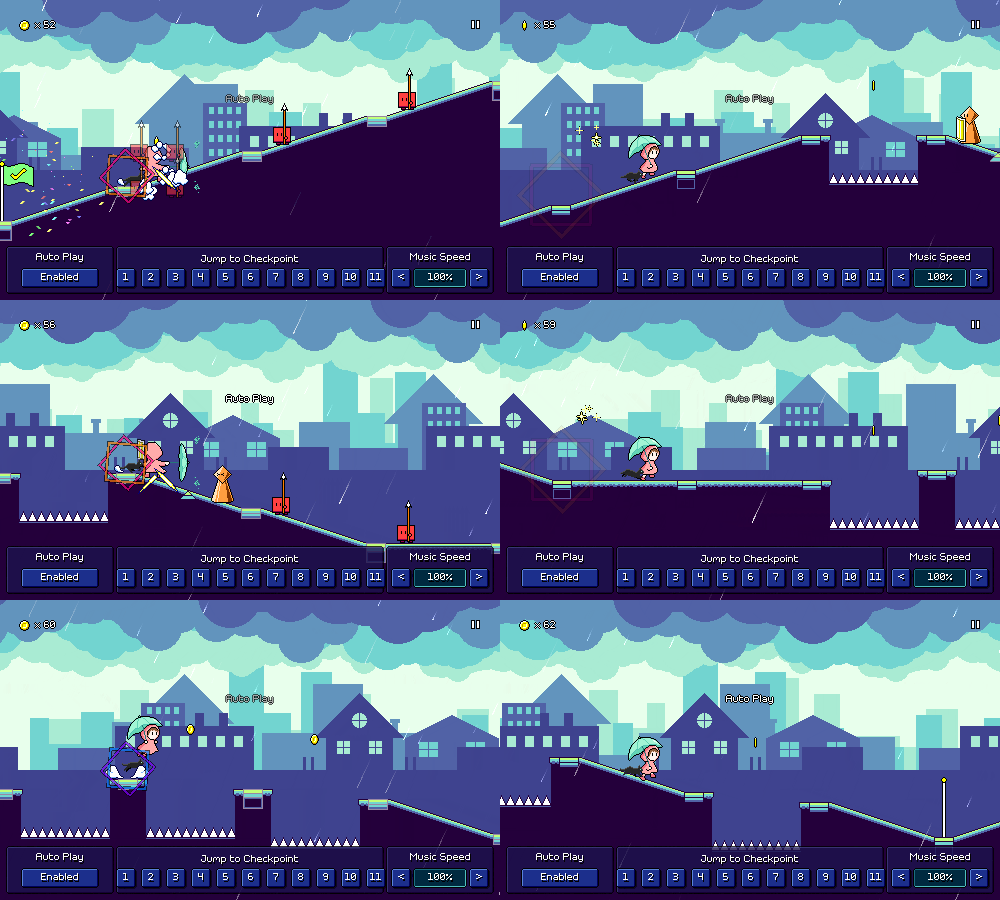
While I could have just added this as another element in the girl's spriteset, that would probably feel too static -- I wanted there to be a bit of visual lag between you and meowmie, so you can feel like they are following you around like a little companion. I ended up building a system to accomplish just that, so now you can have a companion that follows you around, tracking and matching your movement:
Of course, now that I have this system in place, I can use it to add other little cute companions, too. Here's a little chicky that I made, perfect for following around Ducky:
Meowmie Princess
As I was thinking about other games that I've worked on, I realized that the princess from "Watch for Falling Rocks" might also be a nice fit to put into the game:
I wasn't exactly sure how her attack animation (?) was going to work, but I decided to just see what I could do with her run/walk cycle and go from there.
Here's my initial draft. The thing I really wanted to nail here was the floppy feeling of her arms, as I felt like that was a key component of her design. I actually ended up needing some extra frames of animation to express that here, so princess actually has 8 frames in her run cycle as opposed to 6 for most of the other characters!
Here's the touched-up version. Her head felt a little too static/robotic since it was fixed in place, and her dress is basically a cone so it doesn't really express the side-to-side-movement as well, so I worked on a bunch of subpixel movement to give her face some very light side-to-side motion. Having the extra animation frame helps it feel more fluid; it's nice!
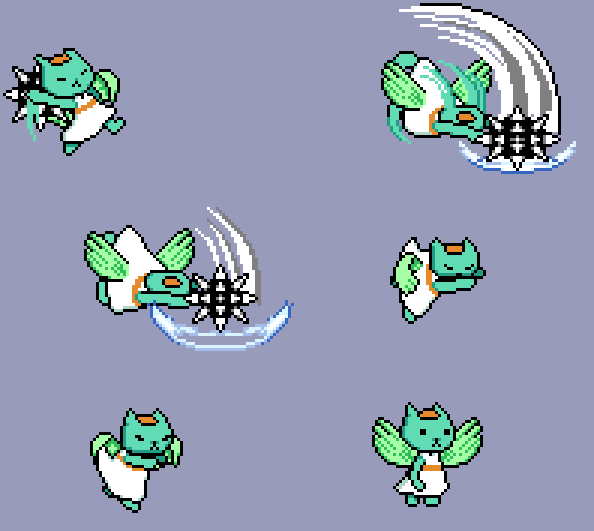
For the longest time I wasn't sure what to do with her jumping and flying animations. I initially tried having her arms and feet just stay static, like with the girl from Rain, but it felt a little too stiff, especially compared to her run cycle, so I instead stumbled upon this idea where I have her flapping her arms and bicycling like she's trying to fly...I love it, haha. Part of what sells this animation is that her head is positioned an extra bit forward, like she's just really trying to lean into it. Playing the animation at a faster rate than the run cycle also helps the "flailing" feeling:
Flying has the same arm-flapping motion, but more relaxed now since she actually has wings. The wing animation cycle only has 3 frames and I needed 4 frames for the arm flaps to look good, so there's a little bit of a mismatch there, but I think it ends up looking pretty ok despite that.
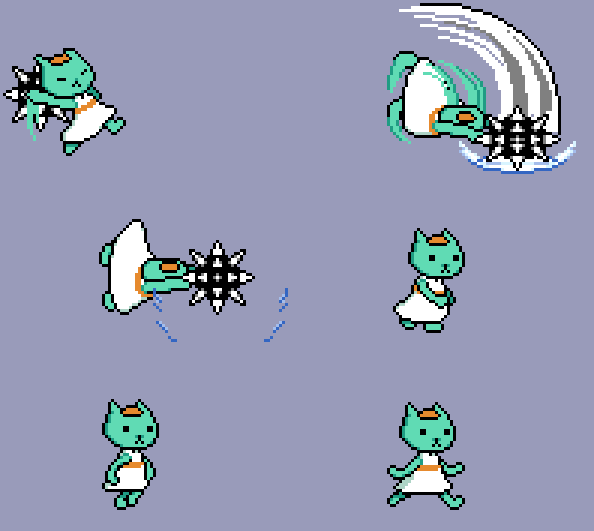
The attack animation needed like a dozen different passes before I settled on something that I was happy with. This was my very first initial attempt, which honestly sucked (haha). I wasn't even sure if the idea of hurling a spiky ball would make sense visually at all, so I mostly just wanted to get something rogh in place to test with. The idea was to actually spawn a spinning ball that bounces off screen after hitting an enemy. I liked how fun the spinning projectile looked (even if it's somewhat unusual), but the throwing animation wasn't reading that well; it just looked like princess was headbutting the enemies.
For attempt #2 I tried to go for more of a baseball pitch type of motion and make it read more clearly. I made an effort to have her head not bend over so far to the right so it doesn't look like she's headbutting anymore. This was a definite improvement, but I felt like it still read kinda weirdly, the whole concept of throwing a projectile didn't seem to be making sense at such a close range. (also, if she could throw the balls like this, why can't she just attack the enemies from further away...??)
Based on the previous drafts I decided to go a different direction and just have her do an overhead slam. This both made more sense as it's a close-ranged attack (not a projectile toss), and also read better as I'm able to get a nice big 180-degree motion arc above her head. The animation definitely needed to be cleaned up, but I was happy with this new concept.
Here's the final version! I swapped out the spiky ball graphic (initially was based on the colors in Watch for Falling Rocks) to something more immediately recognizable, and made sure to add some generous motion smears so the arc above her head is obvious even though it only appears for a couple of frames.
When the animation reaches the appropriate point, the ball projectile is spawned as a separate object, positioned correctly, and given some random parameters so it starts spinning and traveling through the air. It took a lot of work to get here, but I'm happy with the results!