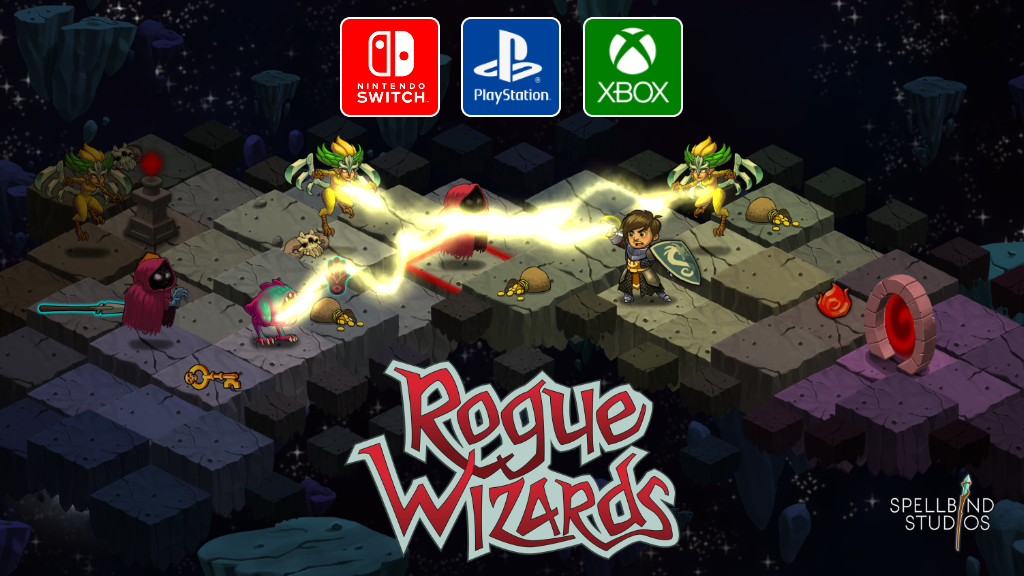
Changes: - Added gamepad controls UI off the Home menu - Xbox and Playstation gamepad visuals are now supported and selected from the new gamepad UI
Fixes: - Fixed gamepad targeting glitch when the "Ignite" spell was equipped - Fixed unable to view end game cinematic sometimes - Fixed some item procs not tiggering (like the pixie helm)
November 2020 Update
Rogue Wizards v1.2.387
Magic can now be cast at anytime
No need to ever equip the runes. This is the first step in making magic more interesting and relevant in the game. This is accomplished with the new two stage targeting mouse cursor or gamepad input support
Fabled Items now available to all.
Red Dragon / Silence Owl pet now available to all
Cursors Galore
Cursors are now dynamic and consistent size on all displays including 4K+ displays
Detailed Update Information
Features
Fabled magic items are now available for all players
Fire dragon pet now avaible for all players
Silence owl pet now available for all players
Spells no longer ever need to be equipped to be cast
Target required spells now use an animated two stage targeting mouse cursor when using mouse/keyboard or the gamepad smart/manual target selection
Added a "hand" mouse cursor during item drag and drop in inventory
Removed the hardware cursor, this is too small on Windows and ultra small on 4K+ displays of any platform
All mouse cursors are now done in software allowing for animation and are now a consistent size on all displays on all platforms
Added a "Out of Range" and "Blocked" mouse tooltip when hovering a target that you can't actually target a spell at for those reasons
In story mode, spell upgrades can now only be done at your tower. The character UI no longer has an element to access it at anytime.
Tweaked the gamepad sticks to make movement easier
Added a visual indicator of where a slight movement of the gamepad left stick will move the character in combat mode, pushing the stick further will actually execute the move
The camera can now be zoomed with the gamepad shoulder triggers
Gamepad right stick manual targeting is now possible while the bottom shortcut ui is up so you can target and select/change spells easily and then press A to cast at the target
Decreased the magic material drop rate
Fixes/Tweaks
Fixed not being able to use a wand via gamepad controls
Fixed infinite daggers when you did a level transition with dagger quantity of 1
Close from the options menu via gamepad now acts like "accept" instead of "cancel" for any button
Moved shop buyback button to other side of UI to make gamepad UI navigation easier
Hide close button on spellbook UI in gamepad mode
Tweaked the zoom and scroll settings of the full map ui
Auto target/select higher quality items over lower ones with gamepad auto/smart selection
Added audio for shortcut ui show/hide
Added audio feedback for cell selection during manual targeting
Decreased footsteps volume
Fix crash when wireless gamepad goes to sleep and is disconnected while playing
Fix cell selection graphics rendering on top of cavern walls in some instances
Better tooltip for experience and level on the character UI
Tweak the animation ease when moving from town building to building
Core
File system abstractions for porting to consoles
Gamepad input abstractions for porting to consoles
Upgrade to Unity 2020.1.2
Update: Gamepad support + HUD and targeting UI changes
Rogue Wizards v1.2.382
It's been a while, but it's taken me 6 months of my spare time to add the gamepad support and all the things surrounding it. Enjoy!!
Major Changes: - Gamepad support, input mode is autodetected for mouse+keyboard / gamepad
- New "liquid fluid" health UI now in upper right of HUD
- Targeting enemies and items now has a new targeting "shaft of light" effect to really make it easy to see what you're targeting, great for both mouse control and gamepad control modes
- Mouse and gamepad focus targeting is now color coded based on the quality of the target to make finding magic items and rare objects stand out easily
Other Changes: - Vastly increased sight range and camera distance - Removed the health and XP bars from the top of the HUD - Blur effect for the background when UIs are open, this can be disabled by reducing the graphics quality setting on the options panel - The weapon shortcut bar is now automatically hidden when not in combat - Fixed text rendering having white border artifacts on some Windows machines - Upgrade underlying game engine to Unity 2019.3 - Remove the feedback system, the backing service I used for this is now shut down - Made a few of the HUD buttons smaller to fit the new more minimal look of the HUD - New dialog bubble pointer rendering that can better handle bubbles at the edge of the screen - Removed some of the flashing text for spell points and attributes in the paper doll UI, these were annoying
v1.2.372 - Unity 2018 Upgrade + Mudsplat Fix
Minor Changes
Fixed mudsplats making sections of the UI go black when opened
4 new endless gauntlet dungeons now appear in story mode, these gauntlet dungeons are run with your current character
A revive potion is now for sale at the supply shop that will automatically revive you from death (carry limit 1)
After beating the final boss players are now returned to town where they can continue to level up their character, vendors, and run town gauntlets
Level cap upped to 800
The UI to abandon the current quest is now more obvious off the home menu as "Return to Town"
Epic chests can now occur in dungeons
Default game speed now 150% range now goes from 100% to 200%
Minor Changes
Player allies now ignore invisible actors for combat
Increased chance of champions
First miniboss now has half as much health in the Adira quest
A new UI is now present on the minimap and full map showing the status of the level awards (kill all enemies, open all treasure, disarm all traps)
Minimap now goes translucent when in combat mode
A brief death ceremony is now played when you die that darkens the screen and possibily uses a revive potion
Completely removed the stack split UI when selling items to vendors, it's just not needed
Added VSync settings to desktiop video UI and device settings file
Player now speaks inventory full message when can't pickup item on ground
Upon death, screen decals (mud splats) are now cleared
Added particle system to cosmic backdrop
Socketing items now does inventry floaty text
Sockets now display a colored glow around the socket when occupied
Socketed now displays with the item rarity if the item has been socketed with another object
A dialog bubble message now explains that level boss warping behavior is enabled the first time it happens after player death at a boss
Pet UI is now exclusively when entering a dungeon and is now larger and contains question marks for pet information
Stairs up/down are now light by lights based on analogous floor colors to make them stand out more
Changed portal minimap image to a star and slightly refactored how color selection is done to be more flexible
Players now start with a revive potion from the first dungeon loot drop
Revive and health potions are now dropped on the ground if the player needs them on the last level of the blacksmith and ice wizard quests as a hand holding technique to help so that players don't die at that point in the game
Added new combat quality for ice wizard boss used only in story mode with uses a 15x health multiplier instead of a 30x
Increased stack size for vendor upgrade resources
Framework and fixes
Fixed a rare case that would cause save games to not load if you killed Hosperak with the last dagger of a stack
Optimized to save a ton of memory at runtime
Fixed possible blocking dialog at last boss battle due to boss death ceremony being active at the same time as some quest dialog triggerd by low boss health
Fixed barrels spawning in the place the player will arrive in the intro dungeon
Disable log deletion on app version change
Increase log file size to 5mb
Fixed descructibles spawning in blackout areas
Hallucinations no longer contribute to enemies and actors count properties
Upgraded to Unity 5.6
v1.1.323 - Divine Treasury + German + French + Spanish
v1.1.323 - Divine Treasury + German + French + Spanish
Major Changes
The divine treasury is now available in town and grants you three magic items per day
A new UI has been inserted specifically for quick pet selection as the last step when traveling to a dungeon
Localized into German, French, and Spanish languages ... users will be prompted once on startup to select a language and a new language UI is available from the home menu to change to any language instantly
New dialog and scroll fonts that properly support all available languages
Gauntlet games now generate more followers to hire (up to 2) and more frequently they appear in the dungeons
If you die at a guild wizard boss, when you play that level again you now warp to the boss fight and don't have to play the level over
Minor Changes
Artichuk pet melee damage increased almost 2x
Firebrand magic attack now does some intrinsic damage as well as summon a flame hazard
Counter damage will no longer occur if the source actor is frozen
Story scrolls now animate position and glow green so you can't miss them and think you're stuck in a boss arena with no way to exit
All UI buttons that take a cost when pressed have been unified into similar looking layouts with consistent cost icons and tooltips
When a legendary or better item drops, a sound effect is now played
Added damage to sentinel skill description text
Removed property lines from spell upgrade UI tooltips, we now show only the descriptions which contain all the necessary information in a much more compact space which is good for small devices
Spell upgrade tooltips now have a max height and will autosize themselves smaller until they fit within the UI constraints
New audio for all enemies killed event on a level
Gemstones is now called Platinum and the art has been more silver blue like
"Idle" time is no longer included in overall game time played, a player is idle if there is no input for more than 30 seconds
Increased Banish spell radius
Malevolence, Dominator, and Replicating blob now pushed untill after ice rift in story games
Quests can now up the random quest count if they are failed, we use this when failing the first ice wizard boss just incase the player feels the need to grind in order to get ready for the boss
Tooltips now use the avatar background instead of scroll background because it has a little design on it that's cool
Fixes
Fixed being able to put your spell runes in personal and gauntlet vaults (among a couple other UIs)
Fix crash caused by double removing actor from ActionManager.m_actorsToRun ... showed up rarely during Guild Wizard boss fights when wizard teleported to a cell that was hiding.
Tweaked a few UI sizes and placements so that they work better for both desktop and the upcoming mobile release
Fixed a possible crash in hall of fame entry generation when killed by an unknown actor
Fixed procs that were set on wands not triggering properly
Speed up the hit animation on the Fire Giant
Do not display notice text for item mastery level up if that item does not belong to the player (followers)
Fix shield orbs running their hide logic after the orb had been destroyed by other means by passing in the orb actor in to the event to hide, which will validate the actor is still valid before calling the callback via the EventManager
Fixed possible crash from many skills that registered and event without an actor to validate the state properly when the event time arrived
Fixed a UI display issue where the damage totals for an item might be off by 1 when adding up and showin
Framework
Upgraded to Unity 5.5.1
Updated zip archive libraries
Updated to HockeyApp 1.1.3
Compacted contents of a UI sprite atlas down to one
Cinematic now uses icons for press to continue instead of text
Fixed home menu being offset wrong
Increased font of tooltip text on ring menu items
GoldUI is no longer made visible when opening up VendorUI interact ring menu
Added confirmation dialog box when proceeding through the pet selection when no pet is selected, but there is one that is ready to use
Fixed CombatBoss causing healing to boss
Tooltip background, border, and property icons have been moved from UIScroll to UIInventory sprite atlas
v1.0.312 - Maintenance patch
v1.0.312 - Maintenance patch
Fixes
XP potions and shrines now calculate their stacked values using the bonus value only ... a max bonus of 5 stacked potions giving +20% now correctly calculates to +100% instead of +600% as intended.
Fix possible case of recharge wands not recharging when placed in a gauntlet vault and equipped in another gauntlet game.
Fixed spell upgrade tooltips missing the header and proper effects for the next rank section of the spell info on the spell upgrade UI when the player had on items that boosted those magic families
Vault contents now show rank enhancements in their tooltip if the player is wearing items that enhance the rank of those items
v1.0.311 - Balance tweaks + fixes
v1.0.311 - Balance tweaks + fixes
Changes
Slightly increased item mastery requirements
Slightly decreased the heal value of summoned mystics when cast on champion enemy that created them.
Slightly increase the Sentinel attack damage and upped the material cost by 1 sky essense
Experience when damage property no longer limited to 100 cause it's not a percent anymore.
Rebalanced several enchantment values and chances
Rebalanced socket count allowed on items
Shield and XP potion limit increased
Fixes
Fixed items that were partially stacked not returning the remaining stack portion left to their original inventory location
Fixed incorrect damage value for Sentinel spell tooltip
Fixed multi-target weapons executing procs more often than intended
Fixed games at extremely high levels exceeding setting invalid rank values
Fix strory mode showing "Upgrade Spells" before you have visited your tower
Framework
Prepared all text for localization import/export tools
v1.0.310 - Maintenance patch
v1.0.310 - Maintenance patch
Changes
Increased delay time of button held down detection to avoid accidentally moving when a click was intended, usually to pick up an item
Monsters with a long range attack only show up after level 3+ in gauntlet games