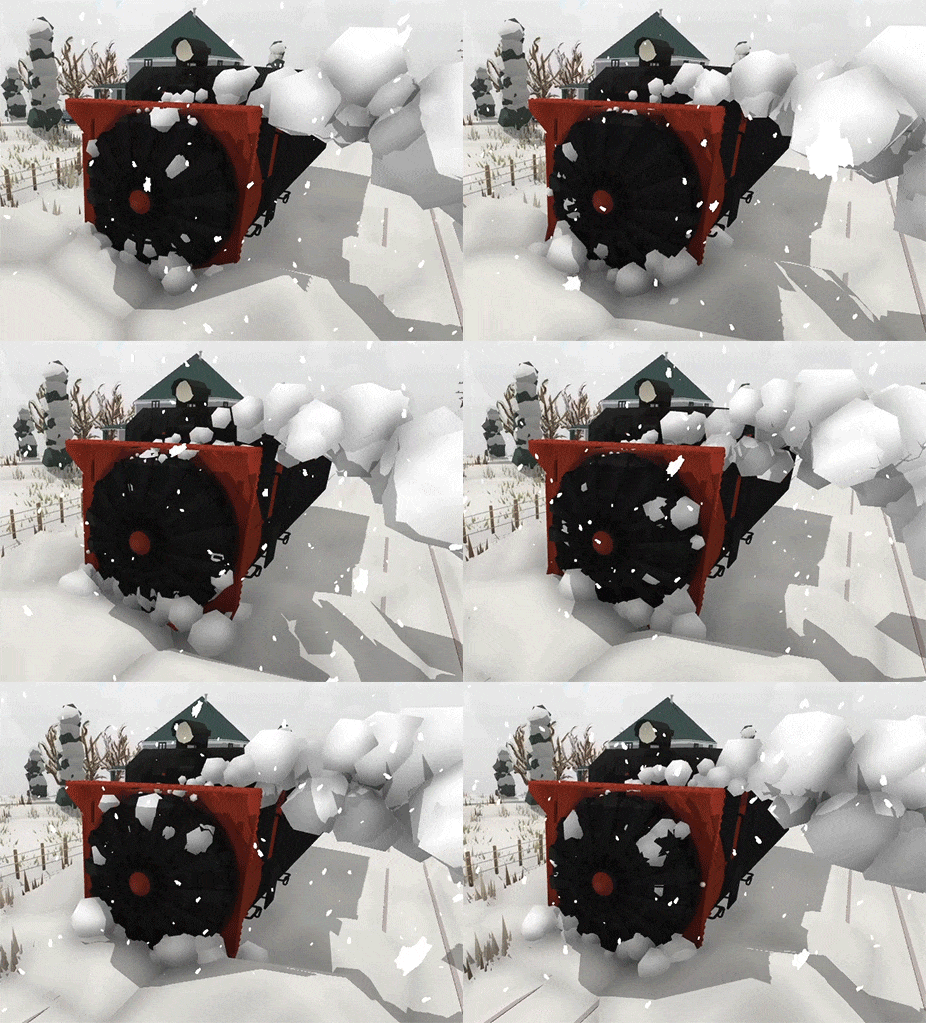
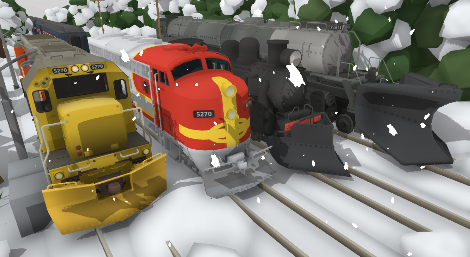
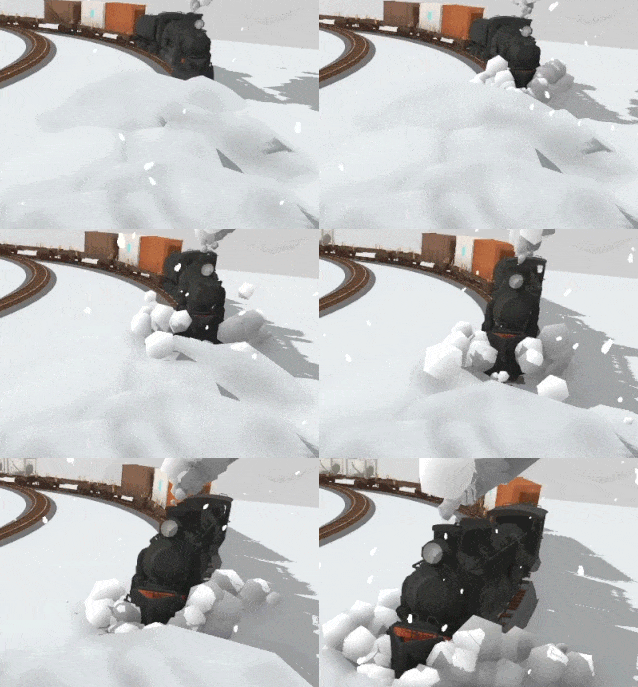
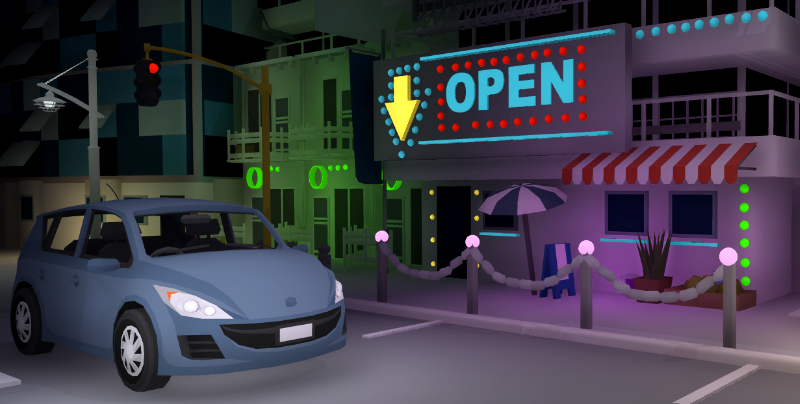
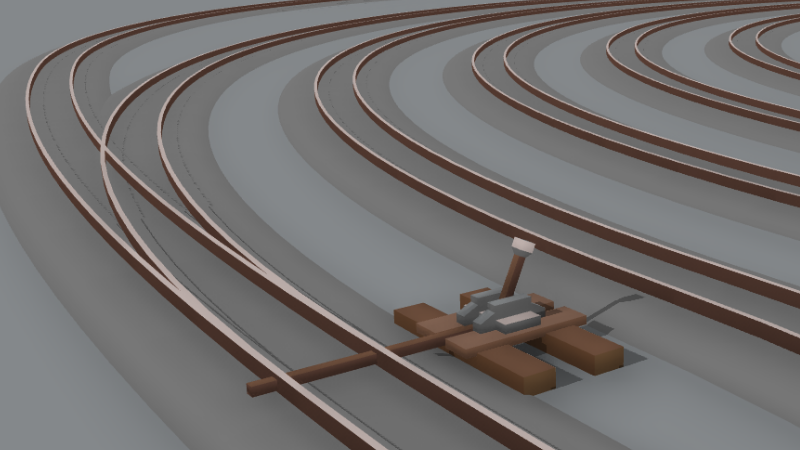
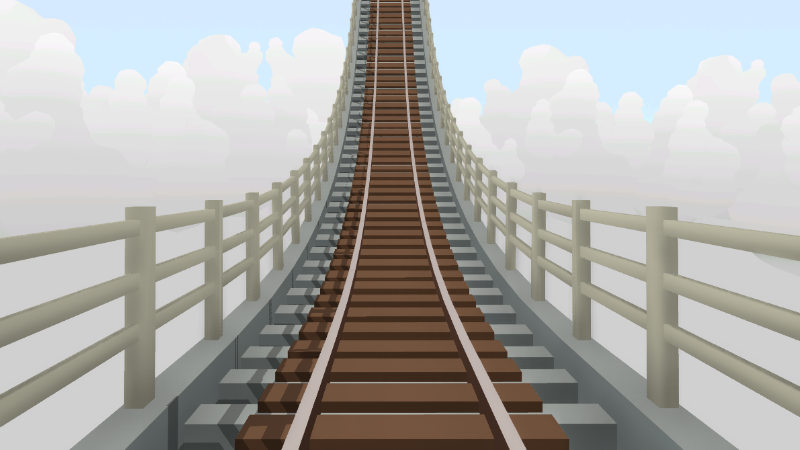
Time for part 2 of the Christmas update! Now that there's dynamic snow to clear, what better way to clear it than with a rotary plow. This loco has always been a personal favorite of mine and it's so great to finally add it to the game!
You can find the new rotary plow locomotive & tender in the Christmas 2019 drawer, along with a few new snow pile props better suited to fit on to tracks:
Custom livery support is also ready, so you can make your own liveries for the rotary plow in time for Christmas! You can find some liveries that people have already made on the Steam Workshop.
This update also includes a few other fixes & changes:
Snow no longer melts at night, only during the day when the weather is not snowing.
Improved the collision on snow piles.
Added a few new snow pile props that are better suited to fit over track.
Several newer props (e.g. the Halloween ones) couldn't be painted directly in the drawers, as well as their scale would be wrong when the drawer was a different scale. This has been fixed.
The height offset of the multi-paint UI box has been improved for all props.
Fixed the misaligned mesh of the Puzzling world stairs prop.
Fixed the equip UI still being visible when returning from the menu, as well as several other quirks caused by this same issue (like the save messages being in the wrong position).
Saving your game after using one of the new custom table example maps will now automatically give it a blank name, instead of the default.
Fixed the sound location of horns/whistles when using the Caps-lock key to sound the horn from outside the cab.
I hope everyone has a great Christmas! All these new snow related features and props should make for some great inspiration for snowy maps over the holidays. After new years ill be working on the Compact Comp winners prizes, followed by tons of exciting features planned for 2020!
Enjoy!
Snow plows! v2.19
It's time for some Christmas updates! Today's update adds a range of attachable snow plows which actually clear snow off the tracks!
There are 4 different variations and you can attach them on to any locomotive:
This also comes with several "dynamic snow" props which you can place on the ground which react to the snow plows. These piles of snow will grow in size if the in-game weather is snowy, and if the weather is sunny they will melt.
You can find these new plows and snow pile props in the "Christmas 2019" drawer:
This update also makes a bunch of quality of life improvements which I've been meaning to add to the game for ages. These include:
New options for custom tables when starting a new game
The old tables (from back when Rolling Line was first released) have been removed and replaced by proper editable tables in the custom table room. Old maps made using these tables will still work perfectly fine! The "new game" menu has been cleaned up and re-organized in general too:
Several changes to settings and defaults
These changes will automatically happen when you next launch the game.
Dark mode is now the default.
The graphics menu has been re-organized a bit, mainly the "custom track view distance" setting is now much easier to find and hopefully makes more sense.
The custom track chunk size & map loading settings have been removed (since they only complicated things).
The "infinite" object view distance setting option has been removed.
Resolution & full-screen are now set properly when you first launch the game. It was previously defaulting to the VR resolution instead of your desktop native resolution. This will happen automatically when you next launch the game.
You can now control trains in miniature outside the cab
If you are driving a train then you can now change its speed using Q and E even when outside the cab. You can also press Capslock to sound the horn/whistle. You can also press F to teleport into the cab of the train you are currently controlling.
Several VR improvements
VR has been generally cleaned up and simplified a bit:
Selecting objects is now much nicer.
Hand physics are now off by default, which means your hands will not collide with the environment. You can turn this setting back on if you wish!
Various VR related settings like "distance interaction" have been removed to help clean up the VR controls.
The ability in VR to delete props in your hand & enable "clone lock" mode using the up/down actions is now permanently enabled, and the settings for this have been removed. When "Clone lock" is enabled you can keep placing props while still keeping the original copy of the prop in your hand! just like holding shift on PC.
New "sunny snow" weather type
This keeps it nice and sunny with the snowfall effects at the same time.
Plows on QuickMods
You can also set up support for plows on QuickMods! All quickMods are able to have plows by default, but you can change the positioning of the plow using the value "snowPlowOffset" in the mod.txt file. This is a small decimal value, between around -0.05 and 0.05.
Along with all of these changes there are also a bunch of other things:
Fixed the "remove all dropped objects" button in the "manage saves" menu, it wasn't deleting props properly.
Added a "remove all trains" button in the "manage saves" menu which you can use to delete all the trains on a map.
Fixed grid snapping on the table backdrop props.
Added a small diagonal table piece.
The main layout & legacy rooms are now no longer accessible from the custom table room.
View distance for menus and prop drawers has been adjusted.
Fixed bug with the pause/resume position being lost when capturing thumbnails.
You can now move around a bit when at the pause menu without loosing your resume position. e.g. if you pause the game while driving a train, you can move around (with a small distance range of the menu) and still resume back into driving the train.
You now remain "attached" to the last wagon/loco you touched regardless of distance. The setting for this has been removed too.
Tons of little things in this update for sure! Christmas is a good time to clean up the game a bit and get things organized for the new year. I hope you all have fun with the new snow plow mechanics and all these quality of life improvements!
Oh, and there's still more to come before Christmas... and it's going to be great!
Compact Comp winners!
Congratulations to everyone who took part in the Compact Comp, It was an awesome competition and SO many great layouts came out of it! Remember to have a look on the Steam Workshop to try them all out for yourself!
I'll be getting into contact with all the winners to discuss the prizes, and I'll be adding the new props & freight wagon into the game after the new year, as there is already lots planned for before Christmas!
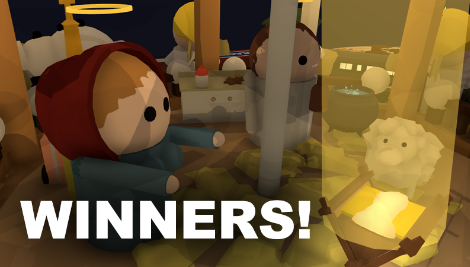
Now, there is one more thing that needs to be mentioned. You might have noticed that Joas "The Sabotage" map actually received the most votes (over 6x as many votes as any other map for that matter). Unfortunately this was clearly a popularity influence, as 90% of the votes were from people who don't even own Rolling Line. I was hoping that leaving the voting up to the public would work out fine, but asking for votes through Facebook from people who aren't even involved in the community really goes against the spirit of the competition.
So sadly "The Sabotage" wasn't included in the winners, but it has it's own special award:
I might try out some other kinds of voting methods in the future to see what works best, but either way there are certainly going to be more competitions in the future!
I'll be posting some "honorable mentions" over on Twitter over the next couple of days, since there were so many clever and creative maps made for this comp, and there are still tons of maps I want to give shout-outs to!
But that's not all, there's a winter-themed snow plows update coming in just a few days! Plus even more after that in time for Christmas. Lots to look forward to!
Vote for the Compact Comp winners!
The Compact Comp is over, and there are so many incredible entries! Have a look on the Steam Workshop to try them all out for yourself!
I'm so happy with how this competition turned out, some of the very best maps Ive ever seen in Rolling Line were made during this event! There were 84 total entries, which is even better than the Color Comp earlier in the year. Congratulations to everyone who took part, I absolutely loved playing every single one of your maps (and i did play every single one!).
For this competition I've decided to try having a community vote this time to choose the winners, so I've narrowed it down to the 12 most impressive entries as finalists. I hope I've made the right choices, there were so many excellent maps to choose from! There were several that definitely deserved to be finalists, but i wanted to reduce it down to just 12 choices. I'll be posting a ton of "honorable mentions" alongside the winners, so even if your map wasn't included in the finalists, then It may still be getting a shout-out!
The way you vote is simple: just leave a comment on this post with the name of the map you want to vote for (from this finalists list).
I will then count up all the votes in a couple of days and announce the winners! Please only make one vote per-person, any repeated votes from the same person wont be counted.
Simply make a comment on this post with the name of the map you want to vote for! I will be announcing the winners in a couple of days, along with some fun snow-themed updates in time for Christmas!
Compact Comp! v2.18
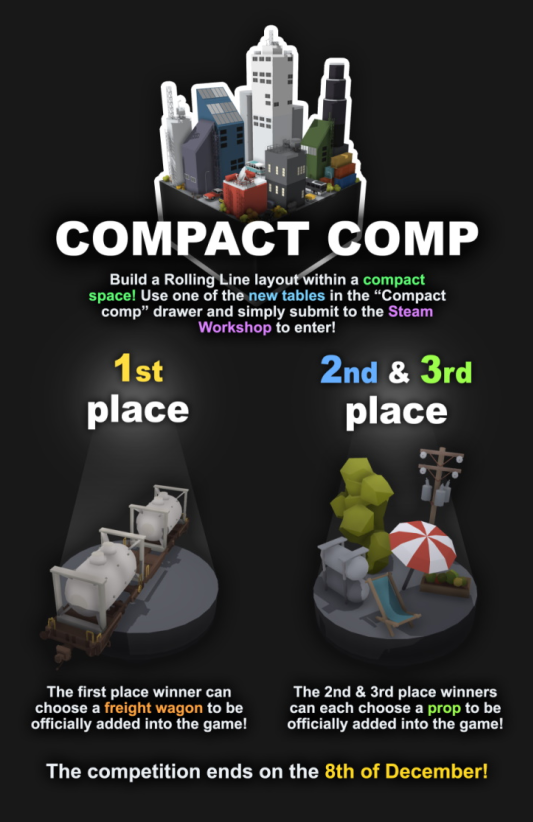
It's time for a new layout competition! The "Color Comp" earlier in the year was heaps of fun and I can't wait to see what kinds of layouts you can come up with for this one!
The concept is simple, just make a small layout using one of the tables in the new "compact comp" drawer as a size limit. You can build as much as you want above and below, just keep within the bounds of the table. Be as creative as you want!
There are no other requirements, you dont need to even include track. Simply build a layout and submit it to the Steam Workshop. Make sure to tick the "Compact Comp entry" option when you upload it! You can also submit as many entries as you want, it's not limited to one-per-person.
Use one of these tables in the new "Compact comp" drawer as a size guide: Remember you can build as high/low as you want!
Entries close on December 8th (next Sunday) But as long as you get it submitted before the weekend is over you'll be fine, regardless of time zone.
There will also be prizes for the winners! (much like the Color Comp) The 1st place winner will be able to request a freight wagon of their choice to be officially added into the game. This will then be made by me and added in a future update.
The 2nd and 3rd place winners will both be able to choose a general prop to be added into the game in the same way.
That's not all though, this update actually makes a bunch of changes to the in-game workshop uploading systems. Most of it is background programming-related improvements, but there are several new features added to the upload process.
- There is now a "requirements" panel which shows you which data is required for your upload and which things you need to fill-in:
- You now have a cropping guide around your view when choosing a thumbnail! This makes getting the right screenshot for your workshop items 100x easier:
- You can also new choose custom thumbnails for you local save files! You can do this when making a new save:
These new workshop features will hopefully make the uploading process much nicer, and just in time for the layout competition! I hope everyone has fun making entries for the new competition, and I can't wait to see what kinds of creative ideas people come up with within the limited space. Enjoy!
Oh, and of course there's going to be some fun stuff coming for Christmas soon!
Transform tools! v2.17
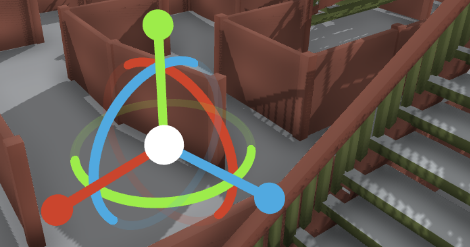
Today's update adds a bunch of helpful (but a little complex) features as well as something that's going to make precise map making 100x easier! You can now enter a "Transform edit" mode by pressing 'F' when hovering over any placed prop.
In this new mode you can manually edit the rotation, position and scale of the prop using classic transform handles with the mouse (this new mode is only for PC and is not available for VR unfortunately).
Getting the position and rotation of props perfect was always a real pain in Rolling Line in the past, but with these new controls its so much easier!
Of course this is a completely optional extra level of control and you can still build maps using the normal control style without any extra complexity.
Transform mode
Simply press F when hovering over a placed prop to enter Transform mode, then you can:
- use the left mouse to move the various position/rotation/scale handles - use the right mouse to orbit the camera - middle mouse/space to pan the camera - scroll wheel to zoom in/out - Ctrl-Z to undo a movement - Ctrl-X to redo a movement - Ctrl-C to copy rotation - Ctrl-V to paste rotation - Tab to switch between local and world space - Hold Ctrl for more precise movement.
And then press F to exit transform mode and return to normal gameplay
Shortcut keys
In addition to the new transform mode, you can also now use a bunch of helpful shortcut keys while editing maps:
- F1 to toggle angle snap - F2 to toggle prop & track snapping - F3 to toggle fast prop scaling - F4 to switch between surface snapping modes - F5 to quickSave - F6 to set time to day/night
Make sure you have "advanced controls" enabled! otherwise you wont have access to these shortcut keys. You can find this option in the menu "Misc -> Advanced controls"
Copy-Paste dynamic track
Something very useful for creating complex custom track is that you can now copy dynamic track data from a placed piece of track, then paste it into the dynamic track generator to copy over values.
For example: If you copy a curve with Radius 12 and Angle 30, Then paste it into the dynamic track generator, The corresponding values will update to 12 and 30.
This is very useful if you want to make matching sizes of track or make small changes to a previously placed piece of track.
You can copy track data by pressing "Enter" while hovering over a piece of dynamic track. Please note that you need to have "context help" and "Dynamic track info" enabled to do this. You can turn this on in the menu "Misc -> Show contextual help" and "Misc -> Show dynamic track info"
You can then paste track data by pressing the paste button on the custom track generator:
There are also a few useful quirks to this system:
If you copy a curved piece of track, the paste it onto a turnout, only the curve part of the turnout will be updated.
If you copy a straight piece of track, the paste it onto a turnout, only the straight part of the turnout will be updated.
You can copy a turnout and paste it into a curve to generate a curve that matches the turnout.
backup log file
This update also fixes some issues with the backup system and adds a "backup_log.txt" file which will list all of the backup additions & removals. You can find these backups in the "Rolling Line -> Saves_backups" folder.
Remember, backups are automatically made every time you save over/delete a map! You can load them in-game under the menu "manage saves -> backups"
There were also a few other features added:
A few new help messages that show up when you first play the game, open the custom camera and open the transform mode. Simply press H to hide these messages and they will stop appearing.
Added the ghost train horns and whistles to quickMods. You can find these new values in the quickmod guide here on Steam.
Added "remove all backups" button in the backups menu
Pressing Ctrl to slow you movement now also makes the camera height changes using the scroll wheel smaller.
And that's all! This has been quite a "technical" update, with lots of little features to make complex map building a bit easier.
If you would like a more in-depth explanation of how any of the new features work, feel free to ask in the comments and I can explain in more detail.
Enjoy!
Halloween 2019! v2.16
Time for the Halloween update!
There's lots of fun stuff in this one, from new decoration props to ghost trains! The best part though is a loot pumpkin which you can open to get special train variations (and tons of candy). I've been playing a ton of Borderlands 3 recently and felt inspired to make a "loot explosion" feature of some kind, which took form as these loot pumpkins! You can duplicate these pumpkins and keep opening them as much as you want, they are just for fun!
As well as these 'loot pumpkins' there is also a whole new drawer of Halloween themed props:
These new props include gothic-style fences & gates, various decorations, autumn leaves, light-up pumpkins, gravestones, colored lights, hanging lights and even a bubbling cauldron:
Another part of this update is the new ghost trains! You can get them as rare rewards from opening the loot pumpkins, and there are a bunch of different wagons and locos:
As well as ghost trains, you can also find golden variations of a bunch of trains & wagons in the game! Some of you might even recognize some of these "golden trains" from an Easter egg... ;)
During Halloween there is a special main menu scene as well as the Halloween skybox seen in last year's Halloween & Christmas updates. You can turn off the Halloween skybox by going into the "weather & time menu -> advanced" and turning off "Halloween mode"
I hope you enjoy these new features and props! And of course, Happy Halloween!
Emissive material paint: Neon lights! v2.15
Today's update adds a small but very useful feature, an emissive material painter!
Just like the other material painter in the game (that makes props transparent) this new one gives props an unlit material effect which makes them glow in the dark, without actually being a full light source.
You can find the new painter in the second paints drawer, along with the other material painters:
This "emissive" lighting effect is perfect for making glow-in-the-dark objects and things like LED's, neon signs and even adding your own lights to things like cars and traffic lights:
Along with this new emissive painter, this update also includes a few other small things:
Lowered the minimum prop scale size, so you can scale down props MUCH smaller now.
Made props size and height scaling more precise when at a low scale (to make placing very small objects easier)
Fixed the glitch where dynamic track would sometimes generate strange curves when switching the direction while placing.
Improved collision on the hotel sign prop.
This is just a quick update which I'm releasing before Halloween, since I've got lots of stuff ready for the actual 2019 Halloween update!
The Halloween update is going to be a big one, but i hope you enjoy this nice little feature in the mean time!
Track upgrade part 3: turnouts! v2.14
Today's update is the 3rd and final part of the big track upgrade!
This update brings turnouts over to the new dynamic system and adds a bunch of new types of turnouts. You can now generate turnouts of any angle, radius, length etc and even make wye switches!
There are several new pre-made track pieces added to the track drawers as well as four new options in the dynamic track generator: - straight - curved - double curved - wye
When placing turnouts you can now also change the direction by holding "shift" plus "Q and E" while snapped on to track!
There were also a few smaller bugs fixed in this update:
detail paints and and track styles are kept when picking up dynamic track pieces
fixed decimal rounding on dynamic track values
collision on track now updates to match the ballast style used
fixed unusual collision on flexytrack
made changes to the dynamic track generator UI
Now that the track is all finally converted to the new system I can move on to some new things! There will be a small update soon that adds the option to set different styles of turnout levers, as well as possibly some other new track detail features.
But the next major update is likely to be some fun stuff for Halloween, I've got some pretty exciting stuff planned!
Enjoy!
Track upgrade part 2: gradients and flexytrack! v2.13
Today's update continues the work Ive been doing towards the new dynamic track system. This part (part 2) brings flexytrack over to the new system, as well as adding smoothed curves to gradient track! The next part of these track updates (part 3) will be coming up next and will bring turnouts over to the new system.
Since flexytrack is now part of the new upgraded track system, you can now use all the new painters (bridges, tunnels, all track styles, etc) on flexytrack too! Flexytrack is also now much smoother and precise than it was before.
The new way gradients work is the highlight of this update though! Rolling Line previously had to cheat gradients, and there was no real support for creating curves on an angle smoothly (for things like a helix) but the system has now completely changed and gradients are now perfectly smooth!
When you change the gradient angle of a piece of track (scroll wheel/VR up-down action) it will now automatically smooth the curve in-between!
This also works for curved track, which means you can easily make things like uphill winding track and a perfectly smooth helix!
These new features are bringing the game one step closer to completing this new track system, and after the next part of this update (part 3) all the track in the game will be using this new upgraded system!
There are also a few features and bug fixes in this update:
Change the angle change step from 1 to 0.5 on the dynamic curve generator (so you can now generate angles like 22.5)
Added an option (in the "Misc" menu) to have an on-screen readout of the angle and radius of dynamic track when hovering over it. this is useful for figuring out what values you need to generate similar track to what you have already placed.
Fixed shading on track/bridges.
Fixed bug with custom liveries being cloned (default wagons that get loaded when you dont have the livery installed).
Changed how snapping curves works, curves are now actually switched between right/left curve direction when pressing Q and E, instead of just being rotated.
Once this track upgrade is done, im planning to add a brand new train to the game, as a change of scenery from all this track related stuff (more info on that in the next update!)
But in the mean time, i hope you enjoy these new track features!