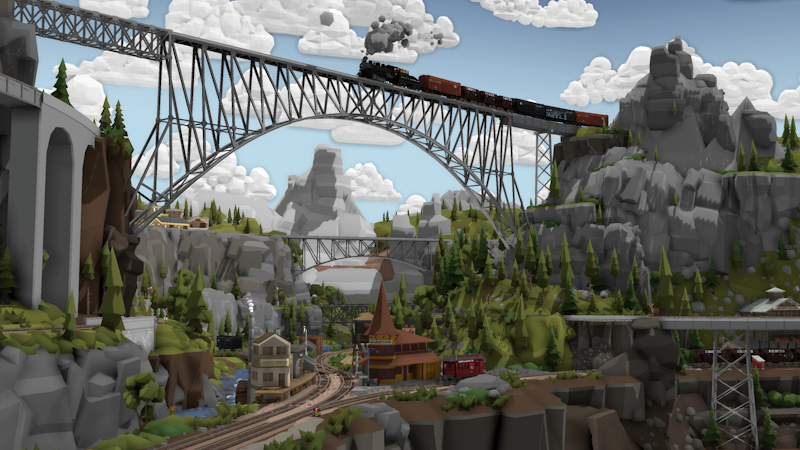
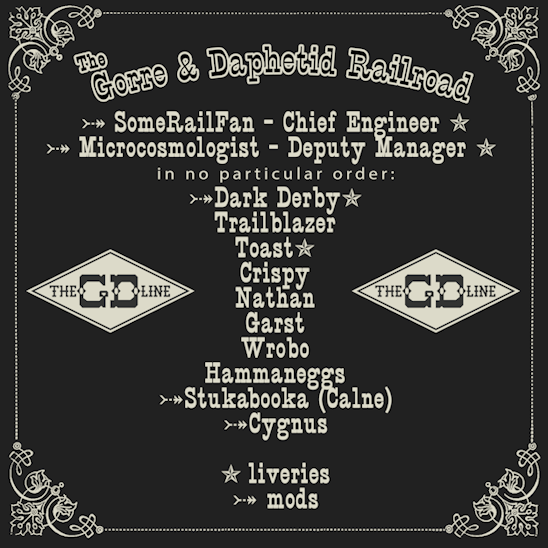
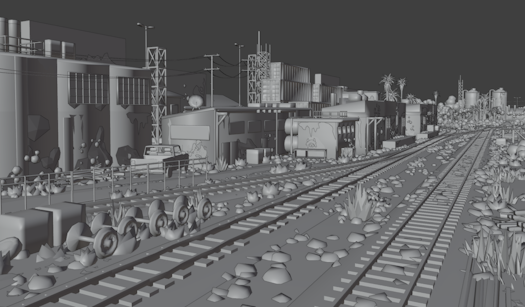
Today is a special day, a massive community-made map project has been released after 3 years of work! This was an entirely player-organized and player-built map, and was made entirely using the tools available in the game, including a bunch of modding and liveries!
This map is truly awe-inspiring, and really shows what kind of massive projects are possible in the game. The map is available on the Steam Workshop, and is just a simple one-click download. All required mods are packaged within the map already:
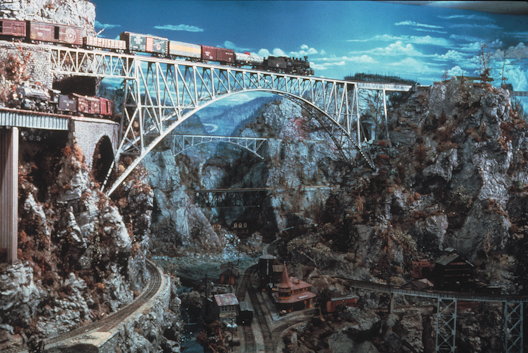
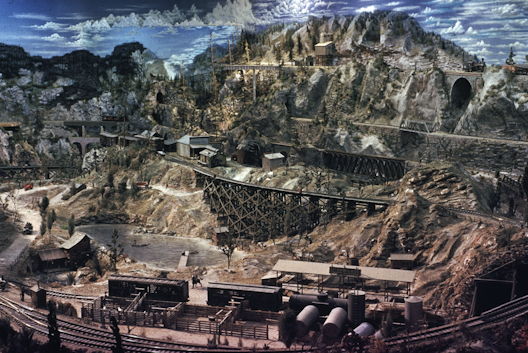
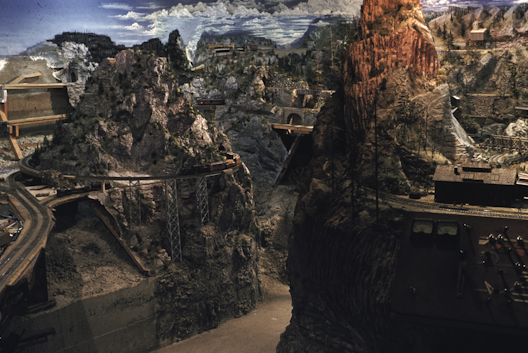
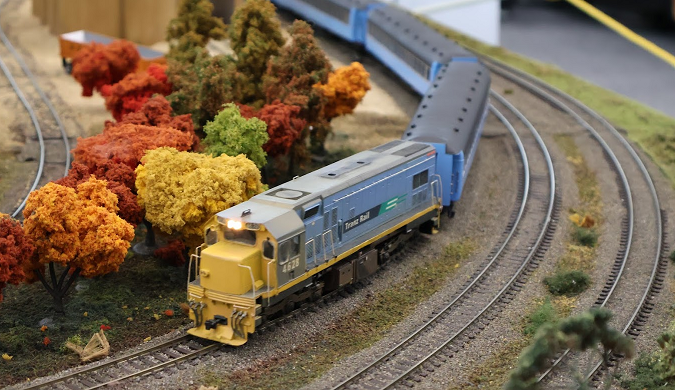
For those who don't recognize the "Gorre & Daphetid", it's an incredibly famous real-world model railway that existed in the house of John Allen, which burnt down after his death in the 1970's. The map was famous for its immense verticality and detail, and is seen as a true pioneer layout of the hobby, as it featured things like intricate scenes and stories told through the details and scenery which was very rare in the early years of model railroading. The map was so ahead of its time, and was a real sight to behold in-person. It's often referred to one of the greatest model railways of all time.
Massive congratulations to everyone who took part in the creation of this map, you might recognize a lot of them as the original "Beer Line team" who made another one of Rolling Line's most famous community projects!
More news about the next game update is soon on the way, but in the meantime I couldn't possibly not shout-out this incredible community achievement!
Patch v5.21.3_1
New error log file system
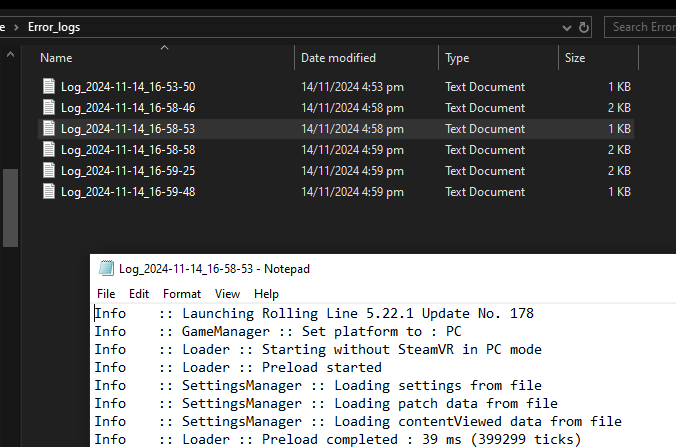
There is now an "Error_logs" folder in the route Rolling Line folder. It stores log data for multiple sessions! So you no longer need to use the AppData folder to report a bug (and it doesn't get erased every time the game is launched). These log files are also cleaner and easier to read:
Disable auto-horns for AI trains
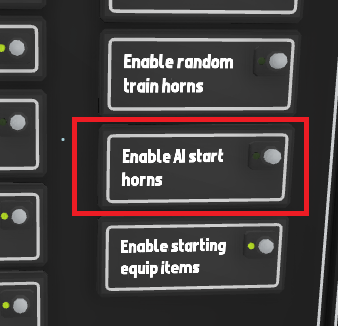
There's now a setting to toggle the horn being played when AI trains start from a red to green light. It's a neat feature when there's just a couple of trains, but rapidly gets annoying when a layout has tons of AI trains all stopping and starting, so you can choose to disable/enable it. Cars also no longer honk on a green traffic light (this was a mistake, not a feature).
Toggle gravity/collision shortcut key
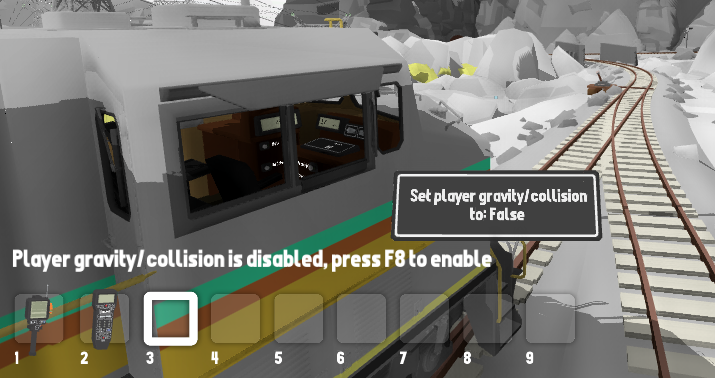
You can now set a custom keyboard binding to enable/disable player collision/gravity in miniature mode. This is very useful if you want to fly the camera around (like when driving trains) without needing to go into the pause menu and disable collision completely. This binding is F8 by default and can be changed in the controls menu.
Fixed major packaged mods issues
Turns out there was a very old bug relating to packaged mods! If a train mod livery is packaged inside a map, and the base mod that it requires is downloaded separately (off the workshop) then the game would fail to link up the livery to its base mod correctly. This has now been fixed. There was also an additional bug relating to linked save files (where a save would look for packaged mods in a different folder directory). Sometimes this file path would become invalid, and this has been fixed and should no longer be an issue.
Other minor fixes
Fixed the cloth physics on flags being broken when using transform edit mode
Track held by the player will no longer be included in a track mesh export
Both the bulk move tool and track export now select track segments more accurately
Removed debug overlays for photo mode that were not suppose to be accessible
In other news
I just attended RailEx (a model train expo here in Wellington, New Zealand), next year I'm hoping to actually get organized beforehand and set up a booth running Rolling Line and have a go at selling some physical game disk copies just for fun.
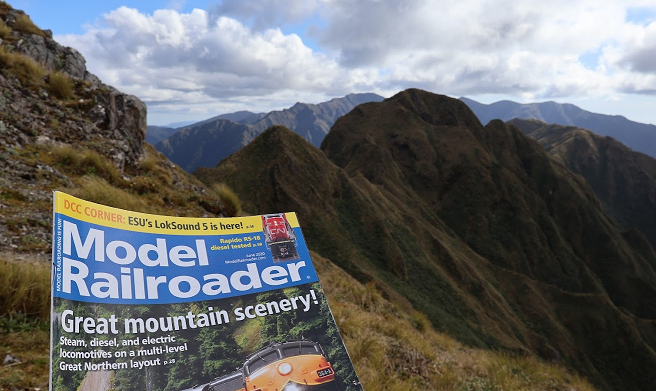
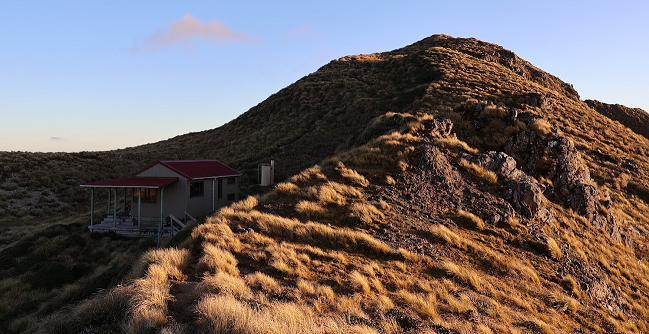
I also recently dropped off a copy of Model Railroader at a very remote backcountry hut (Maungahuka Hut in the Tararua range). I hope someone gets a laugh one day out of the "Great mountain scenery" title, it's probably the only model railway magazine to ever make its way into the Tararuas ːsteamhappyː
Terrain modding! v5.21
Today's update finally replaces the old and terrible "QuickTerrain" modding system with a proper modern system with heaps of new features!
This has been on my to-do list for around 5 years, since QuickTerrain was always suppose to be a temporary feature. This new system uses the modding manager (just like train mods and prop mods) and makes the whole process infinitely easier and actually useful!
You can find a full step-by-step guide on how to make a terrain mod for a map from scratch here: https://steamcommunity.com/sharedfiles/filedetails/?id=3360803467&tscn=1730918534
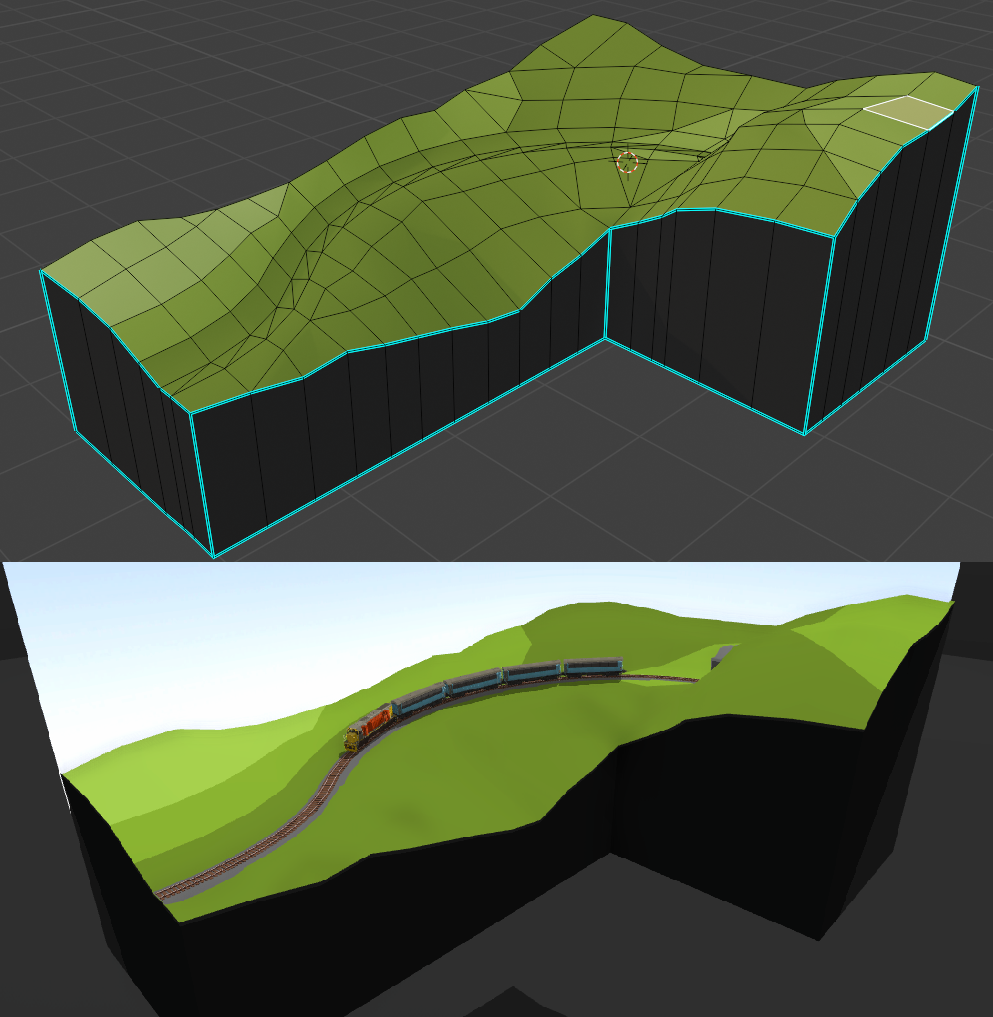
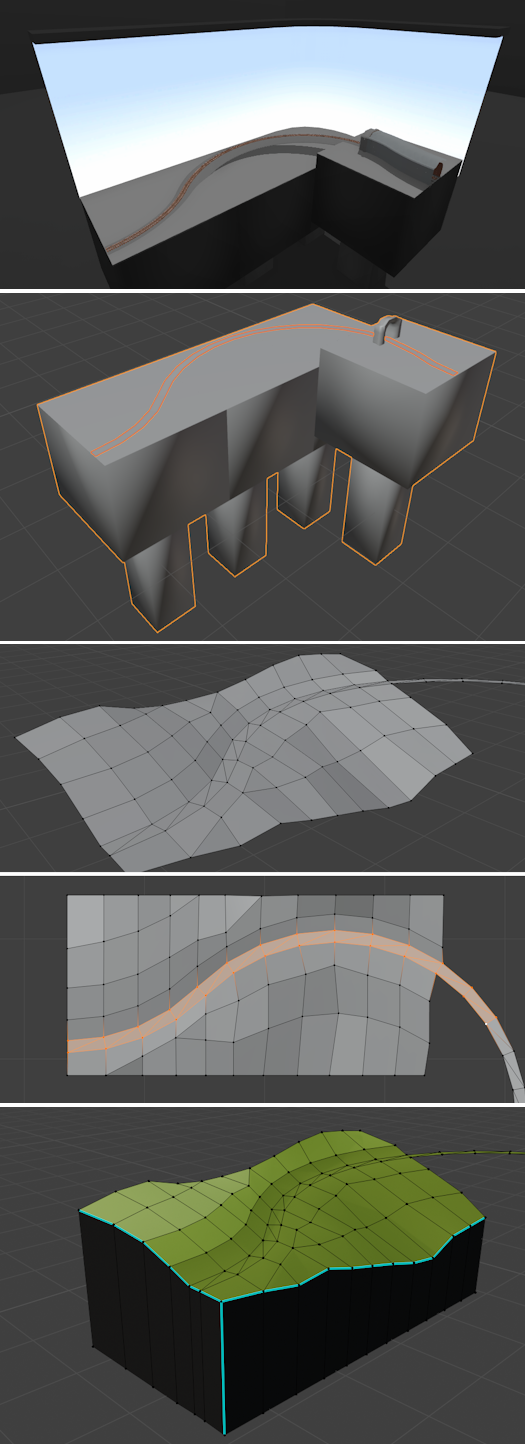
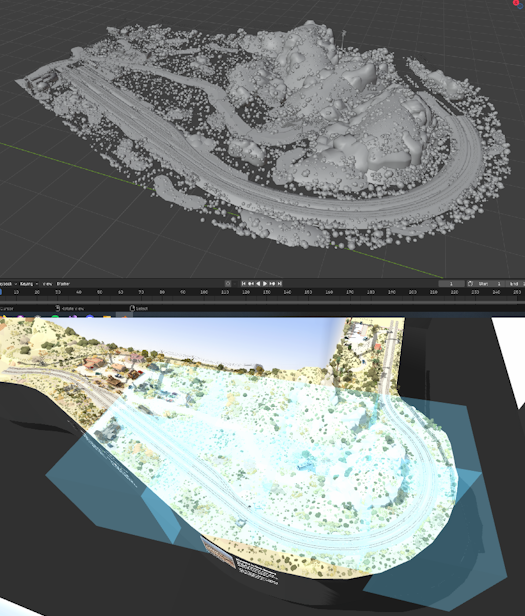
To summaries though, this terrain modding feature lets you import 3D models from external software (like Blender) to use as terrain, and you can export the track & props in your map into raw 3D models to use as a guide to create your terrain. This means you can easily line up the track in your map with the terrain mesh!
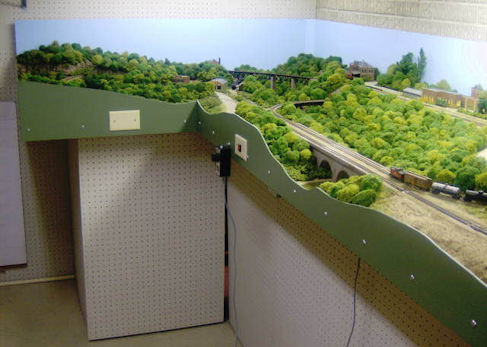
This 3D modelling method is exactly how I make most of the official maps, and it's how I create the neat "clipped wall" effect on maps, where the scenery is aligned with the table edge of the layout. This is commonly seen in real model railways:
Full features of the terrain modding system:
Import 3D models and textures in-game using the modding manager menu (just like train mods and prop mods).
Export in-game maps (both props and track) as raw 3D models. You can export the entire map or choose smaller sections using bounds boxes.
Set the view distance and low-detail view distance, and swap out to low-detail versions of the terrain when viewed from far away.
Set different parts of the terrain model to only be visible in large scale, or miniature only, and on different skybox regions.
Set a custom collision mesh.
Package terrain inside a save file when uploading to the Steam Workshop (just like other mods).
The map exporting feature is especially interesting, since it basically means you can take anything made inside Rolling Line and turn it into a raw 3D model!
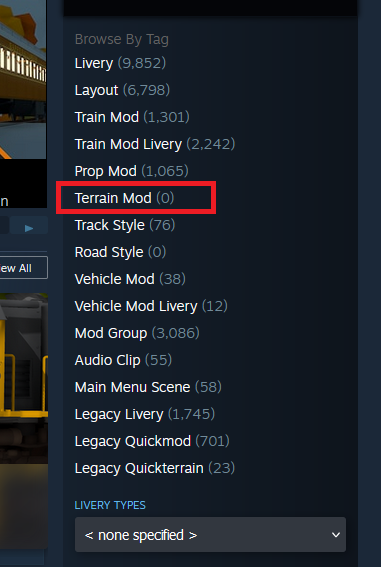
There's also now a "Terrain Mod" category tag on the Steam Workshop:
This update also includes a few minor fixes
Fixed rare freezing bug when editing roadnumbers on mods
Added copy-paste options to all other transform edit inputs in the modding system
The modding menu no longer hides when far away while open
Fixed shading on the popup message box
Fixed text alignment on the Brazil tanker freight wagon
Improved the collision on various road marking props
Disabled temporary Halloween menus (it's back to normal now)
And that's everything for now! If you want to have a go at using the new terrain modding system, please read the full detailed guide, since there's a ton more information than I can squeeze into this news post:
This update brings back the classic Halloween theming to the game, but most of all adds dynamic text support (roadnumbers and roadnames) for train mods. It also adds some more features like AI tags for trains and more switchboard options!
Dynamic roadnumbers for train mods
Firstly, you can now add 3D text to your train mods! The previous update added roadnumber and roadname options to official trains & liveries, and this update completes the job by adding these features to the modding system.
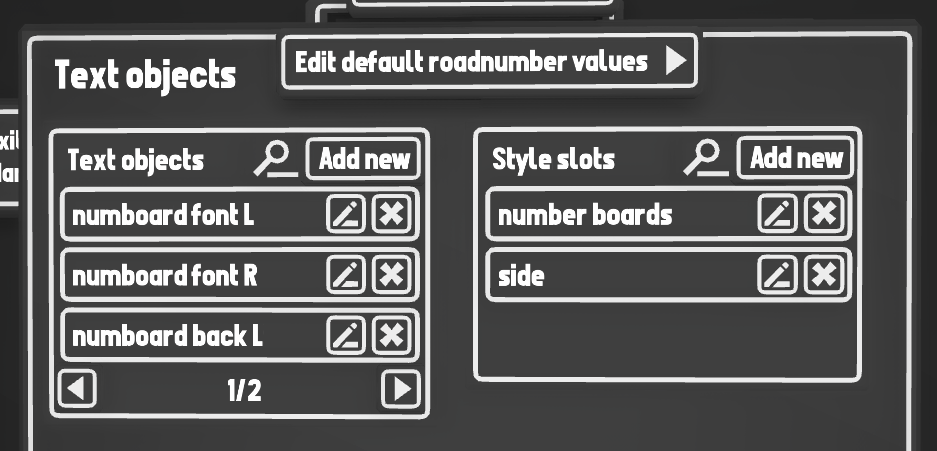
You can find the new text options in the modding menu "edit mod -> effects -> text objects":
Mods that use this new feature will also automatically get tagged on the workshop with "Dynamic Roadnumbers":
AI tags for trains
This update also adds an "AI tags" feature for trains. You can set tags on trains for things like "Passenger" or "Freight" and then make AI trigger signs & circuitry train sensors only detect trains with matching tags!
For example, you could make an AI "sound horn" sign that only makes passenger trains use their horn (and ignore freight trains). Or make some circuitry that makes different lights glow depending on whether a freight wagon is tagged with "Coal", "Wood", "Steel", etc.
You can edit a trains tags using the popup options menu and choosing "AI Tags":
New switchboard features
This update adds a couple of new options for switchboards, you can now hide sidewalks and road edges to clean up road switchboards. You can also opt to hide "invisible" track (track which has no visual mesh, usually used for moving train mods around which are designed to look like planes/boats).
Halloween menus
You'll notice that the game now launches with a selection of Halloween themed menus! This is just a temporary event, but if you want to then you can disable this feature in the "Pause menu -> gameplay -> main menu options" menu. If you disable this then the game will use your own custom selection of menus instead.
Other Halloween stuff
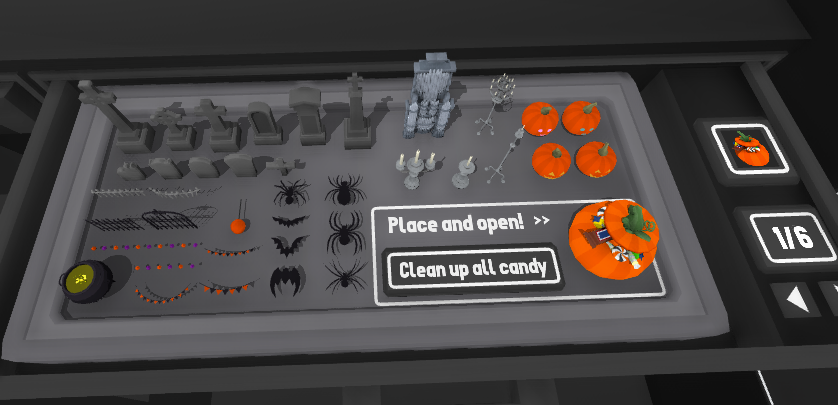
Of course you can also access all of the classic Halloween items added in other updates! You can find all of the Halloween themed props in the "Misc -> Halloween" drawers:
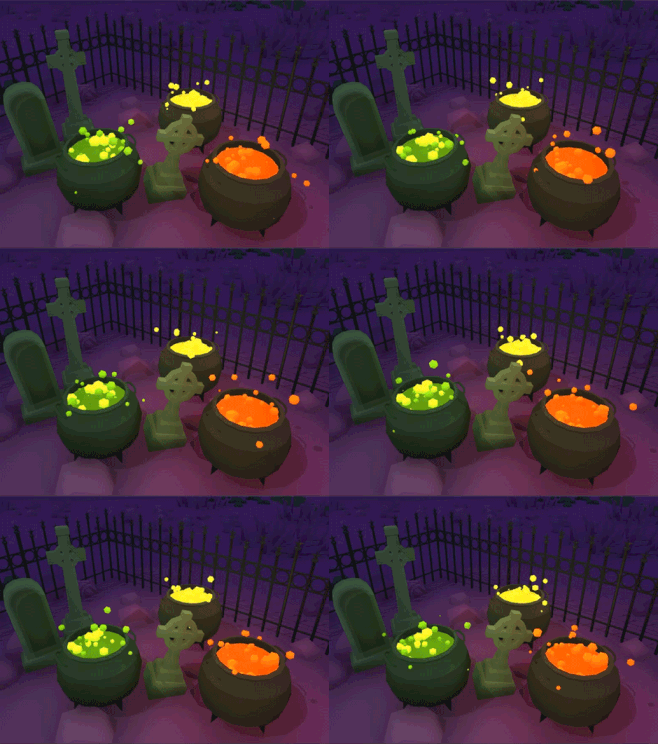
These props include gothic-style fences & gates, various decorations, light-up pumpkins, gravestones, colored lights, hanging lights and even a bubbling cauldron:
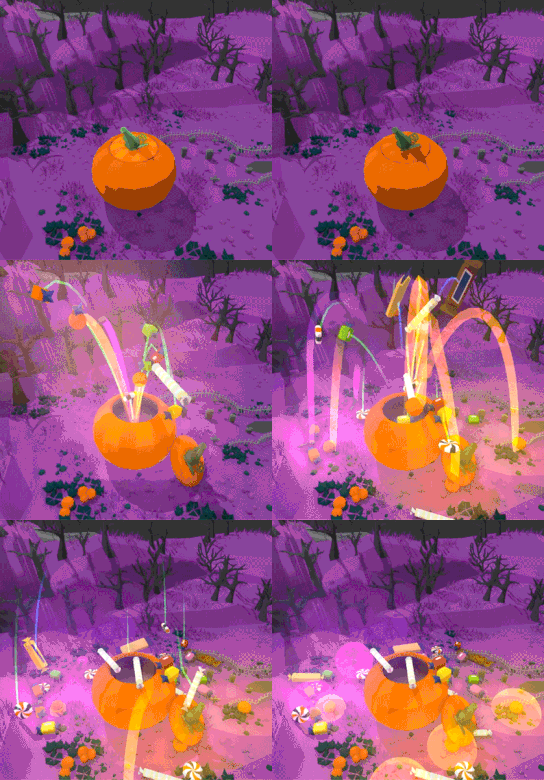
There's even a loot pumpkin which you can open to get special train variations (and tons of candy):
And of course the ghost trains! You can get them as rare rewards from opening the loot pumpkins, and there are a bunch of different wagons and locos:
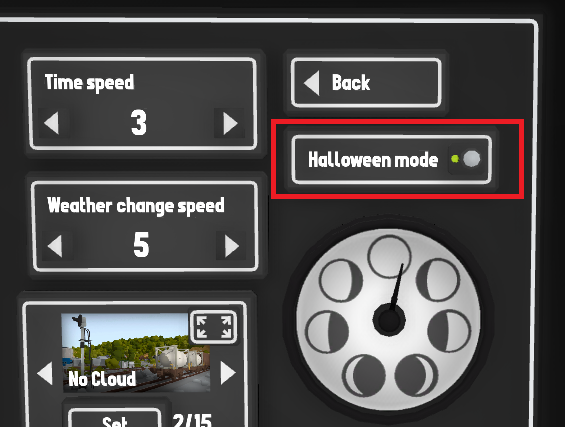
You can turn on the special Halloween skybox by going into the "weather & time menu -> advanced" and turning on "Halloween mode":
Other features
This update adds a new setting to automatically disable dynamic text for either just mods, freight wagons, or all trains. (e.g. if you prefer the way the wagons looked without numbers on the side) You can find this setting in the "Pause menu -> graphics" menu:
You can also now set a custom list of random roadnumber options instead of just a random range. E.g. if you only wanted the random roadnumber choices to reflect actual real-world locomotive numbers for a set list.
And various other smaller fixes:
If a QuickMod or train mod does not have a custom roadname set, the controller will instead display its name (instead of the roadnumber/name combo)
Fixed shading issues with some fonts
Fixed custom livery numberboards for the AC4400CW
Fixed incorrect text position on the ATSF boxcar
Cloning the example preview wagon when making a livery is now blocked (since this is a temporary model and should not be used in save files and results in multiple bugs)
Fixed incorrect info on the context help for track gradient controls.
Fixed the options menu popup still being visible when other hover options are hidden
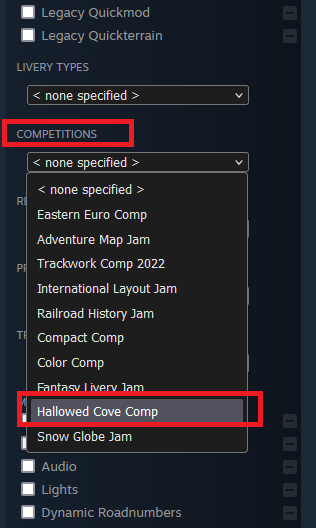
And that's everything for now! Now's a great time to make some Halloween themed maps (even though there isn't an official competition going on). If you want some inspiration, have a look at the entries from the "Hallowed cove" comp event from a few years back! You can find them under the workshop tag:
Custom roadnumbers! v5.19
After about 6 years of every single train being number "5270" you can now finally customize individual locomotive & wagon roadnumbers! (as well as lots more).
Currently, this only applies to official trains and liveries, mods do not support dynamic roadnumbers yet, this will need its own separate update. You can still give them a custom road name & number, but it won't be visible on the model.
But for official trains, you can now see the number dynamically displayed on the model!
And on freight wagons as well:
You can also enable this for liveries too!
By default, all liveries have dynamic number displays disabled for backwards compatibility (since most liveries already have numbers drawn on). But if you leave the number locations blank on the livery texture, you can re-enable the dynamic numbers:
You can also customize things like the font, color and size of the text (which is perfect for liveries!).
There is a full guide here which explains how road names & numbers work, and how to customize them: https://steamcommunity.com/sharedfiles/filedetails/?id=3341507001
Roadnumbers are randomized, but you can set a custom random range if you want. You can also set the Roadname, which is an identifier for the railway that owns the locomotive/wagon (e.g. BNSF, NZR, CSX).
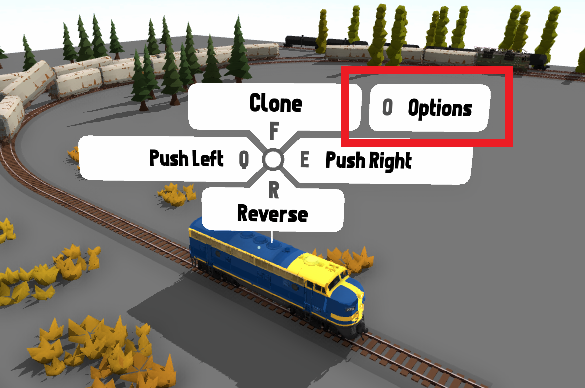
All of these options can be customized by opening the new train options menu by pressing "o" when hovering over a train (or the down-context-action in VR):
Changing the name & number of a train will also change its display name on the hand-held controller and in the cab:
This update also includes some other minor fixes & features:
Fixed bug where a combined save file would not correctly combine (everything works fine now).
Fixed bug where the pause menu could accidentally be included in a split save file.
Text on the hand-held controller will no longer scroll if the length of the text is small enough.
The tutorial has been updated to include new steps for reversing trains in VR.
This update includes a lot of new code under-the-hood which is working towards a much bigger update:
Freight loading and unloading!
So keep an eye out for even bigger things to come!
Regardless, I'm sure the operations fans will be very happy about these new custom roadnumber features in the meantime anyway ːsteamhappyː
Split save files! v5.18
This update adds a feature which is a complete game-changer for map collaboration projects, and also has a lot of other uses for solo map making! And there's also an absolute ton of quality-of-life features packed in as well.
Split save files
Firstly, the big focus of this update, save file splitting! With this new system you can split a map into multiple different segments and edit them individually. This means you can make changes to one part of a save file without affecting the other parts. You can use this to easily collaborate with multiple people on a single map, where each person can edit one segment on their own without overwriting the other people's progress! You can also use this feature to split up larger maps to make editing them easier and less performance intensive, as well as reduce loading times. If you are working on a massive map you can split it into smaller parts, and just work on each part on its own without needing to load the entire map.
For example, you could split the "Top of the south" map into individual segments and edit each one as if it was its own save file:
You can add new track, props and make any changes you want to a separated segment, Then you can combine the map together again afterwards!
You can find a full guide with step-by-step examples on how to use the new split-save features here: https://steamcommunity.com/sharedfiles/filedetails/?id=3322846819
Other fixes & features
This update is quite a big one, with a ton of smaller features, as well as lots of quality-of-life improvements.
Automatic packaged mods
When upload to the Steam Workshop you can now simply click a button to auto-select all packaged mods used by a save file. Please remember that save files can get VERY large (multiple gigabytes) if you package 100's of train mods, so don't abuse this feature!
New popup "message box" design
The floating popup message box that you see all over the game now has a new visual look. It also now scales its size to fit larger messages. This means you can make longer messages display when using tools like the "show popup message" circuitry prop:
Quicksave reminder message
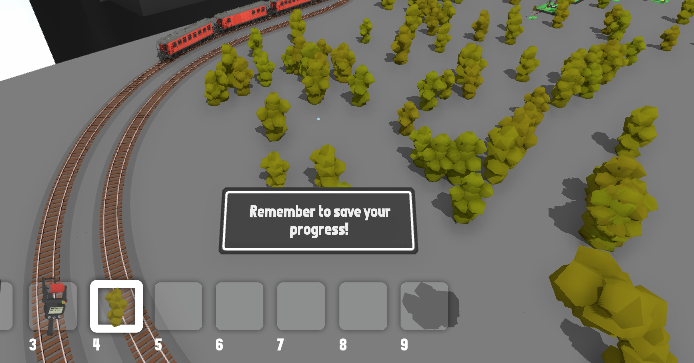
The game now has an automatic reminder message that pops up when it's been a long time since you've last saved. You can of course disable this missage if you prefer, or change how long the time gap between messages is (this is in the "pause menu -> manage saves -> quicksave reminders" menu)
Tunnels hide smoke effects
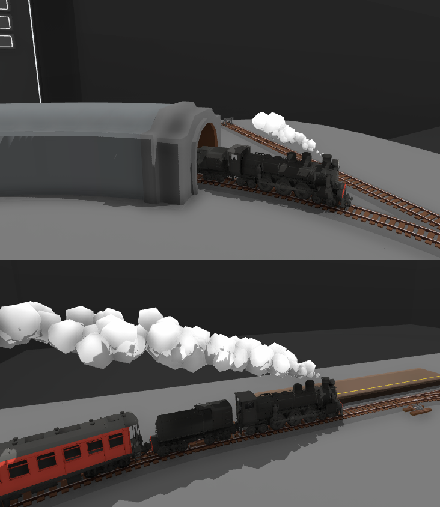
Custom tunnel regions will now also disable smoke, in addition to the usual effect of darkening the players view while inside them. This stops steam particle effects from going through the terrain when trains are underground
Workshop upload message
A warning message is now shown when you try and upload a map download off the workshop, or any of the official built-in maps. This is to help prevent people uploading copies of other people's maps, or simple re-uploads of the official maps (which happens amazingly often). You can easily ignore this message, but hopefully it helps a bit for people who are unaware of what they are doing.
And tons of other features & fixes:
When you update a workshop item, tags are automatically remembered. You can also chose new tags when updating if you want, but if you leave the tags alone they will copy the previous tags automatically
The "generic failure" error message when uploading workshop items now shows additional messages to help diagnose the problem
There is now an "open save folder" button when in the "manage saves" menu. This is great for easily accessing save files manually
Cleaned up the collision data for all trains, so now you can click on things through the windows (like clicking to switch turnout levers from inside the cab)
Added collision data to the trestle bridge styles
Fixed bug where pressing Esc when editing a text box inside the modding manager would cause the textbox to get stuck on screen
Fixed bug where it was possible to place other props inside some of the non-custom drawers (e.g. the vehicle drawer) It is also no longer possible to delete props inside these drawers
Cloning a color off a prop (by pressing Enter) will no longer remove the item in your hand, unless that item is already a color painter
Fixed bug where level crossings would not detect any nearby crossings to copy if the were being edited using a 2D menu
Fixed bug where electrical wire connections were not set correctly when using the bulk move tool
Fixed bug where objects in custom drawers would sometimes load very small
Added lots more "view online guide" buttons throughout the game, linking to the official guides on Steam
Fixed bug where a SteamVR warning message would show up on startup in VR if bindings were missing
Fixed modding bug where the game would fail to load a mod if it has an empty wheel preset used
The custom music folder now supports WAV files
Fixed the "flicker" light setting for prop mods, it sometimes would not fully turn off when disabled
Props inside custom drawers are now disabled at a distance, and are hidden when the drawer is closed
The "Custom track" menu is now called "Editing"
The Steam store page now correctly shows controller support for the game
Removed the "Use advanced controls" setting, since the controls it affected are easily re-bindable in the controls menu now, so the setting is no longer needed
There is now a warning message on the "Save game" menu which will warn you if the name you have chosen is the same as a file already saved, and will overwrite it
Table props now have an alternative "center point" for selection which is higher off the floor. This makes using things like the bulk move tool easier for selecting tables
Flags now support the same material types as posters (e.g. transparent, unlit, etc)
Eastern Euro Comp winners! v5.17
The Eastern Euro Comp is complete! There were so many absolutely amazing entires, and here are my personal favourites. As with all the comp events, I played through every single entry and there was so much cool stuff to see. This was a really good event I hope everyone enjoyed it! I highly recommend going on the Steam Workshop and having a look at the entries yourself too.
There are still so many other maps that deserve a shout-out, so I highly recommend having a play of a bunch of maps from the comp yourself too. There were 79 total maps submitted, and thank you so much to everyone who took part!
Features in this update
This update also includes a few features too, and these are:
You can now rotate bounds boxes! They are no longer locked to 90 degree angles:
The bulk move tool can now copy-paste! This works between different save files, so you can copy a group of props in one map, then load a different map and paste it:
Fixed issue where wires (both power lines and electrical circuits) did not move correctly when using the bulk move tool.
Fixed snapping issues with bounds boxes when they are scaled quite small.
You can now exit transform edit mode by pressing Escape (as well as pressing F as usual).
And that's everything for this update! I hope you have fun trying out the Eastern Euro comp maps!
Copy-paste & move tool v5.16
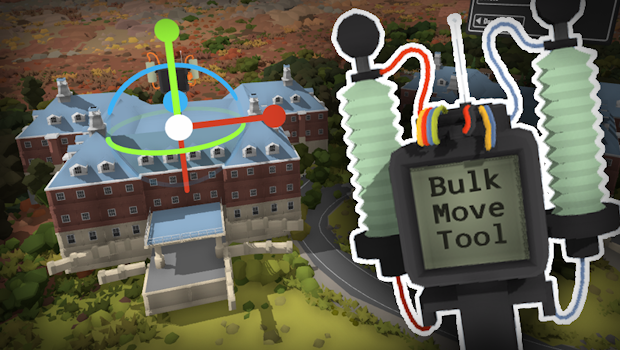
Here's something special people have been wanting for a long time! You can now copy-paste multiple props & track in one go, and move entire sections of your map around. This can all be done with the new bulk move tool!
I've written a guide on how to use this new tool, and you can find that here: https://steamcommunity.com/sharedfiles/filedetails/?id=3271187876
Moving sections of your map
Have you ever wanted to shift things around in your layout? Well now you can move, rotate and scale an entire segment of your map (or even the entire map!). This is extremely intensive for your PC though, since it involves enabling editing on large sections of your map all at once.
Copy-paste groups of props
As well as moving a large section of map around, you can also use this feature to duplicate sections of your map as well! This is perfect for if you have a detailed custom-made building (using lots of smaller props) and you want to create multiple copies of it.
The Eastern Euro Comp end date is extended!
The end date is now extended to the rest of the month, so submissions now close on July 1st. There's already been a ton of great entires on the Steam Workshop!
For this competition there will be 3 different winners, each of which will get a free game key for Trans-Siberian Railway Simulator.
The categories for each winner are:
Best overall map
Pretty simple! This goes to the best overall map, which includes creativity, detail, design, etc.
Best fictional railway/location
This category is especially for a fictional design, whether you want to create your own fantasy railway line or just make a map set somewhere that doesn't exist in the real world.
Best use of miniature scale mode
This is for a map that makes use of the miniature scale player physics, like being able to walk around in detailed streets & buildings, or exploring a world designed to be viewed on-foot in miniature scale.
But of course you can make any kind of map you like! These categories are not limiting factors.
As usual, i'll also be posting a ton of shout-outs to my favourite entries at the end of the event! (not just the winning ones).
In other news, I've also recently uploaded my own example entry for the competition, which is a small map based in the industrial city of Norilsk, and uses circuitry tools to mimic a simple RPG video game dialogue system!
You can find this map here: https://steamcommunity.com/sharedfiles/filedetails/?id=3266766472
VL80 custom liveries! v5.15
This update adds custom livery support for the newly added VL80 locomotive, as well as a bunch of other minor fixes & features.
The Eastern-European comp is still running until June 25th! And it's amazing to see entries already showing up on the Steam workshop. You can find more info about the competition here: https://store.steampowered.com/news/app/754150/view/4143953771616864523
Remember one of the categories you can win is for "Best fictional railway/location" and now that you can make your own liveries for the VL80 you can design your own fictional Eastern-Euro inspired railway line!
Creating your own liveries
Making liveries is easy! All you need is basic image editing software (even MS Paint is fine). There's a guide here on Steam that explains how to make your own liveries!
Just as with all the other liveries, you can find the templates in the "Rolling Line -> Modding -> templates -> livery templates" folder:
Downloading shared liveries
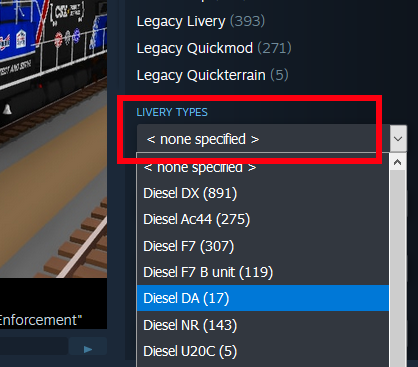
You can find other people's shared liveries simply by going to the Steam Workshop and using the “livery type” drop-down list:
Other features
This update also includes:
The VL80 now has a new horn sound, plus a whistle!
The shading on the model for the VL80 has been improved a lot
Fixed the horn sound effect point for the VL80
You can now press the left + right bracket buttons to control the front & back pantographs individually. There is also a custom binding for this in the "controls" menu:
There is also a new binding to use the alternative horn sound for trains that use it (like the Sprinter and VL80):
Fixed a bug where snap points on track would not be updated correctly when placing a group of track on the ground
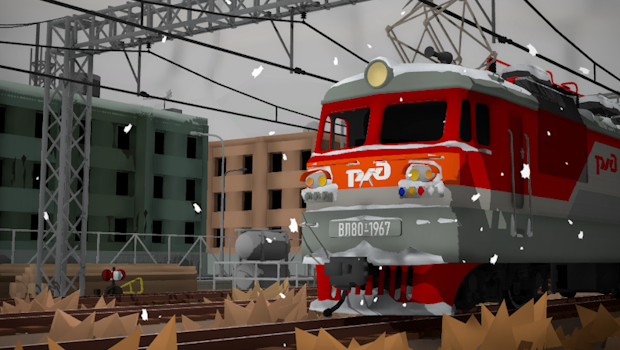
The livery in the thumbnail is this one made by Skull4786: https://steamcommunity.com/sharedfiles/filedetails/?id=3261350018&searchtext=
That's everything for this update! And I'm excited to see all the things people are working on for the Eastern Euro comp!
Eastern-Euro Comp! v5.14
It's time for a map competition, a new locomotive, and even a collaboration with another game! (Trans-Siberian Railway Simulator)
Trans-Siberian Railway Simulator is just about to be released, and the developers reached out to me to see if we could make a Steam bundle with both games, and you can find that bundle here: (The bundle will become available once the game officially launches)
But why stop there! I've always wanted to add some Eastern-European content to the game, so I'm taking this opportunity to run a map making competition themed around it.
This update also adds an incredible community-made mod (the VL80 locomotive) make by Akandr: https://steamcommunity.com/sharedfiles/filedetails/?id=2253493285
The mod has been expanded to have all the features of official trains, like headlights, rust & snow effects, cab controls, collision, etc.
You can find these new trains in the "Trains -> Eastern Europe" drawer:
About the competition
Just like with previous comps & jams in Rolling Line, this is a chance for you to make a map (or mods) with a theme and then share them on the Steam workshop!
The theme here is Eastern Europe, but this is very broad. It encompasses the whole style & feel of this part of the world and isn't specifically limited to just a few countries. In fact you can even make fictional locations and fantasy railway lines if you want!
To submit a map/mod to the competition, simply upload it to the Steam workshop and tick this option when uploading in-game:
For this competition there will be 3 different winners, each of which will get a free game key for Trans-Siberian Railway Simulator!
The categories for each winner are:
Best overall map
Pretty simple! This goes to the best overall map, which includes creativity, detail, design, etc.
Best fictional railway/location
This category is especially for a fictional design, whether you want to create your own fantasy railway line or just make a map set somewhere that doesn't exist in the real world.
Best use of miniature scale mode
This is for a map that makes use of the miniature scale player physics, like being able to walk around in detailed streets & buildings, or exploring a world designed to be viewed on-foot in miniature scale.
But of course you can make any kind of map you like! These categories are not limiting factors. As usual, i'll also be posting a ton of shout-outs to my favourite entries at the end of the event! (not just the winning ones).
This competition will run for 3 weeks, finishing on June 25th.
If you want to view the entires so far for the competition, you can view the "Eastern Euro Comp" tag on the Steam workshop:
If you're looking for more Eastern-European style content, there are even some more mods on the Steam workshop! For example:
Some new cliff face and rock props in the terrain drawers
Fixed the 1.0 classic version of the game (it had a bug related to SteamVR that was affecting some people). For those unaware, you can play a day-one release version of the game (just for nostalgia’s sake) by switching to the "Rolling Line 1x" beta-branch.
Progress on the Sierra Logging map
There hasn't been an update for a while since I've been putting all my time towards the upcoming Sierra Logging map which I've teased at a few times in previous updates. I'll be making a full announcement of this map in the future, but in the meantime, here's some more preview screenshots of progress!