

Rote2: RoteSquare
2022-07-17 hotfix
- Fixed a font bug in result scene
- Fixed a bug of Full Combo/ All Perfect Effect
2022-07-17(v0.2.1) Update
The score will be recorded on the leaderboard, and you can check them.
You can check your rank among all users.
But your existing records will not be automatically applied on the leaderboard, It can be different between the score on the leaderboard and the client score.
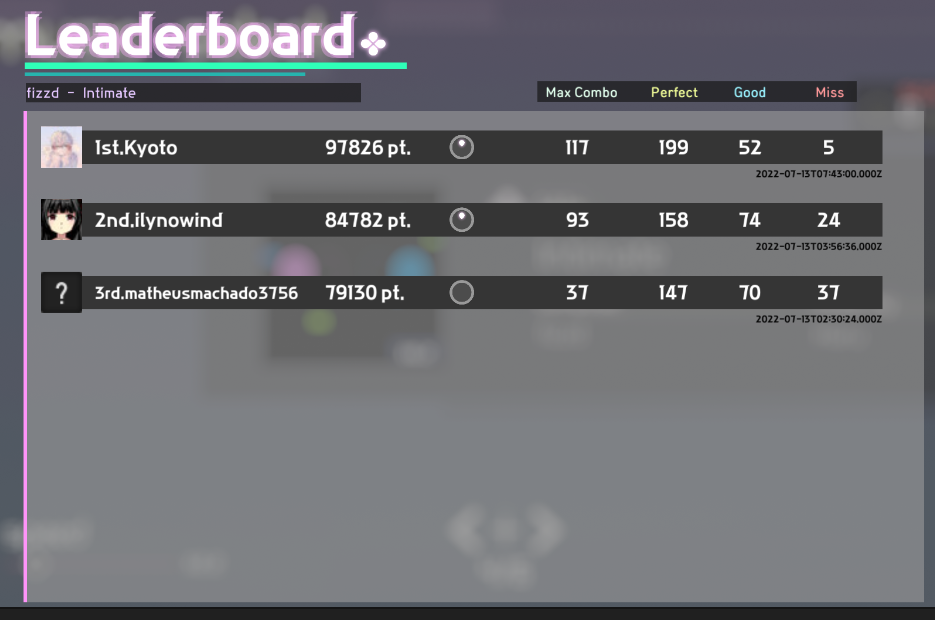
You can open the leaderboard of each song by click the button here.

[Long Note Graphic Renewal]
The graphic of Long Note is changed as shown below.

[New Song]
HEXACUBE- Rested

[change Note speed In game ]
You can speed down or up by pressing F3,F4.

[Restart Hot-key]
You can restart the level by press F5.
[New Feature: Lane Cover]
You can adjust by pressing F6,F7.

[기타]
When it shows mapped-keys, the string size will be adjusted .

v0.1.2 Preview
New Feature: Leaderboard
2022-07-12(v0.1.6)
-It will show gray lines every 3 or 4 beat lines in the editor
-On the workshop upload window, you can see eula description from now.
2022-07-02(v0.1.5)
- Fixed a bug where thumbnails were displayed as the last image in the workshop list
- End window UI renewal
- Life penalty can be set differently for each level
- Added a feature to show guide lines when matching you do sync calibration
- Retry added in the score screen
- Shrink Score UI
- Fixed a bug where Steam Workshop songs were not displayed in the list
2022-06-29
-Fix playback speed bug in editor
-You can see votes of custom levels on in-game workshop UI from now
2022-06-20
2022-05-14 (v0.1.2)
2022-05-13 (v0.1.1)
- Modify Sound setting.
- Change color of notes in level editor.
- Fix some UI Resolution bug
- Improve duplicated note deleting logic
- Modify bug for adding notes in level editor
2022-05-04(v0.1.0)
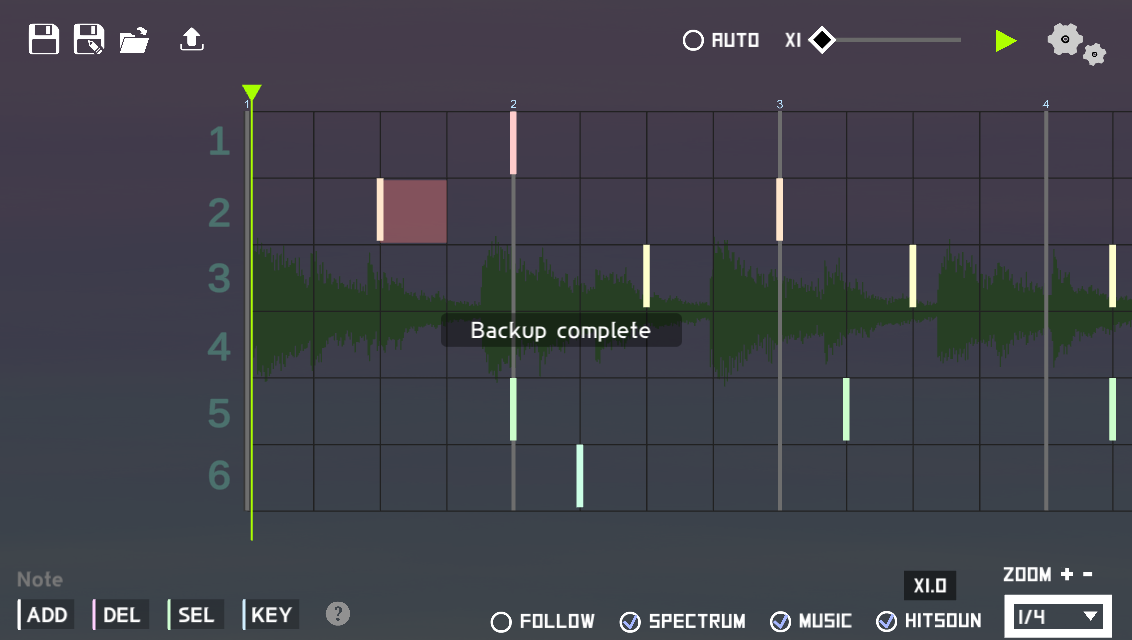

When changes are detected, a backup file is created automatically.
This backup file will be deleted automatically if you exit normally or save it.
[Level Editor 1]

From now on, events can be selected and moved, copied, and deleted just like notes.
Also, adding, removing, moving, and editing events will be target of "redo" and "undo".
[Level Editor 2]

Added a scroll bar at the bottom to move the screen.
[Level Editor 3]
Now you can change the line of notes by pressing the "up arrow" or "down arrow" for the selected notes.[Level Editor 4]

Added Follow On/Off toggle. When you turn it on, the screen will follow the current playback point.
[In-Game ]

In-game note effect will be more facny.
In-game note sprite is retouched for note-readability.
In-game note effect will be adapted for wide notes.
[UI]


Key sound UI and CalibrationUI have been renewed.
[etc.]
You can select UI buttons with keyboard in intro UI and pause UI.
You can return to the main screen by pressing ESC in the song selection window
Change to display a warning so that you can check if the level's file size exceeds 8MB.
It is changed so that it automatically goes to the calibration UI once when the game is first launched.
Added tooltips to some UIs.
[Bug fix]
- Reduced short freezing after pressing the game start button.
- Hit-box of blue event gear is modified, It will be more easy to click than before.
- Fixed a bug where the tooltip did not match the size of the text and box
- Level editor codes are refactored.
- Fixed a bug in the level editor when you press page down and page up