

RPG in a Box
Summer Sale: 25% Off + Workshop Adventures Release!
Coming Soon: Workshop Adventures!
Sharing AND playing RPG in a Box games is about to get a lot easier!
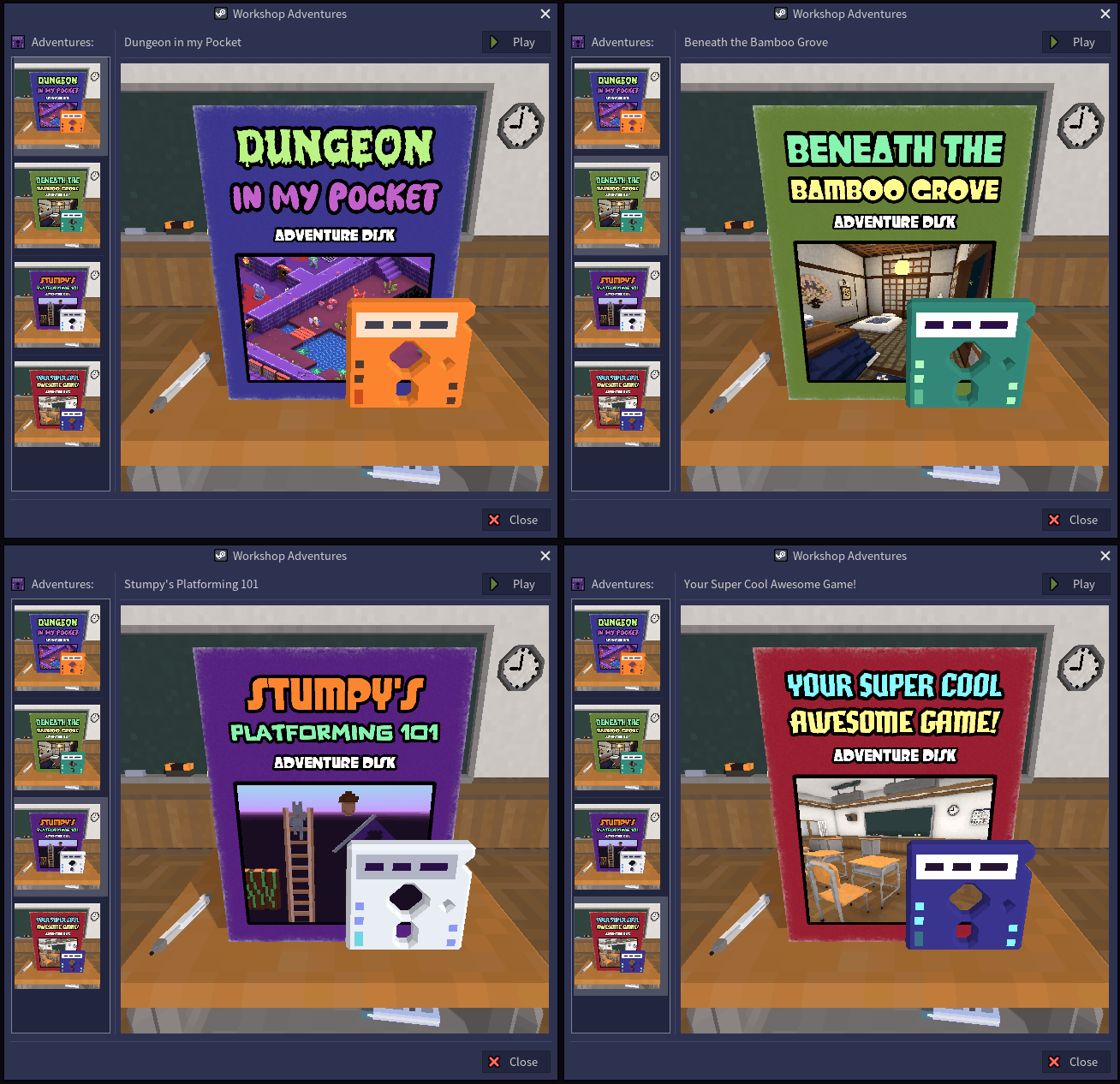
The upcoming Workshop Adventures update will allow you to share your game, and your own custom game box, to the Steam Workshop in just a few clicks! Playing games: just as easy! And you can view the game boxes that you've added to your collection up close! All from within RPG in a Box! Stay tuned for more details.
Release v1.3.3.7
New Features
- PROTOTYPE: BOX_IN_A_BOX
https://rpginabox.com/forum/d/1194
"Horror with a Twist" Game Jam
There's still one month left for the "Horror with a Twist" RPG in a Box game jam, hosted by community member KevKey! One month is PLENTY of time to make a game, especially since RPG in a Box is so easy to use and you can just jump right into the fun stuff! I'm really excited to see what everyone creates.
Also: Prizes are included!
1st place: $50 Amazon gift card
2nd place: $25 Steam gift card
3rd place: $10 Visa gift card
Now go make a game! 😊🕹️
Join the game jam and find out more details here:
https://itch.io/jam/kevkeys-rpginabox-game-jam
Release v1.3.3 has Arrived!
This release expands upon "The Workshop" and adds support for particle effects to the Steam Workshop, among many other things, like adding effects to maps in the Map Editor, sharing Steam screenshots, and guides on the Effect Editor and custom damage logic! Read below for more info about what's included, followed by the full release notes.
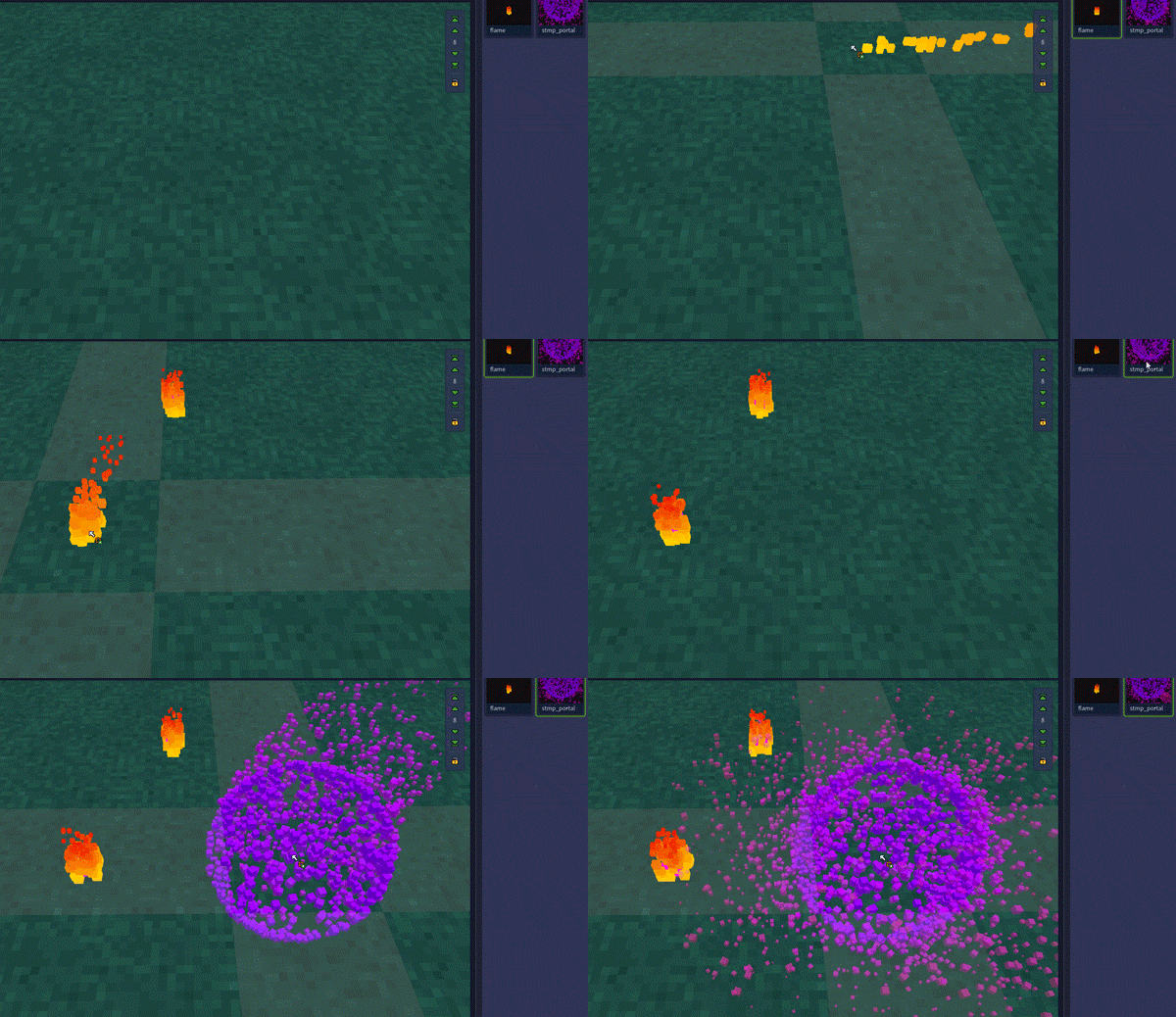
Particle effects can be used for things like flames, fountains, portals, rain, snow, status effects, sparks, dirt, and so much more! The possibilities are endless!


Share and Download Effects!
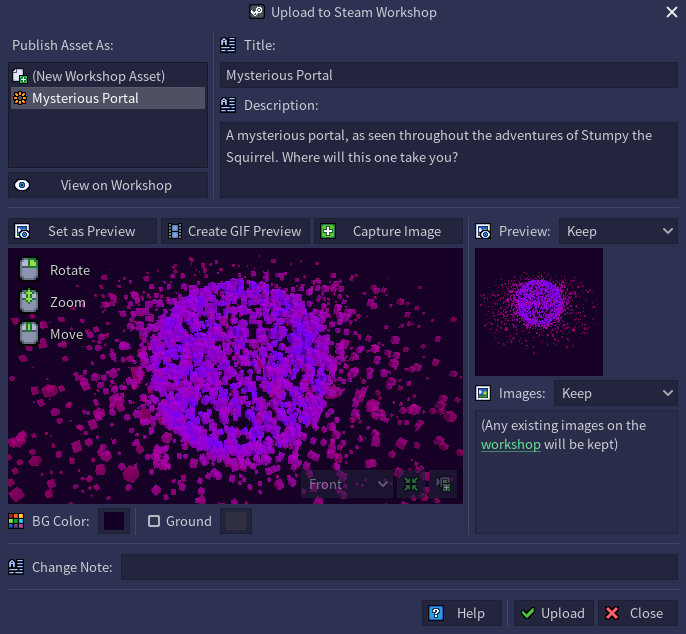
Share effects that you've created to the Steam Workshop for the community to use, and download effects published by others to use in your game!
Place Effects in the Map Editor!
Adding effects to your game just became even easier! You can now place them directly into a map by selecting an effect from the newly added assets tab on the right, then click anywhere within the map! They can be selected in Edit mode as with other entities - just click their pink cube and open the Entity Properties tab (or double-click), and you can adjust its position, rotation, and entity ID.
Learn How to Create Effects!
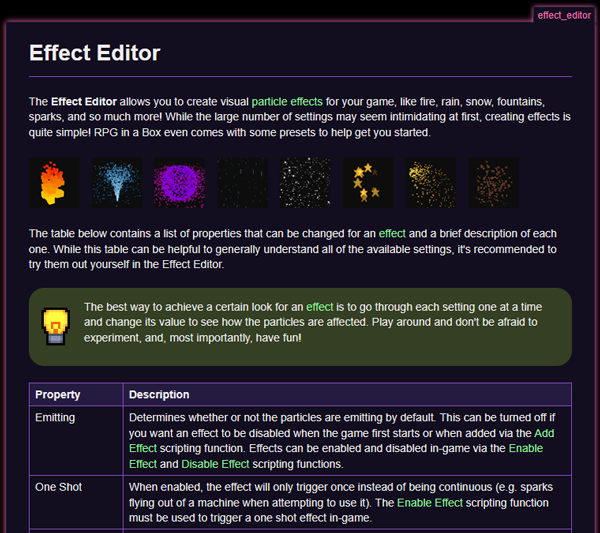
Check out the new documentation for the Effect Editor and learn more about how effects work, then play around and create your own! Or, start with a preset and go from there. The presets now include two new effects: sparks and dirt!
Read the online docs here: https://rpginabox.com/docs/doku.php?id=effect_editor
Customize Your Damage Logic!
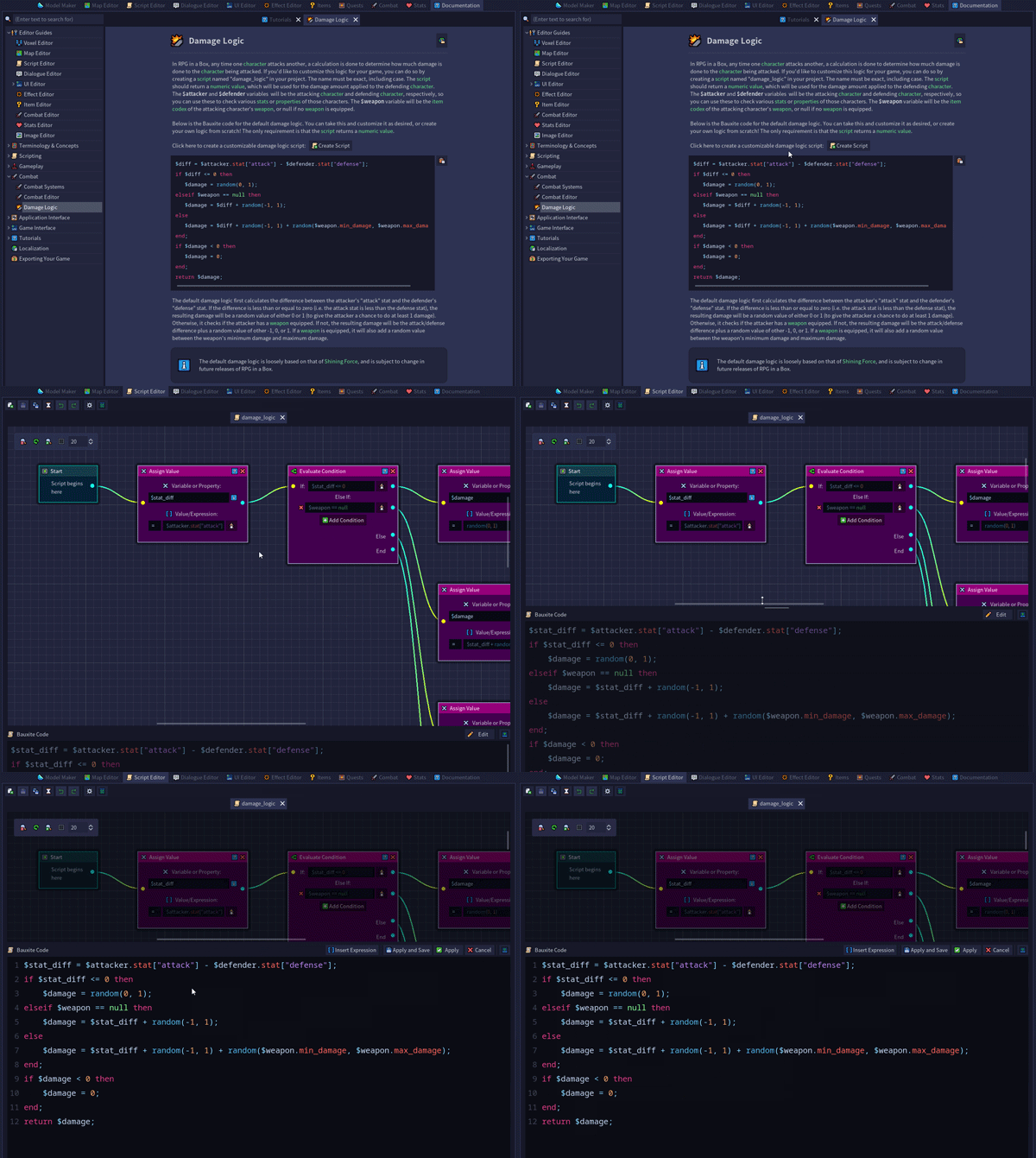
It's easy to customize the damage logic for your game! The new documentation on damage logic explains how to do this, and it even includes a button to automatically generate a Bauxite script with the default damage logic. Tweak it as desired, or write your own logic from scratch!
Read the online docs here: https://rpginabox.com/docs/doku.php?id=damage_logic
Share Screenshots!
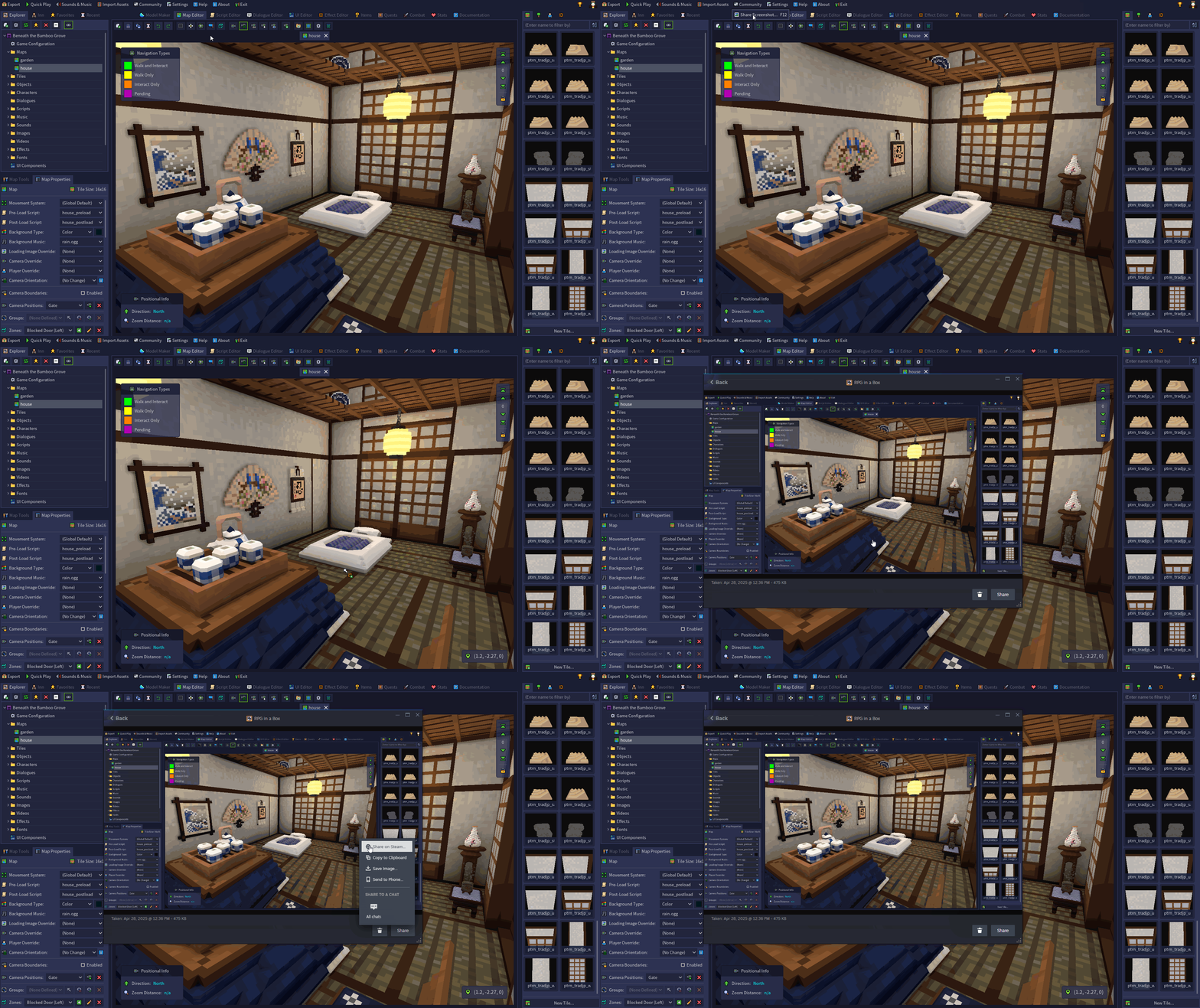
It's now super easy to share screenshots to the Steam community page from within RPG in a Box! Just go to the new "Community" menu at the top and click "Share Screenshot"! Go share some screenshots of the game you're working on for others to see! You can also press F12 from anywhere in the editor.
Unlock Achievements!
Look at all of these shiny new achievements you can get for uploading effects, downloading effects, and sharing screenshots to the Steam community page!


Want to see everything that's included in this update? Read below for the full release notes!
New Features/Changes
- Added support for uploading effects to the Steam Workshop from the Effect Editor ("Upload to Steam Workshop" button on the editor toolbar)
- Added support for downloading effects that you've subscribed to on the Steam Workshop into your game project (Import Assets -> Steam Workshop)
- Added Steam achievements for uploading your first effect to the Steam Workshop and for uploading five effects total to the Steam Workshop
- Added Steam achievements for downloading your first effect from the Steam Workshop and for downloading five effects total from the Steam Workshop
- Added ability to take screenshots for Steam via the new "Community" menu or F12 key, with the option to open the Steam dialog for sharing them to the community
- Added Steam achievements for uploading your first screenshot to the Steam community and for sharing five screenshots total to the Steam community
- Added ability to add effects into maps within the Map Editor (with entity properties for ID, position, and rotation that can be modified in Edit mode)
- Added effects tab to the assets section on the right-hand side of the editor (effects can be double-clicked to open, similar to tiles, objects, and characters)
- Added two new effect presets to the "New Resource" dialog that are available when creating a new effect in the Effect Editor (sparks and dirt)
- Added "Display Ground" button to the Effect Editor toolbar for toggling the display of the ground plane (similar to the Model Maker functionality)
- Added "Background Color" and "Ground Color" settings to the "Effect Editor" section of the Editor Settings dialog for changing their default colors
- Added "Grid (Default)" and "Ground (Default)" settings to the "Effect Editor" section of the Editor Settings dialog for changing their default visibility
- Added "Pushable Grab/Release Prompt" gameplay setting to the Game Configuration dialog ("Other" tab) for disabling the prompts shown when next to a pushable object
- Added ability to adjust a character's initial Z rotation value from the Entity Properties tab in the Map Editor (i.e. other than cardinal directions)
- Added "Buy Full Version" button to the top section of the Game Manager in the Steam demo version that opens the Steam store page for RPG in a Box
- Added "Buy Full Version" button to the Steam demo version's Map Editor that opens the Steam store page for RPG in a Box (on the bottom bar containing demo limits)
- Updated presets dropdown on the "New Resource" dialog when creating a new effect to now show animated (and larger) previews of each effect preset
- Updated "Start Scale" and "End Scale" settings on the Effect Properties tab in the Effect Editor to now allow values up to 4 (i.e. 4x their original size)
- Updated Effect Editor to automatically trigger particle effects with the "One Shot" setting enabled to restart so they'll show when opened or switched to
- Updated gear button on the Effect Editor toolbar to now open the Editor Settings dialog with the new "Effect Editor" section selected
- Updated Entity Properties tab in the Map Editor to include a button at the top for triggering the selected one shot effect (for preview purposes)
- Updated "Top-Down Camera" button in the Map Editor to be more distinct from the "Save Camera Position" button (downward arrow is now white)
- Updated Game Manager to properly handle cases where the "game.cfg" file is empty (a dialog will pop up indicating that the config will be replaced with default values)
Bug Fixes
- Fixed issue where the "Enable Screen Effect" and "Disable Screen Effect" Bauxite functions were no longer working when used with no parameters
- Fixed issue where the retro and VHS/CRT monitor effects were not being applied at the start of the game if the main menu's background map had them enabled
- Fixed issue where the "Enable Effect" Bauxite function was not properly triggering the particles to restart if the effect was configured as one shot
- Fixed issue where the particle size values (and image if a billboard effect) were not being applied when switching between shapes in the Effect Editor
- Fixed issue where effects could have been inadvertently saved with a non-zero rotation and would be rotated when added via the "Add Effect" Bauxite function
- Fixed issue where the preview file size limit wasn't being checked when updating an existing model on the Steam Workshop (an error would show instead of the info message)
- Fixed issue where the progress dialog would incorrectly remain open if downloading an asset from the Steam Workshop and the download failed
- Fixed issue where the "Click the button above to create your first..." section on the asset tabs was not showing after deleting the last asset of a type
- Fixed issue where the editor would undim after returning from the prompts to save/remove a camera position in the "Upload to Steam Workshop" dialog
Documentation
- Added initial "Effect Editor" built-in docs with a general overview of the editor and descriptions of each property that can be adjusted for an effect
- Added initial "Damage Logic" built-in docs with information about how to customize the damage logic for your game, along with Bauxite code for the default logic
- Added button within the new "Damage Logic" built-in docs for easily creating a damage logic script using the default Bauxite code that you can then customize
- Added note to bottom of the Documentation tab regarding the campaign for receiving contributions/requests from the community to help bring the docs up to date
- Updated "Effect" built-in docs to include information about how they can now be added to maps from the Map Editor by selecting one from the assets tab
Steam Workshop: 500 Assets Reached! 🥳
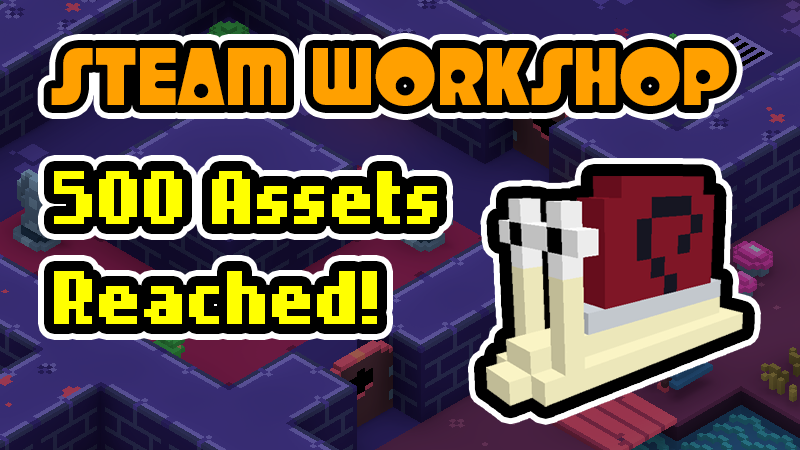
HUGE MILESTONE! The RPG in a Box Steam Workshop reached 500 total assets yesterday! 🥳
It's been awesome getting to see so many wonderful and creative things being shared by the community for others to use in their games. Thank you so much to everyone who has uploaded their creations to the Steam Workshop so far! Now let's start the journey to 1,000 assets and help even more people bring their stories and ideas to life! 💖
Featured in the announcement graphic is the 500th workshop asset - a snail by creator Mop!
🐌 Get the snail here:
https://steamcommunity.com/sharedfiles/filedetails/?id=3461738606
The Workshop (Release Trailer)
As always, thank you so much to everyone for your continued support. This is just the beginning for the RPG in a Box Steam Workshop! I have a lot of exciting things still in store for it! 😉
You can read the full release notes for v1.3 here: https://rpginabox.com/forum/d/1067
Release Notes for v1.3.2
Hey everyone, Justin here! The v1.3.2 update has arrived on Steam, which brings several important bug fixes related to ranged weapons and pushable objects! It also includes some new detailed documentation about zones, in case you'd like to learn more about their purpose and how to use them.
Thank you so much to everyone for your suggestions and for taking the time to submit reports to the official forum for issues that have arisen throughout your game making adventures. You're helping make RPG in a Box better for the entire community!
Bug Fixes
- Fixed issue where ranged weapon projectiles in tactical turn-based battles were not targeting the correct vertical position (i.e. Z coordinate)
- Fixed several issues related to real-time ranged weapon projectiles not firing at all or always firing south instead of the player's facing direction
- Fixed issue where terrain types weren't being respected for the player character if they were pushing or pulling an object (only the object's terrain types)
- Fixed issue where the button for editing a pushable thingy's terrain types in the Map Editor was not opening the "Terrain Types" dialog
Documentation
- Added initial version of built-in documentation for zones, with info about each type (passable and impassable) and some example usages and scripts
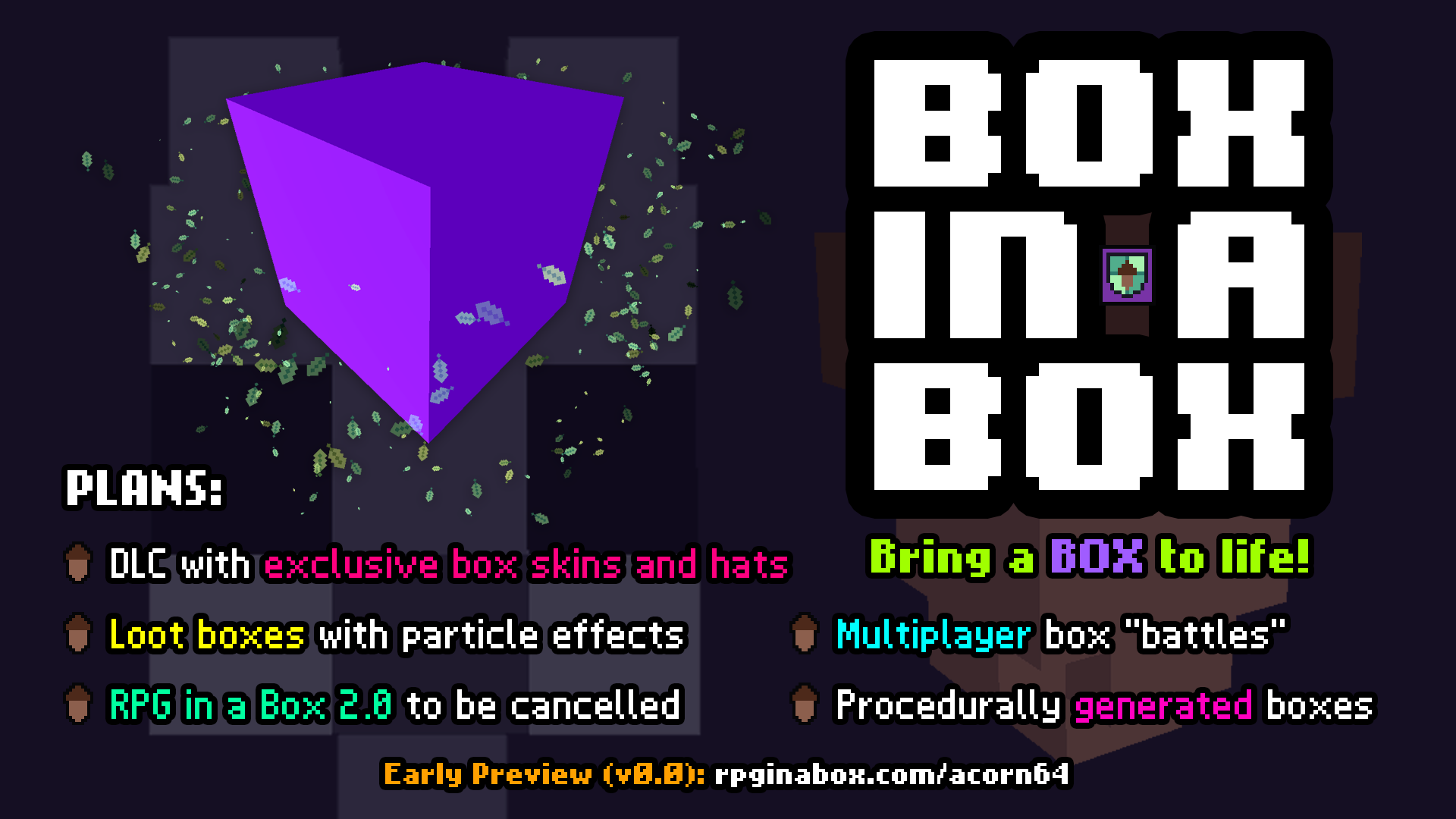
Coming Soon: Box in a Box!
Release Notes for v1.3.1
Hey everyone, Justin here! The v1.3.1 update has arrived on Steam, which brings improvements to the Steam Workshop functionality and Bauxite scripting system, around 20 bug fixes, and more! Thank you so much to everyone for your suggestions and for taking the time to submit reports to the official forum for issues that have arisen throughout your game making adventures. You're helping make RPG in a Box better for the entire community!
New Features/Changes
- Added section to the Steam Workshop upload confirmation dialog to show any additional files that will be included (attached objects, images, etc.)
- Added applicable properties to the Model Properties tab for sprite-based models in the Model Maker (e.g. tags, character stats, custom collision, etc.)
- Added support for WAV files to be used as background music for maps (via the Map Properties tab) and with the "Play Music" Bauxite function
- Added "Custom Properties" section to the Map Properties tab in the Map Editor for defining custom properties for a map (see new Bauxite syntax below)
- Added "map.property" Bauxite syntax for storing custom map properties, similar to global properties but on a per map basis (e.g. map.property["xyz"] = 17;)
- Added "map.properties" Bauxite syntax for getting a codex of the current map's custom properties (as it's a codex, its keys can be iterated using a "for" loop)
- Added "global.properties" Bauxite syntax for getting a codex of all custom global properties (as it's a codex, its keys can be iterated using a "for" loop)
- Added ".properties" Bauxite syntax for getting a codex of all custom properties for an entity (as it's a codex, its keys can be iterated using a "for" loop)
- Added popup message that will display in the in-game debug console when attempting to load a map with missing assets, with a list of the specific files
- Added notification icon to the "Inn" tab that will blink when the log has a new message (e.g. someone joined, a chat message arrived, etc.)
- Added note to the "Export Game" dialog explaining how both the executable and .pck file are required for the game to run and that their base names must match exactly
- Updated positioning of the magic staff's projectile in the "First-Person Magic Shooter" project template so it spawns closer to the end of the staff's view model
- Updated "Slayer's Tutorials" button on the Game Manager to include a text label in the bottom left corner to help clarify the button's purpose
Bug Fixes
- Increased a memory setting to help resolve the "message queue out of memory" error that could display when using Quick Play and would result in missing editor UI
- Fixed issue where images for sprite-based objects attached to a model weren't being included when uploading the model to the Steam Workshop
- Fixed issue where pushable objects could be pushed/pulled through impassable characters in grid-based movement instead of being blocked
- Fixed issue where pushable objects could be pulled across tiles with non-walkable navigation paths in grid-based movement instead of being blocked
- Fixed issue where objects were incorrectly preventing pushable objects from moving over them in grid-based movement (should only consider navigation paths)
- Fixed issue where items in containers would sometimes reappear in the container if moved to different slots then later taken out of the container by the player
- Fixed issue where completing a tactical turn-based battle with a party member then resetting that map could cause a crash when moving a party member in a subsequent battle
- Fixed issue where real-time enemies spawned via the "Enemy Spawns" feature in the Combat Editor were not automatically being set as hostile if configured as such
- Fixed issue where ranged weapon projectiles fired from a first-person view model's "projectile" attach point were not being spawned in the correct position
- Fixed issue where real-time enemies with the "Two-Dimensional" setting enabled were inadvertently rotating when attacking with a ranged weapon
- Fixed issue where ranged weapon projectiles from real-time enemies with the "Two-Dimensional" setting were not travelling towards the player (only in a cardinal direction)
- Fixed issue where directional attack animations were not being triggered for real-time enemies with ranged weapons (e.g "attack_west", "attack_east", etc.)
- Fixed issue where ranged weapon attacks were not considering "projectile" attach points for directional animations (e.g. "attack_west", "attack_east", etc.)
- Fixed issue where ranged weapon projectiles fired by enemies during tactical turn-based battles were not being rotated to the proper angle
- Fixed issue where ranged weapon projectiles fired by real-time enemies would miss the player character in some cases when using a "projectile" attach point
- Fixed issue where using the "Fire Projectile" Bauxite function with "player" as the source entity would not work properly in grid-based movement
- Fixed issue where overriding the player's "walk" animation in free movement would cause the animation to get stuck when walking up against an obstacle
- Fixed issue where OBJ files would fail to import into the Model Maker if a material file used by the model was missing or had spaces in its name
- Fixed issue where the built-in "cursor.target" Bauxite variable was not properly updating after a widget was closed while hovering over a widget element
Documentation
- Updated built-in "Scripting Reference" docs to include info about the new "global.properties" and "map.properties" syntax for getting a codex of all custom properties
- Updated built-in "Tile", "Object", and "Character" docs to include info about the new ".properties" syntax for getting a codex of all custom properties
- Updated built-in "Codex" docs to include a Bauxite example of iterating all keys within a codex using a "for" loop (e.g. for $key in $my_codex do...)