

RPG Maker 2003
Manga Maker ComiPo! now available in Chinese!
store.steampowered.com/app/262490/Manga_Maker_Comipo/
To change language open the property menu from your steam library, and select Simplified Chinese on the language tab.
Chinese and English versions on Steam are fully compatible.
We hope you enjoy making short and fun manga!
RPG Maker 2003 Update v1.12a
Fixed
Engine
- Regression from v1.12: Any “Show Picture” command created by an editor version of 1.11 or lower would be handled by the engine as if “Erase on Map Change”, “Affected by Tint” and “Affected by Shake” were disabled, even though they were shown as enabled in the editor.
- Regression from v1.12: The game would appear to lose focus (freeze) after the Video Options dialog was closed.
- Regression from v1.10: It was not possible to enter a space in the actor name input screen.
Added
- Sample Games Mystic Sunrise and Picture Tutorial! They should be in your SoftwareFolder/Sample

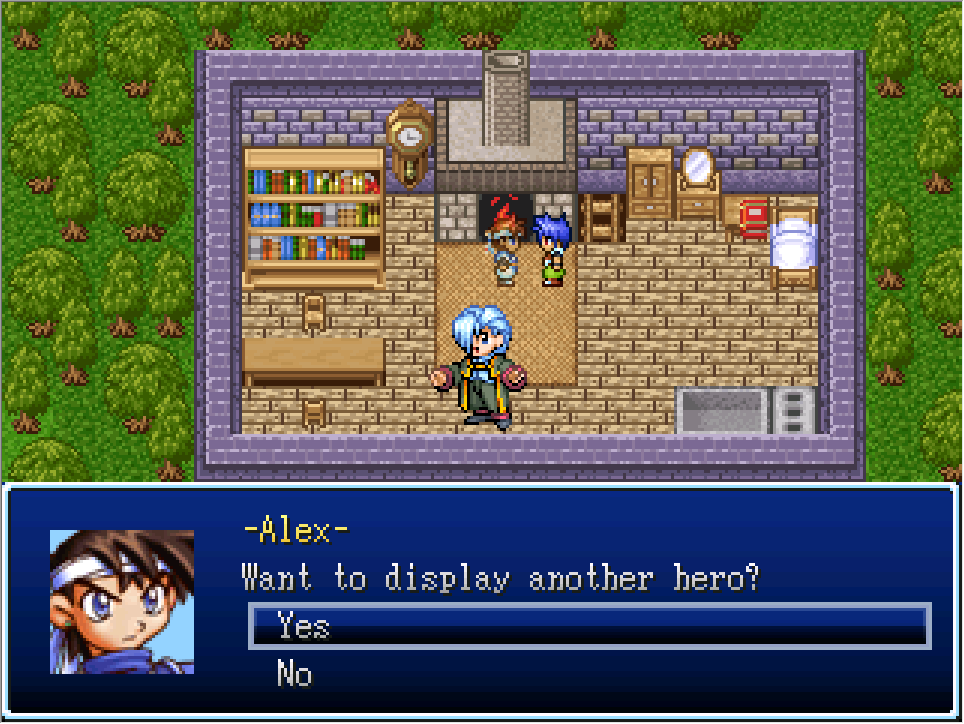
RPG Maker 2003 Update v1.12
The Changelog is over here.
Added
Editor
- It is now possible to resize and maximize some of the dialog windows (database, event editor and a few miscellaneous ones). Due to technical limitations, the layout is not always perfect when a window has been enlarged.
Engine
- The “This Event” target may now also be used in common events and will refer to the last map event in the call stack. (For example: Map event A calls map event B, which calls common event C, which calls common event D, which moves “This Event”. Result: Map event B will be moved.) The “Erase Event” command behaves the same way, erasing the last map event in the call stack.
- Large picture functionality revamp. The helpfile is updated to reflect this.

* Variables can now be used instead of fixed values for picture ID, filename suffix, transparency and zoom.
* The following point may affect only a certain group of people: The engine (not the editor) is able to understand the format of the unofficial mod “PicPointerPatch” for version 1.08. This means that picture commands with PicPointerPatch-specific data such as fake picture ID 5XXXX will work in version 1.12’s game engine, but in the editor it will show up as “picture ID #5XXXX” and not as variable reference, and when you edit such a command, you need to be careful because the numbers are capped to the normal limits and you would need to manually set the variable references again, but this time in the way the official version does it.
- The Z position (layer) in which a picture is drawn can now be changed (for example, pictures can be shown between the tileset and the events, or even above message windows, etc.).
- Pictures can now be used in battle as well.
- For each picture, it’s now possible to select whether it is affected by screen shake, tint or flash effects.
- For each picture, it’s now possible to select whether it should be automatically cleared on map change and/or on battle end.
- Spritesheet feature: Pictures may get their graphics from a spritesheet with variable size. It’s possible to select a fixed sprite to display or set it through a variable.
- To simplify the process of setting the number of sprites per sheet when selecting a sheet, it’s possible to include “[x,y]” in the spritesheet filename, where “x” and “y” are the number of sprites per row and column (e.g. “my_sprite[5,3].png”). When doing so, these numbers will be automatically set when the spritesheet is selected.
- Automatic animation: A spritesheet with individual animation frames can be used for automatically animating a picture with a user-defined speed. The animation can be run in a loop or once. In the latter case, the picture is automatically erased once its animation is finished. This feature can be used to show picture animations in battle, where no parallel process event for manual animation may be used. Using a spritesheet for animation will also reduce the disk and CPU load compared to manually loading a new picture for each frame.
- “Show Picture” used in a loop with the same picture file will no longer cause high CPU and disk load (which led to lags): When attempting to show a picture with the same filename which is currently already loaded for the same picture ID, the picture loading is skipped and the command behaves like “Move Picture” performance-wise. Note that it is still advisable to include a “Wait 0.0” command in tight loops.
- Displaying a picture with 100% transparency will now skip the drawing step entirely, instead of wasting CPU power on invisibly drawing the picture and calculating effects (if applicable). This means that moving a picture to 100% transparency can be used as a performance-light way to hide a picture temporarily without resetting its properties (effects and spritesheet animations).
- The game volume can now be controlled from the video options dialog. This setting is directly linked to the per-process volume of the Windows audio mixer. For Windows XP and below, it is instead linked to the system-wide master volume.
- When using a gamepad, the D-Pad may now be used as alternative to the analog stick.
Changed
Editor
- Comments in events can now have an arbitrary length and number of lines instead of being limited to 4 lines with limited width.
- When importing music files, all allowed file types (mid, wav, mp3) are now shown at once.
Engine
- The “restart game” hotkey is now Alt+F12 instead of F12. This change was done to avoid frustrating accidental restarts, especially when the user is used to pressing F12 in order to create a screenshot (like it’s done in most Steam games). When F12 is pressed, a message is now displayed instead.
Fixed
Editor
- The default database’s “Poison” state was set to increase HP instead of decreasing them.
- In the help file, information about “\n[\v[...]]” and “\n[0]” in messages was missing.
- On newer versions of Windows, when closing RPG Maker, a temporary folder was not deleted, instead the RPG Maker silently crashed during shutdown.
Engine
- On multicore-processor machines, a race condition would cause key states reported to events to be unreliable while a key was being held down (it would appear to “bounce” instead of being reported as continuously pressed).
If multiple events were stacked on top of each other on the same tile, their drawing order would change in unpredictable ways based on the position of other events (including the player). Now, they are sorted by their IDs (highest ID drawn last).
- When the game was launched without focus, e.g. because another window had become active while the game was being launched, and in some other edge cases, the game would accept keyboard input despite being in the background.
- Escaping a backslash in a message with another backslash (“\\”) would not work properly and cause weird behavior when the following character was “n”.
- When an event had changed the tileset on the current map, this change was not preserved after loading the game from a save file. (It was still saved, just not loaded correctly, so this fix will retroactively make it work for existing save files.)
- The current position of the parallax background was not saved in the save file.
- Under rare conditions, the game could crash with an error “List index has exceeded its valid range (-1)” when a vehicle was displayed.
RPG MAKER MV PREODERS!

SIMPLE ENOUGH FOR A CHILD
POWERFUL ENOUGH FOR A DEVELOPER
VERSATILE ENOUGH FOR ANY PLATFORM
The MV Preorder Page is up! What are you waiting for?
Get 10% off and extra freebies for your purchase! Click on the image or this link to preorder now!
Rm2k3 Version 1.11 is Up!
Rm2k3 Changelog
Full Changelog can be seen here!
Added
Editor only
- Incremental keyboard search in listboxes: It’s now possible to search in listboxes by entering the first characters of an item’s name - until now, only searching for the first character worked (and it didn’t even work correctly, see Fixes). Backspace also works. Advancing by pressing the first letter multiple times works as well.
- After an editor update, a changelog is now displayed.
- The editor now offers to upgrade projects which use an older runtime engine version, and a changelog of the engine is displayed. Breaking changes are highlighted using a “[!]” prefix. There are also a few more checks and warnings (such as when opening an RM2k project).
- Option “Explore Project Folder” in “Project” menu.
Editor and engine
- The title screen is now optional (can be changed in the System tab of the database). If disabled, a new game will always be started automatically, where one may display their own title screen.
- If the “Show Title Screen” option in the “Game” menu is disabled while the title screen is disabled in the database, the load menu will be called automatically upon testplay.
- Event commands “Open Load Menu”, “Exit Game”, “Toggle ATB Wait Mode”, “Toggle Fullscreen Mode”, “Open Video Options”.
- Conditional branch type “Other”, with options “Savestate is available”, “Playtest mode is active”, “ATB mode is ‘Wait ON’”, “Fullscreen mode is active”.
Engine only
- Improved screen display: F5 can be used to open the video options. Options can be saved as default and are then used for all games. The video options can also be accessed through the window’s system menu.
- Window mode now also allows for x3 and x4 zoom, as well as interpolation.
- For the new fullscreen mode (GDI rendering), options for interpolation, uneven pixel sizes vs. integer scaling, and aspect ratio have been added.
- An option to use the old DirectDraw fullscreen mode has been added, because this mode works better for some users, mostly on older machines.
Option to show FPS in title bar or top-left of screen (through F5 settings). - Transparent windows can now be used together with the battle layout A as well. In battle, the windows will still be opaque, but on the map, they will be transparent.
- The transparent windows setting now also affects the title screen.
Messages where some dynamic value is inserted in the middle (gold obtained, inn messages) are now intelligently inserting or not inserting spaces between the individual parts of the message. No leading space will be shown if the left string is empty, and no string between the middle and the right part will be shown if the right string starts th wia punctuation character. - The “Y” key has now the function of an additional confirm button (such as Space, Enter and “Z”), so that it sits next to the “X” key on QWERTZ keyboards as well.
Changed
Editor only
- The “Find” menu item was renamed to “Search”.
- In-editor bitmap font is now RPG2000G instead of RPG2000 because a serifless font is easier to read.
- The checkbox for transparent windows in the database has been moved from the Battle Screen tab to the System tab because it affects windows outside the battle as well.
- The game menu item “Change” is now called “Row”.
- All damage multiplicator values for elements (A-E) can now range from -9,999% to +99,999%.
Editor and engine
- The game fonts are now not extracted to the harddisk every time the software is run, but loaded in-memory instead.
Engine only
<*>F5 now opens the video options (see above).
<*>Enemies are now flashed a bit more intensely when they do their action.
<*>Enemy skill windows are now visible a bit longer.
And more! We reached the Steam announcement limit. So please check the changelog later or the update window in Rm2k3!
Degica Mid Week Madness!
Get all the details and join the giveaway at the link below.
http://package.rpgmakerweb.com/midweek-madness-2015-giveaway/
Version 1.10a Changelog!
v1.10a (2015-04-30)
This release addresses the most critical bugs which were reported in the last days. Some of these fixes are not final:
- The game installer creation works now, but replacing it with a better, modern installer is still on the roadmap.
- The graphics problems (framerate, edges cut off in fullscreen) have been solved with this update, but only for new projects. In order to use the updated fullscreen mode in an existing project, you have to copy the ultimate_rt_eb.dll file from a new project into the existing.
- The fullscreen can now be a bit smaller than the actual screen, to preserve fixed pixel sizes. In the next version, this whole process will be streamlined and improved further.
Fixed
- The default database for new projects had a few graphics not set correctly.
- Creating a game installer didn’t work (error message “Can’t read response file”).
- For some users, the mouse would “fly around” in the editor when drawing tiles or moving animation frames in the database.
- The Steam version would trigger DEP on some computers, causing it not to launch.
- The Steam version did not have the correct default project path set. Please note that existing users would have to change it manually now since they might already have projects in the old path.
- The word “Frame” was confusingly used in different ways in the animation editor.
- In some cases, no error message would appear when a project was opened a second time another instance. Instead, nothing would happen at all.
- Fullscreen was very slow on some computers.
- RTP: The ship tileset and the title screens were accidentally from the RPG Maker 2000 RTP instead of the RPG Maker 2003 RTP.
Changed
- The fullscreen mode now scales only to multiples of 320x240 so that pixels have a fixed size. This is a quick fix for the problems reported in v1.10.
Important Reminders!
- Please note that the fullscreen change will not affect existing projects unless the “ultimate_rt_eb.dll” file is manually copied from a new project!