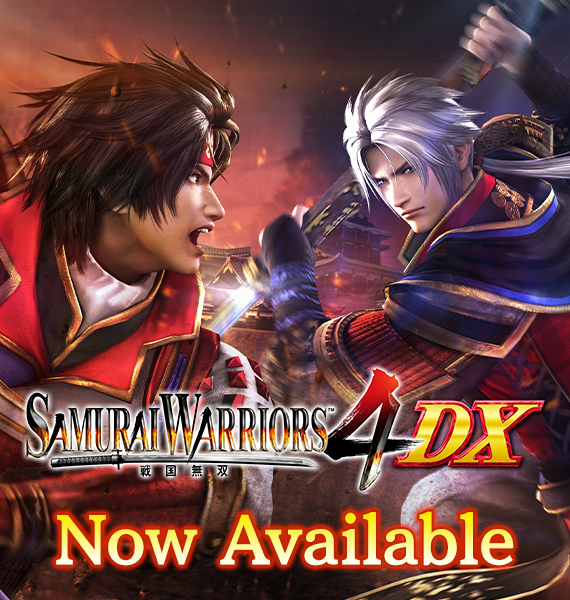
“SAMURAI WARRIORS 4 DX” is now available on Steam !!
“SAMURAI WARRIORS 4 DX” is now available on Steam !! Experience the intense battles that take place in the Warring States period of Japan, with more than 50 playable officers. Includes more than 150 downloadable content such as costumes, weapons, edit parts, scenarios and BGM.
WARRIORS OROCHI 3 Ultimate Definitive Edition is now available on PC via Steam!
WARRIORS OROCHI 3 Ultimate Definitive Edition includes all of the content featured in the original WARRIORS OROCHI 3 (2012) launch as well as most of the previously released downloadable content, highlighted by over 500 DLC items ranging from weapons and costumes to scenarios. New optimizations for the PC version are also included, such as mouse and keyboard support and a wide range of graphical settings to allow players to fine tune their experience.
In addition to the heroes from the DYNASTY WARRIORS and SAMURAI WARRIORS universes, WARRIORS OROCHI 3 Ultimate Definitive Edition boasts 145 unique heroes, including Kyūbi and Tamamo (created by Akihiro Yamada), as well as Kasumi from DEAD OR ALIVE 5, Sterkenburg Cranach from the Atelier Arland series, and Sophitia from the SOULCALIBUR™ series! The game also comes packed with the scenarios featured in WARRIORS OROCHI 3 Ultimate, including a sequel that takes place after the main storyline, a prequel that uncovers the secret of Orochi’s birth, and a selection of “What If” stories and battles that unfold from different perspectives, allowing players to further delve into the rich world of WARRIORS OROCHI 3.
- Fixed an issue in which, in certain cases, the game could no longer be advanced after victory. - Fixed an issue in which, in certain cases, Mitsuhide Akechi's preferred weapon would not be added. - Fixed an issue with the actions of some characters. - Fixed an issue with some scenarios. - Carried out other bug fixes and balance adjustments.
Ver.1.0.0.1 Updated Contents
- Fixed an issue in which, when Full Screen Display was turned on, the game would only be displayed in full screen mode on a specific monitor.
Frequently Asked Questions
Thank you for purchasing SAMURAI WARRIORS 5. Please find the answers to frequently asked questions below.
Q. Regarding System Requirements
Please refer to the System Requirements listed on the store page.
Q. Regarding the Game Manual
The game manual can be viewed via the following URLs. English (US) https://www.koeitecmoamerica.com/manual/sw5/en/ English (EU) https://www.koeitecmoeurope.com/manual/sw5/en/
Other languages: Japanese https://www.gamecity.ne.jp/manual/smusou5/jp/ German (US) https://www.koeitecmoamerica.com/manual/sw5/de/ German (EU) https://www.koeitecmoeurope.com/manual/sw5/de/ French (US) https://www.koeitecmoamerica.com/manual/sw5/fr/ French (EU) https://www.koeitecmoeurope.com/manual/sw5/fr/ Traditional Chinese https://www.gamecity.com.tw/manual/sengoku5/
Q. Regarding In-game Resolution Settings
The resolution can be set in-game via the following steps. 1. From the main menu select Settings. 2. Select Resolution from the Graphics menu. There are no Graphics options within the Settings menu of the My Castle screen. You can only change these settings from the main menu. Please note that a 4K monitor is required to play the game in 4K.
Q. Regarding Changing the Language Settings
The language settings can be changed via the following steps. 1. Right click SAMURAI WARRIORS 5 within the Steam Client’s library tab and then select Properties. 2. From the Properties window, select the Languages tab and then select the language you wish to use.
Q. Regarding Crashes Occurring After Updates
1. Right click SAMURAI WARRIORS 5 from the Steam Client’s Library tab and select Properties. 2. From the Properties window, select and run Verify integrity of game files from the Local Files tab.