

Scavengers
It’s Almost Time...
We’re gearing up and getting ready to head to the frozen wasteland for another Dunk the Devs event! You can catch us in Cascade Springs as we attempt to defeat Outlanders, Scourge, bears…and YOU!
We’ll be out in force on Friday, November 19 from 4:30 PM - 6:30 PM PT (November 20 from 12:30 AM - 2:30 AM GMT).
You’ll be able to easily recognize if you have a dev in your match, based on their special Midwinter username. Join us on Twitter or Discord to find out the special tag before the event begins. Say hi, have fun and remember to dunk the devs!
The Coming Months For Scavengers
@JoshingtonState and @ModularMareBear here! It’s been a while since we’ve written one of these, so we just want to start by saying that we’re massively grateful to everyone in the community for your continued passion and excitement for everything the team here at Midwinter is working on. We all feel very heartened to have such a fantastic community behind us all the way.
Now, as we get closer to the end of the year, we wanted to give an update on a number of different things that we have going on here at Midwinter. We know that you’re all very eager for news on consoles, new features and the upcoming full release, so we wanted to address what the coming months looks like and where we’ll be focusing our efforts to the benefit of improving the Scavengers experience for everyone.
2022 IS THE NEW 2021
The first thing - to get it out of the way - is that we are no longer targeting general availability for Scavengers on PC in 2021. That means that we will be remaining in Early Access through the rest of 2021 and into the new year.
There are a number of decisions behind the shift but it ultimately comes down to our commitment to quality. We’re a small development team, and it’s important to us that we do not compromise when it comes to the player experience. We’ve always stated that Early Access is (and continues to be) an extension of our previous testing cycles. As we reflect on the journey to date, we all feel that the transition to full release needs to be a meaningful advancement from where we are today. Which leads to the question...
WHAT’S NEXT?
Over the coming months, we are going to do everything we can to raise the bar when it comes to Scavengers. To do that, we’ve had to be honest with ourselves with how we approach development and support the title as it stands today.
To be frank, there are going to be fewer updates as the team focuses on what we feel will be exciting and momentous updates to the game that will take shape in early 2022.
What does this look like?
- The future of Expedition mode: We’re making big changes to the core mode in Scavengers, and that’s why we need to focus our attention on getting it just right. What we can tell you right now is that we’re striving to make matches feel less repetitive, and give you a more dynamic experience every time you hit the snow. We’ll be revealing more details about this in the weeks ahead.
- At the end of the month, we will be turning off Horde Mode. We know that this will be disappointing for some players, and it is not a decision we take lightly (and it may return at some point in the future). However, we have seen a steady decline in player numbers for the mode over recent months, which made it less viable to support it going forward. This extra team bandwidth will be put towards enhancing the game's core experience.
- There will be fewer ScavLab events in the future. We have been working closely with Improbable’s London studio on ScavLab over the past several months. However, going forward, Midwinter will focus exclusively on Scavengers, while the London team takes full control of all ScavLab events. Stay tuned for news from them on future events.
- Console alpha testing will continue in the weeks ahead. We’ll also be releasing more keys as we look to increase the volume of user feedback and make improvements to the experience.
- We will be reducing the number of feature updates in the coming months, as all of our team focus their energies on this next phase of the game. The Winter’s Fury season will continue to play out, and there will be intermittent patches and hot fixes, but there will be a drop in frequency of new features.
- There’s still exciting things to look forward to though. In the coming months we will introduce our next Explorer, as well as welcoming the arrival of our new fearsome boss encounter, Bulwark, who’ll be out for blood when he hits the icy climes of Cascade Springs.
TALKING COMMUNITY
This also impacts how we will be interacting with you - our players and our community. Don’t panic! We’re not going anywhere. Instead, we want to streamline our communication, make it more impactful and not be in a position where we’re over-promising or setting the wrong expectations.
We’re going to try some new ways for you to directly engage with us, which we feel will be more rewarding for both us as a studio and you as our community. There will be less focus on communications around the minutiae of our work. Instead, we’ll be rolling out activities and events that’ll give us more opportunities to come together in fun and interesting ways, including:
- More direct feedback and engagement through Game Nights (playing Scavengers with us), more ‘Dunk the Dev’ sessions, Discord Stage events (where you’ll get a chance to talk directly to us) and hopefully, future livestreams and AMAs. Keep an eye out for these in the coming weeks!
- We will be reducing the frequency of our Dev Focus updates, while we hunker down to focus on the core game. New posts will arrive when we’re able to provide you with more comprehensive and exciting updates on what the team have been working on and upcoming plans.
- Look forward to Seasonal Festivities! We’ve got a festive period coming up and we’d like to celebrate them with you. Keep an eye out for fun, seasonal activities and content soon.
If you have any questions on the above then make sure to jump into our Discord where we’ll answer them as best we can.
We understand that there may be some disappointment in response to today’s update. These are some big changes, but we strongly believe that they are changes for the better. Once again, everyone here at Midwinter appreciates your dedication, support and patience as we continue this journey, and we look forward to sharing more information with you in the coming weeks and months. Until then...
Keep warm,
Josh, Mary & the Midwinter Team
October 21st Update
We’ll be performing an update on Thursday, October 21st, around 8 AM PT / 4 PM BST. There will be downtime during this update, which is expected to last 2 hours.
Here’s what to expect in this update:
General
- Kill feed is now visible when spectating other players
- You can select from controller presets
- Default: Current controller layout
- Classic: Swaps crouch/slide and dodge keys
- Bumper Jumper: Puts Jump on the left shoulder button, puts item usage on dpad, and the emote wheel on the right stick press
- Commando: Replaces ping on the right shoulder button with the Throwable. Opening your inventory moves to dpad right and ping moves to dpad up
- Expressive: Puts emotes on the left shoulder button and quick items on dpad down
- Default: Current controller layout
Bug Fixes
- Fixed: Dialogue lines can sometimes be repeated
- Fixed: Active Resurrection Kit sometimes doesn’t disappear after the team is eliminated
- Fixed: Sound effect when the Resurrection Kit disappears sometimes doesn’t end
- Fixed: Resurrection Timer sometimes shows as a number greater than 9999 when the player has been killed and cannot respawn
- Fixed: Explosive damage was not reduced by crouching or dodging
- Fixed: After completing the Tutorial, other game modes unlock earlier than expected
- Fixed: In the Tutorial, players were sometimes unable to ping chests with Scrap while using a controller
- Fixed: In the Tutorial, the onscreen instructions are still visible when the Settings menu is opened
- Fixed: In the Tutorial, the ‘Shift’ icon has a low resolution
- Fixed: In the Tutorial, the Scrap cache icons can be incorrect on the mini-map
- Fixed: In the Tutorial, the Scrap cache icon can persist after it’s opened
- Fixed: In the Tutorial, a dead body sometimes acts erratically when scavenged
- Fixed: In the Tutorial, all sources of fire are lacking animation
- Fixed: Horn continues to honk after the vehicle is destroyed
- Fixed: Players can incorrectly bind the Windows key
- Fixed: AI didn’t always protect the Data Crystal in Orphanage
- Fixed: EXP Boost percent did not show correctly
- Fixed: RavageBear can sometimes get stuck on objects
- Fixed: HUD items were missing after respawning
- Fixed: Retch goop is too large
- Fixed: Wildcard Title description shows temporary text
- Fixed: Rin’s Time Bomb execution does not kill a downed enemy player
- Fixed: On PlayStation, forming a party could sometimes cause the game to crash
- Fixed: See No Evil Halden is missing the See No Evil logo in the customization screen
- Fixed: Sometimes aiming a bow at an enemy cause cause the camera to shake
- Fixed: Several incorrect collision models
- Fixed: Several instances where the snow disappeared as the camera got closer
- Fixed: Several instances where texture or objects were missing in the environment
- Fixed: Several instances where items clipped into the floor and were unable to be picked up
- Fixed: Several instances where AI enemies clipped through stairs and the floor
- Fixed: Several instances where items float
- Fixed: The symbol on the Mongrel cage may overlap with the Explorer’s model when standing next to it
- Fixed: The Experience Points bar sometimes disappears
- Fixed: Spacing issues for localized text on the Post Match Summary
- Fixed: Strange artifacts in some localized boost percent text in the Post Match Summary
- Fixed: In the Tutorial, Mother isn’t always localized
- Fixed: Localized text is sometimes duplicated and displayed on the left side of the screen
- Fixed: The Items collected and Objective description sometimes overlap for some localizations
- Fixed: Warlord execution didn’t kill the player
- Fixed: Warsong stopped shooting after 3 or 4 shots were fired
- Fixed: In Horde Mode, unmarked Scourge will sometimes spawn with the last wave of marked enemies
- Fixed: In Horde Mode, the camera can sometimes move through the R.A.S.P if close enough
- Fixed: In Horde Mode, Mother’s voice lines indicate that uploading Data will call the R.A.S.P
- Climbing the satellite dish of the Data Uplink causes the player to slip with choppy animation
- Fixed: The sliding sound effect sometimes doesn’t immediately stop when the player finishes sliding
- Fixed: A burning vehicle doesn’t provide warmth
- Fixed: Challenge progress still counts when a player leaves the match early
- Fixed: The Challenge widget breaks after playing the First Mission
- Fixed: Explorer continues to use voice lines for warming up even after the heat source has been extinguished by a border storm
- Fixed: Damage numbers sometimes do not display correctly while in a vehicle
- Fixed: Sometimes displays 0 Datapoints dropped when an Explorer dies
- Fixed: Adjusted the terminology when talking about Wildcard Weapon skins to be consistent with other cosmetic items
- Fixed: No audio played when pinging a R.A.S.P
- Fixed: On PlayStation, the screen could dim when leaving early from the Tutorial
- Fixed: On Xbox, several button icons were missing from the Research tab UI
- Fixed: Melee kills will instantly regenerate Jae’s shields even after his Overshield ability has ended
- Fixed: The controller provides haptic feedback and vibrates when swinging a melee weapon rather than when the weapon hits an enemy
- Fixed: Some game hitches when walking or running
October 6th Update
We’ll be performing an update today, Wednesday, October 6th, around 8 AM PT / 4 PM BST. There will be downtime during this update, which is expected to last 1 hour and 30 mins.
Here’s what to expect in this update:
Bug Fixes
- Fixed: Red WiFi ping indicator flickering
- Fixed: No sound effects are heard when hitting AI with a vehicle
- Fixed: HUD disappears after changing the Resolution while in a match
- Fixed: The Curtain Call icon appears larger than other icons on the Emote Wheel
- Fixed: Incorrect sound effects were heard when shooting some metallic camp assets
- Fixed: Players on Recent Players list sometimes incorrectly show as ‘Sent you a friend request’ instead of ‘In party’
- Fixed: Kali sometimes still visible when using Active Camo in Rin’s Smoke Bomb or while in a Storm
- Fixed: When assigning the ‘Fancy Feet’ emote to Kali’s Emote Wheel, the ‘Fancy Feet’ icon isn’t visible
- Fixed: The Keeper is sometimes very bright when viewed at a distance
- Fixed: Letty’s Classic Backpack will sometimes not adhere to her, making it appear to float
- Fixed: First text message sent is not visible
- Fixed: Jae’s Survival Instinct skin will sometimes have cloth clipping with his Maverick
- Fixed: Loot can sometimes drop in inaccessible places
- Fixed: Map shows icons outside the Storm boundary
- Fixed: In the Tutorial, the mini-map icons are always oriented towards the north
- Fixed: Fog of War should be disabled in the Tutorial and Horde Mode
- In PvE Expedition Mode, players can reset the Dropship timer by entering and exiting a vehicle
- In PvE Expedition Mode, the team objective marker is different from the Scrap marker on the chest
- Fixed: The mini-map animation when some camp chests are looted is occasionally incorrect
- Fixed: Adjusted sound effects for Bloatbiles when inside buildings
- Fixed: Adjusted timing for Mother voice line and Level update music when they overlapped
- Fixed: Multiple Berry Bushes cannot be harvested
- Fixed: Music from some Emotes still persists after switching to a different tab while the Emote animation is active
- Fixed: Outlander Shryke cape animations don’t work correctly
- Fixed: Players are unable to use the Explorer Ability while an Emote is active
- Fixed: Clouds sometimes look pixelated
- Fixed: Sometimes there is no collision when the Dropship lands on a player, and the player is able to move around underneath the Dropship
- Fixed: Red WiFi icon is visible post-match, even when it wasn’t visible during the match
- Fixed: Storm cloud texture was sometimes incorrect
- Fixed: Rin’s Title Wildcard did not display correctly
- Fixed: AI enemies sometimes spawn underneath the floor
- Fixed: Sliding into a corner sometimes causes the Explorer to flicker when standing
- Fixed: Sluka’s pustules sometimes don’t take damage from Explosive rounds
- Fixed: Sniper glint sometimes doesn’t show up correctly or move with the sniper rifle
- Fixed: Spectator Mode camera sometimes set too low to the ground
- Fixed: Splash damage sometimes doesn’t work correctly
- Fixed: Sometimes unable to navigate tabs and menus with the keyboard or gamepad
- Fixed: Stun Trap sometimes too visible to the enemy team
- Fixed the ‘Wiggle Room’ Emote causes some Explorer skins to behave unnaturally
- Fixed: The pulley systems on the upper deck of encampments have incorrect collision damage, forcing players to jump over them
- Fixed: Players get stuck after driving a vehicle under the Dropship
- Fixed: Players sometimes fall through the map after respawning
- Fixed: Valora’s Devastator didn’t properly track damage for the Deal 2,000 Damage with Shotgun Challenge
- Fixed: Challenges with large SP awards don’t fit in the Challenge box
- Fixed: Career Challenges will sometimes disappear and the player will need to click on the Daily Challenges to get them to reappear
- Adjusted: Extract on Dropship Challenge changed to Extract from the planet, to reflect that players can extract via Dropship or R.A.S.P
- Fixed: A seam between wooden boards that shouldn’t be visible
- Fixed: Added missing audio for Warlord execution
- Fixed: When aiming a weapon, Jae’s arm strap sometimes appears to float in mid-air
- Fixed: For console, in-network friends should appear higher on the list than friends from other platforms
- Fixed: Players do not receive the Friend Request notification if the request was sent while they were in a match
- Fixed: Party Full message sometimes overlaps with other text in the Invites tab of the Social menu
- Fixed: In the Tutorial, some marker icons do not match the chest icon
- Fixed: In the Tutorial, the marker remains on the chest during the Crafting tutorial even if the player has enough Scrap and begins Crafting the weapon
- Fixed: In the Tutorial, sometimes the Outlanders don’t defend the Crystal
- Fixed: In the Tutorial, missing the tooltip to stow the weapon
- Fixed: In the Tutorial, not all Outlanders spawn at the beginning
- Fixed: In the Tutorial, sometimes objective markers don’t appear
- Fixed: In the Tutorial, an incorrect number of Outlanders spawn during the Storm
- Fixed: Sometimes unable to repair a vehicle when attempting to interact with the back of the vehicle
- Fixed: Invisible collision in the Sandstone Graces encounter
- Fixed: The bags attached to the Explorer’s leg will sometimes float during some Emotes
- Fixed: The bottom text is sometimes cut off in the Challenge box
- Fixed: Cruz appears to levitate when viewed in the Play tab
- Fixed: Damage Indicator sometimes briefly appears in an incorrect position
- Fixed: Mongrels do not spawn from the kennels
- Fixed: Downed player message sometimes does not appear
- Fixed: Dropship light pillar sometimes appears inside the Dropship
- Fixed: Emote voice lines can sometimes stack on top of each other
- Fixed: Player is removed from the Salvage tab after being idle for too long
- Fixed: After deconstructing Salvage, the UI sometimes disappears
- Fixed: Glass in Dropship door sometimes has the incorrect texture
- Fixed: After a player leaves the match, their ping remains on the map
- Fixed: PlayStation UI doesn’t show the Challenge UI when the game is first started
- Fixed: Pinging a Data Uplink, Growth, or R.A.S.P says ‘Pinged a Keeper Interactable’ in the message feed
- Fixed: R.A.S.P icon sometimes greyed out on the map
- Fixed: The UI did not always update after a weapon was reloaded, showing 0 ammo
- Fixed: Sometimes unable to move the Explorer after spawning
- Fixed: Vision circle of teammates sometimes remains after the teammate leaves the match
- Fixed: Several instances of floating assets such as trees and rocks
- Fixed: Several instances of assets clipping into the ground or walls, such as chests, lootable items, trees
- Fixed: Neck appears broken when a player is eliminated
- Fixed: Vehicle UI sometimes does not display players
- Fixed: Player unable to cross the road without jumping in certain locations
- Fixed: Some buildings in the world do not show up on the map
- Fixed: Several instances where objects float in the air
- Fixed: Instances where a player cannot walk under a building because the clearing is too short
- Fixed: In several locations, the map image doesn’t match the in-game structure
- Fixed: Rin’s voice line does not match the in-game subtitle
- Fixed: When being attacked by a bear, Halden says ‘I’m being shot at’
- Fixed: Various crashes
Keep Warm,
Midwinter
What’s Happening This Week
Check out our latest Developer Focus blog!
Here, we’ll talk about some of the top topics that the team is working on this week. This isn’t their only focus - we’ll be highlighting only the main topics they’re focused on:
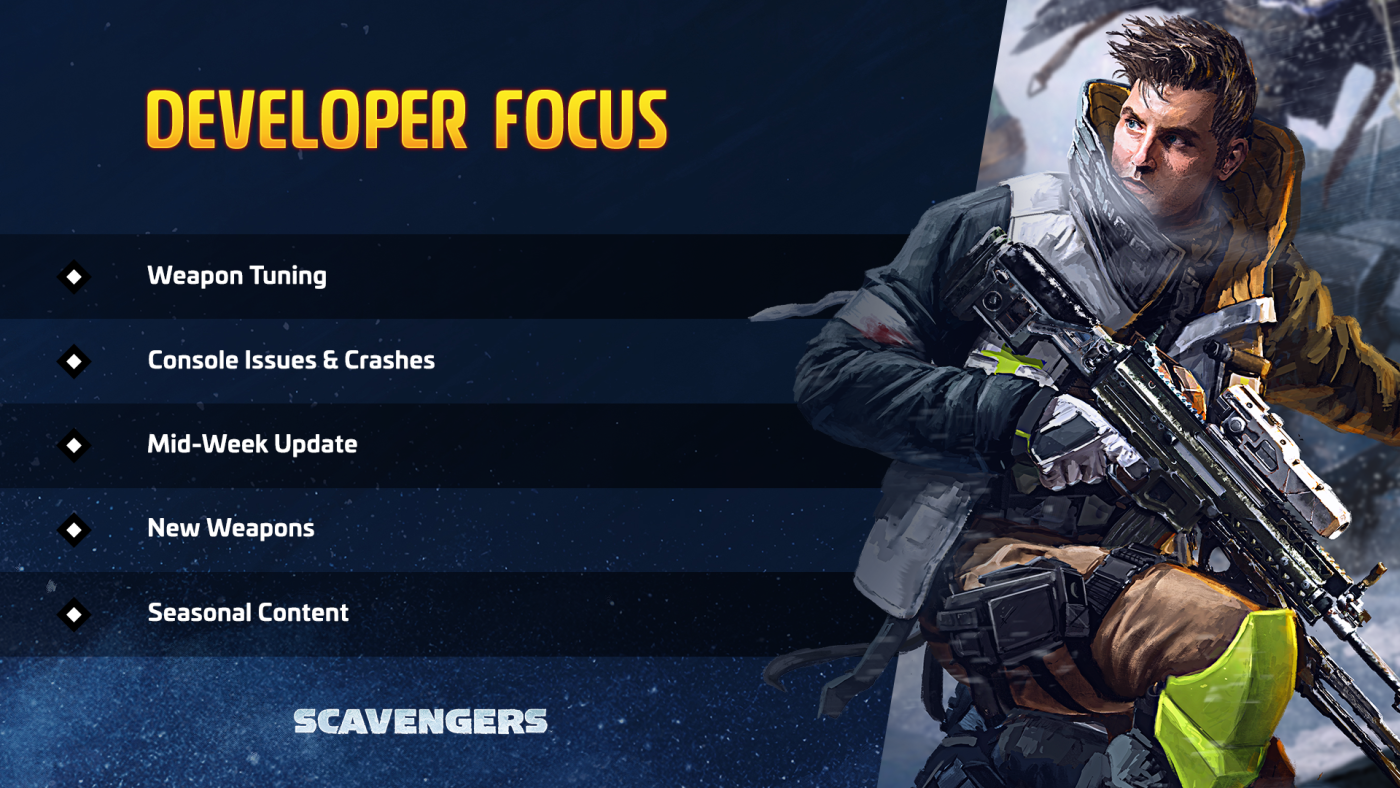
- Weapon Tuning: We’re investigating balancing some weapons, based on your feedback. This includes our long-distance snipers such as the Whisker and Predator.
- Console Issues and Crashes: Thank you to everyone participating in our Console Closed Alpha. It’s been an exciting couple of weeks and we appreciate you reporting any issues and crashes that you’ve encountered. We’ll be fixing these issues as a high priority, to ensure that you have an enjoyable experience while playing Scavengers.
- Mid-Week Update: We’re rolling out an update this week, focused on addressing several bugs and issues.
- New Weapons: We recently introduced the wildcard shotgun Grimalkin, but that’s not the only new weapon we have planned! We’re designing additional weapons, to be introduced at a later date. What types of weapons are you excited to see in the future?
- Seasonal Cosmetic Items: We’re designing some spooky Halloween cosmetics that will roll out in October! We hope you enjoy these haunted variants as much as we do.
Events
Our recurring Mutator GunFu and Mutator Arsenal events will be taking place on Tuesday and Thursday, respectively. These events are a great opportunity to test out different weapons.
This weekend, get ready to quickly grind through some levels with a 72-hr Double EXP event!
Keep Warm,
Midwinter
September 23rd Update
We’ll be performing an update on Thursday, September 23rd, around 8 AM PT / 4 PM BST.
Scavengers will be unavailable for downtime starting at 8 AM PT / 4 PM BST. This downtime is expected to last for approximately 1 hour.
Here’s what to expect in this update:
Weapon Tuning
- Opus
- Damage reduced slightly
- Reload duration increased slightly
- A bit more recoil in hipfire
- Damage reduced slightly
- Argonaut Splash
- ADS (aim down sights) movement speed reduced
- Pistols
- ADS movement speed increased
- Sniper rifles
- ADS movement speed reduced
- Shotguns
- Increased recoil to make super rapid shots less accurate
Gameplay
- Reduced the number of Rescue Beacons obtained from an Item Cache
- You can now equip Emotes into specific slots of your Emote Wheel
- You can preview Emotes while in the Explorer loadout screen
- New shotgun wildcard available in Research: the Grimalkin. For those of you who have been wanting a wildcard shotgun option, the Grimalkin has you covered!
- New throwable available in Research: the Bait Bomb. Toss one at your enemies to swarm them with Scourge enemies
- New Explorer skins, weapon skins, Keeper frames, emotes, and executions will be added to the Shop
- The slowdown applied to enemies hit by Reflector Shields has been reduced
- Research and seasons now paginate over when scrolling through the lists of items
- Explorer abilities now interrupt emotes
- Improvements to the VFX when Explorers warm up next to a fire
- New environmental locations to fill out the post-apocalyptic world of Cascade Springs
- The abandoned Cinemaze theater
- The Cluck King restaurant
- The abandoned Cinemaze theater
Bug Fixes
- Fixed: Players can sometimes use their ability while downed
- Fixed: High latency icon shows up even when the network connection is stable
- Fixed: Rin’s SHIN-48 Tsunami chain lightning proc chance does not respect its cooldown
- Fixed: Floating environment assets and supply chests clipping into the snow
- Fixed: Several client crashes
- Fixed: Some buildables in Horde Mode were not respecting the minimum time to build
- Fixed: The sprint reticle is vertically off-center
- Fixed: Growth Cluster does not provide heat while standing near it
- Fixed: Cazador Cheetah drains stamina from teammates
- Fixed: If a single team remains in the match and dies on the planet they still see “Successful Extraction” at the end
- Fixed: The message feed sometimes says “[X] pinged a Keeper interactable” when you ping objectives
- Fixed: Fog of War icons sometimes fail to clear off the map
- Fixed: Previously-cleared Fog of War icons no longer remain on your minimap gutter
- Fixed: Several Fog of War icons are guttering in the minimap when they should not
- Fixed: Players sometimes spawn in facing the wrong way
- Fixed: Some buildings are inaccurately represented on the map
- Fixed: Warsong hipfire recoil forces the gun upwards continuously
- Fixed: Fires on torches have distorted sound effects
- Fixed: Thresh play the wrong animation when they are knocked down, causing them to instantly drop to the ground
- Fixed: Bears are using the wrong LODs (level of detail) at a near distance, causing them to look blocky
- Fixed: Retch head detaches from its neck during attacks
- Fixed: Retch weak spot can be hit even when not exposed
- Fixed: Teammates sometimes appear to be floating when moving around
- Fixed: Some parts of the environment cannot be mantled upon
- Fixed: Sluka sometimes does not appear or looks very blocky on lower-end PCs
- Fixed: Clone Kit does not animate while it clones Explorers
- Fixed: The Voidbarrel unlocks at Research Tier 4 but can only be researched in Tier 5
- Fixed: Outlander shoulder pads sometimes detach while they shoot
- Fixed: Growth Cluster shows the wrong name on the map
- Fixed: Jae’s Overshield sometimes appears visually permanent (though the Overshield behavior is not)
- Fixed: 1-handed melee weapons have a chance to stun enemies again
Keep Warm,
Midwinter
What's New
Check out our latest Weekly Focus blog!
This will be a regular series where we’ll take a look at what the team is focusing their attention on this week, as well as their response to some of the top community feedback and suggestions we’ve received. You can also get a peek at the content and blogs planned for this week.
Developer Focus
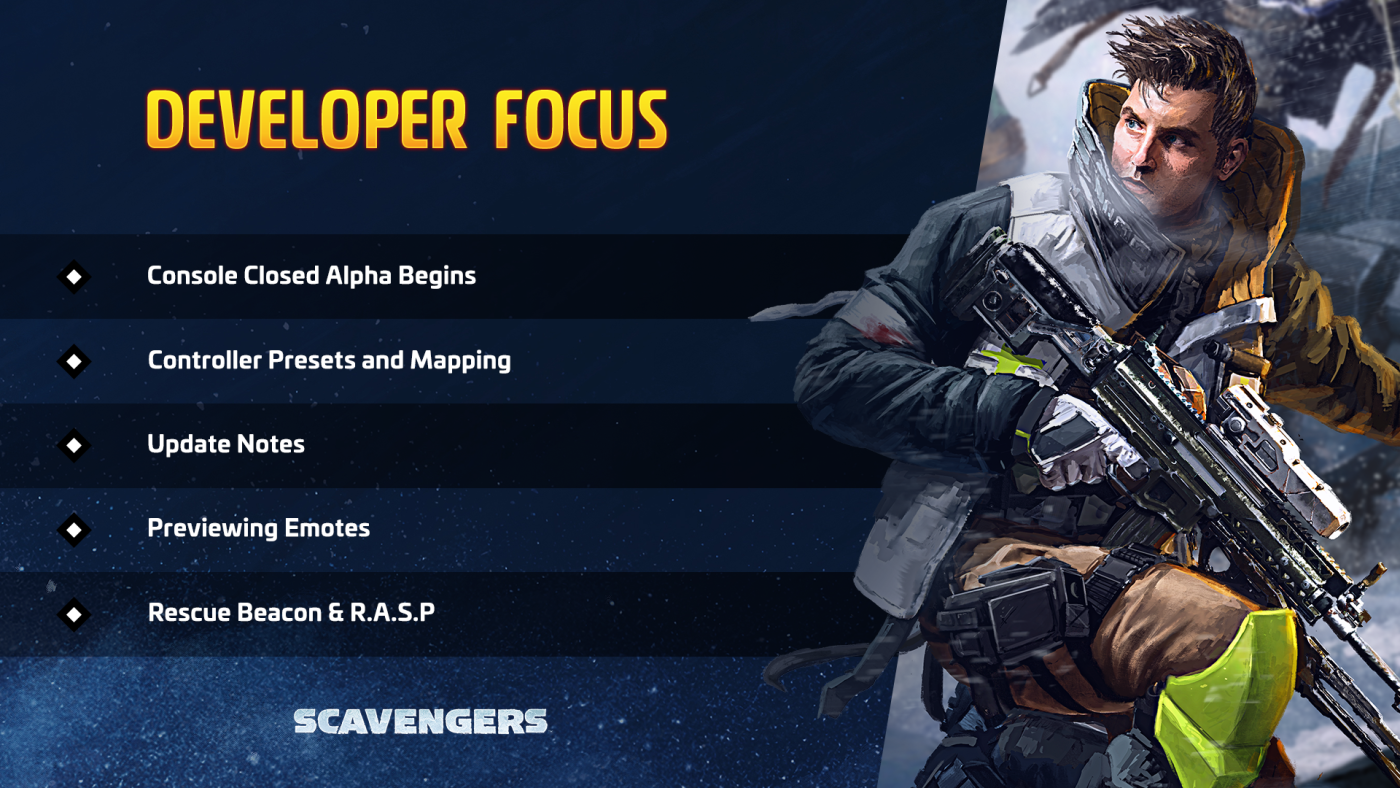
Here, we’ll talk about some of the top topics that the team is working on this week. This isn’t their only focus - we’ll be highlighting only the main topics they’re focused on:
- Console Closed Alpha Begins: We’re excited to announce that registration for our Console Closed Alpha has begun! You can find out more details about how to register and what to expect if you’re playing on Xbox or PlayStation in our recent blog.
- Controller Presets and Mapping: We’re creating different preset controller keybindings. Once these preset bindings are complete, we plan to introduce them in a future update.
- Update Notes: We’re rolling out another update this week. This update features the ability to preview emotes, the new Bait Bomb, a minor weapon tuning pass (including changes to the Opus!) and bug fixes.
- Previewing Emotes: We’re making it easier to see how the emotes work before equipping it. That’s not the only change we’re cooking up - you’ll also be able to equip multiple emotes onto an Emote Wheel. These changes will be going live with this week’s update!
Top Community Feedback
We’re on this Scavengers journey with you, and we want to improve and refine the game with the feedback and suggestions from our community. Although the team is constantly going through your feedback and incorporating them into our updates and hotfixes, we haven’t had a really good way to let you know what might be coming in the medium to long term.
So, every week, we'll share our thoughts on some of the top community feedback topics that we’ve been seeing on our platforms. We may work on some of these for a future update; some of these could be part of a long-term plan and might not have a date for when they’ll arrive in Scavengers. Others, we may be investigating or considering adding, but can’t promise that you’ll see them in the game. Finally, for some, we want to continue hearing your feedback and thoughts on them, to ensure we’re considering the right way to approach it. Let’s break them down:
Interesting:
We’re interested in adding these to the game and are currently looking into how it might work. We don’t have any definite plans, so they may or may not be added in a future update.
- Rescue Beacon & R.A.S.P: Currently, there are a plethora of Rescue Beacons available to loot from caches, leading to maps littered with R.A.S.P evacuation sites. The number of Rescue Beacons available is tuned a bit too high right now. We’re working on adjusting the quantity that you can find in the world, to hit that right balance between too many and too few.
- Friend Chat Messages: While it’s not currently on our roadmap, we agree that it would be interesting to allow you to send a message to others on your Friends List.
- Improving Hit Sounds and Visual Cues: We’ve heard you: the audio and visual cues for some actions, such as breaking a shield or landing a headshot, aren’t quite satisfactory. This is really good feedback and we’re interested in exploring how we can improve how it feels when you accomplish these key moments.
Blogs & Events
Here’s where we’ll keep you updated on what events might be happening and what blog content you might see!
Events:
We’re back with our Mutator GunFu and Mutator Arsenal events! These are weekly events run on Tuesdays and Thursdays, at 9:30 AM PT / 5:30 BST and 3:30 PM / 11:30 BST.
We’ll be rolling out another update this week. This update will include bug fixes, the ability to preview emotes, new Researchable items, and more. Keep an eye out for the full patch notes later this week.
We’re committed to creating Scavengers with our amazing players. Please share your feedback and suggestions and let us know your thoughts on our focus topics.
September 15th Update
We’ll be performing an update on Wednesday, September 15th, around 8 AM PT / 4 PM BST.
Scavengers will be unavailable for downtime starting at 8 AM PT / 4 PM BST. This downtime is expected to last for approximately 2 hours.
Winter’s Fury Season and Rin
Get ready for the Winter’s Fury season and Rin! Winter’s Fury is our first full-length Battle Pass with over 90 curated items that we hope you’ll enjoy discovering and trying out.
We’re also excited to introduce you to the first new playable Explorer since our Early Access launch - Rin. Armed with her trusty SHIN-48 rifle and Smoke Bomb, this fun-loving anarchist is ready to take on all threats to her team.
You can read more about Rin, what she brings to the team and the Winter’s Fury season here.
Controller Sensitivity
When we reduced the controller sensitivity, we read many comments that the sensitivity was too sluggish, especially when turning. Since then, we’ve been working on improving the sensitivity, not only to increase it at the high end, but to give you the flexibility to choose what level feels the most comfortable.
- There are now 20 levels of controller sensitivity to select from
- The highest sensitivity level is a little over twice as sensitive
Bug Fixes
- Fixed: Player sometimes gets stuck in a slide animation
- Fixed: Already purchased Shop items incorrectly shown as available
- Fixed: Growth Cluster map icon shows the incorrect color when the Keeper is engaged
- Fixed: Gorthokk is sometimes unresponsive
- Fixed: Clone Kit sometimes spawns players underground
- Fixed: In Horde Mode, AI enemies sometimes do not spawn correctly, ending the wave
Keep Warm,
Midwinter
This Week’s Dev Focus
Check out our latest Weekly Focus blog!
This will be a regular series where we’ll take a look at what the team is focusing their attention on this week, as well as their response to some of the top community feedback and suggestions we’ve received. You can also get a peek at the content and blogs planned for this week.
Developer Focus
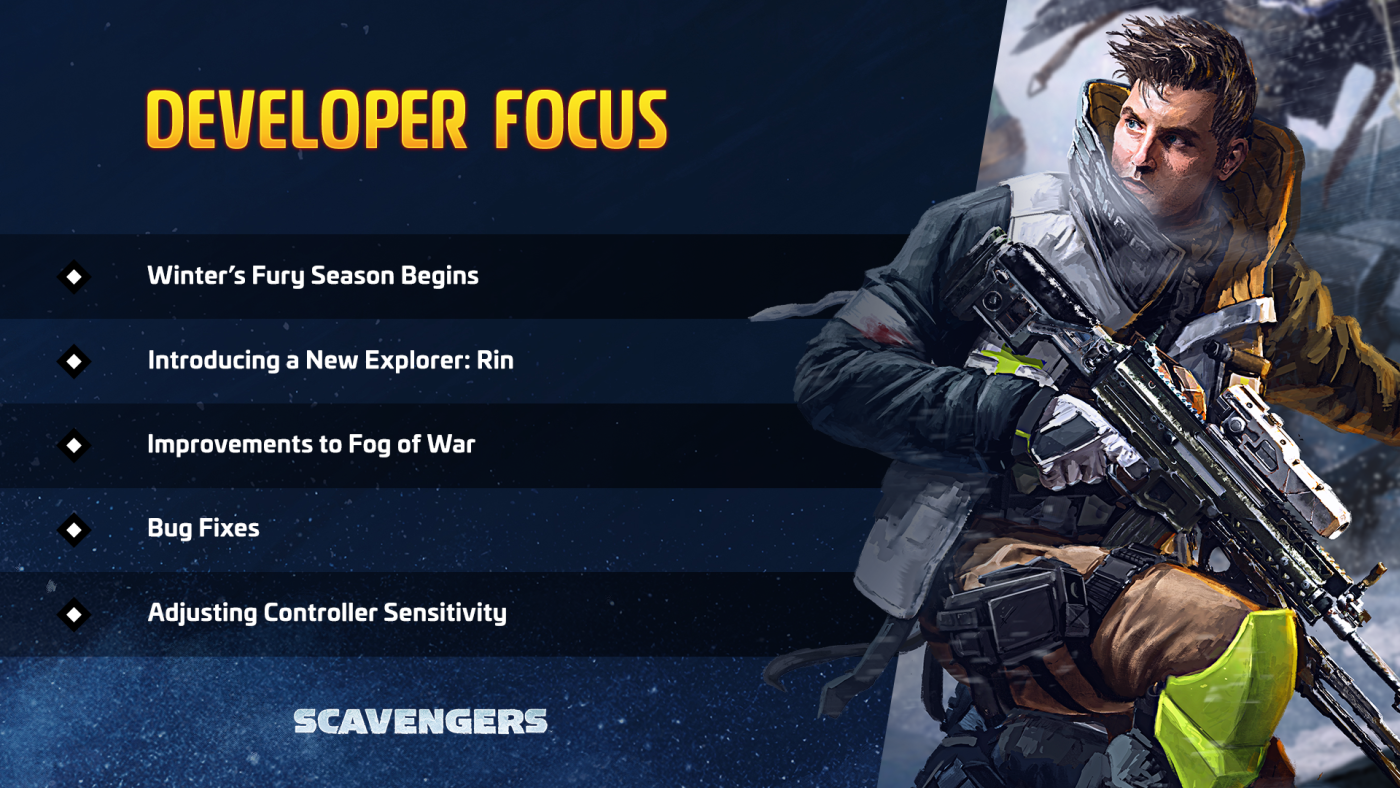
Here, we’ll talk about some of the top topics that the team is working on this week. This isn’t their only focus - we’ll be highlighting only the main topics they’re focused on:
- Winter’s Fury Battle Pass: The start of the Winter’s Fury season and our first full length Battle Pass begins on September 15th! The Battle Pass includes 90 curated items, including weapon and Explorer skins for the new Protector and Cyber Attack skin lines! Read more about Winter’s Fury here.
- New Explorer Rin: The miasmatic ambusher Rin joins the fray on September 15th. With her SHIN-48 rifle and Smoke Bomb, Rin is sure to be a great addition to any party. Find out more about Rin!
- Adjusted Controller Sensitivity: A couple of weeks ago, we reduced the controller sensitivity. Since then, we’ve heard your feedback that the sensitivity doesn’t feel quite right, especially at the highest level. We’re bumping up the sensitivity at the highest level to almost double what it is now. You will have 20 different sensitivity levels to select between once this change goes live.
- Improvements to Fog of War: Last week, we introduced Fog of War, which limits visibility on the map and mini-map. This week, we’re working on improving some Fog of War functions.
- Bug Fixes: We’re continuing to investigate and fix bugs and issues that crop up.
Top Community Feedback
We’re on this Scavengers journey with you, and we want to improve and refine the game with the feedback and suggestions from our community. Although the team is constantly going through your feedback and incorporating them into our updates and hotfixes, we haven’t had a really good way to let you know what might be coming in the medium to long term.
So, every week, we'll share our thoughts on some of the top community feedback topics that we’ve been seeing on our platforms. We may work on some of these for a future update; some of these could be part of a long-term plan and might not have a date for when they’ll arrive in Scavengers. Others, we may be investigating or considering adding, but can’t promise that you’ll see them in the game. Finally, for some, we want to continue hearing your feedback and thoughts on them, to ensure we’re considering the right way to approach it. Let’s break them down:
Developer Thoughts:
We love reading your feedback and sometimes, there are game reasons why certain elements are designed a certain way. When that happens, we’ll try to explain a bit of our thoughts around design.
- Weapon Balance: There’s been increased feedback to see more frequent general weapon balancing. We agree and we’re interested in taking another overall weapon balance pass. We’ve also heard concerns that adjustments are needed to the Opus. The Opus, in particular, is one weapon we’re looking into, to determine the best way to bring it in line with the other weapons, without over nerfing it.
- Anti-Cheat Methods & Reporting Cheaters: We take cheating very seriously. Both through improving the anti-cheat methods that we use and investigating player reports. From talking with the community, it appears that we’ve fallen a bit short of your expectations after you’ve reported players. We’re taking another look at our processes, to ensure we’re doing as much as we can to create a fun and fair environment in Cascade Springs.
Blogs & Events
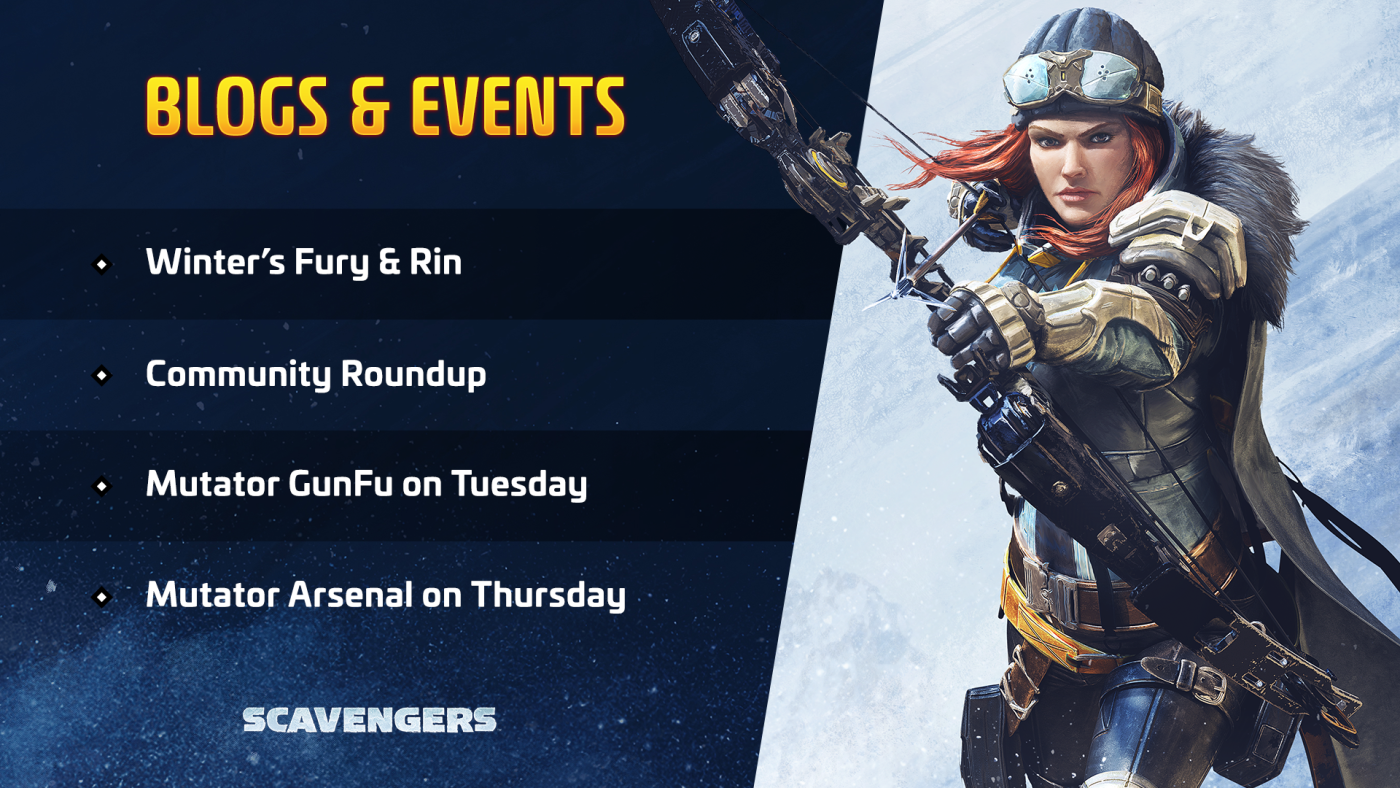
Here’s where we’ll keep you updated on what events might be happening and what blog content you might see!
Events:
We’re back with our Mutator GunFu and Mutator Arsenal events! These are weekly events run on Tuesdays and Thursdays, at 9:30 AM PT / 5:30 BST and 3:30 PM / 11:30 BST.
Our next update is coming this Wednesday, September 15th, bringing Winter’s Fury, Rin, and some bug fixes.
Blogs:
It’s time for another Community Roundup to showcase your creative fanart, videos and livestreams!
We’re committed to creating Scavengers with our amazing players. Please share your feedback and suggestions and let us know your thoughts on our focus topics.
September 10th Update
We’ll be performing an update on Friday, September 10th.
Scavengers will be unavailable for downtime starting at 8 AM PT / 4 PM BST. This downtime is expected to last for approximately 1 hour.
R.A.S.P Evacuation
You know what to expect from matches by now: teams of Explorers collect data for Mother on Earth with a single Dropship sent to evacuate the survivors after the Expedition is finished. But while competition is a healthy part of the experience, we wanted to re-evaluate that approach, exploring new strategic opportunities for different playstyles. R.A.S.P evacuations are being introduced to Expedition Mode, and offer Explorers an emergency evac route, allowing those who have completed their mission to leave on their terms.
How to Use the R.A.S.P
Explorers can use a Rescue Beacon to summon a R.A.S.P Rocket during a match for a quick evac with their Datapoints. A Rescue Beacon can be found in Item Cache (Backpack icon) camps. While you can store more than one Rescue Beacon in your Inventory, they do not stack.
When a R.A.S.P is summoned, there will be a global announcement within the match and an icon will appear on the map, alerting allies and enemy players. Interact with the R.A.S.P to start the evacuation sequence.
After starting the evacuation sequence, you have 20 seconds before the R.A.S.P leaves the planet. Anyone, allies or enemy players, who are within the evacuation zone when the countdown ends will be extracted.
Datapoints, EXP & Salvage
When you leave on the R.A.S.P, any Datapoints that you’re carrying will be banked. If any teammates don’t extract with the R.A.S.P, your banked Datapoints will contribute to their score when the match ends.
You’ll earn EXP based on your performance and amount of Datapoints banked up to when you extract. If all teammates leave on the R.A.S.P, then you’ll EXP for all collected Datapoints. However, if anyone is left behind, you won’t receive credit for any unbanked Datapoints that they are carrying.
You will only extract with the Salvage collected by any teammates leaving on the R.A.S.P. You can read more about the adjustments made to how Salvage is awarded below.
Salvage Changes
Originally, there was only one way to earn Salvage: by extracting on the Dropship. However, since the launch of Early Access, we have made it a bit less punishing, adapting it so you could receive Salvage not just by extracting, but also if you were eliminated or left on the planet.
Since then, we’ve added additional ways to earn Salvage and Research materials and components through Challenges and Battle Pass rewards. And in this update, we’re also adding a new extraction method with the R.A.S.P which will allow you to extract before the Dropship arrives.
These additional ways to earn Salvage and make progress on your Research projects have established a more meaningful and rewarding experience. To reflect that, starting with this hotfix, you will need to successfully extract in order to earn Salvage. You will keep whatever Salvage was collected by you and your teammates up to the point of extraction.
What does that mean? Let’s say that all three teammates have collected Salvage:
- Teammate A extracts on the R.A.S.P, leaving Teammates B and C behind. Teammate A will only receive the Salvage that they collected
- Teammate B and C successfully extract on the Dropship. Teammates B and C will each receive the Salvage collected by all three members of the team
Directional Sliding
Getting around the map is simple: take a vehicle, run, walk, or slide. Sliding is enjoyable but it has been limited in direction - your movement moves you forward, with adjustments to the left and right.
Directional sliding brings an entirely new dimension to sliding. Now, you’ll be able to slide forwards, backwards, or sideways! You can even jump in any direction when sliding, making it easier for course corrections when you decide to head to a different location or avoid enemy attacks.
You also control your speed when sliding. Use the directional keys to build up momentum and gain speed or ‘tap the brakes’ by reversing direction to slow down.
Sliding isn’t just for getting around the map or evading enemies. You can also slide into the enemy camp, taking out opponents with ranged or melee weapons. Using a light melee attack won’t interrupt your sliding; however, you will stop sliding if you use a heavy melee attack.
Fog of War
Storms aren’t the only hazard in Cascade Springs when Fog of War rolls in.
With Fog of War, locations on the map will be obscured until you get close to an encounter. Encounters found by teammates will also appear on your map. High value objectives, such as Sluka or Orbital Debris, Data Uplinks, R.A.S.P, and the Dropship will be visible even through the Fog of War.
When you first approach an encounter, you’ll see it pop up on your map but you won’t see many additional details. Once the encounter appears on your mini-map, more details will become clear, including the type of Cache or number of Datapoints available. You’ll also see a ring emanating from the map icon while a Keeper is engaging with it.
Depending on how you leave the encounter, the icon will show up differently on your map. If you leave without completing the objective, the icon will appear dimmed, indicating that the encounter was found but the information is out of date. Leaving after completing the objective turns the icon grey, as all resources have been depleted.
Weekly Challenges
Challenges are a way for you to earn rewards simply by playing Scavengers. With this hotfix, we’re adding Weekly Challenges to the Daily and Career Challenges.
The Challenges for the week are fixed, with every player receiving the same set of Challenges. At the start of the week, new Challenges will be added.
Hotfix Changes
- Fixed: Strike Rifle Vigor did not stun nearby enemies
- Fixed: No collision with many objects in while in Barricade Outpost
- Fixed: Sometimes unable to identify the active speaker in voice chat
- Fixed: For Horde Mode, only one Salvage per type (e.g. one Orbital Debris) would show on the rewards screen even though the players received the correct number of Salvage
- Fixed: For Horde Mode, Heavy Outlander Horde should now award correctly
- Fixed: For Horde Mode, spawning should now trigger more reliably
- Fixed: For Horde Mode, after the cutscene for Wave 3, the HUD stopped working correctly
- Changed: For Horde Mode, barriers now cost 50 Scrap, down from 75
- Changed: For Horde Mode, chests now always drop some Scrap
- Changed: For Horde Mode, Scrap from Orbital Debris decreased from 400 / 520 / 640 to 250 / 325 / 400
Keep Warm,
Midwinter