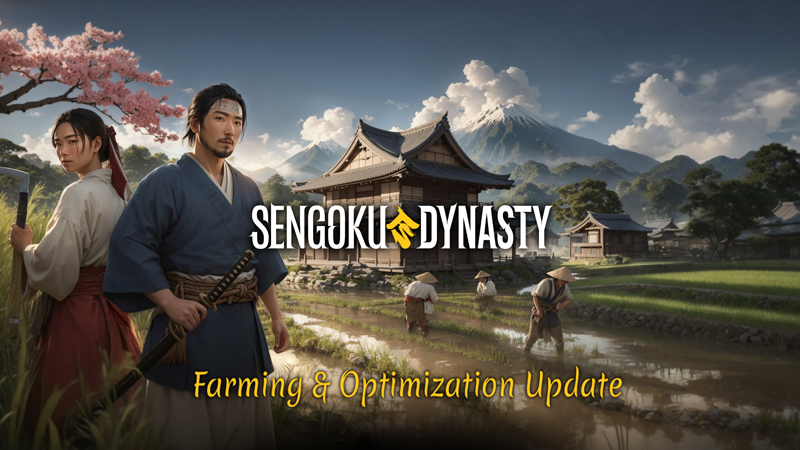
It’s been roughly three months since we launched Sengoku Dynasty on Steam. We've worked hard on bug fixes, quality of life improvements, and gameplay balance. Now it’s time to move to version 0.2.0.0. We're thrilled to introduce two major updates to our game:
Farming
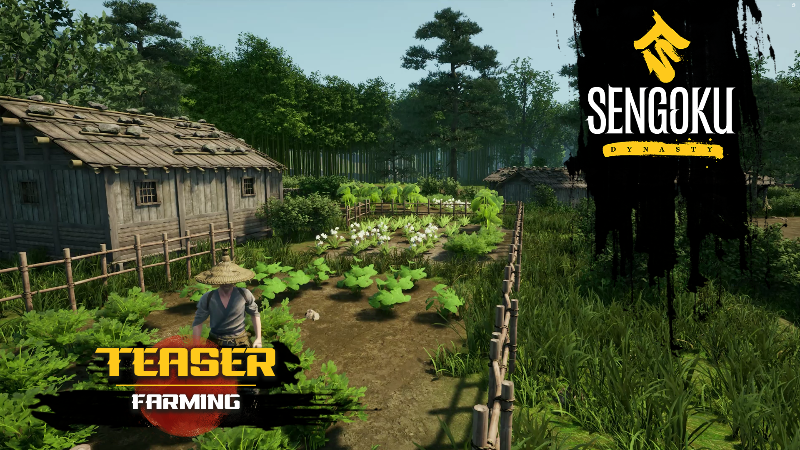
Delve into Aratani, the new NPC farming village, complete with a new storyline, new unique NPCs, and a new side quest. Explore the basics of the farming system - with two different field types (land and water) and various crops. And, as a bonus, trees and other resources now regrow. We are in the process of expanding that feature by adding a permanent removal of interactive resources with a shovel. Dynasty management for farming is coming in the next update. What more would you like to see in the future? Let us know!
Performance Optimization
Experience a smoother Sengoku Dynasty with our performance tweaks:
Reduced RAM usage by nearly 33%
Faster loading times, with an improvement of around 33%
Optimized GPU Load and VRAM usage, leading to higher FPS and fewer DirectX crashes.
Optimized heavy UI elements, that will improve overload of CPU and allow for higher max FPS.
PC performance can vary based on individual hardware configurations, but all players should notice a performance boost. Let us know if you see the difference and if not, send us your DxDiag so we can study your case. While we aren't adjusting the game's minimal requirements just yet, it's a goal on our horizon. Stay tuned for even bigger performance enhancements in Q1 of 2024.
Full 0.2.0.0 changelog
SYSTEMS
Personal farming. Use your hammer to designate and build land and water fields. Plant millet, rice, garlic, leek, parsley, wasabi, or turnips. Then just let nature do its job. Or help nature a little bit by watering and fertilizing the fields and removing those pesky weeds. The more effort you put into your farm, the sooner you’ll see the fruits of your labour – rows of lush green leaves or sunny yellow stalks. Now take your trusty old Kama and enjoy the harvest! Note that this is only a personal farming system. Integration with dynasty management and production will come in the following updates.
Resource regrowth. Do you feel like aggressive deforestation leaves the land desolate? Fear no more. Starting this update, most harvested or cut-down resources will slowly regrow. Even some mining deposits will have a small chance of respawning.
Emoting. Greet your co-op friends with a polite bow, meditate surrounded by falling leaves, or stretch that back after a good night of sleep. Emoting is here to add an additional layer of expression and emotion to your gameplay. We are starting with twelve emotes, and we are going to successively add more. And that’s not all that we have planned with this system – expect NPCs to react to your behaviour in future updates!
3D/MAP
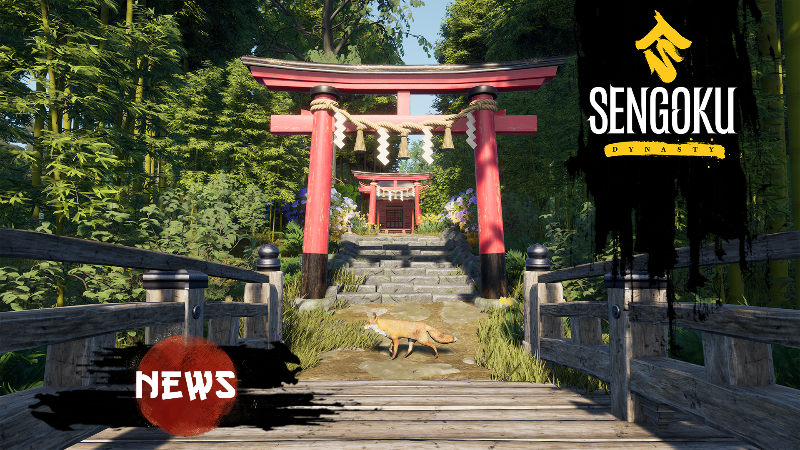
New village. Aratani – located near the river in the south portion of the map, this peaceful farming village is your introduction spot to farming, with farming traders and a farming-themed side quest.
New quest. Of Rice and Men – follow this quest to unlock those farming fields and enjoy new ways to cultivate land.
Added construction stages to the Large Bridge and Watchtower Special Projects. Each season the construction will progress visually at those special projects. Builders performing the work there are coming soon!
TECH
Auto settings. A new feature that, during the first launch of the game, performs a quick benchmark for the PC configuration and adjusts video game settings. On fresh installs the benchmark will start automatically, and you’ll be prompted (for 15 seconds) to confirm new settings. On older installs the game will ask you if you want to do the benchmark -- and then it will continue exactly as on fresh installs. The benchmark pop-up will appear only once unless you delete your save data. In the near future we’ll add a setting that will let you run it any time you want. Note: this tool will try to strike a perfect balance between performance and quality, but you might want to play around with the settings to match your preferences.
Landscape optimization – removed distant, unreachable parts of the world to lower RAM usage, and make loading faster.
UI optimization – applied better compression and adjusted UI assets to reduce memory usage. Also, reduced amount of invisible UI widgets to decrease CPU overhead.
Particle optimization – changed compression assets to reduce memory usage.
Water optimization – leading to less memory and VRAM usage, higher FPS, and fewer DirectX crashes.
Disabled physics for invisible NPCs – better CPU performance.
Audio optimization – reduced memory usage, slightly better CPU performance.
UI
Added production amount maximization. Now there is a toggle that maxes out your production, as long as you meet the requirements like assigned worker, tools, and input items. It will reduce production micro-management each season when you must update production amounts after your worker effectiveness increases. And this is not our last word regarding the production quality of life features.
Added the current worker job assignment to a list in the workplace popup. When reassigning a worker, you will now know if they are unemployed, or what their current occupation is. More improvements regarding accidental worker reassignment are coming soon.
Added demolishing UI indicator. It now takes three hammer hits to demolish anything with a hammer, so no more tragic demolition accidents. It works for each player individually and resets when you look away.
Added in-game announcement pop-up. Just to make sure that you will not miss those sweet new updates and features.
Hidden villagers and workplaces specialization and level icons – they weren’t doing anything yet, so no point in showing them. Expect workers' specialization and levelling in future updates.
Changed the Help Villagers quest name to better communicate what you need to do.
Changed Tutorial tips settings to say: "Show tutorials" and be toggled on by default.
The neutral Bell tower marker will not disappear from the compass when nearby.
Loading screen visual improvements.
SETUP AND BALANCE
Recipe changes. Since you will be able to farm new plants, we are adding some new meal recipes, and we are updating some existing recipes to use new plants. Note that it is a process that will eventually lead to a rebalance of many consumable items and resources on the map, but you can expect your miso soup and soy sauce soon.
Reworked fall damage. Now it should allow you to jump around more. You will still get damaged sometimes, but the damage should be lower, and in general, the experience should be less punitive.
Villagers’ Needs rebalance. New needs introduced with new villagers will require less, and higher consumption will require more. The progress of needs was rescaled. It should now be easier to create a sustained production.
Removed certain items from the needs. Now your needs are met only with a small number of items so that your furs and logs are not consumed by villagers - it should improve the management experience. And we are working on a proper consumption manager, expect it soon.
Reduced hammer stamina cost significantly. N w it will be easier to build larger structures in one go.
Weapons tracing improved. It now should be easier to hit enemies with certain weapons, especially in third person. We have also eliminated a bug where a spear would damage enemy behind the player.
New tools added. Wooden Shovel (Tier 1), and Wooden Hoe (Tier 1), to be crafted at Woodworking Table (your existing hoes may be broken), as well as seed bags used for planting.
New items added. We have added several new plants and seeds to the game, so that you can use them to keep your villagers fed.
Doubled dynasty level reward for the Special Project (small bridge and stone stairs) near Ryujin shrine.
FIXES
Fixed "ChiimeMarker" text displayed over Chiime during the Ryuijin Wrath quest.
Fixed Beggar’s Hut visiting beggars piling on each other on the game load.
Fixed weather bug after Nijo dialogue and cutscene.
Fixed Iron Ore Processing Station using a debug name as a structure name on the workplace list.
Fixed in-game settings menu position.
Fixed Cooked Gobo recipe icon.
Fixed the ability to use neutral village infrastructure when holding a hammer.
Fixed snow setting on the holdable leather bag.
Fixed Sika Deer Antlers to be more accurate.
Fixed Campfire with cooking Pot ghost placement.
A word of thanks! Your ongoing support and passion for Sengoku Dynasty inspires us every day. Your enthusiasm and constructive criticism fuel our commitment to making the game the best it can be.
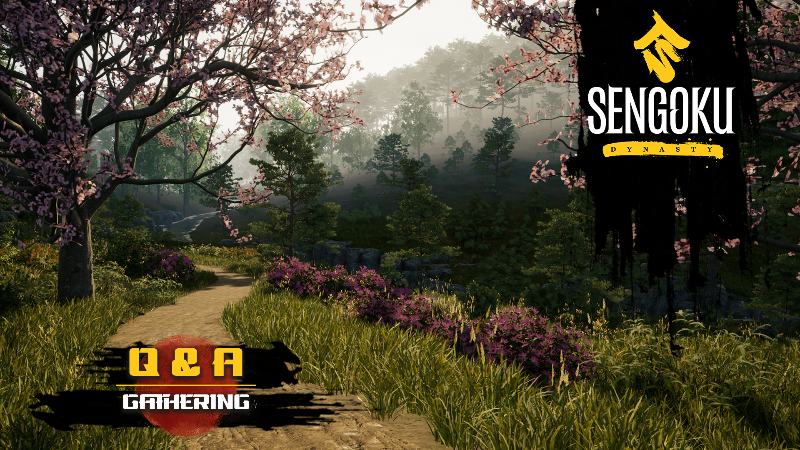
Q&A - Farming Basics Update
Thank you for your interest and questions about our farming basics update! There are too many questions to answer them all, but here are answers to the ones that were most popular. You will be able to see everything for yourself very soon when the update goes on the public beta branch!
Can we freely set up and rotate the fields?
You can construct fields of various sizes and position them in any orientation.
Can we also grow medicinal herbs in addition to food?
Yes, nearly all plants on the map, including herbs, can be cultivated. We plan to expand the list of crops in the future.
Does the weather impact crop yield? Are plants sown based on their appropriate season?
Weather influences crop growth; for instance, rain waters the fields. Certain plants have specific planting seasons, while others can be sown in multiple seasons.
Can fields only be established within our village?
Yes. If space is limited, you have the option to establish more villages.
How many farmers can operate a single field?
Currently, only you can work in a field. With the upcoming update, we'll integrate dynasty management, allowing you to assign workers to fields.
Is field cultivation available from the start, or is it unlocked via a quest?
As of now, you need to complete the new Aratani quest to unlock field recipes. We are currently working on progression systems that will affect how and when you unlock stuff. This is a top priority and will significantly evolve gameplay in upcoming updates.
Will soil have different quality?
No, currently soil doesn’t affect your fields.
Can we implement terraced farming or aquaponic systems?
Definitely. We have paddy fields and constructing them on slopes results in terraced designs.
Do we purchase seeds from a vendor, or can we produce seeds from wild plants?
Both options are available. Seed bags, essential for planting, can be crafted using leather and seeds/plants. Alternatively, purchasing them is a quick way to commence your farming.
If we get animal husbandry in agriculture, which animals will be involved?
No animals for now, but we plan to add some in the future.
Will the water wheel and attached irrigated rice fields be a special project we can build and use as a working farm and mill for a village we build nearby along the river there?
Yes, that is a future special project location related to farming. Expect it one of the upcoming updates.
Will there be random events in agriculture? E.g., bugs, pests, failed harvests, rotten harvests etc.?
We plan to add more events and randomized content to the game in general, and it will also affect farming.
Will it also be possible to set up a tree nursery to harvest wood and other resources?
Yes, we plan to add features like growing your own trees, bushes, and other plants not included in farming to the game in the future.
How much will players have to contend with wildlife eating crops or newly sprouted plants? If so, what means are available to limit or prevent this crop loss?
No such hazards yet. Random events and real time obstacles are going to be added in the future.
The Farming Update is now live on Public Stage
What is Public Staging?
It is the modus operandi of working with a second version of the game, on which new patches and updates can be applied and tested before they are integrated into the regular live version of the game. This means that one or more updates can first be tested before they are made available to all players in Early Access.
How to join the public staging?
Some of you probably have not done this before, so we have a small guide:
Prerequisite: You must have Sengoku Dynasty in your library – obviously.
The procedure
Open your game library.
Right click on Sengoku Dynasty.
Open properties.
Select the tab "BETAS".*
Enter this password into the field below the drop-down menu: 6RmK07O5em39LFLj1e4OvZGlrQ7OqI
Click on "CHECK CODE".
Use the drop-down menu and select “releasecandidate“. This is the public stage version.
Click on "Close".
Steam should now download this version of the game.
IMPORTANT! PLEASE SAVE YOUR GAME ON THE LIVE VERSION AS A BACKUP COPY BEFORE ACCESSING THE PUBLIC STAGING BUILD!
This is merely a precautionary measure in the very unlikely event that anything goes wrong! The saves can be found under this path:
%USERPROFILE%/AppData/Local/SengokuDynasty/Saved/
Copy the entire folder into a zip file or store a copy somewhere else on your hard drive.
*Steam labels all those builds as "betas” even if they are technically not betas, don’t let it confuse you!
0.2.0.0 changelog
SYSTEMS
Personal farming.
Resource regrowth.
Emoting.
3D/MAP
New village: Aratani - located near the river in the south portion of the map.
New quest: Of Rice and Men.
Added construction stages to the Large Bridge and Watchtower Special Projects.
Reworked grass path to better blend with terrain
TECH
Landscape optimization: less RAM usage, faster loading
Disabled physics for invisible NPCs: better CPU performance
Plant mesh reduction: reduced memory usage, slightly better CPU performance
Audio optimization: reduced memory usage, slightly better CPU performance
Switched the default shadow quality settings from Epic to High (only for fresh installs)
UI
Added production amount maximization.
Added the current worker job assignment to a list in the workplace popup.
Added demolishing UI indicator.
Added in-game announcement pop-up.
Hidden villagers and workplaces specialization and level icons.
Added the current worker job assignment to a list in the workplace popup.
Changed the Help Villagers quest name to better communicate what you need to do.
Changed Tutorial tips settings to say, "Show tutorials" and be toggled on by default.
The neutral Bell tower marker will not disappear from the compass when nearby.
Loading screen visual improvements.
SETUP AND BALANCE
Recipe changes.
Reworked Fall Damage - now it should allow you to jump around more.
Villagers’ Needs rebalance.
Removed certain items from the needs like furs and logs which are now not consumed by villagers.
Reduced hammer stamina cost significantly.
Doubled dynasty level reward for the Small Bridge and stone stairs Special project near Ryujin shrine.
Weapons tracing improved – it now should be easier to hit enemies with certain weapons, especially in third person. We have also eliminated a bug where a spear would damage the enemy behind the player.
New tools added – Wooden Shovel (Tier 1), and Wooden Hoe (Tier 1), to be crafted at the Woodworking Table. Your existing hoes may be broken.
FIXES
Fixed "ChiimeMarker" text displayed over Chiime during Ryuijin Wrath quest.
Fixed beggar encounters.
Fixed weather bug after Nijo dialogue and cutscene.
Fixed Iron Ore Processing Station using a debug name as a structure name on the workplace list.
Fixed in-game settings menu position.
Fixed Cooked Gobo recipe icon.
Fixed the ability to use neutral village infrastructure when holding a hammer.
Fixed snow setting on the holdable leather bag.
Fixed Sika Deer Antlers.
Fixed Campfire with cooking Pot ghost placement.
Of Rice and Men
Youkoso!
We would like to water your mouths and give you a little appetizer to go with it!
Next week, the first Farming Update for Sengoku Dynasty will be on its way, and we would like to let you know in advance what's in store for you. A new village, a new quest, and the introduction of farming! But see for yourself:
We have already screened your questions about agriculture and will be able to answer some of them in the next Q&A!
See you soon!
The teams of Superkami and Toplitz Productions
Questions wanted for the next Q&A – Farming
Youkoso!
Our first farming update is currently in the pipeline for release and now guess what kind of questions we’d be interested in?!
Please send us your questions regarding farming till 29 October 2023 midnight CET.
Don’t forget that some questions have been answered in the past, so here are the link to the previous Q&As:
Please feel free to post your question here or on our social media channels!
Sorting out balance, customization and load times
Youkoso!
Patch 0.1.5.0 has landed, and we're bringing many long-awaited improvements your way. You’ll load the main menu faster than before, and we're working on speeding up in-game loading as well – this will take longer but it’s one of our top priorities.
Your inventory should be easier to manage now, making your in-game life a bit simpler. Plus, we've just added cheats for those who want a more personalized experience. Unlimited life, stamina, faster building, and most of all – unlocking of all recipes in the game! It’s a powerful tool and will be redone in the future, but for now use it as much as you want.
Check out the complete rundown below.
Patch notes -- version 0.1.5.0
TECH
Main menu now loads way faster than before! That is just for opening the game. For loading of the main level, we need to do a complete overhaul of game content streaming. This will also improve the overall game performance.
UI textures are now optimized, which should result in less crashes thanks to lower VRAM usage – let us know if you notice any difference.
Disable playing the game on DirectX 11 – it is not supported and causes major performance issues.
UI
Keyboard shortcuts for map “M”, inventory “I" and others now both open and close the respective menus.
You can now keep the E button pressed to continuously collect resources.
Added filter function for the storage inventory. These new filters can currently not be used with the gamepad.
Added new tutorial for new villager needs.
SETUP/BALANCE
Complete overhaul of animal spawners' mechanics and balance – animals will now have different spawn rates based on the time of day and season. As long as you are close to their area, their numbers should remain constant. If you hunt them down, it will take some time for them to reappear. Additionally, animals will not spawn inside your village anymore. Those improvements provide a little bit more challenge – you will need to explore further to find larger amounts of animals, and you can learn their behaviour patterns to increase your chances. At the same time, animals’ behaviour should be more consistent, making hunting easier when you spot your prey.
Rebalanced how much resources deposits provide – as large and medium deposits spawn smaller ones when destroyed, the last hit to any deposit will now provide fewer resources. It should take more than just a few deposits to fill your inventory completely. Additionally, yields from each tool hit have been rescaled to be less swingy – better tools behave more consistently now.
Rebalanced production stations' max output and production time for easier player production – for example, Charcoal Kiln, Fermentation Barrel, Filtration Press, Paper Pulp Barrel, Rice Boiling Barrel, and Tanning Vat will now have a maximal output equal to one full stack in the inventory. Drying Rack will now produce Straw one by one. Production times have been rescaled a little – fast production stations are now slightly slower.
You can now build in caves (still work in progress but works in some specific locations).
Added Lighthouse special project to the map.
SFX
Iteration on the Deer nearby sounds.
ART
Updated Male Bandit body mesh.
Equipping animations look better.
Added Bandit Alerted animation.
FIXES
Fixed multiple Inversed Kinematics and animation blending.
Fixed the ability to jump while waking up from sleep animation.
Fixed Traders starting to roam when in dialogue with player.
Fixed fast travel UI.
Fixed swapped actions for buildings.
Fixed black map after death.
Version 0.1.5.0 on Public Stage
What is Public Staging?
It is the modus operandi of working with a second version of the game, on which new patches and updates can be applied and tested before they are integrated into the regular live version of the game. This means that one or more updates can first be tested before they are made available to all players in Early Access.
How to join the public staging?
Some of you probably have not done this before, so we have a small guide:
Prerequisite: You must have Sengoku Dynasty in your library – obviously.
The procedure
Open your game library.
Right click on Sengoku Dynasty.
Open properties.
Select the tab "BETAS".*
Enter this password into the field below the drop-down menu: 6RmK07O5em39LFLj1e4OvZGlrQ7OqI
Click on "CHECK CODE".
Use the drop-down menu and select “releasecandidate“. This is the public stage version.
Click on "Close".
Steam should now download this version of the game.
IMPORTANT! PLEASE SAVE YOUR GAME ON THE LIVE VERSION AS A BACKUP COPY BEFORE ACCESSING THE PUBLIC STAGING BUILD!
This is merely a precautionary measure in the very unlikely event that anything goes wrong! The saves can be found under this path:
%USERPROFILE%/AppData/Local/SengokuDynasty/Saved/
Copy the entire folder into a zip file or store a copy somewhere else on your hard drive.
*Steam labels all those builds as "betas” even if they are technically not betas, don’t let it confuse you!
Patch notes -- version 0.1.5.0
PERFORMANCE
Main menu now loads way faster than before! That is just for opening the game. For loading of the main level, we need to do a complete overhaul of game content streaming. This will also improve the overall game performance.
UI textures are now optimized, which should result in less crashes thanks to lower VRAM usage – let us know if you notice any difference.
UI
Keyboard shortcuts for map “M”, inventory “I" and others now both open and close the respective menus.
You can now keep the E button pressed to continuously collect resources.
Added filter function for the storage inventory. These new filters can currently not be used with the gamepad.
SETUP/BALANCE
Complete overhaul of animal spawners' mechanics and balance – animals will now have different spawn rates based on the time of day and season. As long as you are close to their area, their numbers should remain constant. If you hunt them down, it will take some time for them to reappear. Additionally, animals will not spawn inside your village anymore. Those improvements provide a little bit more challenge – you will need to explore further to find larger amounts of animals, and you can learn their behaviour patterns to increase your chances. At the same time, animals’ behaviour should be more consistent, making hunting easier when you spot your prey.
Rebalanced how much resources deposits provide – as large and medium deposits spawn smaller ones when destroyed, the last hit to any deposit will now provide fewer resources. It should take more than just a few deposits to fill your inventory completely. Additionally, yields from each tool hit have been rescaled to be less swingy – better tools behave more consistently now.
Rebalanced production stations' max output and production time for easier player production – for example, Charcoal Kiln, Fermentation Barrel, Filtration Press, Paper Pulp Barrel, Rice Boiling Barrel, and Tanning Vat will now have a maximal output equal to one full stack in the inventory. Drying Rack will now produce Straw one by one. Production times have been rescaled a little – fast production stations are now slightly slower.
You can now build in caves (still work in progress but works in some specific locations).
SFX
Iteration on the Deer nearby sounds.
ART
Updated Male Bandit body mesh.
Equipping animations look better.
Added Bandit Alerted animation.
FIXES
Fixed multiple Inversed Kinematics and animation blending.
Fixed the ability to jump while waking up from sleep animation.
Fixed Traders starting to roam when in dialogue with player.
Fixed fast travel UI.
Optimizing the Way Forward: Your Queries on Sengoku Dynasty’s Answered
Step into the world of Sengoku Dynasty as we address your questions and share insights about the game's journey ahead. We understand your curiosity and eagerness to learn more about character customization, narrative development, and other game aspects. Your concerns are important to us, and this Q&A is an opportunity to provide clarity and shed light on the game's future direction. From the anticipated implementation of Japanese V/O to our ongoing efforts for smoother gameplay, discover the various facets and upcoming enhancements in Sengoku Dynasty. We are working diligently to improve every aspect of the game, and your continued support and feedback are crucial in this journey. Thank you for being a part of the Sengoku Dynasty community, and let's embark on this adventure together."
Is this game prepared for something like an ending?
Yes, our plans include crafting a satisfying ending to the story. However, it will only become available later in the 1.0 version of the game, after we implement all the core narrative content we have outlined. It’s worth pointing out that reaching the end of the story will not stop you from further growing your Dynasty.
If our dynasty lasts long enough, will we see the Edo/Tokugawa Period?
Currently we have no plans of extending the game’s timeframe beyond the Sengoku Period, however it’s possible you’ll be able to notice signs of a historical tidal shift looming on the horizon.
Will there be more events leaning into folklore and superstitions of the era (such as Onibaba, currently in the game)?
Our game is not narrative driven, and therefore will not feature many events one could expect from a more RPG-style title. It is also realistic, and therefore will not feature supernatural phenomena. That said, we do strive to represent the Japanese culture of the XVI century as best we can within the survival-builder genre, and so many of the NPCs you meet along the way will have things to say about myths, religious beliefs and customs that might seem alien to modern audiences.
Can we change house names in the future?
Yes, that is a feature we plan to implement very soon.
Are we Eta/Kawata?
Currently there is nothing in the player character backstory that would suggest that. As a matter of fact, there are no suggestions about your previous occupation or skills. That’s by design. When we introduce character customization in one of the future updates, you will be able to choose your character’s background.
Will it be easier to transfer items to storages?
Yes, we just implemented a feature that streamlines the transfer of items into dynasty storages (in Update 4), and there are many more quality-of-life improvements to the inventory system coming soon (including sorting).
What is being done to optimise the game for shorter loading times and more fluid gameplay?
Fixing performance issues is our top priority. We are a small team making an open-world game in the latest available version of Unreal Engine – this is an ambitious task and sadly a diverse world with cutting edge tech requires additional optimization efforts on our side. We are sorry that it often negatively affects your performance. We are investigating performance drops, loading times and crashes, and looking for solutions that will boost your experience. It’s a complicated process and we are hopeful that you will see improvements soon. We will definitely let you know when we hit it big in this regard!
Will NPCs get Japanese voiceovers?
Yes, we plan to implement Japanese V/O for common phrases and reactions in the near future, along with improvements to NPC behaviour before, during and after dialogue. There won’t be a full voiceover due to the costs and complicated process.
Will there be a function that would assist in connecting fences?
Yes, we plan to implement a spline-based system for fences and other similar structures, that will make the experience of building them much more streamlined.
When is the farming update due?
First one is currently scheduled for November. Since we are in Early Access, this will be an iterative process and you will be getting farming content and quality updates regularly to make it a great experience – keep the feedback coming! For clarity's sake: we are talking about agriculture, we are considering adding animal husbandry later in the process.
First Steps Sale
Youkuso!
It’s our first sale after launch!
It was very important for us to set up the right pace for updates, which would get regular bugfixes and rebalances delivered to you quickly, at the same time allowing us to work on bigger features. After a little more than a month from launch, we’re happy to say we’re wrapping up the “First Steps” milestone on our roadmap.
We analysed your feedback, reviews, and streams to see what pains you the most and we addressed it – either on the spot, when it comes to bugs and quality of life features, or internally by changing the designs for next updates.
So, here is a little summary of what we added to the game since it launched in August: - Interactive map, with zoom and custom markers - Fast-travel - Pause function in Single Player game - Auto-assigning tools and weapons to quick slots - Tools durability rebalanced to last longer - Complete rebalance of villager needs to make them easier to maintain - Villagers are performing more interactions based on work and day cycle
And over 200 more fixes, rebalances and quality of life additions!
You can review all changes in the respective Steam news.
With these foundational changes in place, we're excited to pivot our focus to optimization and the community's most requested features, like farming and combat. That of course doesn’t mean we won’t be adding further QOL improvements!
The sale starts now and lasts for two weeks until 5 October 2023.
Great things – coming soon!
Crafting Convenience -- Update 4 is all about clicking less
Say "hi" to a host of improvements that will streamline your adventures! Newly crafted tools will now automatically find their way to the same Quick Slot they were last assigned to, saving you precious time. Are you a building enthusiast? You'll be happy to know you can now interact with structures while wielding your trusty hammer, without constant unequipping. Also, moving items to storages is now a breeze with the new feature that highlights and lets you transfer compatible items only – and now you can transfer all of them with one click.
That's not all—countless other tweaks await! Get ready for a smoother experience and focus on the adventure instead of fighting with the UI. And remember - this is a work in progress, so please continue providing your feedback.
Patch notes - version 0.1.4.0
FIXES
Fixed the loss of control over the map zooming feature sometimes.
Fixed the lack of localization for corpse actions (looting / skinning).
Fixed Ul controls not changing back to mouse and keyboard when using LMB/RMB or dragging mouse wheel.
Fixed red flowers sometimes are stretched and do not disappear in winter.
UI
Improved how auto-assigning of handheld items to Quick Slots works – now when you break or throw a holdable, and craft a new one, it will automatically go to the Quick Slot that was used to keep the same item type. It will also auto-equip the replacement if you didn’t equip any other holdable in the meantime.
Improved how interactions with structures (like beds, containers, crafting, and production stations) work – now it is possible to use them while holding a hammer, so you can open a container or go to sleep while building, without the need to constantly unequip and equip the hammer back and forth. (Known issue - Keys F and T are transposed)
Added a new inventory interaction that allows you to bulk-transfer all compatible items to a Dynasty Storage.
Added a desaturation visual effect to all incompatible items in your inventory, when a dynasty storage is opened – it is much easier to determine, what can be stored, and what uses a different storage.
Reworked how a forced season change sequence works. Now it will NOT happen in many problematic situations, like during sleep, dialogues, cutscenes, or camera sequences. Additionally, the management screen will appear BEFORE the season changes, so that you can make some last-minute adjustments.
Added a respawn screen penalty message – the penalty itself isn’t new and was always there, but now you will be precisely informed what you lost when that wild hog mauled you.
Improved Special Project Workplace Popup by adding information on how long it will take to finish the project, what the rewards for completing it are, and by adding a “Manage Job” button in Population Details to open the popup.
Added a minor notification for discovered animal locations.
Limited character inputs in text input fields
Added Polish language.
Updated UI Localisations
Improved some information and visuals in Dynasty Management:
· Added a yellow dash if there is no happiness or effectiveness change predicted.
· Predicted effectiveness on season change now shows the bonus penalty value, instead of the total effectiveness value (which can be modified by other factors, like tools).
· All missing Storage Buildings will now be displayed in red in the workplace popup.
· Improved the looks of home/job assignment buttons in Population details.
· Improved labels of home/bed assignment lists.
· Added house icon to the home/bed assignment list.
· + many other minor improvements.
SETUP/BALANCE
Rebalanced how Stone and Iron deposits work - now medium and large ones will spawn a smaller version of the deposit when mined, so they are even more useful.
Simplified empty exterior segment setup and looks – now they are less intrusive when the hammer is equipped.
Improved setup of item replacement – now items like kama, shovel or hoe will auto re-equip if they break, and a spare is in the inventory.
Improved Tea Leaves and Tea Drink storage and need type to make more sense.
SFX
Improved audio positioning for Deer and Boar SFXs
Added Deer Nearby and Deer Alert SFXs
ART
Hare fur is now brighter and stands out in foliage more.
Adjusted NPC sitting animations.
Improved the ambient light to make the night brighter, especially during cloudy weather.
TECH
Implemented additional safeguards to prevent overwriting and corruption of saves.
Added a Pause during the Loading Screen. In-game time won’t pass when your game is loading.
Crafting Convenience – Update 4 – Public Testing
What is Public Staging?
It is the modus operandi of working with a second version of the game, on which new patches and updates can be applied and tested before they are integrated into the regular live version of the game. This means that one or more updates can first be tested before they are made available to all players in Early Access.
How to join the public staging?
Some of you probably have not done this before, so we have a small guide:
Prerequisite: You must have Sengoku Dynasty in your library – obviously.
The procedure
Open your game library.
Right click on Sengoku Dynasty.
Open properties.
Select the tab "BETAS".*
Enter this password into the field below the drop-down menu: 6RmK07O5em39LFLj1e4OvZGlrQ7OqI
Click on "CHECK CODE".
Use the drop-down menu and select “releasecandidate“. This is the public stage version.
Click on "Close".
Steam should now download this version of the game.
IMPORTANT! PLEASE SAVE YOUR GAME ON THE LIVE VERSION AS A BACKUP COPY BEFORE ACCESSING THE PUBLIC STAGING BUILD!
This is merely a precautionary measure in the very unlikely event that anything goes wrong! The saves can be found under this path:
%USERPROFILE%/AppData/Local/SengokuDynasty/Saved/
Copy the entire folder into a zip file or store a copy somewhere else on your hard drive.
*Steam labels all those builds as "betas” even if they are technically not betas, don’t let it confuse you!
Patch notes -- version 0.1.4.0
FIXES
Fixed the loss of control over the map zooming feature sometimes.
Fixed the lack of localization for corpse actions (looting / skinning).
Fixed Ul controls not changing back to mouse and keyboard when using LMB/RMB or dragging mouse wheel.
Fixed red flowers sometimes are stretched and do not disappear in winter.
UI
Improved how auto-assigning of handheld items to Quick Slots works – now when you break or throw a holdable, and craft a new one, it will automatically go to the Quick Slot that was used to keep the same item type. It will also auto-equip the replacement if you didn’t equip any other holdable in the meantime.
Improved how interactions with structures (like beds, containers, crafting, and production stations) work – now it is possible to use them while holding a hammer, so you can open a container or go to sleep while building, without the need to constantly unequip and equip the hammer back and forth. (Known issue - Keys F and T are transposed)
Added a new inventory interaction that allows you to bulk-transfer all compatible items to a Dynasty Storage.
Added a desaturation visual effect to all incompatible items in your inventory, when a dynasty storage is opened – it is much easier to determine, what can be stored, and what uses a different storage.
Reworked how a forced season change sequence works. Now it will NOT happen in many problematic situations, like during sleep, dialogues, cutscenes, or camera sequences. Additionally, the management screen will appear BEFORE the season changes, so that you can make some last-minute adjustments.
Added a respawn screen penalty message – the penalty itself isn’t new and was always there, but now you will be precisely informed what you lost when that wild hog mauled you.
Improved Special Project Workplace Popup by adding information on how long it will take to finish the project, what the rewards for completing it are, and by adding a “Manage Job” button in Population Details to open the popup.
Added a minor notification for discovered animal locations.
Limited character inputs in text input fields
Added Polish language.
Updated UI Localisations
Improved some information and visuals in Dynasty Management:
· Added a yellow dash if there is no happiness or effectiveness change predicted.
· Predicted effectiveness on season change now shows the bonus penalty value, instead of the total effectiveness value (which can be modified by other factors, like tools).
· All missing Storage Buildings will now be displayed in red in the workplace popup.
· Improved the looks of home/job assignment buttons in Population details.
· Improved labels of home/bed assignment lists.
· Added house icon to the home/bed assignment list.
· + many other minor improvements.
SETUP/BALANCE
Rebalanced how Stone and Iron deposits work - now medium and large ones will spawn a smaller version of the deposit when mined, so they are even more useful.
Simplified empty exterior segment setup and looks – now they are less intrusive when the hammer is equipped.
Improved setup of item replacement – now items like kama, shovel or hoe will auto re-equip if they break, and a spare is in the inventory.
Improved Tea Leaves and Tea Drink storage and need type to make more sense.
SFX
Improved audio positioning for Deer and Boar SFXs
Added Deer Nearby and Deer Alert SFXs
ART
Hare fur is now brighter and stands out in foliage more.
Adjusted NPC sitting animations.
Improved the ambient light to make the night brighter, especially during cloudy weather.
TECH
Implemented additional safeguards to prevent overwriting and corruption of saves.
Added a Pause during the Loading Screen. In-game time won’t pass when your game is loading.