This is a cumulative update from the last post. Updates are usually posted on discord however, once in awhile, I'll post an update on steam to show that the game is still being developed. This isn't as organized as previous posts and is just a listing of documented updates during development.
added canyon map (texturing and decor needed)
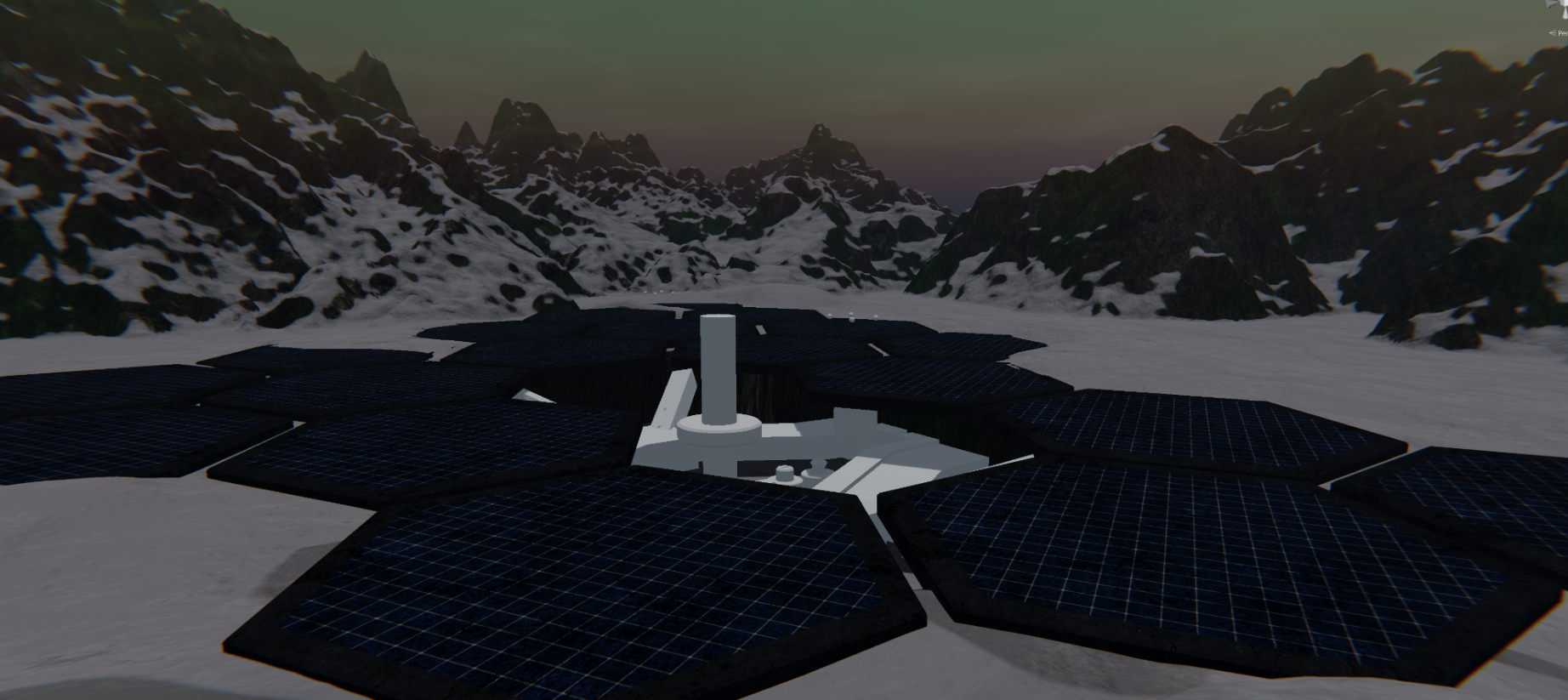
added arctic installation map (texturing and decor needed)
added orbital elevator (water still needed)
added new mecha testing arena
fixed issue where screen stays black after cutscene for pvp (usually still persists if other players have not yet loaded properly)
added end screen cutscene for pvp
added bullet push back
optimized menu to have better fps
fixed passive mecha stats not displaying properly
added button sounds
fixed lighting mecha lighting colors when sent over network
added crouching while hovering
fixed some animations
optimized animations according to graphical settings
fixed issue where currency wasn't being deducted while purchasing decor parts
fixed menu buttons not reverting back to none clicked state
fixed ui when walking
slowed down max mecha speeds
fixed score to win
changed auto aim indicator and removed horizontal bars
reworked match data RPCS
fixed scan key not binding correctly
renamed shadow settings options
Added proper leader-board stats
(hopefully) fixed out of bounds death when in combat zone
added preliminary working transformation (please select the correct mecha part)!
implemented auto kick when network unstable (needs to be tested)
added new map
added boost fx sounds to all mechs
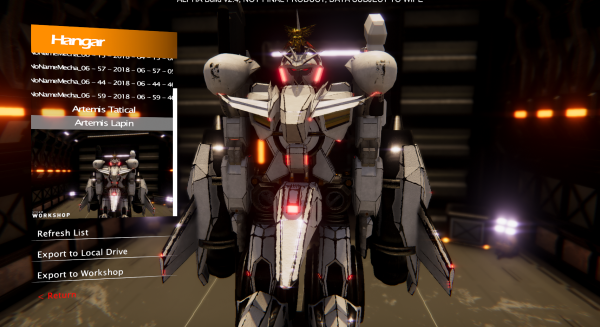
navigation guide in hangar
revised networking code to be about 0.5 MB/s per mech (without shooting)
changed shooting RPCs
fixed menu to deploy reflections
added turning animation
fixed autoaim when switching to a weapon with no autoaim
edited color correction a bit, added ui pp effects
changed camera distance to show more of the mecha
reworked lights for weapons and boost
changed delta time to fixed delta time for energy regen
redone how ais are handled over the network (save on bandwidth)
fixed wrong damage displayed on charge indicator for melee
changed transformation to have similar count down timer mechanics to hit detector for cross-hair
fixed bullet decals hover over ground
fixed melee weapon
and more undocumented minor bug fixes and updates...
Early Access Issues!
It has been brought to my attention that multiplayer does not work 100% of the time. I will be looking into this issue. Please note that in early access answers it was already mentioned that multiplayer may be buggy and there is no multiplayer tag for this game simply for that reason.
Recently the "save file" bug has been supposedly fixed along with game settings not applying on load. I do not have the means to confirm if some bugs are fixed as they only apply to unique users.
Please post additional bugs and issues in the discussions, I will be focusing on those before attempting to work on general feedback and suggestions.
Thanks
POLISHING and REFINEMENTS
Major Features/ Improvements in Update v2.8:
> Optimizations
> General Updates
> Multiplayer Improvements
> Mecha Improvements
> Weapon Additions
> AUDIO!
> Minor Tweaks and Adjustments/ Bug Fixes
---<>--- Optimizations ---<>---
Optimizations include:
> Texture Sharing/ Atlasing
>> Results in (hopefully) improve load times
> Slow downed unnecessary calls on update() and tied it to framerate
> Sent more mathematical computations to multiple threads
These optimizations should help increase FPS.
Optimizations that are being tested:
> Multithreaded loading of assets
>> Issue: Does not load all assets
---<>--- General Updates ---<>---
> Added Welcome Screen
> Added Player info in top right
> Some other stuff I don't remember :(
---<>--- Multiplayer Improvements ---<>---
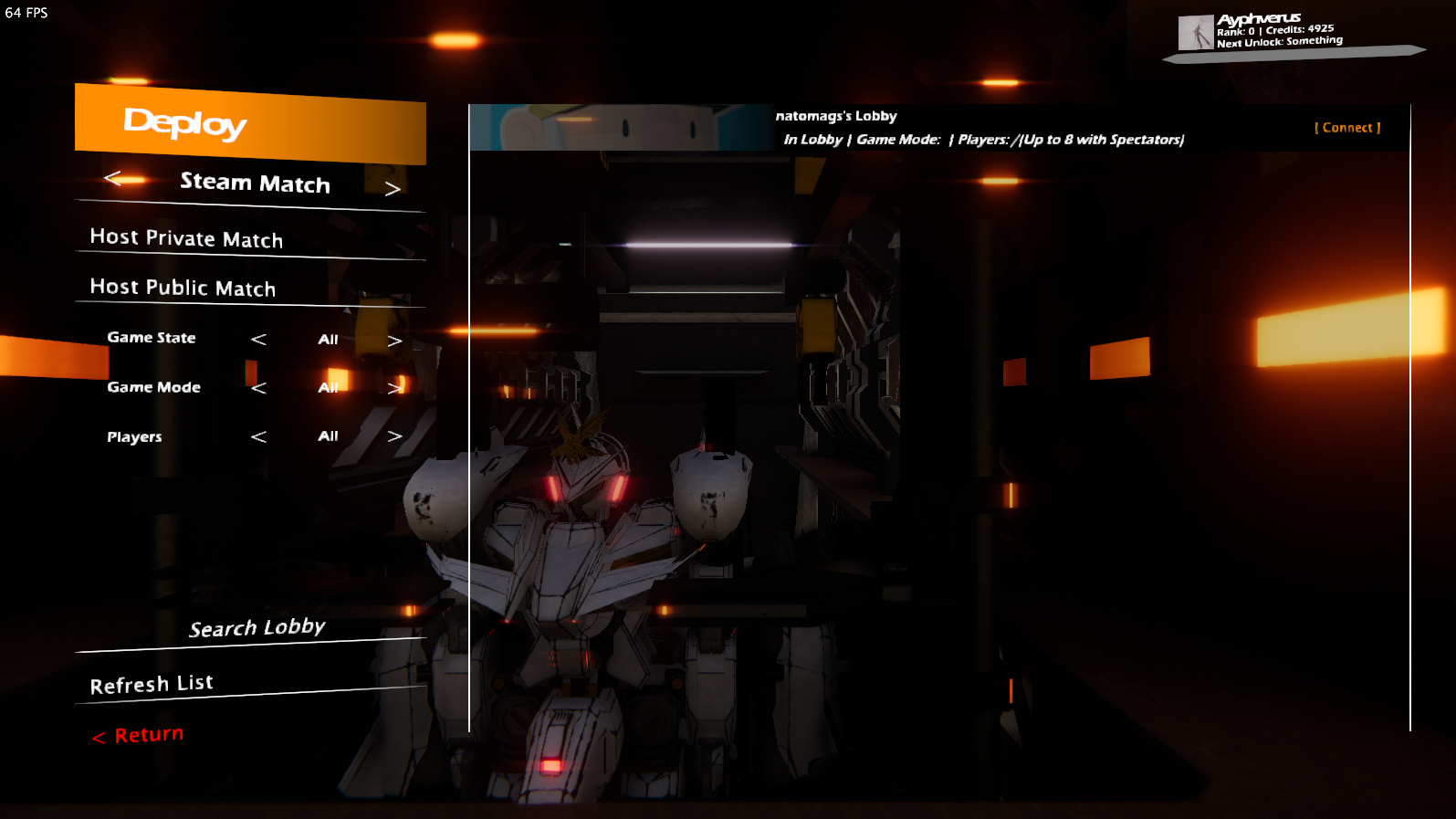
Server Browser:
> Added Filtering List
> Added Search Feature
> Increased Server List Size and Details (has some bugs in grabbing info)
Friends:
> Added feature to invite friends (only host can invite through steam)
> You can join a friend in the friends list tab
> Hosting private and public matches
> Steam Rich Presence
PVP Features:
> PVP Cutscene
> Added Leaderboard
> Added Quick Menu
>> Change Game Settings while in match!
---<>--- Mecha Improvements ---<>---
> Added More Mecha Effects
>> Collision
>> Footprints (80% complete, missing textures)
>> Skid Marks (80% complete, missing textures)
> Improved Shooting Effects
>> Projectiles does not clip through mecha when being fired
>> Short Projectile trail
> Improved Auto Aiming!
>> Lock on Ui Improvements!
>> Increased Auto Aim Hitbox Detection
> Improved Ui
>> Shifted Ui Elements to the Side
>> Added Compass
>> Fixed Altitude indicators
> Added basic code and text animations for TRANSFORMATIONS!
> Added breaking animations to Artemis and Artemis StratoCruiser
---<>--- Weapons ---<>---
> Added Melee Weapon (75% complete, requires code for damage)
Q: How does melee work in a fast af shooter?
A: The longer you hold the melee button the more range and damage your melee attack does!
---<>--- Audio ---<>---
Added more audio and sound effects!!!!!!!!!!!!!!
Audio is still a work in progress however some sounds have been added for collisions, ui beeps, etc...
---<>--- Bug Fixes ---<>---
> Fixed Backup Save Data not being saved
> Some other stuff I don't remember :(
> Steam Workshop Support
> Improved Stats Display
> Improved Multiplayer Features
> New Test Mecha Map (w.i.p.)
> Minor Tweaks and Adjustments/ Bug Fixes
Steam workshop support is here! Now what exactly does it do? Steam workshop support allows you to export your mecha's design to steam workshop to share with others! (a much more efficient alternative to just exporting to local disk).
Whats included in the export file?
> The mech design (decor, limbs, weapons, and color)
> Thumbnail of mecha taken from the cameras perspective upon clicking export
Where can I find my subscribed files?
> They should appear in the same place you'd find your local exports (in game)
Other Improvements: Stats and Multiplayer
Menu/ Mecha:
> Stats have been modified to now display when you hover over, thus allowing you to see ALL the info at one glance instead of having a scroll bar like the old implementation!
> Mechas now have slightly improved UIs
Multiplayer features:
> Lobby modifications (auto teams, max players, etc...) have now been implemented! (still contains some bugs).
> A Chat box has now been included so you can communicate with people in the lobby.
> Server Browser! When you create a lobby, choose from private or public, public will have your lobby show up in the server browser while private lobbies will only allow friends in your friends list to see and join
> Steam Invites! As long as your in a lobby/ game you can invite friends to your game! (ONLY HOST CAN SEND A SUCCESSFUL INVITE!)
Performance/ Visual Effects:
> Moved some computation to dedicated threads to slightly improve CPU performance (CPU wasn't even an bottleneck, so you'd probably see near no improvements in frame rate)
> Added Texture Streaming in settings to improve performance
> Added new Ambient Occlusion (GTAO) in settings
Sneak Peak of the New Test Map?
Upgrades to Customization!
Here's just a casual development update on the most recent features being implemented.
Decor Parts
Simplistic UI Graphs to display stats
Exporting and Importing Designs
Decor parts is a feature that allows for the user to mount any part to the mecha's body; allowing for unique customization options! Decor parts was created as a replacement for the tuning system, therefore adding decor parts will impact your mecha's stats (just by a little). Note that the part will auto mount to the closest detectable join on the mecha. That means you, as the designer, only need to worry about how you want your mecha to look with the tools that are relevant to you and no extra work required. Tools include: rotation, translation, resizing, and mirroring decor parts.
In preparation for potential workshop support, a export and import system has been implemented. This system allows for you to easily export your designs, complete with limbs, weapons, decor parts, and color! When sharing your designs, not all recipients may not have all necessary components (limbs, weapons, decor parts) purchased. Fear not! For as long as the component can be found in the marketplace the game will offer you a one click solution to purchase all necessary parts.