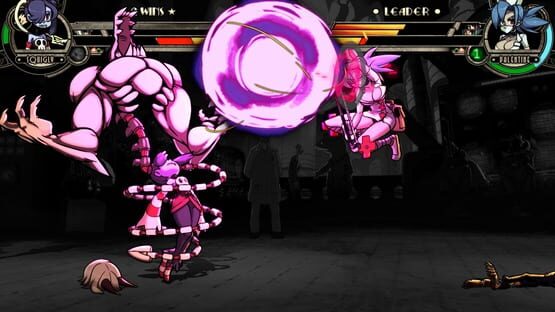
Hello! I was on a podcast today talking about online tournaments, and one of the questions reminded me that there was a feature Skullgirls didn't have that'd be really helpful for said online tournaments. So now it's got it in the GGPO test branch!
Skullgirls community: "Is it lobbies that don't randomly crash?"
Ha ha ha, very funny. No it is not, you wonderfully supportive people. The lobby code is scary and depressing. Instead, it is....
A "wireless internet" indicator for your opponents!
Yep, that's right, if you're playing on wireless/wifi*, in both Lobbies and Quick Match everyone else will now see a big ol'
(WF)
in front of your ping number. In addition, if the game thinks you're playing on wireless, it will draw a teeny tiny little red dot in the upper-left of your screen. If this dot annoys you, you can get rid of it with the launch option -disablewifidot but that won't prevent everyone else from knowing you're on wireless. :^)
In addition to this, there is one more nice timing fix which will help the game recover in case there's a big frame drop, as well as some extra logging info, courtesy Mr. Peck, if people are still sending in problem replays!
* How does it work? Unfortunately there's no real way of knowing which network interface Steam is going to use for networking, even while it's using it, and especially if it decides to use a relay server or Steam P2P packets. And it's difficult to detect what's going on with networking in Windows generally, even on a good day. So what Skullgirls does is check for any connected wireless network on your computer, and if there is one it will report you as using wireless. That means if you're on a laptop and you have an ethernet cord plugged in and a wireless network connected, it will report you as wireless! In that scenario it is still, sadly, very possible for Windows to choose to use the wireless connection sometimes even though it's significantly worse, so that's the safest approach for the game to take. Turn that stuff off if ya can!
Special thanks to ᅠᅠᅠ for the testing help!
Title screen build ID 16557
It is the final GGPOtest branch candidate! [16539]
Down to the end of the netcode fixes! And fixes for things I broke during this process. :^)
This is the final build candidate, folks.
Provided it runs with no new problems, this will become the Real Game this weekend on Steam!
Training mode Max Combo Damage and Last Combo Drama numbers are no longer wrongly reset when you load a savestate. Whoops. Thank you to the person that pointed that out!
By long-ago request, added the Launch Option -disablerainbowdouble which disables the hue shifting on Double #19 for everyone who is really boring out there.
Re-added a very important -ggposhowinfo line of logging that I accidentally deleted in the last build. :^P
Added one more framerate fix from an unlikely source! In the event that a frame takes a really really long time to finish, the game won't skip frames trying to "catch up" to where it should be, it'll just pretend everything is fine. This improves performance by not having a bunch of skipped frames after a big slowdown event like an OS hiccup.
Title screen build ID 16539
GGPO test branch update [16512]
Sick of these yet? Almost done, I promise. :^)
In response to useful replays sent to me today, I made two small adjustments designed to help recovering from your game being either starved for opponent inputs, or behind by more than 14 frames, work better. Hopefully they don't make the rest of it work worse!
As usual, any problems, send me replays with -ggposhowinfo !
Title screen build ID 16512
Small GGPOtest update [16482]
Small update, small text and too lazy to make a nicely-formatted list: - Hopefully fixed the menu-movement and "another game" sounds sometimes being played as off-to-one-side instead of centered. :^P - Made the -ggposhowinfo text smaller so it's easier to play with it on. - Added a missing piece of logging info to that log. - Updated some values after some more low-ping testing, hopefully this improves low-ping online performance. Maybe it even doesn't break high-ping performance! :^P Let me know, and give me replays (or videos!) with -ggposhowinfo on if there's something weird! Press Start when the weirdness happens to put a mark in the replay file, too. :^)
Title screen build ID 16482
Probably the last GGPO test branch update! [16411]
UPDATED at 5:15PM May 1st
Alrighty, I fixed some extra bugs and added one more small improvement:
Added a person to the credits who got left out of them for the whole eight years. WE'RE REALLY SORRY! >.<
Doubled the size of the sprite decompression atlas, which fixes sprite-flickering issues when you have, for example, two Big Band assists, Lenny, and a full Inferno Brigade onscreen at once. I couldn't have done this during the PS3 days, but those days are loooooong gone. :^)
Update - Fixed sprites if you were using -disablelighting.
Made the longer PS4-style super shadow trails the default on PC. If you don't want 'em, use launch option -disableextrasupershadows to go back to the old boring version. :^P
Fixed the negative-damage training mode display bug after loading a savestate during a combo.
The IPS display now gets saved along with your savestate in training mode, why not.
Raised the thresholds for green/yellow/red ping times, as well as the updating the recommended-delay-for-ping numbers now that the netcode has been improved. :^)
Update - the camera thing below was kinda annoying in practice, so I both improved it and made it opt-in. Use launch option -enablerollbackcamera to enable it. Improved the camera after rollbacks! Most likely you won't notice, but it does help some. Since this is a 2D fighting game, basically the only thing that we can nicely interpolate to hide jitter is the camera. This does not affect the position of the in-game walls, so it will not cause desyncs, it's only fixing where the screen draws. Here's a video with intentionally cruddy internet and a better explanation: [previewyoutube="tqzr8NRdQ0o;full"]
Linux/Mac notes:
Update - Linux and Mac are now current!
Note to our fellow devs: OpenGL Quads have been taken care of. Rejoice!
And a SPECIAL SHOUTOUT to Clumsy, an amazing program that lets you make your internet connection worse in all sorts of useful ways for network debugging. Clumsy has been instrumental in getting this patch to where it got. To. Here's the github.
If this build has no further problems, it will become the Real Game in a couple of days.
I will look into what is required to update PS4 and Switch after that, but no promises.
Title screen build ID 16424
GGPO test branch updated again! We're closing in...
Thanks to diligent feedback from several players* plus tireless testing help from our Linux maven and a certain yung rat, we're on the home stretch...!
Hopefully COMPLETELY fixed(!) the weird hitches that some people were getting during online play, especially in low-ping matches. They were due to not properly updating what the FPS-throttling code thought when GGPO told the game to wait for the opponent to catch up, before the match started. I TOLD you I didn't know how to write frameskip code!
Greatly improved the speed of rollbacks by removing a bunch of things it didn't need to do during a rollback.
Improved the L&G/Showtime/KO screens in online play, rollbacks no longer erase them from existence. :^P
Fixed the 49281263778 ping-time bug, now it shows "---".
If you still experience problems, now you can help me find them!
I've added the Launch option -ggposhowinfo which will do a few things:
It puts a bunch of obnoxious colored text on the screen during online matches any time anything happens with GGPO syncing or other useful info. So only use this for diagnostics. :^)
If you have replays enabled (using -enablereplays), all that text will get SAVED INTO THE REPLAY FILE when the match ends. That way, if there's a match with a problem and you have this option on, you can just post (or send) the replay file and I can look at it.
If you're in an online match and you press Start, it adds a "player pressed Start" message into the log. (Only for the local player, not the online player.) So if something weird happens, please press Start a few times to mark the spot and make it easier for me to find the problem! Please note that a rollback itself does not qualify as "something weird". :^S
"That's enough, for now..."
Title screen build ID 16343
* As well as irate feedback from several players. :^)
GGPO test branch update - this one is SERIOUS!
I won't mince words:
This build MASSIVELY improves netplay.
I also fixed the volume options not working properly.
Seriously. Go play people at high ping. Have them mash during your combos. Fight against Peacock.
Here is a small amount of text:
Addressed the issue of the game dropping frames after a rollback, which also greatly improves netplay responsiveness and reduces dropped inputs. It had nothing to do with rollbacks themselves being slow, and everything to do with me not knowing how to write frameskip code. :^P
Addressed how sounds are handled during rollbacks!!!!!!!!!!!!!!!!!!!!!!!!!!!!!!!!!!!!!!!!!!!!!!!!!!!!!!!!!!!!!!!! I'm not done! There are still occasional dropped sounds, but this is the lion's share of fixing the problem.
Fixed the problem of weird hitches while playing a long set on Random stages, from the previous build.
Fixed the music restarting when staying on the same stage if there was a rollback to frame zero. :^P
Fixed the fact that some sounds didn't listen to your options volume settings. OOPS.
Linux and MacOS notes:
Good: The sound code also got a big upgrade and is now using Ethan Lee's FAudio library!
Not-as-good: Unfortunately, for platform support reasons 32bit support on MacOS is a thing of the past...so it is no longer possible for us to continue 32bit support for future Mac builds. :^(
Title screen build ID 16330
GGPO test build 16229 now up.
Title screen build ID 16229
It addresses the possible issue of slowing down over longer online sets on Random Stage, and the weird freezing before matches that have good ping.
I'm not sure there's much more I can do to improve the reponsiveness of online play at this point, so please post feedback. High or low ping, both are important!
::yawn:: Goodnight!
GGPO fixes branch updated again...
I updated the GGPOtest branch to fix the bug with jarring repeated zooming if there are rollbacks during a superflash.
Join the ggpotest branch and test it! - In your Steam Library, rightclick Skullgirls -> choose Properties -> choose the "Betas" tab at the top -> in the box, type goodgamepeaceout and CLICK "Check Code". PRESSING ENTER WILL JUST CLOSE THE WINDOW WITHOUT DOING ANYTHING, so don't do that. :^P -> it will say "access code correct" -> in the "opt into" dropdown menu right there, choose "ggpotest" And you're all good! Go play online!
If the build number is wrong, you may have to restart Steam.
Title screen build ID 16190
If this build is good for a couple of days I'll update the main game to it.
Hot dang, it's an opportunity to test an online improvement!
Hello, Skullfans! Yes, hello. It's me! Did you miss me? :^)
WHAT
A member of our very own Skullgirls community came up with a way to improve online play! So I'm trying it out...the worse your connection to your opponent usually is, the more improvement you should see. It should make long distances like US <-> EU more playable, and possibly help with wi-fi or bad connections, but it's not gonna suddenly be perfect everywhere it wasn't before.
HOW
Join the ggpotest branch and play online! - In your Steam Library, rightclick Skullgirls -> choose Properties -> choose the "Betas" tab at the top -> in the box, type goodgamepeaceout and CLICK "Check Code". PRESSING ENTER WILL JUST CLOSE THE WINDOW WITHOUT DOING ANYTHING, so don't do that. :^P -> it will say "access code correct" -> in the "opt into" dropdown menu right there, choose "ggpotest" And you're all good! Go play online!
Note that you CANNOT play this branch against people who have the normal version. I think. But if you can, it won't break anything, but only the player in the branch will see any possible improvement.
WHAT again
because WHY, WHO, and WHERE didn't really seem appropriate
Normally, when GGPO detects that your game is ahead of the other player's inputs by too much, the game will wait for a small amount of time during which nothing happens. That's standard. However, Skullgirls has frameskip - that is, it runs faster than normal by 'skipping' rendering one frame out of every seven. So instead of simply waiting, now when GGPO detects that your game is ahead, it will simply not skip frames sometimes, rather than waiting, to slow down little by little and allow the other player to catch up without interfering with gameplay. Hopefully.
tl;dr - There should be less dropped inputs in bad connections.
I tested it a bit in a California-UK match, and it did seem to make a noticeable difference. Let us know if it works for you, I guess!