

Skywanderers
Early Access Progress
[previewyoutube="98JfePN2Mh8;full"]
Even if does not seems much in term of new features there was quite a few big tasks tackled:
First we had to cope with a massive feedback and issues surge following the launch. That was a lot of work, there is still a few things to improve the newcomer experience - like streamlining the locomotion mode - or issues to fix, but it is getting there.
The rendering overhaul was also a massive milestone. It does not look much (as a matter of fact the game looks the same), but performance is much better: higher FPS and no CPU lag during combat or building due to brick being added or destroyed.
Then some components critical to the gameplay loop were added, like player health, respawn and medbay, a loot system with Upgrade System Chip as the first lootable item and a bunch of combat and balance related improvements.
The most recent milestone consists in Interstellar Travel. It was also quite a big step forward, as a matter of fact it still needs fixes and polishes so it remains in experimental for now.
A lot of other features were added (workshop, copy-paste, collisions improvements), so check the full video!
I am excited to see the road ahead - thanks for supporting the game!
Cheers
Francois
Patch Notes, 20w44a: Warp Jump Hotfixes [experimental]
As usual you can book case or view more details on each issue on the official github page.
Bugfixes:
#3102 Texture issue on stretched Warp Core.
#3097 Collisions issue on Medium and Thin pipe base blocks.
#3099 #2940 Query gate still working after deletion.
#3103 Incorrect Spaceship widget position on large screen.
#3105 Warp travel widget does not flatten in 2D view.
#3111 #3115 Holomap breaks game when selection some stars.
#3114 Entity are lost on reload for new characters.
#3124 Medbay incorrect orientation for symmetry.
#3117 #3108 #3116 Autopilot planet avoidance can cause game freeze on warp.
#3112 #3120 Cancel warp issue.
Interstellar Travel! [20w43a EXPERIMENTAL]
You will need to add the new warp block to your design. Check out your ship range in the Spaceship Computer.
Also added are a few improvements to the holomap.
Interstellar Travel features:
- You can now warp to another system!
- Warp core block is added.
- Simply assign a warp jump target in the holomap, then while flying the ship Middle Mouse over the target and select "Initiate Warp Jump".
- Spaceship computer and holomap will display the spaceship warp range.
This is still a work in progress. The next steps are:
- Network support.
- Star system procedural variation (more planet type)
- Variety of asteroids, interstellar dust and more.
- Warp core addons and fuel
- Star System view in the holomap.
Holomap / Galaxy Improvements:
- Sector zoom is removed
- Star zoom is added
- Star lining on the galactic plane issue fixed
- More stars are generated.
Turret Improvements:
- Turret with more than one children entity are now correctly taken into account.
Community Suggestions:
#3073 Minimum FOV lowered to 30.
#3065 Player look angle while seated increased.
#3058 Canopy can now scale vertically.
Bugfixes:
#2009 #1625 Clipping is now also checking different entity.
#3067 Cannot unlink Query gate.
Galaxy and Holomap! [20w40a EXPERIMENTAL]
The holomap currently shows the galaxy and will be used to travel through the galaxy.
Access it from a Spaceship by pressing the H key (bindable).
The stars distribution has also been revamped, and the skybox is now showing the galaxy depending on the current star location.
[previewyoutube="eoSbLhKDA1A;full"]
Features:
- Access the Holomap by pressing H while flying ship
- Can access the holomap by linking the new Holo Projector to the Spaceship computer
- Can lock a Warp travel (but interstellar travel is not yet implemented)
- New star distribution in the sky, reflecting each star position, color and magnitude.
- Pan the view by middle-mouse clicking
- Zoom with the mouse scroll wheel
- In the sector view rotator around by holding left mouse button
To-do:
- Interstellar travel
- System view of current star, planets and point of interests
- Star Info panel.
- Holoprojector size settings
- Holoprojector will link to others systems
- Sector view might be replaced by a zoom on Star view.
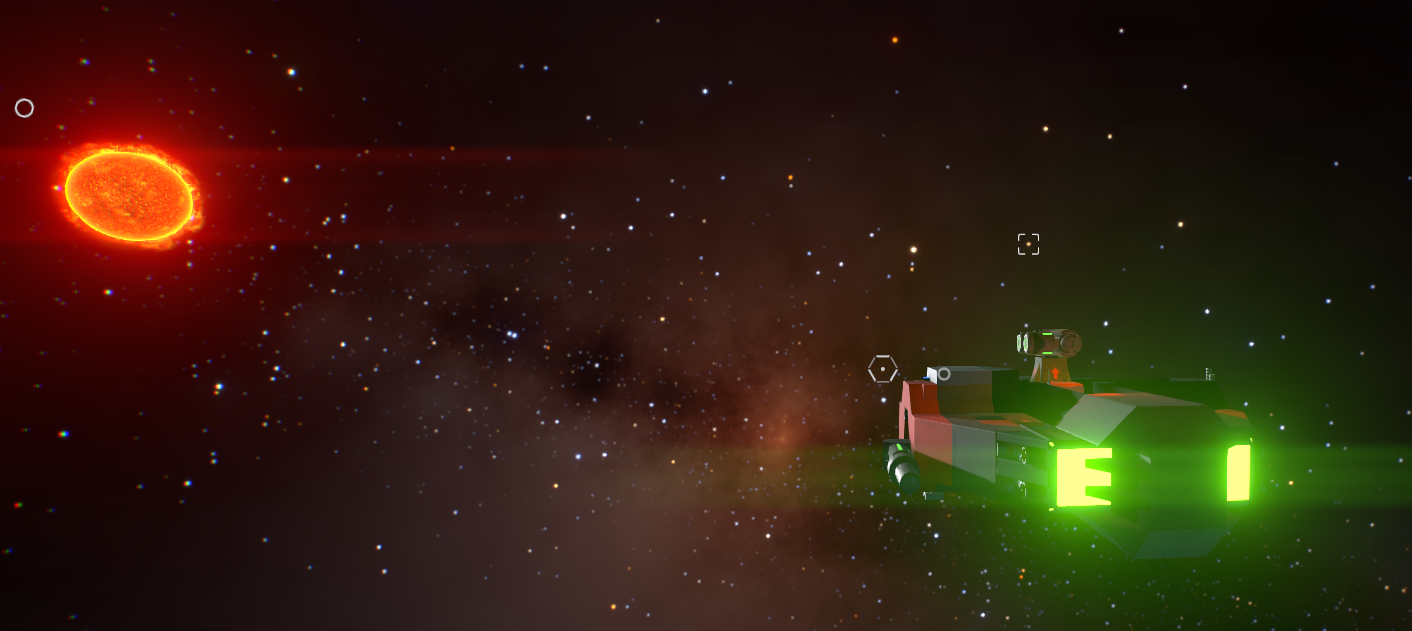
If you played the game when it was called Skywanderers, you will see quite a big departure from the old holomap. The older one was fancy but not really user friendly: I had to move to a more traditional full screen with mouse UI layout instead of the 3d in-game one.
The star generation also had been changed, we now have a lot less stars. Having a hundreds of billions of stars was a real pain navigation wise and was not delivering anything special gameplay wise. This might be great for more realistic game like Elite Dangerous, but Starship EVO aims at delivering a more space-opera feel.
See you in the next one!
Gameplay Feature: Medbay and Player Health! [20w34a EXPERIMENTAL]
Indeed, survival has no meaning if the player cant die!
A new system block has been added, acting as a healing station and respawn point in case of player death: the medbay.
The player will have to "Scan" himself to various Medbay belonging to his ship or NPC stations as he progress in the game.
I have created the medbay to have a minimal form factor so you can decorate it as you wish. It is designed to be placed either vertically or horizontally to fit the style you prefer, the player animation inside will adapt to the relative orientation of the local gravity field. It is as small as possible as one day when crew and boarding is introduced you might need to put several of them inside your ship!
Check out the design and animation below.
[previewyoutube="DhQdAtWxEC8;full"]
New features:
- Player health
- Player impact FX (wip) and death animation
- Medbay system added
- Medbay can heal wounded players.
- Player can "scan" himself at the medbay in order set it as his respawn point
- Scan and Respawn FX
- Medbay can be place vertically or horizontally.
- The player will respawn to the last non-destroyed medbay.
- Player height reduced.
As with all the new content this patch will live in the Experimental beta branch for a bit of time before landing in the main branch.
Thanks a lot for playing the game!
Gameplay Feature: Upgrade Chip loot! [20w33a EXPERIMENTAL]
[previewyoutube="q5Q4AG9fRs4;full"]
First a drop system and a very basic ship inventory system is introduced.
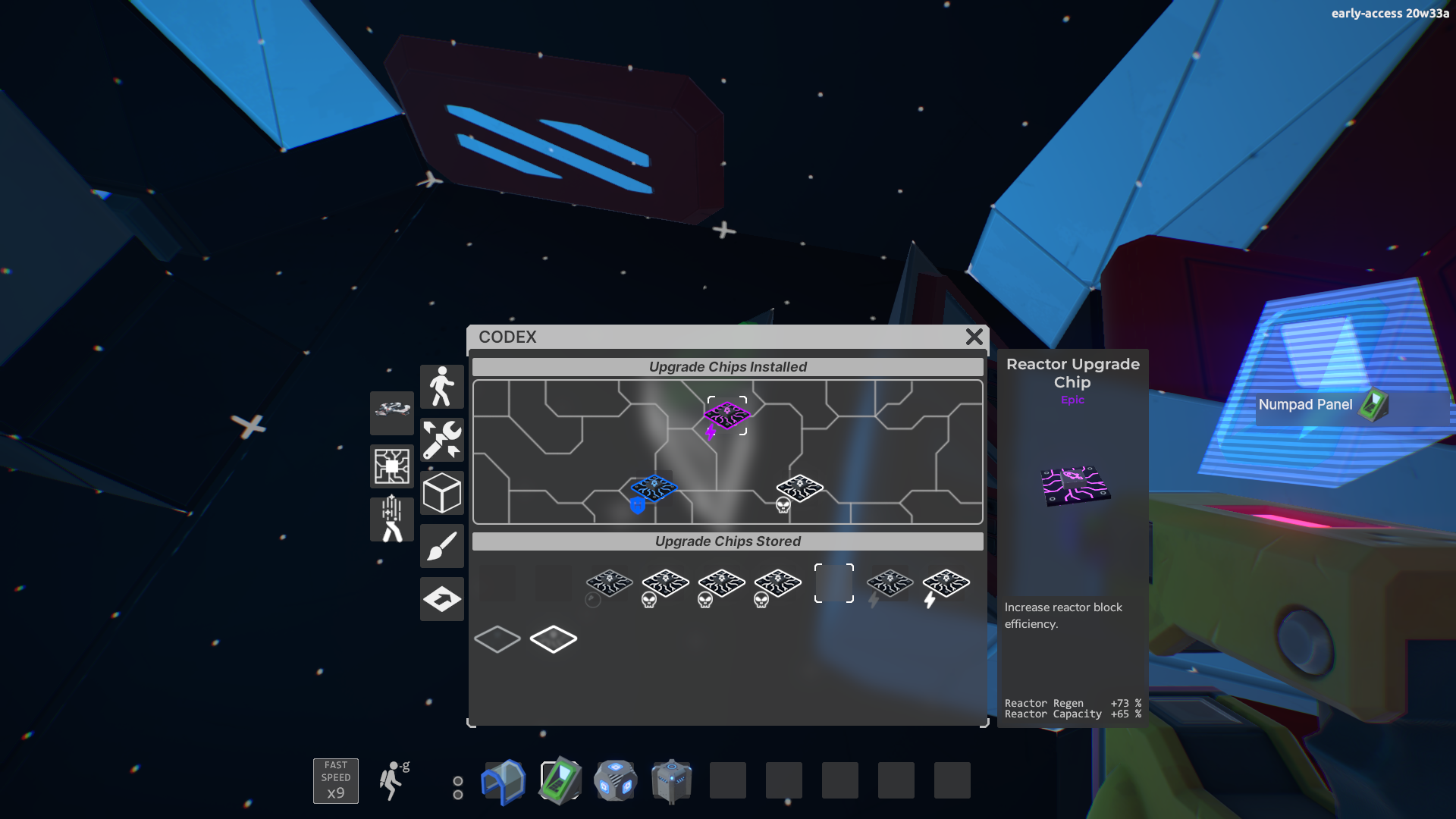
Secondly a Upgrade Chips system is introduced as the first lootable element in order to spice up the game progression.
Here is how it works:
- Destroying a system has a chance of dropping a random Upgrade Chip.
- Each Chip can improve one or several stats like Hull, Shield, Power or Weapons efficiency.
- The number of stats and their increase depends on the Chip rarity: Poor, Common, Uncommon, Rare, Epic or Legendary.
- Each ship can have up to 9 upgrade slots depending the ship Power output.
Upcoming:
- The current inventory system will be made more complex in the future with cargo management.
- More upgrade chip type will be added.
- Chip switch will have to be made at a station.
- An upgrade chip will increase the ability to get more upgrade slots (up to 14)
This build is available on the Experimental beta branch. Thanks for playing!
Combat Improvements
It make hard-points a valid alternative to turrets, amp up brick based ship durability, make system destruction a viable combat strategy and address the ship agility issues following player feedback.
Furthermore we did an important push on accessibility and player locomotion to address some issues and difficulties some player experienced.
Please note that the last few update are being push on the EXPERIMENTAL beta branch, so if you want to help to test you can opt-in! No password required.
Here is a quick recap of the main changes and new additions:
- No-clip mode added, an help message will suggest to activate it when player is stuck
- Fast speed mode is now a debug toggle
- Player being stuck on high fall issue is fixed.
- inconsistent jump height issue fixed
- Ship turning speed will scale down with mass at a given agility rating.
- Ship agility rating is maxed out to 100% (it will still display score superior to 100% though).
- Bricks now provide some Armor and Hull Integrity according to their volume, up to 100 HP per voxel.
- Gimbal added for fixed weapons.
- Hit Marker added.
- NPCs can uses fixed weapons.
- Target Lead indicator for each hotkey added.
- Mouse Power curve setting added: default is at 50%.
- System Destroy chain: system blocks have a 75% of destroying a neighbor voxel.
- Systems will cease to function under 50% HP.
- HUD: system HP for own and target ship added.
- Thruster system will emit some smoke when partly destroyed.
As usual for the full list of or changes and bug fixes you can report to the github or check in game:
[New build - EXPERIMENTAL] 20w32b: Hotfixes.
[New build - EXPERIMENTAL] 20w32a: Systems Destruction.
[New build - EXPERIMENTAL] 20w31b: Hardpoint Improvements.
[New build - DEFAULT] 20w31a: Brick HP and ship agility.
[New build - DEFAULT] 20w30d: Hotfixes.
[New build - DEFAULT] 20w30c: Player Locomotion Improvements
Happy building!
Francois
Patch Notes, 20w32a: Systems Destruction [beta]
It adds a few new gameplay mechanics and some HUD feedback on players own ship and target ship systems HP.
Improvements and changes.
System Destroy chain: system blocks have a 75% of destroying a neighbor voxel.
Systems will cease to function under 50% HP.
HUD: system HP for own and target ship added.
Thruster system will emit some smoke when partly destroyed.
NB: Player will have ways to improve the previous stats through gameplay in upcoming updates.
Bugfixes:
#2741 Missing children entities on blueprint load.
#2721 #2738 Incorrect chunk information on blueprint load.
#2740 Build on a ship that is selected by the tracking cam breaks game.
#2731 Can link seat to buttons.
#2718 Mag-lock can lock to already locked entity
Mag-lock can lock circularly.
#2717 Grays paint not applied correctly on light.
#2734 Weapon spread not applied with gimbal weapons.
Patch Notes, 20w31b: Hardpoint Improvements [beta]
Improvements and changes.
Gimbal added for fixed weapons.
Hit Marker added.
NPCs can uses fixed weapons.
Target Lead indicator for each hotkey added.
Mouse Power curve setting added: default is at 50%.
Some CPU optimizations
This build is part of the EXPERIMENTAL branch.
Patch Notes, 20w31a: Brick HP and ship agility.
Following players feedback a new Spaceship agility model is introduced:
Ship with more mass will turner slower at a given agility.
Some examples:
Up to 20T = 100% speed.
50T => 91% speed.
100T => 79% speed.
1000T => 49% speed.
10000T => 21% speed.
You might need to put more thrusters on your larger ship if it turns too slowly!
Improvements and changes.
- Ship agility rating is maxed out to 100% (it will still display score superior to 100% though).
- Bricks now provide some Armor and Hull Integrity according to their volume, up to 100 HP per voxel.
- Faster loading time.
- The Tracking Camera has better performance.
- Unstuck Command renamed to noclip mode.
Bugfixes:
- Weapon still visible when unequiped.
- Weapon on game reload when weapon is equiped
- #2713 Destroyed voxel during gameplay are still visible.
- #2711 Cant close command list menu with ESC
- #2712 Move faster / slower keys present in command list.
- #2707 Stuck message appearing in No Clip mode.
- #2701 Some transparent bricks are opaque in Ship Preview.
- #2708 Dropped weapon incorrect placement on reload.